YOLO26 모델의 ONNX 내보내기
ONNX (Open Neural Network Exchange)는 대부분의 추론 런타임에서 로드할 수 있는 개방형 모델 형식입니다. format="onnx"을 사용해 Ultralytics YOLO26 모델을 내보내면 단일 .onnx 파일이 생성되며, 이 파일은 CPU, NVIDIA 및 AMD GPU, Apple silicon, Windows 디바이스에서 ONNX Runtime으로 실행됩니다.
한눈에 보기#
| 속성 | 세부 정보 |
|---|---|
format 인수 | onnx |
| 출력 | yolo26n.onnx: 클래스 이름, 작업, 이미지 크기가 메타데이터로 저장된 단일 파일입니다. 보정된 quantize=8 내보내기에는 yolo26n_int8.onnx을 사용합니다. |
| 실행 환경 | CPU, NVIDIA GPU(CUDA), AMD GPU(MIGraphX), Apple silicon(Core ML 실행 공급자), Windows ML 디바이스 |
| 런타임 | ONNX Runtime 또는 dnn=True를 사용하는 OpenCV DNN |
| 정밀도 | FP32, FP16, INT8. YOLO26n은 FP32에서 9.9 MB, FP16에서 5.0 MB, INT8에서 3.1 MB입니다. |
| 내보내기 호스트 | GPU 유무와 관계없이 Linux, macOS 또는 Windows |
Ultralytics Platform에서 학습된 모델을 ONNX로 내보낼 수 있으므로 로컬 내보내기 환경이 필요하지 않습니다.
빠른 시작#
Ultralytics 패키지를 설치합니다. 첫 번째 내보내기 시 필요한 경우 onnx, onnxslim, onnxruntime를 설치합니다(NVIDIA GPU에서 device=0와 함께 내보내는 경우 onnxruntime-gpu도 설치합니다).
pip install ultralytics다른 설치 방법은 설치 가이드를 참조하세요. 그런 다음 모델을 내보내고 내보낸 파일을 로드하여 추론을 실행하거나 정확도를 검증하세요.
from ultralytics import YOLO

# YOLO26 모델 로드
model = YOLO("yolo26n.pt")

# 모델을 ONNX 형식으로 내보내기
model.export(format="onnx")  # 'yolo26n.onnx' 생성

# 보정 데이터로 INT8 양자화 ONNX 모델 내보내기
model.export(format="onnx", quantize=8, data="coco8.yaml") # 'yolo26n_int8.onnx' 생성from ultralytics import YOLO
# 내보낸 ONNX 모델 로드
model = YOLO("yolo26n.onnx")
# 추론 실행
results = model("https://ultralytics.com/images/bus.jpg")from ultralytics import YOLO
# 내보낸 ONNX 모델 로드
model = YOLO("yolo26n.onnx")
# COCO8 데이터셋에서 정확도 검증
metrics = model.val(data="coco8.yaml")지원 작업#
ONNX 내보내기는 YOLOv8, YOLO11, YOLO26 모델에서 객체 탐지, 세그멘테이션, semantic segmentation, depth estimation, 분류, 포즈 추정, OBB를 비롯한 Ultralytics의 7가지 작업을 모두 지원합니다. Semantic segmentation과 depth estimation은 해당 헤드를 제공하는 유일한 제품군인 YOLO26에서만 사용할 수 있습니다.
내보내기 인수#
| 인수 | 유형 | 기본값 | 설명 |
|---|---|---|---|
format | str | 'onnx' | 내보낸 모델의 대상 형식으로, 다양한 배포 환경과의 호환성을 정의합니다. |
imgsz | int 또는 tuple | 640 | 모델 입력 이미지 크기입니다. 정사각형 이미지에는 정수를, 그 외의 크기에는 튜플 (height, width)을 지정합니다. 값을 전달하지 않으면 내보내기 시 체크포인트 학습에 사용된 크기를 사용합니다. 공식 YOLO26 체크포인트는 detect, segment, pose, ADE20K로 사전 학습된 semantic 모델에 640, OBB 및 Cityscapes로 사전 학습된 semantic 모델에 1024, depth에 768, classify에 224를 사용합니다. |
quantize | int 또는 str | None | 양자화 정밀도입니다. 16은 FP16을 의미합니다(CPU 내보내기는 FP32 입력과 출력을 유지하고 GPU 내보내기는 입력과 출력도 FP16으로 변환합니다). 8은 data의 보정 이미지를 사용해 ONNX Runtime으로 수행하는 INT8 정적 양자화이며, _int8.onnx 모델을 생성합니다. 32 또는 미설정은 FP32를 의미합니다. quantize=8로 학습된 체크포인트는 quantize을 설정하지 않거나 8로 설정하면 INT8로 내보냅니다(그 외 값은 오류를 발생시킵니다). 이 경우 보정 없이 체크포인트에 포함된 범위에서 Q/DQ 노드를 생성하고, 단순한 .onnx 이름을 사용합니다. 더 이상 사용되지 않는 half/int8 플래그를 대체합니다. |
data | str | None | INT8 보정에 사용하는 데이터셋 YAML입니다. 분류 작업에서는 대신 데이터셋 디렉터리 또는 기본 제공 데이터셋 이름을 사용합니다. quantize=8을 지정하지 않으면 Ultralytics가 모델 태스크에 해당하는 기본 보정 데이터셋을 선택합니다. quantize=8로 학습한 체크포인트에는 데이터셋이 필요하지 않습니다. |
fraction | float, int 또는 list | 1.0 | 비율, 이미지 수 또는 [train, val, test] 비율/개수로 지정하는 보정 하위 집합입니다. 항목이 두 개인 목록에서는 test이 전체로 설정되고, 0는 건너뜁니다. |
dynamic | bool | False | 입력의 batch, height, width를 동적 축으로 설정하므로 하나의 파일이 서로 다른 batch 크기(nms=True을 사용하는 내보내기 batch까지)와 이미지 크기를 처리합니다. 동적 내보내기를 참조하세요. |
simplify | bool | True | onnxslim을 사용해 모델 그래프를 간소화합니다. |
opset | int | None | 서로 다른 ONNX 파서 및 런타임과의 호환성을 위해 ONNX opset 버전을 지정합니다. 설정하지 않으면 opset 18을 사용합니다(PyTorch < 2.4에서는 더 낮은 버전 사용). 단, 설치된 onnx 버전을 상한으로 합니다. 최소 opset을 참조하세요. |
nms | bool, 선택 사항 | None | 원시 출력(None, 기본값), 내장 NMS(True) 또는 NMS 없는 헤드(False)를 선택합니다. 출력 형식을 참조하세요. |
batch | int | 1 | 내보낸 모델의 batch 크기입니다. 정적 내보내기에서는 입력 shape에 이 batch 크기가 고정됩니다. dynamic=True 및 nms=True을 사용하는 경우 실행할 최대 batch 크기로 설정하세요. |
device | str | None | 내보내기에 사용할 디바이스입니다. cpu은 기본값이며 GPU가 있는 시스템에서도 사용됩니다. CUDA GPU에는 0, Apple silicon에는 mps를 지정합니다. 이 설정은 quantize=16에만 결과 영향을 줍니다. FP16 입력을 참조하세요. |
모든 형식에 공통으로 적용되는 인수는 내보내기 모드 문서를 참조하세요.
INT8 양자화#
양자화 인식 학습으로 학습하지 않은 체크포인트의 경우, quantize=8은 ONNX Runtime 정적 양자화를 Conv, Gemm, MatMul 노드에만 적용합니다. output0을 구성하는 연산을 포함한 다른 모든 노드는 부동 소수점 형식으로 유지됩니다. 이 텐서는 박스 좌표(픽셀)와 클래스 점수(0~1)를 함께 담으므로, 전체 텐서에 단일 INT8 스케일을 적용하면 모든 클래스 점수가 0으로 반올림됩니다. opset 13 이상에서는 가중치를 채널별로 양자화합니다. 내보낸 FP32 모델에 quantize_static을 직접 실행하는 경우에도 동일한 노드를 제외하고 per_channel=True을 설정하세요:
import onnx
from onnxruntime.quantization import quantize_static

model = "yolo26n.onnx"
exclude = [n.name for n in onnx.load(model).graph.node if n.op_type not in {"Conv", "Gemm", "MatMul"}]
quantize_static(model, "yolo26n_int8.onnx", calibration_reader, nodes_to_exclude=exclude, per_channel=True)
여기서 calibration_reader은 모델의 batch 크기에 해당하는 onnxruntime.quantization.CalibrationDataReader이며, 추론에 맞게 전처리되어 {"images": array}를 생성합니다. 내보내기 크기에 맞게 레터박스 처리하고(분류의 경우 크기 조정 후 중앙 자르기), RGB, NCHW 형식으로 변환한 다음 0~1 범위의 float32을 적용합니다.
INT8 모델은 FP32 모델과 동일한 입력 및 출력 타입을 유지하므로 FP32 모델용으로 작성한 추론 코드를 수정 없이 실행할 수 있습니다. INT8 파일은 FP32 파일보다 3~4배 작지만, 벤치마크에서 ONNX Runtime을 사용했을 때 GPU와 CPU 모두 FP32보다 느렸습니다. 정밀도를 선택하기 전에 대상 하드웨어에서 지연 시간을 측정하세요.
출력 형식#
내보낸 모델은 images이라는 이름의 입력 하나를 받으며, shape은 (batch, 3, height, width)이고 RGB 형식으로 0~1 범위에 맞게 조정됩니다. 입력은 float32입니다. 단, GPU에서 quantize=16을 사용해 내보낸 경우에는 float16를 입력으로 받습니다. nms 인수는 output0의 레이아웃을 설정합니다. 아래 shape은 클래스가 80개이고 imgsz=640에서 내보낸 YOLO26n 객체 탐지 모델 기준입니다.
nms | output0 shape | 내용 |
|---|---|---|
None(기본값) | (1, 84, 8400) | 8400개 앵커 각각에 대해 입력 픽셀 기준 박스 중심 x, 중심 y, 너비, 높이와 80개 클래스 점수가 출력됩니다. NMS를 직접 적용하세요. |
True | (1, 300, 6) | 모델 내부에서 NMS를 실행합니다. 각 행은 x1, y1, x2, y2, score, class이며, 마지막 탐지 이후의 행은 0으로 채워집니다. |
False | (1, 300, 6) | NMS 없는 헤드입니다. 각 행은 x1, y1, x2, y2, score, class이며 NMS 단계가 없습니다. 직접 점수에 따라 행을 필터링하세요. |
다른 작업도 동일한 입력을 사용하며 다음 출력을 생성합니다. 아래 shape은 기본 내보내기 크기를 사용하는 공식 YOLO26n 체크포인트 기준입니다. 단, semantic segmentation에는 Cityscapes 체크포인트 yolo26n-sem.pt을 사용합니다.
| 작업 | 기본 imgsz | nms=None을 사용한 출력 | nms=False 또는 nms=True을 사용한 출력 |
|---|---|---|---|
| 감지 | 640 | output0 (1, 84, 8400) | output0 (1, 300, 6) |
| 분할 | 640 | output0 (1, 116, 8400), output1 (1, 32, 160, 160) | output0 (1, 300, 38), output1 (1, 32, 160, 160) |
| 의미론적 | 1024 | output0 (1, 1024, 1024): 픽셀별 uint8 클래스 인덱스 | nms=None과 동일합니다 |
| 깊이 | 768 | output0 (1, 1, 768, 768): depth map | nms=None과 동일합니다 |
| 분류 | 224 | output0 (1, 1000): softmax를 적용한 클래스 확률 | nms=False에 대해서는 nms=None과 동일합니다. nms=True는 오류를 발생시킵니다. |
| 포즈 | 640 | output0 (1, 56, 8400) | output0 (1, 300, 57): 박스 값 6개와 keypoint 17개(x 3) |
| OBB | 1024 | output0 (1, 20, 21504) | output0 (1, 300, 7): center x, center y, width, height, score, class, angle(라디안) |
세그멘테이션 행에는 박스 값 뒤에 마스크 계수 32개가 포함되며, output1에는 마스크 프로토타입이 저장됩니다. FP32 및 INT8 모델에서 semantic 클래스 맵을 제외한 모든 출력은 float32입니다.
nms=True을 사용하는 경우 confidence 임계값 conf(기본값 0.25), IoU 임계값 iou(기본값 0.5), agnostic_nms, max_det(기본값 300)이 내보내기 시 그래프에 고정됩니다. 예측 시 conf을 더 낮게 설정해도 그래프에서 이미 제거한 탐지를 복원할 수 없으므로 값을 변경하려면 다시 내보내야 합니다. max_det 및 agnostic_nms도 nms=False에 적용됩니다. max_det=100는 output0 shape (1, 100, 6)를 생성합니다.
YOLO("yolo26n.onnx")은 파일 메타데이터에서 레이아웃을 읽으므로, 자체 코드에서 모델을 실행할 때만 이 shape이 필요합니다. 메타데이터는 다음 문자열로 코드에서도 사용할 수 있습니다. names, task, imgsz, stride, batch, end2end, args.
import ast

import onnxruntime as ort

meta = ort.InferenceSession("yolo26n.onnx").get_modelmeta().custom_metadata_map
names = ast.literal_eval(meta["names"])  # {0: 'person', 1: 'bicycle', ...}
imgsz = ast.literal_eval(meta["imgsz"]) # [640, 640]배포#
YOLO("yolo26n.onnx")은 ONNX Runtime으로 모델을 실행하고 device 인수에서 실행 공급자를 선택합니다. CUDA GPU가 있는 시스템에서는 device를 설정하지 않은 경우 GPU를 사용합니다.
device | 실행 공급자 |
|---|---|
cpu | CPUExecutionProvider |
NVIDIA GPU에서 0 | CUDAExecutionProvider: 처음 사용할 때 설치되는 onnxruntime-gpu 패키지에서 제공됩니다. |
AMD ROCm GPU에서 0 | MIGraphXExecutionProvider. MIGraphX를 사용한 AMD GPU 추론을 참조하세요. |
Apple silicon에서 mps | 정적 shape의 노드에는 CoreMLExecutionProvider을 사용합니다. 동적 shape의 노드는 CPUExecutionProvider에서 실행됩니다. |
로그 행 Using ONNX Runtime 1.31.1 with CUDAExecutionProvider에서 활성 실행 공급자를 확인할 수 있습니다. 추론 시 동작은 모델을 내보낸 방식에 따라 달라집니다.
- 정적 내보내기(기본값): 모델은 항상 내보내기 시의
imgsz및batch에서 실행되며, Ultralytics는 이 값을 파일 메타데이터에서 읽습니다.predict에 전달된imgsz는 무시됩니다. 더 큰 batch는 내보내기 batch 크기의 청크로 분할되고, 더 작은 batch는 패딩되므로 이미지 수에 관계없이 처리할 수 있습니다. - 동적 내보내기(
dynamic=True):predict은 모델 stride의 배수인 모든imgsz를 지원합니다. batch 크기는 변경할 수 있지만,nms=True을 사용하는 경우 내보내기 시 사용한batch값으로 제한됩니다. 따라서 실행할 최대 batch 크기로 설정하세요. - GPU 메모리:
CUDAExecutionProvider을 사용하는 경우 정적 모델은 ONNX Runtime IO binding을 사용하여 입력 및 출력 텐서를 GPU에 유지합니다. 동적 모델은 호출할 때마다 해당 텐서를 CPU 메모리로 복사합니다. - CPU 스레드: Ultralytics는 ONNX Runtime의 intra-op 스레드 수를 8개로 제한하거나, 프로세스에서 사용할 수 있는 물리 CPU 코어 수가 8개보다 적으면 해당 코어 수로 제한합니다. 다른 수를 사용하려면
ORT_INTRA_OP_NUM_THREADS환경 변수를 설정하세요.
predict 또는 val에 dnn=True을 전달하면 ONNX Runtime 대신 OpenCV DNN을 사용해 CPU에서 모델을 실행합니다. OpenCV DNN은 지원하는 내보내기 옵션이 더 적습니다. 제한 사항 및 문제 해결을 참조하세요.
Ultralytics 패키지 외부에서 모델을 실행하려면 다음 자료를 참조하세요.
- ONNX Runtime Python API: Python에서 ONNX 모델을 로드하고 실행합니다.
- ONNX Runtime 실행 공급자: CUDA, TensorRT, OpenVINO, Core ML, DirectML 등의 하드웨어 백엔드입니다.
- Ultralytics 예제: Python, C++, Rust에서 ONNX Runtime 추론을 수행하는 예제와 Python에서 OpenCV DNN 추론을 수행하는 예제입니다.
- Triton Inference Server: NVIDIA Triton으로 HTTP 또는 gRPC를 통해 ONNX 모델을 서빙합니다.
- 엣지 디바이스에 배포하기: IoT 및 엣지 하드웨어용 ONNX Runtime 튜토리얼입니다.
Windows ML 추론#
Python 3.10 이상이 설치된 Windows 11 24H2(빌드 26100) 이상에서는 별도의 환경에 onnxruntime-windowsml을 설치하여 Windows ML에서 실행 공급자를 선택해 하드웨어를 활용할 수 있습니다. 다른 ONNX Runtime 빌드 대신 이 패키지를 설치한 다음, 동일하게 내보낸 .onnx 모델을 YOLO("model.onnx")과 함께 사용합니다. 백엔드는 PyTorch 스레드 수와 명시적인 공급자 정책을 포함해 제공된 세션 옵션을 유지합니다. 정책을 제공하지 않으면 PyTorch 장치가 cpu인 경우에도 Windows ML은 최대 성능을 위해 하드웨어를 선택합니다. 이 런타임을 선택하기 전에 장치에서 예측 지연 시간을 측정하세요. 이 런타임은 선택 사항이며 기본적으로 설치되지 않습니다.
CPU와 전력을 공유하는 통합 GPU에서는 전처리 및 후처리 중 유휴 상태인 PyTorch 스레드로 인해 Windows ML 추론이 느려질 수 있습니다. 예측을 수행하기 전에 torch.set_num_threads(1)을 호출하여 이를 줄이세요. 이 설정은 전체 프로세스에 적용되므로 해당 프로세스에서 실행되는 다른 PyTorch 모델도 단일 스레드로 실행됩니다.
import torch

from ultralytics import YOLO

torch.set_num_threads(1)  # 선택 사항이며, 장치에서 측정하세요
results = YOLO("yolo26n.onnx")("https://ultralytics.com/images/bus.jpg")
MIGraphX를 사용한 AMD GPU 추론#
Ultralytics는 ONNX Runtime의 MIGraphX 실행 공급자를 통해 AMD GPU에서 내보낸 ONNX 모델을 실행합니다. x86-64에서 Python 3.11 이상을 사용하는 ROCm(HIP) 시스템에서는 ONNX 백엔드가 처음 사용할 때 onnxruntime-ep-migraphx 플러그인을 설치하고 코드 변경 없이 MIGraphXExecutionProvider를 자동으로 선택하며, 모든 YOLO26 작업을 지원합니다. 사전 요구 사항, 설치, 사용법, 벤치마크, 컴파일된 프로그램 캐시에 대한 자세한 내용은 AMD GPU 추론 가이드를 참조하세요.
제한 사항 및 문제 해결#
- 최소 opset: 모델에 비해
opset이 너무 낮으면ONNX export requires opset>=N오류와 함께 내보내기가 실패합니다. 분류의 최소 버전은7, 객체 탐지, 세그멘테이션, semantic segmentation, pose, OBB의 경우9, depth estimation 및nms=True로 내보낸 객체 탐지, 세그멘테이션, pose, OBB 모델의 경우11, RT-DETR의 경우16입니다. - FP16 입력: GPU에서 내보낸 FP16 모델(
quantize=16 device=0)은 자체 코드에서 FP16 입력 텐서를 사용해야 합니다. CPU에서 내보낸 FP16 모델은 FP32 입력과 출력을 유지하고 그래프 내부에서 변환합니다.YOLO()은 GPU와 CPU에서 두 모델에 올바른 입력 타입을 전달합니다. - INT8 파일 이름:
quantize=8은yolo26n_int8.onnx을 저장하고 중간 FP32 파일을 제거하므로 추론 시_int8파일을 로드하세요.quantize=8으로 학습된 체크포인트는 예외입니다. 해당 체크포인트를 내보내면yolo26n.onnx에 Q/DQ 노드를 저장하고 보정 단계를 건너뜁니다. - INT8 보정 크기:
quantize=8으로 학습되지 않은 체크포인트의 경우 보정 분할에 이미지가 300개 미만이면 내보내기에서 경고가 표시됩니다. 기본적으로 보정에는val분할을 사용합니다.coco8.yaml에는 검증 이미지가 4개뿐이므로 배포할 모델에는 자체 데이터셋을 사용하세요. - 내장 NMS:
nms=True을 사용하려면 PyTorch 1.13 이상이 필요합니다. 분류에서는'nms=True' is not valid for classification models오류가 발생하며, semantic segmentation, depth estimation, RT-DETR 모델에서는 경고와 함께 무시됩니다. - NMS 없는 헤드:
nms=False에는 YOLO26 또는 YOLOv10과 같이 NMS 없는 헤드가 있는 모델이 필요합니다. 예를 들어 YOLO11과 같은 다른 모델에서는 내보내기 시This model has no one-to-one head; using one-to-many outputs경고가 표시되고 원시(1, 84, 8400)출력을 저장합니다. - GPU를 사용하지 않음: 로그에
CUDA requested but CUDAExecutionProvider not available. Using CPU...이 표시되면 설치된 ONNX Runtime 빌드에 제대로 작동하는 CUDA 공급자가 없는 것입니다.onnxruntime대신onnxruntime-gpu을 설치하고 CUDA 및 cuDNN 버전이 시스템과 일치하는지 확인하세요. - OpenCV DNN: OpenCV 4.14.0에서
dnn=True은 기본 모델,nms=False, INT8 모델, GPU에서 내보낸 FP16 모델을 실행합니다.nms=True로 내보낸 모델, CPU에서dynamic=True또는quantize=16로 내보낸 모델은 로드하지 못합니다. - NMS를 사용하는 동적 shape:
dynamic=True과nms=True을 함께 사용하는 경우 실행할 최대 batch 크기로batch도 설정하세요.batch이1로 설정된 상태라면 내보내기 시 경고가 표시됩니다. - 그래프 간소화:
onnxslim이 실패하면 내보내기에서 경고를 기록하고 간소화하지 않은 모델을 저장합니다. - IR 버전: 이전 ONNX Runtime 릴리스에서도 파일을 로드할 수 있도록 내보내기 도구는 ONNX IR 버전을 10으로 제한합니다. 기본 설정에서 opset 18로 내보낸 모델의 IR 버전은 8입니다.
그 밖의 오류는 일반적인 문제 가이드를 참조하세요.
벤치마크#
YOLO26n은 ONNX Runtime을 사용하는 CPU(Intel Xeon CPU @ 2.00 GHz)에서 YOLO11n보다 최대 43% 빠르게 실행됩니다. YOLO26 모델 페이지에는 semantic segmentation을 제외한 모든 작업의 각 모델 CPU ONNX 속도가 나와 있습니다.
시청: Ultralytics YOLO26과 Ultralytics YOLO11의 ONNX 추론 테스트 | YOLO26으로 추론 속도 약 43% 향상 🚀
ONNX Runtime을 사용하는 FP32, FP16, INT8#
아래 표에서는 ONNX Runtime CUDAExecutionProvider으로 실행한 모든 YOLO26 객체 탐지 모델의 PyTorch, FP32, FP16, INT8 ONNX 성능을 비교합니다. 모든 GPU 값은 NVIDIA RTX PRO 6000 Blackwell Server Edition GPU 한 대에서 측정했습니다.
이미지당 밀리초이며, 낮을수록 좋습니다. 모델별 가장 빠른 형식은 굵게 표시했습니다.
| 모델 | imgsz | PyTorch | ONNX FP32 | ONNX FP16 | ONNX INT8 |
|---|---|---|---|---|---|
| YOLO26n | 640 | 2.85 | 1.96 | 1.88 | 3.73 |
| YOLO26s | 640 | 2.98 | 2.14 | 1.73 | 4.31 |
| YOLO26m | 640 | 3.29 | 3.01 | 2.14 | 5.37 |
| YOLO26l | 640 | 4.70 | 4.09 | 3.08 | 7.51 |
| YOLO26x | 640 | 5.93 | 5.56 | 3.90 | 9.38 |
CPU에서 YOLO26n 실행(AMD EPYC 9655, PyTorch와 ONNX Runtime 모두 각각 8개 스레드 사용. YOLO26 모델 표에 사용된 것과 다른 CPU):
| 지표 | PyTorch | ONNX FP32 | ONNX FP16 | ONNX INT8 |
|---|---|---|---|---|
| 지연 시간(ms/이미지) | 13.2 | 13.4 | 13.2 | 56.5 |
| mAPval 50-95 | 40.8 | 40.9 | 40.9 | 38.7 |
- FP16은 FP32보다 mAP가 0.1 이내로 낮으면서 파일 크기를 절반으로 줄였고, GPU에서는 FP32보다 최대 1.4배 빠르게 실행되었으나 CPU에서는 속도 향상이 없었습니다.
- INT8은 파일 크기가 가장 작았지만 mAP가 2.2~3.0 낮았고 GPU와 CPU 모두에서 FP32보다 느리게 실행되었습니다.
2026년 11월 13일에 batch=1에서 ultralytics 8.4.211, ONNX Runtime 1.30.0, PyTorch 2.15.0, CUDA 13.2를 사용해 측정했습니다. 지연 시간은 val에서 보고하는 추론 단계만을 나타내며 전처리 또는 후처리는 포함하지 않습니다.
ONNX 소개#
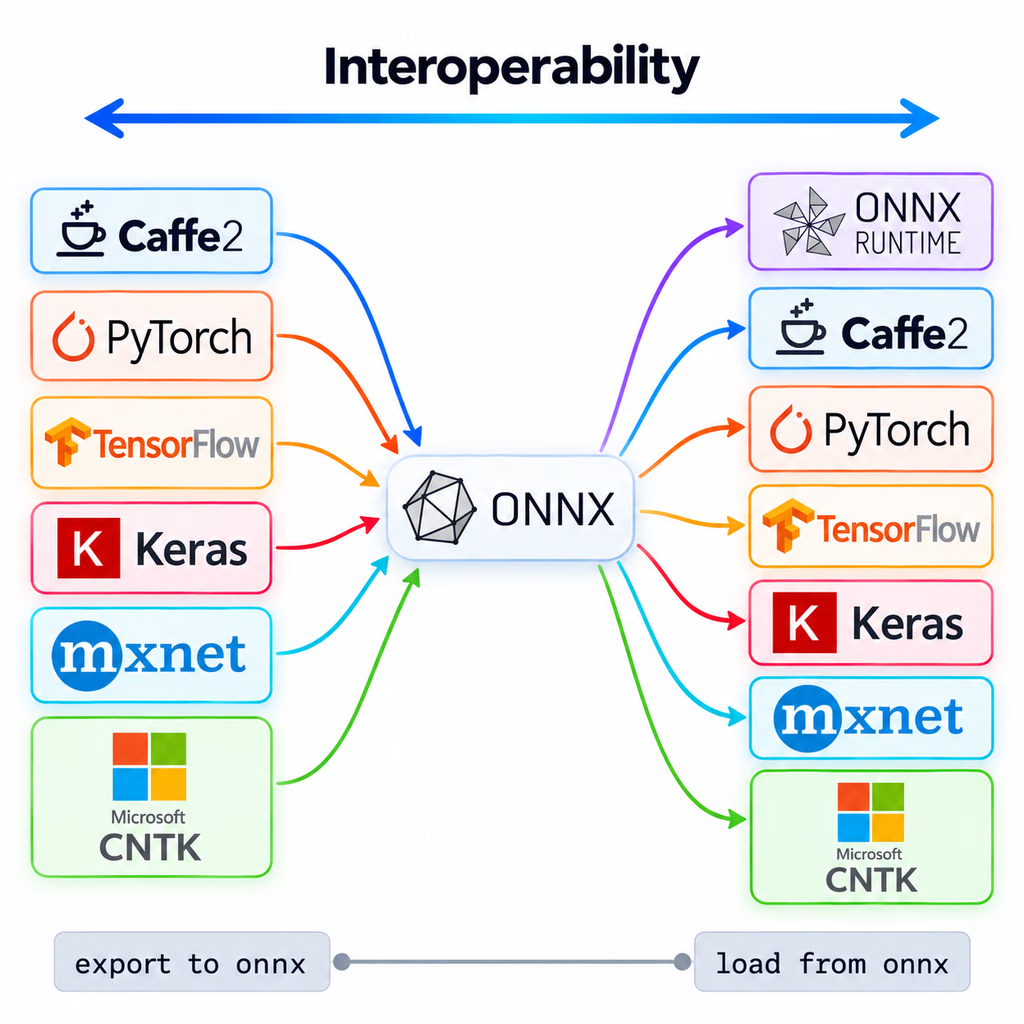
ONNX는 Facebook과 Microsoft가 시작한 커뮤니티 프로젝트이며, 현재 IBM, Amazon, Google 등의 조직이 개발하고 있습니다. ONNX는 머신러닝 모델을 위한 공통 연산자 집합과 파일 형식을 정의하므로, PyTorch와 같은 한 프레임워크에서 학습한 모델을 다양한 런타임과 하드웨어 플랫폼에서 실행할 수 있습니다.
ONNX Runtime은 ONNX 모델을 위한 크로스 플랫폼 추론 엔진입니다. 실행 공급자는 하드웨어별 라이브러리를 사용하여 CPU, GPU 및 전용 가속기에서 모델을 실행합니다.
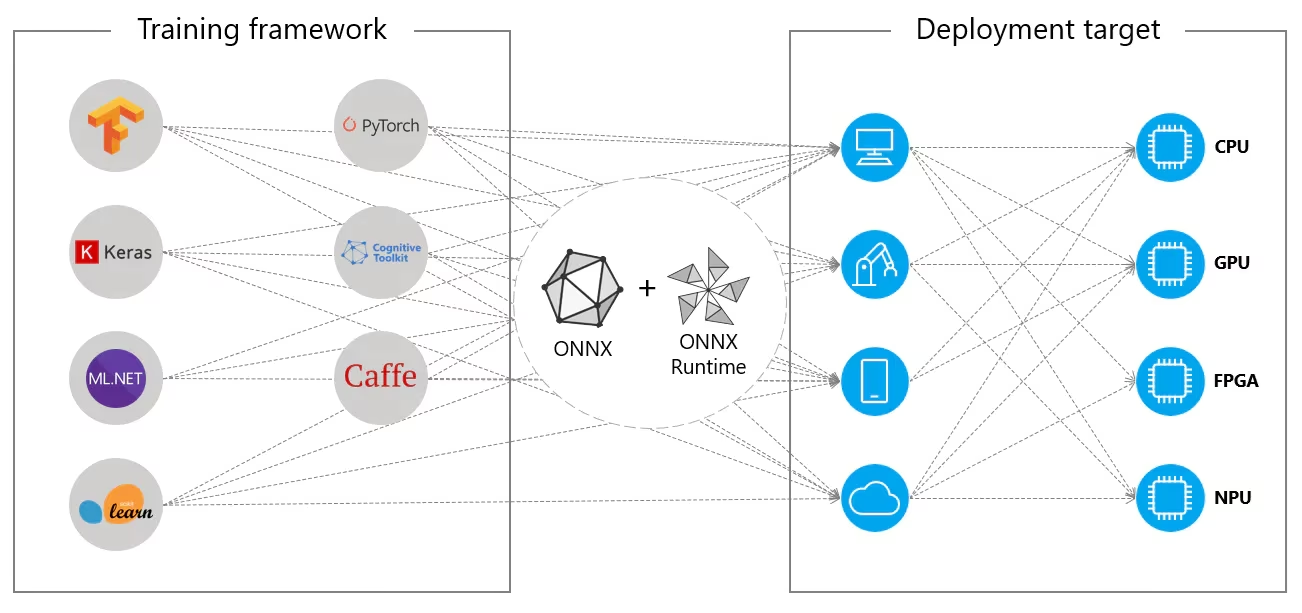
ONNX는 TensorRT를 비롯한 다른 Ultralytics 내보내기 형식의 중간 단계이기도 하며, Huawei Ascend, Qualcomm QNN, Rockchip RKNN과 같은 공급업체 NPU 툴체인의 입력으로 사용됩니다. 사양은 ONNX 문서를 참조하세요.
자주 묻는 질문#
런타임에 특정 버전이 필요한 경우가 아니면
opset을 설정하지 마세요. 그러면 내보내기 도구가 PyTorch 2.4 이상에서는 opset18을, PyTorch 1.13~2.3에서는 opset17를 사용하고, 이전 PyTorch 버전에서는 더 낮은 opset을 사용하며, 설치된onnx패키지가 지원하는 버전을 넘지 않습니다. 기본값이 18에서 멈추는 이유는 ONNX Runtime CUDA 공급자가 opset 19 이상의 일부 연산자(예:Resize)를 CPU에서 실행하기 때문입니다. 이전 런타임이나 변환기가 기본값을 거부하는 경우opset=12와 같이 더 낮은 값을 설정하세요. 값은 모델의 최소 opset보다 낮을 수 없습니다.내보낼 때 사용한
nms인수에 따라 다릅니다. 기본 내보내기는 신뢰도 필터링과 NMS가 필요한 원시 예측값을 반환합니다.nms=False또는nms=True를 사용해 내보내면 이미지당 최대max_det개(기본값 300)의 최종 검출 결과가 입력 이미지 픽셀 기준x1, y1, x2, y2, score, class로 반환되므로, 점수만 필터링하고 박스를 원본 이미지 크기로 다시 조정하면 됩니다. OBB 행에는 꼭짓점 대신center x, center y, width, height와 각도가 포함됩니다. 출력 형태는 출력 형식을 참조하세요.ONNX Runtime으로 NMS가 없는 출력 읽기# 먼저 내보냅니다: yolo export model=yolo26n.pt format=onnx nms=False import numpy as np import onnxruntime as ort session = ort.InferenceSession("yolo26n.onnx") # nms=False로 내보냄 image = np.zeros((1, 3, 640, 640), dtype=np.float32) # 전처리된 이미지 detections = session.run(None, {"images": image})[0][0] # shape (300, 6) detections = detections[detections[:, 4] > 0.25] # 신뢰도 임계값보다 높은 행 유지dynamic=True을 설정하세요. 그러면images입력의 형태가 동적 배치, 높이, 너비를 포함하는(batch, 3, height, width)가 되고, 기본값(nms=None)인 검출output0의 형태는(batch, 84, anchors)가 됩니다. 따라서 추론 시 동일한 파일에서 서로 다른 배치 크기와 이미지 크기를 사용할 수 있습니다.nms=True을 사용하면 배치 크기는 내보내기에 사용한batch값으로 제한됩니다. 높이와 너비는 모델 스트라이드의 배수여야 하며, 분류를 제외한 공식 YOLO26 체크포인트의 스트라이드는 32입니다. 동적 모델은 CUDA에서 IO 바인딩을 사용하지 않으며 OpenCV DNN에서 로드되지 않으므로, 입력 크기가 고정되어 있다면 기본 정적 내보내기를 유지하세요.동적 내보내기from ultralytics import YOLO model = YOLO("yolo26n.pt") model.export(format="onnx", dynamic=True)하나의 파일을 여러 하드웨어에서 실행해야 하거나 배포 머신이 내보내기 작업을 수행하는 머신과 다르다면 ONNX를 사용하세요. 특정 NVIDIA GPU에서 지연 시간을 최소화하려면 TensorRT를 사용하세요. TensorRT 엔진은 특정 GPU 아키텍처와 TensorRT 버전에 맞춰 빌드되며 이식할 수 없습니다. 다른 대상에 대해서는 모델 배포 옵션 가이드를 참조하세요.


댓글77
질문을 하거나 결과를 공유하거나 다른 사람을 도와주세요.
dopeggguy
The parameter "half" bost apperence in train and export, what’s difference. when we using this parameter what should we need attention.
 Glenn JocherUltralytics(수정됨)
@dopeggguy Good question—summary: training uses mixed precision via
amp=True(weights stay FP32; compute is FP16 where safe), while export usesquantize=16(the formerhalf=True, now deprecated) to write an FP16 model for runtimes that support FP16. During training preferamp; use FP16 only at export/inference, and don't combine it with INT8 (quantize=8). See the train overview and AMP notes in the Train mode docs and thequantizeoption details in Model Export – Arguments and Configuration – Export Settings.from ultralytics import YOLO # Mixed-precision training (recommended) YOLO("yolo26n.yaml").train(data="data.yaml", amp=True) # FP16 export for FP16-capable runtimes (e.g., CUDA/TensorRT/OpenVINO FP16) YOLO("best.pt").export(format="onnx", quantize=16)yoloModel = YOLO(path_dir) yoloModel.export(format='onnx', dynamic=False, half=True, imgsz=(640, 640))
I'm not sure why. I enabled half=True, but the actual size of the exported model doesn't seem to change at all.
- Glenn JocherUltralytics(수정됨)
@dopeggguy
half=Trueis deprecated in favor ofquantize=16. On older releases a CPU-only ONNX export ignored the flag and stayed FP32, so the file size was almost identical. Current releases convert CPU ONNX exports to FP16 too (keeping float32 inputs/outputs), and GPU exports are FP16 natively. If you have a GPU, you can force export on it and re-check:from ultralytics import YOLO YOLO(path_dir).export(format="onnx", imgsz=(640, 640), dynamic=False, quantize=16, device=0)You can then open the ONNX in Netron or inspect it with the
onnxPython API to confirm the weights arefloat16; for pure CPU deployments it is often better to keep ONNX as FP32 or use a CPU‑oriented backend (e.g. OpenVINO) for FP16/INT8 optimization instead, with some general ONNX background outlined in the ONNX: Open Neural Network Exchange overview.
bastinj98
Hi, I trained d a YOLOV8-segn model to detect and segment a single class (nc=1) and then exported in to onnx (simplify, nms, half are all False) with opset = 17. The output shape is 1x37x8400.
I am building a C++ pipeline to use this model to run inference. How can I process this output to get the final segmentation mask ?
NgZiming
I exported a yolo 11 segment model to onnx format, and used onnx-runtime to infer. It responded two ndarrays of shapes (1, 37, 21504) and (1, 32, 256, 256). (imgsz=1024) So, how can i extract masks from these two arrays?
- Glenn JocherUltralytics
@NgZiming 这两个输出正是分割模型的“检测头 + 原型掩码”:
(1, 37, 21504)=4(xywh) + nc + 32(mask系数),(1, 32, 256, 256)为32个原型;掩码可由原型与对应检测的32维系数线性组合并裁剪到框内,最小示例(Python/NumPy)如下:import numpy as np import cv2 def sigmoid(x): return 1 / (1 + np.exp(-x)) def mask_from_outputs(det, proto, img_h, img_w, det_idx): # det: (1, C, N) -> (C, N), proto: (1, 32, 256, 256) -> (32, 256, 256) det = det[0]; proto = proto[0] nm, ph, pw = proto.shape # 32, 256, 256 nc = det.shape[0] - 4 - nm # 1) 取该检测的框、类别分数与32维掩码系数 cx, cy, w, h = det[0, det_idx], det[1, det_idx], det[2, det_idx], det[3, det_idx] coeff = det[4+nc:4+nc+nm, det_idx] # (32,) # 2) 原型 × 系数 -> 原始掩码 (ph, pw) m = sigmoid((proto.reshape(nm, -1).T @ coeff).reshape(ph, pw)) # 3) 可选:按框在原型分辨率下裁剪(坐标为[0,1]比例) x0 = int(max(0, (cx - w/2) * pw)); x1 = int(min(pw, (cx + w/2) * pw)) y0 = int(max(0, (cy - h/2) * ph)); y1 = int(min(ph, (cy + h/2) * ph)) crop = np.zeros_like(m); crop[y0:y1, x0:x1] = m[y0:y1, x0:x1] # 4) 上采样到原图尺寸并二值化 mask = cv2.resize(crop, (img_w, img_h), interpolation=cv2.INTER_LINEAR) return (mask > 0.5).astype(np.uint8)要点:确保与推理时的预处理一致(letterbox 缩放与填充、RGB/归一化等),否则框与掩码会错位。关于分割导出产生两个输出(
output0检测+系数,output1原型)的由来,可见导出实现参考的export_onnx说明:export_onnx 函数参考.1 thanks
- Glenn JocherUltralytics
Glad it helped—if you later need a C++ reference for segmentation mask decoding and preprocessing alignment, the step-by-step overview is in the Segmentation task docs.
 User
I have a question. If it's convenient, please answer it. Thank you! I'm working with cell images, and the image size is 3072*2048. I trained with imagesize=3072, but if I use imagesize=640, I can't detect objects. I can predict with a 3072 imagesize using a pt file, but now I'm trying to switch to C++ and call onnx, and the 3072 inference is very slow. Is this normal?
denni281
You should keep the same preprocess way between python-inference and cpp-inference.
- Glenn JocherUltralytics
@giter915 Yes—running 3072×2048 through ONNX/C++ will be much slower; inference time grows quickly with input area. Two practical options: use a faster backend or reduce effective input while keeping accuracy. For GPU, prefer TensorRT; for CPU, OpenVINO FP16/INT8 gives the largest gains. Examples:
from ultralytics import YOLO

# GPU-optimized
YOLO("best.pt").export(format="engine", imgsz=1536, half=True, dynamic=True)

# CPU-optimized
YOLO("best.pt").export(format="openvino", imgsz=1536, half=True)  # add int8=True with calibration if desired
If you must keep 3072, tile the image (e.g., 1024×1024 patches), run ONNX per tile, then merge detections with NMS in C++; this is a common approach for microscopy. Also ensure preprocessing in C++ exactly matches Python (letterbox padding, RGB order, 1/255 scaling)—agree with @DennisJcy here. For backend choices and supported export targets, see the export formats table in Object Detection – Ultralytics YOLO Docs, and for high‑throughput GPU serving consider Triton Inference Server with YOLO11.
- User
Thank you very much!
- Glenn JocherUltralytics
Glad it helped—one extra tip for ONNX Runtime C++: enable full graph optimizations and tune threads to squeeze more speed from large inputs like 3072×2048.
#include <onnxruntime_cxx_api.h>
#include <thread>

Ort::Env env(ORT_LOGGING_LEVEL_WARNING, "yolo");
Ort::SessionOptions so;
so.SetGraphOptimizationLevel(GraphOptimizationLevel::ORT_ENABLE_ALL);
so.SetIntraOpNumThreads(std::thread::hardware_concurrency());
so.SetInterOpNumThreads(1);  // often fine to leave at 1

Ort::Session session(env, "best.onnx", so);
Hello, I use ultratics to export YOLO11 half-Precision onnx model, but when I load the .onnx model to eval by onnxruntime, exception shows :Unexpected input data type. Actual: (tensor(float16)) , expected: (tensor(float)). And I compare the Float32 and Float16(half) .onnx model,These two files are exactly the same in size and input type.So the "half" keyword doesn't take effect when exporting ONNX, right? I remember Ultralytics didn't have this issue last year.
Here is my python script to export half-precision onnx model:
def main(opt): model = YOLO(opt.model) model.export( format="onnx", # opset=12, simplify=True, dynamic=False, imgsz=opt.imgsz, half=opt.half, batch=opt.batch, ) if __name__ == "__main__": multiprocessing.freeze_support() parser = argparse.ArgumentParser() parser.add_argument( "--model", type=str, default="/home/ultralytics/runs/detect/SHFY/weights/best.pt", ) parser.add_argument("--imgsz", type=int, default=640) parser.add_argument("--half", type=bool, default=True) parser.add_argument("--batch", type=int, default=1) opt, unparsed = parser.parse_known_args() print(opt) main(opt)Fine... It's my fault. My docker environment is Python-3.11.9 torch-2.4.1+cu118 CPU (unknown). The error is made by my cpu environment
- Glenn JocherUltralytics(수정됨)
@DennisJcy thanks for the update. On older releases
half=Truehad no effect on CPU ONNX exports, so the file stayed FP32. Current Ultralytics usesquantize=16(replacing the deprecatedhalf) and also converts CPU ONNX exports to FP16 while keeping float32 inputs/outputs, whereas GPU exports (device=0) are FP16 natively and need an FP16-capable ONNX Runtime provider. For CPU-optimized FP16 you can also export OpenVINO. For example:from ultralytics import YOLO # FP16 ONNX YOLO("best.pt").export(format="onnx", quantize=16) # CPU-optimized FP16 (OpenVINO) YOLO("best.pt").export(format="openvino", quantize=16)Details on OpenVINO export are in the export_openvino reference.
ShuaibZyx
def yolo_to_onnx(model_path, input_shape=(600, 600)): # Load the YOLOv8 model model = YOLO(model_path)
# Export the model to ONNX format
model.export(format='onnx',
             imgsz=input_shape,
             dynamic=True,
             batch=1,
             device="0")
Ultralytics YOLOv8.0.220 🚀 Python-3.9.18 torch-2.1.1+cu121 CUDA:0 (Tesla T4, 14931MiB) Model summary (fused): 268 layers, 43610463 parameters, 0 gradients, 164.8 GFLOPs
PyTorch: starting from 'best.pt' with input shape (1, 3, 640, 640) BCHW and output shape(s) (1, 9, 8400) (83.6 MB)
ONNX: starting export with onnx 1.18.0 opset 17... ONNX: export success ✅ 3.3s, saved as 'best.onnx' (166.5 MB) 我的模型在训练时是5个类别的目标检测,导出的模型的输出格式是(1, 9, 8400)。 我想请问您其中9具体代表的是什么呢? 如果是为了预测5个类别(1, 9, 8400)的输出格式是正确的嘛? 期待您的帮助!感谢!
xiaoqiang-l
9指的是:[x,y,w,h,class1_scores,class2_scores,class3_scores,class4_scores,class5_scores],即四个坐标及N个类别分数。 8400指的是:640下采样8倍、16倍、32倍特征图的anchor总数,(640/8)(640/8)+(640/16)(640/16)+(640/32)(640/32)=8080+4040+2020=8400
感谢您的指导!
- Glenn JocherUltralytics
@ShuaibZyx you're welcome! @xiaoqiang-l provided an excellent explanation. Just to confirm, the output shape (1, 9, 8400) is indeed correct for your 5-class detection model - the 9 channels represent the 4 bounding box coordinates (x, y, w, h) plus 5 class confidence scores. The 8400 represents all detection anchors across the three feature map scales (80×80 + 40×40 + 20×20 = 8400 total anchors).
UltralyticsAssistantUltralytics
👋 Hello, thank you for your interest in Ultralytics 🚀! We recommend a visit to the Docs for new users where you can find many Python and CLI usage examples, as well as detailed guides about exporting YOLO models to ONNX and other formats.
If this is a 🐛 Bug Report, please provide a minimum reproducible example to help us debug it.
If you have a custom training ❓ Question or require help with ONNX export, please include as much detail as possible—such as your command, model version, logs, and environment details. Also, check out our Tips for Best Training Results for optimal performance.
Join the Ultralytics community where it suits you best! For real-time chat, head to Discord 🎧. For in-depth discussions, try Discourse, or join the conversation on our Subreddit.
Upgrade
Upgrade to the latest
ultralyticspackage including all requirements in a Python>=3.8 environment with PyTorch>=1.8 to ensure you’re using the most up-to-date features and bug fixes:pip install -U ultralyticsEnvironments
YOLO can be run in these up-to-date verified environments, with all dependencies including CUDA/CUDNN, Python, and PyTorch preinstalled:
- Notebooks with free GPU:


- Google Cloud Deep Learning VM. See GCP Quickstart Guide
- Amazon Deep Learning AMI. See AWS Quickstart Guide
- Docker Image. See Docker Quickstart Guide
Status

If this badge is green, all Ultralytics CI tests are currently passing. CI tests verify correct operation of all YOLO Modes and Tasks on macOS, Windows, and Ubuntu every 24 hours and on every commit.
This is an automated response 🤖. An Ultralytics engineer will review your discussion and assist you soon!
- Glenn JocherUltralytics
Hello! Thanks for your interest in exporting YOLO11 models to ONNX format. This is a great option for deployment across different platforms with performance benefits.
Exporting to ONNX is straightforward with Ultralytics:
from ultralytics import YOLO

# Load model
model = YOLO("yolo11n.pt")  # or your custom trained model

# Export to ONNX with optional parameters
model.export(format="onnx", dynamic=True, simplify=True)  # creates 'yolo11n.onnx'

# Use the exported model
onnx_model = YOLO("yolo11n.onnx")
results = onnx_model("https://ultralytics.com/images/bus.jpg")
ONNX export can provide up to 3x CPU speedup compared to PyTorch models. You can customize the export with several parameters like
half=Truefor FP16 precision,dynamic=Truefor variable input sizes, oropsetto specify the ONNX version.For deployment, you can use ONNX Runtime or integrate with platforms like NVIDIA Triton Inference Server for production-scale serving.
If you have specific questions about exporting your models or encounter any issues during the process, please let us know!
- Notebooks with free GPU:
👋 Hello, thank you for your interest in Ultralytics 🚀! For users exploring ONNX integration and YOLO11, we recommend checking out the Docs where you’ll find dedicated Python and CLI tutorials, as well as specific ONNX integration guidance.
If this is a 🐛 Bug Report, please provide a minimum reproducible example to help us investigate further.
For custom deployment or export ❓ questions, please include as many details as possible, such as your export commands, model versions, and error logs. Make sure you review our Tips for Best Training Results for optimal performance.
Join the Ultralytics community where it suits you best: jump into real-time conversations on Discord 🎧, post or search on Discourse, or connect on our Subreddit.
Upgrade
Upgrade to the latest
ultralyticspackage, including all requirements, in a Python>=3.8 environment with PyTorch>=1.8 to ensure you have the latest features and fixes:pip install -U ultralyticsEnvironments
YOLO can be run in any of the following up-to-date verified environments (with all dependencies including CUDA/CUDNN, Python and PyTorch preinstalled):
- Notebooks with free GPU:
- Google Cloud Deep Learning VM. See GCP Quickstart Guide
- Amazon Deep Learning AMI. See AWS Quickstart Guide
- Docker Image. See Docker Quickstart Guide
Status
If this badge is green, all Ultralytics CI tests are currently passing. CI tests verify correct operation of all YOLO Modes and Tasks on macOS, Windows, and Ubuntu every 24 hours and on every commit.
This is an automated response. An Ultralytics engineer will assist you here soon!
- Glenn JocherUltralytics
Yes, you can adjust the batch size dynamically when exporting to ONNX format by using the
dynamic=Trueparameter in your export call. When this is enabled, the batch dimension becomes dynamic, allowing you to use various batch sizes during inference without reexporting the model.Here's a simple example:
from ultralytics import YOLO

# Load your model
model = YOLO("yolo11n.pt")

# Export with dynamic input size
model.export(format="onnx", dynamic=True)
This creates dynamic dimensions in the exported ONNX model, where the batch dimension (as well as height and width) can vary during inference. The resulting model will be more flexible for production deployments where batch size requirements might change.
- Notebooks with free GPU:
skyceeee
First of all, thank you for everything. Can we adjust the batch size dynamically when exporting the model as onnx?
When I export the YOLOV11 onnx model, I use: model.export(format='onnx', imgsz=640, device='cpu'). Then I use onnxruntime (1.14.0) to deploy it on the C++ side, but an error is reported during runtime: onnxruntime::Model::Model Unsupported model IR version: 9, max supported IR version: 8. Is there any parameter or method to set the exported model to support IR version: 8? Because I cannot upgrade onnxruntime to other higher versions locally, I look forward to your help
- Glenn JocherUltralytics
@xiaoqiang-l to resolve the ONNX IR version compatibility issue, you can specify an older
opsetversion during export. Try addingopset=13to your export command:model.export(format='onnx', imgsz=640, device='cpu', opset=13)This will generate an ONNX model compatible with IR version 8. For detailed version mapping, see the ONNX operator version matrix in the ONNX documentation.
