REST API 参考#
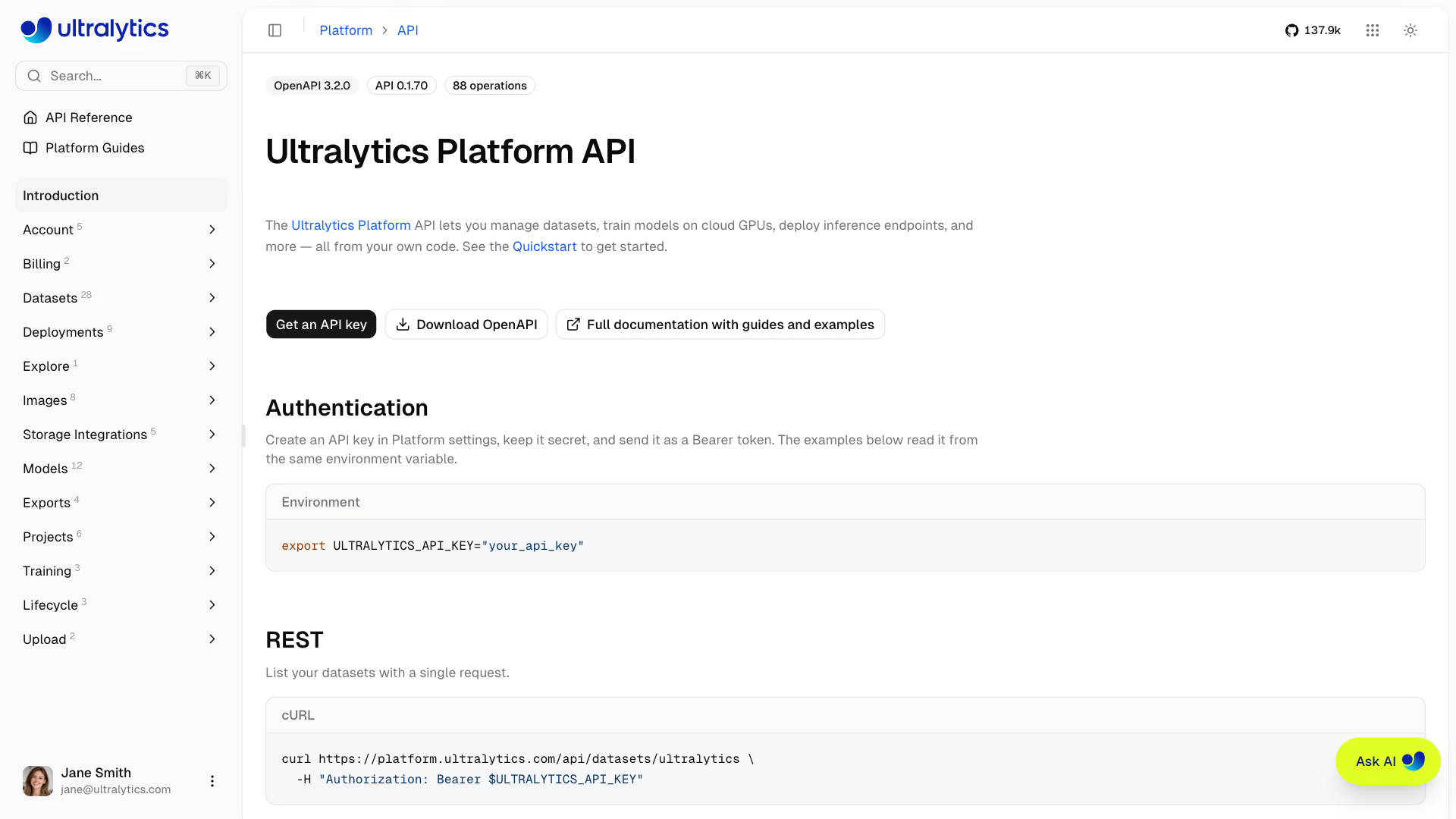
Ultralytics Platform 提供 REST API,可通过编程方式访问数据集、图像、项目、模型、训练、导出和部署。
# List the datasets owned by a workspace
curl -H "Authorization: Bearer YOUR_API_KEY" \
  https://platform.ultralytics.com/api/datasets/YOUR_USERNAME
下面每个端点都列出了通过 ultralytics-platform SDK 发起的 client.<resource>.<method>(...) 调用,该 SDK 由与此参考文档相同的契约生成。
本页将引导你了解 API。自动生成且始终保持最新的参考文档位于 platform.ultralytics.com/api/docs,为其提供支持的机器可读 OpenAPI 3.2 文档发布在 platform.ultralytics.com/openapi.json。两者都直接根据服务器端契约生成,因此当本页与架构定义不一致时,应以它们为准。
API 概览#
API 围绕 Platform 的核心资源组织:
| 资源 | 说明 | 主要操作 |
|---|---|---|
| 数据集 | 已标注的图像集合 | 增删改查、导入、版本、类别、数据集划分、克隆、复制 |
| 图像 | 单张图像及其标签 | 读取、标注、更改数据集划分、删除、自动标注、模糊人脸 |
| 项目 | 模型工作区 | 增删改查、克隆 |
| 模型 | 已训练的检查点 | 增删改查、预测、下载、克隆、训练状态 |
| 训练 | 云端 GPU 训练任务 | GPU 可用性、启动、进度、取消 |
| 导出 | 格式转换任务 | 创建、列出、查看状态、取消 |
| 部署 | 专用推理端点 | 创建、更新、启动/停止、预测、指标、日志 |
| 智能体 | 已保存的可视化工作流 | 列出、保存、删除 |
| 回收站 | 软删除的资源 | 列出、恢复、永久删除 |
| 存储 | 云存储集成 | 连接、发现、浏览、断开连接 |
| 账户 | 套餐、额度、存储、个人资料 | 账户摘要、API 密钥、存储用量、用户查询 |
| 账单 | 套餐用量和账本 | 用量摘要、交易记录 |
| 探索 | 公开内容搜索 | 搜索项目、数据集和图像 |
身份验证#
大多数端点都需要 API 密钥。提供公开内容的端点——例如读取公开数据集、项目或模型, 列出公开数据集中的图像、对公开模型运行推理,或搜索“探索”——也接受匿名 请求;提供密钥后,这些端点只会返回更多内容。
获取 API 密钥#
- 前往
Settings>API Keys - 点击
Add Key,将Ultralytics保留为提供方,输入名称,然后点击Create Key - 复制生成的密钥
详细说明请参阅 API 密钥。
授权请求头#
将 API 密钥作为 bearer token 添加到请求中:
Authorization: Bearer YOUR_API_KEYAPI 密钥由字面前缀 ul_ 和后续 40 个十六进制字符组成,总计 43 个字符(例如 ul_a1b2c3d4e5f6789012345678901234567890abcd)。缺少请求头、密钥格式错误或密钥已撤销的请求 会返回 401。请妥善保管密钥——切勿将密钥提交到版本控制系统或公开分享。
示例#
curl -H "Authorization: Bearer YOUR_API_KEY" \
  https://platform.ultralytics.com/api/account/summary
基础 URL#
所有 API 端点均使用:
https://platform.ultralytics.com/api资源路径#
大多数资源通过 Platform URL 中显示的易读名称访问,而不是通过数据库 ID:
| 资源 | 路径 | 示例 |
|---|---|---|
| 数据集 | /api/datasets/{owner}/{dataset} | /api/datasets/acme-vision/warehouse |
| 项目 | /api/projects/{owner}/{project} | /api/projects/acme-vision/inspection |
| 模型 | /api/models/{owner}/{project}/{model} | /api/models/acme-vision/inspection/v3 |
| 部署 | /api/deployments/{owner}/{deployment} | /api/deployments/acme-vision/edge-1 |
| 图像 | /api/images/{imageId} | /api/images/65f1c0a2b3d4e5f601234567 |
| 智能体 | /api/workflows?id={agentId} | /api/workflows?id=65f1c0a2b3d4e5f601234567 |
{owner}是个人用户名或团队工作区标识:长度为 4-32 个字符,由小写字母数字组成,各部分之间可用单个 连字符分隔。{dataset}、{project}、{model}和{deployment}遵循相同的小写字母加连字符格式,最长为 128 个字符。{imageId}、{exportId}和{agentId}是 API 返回的 24 位十六进制 ID。- 通过
PATCH重命名资源时,显示用的name和 URL 名称会一并更改,响应中会返回当前 URL 名称,方便你继续使用。
除 Agents API 外,没有 owner 查询参数。工作区范围的路径会在路径中包含所有者,而账户范围的端点(/api/account/summary、/api/api-keys、/api/storage、 /api/billing/*、/api/trash、/api/integrations/buckets)会对发出 API 密钥的工作区执行操作。 若要操作团队工作区,请使用在该工作区中创建的 API 密钥,或将 owner 传递给 Agents API。
速率限制#
API 会对每个 API 密钥实施滑动窗口限流。每个路由都属于一个类别,每个类别 都有独立计数器,因此 20 次预测请求不会占用你的默认额度。
| 类别 | 限制 | 适用范围 |
|---|---|---|
| 默认 | 每分钟 100 个请求 | 下方未列出的所有路由 |
| 训练 | 每分钟 10 个请求 | POST /api/training/start |
| 上传 | 每分钟 10 个请求 | 已签名的上传 URL、上传完成操作和数据集导入 |
| 预测 | 每分钟 20 个请求 | 通过 Platform API 路由进行模型和部署推理 |
| 导出 | 每分钟 20 个请求 | 列出和创建模型导出,以及创建或更新数据集版本;读取数据集导出(GET)和单个模型导出使用默认限额 |
| 下载 | 每分钟 30 个请求 | 模型文件下载 |
| 变更操作 | 每分钟 10 个请求 | 列出 API 密钥、列出或连接云存储集成、发现存储位置,以及更新部署(PATCH) |
| 数据填充 | 每分钟 20 个请求 | POST /api/datasets/{owner}/{dataset}/images(获取所选图像集)和 GET /api/images/{imageId}/similar |
| 聚类 | 每分钟 10 个请求 | GET /api/datasets/{owner}/{dataset}/images/clustering 和 GET /api/models/{owner}/{project}/{model}/similar-images |
仅限浏览器使用的平台路由(例如账单结账和团队管理)有各自的限制,这些限制不适用于 API 密钥流量。
触发限流时,API 会通过响应头和 JSON 正文返回 429:
Retry-After: 12
X-RateLimit-Reset: 2026-02-21T12:34:56.000Z
{
"error": "Rate limit exceeded, wait 12s",
"retryAfter": 12,
"resetAt": "2026-02-21T12:34:56.000Z"
}专用端点(不限流)#
调用部署自身的 serviceUrl(例如 https://predict-abc123.run.app/predict)时,专用端点不受平台 API 密钥速率限制。此时吞吐量取决于部署服务的配置。
收到 429 后,请等待 Retry-After 秒(或等到 X-RateLimit-Reset)再重试。请参阅速率限制常见问题,了解指数退避实现。
响应格式#
成功响应#
响应是包含特定资源字段的 JSON 对象。响应没有通用封装:列表端点会返回一个命名集合,通常还会包含计数;变更操作则会返回已更改的标识符。
{
    "datasets": [{ "id": "65f1c0a2b3d4e5f601234567", "owner": "acme-vision", "dataset": "warehouse" }],
    "total": 1,
    "region": "us"
}
资源列表、创建和克隆响应,以及部署、存储和回收站等少数读取响应,也会包含 region(us、eu 或 ap),即该工作区的存储区域。
错误响应#
每个错误响应都是包含 error 消息的 JSON 对象:
{
    "error": "Dataset not found"
}| HTTP 状态码 | 含义 |
|---|---|
200 | 成功 |
201 | 创建时间 |
202 | 已接受,任务仍在异步处理中 |
400 | 路径、查询参数或请求正文无效 |
401 | 缺少身份验证信息或身份验证无效 |
402 | 积分不足(训练) |
403 | 权限、套餐或配额不足 |
404 | 未找到资源 |
409 | 与当前状态冲突(名称重复、任务正在执行) |
413 | 预测输入过大 |
422 | 模型类别与数据集不匹配,或缺少/拒绝了提供方密钥(自动标注) |
429 | 超出速率限制 |
500 | 服务器错误 |
502 | 上游提供方或服务调用失败 |
503 | 依赖服务暂时不可用 |
分页#
分页方式取决于集合类型:
| 方式 | 端点 | 参数量 |
|---|---|---|
| 仅限制数量 | 数据集、项目、模型、导出和部署列表 | limit |
| 偏移量和数量限制 | 数据集图像、图像聚类、Explore 搜索 | offset、limit,以及响应中的 hasMore |
| 游标 | 数据集图像(大型数据集) | cursor、includeTotal,以及 nextCursor |
| 页码 | 回收站 | page、limit,以及 totalPages |
| 不透明页令牌 | 部署日志 | pageToken,以及 nextPageToken |
数据集 API#
创建、浏览和管理用于训练 YOLO 模型的图像标注数据集。请参阅数据集文档。
列出数据集#
GET /api/datasets/{owner}Python SDK: client.datasets.list(owner)
返回所有者的公开数据集;如果你的密钥有权查看该工作区,也会返回其中的私有数据集。
查询参数:
| 参数 | 类型 | 说明 |
|---|---|---|
limit | 整数 | 最多返回的数据集数量(默认值:1000,最大值:1000) |
includeSamples | 布尔值 | 包含示例图像预览(默认值:true) |
includeImageUrls | 布尔值 | 包含原尺寸示例图像备用 URL(默认值:false) |
curl -H "Authorization: Bearer YOUR_API_KEY" \
  "https://platform.ultralytics.com/api/datasets/acme-vision?limit=10&includeSamples=false"
响应:
{
    "datasets": [
        {
            "id": "65f1c0a2b3d4e5f601234567",
            "owner": "acme-vision",
            "dataset": "warehouse",
            "name": "Warehouse",
            "task": "detect",
            "visibility": "private",
            "imageCount": 1000,
            "classCount": 2,
            "classNames": ["person", "forklift"],
            "splits": { "train": 800, "val": 200, "test": 0, "labeled": 1000 },
            "annotationCount": 5400,
            "starCount": 3,
            "isStarred": false,
            "status": "ready",
            "createdAt": "2026-01-15T10:00:00Z",
            "updatedAt": "2026-01-16T08:30:00Z"
        }
    ],
    "total": 1,
    "region": "us"
}获取数据集#
GET /api/datasets/{owner}/{dataset}Python SDK: client.datasets.retrieve(owner, dataset)
在 dataset 键下返回完整的数据集对象,其中包括 classNames、splits、versions、source 和用户定义的 metadata 对象。处理包含 10,000 张或更多图像的导入任务时,编辑者还会收到 processingProgress,其中包含 stage、percent,以及在已知时提供的 processed、total 和 objects(已扫描的云对象)。
创建数据集#
POST /api/datasetsPython SDK: client.datasets.create(dataset=..., name=...)
正文:
{
    "dataset": "warehouse",
    "name": "Warehouse",
    "task": "detect",
    "description": "Forklift and pedestrian safety dataset",
    "classNames": ["person", "forklift"],
    "visibility": "private",
    "metadata": { "location": "factory-1", "reviewed": true },
    "owner": "acme-vision"
}| 字段 | 类型 | 必填 | 说明 |
|---|---|---|---|
dataset | 字符串 | 是 | 用于平台 URL 的数据集名称(小写、以连字符分隔,最多 128 个字符) |
name | 字符串 | 是 | 显示名称(最多 100 个字符) |
description | 字符串 | 否 | 描述(最多 1000 个字符) |
task | 字符串 | 否 | 任务类型(默认值:detect) |
classNames | 数组 | 否 | 按索引顺序排列的类别名称(最多 25,000 个);不重复,超过 2 个字符时忽略大小写 |
format | 字符串 | 否 | 标注格式:yolo(默认值)、coco、raw、ndjson |
visibility | 字符串 | 否 | public 或 private |
blurFaces | 布尔值 | 否 | 模糊处理上传到数据集的图像中的人脸(请参阅人脸模糊处理) |
tags | 数组 | 否 | 最多 50 个标签,每个标签最多 50 个字符 |
license | 字符串 | 否 | 数据集许可证标识符 |
metadata | 对象 | 否 | 自定义 JSON 元数据 |
owner | 字符串 | 否 | 团队工作区标识;默认为你的个人工作区 |
如果工作区中已存在 dataset slug(包括回收站中的 slug),则会返回 409。
创建或更新数据集时,有效的 task 值为:detect、segment、semantic、depth、classify、pose 和 obb。深度数据集没有类别。
响应(201):
{
    "id": "65f1c0a2b3d4e5f601234567",
    "owner": "acme-vision",
    "dataset": "warehouse",
    "region": "us"
}更新数据集#
PATCH /api/datasets/{owner}/{dataset}Python SDK: client.datasets.update(owner, dataset)
正文(部分更新):
{
    "name": "Warehouse Safety",
    "description": "New description",
    "visibility": "public",
    "metadata": { "location": "factory-2", "reviewed": true }
}可接受的字段:name、description、visibility、metadata、tags、classNames、classColors、format、task、license、iconColor、iconLetter、starred、blurFaces、kptSkeletonId(为姿态数据集分配姿态骨架模板)和 initializeClassNames(除非数据集尚无类别或标注,否则更新会返回 409)。发送空的 metadata 对象({})以清除自定义元数据。元数据键最长为 128 个字符,序列化后的对象最长为 500,000 个字符。
响应:
{
    "success": true,
    "dataset": "warehouse-safety"
}
重命名会更改 URL 名称,因此后续请求请使用返回的 dataset 值。
删除数据集#
DELETE /api/datasets/{owner}/{dataset}Python SDK: client.datasets.delete(owner, dataset)
将数据集移至回收站,可在 30 天内恢复。
克隆数据集#
POST /api/datasets/{owner}/{dataset}/clonePython SDK: client.datasets.clone(owner, dataset)
将你有权访问的数据集及其图像和标签复制到你的个人工作区或团队工作区。
可选正文(所有字段均可选):
{
    "dataset": "warehouse-copy",
    "name": "Warehouse Copy",
    "description": "Cloned for experimentation",
    "visibility": "private",
    "license": "CC-BY-4.0",
    "owner": "acme-vision"
}响应(201): id、owner、dataset、name、imageCount、classCount 和 region。由已连接存储源提供数据的数据集会返回 409,因为这些数据集的文件不会被复制。
下载数据集导出文件#
GET /api/datasets/{owner}/{dataset}/exportPython SDK: client.datasets.export(owner, dataset)
返回一个已签名的 NDJSON 下载 URL。省略 v 可导出数据集的当前状态;如果自生成缓存导出以来数据集没有变化,则会复用该缓存导出。
查询参数:
| 参数 | 类型 | 说明 |
|---|---|---|
v | 整数 | 已保存的版本号(从 1 开始计数)。省略此项则使用当前数据集。 |
响应:
{
    "downloadUrl": "https://storage.googleapis.com/...&signature=...",
    "cached": true
}
请求特定版本时会返回 downloadUrl 和 version,而不是 cached。
创建数据集版本#
POST /api/datasets/{owner}/{dataset}/exportPython SDK: client.datasets.create_export(owner, dataset)
创建数据集的不可变编号版本。需要编辑者权限。将 download 设为 false,即可保存版本而不准备 NDJSON 下载;此时会省略 downloadUrl。SDK 会接受来自 ultralytics-platform>=0.1.73 的 download。
正文(可选):
{
    "description": "Added 500 training images",
    "download": true
}
响应:
{
    "version": 3,
    "downloadUrl": "https://storage.googleapis.com/...&signature=...",
    "reused": false
}如果数据集与现有版本匹配(例如刚刚恢复数据集后),reused 的值为 true,并会返回该版本;如果你提供了描述,也会更新该版本的描述。
更新版本描述#
PATCH /api/datasets/{owner}/{dataset}/exportPython SDK: client.datasets.update_export(owner, dataset, version=..., description=...)
正文:
{
    "version": 2,
    "description": "Fixed mislabeled classes"
}
响应: {"ok": true}
恢复数据集版本#
POST /api/datasets/{owner}/{dataset}/restorePython SDK: client.datasets.restore(owner, dataset, version=...)
根据已保存的版本重建图像、标注和类别,而不复制图像字节。
正文:
{
    "version": 2
}
响应: {"version": 2, "imageCount": 1000}
比较数据集版本#
GET /api/datasets/{owner}/{dataset}/versions/compare?base={from}&head={to}Python SDK: client.datasets.compare(owner, dataset, base=1, head=2)(ultralytics-platform>=0.1.73)
| 参数 | 类型 | 说明 |
|---|---|---|
base | 整数 | 用于比较的起始版本 |
head | 整数 | 用于比较的目标版本 |
cursor | 字符串 | 上一页的 nextCursor |
hash | 字符串 | 某项的 hash:返回该图像在各版本中的存储形式,而不是变更内容 |
响应(简略):
{
    "summary": { "added": 0, "removed": 1, "modified": 1, "moved": 1, "labelsAdded": 1, "labelsRemoved": 2 },
    "items": [
        {
            "hash": "b5c605c133f84c3024af7e652b135501",
            "name": "000000000042",
            "change": "moved",
            "base": { "split": "val", "labelCount": 1 },
            "head": { "split": "test", "labelCount": 1 }
        }
    ]
}
summary 仅出现在第一页,包含精确总数以及一个 header,其中列出新增、删除或重命名的类别,以及其他存在差异的数据集字段。每项的 change 是 added、removed、modified(其中包含已更改的 fields)或 moved(划分已更改);labelsRemoved 则包含已删除图像的标签。若存在 nextCursor,请将其作为 cursor 传入以获取下一页。使用 hash 时,响应为 versions:各版本中存储的图像及其标签和已签名的 imageUrl。比较顺序可以互换;交换 base 和 head 会将已删除的图像报告为新增图像。比较请求使用默认速率限制;不带 hash 的请求还会按用户和数据集限为每分钟 10 次,无论使用哪个 API 密钥发送请求。
获取数据集统计信息#
GET /api/datasets/{owner}/{dataset}/class-statsPython SDK: client.datasets.class_stats(owner, dataset)
返回每个类别的标注数量、图像和标注直方图以及热力图。对于大型数据集,会进行抽样;在这种情况下,sampleSize 会报告参与统计的图像数量。
响应(简略):
{
    "classes": [{ "classId": 0, "count": 1500, "imageCount": 450 }],
    "imageStats": {
        "widthHistogram": [{ "bin": 640, "count": 120, "size": 1 }],
        "heightHistogram": [{ "bin": 480, "count": 95, "size": 1 }],
        "pointsHistogram": [{ "bin": 4, "count": 200, "size": 1 }],
        "formatDistribution": { "jpg": 900, "png": 100 },
        "fileSizeHistogram": [{ "bin": 250000, "count": 300, "size": 50000 }],
        "objectsPerImageHistogram": [{ "bin": 5, "count": 210, "size": 1 }],
        "bboxWidthHistogram": [{ "bin": 120, "count": 340, "size": 20 }],
        "bboxHeightHistogram": [{ "bin": 90, "count": 300, "size": 20 }]
    },
    "locationHeatmap": {
        "bins": [
            [5, 10],
            [8, 3]
        ],
        "maxCount": 50
    },
    "dimensionHeatmap": {
        "bins": [
            [2, 5],
            [3, 1]
        ],
        "maxCount": 12,
        "minWidth": 10,
        "maxWidth": 1920,
        "minHeight": 10,
        "maxHeight": 1080
    },
    "classNames": ["person", "forklift"],
    "cached": true,
    "sampleSize": null
}管理类别#
合并类别(将标注重新分配给目标类别,然后移除源类别):
POST /api/datasets/{owner}/{dataset}/classes/mergePython SDK: client.datasets.merge_classes(owner, dataset, source_class_ids=..., target_class_id=...)
{
    "sourceClassIds": [2, 4],
    "targetClassId": 1
}
删除类别(其标注也会被删除,剩余类别 ID 会依次递减):
POST /api/datasets/{owner}/{dataset}/classes/deletePython SDK: client.datasets.delete_classes(owner, dataset, class_ids=...)
{
    "classIds": [2, 4]
}
这两种操作都会返回 success、更新后的 classNames 和 classColors,以及变更摘要(mergedClassIds 和 targetClassId,或 deletedClassIds 和 deletedAnnotations)。
由于合并或删除后剩余 ID 会发生变化,这些操作不具备幂等性。再次执行类别操作前,请重新获取数据集,以获取当前类别索引。
重新分配数据集划分#
POST /api/datasets/{owner}/{dataset}/splits/redistributePython SDK: client.datasets.redistribute_splits(owner, dataset, train=..., val=..., test=...)
随机将图像重新分配到各个数据集划分中。三个百分比的总和必须为 100。
{
    "train": 80,
    "val": 20,
    "test": 0
}响应:success、splits(结果数量)以及 modified(移动的图像数量)。
数据集嵌入#
GET /api/datasets/{owner}/{dataset}/embeddings
POST /api/datasets/{owner}/{dataset}/embeddings
DELETE /api/datasets/{owner}/{dataset}/embeddings
Python SDK:client.datasets.embeddings(owner, dataset)、client.datasets.create_embeddings(owner, dataset)、 client.datasets.delete_embeddings(owner, dataset)
GET 返回分析摘要(analyzedAt、embeddingsCount、latestImageAt、activeJob)。POST 会排入嵌入分析任务,并返回带有 jobId 的 202。DELETE 会取消正在运行的任务,并返回已取消的任务 ID 或 null。
图像聚类#
GET /api/datasets/{owner}/{dataset}/images/clusteringPython SDK: client.datasets.clustering(owner, dataset)
返回已完成分析得出的 UMAP 二维布局,并使用 offset 和 limit 分页(默认值和最大值均为 50,000)。每个条目包含 id、umapX、umapY、cluster、split、classIds、width、height、bytes、labelCount、labeled 和 missing。cluster 是该点所属的视觉岛,按大小排名(0 = 最大,-1 = 分散),如果布局是在添加聚类功能之前分析的,则为 null。
列出在数据集上训练的模型#
GET /api/datasets/{owner}/{dataset}/modelsPython SDK: client.datasets.models(owner, dataset)
响应:
{
    "models": [
        {
            "id": "65f1c0a2b3d4e5f601234599",
            "owner": "acme-vision",
            "project": "inspection",
            "model": "v3",
            "name": "v3",
            "status": "completed",
            "task": "detect",
            "epochs": 100,
            "bestEpoch": 87,
            "metrics": { "mAP50": 0.85, "mAP50-95": 0.72, "precision": 0.88, "recall": 0.81 },
            "startedAt": "2026-01-14T22:00:00Z",
            "completedAt": "2026-01-15T10:00:00Z",
            "createdAt": "2026-01-14T21:55:00Z"
        }
    ],
    "count": 1
}列出数据集图像#
GET /api/datasets/{owner}/{dataset}/imagesPython SDK: client.datasets.images(owner, dataset)
查询参数:
| 参数 | 类型 | 说明 |
|---|---|---|
limit | 整数 | 返回图像的最大数量(默认值:50,最大值:5000) |
offset | 整数 | 要跳过的图像数量(默认值:0) |
cursor | 字符串 | 上一页的最后一个图像 ID,用于游标分页 |
includeTotal | 布尔值 | 包含匹配项总数(默认值:true) |
split | 字符串 | 按数据集划分筛选:train、val、test |
hasLabel | 布尔值 | 按标注状态筛选 |
hasError | 布尔值 | 按处理错误状态筛选 |
classIds | 字符串 | 以逗号分隔的类别 ID;返回包含其中任意类别的图像 |
search | 字符串 | 按文件名、类别名称和自定义元数据进行子字符串匹配(最多 200 个字符) |
q | 字符串 | 按相关性而非 sort 排序:先显示文本匹配项,再显示最多 1,000 个外观相似项;ID、哈希或文件名会作为 search(最多 200 个字符) |
sort | 字符串 | newest(默认值)、oldest、name-asc、name-desc、height-asc、height-desc、width-asc、width-desc、size-asc、size-desc、labels-asc、labels-desc |
includeThumbnails | 布尔值 | 包含带签名的缩略图 URL(默认值:true) |
includeImageUrls | 布尔值 | 包含带签名的原尺寸图像 URL(默认值:false) |
includeLabels | 布尔值 | 包含数量受限的预览标注(默认值:false) |
响应:
{
    "images": [
        {
            "id": "65f1c0a2b3d4e5f601234567",
            "hash": "9f2c1d4b6a8e0f3c5d7b9a1e2f4c6d8b",
            "ext": "jpg",
            "name": "aisle-04",
            "thumbnailUrl": "https://storage.googleapis.com/...&signature=...",
            "width": 1920,
            "height": 1080,
            "split": "train",
            "labelCount": 6,
            "bytes": 284213,
            "error": null
        }
    ],
    "total": 1000,
    "hasMore": true,
    "classes": ["person", "forklift"],
    "errorCount": 0,
    "nextCursor": "65f1c0a2b3d4e5f601234567"
}获取选定图像#
POST /api/datasets/{owner}/{dataset}/imagesPython SDK: client.datasets.selected_images(owner, dataset, image_ids=...)
最多可为提供的 1,000 个图像 ID 返回相同的图像数据结构,并接受与列表操作相同的筛选和 URL 查询参数。
{
    "imageIds": ["65f1c0a2b3d4e5f601234567", "65f1c0a2b3d4e5f601234568"]
}复制或移动图像#
POST /api/datasets/{owner}/{dataset}/images/adoptPython SDK:client.datasets.adopt_images(owner, dataset, image_ids=..., release=...) (ultralytics-platform>=0.1.50)
最多可将其他数据集中的 1,000 张图像复制到此数据集,效果与应用中的复制和粘贴相同,并返回数量 adopted。
{
    "imageIds": ["65f1c0a2b3d4e5f601234567"],
    "release": false,
    "classMapping": { "person": 0, "vase": null }
}
设置 release 或 classMapping,即可保留你有权编辑的数据集中的标签和数据划分:release: false 会复制图像,release: true 会将图像从源数据集中移出。省略这两个字段时会导入未标注的 train 图像;从只读源数据集复制时也是如此。从只读源数据集移动图像会返回 403。已存在的图像会被跳过;保留标签和数据划分时,会在目标数据集的相应划分中检查重复项。类别按名称匹配,名称超过两个字符时忽略大小写;422 会返回源类别中在 unmatchedClasses 中没有匹配项的类别,而 classMapping 会将每个类别映射到类别索引、新类别名称,或 null 以丢弃其标签。409 表示目标数据集已连接,或源数据集或目标数据集正忙。保留标签和数据划分时,如果任务、图像通道、姿态设置或深度比例不兼容,也会返回 409,即使图像没有标签也一样。
导入数据集数据#
POST /api/datasets/{owner}/{dataset}/ingestPython SDK: client.datasets.ingest(owner, dataset, body=...)
将已完成的上传、远程存档或已连接的存储源处理并导入现有数据集。请准确提供一个数据源:
| 字段 | 类型 | 说明 |
|---|---|---|
sessionId | 字符串 | 来自 POST /api/upload/signed-url 的上传会话;如果尚未调用 POST /api/upload/complete,导入操作会验证并完成上传 |
sourceUrl | 字符串 | ZIP、TAR、TAR.GZ、TGZ 或 NDJSON 文件的公开 HTTP 或 HTTPS URL(最多 4096 个字符) |
reference | 对象 | 已连接的数据源:云存储(provider: "cloud"、integrationId、target、prefix)或本地部署(provider: "local"、keyId、root、prefix) |
targetSplit | 字符串 | train、val 或 test;覆盖存档中的数据集划分结构 |
conflictPolicy | 字符串 | 对于文件名或内容冲突,使用 skip、keep_both 或 replace |
classMapping | 对象 | 将传入的类别名称映射到类别索引、现有或新类别名称,或映射到 null 以跳过 |
imageMetadata | 对象 | 自定义元数据,以图像相对于存档的路径或 NDJSON file 值为键 |
上传会话通过传递给 POST /api/upload/signed-url 的 assetId 绑定到某个数据集;导入操作会拒绝属于其他数据集的会话。
请求正文(已上传的存档):
{
    "sessionId": "session_abc123",
    "targetSplit": "train"
}
请求正文(远程存档或 NDJSON):
{
    "sourceUrl": "https://example.com/my-dataset.zip"
}
请求正文(后续导入时导入标签):
{
    "sessionId": "session_abc123",
    "classMapping": { "person": 0, "automobile": "forklift", "background": null }
}
请求正文(附加每张图像的元数据):
{
    "sessionId": "session_abc123",
    "imageMetadata": {
        "airbus-wing.jpg": { "aircraft": { "family": "A350" }, "inspectionStatus": "reviewed" },
        "images/tail.jpg": { "aircraft": { "family": "A320" }, "inspectionSeverity": 2 }
    }
}
元数据键必须与存档内经过规范化的路径一致,包括文件夹。对于 NDJSON 导入,每条记录都可以包含自己的 metadata 对象;该对象的优先级高于匹配的 imageMetadata 条目。存档路径最多为 1,024 个字符,顶层元数据键最多为 128 个字符,每个元数据对象以及整个 imageMetadata 映射最多为 500,000 个序列化字符。
首次导入时会自动根据存档创建类别。后续导入时,未在 classMapping 中列出的存档类别会按名称与现有数据集类别匹配;名称超过两个字符时忽略大小写。没有匹配项的类别会作为新类别添加。只有明确映射到 null 的类别才会跳过标签。
响应(201):
{
    "jobId": "65f1c0a2b3d4e5f6012345aa",
    "status": "queued"
}
使用 Python 上传一张附带元数据的图像
相同的代码也适用于一组图像:向 ZIP 添加更多文件,并在 imageMetadata 中添加对应条目。
import io
import zipfile
from pathlib import Path

import requests

api = "https://platform.ultralytics.com/api"
headers = {"Authorization": "Bearer YOUR_API_KEY"}
owner, dataset = "acme-vision", "warehouse"
dataset_id = "65f1c0a2b3d4e5f601234567"  # id returned by POST /api/datasets
image_path = Path("airbus-wing.jpg")

archive = io.BytesIO()
with zipfile.ZipFile(archive, "w", zipfile.ZIP_DEFLATED) as zf:
    zf.write(image_path, image_path.name)
data = archive.getvalue()

signed = requests.post(
    f"{api}/upload/signed-url",
    headers=headers,
    json={
        "assetType": "datasets",
        "assetId": dataset_id,
        "filename": "images.zip",
        "contentType": "application/zip",
        "totalBytes": len(data),
    },
)
signed.raise_for_status()
upload = signed.json()

headers_put = {"Content-Type": "application/zip", **upload.get("headers", {})}
requests.put(upload["uploadUrl"], headers=headers_put, data=data).raise_for_status()
requests.post(
    f"{api}/upload/complete",
    headers=headers,
    json={"sessionId": upload["sessionId"]},
).raise_for_status()

ingest = requests.post(
    f"{api}/datasets/{owner}/{dataset}/ingest",
    headers=headers,
    json={
        "sessionId": upload["sessionId"],
        "imageMetadata": {
            "airbus-wing.jpg": {
                "aircraft": {"family": "A350", "section": "wing"},
                "inspectionStatus": "reviewed",
            }
        },
    },
)
ingest.raise_for_status()
print(ingest.json())
图像 API#
通过 24 个字符的图像 ID 检查、标注、移动和删除数据集图像。请参阅标注文档。
获取图像#
GET /api/images/{imageId}Python SDK: client.images.retrieve(image_id)
返回 metadata(自定义、用户定义)、properties(文件名、哈希、尺寸、数据集划分、数量、时间戳)、labels 以及数据集的 classNames。
更新图像#
PATCH /api/images/{imageId}Python SDK: client.images.update(image_id, body=...)
替换标注或自定义元数据(二者只能选择一种数据结构发送,不能同时发送)。
请求正文(标注):
{
    "labels": [
        { "classId": 0, "bbox": [0.5, 0.5, 0.2, 0.3] },
        { "classId": 1, "segments": [0.1, 0.2, 0.3, 0.2, 0.2, 0.4] }
    ]
}
请求正文(元数据):
{
    "metadata": { "location": "strasbourg", "reviewed": true }
}标签坐标使用 YOLO 归一化值,范围为 0 到 1。边界框使用 [x_center, y_center, width, height]。分割标签使用 segments,即展平的多边形顶点列表 [x1, y1, x2, y2, ...]。姿态标签使用 keypoints,并采用一致的扁平结构:成对的 [x1, y1, x2, y2, ...] 或三元组 [x1, y1, v1, x2, y2, v2, ...],其中可见性通常使用 0、1 或 2。定向框使用 obb 个角点。保存的坐标会四舍五入到小数点后 5 位,每张图像最多可包含 10,000 个标注。
删除图像#
DELETE /api/images/{imageId}Python SDK: client.images.delete(image_id)
永久删除一张图像及其标注。
自动标注图像#
POST /api/images/{imageId}/predictPython SDK: client.images.predict(image_id, model_id=...)
在图像上运行模型并返回预测标注。此操作不会保存标注;确认结果无误后,使用 PATCH /api/images/{imageId} 写回结果。
| 字段 | 类型 | 必填 | 说明 |
|---|---|---|---|
modelId | 字符串 | 是 | 完全限定的模型 URI、ul://{owner}/{project}/{model},或用于包含 1–200 个类别的检测数据集的类别提示模型 ID:托管模型(qwen、moondream、florence2、owlv2、yoloe26x、sam3、sam3.1、groundingdino),或来自 openapi.json 中 modelId 枚举的付费服务提供商模型 ID |
confidence | 浮点数 | 否 | 置信度阈值,0.01 – 1.0(默认值:0.25);类别提示模型会忽略此项,并使用模型专属阈值 |
iou | 浮点数 | 否 | 非极大值抑制的 IoU 阈值,0.0 – 0.95(默认值:0.7);类别提示模型会忽略此项 |
classMapping | 数组 | 否 | 对于 YOLO 模型,按顺序为每个模型类别指定对应的数据集类别索引,或指定 null 以丢弃该类别;长度不正确或索引超出数据集类别范围时会返回 400。类别提示模型会忽略此项 |
响应:success、predictions(标注对象)、confidences(与索引对齐的分数;类别提示模型返回空值)、modelUsed、inferenceTime;对于类别提示模型,还包括 partial(生成式模型的输出被截断时,如果只返回了完整边界框,则为 true);对于付费服务提供商模型,还可能包含 cost(使用你的服务提供商密钥计费的预估服务费用,无法估算时省略)。如果 YOLO 模型的类别与数据集不匹配,则会返回 422;类别提示模型用于非检测数据集或类别数不在 1–200 范围内时也会返回该值;在数据集工作区的 Settings > API Keys 中未保存服务提供商密钥的付费服务提供商模型会返回 code:missing_provider_api_key。服务提供商错误会附带服务提供商返回的信息:当服务提供商响应 400、401、403 或 404(密钥、模型或请求被拒绝)时为 422,达到速率限制时为 429,其他服务提供商错误则为 503。深度数据集会返回 400;使用已连接存储的数据集或图像通道数超过 3 的数据集会返回 409。
查找相似图像#
GET /api/images/{imageId}/similarPython SDK: client.images.find_similar_images(image_id)
从公开数据集以及你自己的数据集和团队数据集中,返回最多 24 张视觉上相似的 images。每张图像都包含 score(0-1)、带签名的 thumbnailUrl 和来源 dataset(owner、dataset、license)。来源数据集中已有的图像以及查询图像的副本会被排除。需要具有图像查看权限的 API 密钥;尚未生成嵌入的图像会先进行嵌入处理,而 503 表示准备失败,请重试。
自动标注数据集#
POST /api/datasets/{owner}/{dataset}/predict/batchPython SDK: client.datasets.create_batch(owner, dataset, body={...})(ultralytics-platform>=0.1.57)
保存数据集版本,然后排入运行任务,使用模型为数据集中未标注的图像添加标签,并返回 202。请求正文包含与单图像端点相同的 modelId、confidence、iou 和 classMapping 字段,另加 includeAnnotated(默认值为 false),用于同时标注已有标签的图像。类别提示模型会检测数据集类别,但不提供置信度分数;付费服务提供商模型需要在数据集工作区的 Settings > API Keys 中保存服务提供商密钥(422、code:missing_provider_api_key,在运行任务获准之前)。现有标签永远不会更改,系统会根据实际处理的图像数量计费。402 表示余额不足以支付预估费用;409 表示数据集尚未就绪、没有剩余待标注图像,或已有运行任务正在进行;422 表示数据集没有类别,或者类别提示模型用于非检测数据集或类别数不在 1–200 范围内:请先通过类别端点创建类别,再调用此端点;应用会在启动运行任务前执行“映射类别”步骤。
在相同路径上调用 GET(client.datasets.batch(owner, dataset))会返回正在运行的任务及其进度,或者返回上次已完成的任务,直到该任务被关闭;其中 results 在生成式模型的运行结果被截断、但保留了完整边界框时会包含 partialImages。DELETE(client.datasets.delete_batch(owner, dataset))会取消正在运行的任务,或结算费用并关闭已完成任务的摘要。
同一端点可使用 "operation": "blur"、confidence(默认值为 0.25)和 boxScale(0.5–1.5,默认值为 1)模糊人脸;imageId 会将运行任务限制为一张图像。此操作不会创建版本,也不会更改标签。发送 "preview": true 可处理最多六张图像而不更改它们;之后将返回的 jobId 作为 previewJobId 发送,并使用相同设置来应用处理结果;已应用的预览不能重复使用,使用时会返回 409。预览待处理期间,将其 ID 作为 previewJobId 传递给 DELETE 即可丢弃预览。
{ "operation": "blur", "confidence": 0.25, "boxScale": 1, "preview": true }批量移动图像#
PATCH /api/images/bulkPython SDK: client.images.update_bulk(image_ids=..., split=...)
将一个数据集中的最多 1,000 张图像移动到另一个数据集划分。
{
    "imageIds": ["65f1c0a2b3d4e5f601234567"],
    "split": "val",
    "conflictPolicy": "skip"
}
发生文件名或内容冲突时会返回 409,直到你为整批图像选择 skip、keep_both 或 replace 作为 conflictPolicy。响应会报告 modifiedCount、skippedCount 和 targetSplit。
批量删除图像#
DELETE /api/images/bulkPython SDK: client.images.delete_bulk(image_ids=...)
{
    "imageIds": ["65f1c0a2b3d4e5f601234567", "65f1c0a2b3d4e5f601234568"]
}
从单个数据集中删除最多 1,000 张图像,并返回 deletedCount 和 deletedImageIds。
获取带签名的图像 URL#
POST /api/images/urlsPython SDK: client.images.urls(image_ids=...)
返回单个数据集中最多 100 个图像 ID 对应的临时签名 URL。
{
    "imageIds": ["65f1c0a2b3d4e5f601234567"]
}响应:urls、thumbnails 和 depths(配对深度图像的深度目标预览),均以图像 ID 为键。
项目 API#
将模型整理到项目中。每个模型只能属于一个项目。请参阅项目文档。
列出项目#
GET /api/projects/{owner}Python SDK: client.projects.list(owner)
查询参数:
| 参数 | 类型 | 说明 |
|---|---|---|
limit | 整数 | 返回项目的最大数量(默认值:20,最大值:500) |
获取项目#
GET /api/projects/{owner}/{project}Python SDK: client.projects.retrieve(owner, project)
返回 project 对象、一个包含各模型摘要(状态、指标、轮次、权重、训练参数)的 models 数组,以及 isOwner。传入 search(最多 200 个字符),可按模型名称或元数据筛选 models。
创建项目#
POST /api/projectsPython SDK: client.projects.create(project=..., name=...)
| 字段 | 类型 | 必填 | 说明 |
|---|---|---|---|
project | 字符串 | 是 | 用于 Platform URL 的项目名称 |
name | 字符串 | 是 | 显示名称(最多 100 个字符) |
description | 字符串 | 否 | 描述(最多 1000 个字符) |
visibility | 字符串 | 否 | public 或 private |
tags | 数组 | 否 | 最多 50 个标签 |
license | 字符串 | 否 | 项目许可证标识符 |
metadata | 对象 | 否 | 自定义 JSON 元数据 |
owner | 字符串 | 否 | 团队工作区标识;默认为你的个人工作区 |
curl -X POST \
  -H "Authorization: Bearer YOUR_API_KEY" \
  -H "Content-Type: application/json" \
  -d '{
    "project": "inspection",
    "name": "Inspection",
    "description": "Detection experiments",
    "metadata": {"department": "manufacturing", "cost_center": "cv-01"}
  }' \
https://platform.ultralytics.com/api/projects响应(201):id、owner、project、region。
如果工作区中已存在 project slug(包括回收站中的 slug),则会返回 409。
更新项目#
PATCH /api/projects/{owner}/{project}Python SDK: client.projects.update(owner, project)
可接受的字段:name、description、visibility、metadata、tags、license、archived、iconColor、 iconLetter、viewPreferences 和 starred。
{
    "metadata": { "department": "research", "program": "inspection" }
}
发送一个空的 metadata 对象({})以清除该对象。项目元数据与数据集元数据使用相同的 128 字符键长度限制和 500,000 字符序列化对象大小限制。
删除项目#
DELETE /api/projects/{owner}/{project}Python SDK: client.projects.delete(owner, project)
将项目及其模型移至回收站,返回 cascadedModels,并永久删除这些模型的部署。恢复项目不会恢复部署。502 表示部署清理尚未完成;清理成功前,模型会留在回收站中。
克隆项目#
POST /api/projects/{owner}/{project}/clonePython SDK: client.projects.clone(owner, project)
克隆一个你有权访问的项目及其已完成的模型。可选请求正文接受 project、name、description、visibility、license,以及目标 owner。
模型 API#
管理训练好的 YOLO 模型——查看指标、下载权重、运行推理并监控训练。请参阅模型文档。
列出项目中的模型#
GET /api/models/{owner}/{project}Python SDK: client.models.list(owner, project)
查询参数:
| 参数 | 类型 | 说明 |
|---|---|---|
limit | 整数 | 最多返回的模型数(默认值:20,最大值:100) |
获取模型#
GET /api/models/{owner}/{project}/{model}Python SDK: client.models.retrieve(owner, project, model)
查询参数:
| 参数 | 类型 | 说明 |
|---|---|---|
analysis | 整数 | 设为 1,即可返回逐图验证分析,而不是模型 |
默认响应包含 model 对象——状态、任务、指标、trainArgs、trainResults、classNames、computeCost、metadata 等——以及 isOwner。
创建模型#
POST /api/modelsPython SDK: client.models.create(body=...)
创建一个尚未训练的模型记录,你可以为其附加权重或进行训练。
| 字段 | 类型 | 必填 | 说明 |
|---|---|---|---|
project | 字符串 | 是 | 目标项目名称 |
owner | 字符串 | 否 | 工作区标识;默认使用你的个人工作区 |
model | 字符串 | 否 | 在 Platform URL 中使用的模型名称;未提供时自动生成 |
name | 字符串 | 否 | 显示名称(仅与 model 一起提供时才接受) |
description | 字符串 | 否 | 描述(最多 1000 个字符) |
task | 字符串 | 否 | detect、segment、semantic、depth、classify、pose 或 obb |
metadata | 对象 | 否 | 自定义 JSON 元数据 |
trainArgs | 对象 | 否 | 要记录的训练参数 |
metrics | 对象 | 否 | 指标,例如 mAP50、mAP50-95、precision、recall |
epochs | 数字 | 否 | 已训练模型的训练轮数 |
version | 字符串 | 否 | 版本标签(最多 50 个字符) |
响应(201): id、owner、project、model、region。
要附加 .pt 权重,请使用 assetType: "models" 请求签名上传 URL,并将此模型的 id 作为 assetId,然后将文件 PUT 到返回的 URL,最后使用返回的 sessionId 调用 POST /api/upload/complete。
更新模型#
PATCH /api/models/{owner}/{project}/{model}Python SDK: client.models.update(owner, project, model)
可接受的字段包括 name、description、color、metadata、status、license、datasetSlug、trainArgs、 trainResults、epochs、bestEpoch、bestFitness、version、trainingError 和 starred。单独传入 projectId 会将模型移至同一所有者的另一个项目;响应会返回模型在目标项目中的 slug,如果该 slug 已被占用则返回 renamed: true,如果模型仍在训练则返回 409。
{
    "metadata": { "release": "candidate-3", "reviewed": true }
}
自定义 metadata 与训练专用字段(例如 trainArgs、environment 和 trainResults)相互独立,并采用与数据集元数据相同的大小限制。
删除模型#
DELETE /api/models/{owner}/{project}/{model}Python SDK: client.models.delete(owner, project, model)
将模型移至回收站 30 天,并永久删除所有使用该模型的部署,包括待处理的替换部署。恢复模型不会恢复部署。
下载模型文件#
GET /api/models/{owner}/{project}/{model}/filesPython SDK: client.models.files(owner, project, model)
返回模型权重的短时有效签名 URL。
{
    "files": [
        {
            "name": "best.pt",
            "size": 6534127,
            "downloadUrl": "https://storage.googleapis.com/...&signature=..."
        }
    ]
}查找与最差验证图像相似的图像#
GET /api/models/{owner}/{project}/{model}/similar-imagesPython SDK: client.models.find_similar_training_images(owner, project, model)
最多返回 100 个 images,其格式与查找相似图像相同。这些图像与本次训练运行评分最低的验证图像相似,但会排除训练数据集中已有的图像。传入 hashes(逗号分隔,最多 100 个),即可从这些最差图像的子集中搜索。需要使用有权访问模型工作区的 API 密钥。如果本次运行没有记录逐图结果,列表将为空;404 也表示尚未嵌入最差图像:请先对训练数据集运行数据集嵌入。
克隆模型#
POST /api/models/{owner}/{project}/{model}/clonePython SDK: client.models.clone(owner, project, model, project_body=...)
将一个你有权访问的模型复制到现有项目中。
{
    "owner": "acme-vision",
    "project": "inspection",
    "model": "v3-copy",
    "name": "V3 Copy",
    "description": "Cloned from a public model"
}| 字段 | 类型 | 必填 | 说明 |
|---|---|---|---|
project | 字符串 | 是 | 目标项目名称 |
owner | 字符串 | 否 | 目标工作区;默认使用你的个人工作区 |
model | 字符串 | 否 | 目标模型名称 |
name | 字符串 | 否 | 目标显示名称 |
description | 字符串 | 否 | 克隆模型的描述 |
运行推理#
POST /api/models/{owner}/{project}/{model}/predictPython SDK: client.models.predict(owner, project, model, body=...)
无需身份验证即可对公开模型运行预测。私有模型和共享模型需要使用有权访问父项目的 API 密钥。
多部分表单:
| 参数 | 类型 | 默认值 | 范围 | 说明 |
|---|---|---|---|---|
file | 文件 | - | - | 图像或视频文件(必需,除非设置了 source) |
conf | 浮点数 | 0.25 | 0.01 – 1.0 | 最低置信度阈值 |
iou | 浮点数 | 0.7 | 0.0 – 0.95 | NMS IoU 阈值 |
imgsz | 整数 | - | 32 – 1280 | 输入图像尺寸(像素);默认使用模型的训练尺寸(如果不可用,则为 640) |
normalize | 布尔值 | false | - | 以 0 – 1 的范围返回边界框坐标 |
decimals | 整数 | 5 | 0 – 10 | 坐标值的小数精度 |
vid_stride | 整数 | 1 | ≥ 1 | 每隔 N 帧预测一次视频;对图像无效 |
bits | 整数 | 8 | 8, 12, 16 | 深度图量化,仅适用于深度模型 |
source | 字符串 | - | - | 图像 URL 或 base64 字符串(替代 file);通过 Platform API 发送时最多 4,096 个字符 |
提供 file 或 source。深度模型还接受 bits(8、12 或 16),用于选择深度图的 PNG 量化方式。超出服务输入限制的请求会返回 413。
curl -X POST \
  -H "Authorization: Bearer YOUR_API_KEY" \
  -F "file=@image.jpg" \
  -F "conf=0.5" \
  https://platform.ultralytics.com/api/models/acme-vision/inspection/v3/predict
响应:
images 中的每个条目都包含 shape、speed、results,以及密集预测任务使用的 semantic_mask 或 depth PNG 负载(深度值为 pixel × max / divisor;默认 8 位图的除数为 255,bits 为 12 或 16 时除数为 65535)。metadata 对象会报告图像数量、模型类别名称、函数耗时、任务和服务版本。绝不会返回模型内部路径。
{
    "images": [
        {
            "shape": [1080, 1920],
            "speed": { "preprocess": 2.1, "inference": 12.4, "postprocess": 1.3 },
            "results": [
                {
                    "class": 0,
                    "name": "person",
                    "confidence": 0.92,
                    "box": { "x1": 100, "y1": 50, "x2": 300, "y2": 400 }
                }
            ]
        }
    ],
    "metadata": {
        "imageCount": 1,
        "classNames": ["person", "forklift"],
        "functionTimeAlive": 184.2,
        "functionTimeCall": 0.31,
        "task": "detect",
        "version": { "ultralytics": "8.4.120" }
    }
}检查训练进度#
GET /api/models/{owner}/{project}/{model}/trainingPython SDK: client.models.training(owner, project, model)
返回包含状态、轮次进度、耗时、计算资源详情、训练参数、轮次指标和安全错误详情的 job;如果模型从未训练过,则返回 null。无需身份验证即可读取公开项目中的模型。
取消训练#
DELETE /api/models/{owner}/{project}/{model}/trainingPython SDK: client.models.delete_training(owner, project, model)
终止正在运行的计算实例,并将任务标记为已取消。训练不再活动时返回 409。
训练 API#
在云 GPU 上启动 YOLO 训练并实时监控进度。请参阅云训练文档。
获取 GPU 可用情况#
GET /api/training/gpu-availabilityPython SDK: client.training.gpu_availability()
返回按 GPU ID 划分的当前库存状态。此接口公开且无需身份验证;传入 managed=true 可包含托管训练容量,但需要 API 密钥。
开始训练#
POST /api/training/startPython SDK: client.training.start(model_id=..., train_args=...)
| 字段 | 类型 | 必填 | 说明 |
|---|---|---|---|
modelId | 字符串 | 是 | 要训练的模型 ID |
trainArgs | 对象 | 是 | YOLO 训练参数;必须提供 model、data 和 epochs |
gpuType | 字符串 | 否 | 要使用的云 GPU(默认值:rtx-4090) |
captureDatasetVersion | 布尔值 | 否 | 为本次运行保存不可变的数据集版本(默认值:false) |
curl -X POST \
  -H "Authorization: Bearer YOUR_API_KEY" \
  -H "Content-Type: application/json" \
  -d '{
    "modelId": "65f1c0a2b3d4e5f601234599",
    "gpuType": "rtx-4090",
    "trainArgs": {
      "model": "yolo26n.pt",
      "data": "ul://acme-vision/datasets/warehouse",
      "epochs": 100,
      "imgsz": 640,
      "batch": 16
    }
  }' \
  https://platform.ultralytics.com/api/training/start
响应:
{
    "modelId": "65f1c0a2b3d4e5f601234599",
    "status": "starting",
    "gpuType": "rtx-4090",
    "estimatedCost": { "pricePerHour": 0.69, "gpuMemoryGb": 24 },
    "billing": {
        "estimatedCostCents": 138,
        "estimatedCostDisplay": "$1.38",
        "balanceCents": 2500
    }
}
当你的额度余额不足时,训练会返回 402;当请求的 GPU 没有可用容量时,则返回 503。
共有 26 种 GPU 类型可用,从 rtx-2000-ada 到 b300,包括 rtx-4090、l40s、a100-80gb-pcie、a100-80gb-sxm、rtx-pro-6000、h100-sxm、h200-sxm 和 b200。完整列表及定价请参阅云训练。
导出 API#
将模型转换为 ONNX、TensorRT、CoreML 和 LiteRT 等优化格式,以便部署到边缘设备。请参阅部署文档。
列出导出任务#
GET /api/models/{owner}/{project}/{model}/exportsPython SDK: client.exports.list(owner, project, model)
查询参数:
| 参数 | 类型 | 说明 |
|---|---|---|
status | 字符串 | 按 queued、starting、running、completed、failed 或 cancelled 筛选 |
limit | 整数 | 最多返回的导出任务数(默认值:20,最大值:100) |
创建导出任务#
POST /api/models/{owner}/{project}/{model}/exportsPython SDK: client.exports.create(owner, project, model, format=...)
| 字段 | 类型 | 必填 | 说明 |
|---|---|---|---|
format | 字符串 | 是 | 目标导出格式(参见下表) |
gpuType | 字符串 | 条件项 | 当 format 为 engine 时必填;请使用受支持的 GPU 或 Jetson 目标 |
args | 对象 | 否 | 导出选项:imgsz、quantize、dynamic、simplify、opset、conf、iou、batch、workspace、nms、optimize 和 name(RKNN、QNN、Hailo、Ascend 和 Xilinx 的设备目标) |
curl -X POST \
  -H "Authorization: Bearer YOUR_API_KEY" \
  -H "Content-Type: application/json" \
  -d '{"format": "onnx", "args": {"imgsz": 640, "quantize": 16}}' \
  https://platform.ultralytics.com/api/models/acme-vision/inspection/v3/exports
每种格式仅支持下方导出表格 参数 列中的选项:对于不支持该选项的格式,如果 batch、dynamic、opset、simplify、workspace 或 optimize 的值不是默认值,则会返回 400。imx 导出仅支持 INT8,适用于检测、分割、分类和姿势模型;YOLO26 模型以及除 nano 之外的 YOLOv8 或 YOLO11 模型会返回 400。
响应(201): id、format、status(queued 或 running)、region,以及 TensorRT 导出任务的 gpuType。如果已有相同的导出任务正在进行,则返回 409。
支持的格式:
使用下方通用导出表中的 format 参数。PyTorch 是源格式,不是 API 导出目标格式。
| 格式 | format 参数 | 模型 | 元数据 | 参数 |
|---|---|---|---|---|
| PyTorch | - | yolo26n.pt | ✅ | - |
| TorchScript | torchscript | yolo26n.torchscript | ✅ | imgsz, quantize, dynamic, nms, batch, device |
| ONNX | onnx | yolo26n.onnx | ✅ | imgsz, quantize, dynamic, simplify, opset, nms, batch, data, fraction, device |
| OpenVINO | openvino | yolo26n_openvino_model/ | ✅ | imgsz, quantize, dynamic, nms, batch, data, fraction, device |
| TensorRT | engine | yolo26n.engine | ✅ | imgsz, quantize, dynamic, simplify, opset, workspace, nms, batch, data, fraction, device |
| CoreML | coreml | yolo26n.mlpackage | ✅ | imgsz, dynamic, quantize, nms, batch, device |
| Apple Core AI | coreai | yolo26n.aimodel | ✅ | imgsz, batch, quantize |
| TF SavedModel | saved_model | yolo26n_saved_model/ | ✅ | imgsz, quantize, opset, nms, batch, data, fraction, device |
| TF GraphDef | pb | yolo26n.pb | ❌ | imgsz, opset, batch, device |
| TF Edge TPU | edgetpu | yolo26n_edgetpu.tflite | ✅ | imgsz, quantize, opset, data, fraction, device |
| LiteRT | litert | yolo26n.tflite | ✅ | imgsz, quantize, batch, data, fraction, device |
| PaddlePaddle | paddle | yolo26n_paddle_model/ | ✅ | imgsz, batch, device |
| MNN | mnn | yolo26n.mnn | ✅ | imgsz, batch, dynamic, quantize, simplify, opset, nms, device |
| NCNN | ncnn | yolo26n_ncnn_model/ | ✅ | imgsz, quantize, batch, device |
| IMX500 | imx | yolo26n_imx_model/ | ✅ | imgsz, quantize, data, fraction, nms, device |
| RKNN | rknn | yolo26n_rknn_model/ | ✅ | imgsz, batch, name, quantize, simplify, opset, data, fraction, device |
| ExecuTorch | executorch | yolo26n_executorch_model/ | ✅ | imgsz, batch, device |
| Axelera | axelera | yolo26n_axelera_model/ | ✅ | imgsz, batch, quantize, data, fraction, device |
| DEEPX | deepx | yolo26n_deepx_model/ | ✅ | imgsz, quantize, simplify, opset, data, optimize, device |
| Qualcomm QNN | qnn | yolo26n_qnn.onnx | ✅ | imgsz, batch, name, quantize, simplify, opset, data, fraction, device |
| Hailo | hailo | yolo26n_hailo_model/ | ✅ | imgsz, name, quantize, data, fraction, simplify, conf, iou, device |
| Huawei Ascend | ascend | yolo26n_ascend_model/ | ✅ | imgsz, batch, name, quantize, opset, simplify, nms, device |
| AMD Xilinx | xilinx | yolo26n_xilinx_model/ | ✅ | imgsz, name, quantize, data, fraction, opset, simplify, device |
nms=None 默认输出原始结果,以供外部 NMS 使用。设置 nms=False 可选择可用的无 NMS 检测头;不支持的格式会回退到其原生输出路径。上方的 nms 条目表示可以通过 nms=True 嵌入 NMS 的格式。
获取导出状态#
GET /api/models/{owner}/{project}/{model}/exports/{exportId}Python SDK: client.exports.retrieve(owner, project, model, export_id)
返回带有 status、format、args、gpuType(仅限 TensorRT)、时间戳的 export 对象;完成后还会包含一个 file 对象,其中包含 size、downloadUrl 和 downloadFilename。
取消或删除导出任务#
DELETE /api/models/{owner}/{project}/{model}/exports/{exportId}Python SDK: client.exports.delete(owner, project, model, export_id)
取消正在进行的导出任务,或删除已完成的导出任务及其文件。响应会说明执行了哪项操作:
{
    "success": true,
    "action": "cancelled"
}
部署 API#
将模型部署到专用推理端点,并启用运行状况检查和监控。请参阅端点文档。
列出部署#
GET /api/deployments/{owner}Python SDK: client.deployments.list(owner)
查询参数:
| 参数 | 类型 | 说明 |
|---|---|---|
status | 字符串 | creating、deploying、ready、stopping、stopped 或 failed |
model | 字符串 | 按 {project}/{model} 筛选,例如 inspection/v3 |
limit | 整数 | 最多返回的部署数(默认值:20,最大值:100) |
匿名调用方必须按一个公开模型筛选;要列出整个工作区,则需要身份验证。
创建部署#
POST /api/deployments/{owner}Python SDK: client.deployments.create(owner, project=..., model=..., deployment=..., name=..., region=...)
正文:
{
    "project": "inspection",
    "model": "v3",
    "deployment": "edge-1",
    "name": "Edge 1",
    "region": "us-central1"
}| 字段 | 类型 | 必填 | 说明 |
|---|---|---|---|
project | 字符串 | 是 | 包含该模型的项目 |
model | 字符串 | 是 | 要部署的模型 |
deployment | 字符串 | 是 | 在 Platform URL 中使用的部署名称 |
name | 字符串 | 是 | 显示名称 |
region | 字符串 | 是 | 42 个受支持的部署区域之一 |
cpu | 数字 | 否 | vCPU 核数:1(默认值)、2、4、6 或 8 |
memoryGi | 数字 | 否 | 内存(GiB):2(默认值)、4、8、16、24 或 32 |
响应(201): id、deployment、status(creating)、message 和 region。
默认的 1 vCPU / 2 GiB 规格在闲置时会缩容至零,并可使用免费部署额度;其他规格按用量计费。每次读取部署时,都会在 resources 对象中返回当前配置。
选择靠近用户的区域,以获得最低延迟。Platform UI 会显示全部 42 个可用区域的延迟估算值。
获取部署#
GET /api/deployments/{owner}/{deployment}Python SDK: client.deployments.retrieve(owner, deployment)
返回包含 status、statusMessage、region、serviceUrl、resources 和自定义 metadata 的 deployment 对象;对于所有者,还会返回 camera 和 cameraApplying。
更新部署#
PATCH /api/deployments/{owner}/{deployment}Python SDK: client.deployments.update(owner, deployment, body=...)
发送以下其中一种请求正文:
{ "name": "Edge 1 (primary)" }重命名会将 URL 中的 deployment 值设为新名称对应的 slug,并以 deployment 返回;旧路径会返回 404,而 serviceUrl 保持不变。空的 metadata 对象会清除自定义元数据。替换操作会发布新版本,同时保留部署 ID、区域和端点 URL;如果发布失败,现有版本仍会继续运行。替换模型必须是已完成的模型,且其权重必须可供你的密钥访问。摄像头操作会保存 RTSP 或 RTSPS 摄像头,让使用自定义资源且处于就绪状态的端点持续运行推理(请参阅后台摄像头);"url": null 会移除摄像头,将规格调整回默认值也会移除摄像头;在默认规格端点上保存摄像头会返回 403。摄像头更改应用期间会返回带有 status ready 的 202:轮询部署,直到 cameraApplying 不再是 true,然后检查 camera;如果更改失败,则会保留先前的摄像头并设置 statusMessage。操作完成后会返回带有 status ready 或 stopped 的 200;其他仍在发布中的操作会返回带有 deploying 或 stopping 的 202。
删除部署#
DELETE /api/deployments/{owner}/{deployment}Python SDK: client.deployments.delete(owner, deployment)
永久移除推理端点。
健康检查#
GET /api/deployments/{owner}/{deployment}/healthPython SDK: client.deployments.health(owner, deployment)
对端点发送 ping 并预热,返回 healthy、latencyMs 和上游 status 代码。
在部署上运行推理#
POST /api/deployments/{owner}/{deployment}/predictPython SDK: client.deployments.predict(owner, deployment, body=...)
通过专用端点处理图像或视频。请求和响应规范与模型推理一致。摄像头流不会通过代理转发;请按照实时摄像头推理中的说明,将摄像头流发送到端点 URL。
多部分表单:
| 参数 | 类型 | 默认值 | 范围 | 说明 |
|---|---|---|---|---|
file | 文件 | - | - | 图像或视频文件(必需,除非设置了 source) |
conf | 浮点数 | 0.25 | 0.01 – 1.0 | 最低置信度阈值 |
iou | 浮点数 | 0.7 | 0.0 – 0.95 | NMS IoU 阈值 |
imgsz | 整数 | - | 32 – 1280 | 输入图像尺寸(像素);默认使用模型的训练尺寸(如果不可用,则为 640) |
normalize | 布尔值 | false | - | 以 0 – 1 的范围返回边界框坐标 |
decimals | 整数 | 5 | 0 – 10 | 坐标值的小数精度 |
vid_stride | 整数 | 1 | ≥ 1 | 每隔 N 帧预测一次视频;对图像无效 |
bits | 整数 | 8 | 8, 12, 16 | 深度图量化,仅适用于深度模型 |
source | 字符串 | - | - | 图像 URL 或 base64 字符串(替代 file);通过 Platform API 发送时最多 4,096 个字符 |
获取指标#
GET /api/deployments/{owner}/{deployment}/metricsPython SDK: client.deployments.metrics(owner, deployment)
查询参数:
| 参数 | 类型 | 说明 |
|---|---|---|
range | 字符串 | 1h、6h(默认值)、24h、7d 或 30d |
sparkline | 布尔值 | 返回精简的仪表板摘要,而不是完整序列(默认值:false) |
view | 字符串 | overview 仅返回请求、错误和 P95 延迟指标 |
完整响应包含 summary(请求总数、错误率、平均延迟和 p50/p95/p99 延迟)以及 timeSeries (请求数、错误数、延迟、CPU、内存、实例数)。迷你图响应会返回 requests24h (每小时请求数;不包含没有请求的小时)、totalRequests、errorRate 和 avgLatencyMs(每小时 P95 延迟的 平均值)。使用 view=overview 时,summary 会包含 totalRequests、errorRate, 以及 p95LatencyMs;timeSeries 会包含 requests、errors 和 latencyP95。
获取日志#
GET /api/deployments/{owner}/{deployment}/logsPython SDK: client.deployments.logs(owner, deployment)
查询参数:
| 参数 | 类型 | 说明 |
|---|---|---|
severity | 字符串 | 逗号分隔:DEBUG、INFO、NOTICE、WARNING、ERROR、CRITICAL、ALERT、EMERGENCY |
limit | 整数 | 要返回的条目数(默认值:50,最大值:200) |
pageToken | 字符串 | 上一个响应中的分页令牌 |
Agents API#
保存和管理 Agents 工作流。API 会存储 Agent 定义;运行从 Agents 画布启动, 其中 https://platform.ultralytics.com/agents?workflow={id} 用于打开已保存的 Agent。Python SDK 方法需要 ultralytics-platform>=0.1.74。
每个操作都接受可选的 owner 查询参数,其值为你所属工作区的用户名(默认值:你自己的用户名)。列出内容需要查看者权限;保存和删除需要编辑者权限。
列出 Agents#
GET /api/workflowsPython SDK: client.agents.list()
| 参数 | 类型 | 说明 |
|---|---|---|
owner | 字符串 | 工作区用户名(默认值:你的用户名) |
id | 字符串 | 返回一个 Agent 及其 graph |
search | 字符串 | 按 Agent 名称筛选 |
响应会在 workflows 中列出最多 100 个 Agent,按最近更新时间从新到旧排序,每个 Agent 都包含 id、username、name、 version、createdAt 和 updatedAt。请求 id 时,还会返回该 Agent 的 graph。
保存 Agent#
PUT /api/workflowsPython SDK: client.agents.save(name=..., graph=..., version=...)
发送 version: 0 以创建 Agent。要更新 Agent,请发送其 id,以及上次列出或保存时返回的 version; 过期的 version 会返回 409,因此请重新列出该 Agent 并重试。如果图中的连接形成环路,或某个 区块有多个输入,则会返回 400。
from ultralytics_platform import Platform

def block(node_id, kind, x, config):
    return {
        "id": node_id,
        "type": "agent",
        "position": {"x": x, "y": 0},
        "data": {"label": kind, "type": kind, "config": config},
    }

graph = {
    "nodes": [
        block("images", "Dataset", 0, {"dataset": "official:coco8", "split": "val", "maxInputs": 2}),
        block("yolo", "YOLO", 220, {"model": "ul://ultralytics/yolo26/yolo26n", "task": "detect"}),
        block("output", "Output", 440, {}),
    ],
    "edges": [{"id": "e1", "source": "images", "target": "yolo"}, {"id": "e2", "source": "yolo", "target": "output"}],
    "templateId": "",
}

with Platform() as client:
    saved = client.agents.save(name="Detect COCO8", graph=graph, version=0)
    print(saved["id"], saved["version"], saved["errors"])
响应会返回 Agent id、其新 version,以及 errors:画布会标记的问题,例如 未选择数据集的 Dataset 区块。无论是否存在问题,Agent 都会保存。有关所有区块类型及其配置,请参阅 openapi.json。
删除 Agent#
DELETE /api/workflows?id={id}Python SDK: client.agents.delete(id=...)
删除 Agent 并取消其正在运行的任务。已删除的 Agent 不会出现在回收站中,也无法 恢复。
回收站 API#
查看、恢复并永久删除软删除的项目、数据集和模型。项目会在 30 天后自动清除。请参阅回收站文档。
列出回收站内容#
GET /api/trashPython SDK: client.lifecycle.trash()
查询参数:
| 参数 | 类型 | 说明 |
|---|---|---|
type | 字符串 | all(默认值)、project、dataset 或 model |
page | 整数 | 页码(默认值:1) |
limit | 整数 | 每页条目数(默认值:50,最大值:200) |
id | 字符串 | 使用 type、project 或 model 时,预览删除此项会影响的模型和部署 |
响应包含 items(每项都带有 daysRemaining)、total、page、limit、totalPages,以及一个按类型统计总数的 summary。 使用 id 时,响应会改为返回 resources:受影响的模型以及将被 永久删除的部署。
恢复项目#
POST /api/trashPython SDK: client.lifecycle.restore(id=..., type=...)
{
    "id": "65f1c0a2b3d4e5f601234567",
    "type": "dataset"
}
恢复项目时,也会恢复与该项目一同移入回收站的模型,并将其报告为 restoredModels。
永久删除#
DELETE /api/trashPython SDK: client.lifecycle.delete_trash(body=...)
删除一个项目:
{
    "id": "65f1c0a2b3d4e5f601234567",
    "type": "dataset"
}
或清空整个回收站:
{
    "all": true
}
响应会报告 deletedCount,并在适用时报告 cascadedModels 和 survivingDeployments。
永久删除无法撤销。资源及其所有关联数据都会被移除。
上传 API#
使用签名 URL 将文件直接上传到云存储。完成模型上传后会附加其权重;完成数据集归档上传后会对其进行验证,之后你可以将会话传递给数据集导入。如果跳过这一步,数据集导入也会完成上传。请参阅数据文档。
获取签名上传 URL#
POST /api/upload/signed-urlPython SDK: client.upload.signed_url(body=...)
正文:
{
    "assetType": "datasets",
    "assetId": "65f1c0a2b3d4e5f601234567",
    "filename": "warehouse.zip",
    "contentType": "application/zip",
    "totalBytes": 52428800
}| 字段 | 类型 | 必填 | 说明 |
|---|---|---|---|
assetType | 字符串 | 是 | datasets 或 models |
assetId | 字符串 | 是 | 目标数据集或模型的 ID |
filename | 字符串 | 是 | 原始文件名(最多 256 个字符) |
contentType | 字符串 | 是 | MIME 类型 |
totalBytes | 数字 | 是 | 文件大小(字节) |
当 assetType 为 datasets 时,filename 必须以 .zip、.tar、.tar.gz、.tgz 或 .ndjson 结尾。上传前,请将散装图像打包成归档文件。
响应:
{
    "sessionId": "session_abc123",
    "uploadUrl": "https://storage.googleapis.com/...&signature=...",
    "expiresAt": "2026-02-22T12:00:00Z",
    "headers": { "x-goog-if-generation-match": "0" }
}
使用 PUT 请求将文件上传到 uploadUrl,并使用你声明的相同 Content-Type 以及 headers 中返回的所有标头。数据集上传 URL 的有效期为 12 小时,且仅可用于创建:对同一 URL 发起第二次 PUT 请求会返回 412;未携带返回标头的 PUT 请求会返回 400。
完成上传#
POST /api/upload/completePython SDK: client.upload.complete(session_id=...)
{
    "sessionId": "session_abc123",
    "md5": "<optional md5 hex>"
}响应:success 和一个包含 size 与 contentType 的 file 对象。对于模型,此操作会附加权重;对于数据集归档,请接着调用 ingest 以开始处理。
如果提供了 md5,系统会将其与已存储的对象进行核对。如果不匹配,会返回 400;对于尚未完成的会话,系统还会删除已上传的文件并使会话保持未完成状态,因此请申请新的签名 URL 并重新上传。只要数据集会话的归档文件仍存在,就可以再次完成该会话;但如果并发完成操作使用了不同的摘要,则会返回 409。模型会话在完成后会被移除。checksum 会作为模型文件元数据存储,但不会经过验证。
存储集成 API#
连接只读的 Google Cloud Storage、Amazon S3 或 Azure Blob Storage 账户,并将其作为数据集来源进行浏览。 请参阅集成文档。
发现和连接存储需要工作区管理员权限以及 Pro 或 Enterprise 方案(否则为 403); 列出集成和浏览对象需要编辑者权限。
列出集成#
GET /api/integrations/bucketsPython SDK: client.storage_integrations.list()
返回 integrations,每项都包含 id、provider、credentialIdentity、targets 和 createdAt。不会 返回凭据。
发现位置#
POST /api/integrations/buckets/discoverPython SDK: client.storage_integrations.discover(body=...)
列出使用所提供凭据可读取的存储桶或容器,但不会保存这些凭据。
{
    "provider": "gcs",
    "credentials": {
        "client_email": "svc@project.iam.gserviceaccount.com",
        "private_key": "-----BEGIN PRIVATE KEY-----\n...",
        "project_id": "my-project"
    }
}
响应: {"targets": ["my-bucket", "another-bucket"]}
连接存储#
POST /api/integrations/bucketsPython SDK: client.storage_integrations.create(body=...)
凭据格式与发现操作相同,另外还必须提供 targets 数组,其中包含 1 到 50 个存储桶或容器名称。返回包含已存储集成的 201。 系统会拒绝临时 S3 凭据(ASIA 访问密钥)。
浏览对象#
GET /api/integrations/buckets/{id}/objectsPython SDK: client.storage_integrations.objects(id, target=...)
查询参数:
| 参数 | 类型 | 必填 | 说明 |
|---|---|---|---|
target | 字符串 | 是 | 存储桶或容器名称 |
prefix | 字符串 | 否 | 文件夹前缀(最多 1024 个字符) |
cursor | 字符串 | 否 | 上一页中的提供方分页游标 |
返回 entries(每个 kind 的值为 folder 或 file),并可选返回用于获取下一页的 cursor。
断开存储连接#
DELETE /api/integrations/buckets/{id}Python SDK: client.storage_integrations.delete(id)
移除已保存的凭据,但不会删除提供方的数据。已连接的数据集仍会显示,但在重新连接同一存储账户之前,其文件将无法使用。需要工作区管理员权限。
数据集导入 API#
从第三方服务导入数据集。请参阅 Roboflow 集成。
预览 Roboflow 导入#
POST /api/integrations/roboflow/previewPython SDK: client.datasets.preview_roboflow(api_key=...)
将 Roboflow API 密钥解析为导入计划:工作区详情、即将导入的 newDatasets、已导入(skippedCount)、缺少版本、不受支持和无法解析的项目数量、bytesTotal,以及你的 storage 剩余空间。Roboflow API 密钥从请求正文读取,不会持久化。
{
    "apiKey": "ROBOFLOW_API_KEY"
}
从 Roboflow 导入#
POST /api/integrations/roboflow/importPython SDK: client.datasets.import_roboflow(api_key=..., items=...)
使用预览返回的项目,为最多 500 个选定的 Roboflow 项目版本排队提交导入任务。
{
    "apiKey": "ROBOFLOW_API_KEY",
    "items": [
        {
            "workspace": "my-workspace",
            "projectId": "warehouse-safety",
            "projectName": "Warehouse Safety",
            "projectType": "object-detection",
            "latestVersion": 4
        }
    ]
}响应(201):imported、failed 和 skipped 数组。导入需要有足够的存储空间,并且每个数据集 都必须符合你的方案规定的单次导入大小上限。
账户 API#
查看你的 Platform 账户、密钥、存储和公开个人资料。请参阅设置文档。
账户摘要#
GET /api/account/summaryPython SDK: client.account.summary()
返回创建该密钥的工作区对应的方案、额度余额和资源数量。
{
    "username": "acme-vision",
    "name": "Acme Vision",
    "accountType": "team",
    "plan": "pro",
    "creditsCents": 2500,
    "counts": { "projects": 4, "datasets": 7, "models": 21 },
    "teams": []
}对于个人账户,teams 会列出你所属的团队工作区,每个工作区都包含你的 role;如果工作区当前无法访问(例如方案已过期),还会包含 deniedReason。团队工作区会返回空列表。
列出 API 密钥#
GET /api/api-keysPython SDK: client.account.api_keys()
返回 keys,其中包含该密钥所属工作区的 keyId、name、keyPrefix 和 createdAt。使用 API 密钥进行身份验证的 请求只会收到元数据;工作区所有者可以在 Platform UI 的设置 > API 密钥中查看完整密钥值,也可以在此处创建和撤销密钥。
检查存储用量#
GET /api/storagePython SDK: client.account.storage()
查询参数:
| 参数 | 类型 | 说明 |
|---|---|---|
details | 布尔值 | 包含存储用量最大的十个项目(默认值:false) |
响应:
{
    "tier": "pro",
    "usage": {
        "storage": { "current": 1073741824, "limit": 536870912000, "percent": 0 },
        "datasets": { "current": 2, "limit": -1, "percent": 0 },
        "models": { "current": 4, "limit": 500, "percent": 1 }
    },
    "breakdown": {
        "byCategory": {
            "datasets": { "bytes": 536870912, "count": 2 },
            "models": { "bytes": 268435456, "count": 4 },
            "exports": { "bytes": 268435456, "count": 3 }
        },
        "topItems": [
            {
                "_id": "65f1c0a2b3d4e5f601234567",
                "name": "Warehouse",
                "slug": "warehouse",
                "sizeBytes": 536870912,
                "type": "dataset"
            }
        ]
    },
    "region": "us",
    "username": "acme-vision",
    "updatedAt": "2026-01-15T10:00:00Z"
}
usage 会报告 projects、datasets、models、images、annotations 和 deployments 的数量,以及 storage 的字节数。limit 为 -1 表示不受限制;percent 是相对于上限的整数百分比。
获取公开用户个人资料#
GET /api/usersPython SDK: client.account.profile(username=...)
查询参数:
| 参数 | 类型 | 必填 | 说明 |
|---|---|---|---|
username | 字符串 | 是 | 要查询的用户名 |
返回公开的 user 个人资料,其中包含 followerCount;对于经过身份验证的调用方,还会包含 isFollowed。
关注或取消关注用户#
PATCH /api/usersPython SDK: client.account.follow(username=..., followed=...)
{
    "username": "target-user",
    "followed": true
}响应:followed 和更新后的 followerCount。
账单 API#
查看套餐用量和积分账本。参阅账单文档。
账单金额以美分为单位,使用整数表示,其中 100 = $1.00。
查看套餐和用量#
GET /api/billing/usage-summaryPython SDK: client.billing.usage_summary()
返回 plan(ID、状态、账单周期、周期结束时间)、metrics(存储限额和用量)、trainingCredit、 features、creditsCents 以及席位数量。
查看交易记录#
GET /api/billing/transactionsPython SDK: client.billing.transactions()
查询参数:
| 参数 | 类型 | 说明 |
|---|---|---|
from | 字符串 | 最早的交易时间戳(ISO 8601) |
to | 字符串 | 最新的交易时间戳(ISO 8601) |
每笔交易都包含 id、type(例如 purchase、training、monthly_grant 或 refund)、amountCents、 balanceAfter、createdAt、可选的 receiptUrl,以及训练费用对应的模型上下文。系统绝不会返回内部账单详情。
探索 API#
搜索社区分享的公开项目和数据集,或根据图像内容搜索图像。请参阅探索文档。
搜索公开内容#
GET /api/explore/searchPython SDK: client.explore.search()
查询参数:
| 参数 | 类型 | 说明 |
|---|---|---|
q | 字符串 | 搜索词(最多 200 个字符);搜索数据集时,先显示文本匹配项,然后显示图像与搜索内容匹配的数据集 |
type | 字符串 | all(默认)、projects、datasets 或 images(忽略 sort) |
sort | 字符串 | newest(默认)、oldest、stars、name-asc、name-desc、count-desc、count-asc |
offset | 整数 | 要跳过的结果数(默认值:0) |
limit | 整数 | 每种资源类型的最大结果数(默认值:20,最大值:100) |
task | 字符串 | 以逗号分隔的任务筛选条件:detect、segment、semantic、depth、classify、pose、obb |
license | 字符串 | 以逗号分隔的许可证标识符,例如 CC-BY-4.0,MIT;图像与其所属数据集的许可证匹配 |
author | 字符串 | 所有者用户名筛选条件 |
starred | 布尔值 | 仅返回经身份验证的调用方收藏的内容;需要 API 密钥 |
响应:projects、datasets 和 hasMore。type=images 会改为在 images 中返回匹配项,按最佳匹配优先排序;每项都包含其源 dataset 和 0–1 的相似度 score。此功能需要 q;搜索范围包括公开数据集,以及在你发送 API 密钥时可搜索的个人和团队数据集。
curl "https://platform.ultralytics.com/api/explore/search?type=datasets&task=detect&sort=stars&limit=20"Python SDK#
ultralytics-platform 是根据 OpenAPI 契约生成的类型化 Python 客户端,每个端点对应一个方法(client.datasets.list、client.models.predict、 client.exports.create 等)。每个方法都接受作为位置参数传入的路径参数、作为关键字参数传入的其他输入, 以及可选的单次请求 timeout 和 extra_headers。
pip install "ultralytics-platform>=0.1.45" # Python 3.11+from ultralytics_platform import Platform
with Platform() as client: # 读取 ULTRALYTICS_API_KEY 或 yolo login 保存的密钥
dataset = client.datasets.retrieve("acme-vision", "warehouse")
images = client.datasets.images("acme-vision", "warehouse", limit=10)
export = client.exports.create("acme-vision", "inspection", "v3", format="onnx")AsyncPlatform 为 async/await 代码提供相同的资源树;对于失败的响应,会抛出 APIError,并附带 status_code、body 和解析后的 json;连接失败则会抛出 APIConnectionError。完整 README 请参阅 SDK 代码库。
Python 集成#
对于训练和推理工作流,请使用 Ultralytics Python 包;它会自动处理身份验证、上传和 实时指标流式传输。在 Python 3.11+ 上,pip install ultralytics 也会安装 ultralytics-platform SDK。当 model.train(project=...) 面向 Platform 时,训练回调会通过 SDK 的 client.training.metrics() 流式传输事件, 并通过 client.models.upload_checkpoint() 请求检查点上传 URL;这对应于 OpenAPI 文档中的 POST /api/webhooks/training/metrics 和 POST /api/webhooks/models/upload 操作,因此你无需自行调用。
安装和设置#
Platform 集成需要 Python>=3.11 和 ultralytics>=8.4.120:
pip install "ultralytics>=8.4.120"验证安装:
yolo check身份验证#
yolo login YOUR_API_KEY使用 Platform 数据集#
使用 ul:// URI 引用数据集:
from ultralytics import YOLO

model = YOLO("yolo26n.pt")

# 在 Platform 数据集上训练
model.train(
    data="ul://your-username/datasets/your-dataset",
    epochs=100,
    imgsz=640,
)
URI 格式:
| 模式 | 说明 |
|---|---|
ul://username/datasets/slug | 数据集 |
ul://username/project/model-name | 指定模型 |
ul://ultralytics/yolo26/yolo26n | 官方模型 |
推送到 Platform#
将结果发送到 Platform 项目:
from ultralytics import YOLO

model = YOLO("yolo26n.pt")

# 结果会自动同步到 Platform
model.train(
    data="coco8.yaml",
    epochs=100,
    project="your-username/my-project",
    name="experiment-1",
)
同步内容:
- 训练指标(实时)
- 最终模型权重
- 验证图表
- 控制台输出
- 系统指标
- 训练参数和主机环境(主机名、操作系统、Python、硬件、git 提交记录、命令行)
API 示例#
从 Platform 加载模型:
# 你自己的模型
model = YOLO("ul://username/project/model-name")

# 官方模型
model = YOLO("ul://ultralytics/yolo26/yolo26n")
运行推理:
results = model("image.jpg")

# 访问结果
for r in results:
    boxes = r.boxes  # 检测框
    masks = r.masks  # 分割掩码
    keypoints = r.keypoints  # 姿态关键点
    probs = r.probs  # 分类概率
导出模型:
# 导出为 ONNX
model.export(format="onnx", imgsz=640, quantize=16)

# 导出为 TensorRT
model.export(format="engine", imgsz=640, quantize=16)

# 导出为 CoreML
model.export(format="coreml", imgsz=640)  # 分类任务使用 imgsz=224
验证:
metrics = model.val(data="ul://username/datasets/my-dataset")

print(f"mAP50: {metrics.box.map50}")
print(f"mAP50-95: {metrics.box.map}")常见问题#
使用 Platform URL 中显示的相同所有者和名称部分。URL 为
https://platform.ultralytics.com/acme-vision/inspection/v3的模型对应GET /api/models/acme-vision/inspection/v3。数据库 ID 仍会在响应中返回(形式为id),而且少数路由会直接接收这些 ID——图像路由接收imageId, 上传操作接收assetId,POST /api/training/start则接收modelId。这取决于集合。大多数列表端点都接受
limit:curl -H "Authorization: Bearer YOUR_API_KEY" \ "https://platform.ultralytics.com/api/datasets/acme-vision?limit=50"数据集图像、聚类和探索搜索使用
offset和limit,并会报告hasMore:curl "https://platform.ultralytics.com/api/explore/search?type=datasets&offset=20&limit=20&sort=stars"遍历非常大的图像集时,最好使用作为
nextCursor返回的游标:curl -H "Authorization: Bearer YOUR_API_KEY" \ "https://platform.ultralytics.com/api/datasets/acme-vision/warehouse/images?limit=1000&includeTotal=false&cursor=LAST_IMAGE_ID"回收站使用
page,部署日志则使用作为nextPageToken返回的不透明值pageToken。可以。本页中的所有操作都是普通的 HTTPS 请求,完整契约以 OpenAPI 3.2 格式发布于 platform.ultralytics.com/openapi.json,你可以将其提供给任意语言的客户端 生成器。
ultralytics-platform包正是如此:它是根据契约生成的类型化客户端;而ultralytics包则在 训练和推理基础上增加了实时指标流式传输和自动模型上传功能。仅限浏览器会话的账户操作(例如账单结账和团队管理)仍需在 Platform UI 中进行。根据
429响应中的Retry-After标头等待适当时长:import time import requests def api_request_with_retry(url, headers, max_retries=3): for attempt in range(max_retries): response = requests.get(url, headers=headers) if response.status_code != 429: return response wait = int(response.headers.get("Retry-After", 2**attempt)) time.sleep(wait) raise RuntimeError("Rate limit exceeded")404表示资源不存在,或你的密钥完全无权查看该资源。403表示资源已找到,但执行此 操作所需的权限高于密钥当前拥有的权限——例如,修改数据集需要编辑者权限,删除部署需要所有者权限, 断开存储连接需要管理员权限,导出和部署则需要更高的套餐或配额。读取公开数据集、项目和模型,包括它们的图像、签名图像 URL、类别统计信息、嵌入 状态、聚类布局、在数据集上训练的模型和导出列表;检查公开模型的训练进度; 下载公开模型的文件;对公开模型运行推理;查询公开用户资料;列出 按单个公开模型筛选的部署;以及搜索探索。除非你请求托管容量,否则
GET /api/training/gpu-availability完全公开。 其他所有操作都需要密钥;在公开端点中提供密钥也会显示你的私有资源。