Activity Feed#
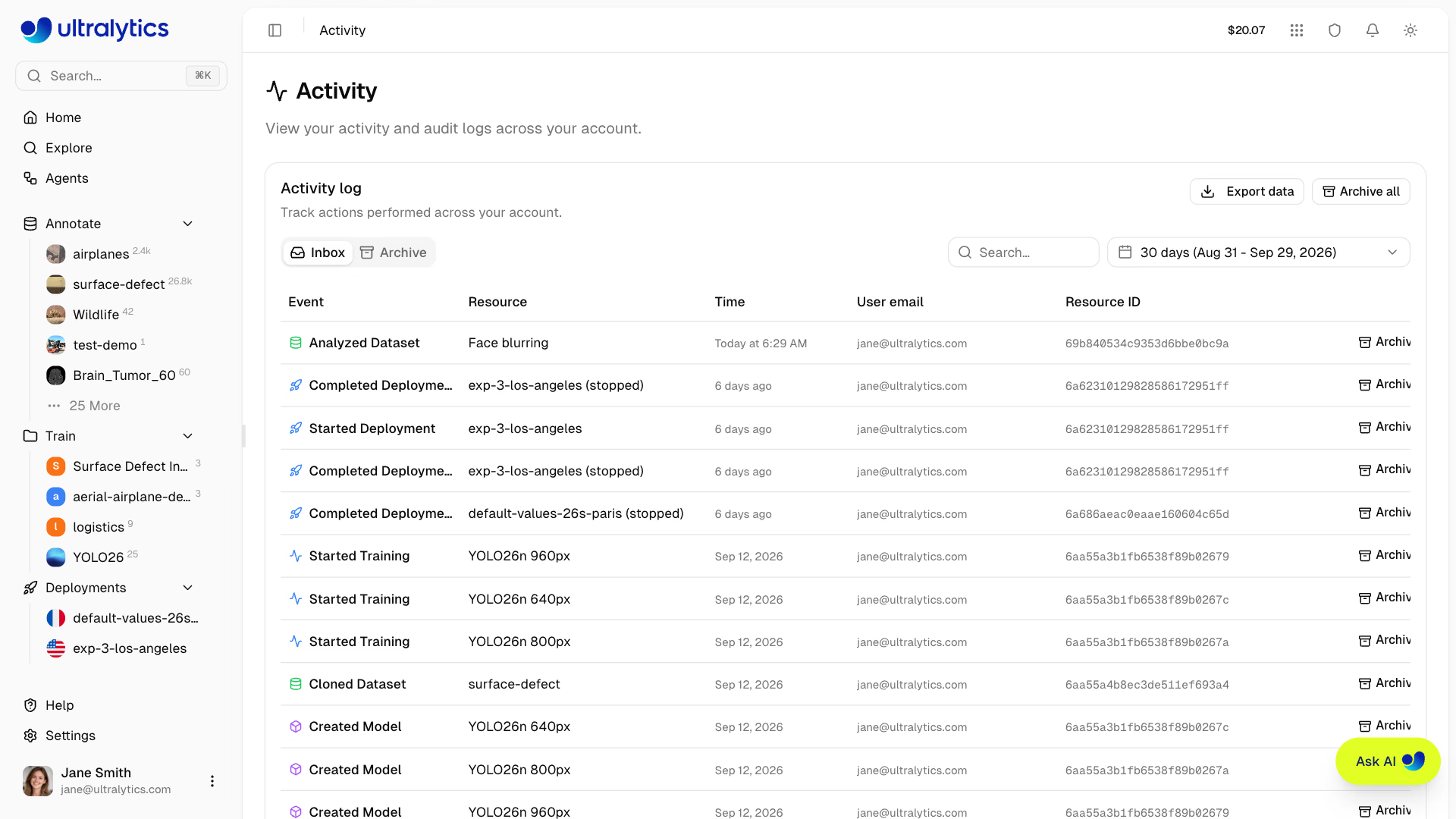
Ultralytics Platform provides a comprehensive activity feed that tracks all events and actions across your account. Monitor training progress and system events in one centralized location.
Overview#
The Activity Feed provides one place for:
- Training updates: Job started, completed, failed, or cancelled
- Data changes: Datasets created, modified, or deleted
- Model events: Model creation, exports, and deployments
- Project events: Project creation, updates, and deletion
- API key events: Key creation and revocation
- Settings changes: Profile and account updates
- System alerts: Onboarding and account notifications
Accessing Activity#
Navigate to the Activity Feed in any of the following ways:
- Click the activity indicator in the top navigation bar, then View all activity
- Open the profile menu at the bottom of the sidebar and select Activity
- Navigate directly to
/activity
The dropdown in the top bar shows the most recent events with the same archive and undo actions as the full page.
Activity Types#
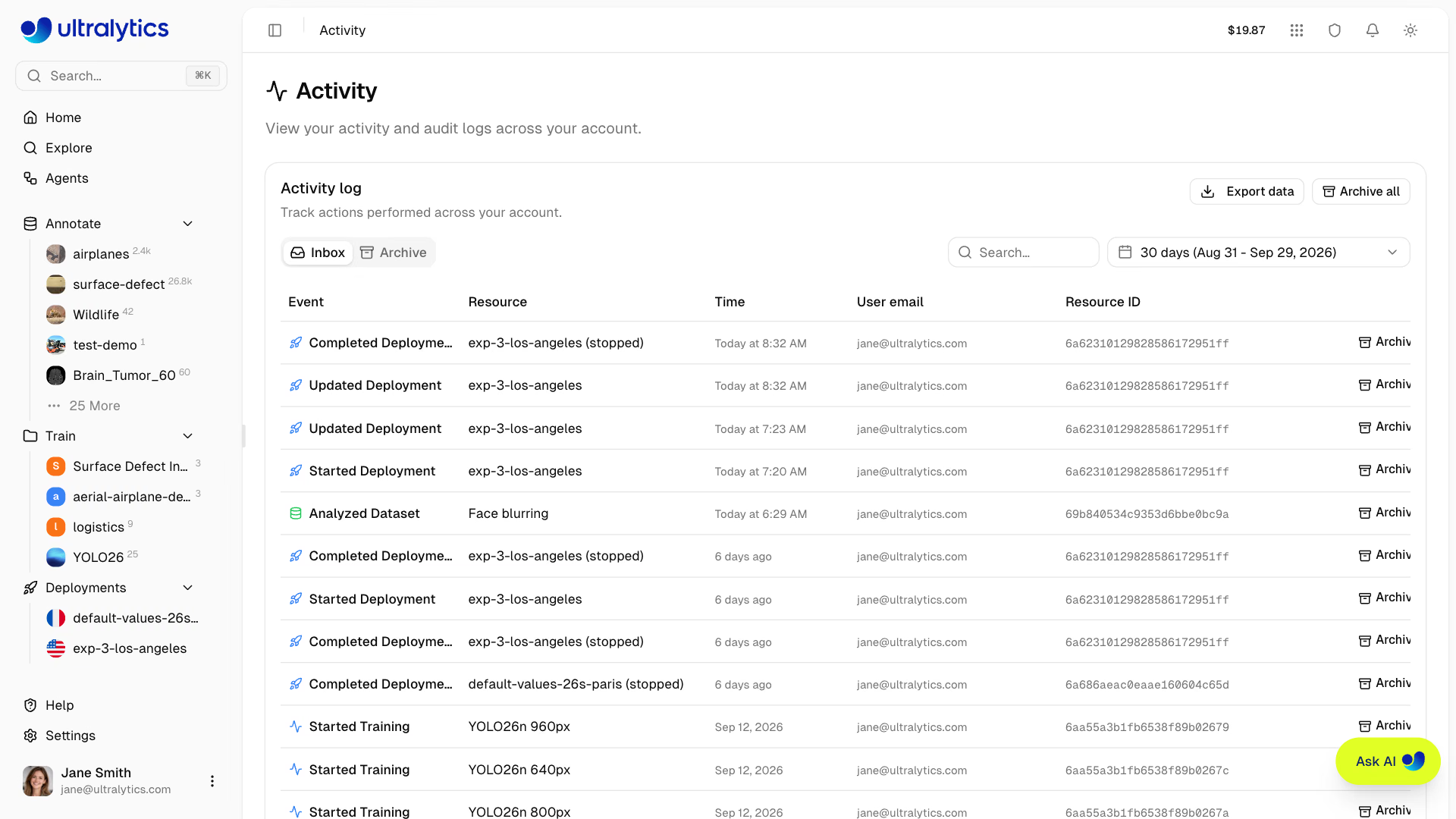
The Platform tracks the following resource types and actions:
| Resource Type | Description | Icon Color |
|---|---|---|
| project | Project events | Blue |
| dataset | Dataset events | Green |
| model | Model events | Purple |
| training | Training job events | Blue/Green/Red/Gray |
| settings | Account settings changes | Gray |
| api_key | API key creation/revocation | Amber |
| export | Model export events | Amber |
| deployment | Deployment events | Blue |
| onboarding | Onboarding completion | Green |
Action Types#
Each event includes one of the following action types:
| Action | Description |
|---|---|
| created | Resource was created |
| updated | Resource was modified |
| deleted | Resource was permanently deleted |
| trashed | Resource was moved to trash |
| restored | Resource was restored from trash |
| started | Training or export job was started |
| completed | Training or export job finished successfully |
| failed | Training or export job failed |
| cancelled | Training or export job was cancelled |
| uploaded | Data was uploaded (images, model weights) |
| shared | Resource visibility changed to public |
| unshared | Resource visibility changed to private |
| exported | Model was exported to a deployment format |
| cloned | Resource was cloned to another location |
| analyzed | Dataset analysis (embeddings/clustering) was started |
Inbox and Archive#
Organize your activity with two tabs:
Inbox#
The Inbox shows recent activity:
- New events appear here automatically
- Unseen events are highlighted with a colored background
- Events are automatically marked as seen when you view the page
- Click Archive on individual events to move them out of Inbox
Archive#
Move events to Archive to keep your Inbox clean:
- Click Archive on individual events
- Click Archive all to archive all Inbox events at once
- Access archived events via the
Archivetab - Click Restore on archived events to move them back to Inbox
Archiving and restoring require the Editor role or higher in a team workspace. Viewers can read the feed and export it, but the Archive controls are hidden for them.
Search and Filtering#
Find specific events quickly:
Search#
Use the search bar to find events by resource name or resource type.
Date Range#
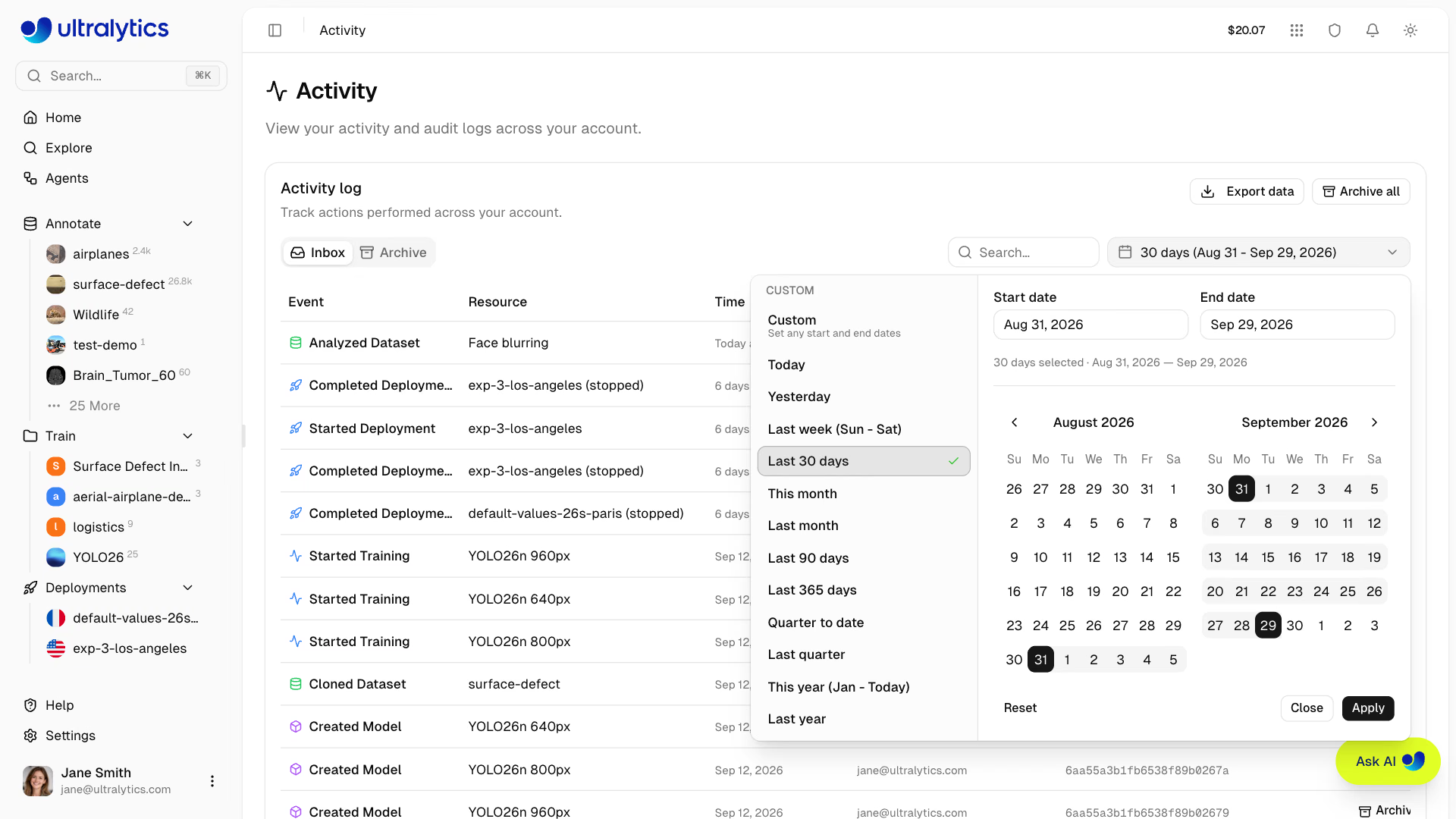
Filter by time period using the date range picker:
- Select a start and end date
- The page defaults to the last 30 days
- Custom date ranges supported
Event Details#
Each row displays:
| Field | Description |
|---|---|
| Event | Action and resource type (for example, Created Project) |
| Resource | Recorded resource name |
| Time | Event timestamp |
| User email | Account member that performed the action |
| Resource ID | Recorded resource identifier |
| Actions | Undo, Archive, or Restore when available |
Undo Support#
Settings changes support undo directly from the Activity feed:
- Click Undo next to the matching settings event to restore the previous value.
- Undo remains available for one hour in the browser session where the change was made. It is held in memory only, so it does not persist after reloading or opening another browser.
- Only settings events are undoable. Trashed resources are recovered from Trash instead.
Pagination#
The Activity feed supports pagination:
- Default page size: 20 events, up to 100 per page
- Navigate between pages and change the page size using the pagination controls
- The tab, page, page size, search, and date range are all reflected in the URL, so a filtered view can be bookmarked or shared
Export Activity#
Use the export menu in the card header to download the events in the current Inbox or Archive view as CSV or JSON, or to copy them to the clipboard as JSON. The export respects the active search and date filters, and covers the whole filtered result rather than just the visible page.
Each exported row carries the event time, action and resource type, resource name and ID, user name, email, and ID, the event metadata, and the archived and seen flags.
FAQ#
Yes. Use the export menu on the Activity page to download the current filtered view as CSV or JSON, or use the GDPR data export in
Settings > Profileto download account metadata including your full activity history.The recorded event keeps its action, resource name, resource ID, time, and user email. The resource itself is no longer available after permanent deletion.
Yes, the Activity feed shows events for the currently active workspace. Switch workspaces in the sidebar to see activity for different workspaces.