API Keys#
Ultralytics Platform API keys enable secure programmatic access for remote training, inference, and automation. Create named keys with AES-256-GCM encryption for different use cases.
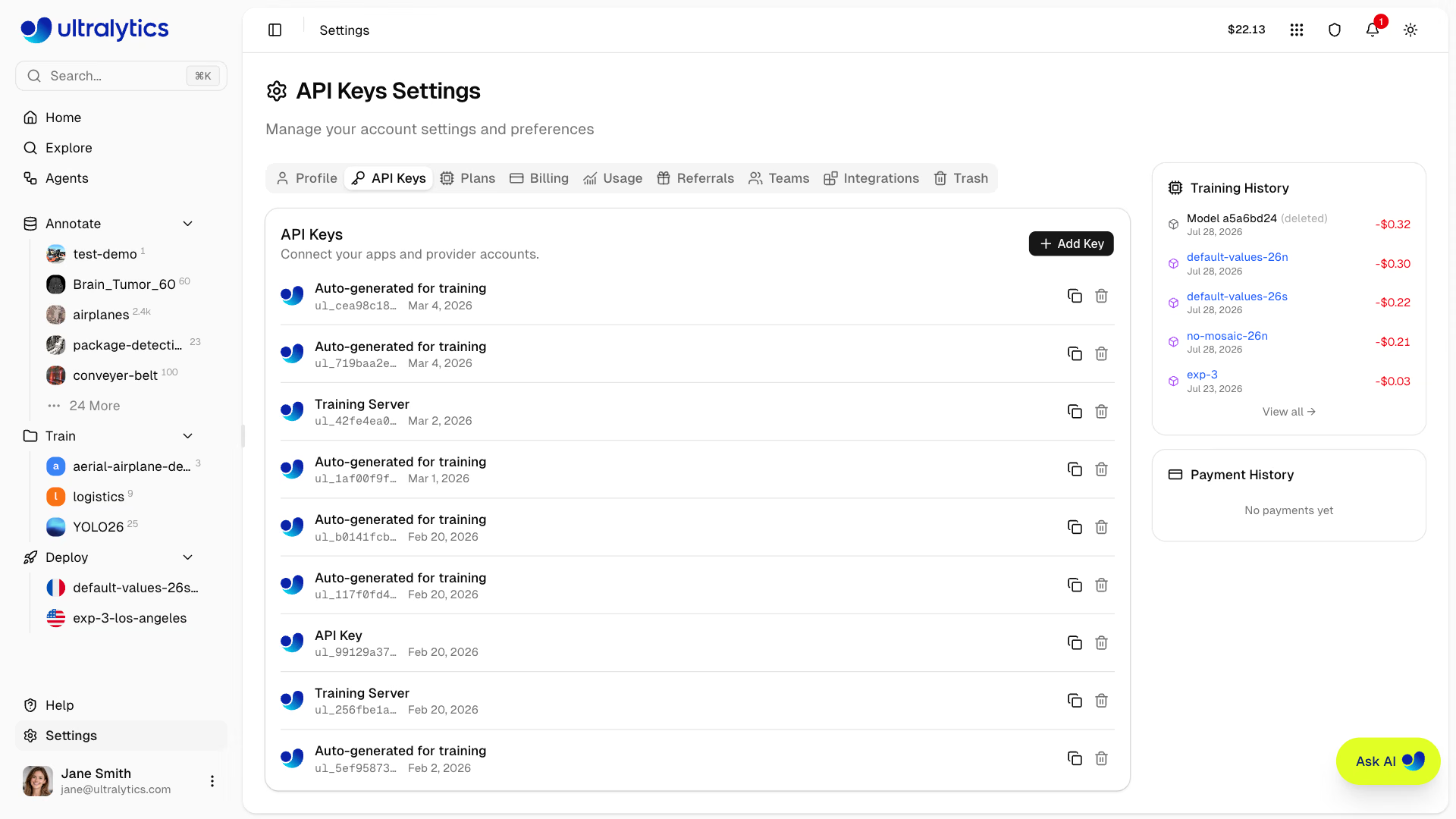
Only the workspace owner can create, view, or revoke a workspace's Ultralytics API keys, because these keys authenticate as the workspace owner. Other members cannot view that key list. They can see external provider connection status, but cannot view full provider keys or change those connections. API keys themselves cannot create or revoke other API keys. The one exception is On Premise worker keys, which are revoked by disconnecting the host from the On Premise integration.
Create API Key#
Create a new API key:
- Go to Settings > API Keys
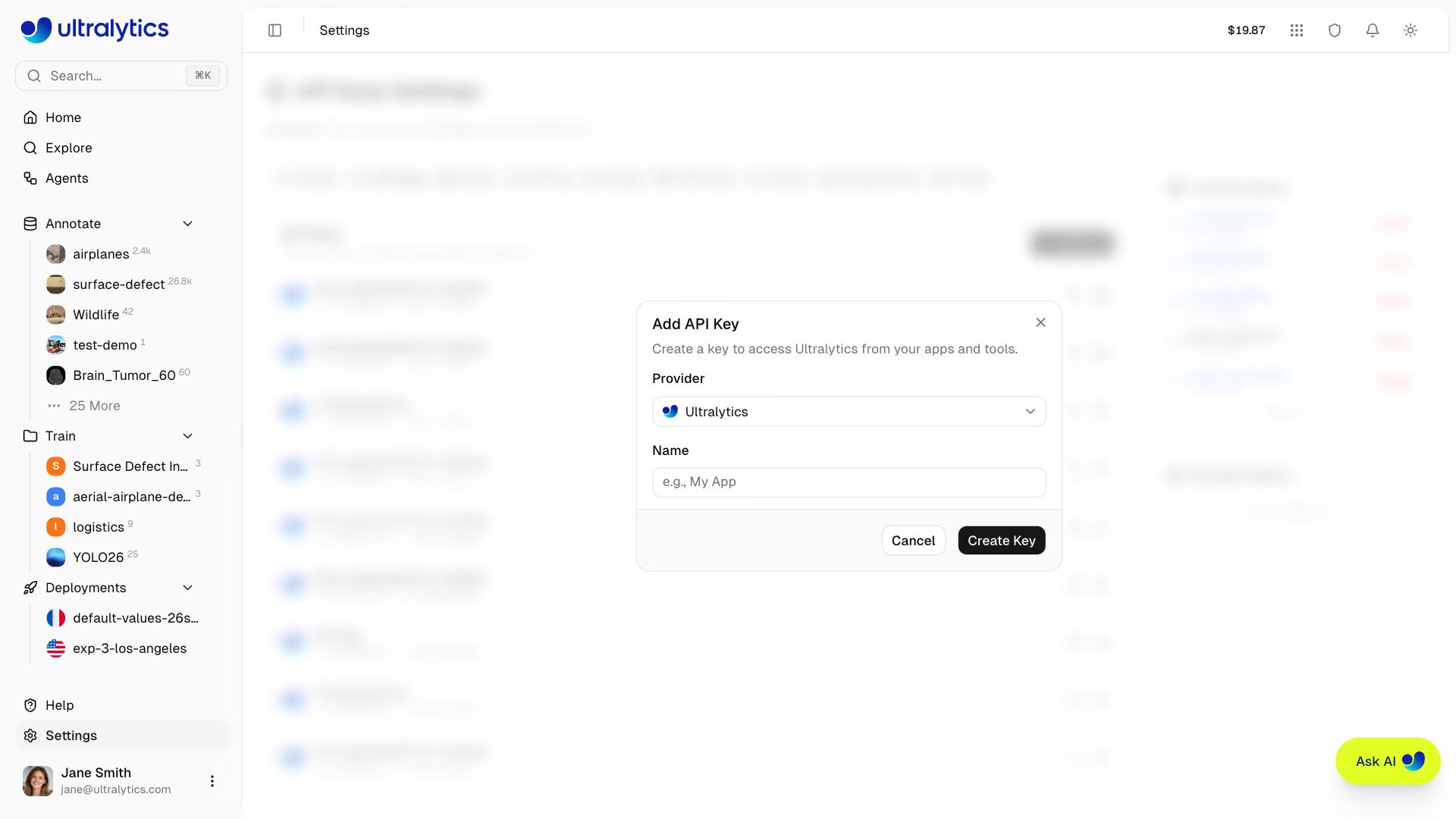
- Click Add Key and select Ultralytics as the provider
- Enter a name for the key (e.g., "Training Server")
- Click Create Key
Key Name#
Give your key a descriptive name:
training-server- For remote training machinesci-pipeline- For CI/CD integrationlocal-dev- For local development
Key Display#
After creation, the key is displayed in a confirmation dialog:
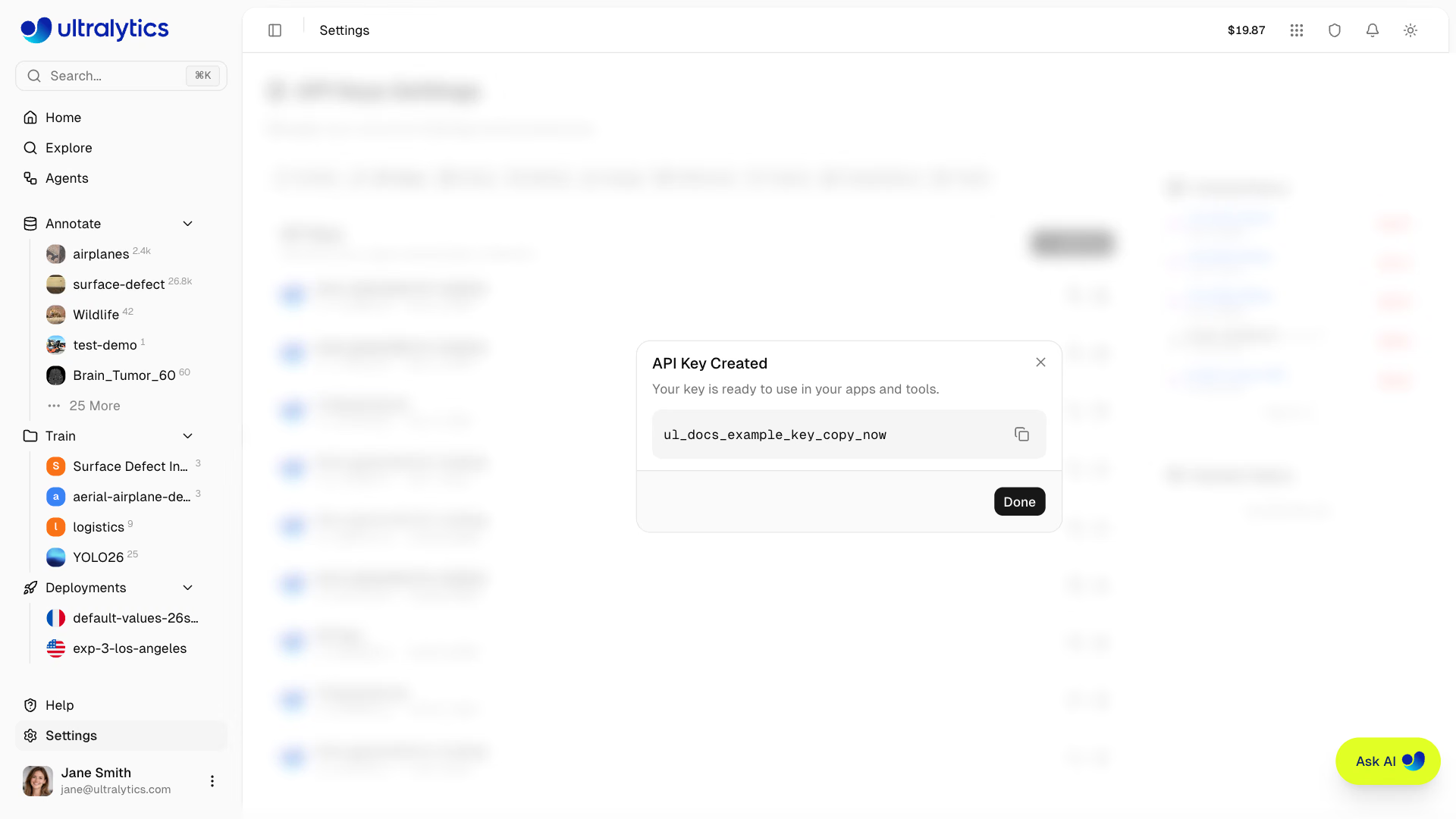
Copy your key after creation for easy reference. You can also use the copy button in the key list anytime; the list displays only each key's prefix.
Provider Keys for Agents and Annotation#
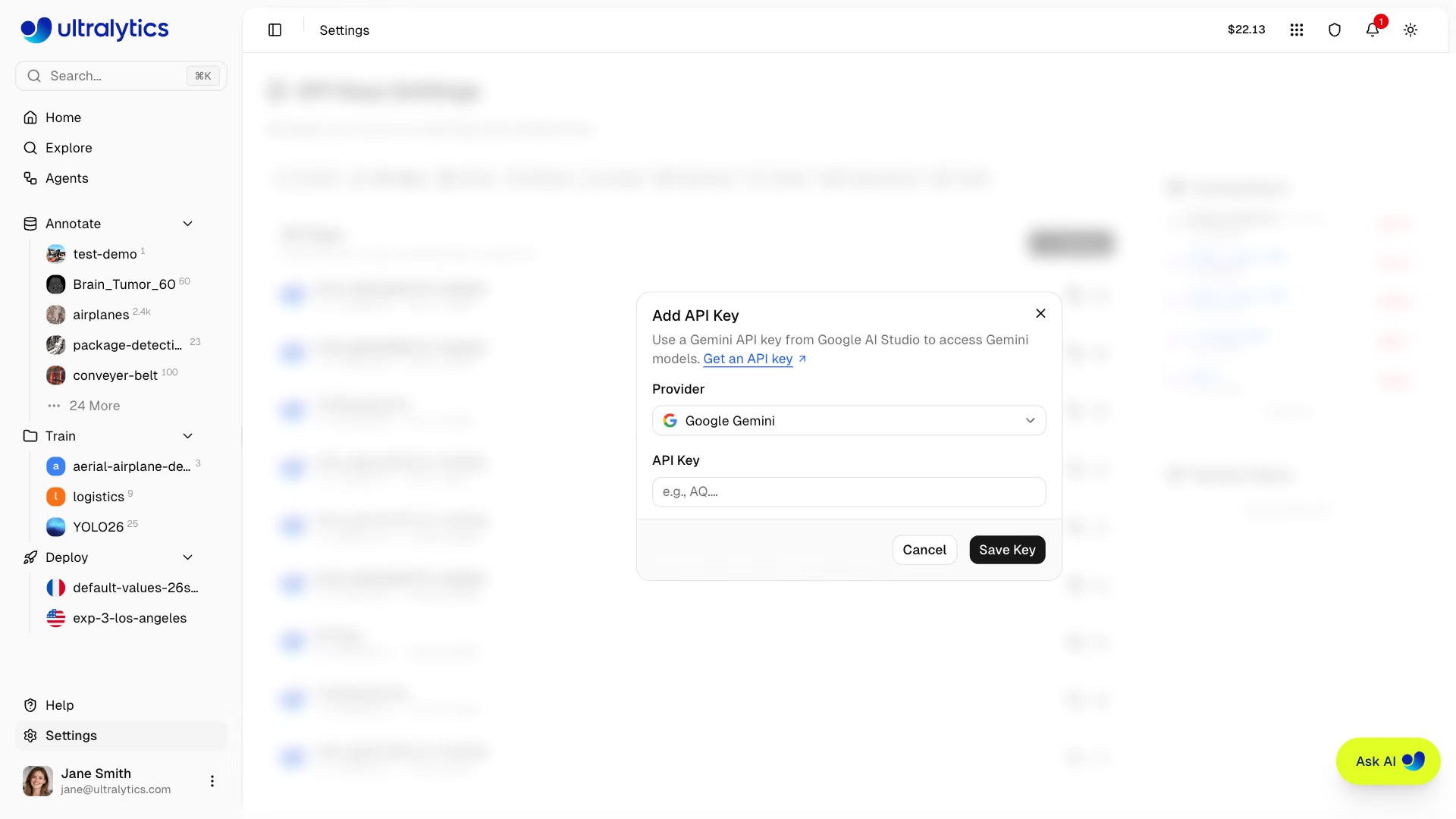
The same Settings > API Keys tab also stores keys for external model providers used by Agents and by the paid models in class-prompted annotation; annotation reads the key saved in the dataset's workspace. Only the workspace owner can add, replace, or remove these keys; team members can see which providers are connected. Ask the owner to connect a missing provider. To connect a provider as the owner:
- Click Add Key.
- Select the provider matching your workflow's language or vision-language model, or the annotation model you want to run.
- Paste that provider's API key into API Key, then click Save Key. The dialog's Get an API key link opens the provider's key page.
An Ultralytics key does not authenticate external model providers. Provider usage is billed through the provider account associated with the saved key. Use the key row's edit control to replace a provider key.
Key Format#
API keys follow this format:
ul_a1b2c3d4e5f60718293a4b5c6d7e8f90a1b2c3d4- Prefix:
ul_identifies Ultralytics keys - Body: 40 random hexadecimal characters
- Total: 43 characters
Key Security#
- Keys are stored with AES-256-GCM encryption, never in plaintext
- The first 11 characters (
ul_plus 8 hex characters) act as a display prefix, so a key can be identified without exposing it
Using API Keys#
Environment Variable#
Set your key as an environment variable:
export ULTRALYTICS_API_KEY="YOUR_API_KEY"YOLO CLI#
Validate and save the key using the YOLO CLI on Python>=3.11:
yolo login YOUR_API_KEYRemove the saved key with yolo logout.
HTTP Headers#
Include the key in API requests:
curl -H "Authorization: Bearer YOUR_API_KEY" \
  https://platform.ultralytics.com/api/...
Or pass it to the Python SDK (pip install "ultralytics-platform>=0.1.45"), which reads ULTRALYTICS_API_KEY or the key saved by yolo login when api_key is omitted:
from ultralytics_platform import Platform

client = Platform(api_key="YOUR_API_KEY")
See the REST API Reference for all available endpoints.
Remote Training#
Enable metric streaming with your key.
Install or update the Ultralytics package on Python>=3.11 before starting:
pip install -U ultralyticsexport ULTRALYTICS_API_KEY="YOUR_API_KEY"
yolo train model=yolo26n.pt data=coco.yaml project=username/project name=exp1See Cloud Training for the complete remote training guide.
Manage Keys#
View Keys#
All keys are listed on the Settings > API Keys tab:
Each key row shows the key name, the key prefix, the creation date, a copy button for the full key, and a remove (trash) button.
Revoke Key#
Revoke a key that's compromised or no longer needed:
- Find the key in the API Keys section
- Click the remove (trash) button
- Click Remove Key to confirm
Revocation is immediate and permanent — the key record is deleted, not disabled. Any applications using the key will stop working.
Regenerate Key#
If a key is compromised:
- Create a new key with the same name
- Update your applications
- Revoke the old key
Workspace API Keys#
API keys are scoped to the currently active workspace:
- Personal workspace: Keys authenticate as your personal account
- Team workspace: Keys authenticate as the team workspace owner, with full owner permissions in that workspace
When switching workspaces in the sidebar, the API Keys section shows keys for that workspace. Because a workspace key carries owner permissions, only the workspace owner can create, view, or revoke one. See Teams for role details.
On Premise Worker Keys#
Connecting an On Premise host mints a separate worker key. Worker keys are managed from the On Premise integration rather than this tab, are never listed alongside your API keys, and are revoked by disconnecting the host — which also cancels that host's queued and running jobs.
Security Best Practices#
Do#
- Store keys in environment variables
- Use separate keys for different environments
- Revoke unused keys promptly
- Rotate keys periodically
- Use descriptive names to identify key purposes
Don't#
- Commit keys to version control
- Share keys between applications
- Log keys in application output
- Embed keys in client-side code
Key Rotation#
Rotate keys periodically for security:
- Create new key with same name
- Update applications to use new key
- Verify applications work correctly
- Revoke old key
Consider rotating keys every 90 days for sensitive applications.
Troubleshooting#
Invalid Key Error#
Error: Invalid API keySolutions:
- Verify key is copied correctly (including the
ul_prefix) - Check key hasn't been revoked
- Confirm environment variable is set
- Ensure you're using Python>=3.11 and
ultralytics>=8.4.120
Permission Denied#
Error: Permission denied for this operationSolutions:
- Verify you're the resource owner or have appropriate workspace access
- Check the key belongs to the correct workspace
- If you're managing keys in a team workspace, confirm you're the workspace owner — other roles get
Workspace owner access required - Create a new key if needed
Rate Limited#
Error: Rate limit exceededSolutions:
- Reduce request frequency — see the rate limit table for per-category limits
- Implement exponential backoff using the
Retry-Afterheader - Use a dedicated endpoint when you need isolated inference capacity
FAQ#
There's no hard limit on API keys. Create as many as needed for different applications and environments.
Keys don't expire automatically. They remain valid until revoked. Consider implementing rotation for security.
Yes. The key list on
Settings > API Keysshows each key's prefix, and its copy button copies the full key value anytime.Keys work across regions but access data in your account's region only.
No. A key belongs to the workspace it was created in and only reaches that workspace's resources. Create a separate key for each workspace you automate.