Settings#
Ultralytics Platform settings allow you to configure your profile, social links, workspace preferences, and manage your data with GDPR-compliant export and deletion options.
Settings is organized into nine tabs (in order): Profile, API Keys, Plans, Billing, Usage, Referrals, Teams, Integrations, and Trash.
Settings is workspace-aware. Switch workspaces in the sidebar and the profile, keys, billing, usage, members, integrations, and trash tabs show data for the workspace you're in; referrals stay tied to your personal account. On extra-wide screens a sidebar next to the tabs lists your five most recent training charges and payments.
Profile Tab#
The Profile tab contains your profile information, social links, data region, connected accounts, and account
management options.
Profile Information#
Update your profile information:
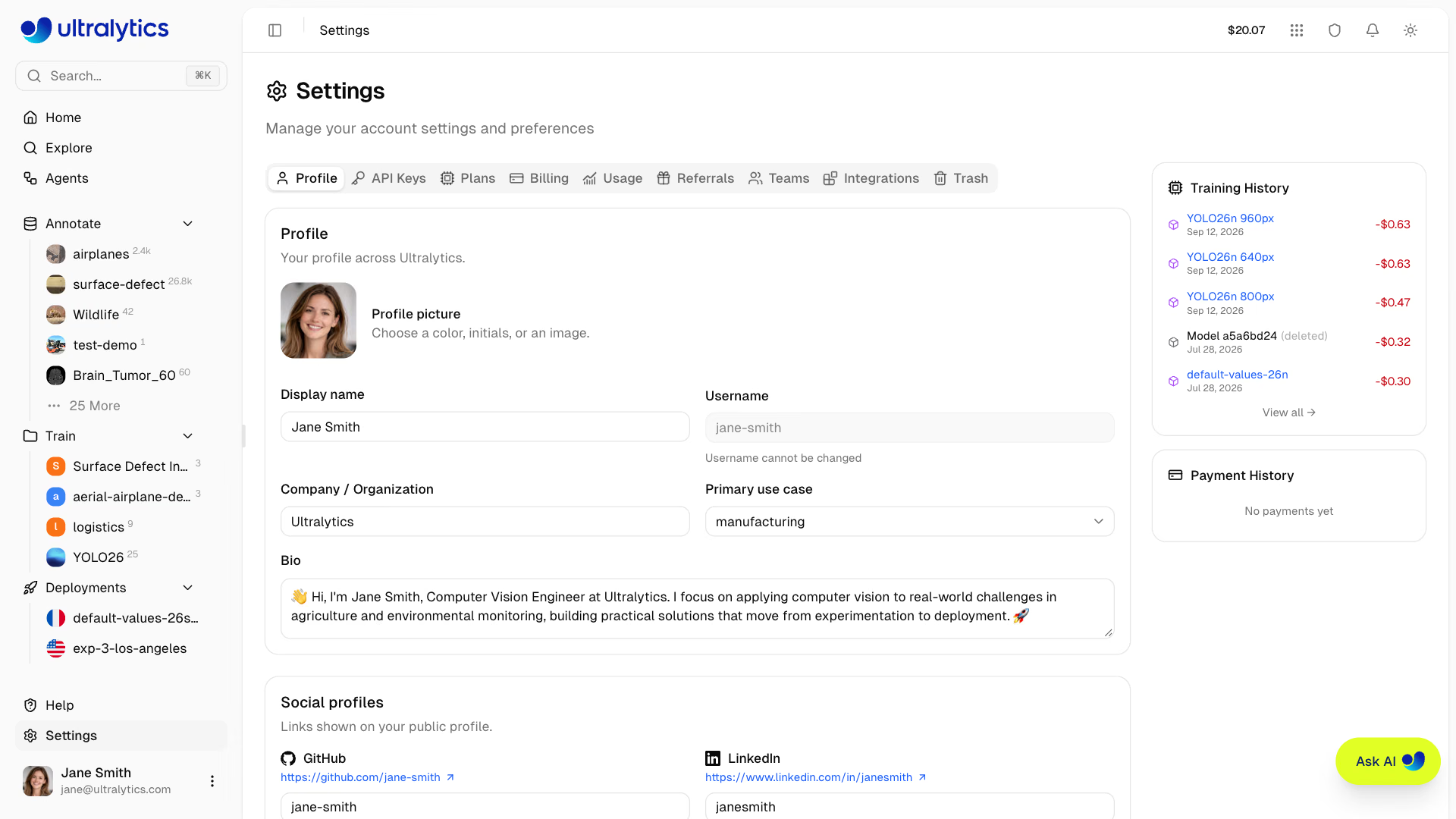
| Field | Description |
|---|---|
| Display Name | Your public name (required) |
| Username | Unique identifier (set at signup, read-only) |
| Company / Organization | Company or organization name |
| Primary Use Case | Primary application (select from list) |
| Bio | Short description (minimum 10 characters when filled in) |
| Profile Picture | Avatar with color, initials, or image |
In a team workspace the same card edits the workspace profile and icon, and requires the Admin role or higher.
Username Rules#
- 4-32 characters
- Lowercase letters, numbers, and hyphens
- No leading, trailing, or consecutive hyphens
- Must be unique, and cannot use a name reserved for Platform routes (for example
settings,explore, ordocs)
Your username is set during onboarding and cannot be changed. It appears in all your public URLs (e.g., platform.ultralytics.com/username).
Use Case Options#
| Use Case | Description |
|---|---|
| Manufacturing & QC | Quality control workflows |
| Retail & Inventory | Retail and inventory tasks |
| Security & Surveillance | Security monitoring |
| Healthcare & Medical | Medical imaging |
| Automotive & Robotics | Self-driving and robotics |
| Agriculture | Agricultural monitoring |
| Research & Academia | Academic research |
| Personal Project | Personal or hobby projects |
Edit Profile#
- Go to Settings > Profile
- Update fields (display name, company, use case, bio, and social links)
- Click Save profile below the Social profiles card. The button is enabled once you have unsaved changes.
Early Access#
Switch to your personal workspace using the sidebar workspace selector, then open Settings > Profile and enable Early access to opt in to experimental updates. The preference belongs to your account and follows you into team workspaces. It unlocks Ultralytics Image 9B and Krea 2 Turbo in Generate Similar Images. Agents does not depend on it.
Social Links#
Connect your professional profiles:
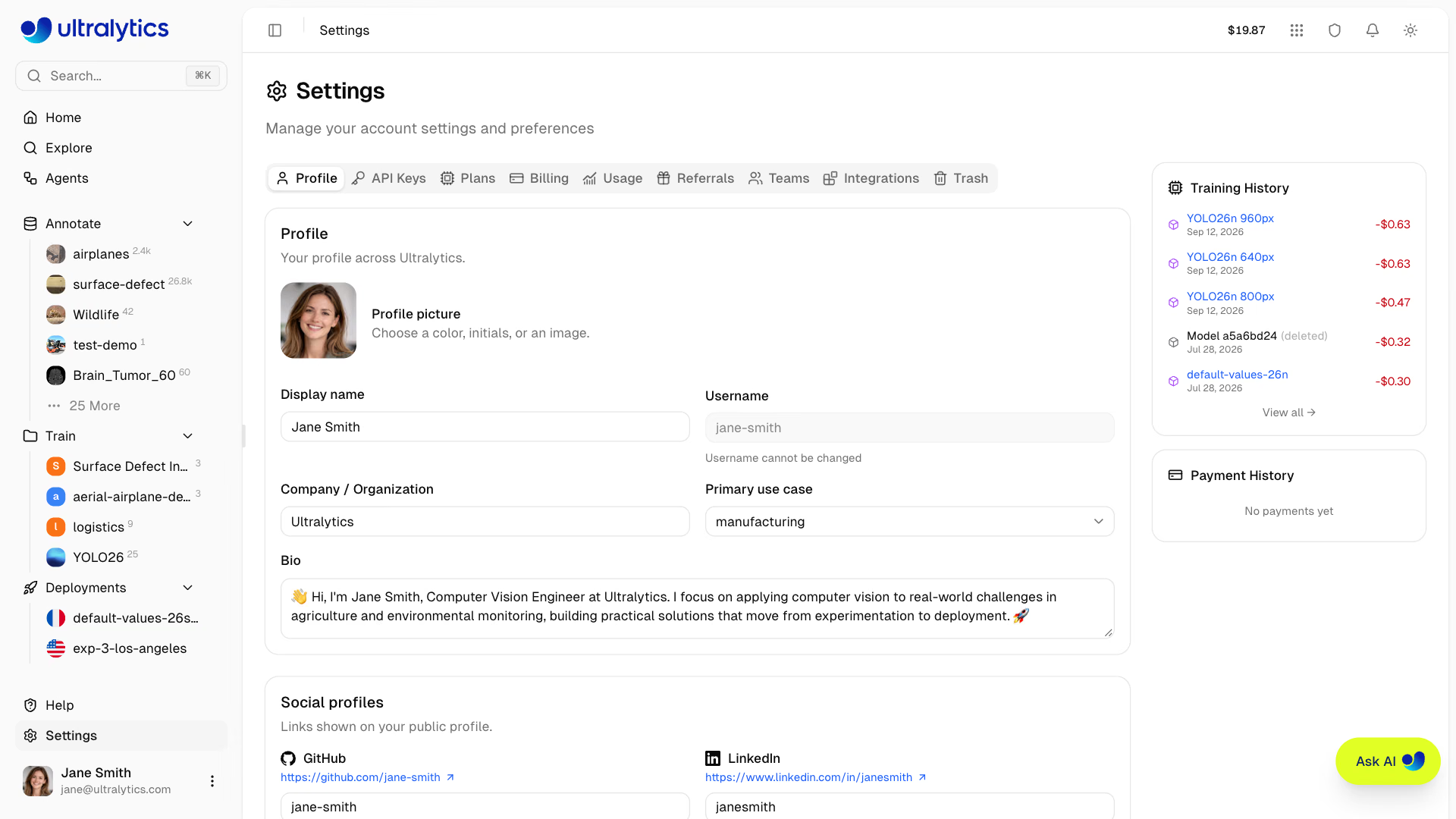
| Platform | Format |
|---|---|
| GitHub | username |
| profile-slug | |
| X (Twitter) | username |
| YouTube | channel-handle |
| Google Scholar | user-id |
| Discord | username |
| Website | example.com |
Social links appear on your public profile page.
Emails#
Manage email addresses linked to your account in the Profile tab. The Emails card appears on personal accounts only —
team workspaces have no separate email list.
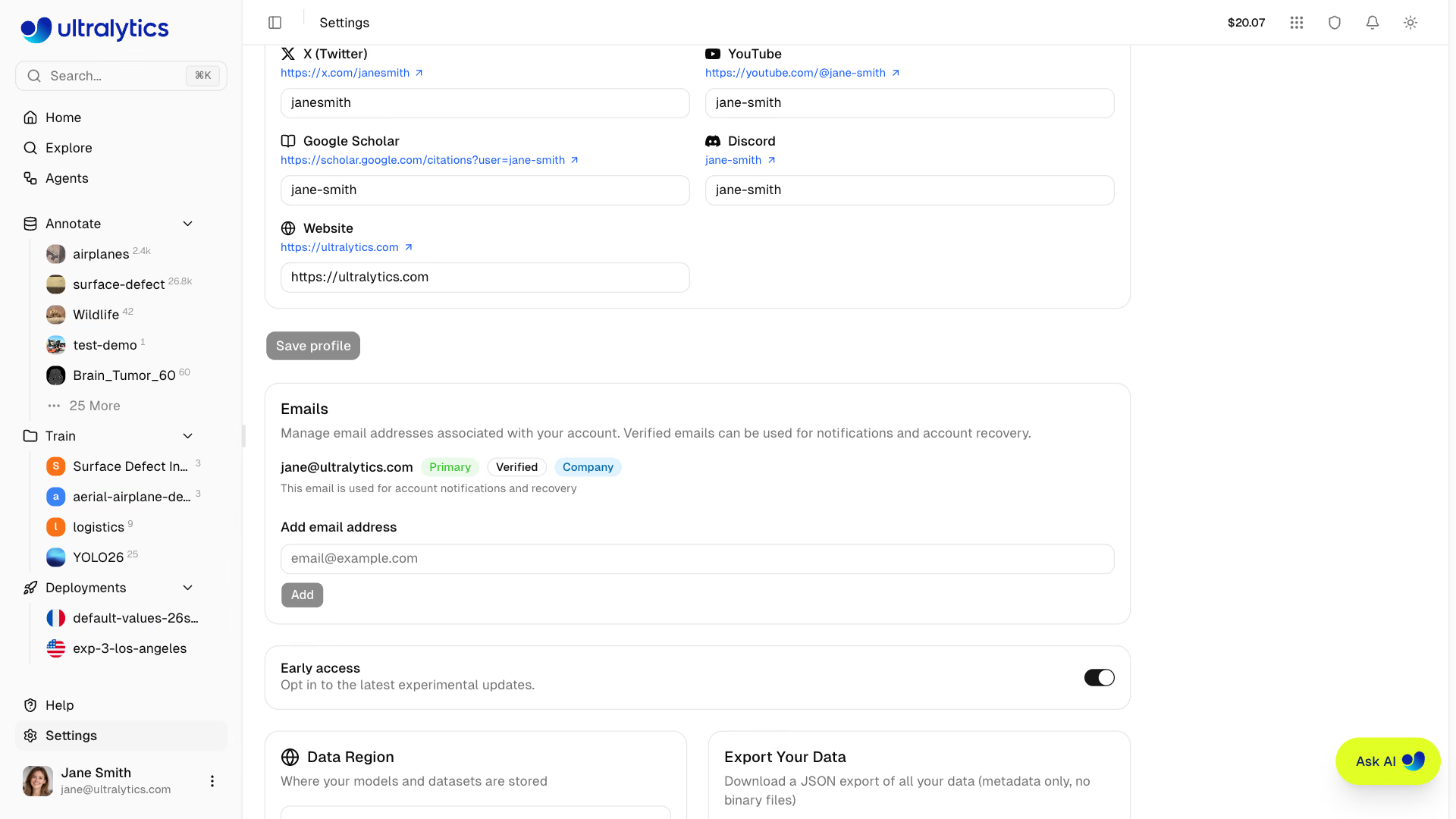
| Action | Description |
|---|---|
| Add | Add a new email address, which immediately sends a 6-digit code |
| Verify | Enter the 6-digit code sent to the address (use Resend to get another) |
| Set as primary | Set a verified email as your primary address |
| Remove | Remove a non-primary email address |
Each address is labeled with Primary, Verified or Unverified, and Company badges.
Your primary email is used for notifications and account recovery. Only verified emails can be set as primary.
Verifying a company or work email address (not gmail.com, outlook.com, and similar consumer domains) adds the remaining $20 of the $25 signup credit to your balance. The bonus is granted once per account. See Billing.
Data Region#
View your data region on the Profile tab:
| Region | Label | Location | Best For |
|---|---|---|---|
| US | Americas | Iowa, USA | Americas users, fastest for Americas |
| EU | Europe, Middle East & Africa | Belgium, Europe | European users, GDPR compliance |
| AP | Asia Pacific | Taiwan, Asia-Pacific | Asia-Pacific users, lowest APAC latency |
Your data region is selected during onboarding and cannot be changed yourself. It applies to datasets, models, and managed training data. Dedicated deployments use the region selected when each endpoint is created. Contact support to request an account data-region change.
Security#
The Profile tab includes a Connected accounts card that lists the Google and GitHub accounts linked to your
sign-in. Click Connect Google or Connect GitHub to link another provider, or Disconnect to remove one.
Storage Usage#
Monitor your storage consumption on the Usage tab and the Home page:
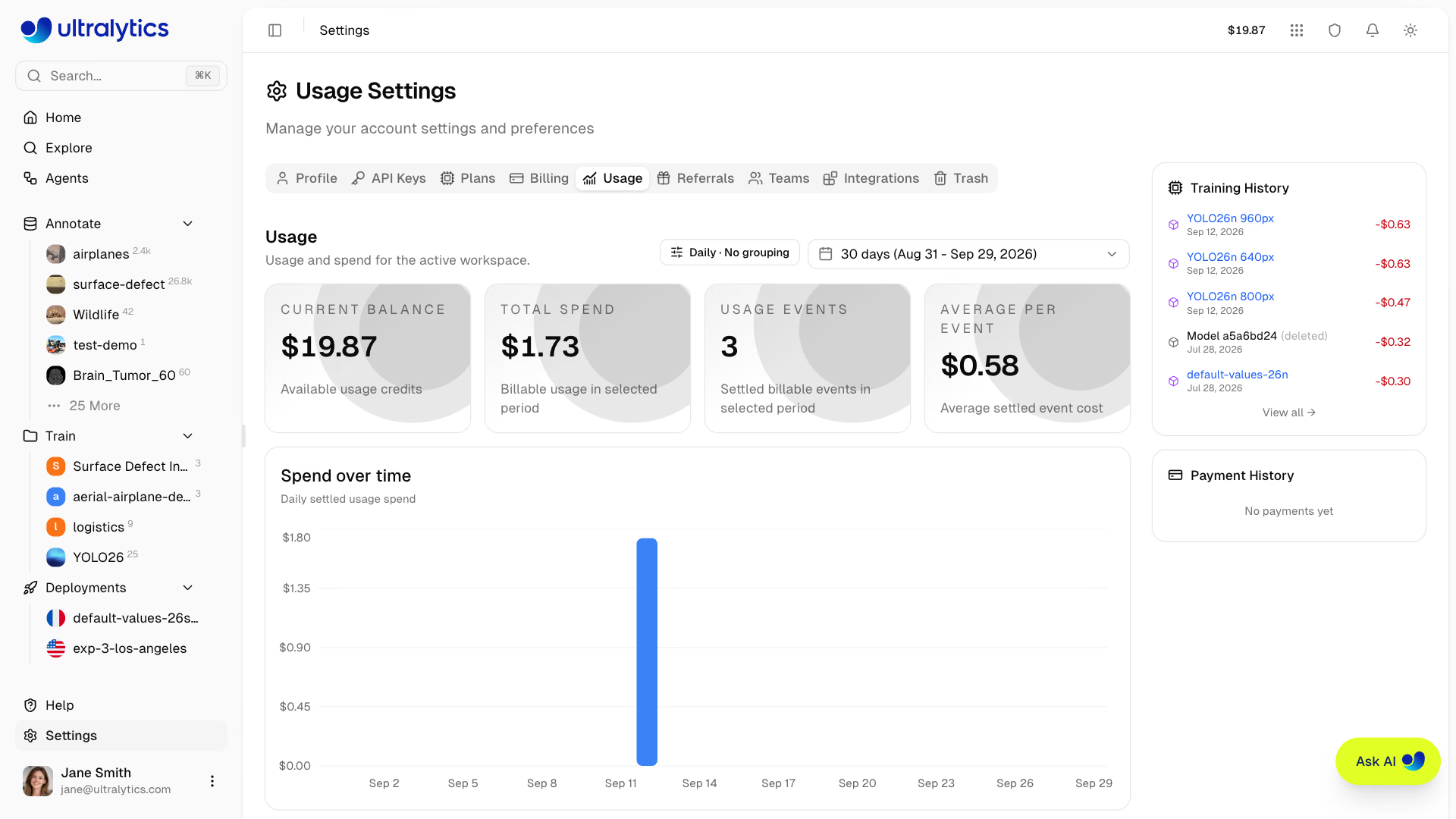
The storage card shows:
- Overall progress bar with color-coded status (green under 70%, amber 70-89%, red 90%+)
- Category breakdown for datasets, models, and exports
- Resource counts for projects, datasets, models, images, and deployments
- Largest items to help identify what consumes the most space
| Category | Description |
|---|---|
| Datasets | Uploaded images, videos, labels, and annotation files |
| Models | Trained model checkpoints (.pt files) |
| Exports | Exported model formats (ONNX, TensorRT, CoreML, etc) |
Storage Limits#
| Plan | Storage | Models | Deployments |
|---|---|---|---|
| Free | 100 GB | 100 | 3 |
| Pro | 500 GB | 500 | 10 |
| Enterprise | Unlimited | Unlimited | Unlimited |
Upload Size Limits#
| File Type | Free | Pro | Enterprise |
|---|---|---|---|
| Image | 50 MB | 50 MB | 50 MB |
| Video | 1 GB | 1 GB | 1 GB |
| Model (.pt) | 1 GB | 1 GB | 1 GB |
Dataset (ZIP/TAR incl. .tar.gz/.tgz/NDJSON) | 10 GB | 20 GB | 50 GB |
Trash and Storage#
Items in the trash still count toward your storage quota. To free up space, permanently delete items from the trash. Trash items are automatically removed after 30 days. See Trash for details.
Reduce Storage#
To free up storage:
- Delete unused datasets or remove unnecessary images
- Remove old model checkpoints
- Delete exported model formats you no longer need
- Empty trash in Settings > Trash
GDPR Compliance#
Ultralytics Platform supports GDPR rights:
Data Export#
Download all your data:
- Go to Settings > Profile
- Scroll to the Export Your Data card
- Click Export All Data
- An asynchronous export job runs in the background; a Download Export link appears on the same card when the job completes (the link is valid for 60 minutes)
The export is a single JSON file of metadata — images and model weights are not included. It contains:
- Profile information
- Storage usage records
- Project metadata
- Saved Agents workflows
- Dataset metadata
- Model metadata
- Full activity history
- API key metadata: key ID, name, and prefix only (key values are never exported)
Account Deletion#
Permanently delete your account:
- Go to Settings > Profile
- Scroll to the Delete My Account card
- Click Delete My Account
- Type
DELETEin the confirmation field, then confirm
Account deletion is permanent. Your sign-in account is removed immediately, and the associated Platform data and stored files are deleted.
If you own any team workspaces, deletion is refused until you delete those teams or transfer ownership to someone else.
What's Deleted#
- All projects and trained models
- All datasets and images
- All API keys and credentials
- All activity history
- Credit balance
Team Deletion#
In a team workspace the same card reads Delete Team and is visible only to the team owner. Remove every non-owner
member first — the confirmation refuses while other members hold seats — then type DELETE to confirm. Team resources
are deleted automatically.
API Keys Tab#
The API Keys tab lets you create and manage API keys for remote training and inference, and stores provider keys for
Agents and class-prompted annotation. Only the workspace owner can create, view, or revoke keys — a workspace key acts
as the owner. See API Keys for full documentation.
Plans Tab#
The Plans tab lets you compare available plans and upgrade or downgrade your subscription.
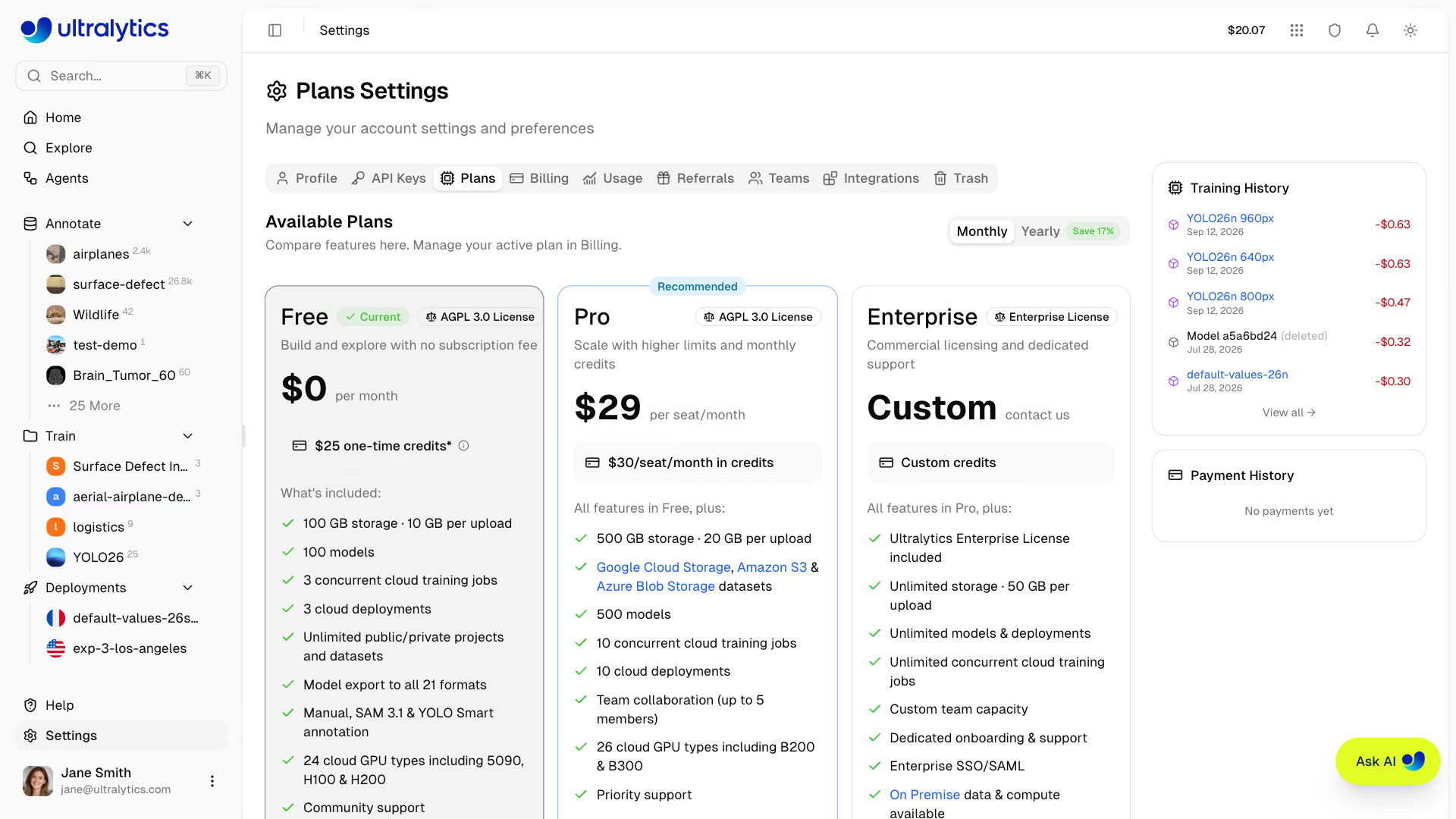
| Feature | Free | Pro ($29/mo) | Enterprise |
|---|---|---|---|
| Signup Credit | $5 / $25* | - | Custom |
| Monthly Credit | - | $30/seat/month | Custom |
| Models | 100 | 500 | Unlimited |
| Concurrent Trainings | 3 | 10 | Unlimited |
| Storage | 100 GB | 500 GB | Unlimited |
Dataset Upload (ZIP/TAR incl. .tar.gz/.tgz/NDJSON) | 10 GB | 20 GB | 50 GB |
| Deployments | 3 | 10 | Unlimited |
| Cloud Storage Datasets (GCS, S3, Azure Blob Storage) | - | Yes | Yes |
| Cloud GPU Types | 24 | 26 | 26 |
| Best GPUs (B200, B300) | - | Yes | Yes |
| Teams | - | Up to 5 members | Custom size |
| SSO / SAML | - | - | Yes |
| On Premise Data & Compute | - | - | Yes |
| Enterprise License | - | - | Yes |
| License | AGPL-3.0 | AGPL-3.0 | Enterprise |
*Free plan: $5 at signup, or $25 if you verify a company/work email address.
From this tab you can:
- Compare features across Free, Pro, and Enterprise tiers, in monthly or yearly pricing
- Upgrade to Pro to unlock more storage, models, team collaboration, cloud storage datasets, and B200/B300 GPU access
- Cancel or resume a Pro subscription — the card shows the date it cancels on
- Request an Enterprise demo, including SSO/SAML and commercial licensing — see Ultralytics Licensing
In a team workspace, plan changes require the Admin role or higher; other members see Admin Required.
See Billing for detailed plan information, pricing, and upgrade instructions.
Billing Tab#
The Billing tab is where you manage credits, payment methods, and review transaction history. Credits pay for
metered cloud training.
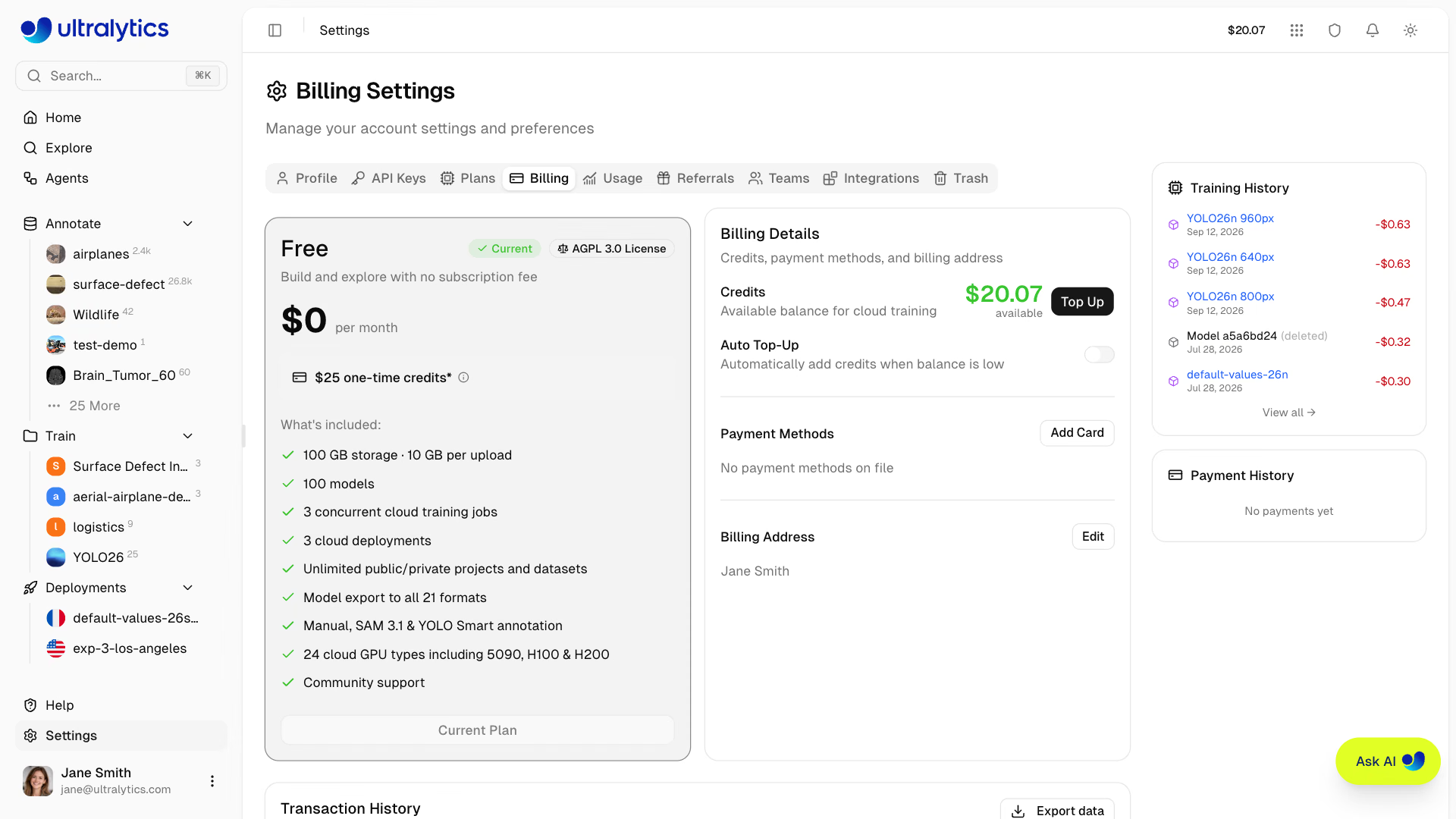
From this tab you can:
- View your current plan and cancel, resume, or upgrade it from the plan card
- View credit balance and monitor remaining credits
- Add credits via manual top-up (presets from $10–$500 or custom amounts of $5–$1,000)
- Redeem a promo code you did not apply at signup (personal workspaces only; see Redeem a Promo Code)
- Enable auto top-up to automatically add credits when your balance falls below a threshold, reducing the chance of training interruption
- Manage payment methods and set the default card used for top-ups and renewals
- Set a billing address used on invoices
- Review transaction history with search, a date-range filter, and CSV/JSON export
Before each training run, the platform estimates the cost based on your selected GPU, dataset size, and epochs. The estimate is a balance check, not a credit reservation; GPU usage is metered against your balance while the run is in progress and settled when it ends.
In a team workspace, billing actions require the Admin role or higher. Other members can view the balance but see no top-up, card, or address controls.
See Billing for full documentation on credits, payment, and plan management.
Usage Tab#
The Usage tab charts credit spend and storage for the active workspace.
- Stat cards: current balance, total spend, usage events, and average cost per event for the selected period
- Spend over time: a daily or monthly bar chart of settled usage spend
- Group by: no grouping, spend category, GPU type, user, API key, or dataset — applied to both the bar chart and the share-of-spend pie chart
- Date range: any custom range, defaulting to the last 30 days
- Storage card: the same storage breakdown shown on the Home page (see Storage Usage)
Grouping by user or API key makes it easy to see which team member or automation is consuming a shared team balance.
Referrals Tab#
The Referrals tab holds your personal referral link under the heading Give $10, get $10. Click Copy link and
share it anywhere — the code is applied automatically at signup.
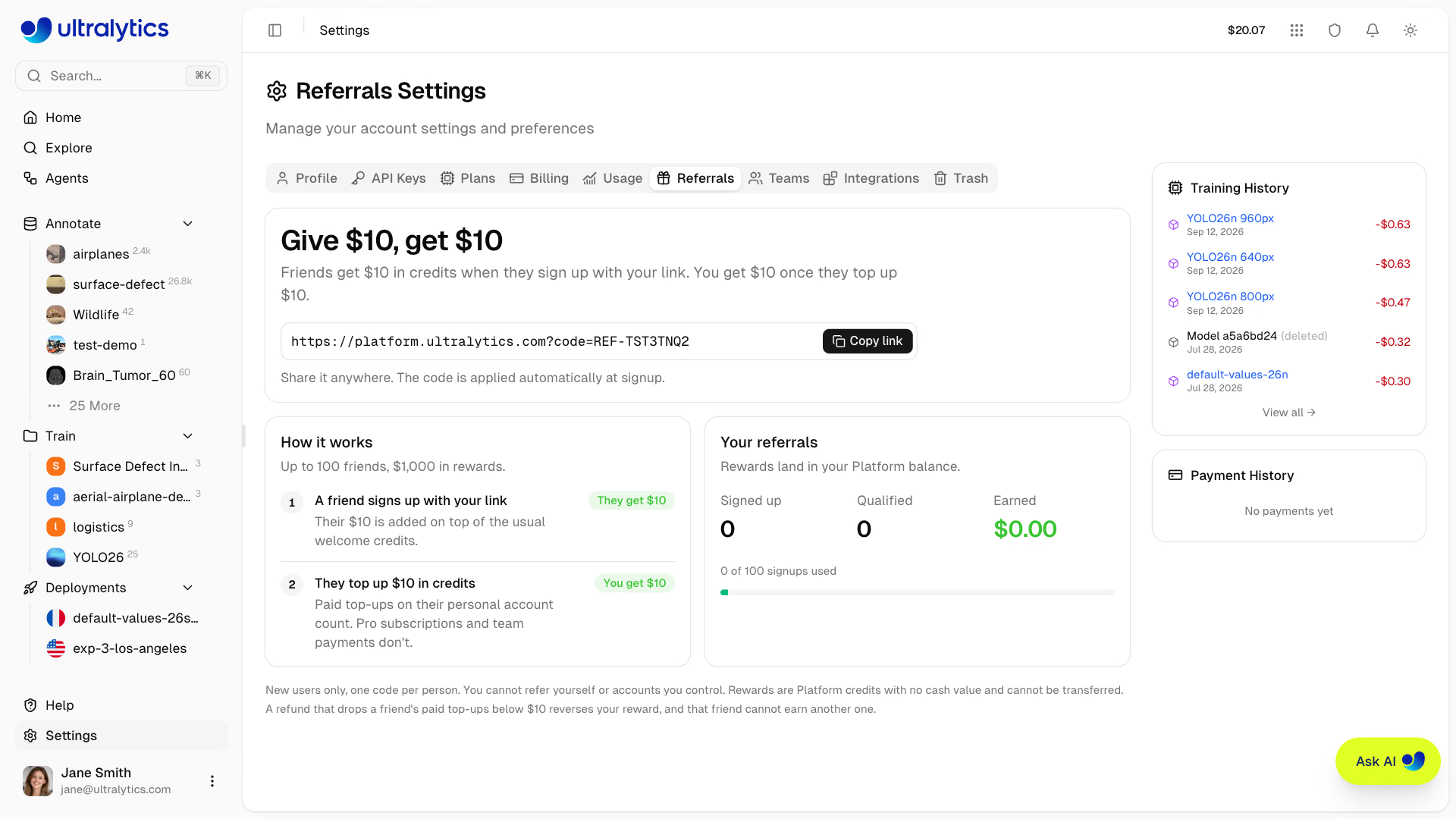
- A friend who signs up with your link gets $10 in credits on top of the usual signup credit
- You get $10 once they top up $10 in credits on their personal account; Pro subscriptions and team payments do not count
- Rewards land in your Platform balance as Promo Bonus transactions
- Each link covers up to 100 friends ($1,000 in rewards); the tab counts signups, qualified referrals, earned credit, and signups used
Referral rewards apply to new users only, one code per person. You cannot refer yourself or accounts you control, and the rewards are Platform credits with no cash value that cannot be transferred. A refund that drops a friend's paid top-ups below $10 reverses your reward, and that friend cannot earn another one.
Teams Tab#
The Teams tab lets you manage workspace members, roles, and invitations. Member seats are available on
Pro and Enterprise plans — on the Free plan the tab shows the roles reference and an
Upgrade to Pro button instead of an invite control.
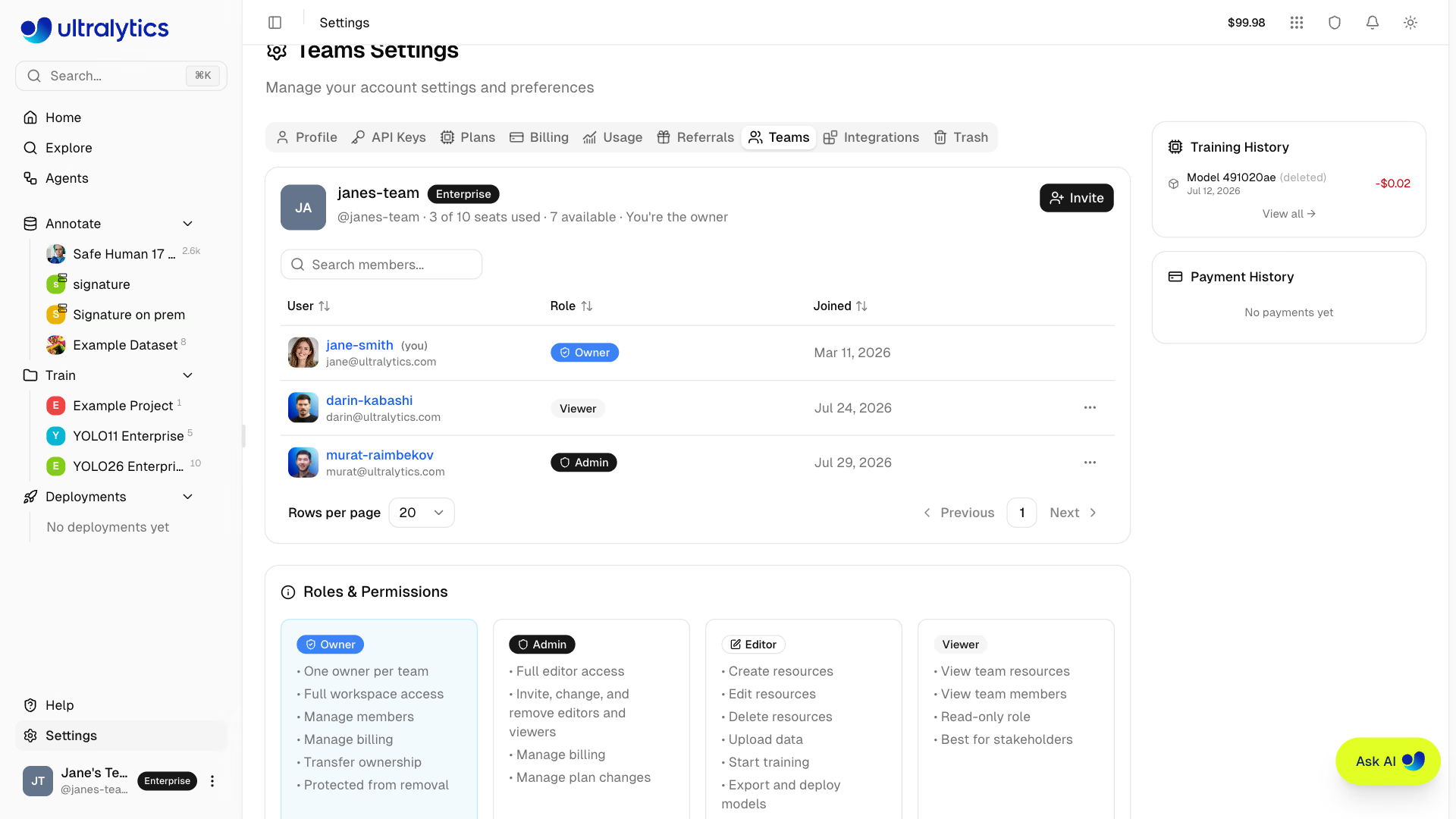
The member card header shows the workspace name, plan badge, your own role, and a seat summary such as
3 of 5 seats used · 2 available (includes 1 pending invite).
Roles and Permissions#
| Role | Description |
|---|---|
| Owner | Full control, including members, billing, team deletion, and ownership transfer |
| Admin | Full editor access; manage billing, settings, and members below the admin role |
| Editor | Create, edit, and delete resources; upload data; train, export, and deploy models |
| Viewer | Read-only access to team resources and members |
The tab also renders a full permission matrix covering resource access, member management, billing, and ownership transfer. See Teams for the same matrix.
Manage Members#
Owners and admins can manage the team from the actions menu on each row:
- Invite members via email (invites expire after 14 days; pending invites reserve a seat)
- Change roles: Set as Admin, Set as Editor, or Set as Viewer — only the owner can assign or remove the Admin role, and no one can act on a member at or above their own role
- Remove from team: removes the member immediately
- Leave team: any member can leave their own team, which returns them to their personal workspace
- Cancel invite / Resend invite: cancel a pending invitation to free its seat, or rotate its token and restart the 14-day window
- Transfer Ownership: transfer a team workspace to another member (Owner only; you become an Admin)
Shared Resources#
All resources created in a team workspace belong to the team, not individual members. Team members share:
- Datasets, projects, and models — accessible by all members based on their role
- Credit balance — shared across team members for cloud training
- Storage and resource limits — counted at the team level
On Pro plans, each member occupies a paid seat at $29/month or $290/year. Adding a member mid-cycle charges a prorated amount for the rest of the period, unless a seat you already paid for this period is vacant. The team credit balance is shared across all members.
See Teams for full documentation on team creation, switching workspaces, and enterprise features.
Integrations Tab#
The Integrations tab is a searchable list, grouped into three categories, of external services you can connect to the
active workspace.
Infrastructure
- On Premise — run Platform training on your own hardware and keep dataset files on your host. See On Premise.
- Amazon S3 — use datasets stored in S3 without uploading a copy. See Amazon S3.
- Google Cloud Storage — use datasets stored in GCS without uploading a copy. See Google Cloud Storage.
- Azure Blob Storage — use datasets stored in Azure without uploading a copy. See Azure Blob Storage.
Notifications
- Slack — send selected training, export, auto-annotation, and deployment results to a Slack channel.
Imports
- Roboflow — preview and import annotated datasets from a Roboflow workspace using a Roboflow API key.
- Labelbox — upload a Labelbox NDJSON export directly, with no key to connect.
- LabelMe — upload a zipped folder of LabelMe JSON annotations and their images directly, with no conversion or key. See the LabelMe guide.
- CVAT — marked Coming Soon; upload a CVAT Ultralytics YOLO export today. See CVAT.
- Label Studio — marked Coming Soon; upload a Label Studio "YOLO with Images" export today. See Label Studio.
Google Cloud Storage, Amazon S3, and Azure Blob Storage datasets require a Pro or Enterprise plan. On Premise is an Enterprise capability. Import integrations and Slack are available on every plan.
See Integrations for the full list of supported services.
Trash Tab#
The Trash tab shows all deleted items and lets you restore or permanently remove them. Deleted items follow a 30-day soft delete policy before automatic permanent deletion.
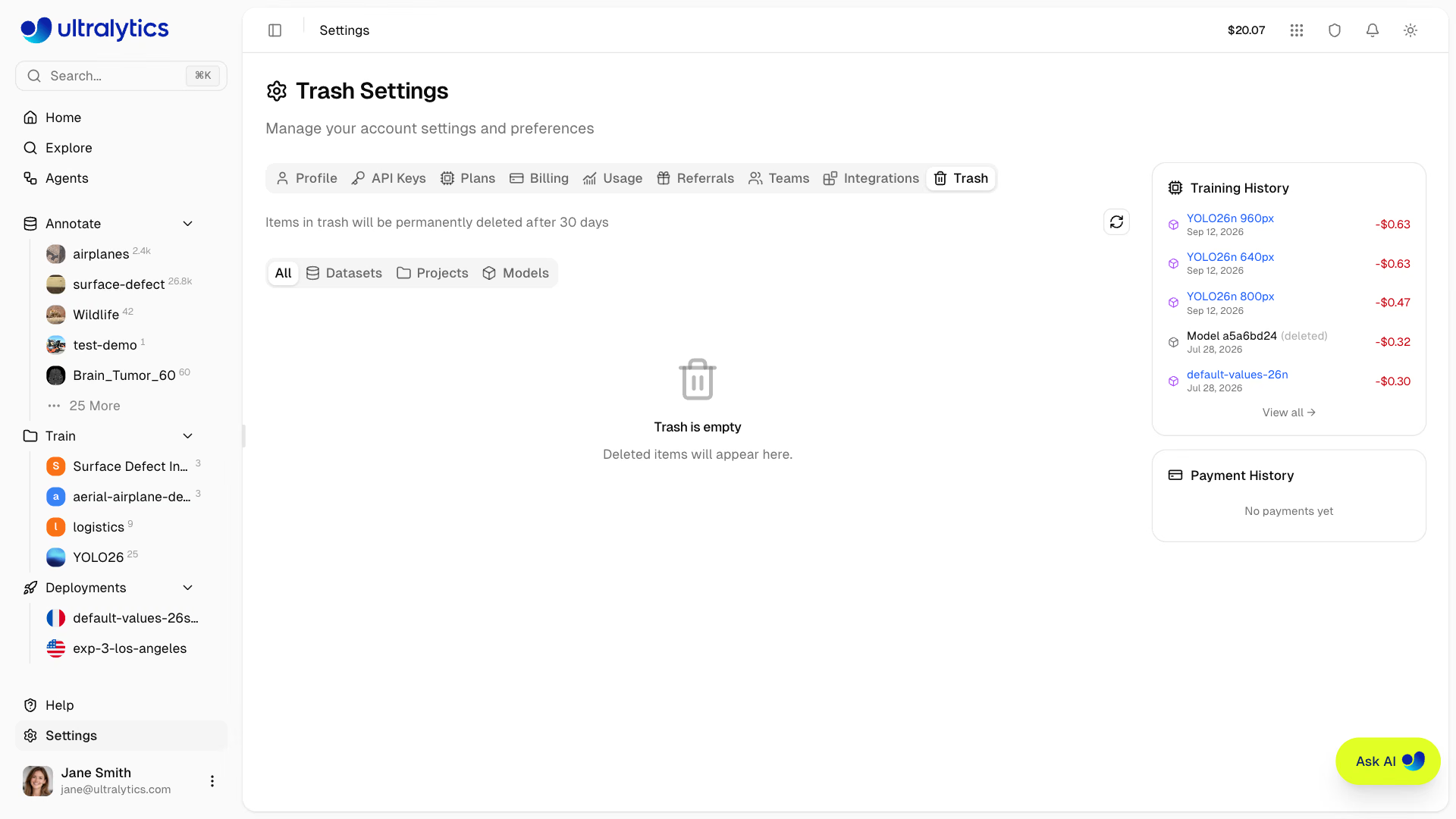
From this tab you can:
- Browse deleted items filtered by type (All, Datasets, Projects, Models) and search them by name
- View the storage treemap to see the relative size of trashed items
- Restore items to their original location with all data intact
- Permanently delete individual items, or use the trash icon in the header to empty the whole trash at once
Restoring and deleting require the Editor role or higher in a team workspace.
Items in the trash still count toward your storage quota. To free up space immediately, permanently delete items you no longer need.
See Trash for full documentation including cascade behavior and API access.
Help & Feedback#
The Help page is accessible from the sidebar footer. Use it to:
- Rate your experience with a 1-5 star rating
- Choose a feedback type: Bug, Feature, or General
- Describe the issue with a text message
- Attach screenshots for visual context
Feedback is private and sent directly to the Ultralytics team to help prioritize features and fix issues.
FAQ#
Manage your email addresses directly on the platform:
- Go to Settings > Profile
- Scroll to the Emails section
- Add a new email, enter the 6-digit code sent to it, then click Set as primary
If you signed up with email and password, use the password reset flow on the sign-in page. If you signed up with an OAuth provider, manage your password through that provider:
- Google: accounts.google.com
- GitHub: github.com/settings/security
Platform settings do not include a two-factor authentication option. If you sign in through Google or GitHub, configure multi-factor authentication with that provider.
- Trash items remain recoverable for 30 days before automatic permanent deletion.
- Account deletion removes the sign-in account immediately, along with associated Platform records and stored files. The action cannot be undone.