REST API Reference#
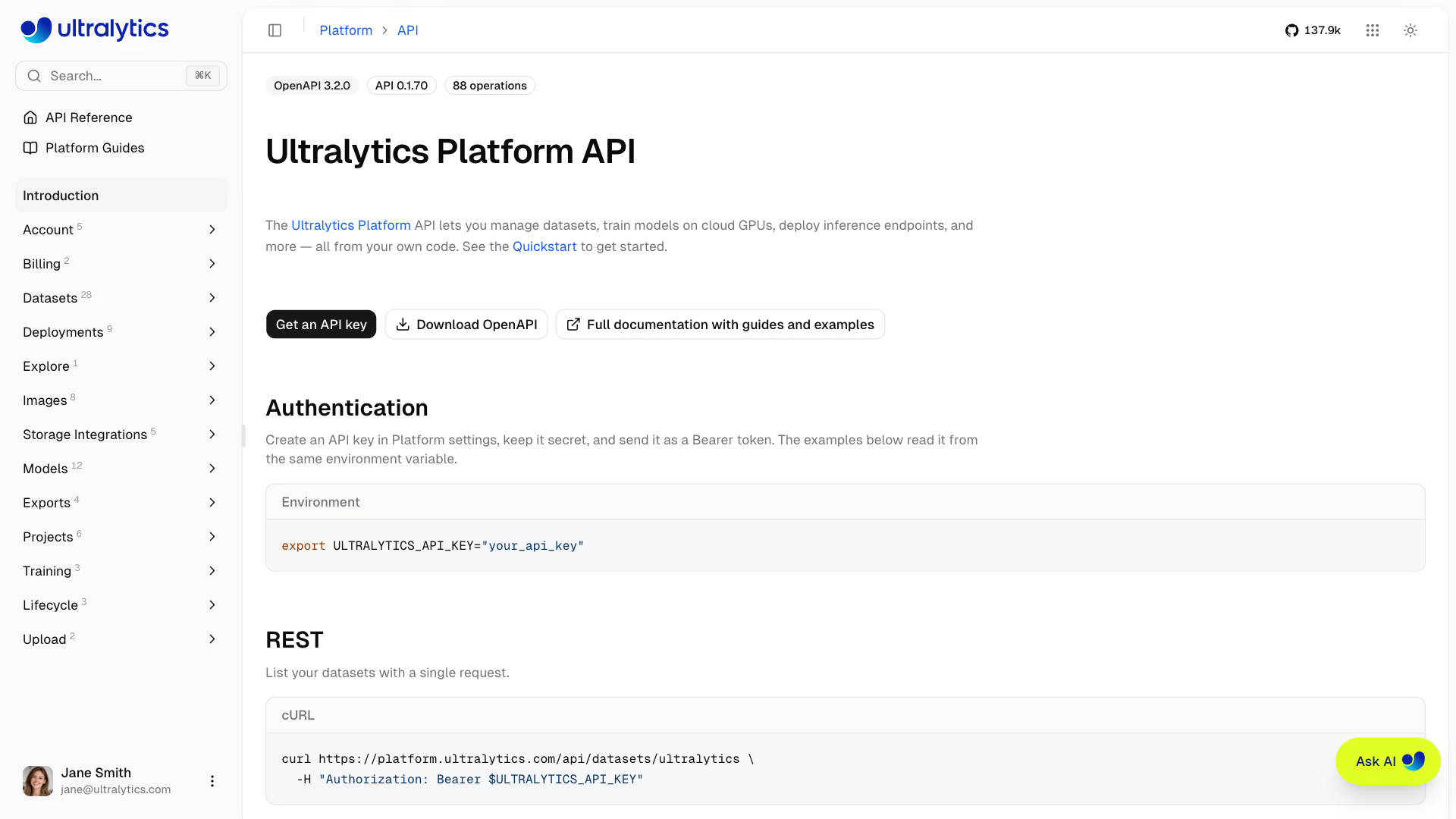
Ultralytics Platform provides a REST API for programmatic access to datasets, images, projects, models, training, exports, and deployments.
# List the datasets owned by a workspace
curl -H "Authorization: Bearer YOUR_API_KEY" \
  https://platform.ultralytics.com/api/datasets/YOUR_USERNAME
Every endpoint below lists its client.<resource>.<method>(...) call from the
ultralytics-platform SDK, which is generated from the same
contract as this reference.
This page is a guided tour of the API. The generated, always-current reference lives at platform.ultralytics.com/api/docs, and the machine-readable OpenAPI 3.2 document that powers it is published at platform.ultralytics.com/openapi.json. Both are generated directly from the server-side contract, so they are the authority whenever this page and the schema disagree.
API Overview#
The API is organized around the core Platform resources:
| Resource | Description | Key Operations |
|---|---|---|
| Datasets | Labeled image collections | CRUD, ingest, versions, classes, splits, clone, copy |
| Images | Individual images and labels | Read, annotate, move split, delete, auto-annotate, blur faces |
| Projects | Model workspaces | CRUD, clone |
| Models | Trained checkpoints | CRUD, predict, download, clone, training status |
| Training | Cloud GPU training jobs | GPU availability, start, progress, cancel |
| Exports | Format conversion jobs | Create, list, status, cancel |
| Deployments | Dedicated inference endpoints | Create, update, start/stop, predict, metrics, logs |
| Agents | Saved visual workflows | List, save, delete |
| Trash | Soft-deleted resources | List, restore, permanently delete |
| Storage | Cloud storage integrations | Connect, discover, browse, disconnect |
| Account | Plan, credits, storage, profile | Account summary, API keys, storage usage, user lookup |
| Billing | Plan usage and ledger | Usage summary, transactions |
| Explore | Public content search | Search projects, datasets, and images |
Authentication#
Most endpoints require an API key. Endpoints that expose public content — reading a public dataset, project, or model, listing public dataset images, running inference on a public model, or searching Explore — also accept anonymous requests and simply return more when a key is supplied.
Get an API Key#
- Go to
Settings>API Keys - Click
Add Key, keepUltralyticsas the provider, enter a name, and clickCreate Key - Copy the generated key
See API Keys for detailed instructions.
Authorization Header#
Include your API key as a bearer token:
Authorization: Bearer YOUR_API_KEYAPI keys are the literal prefix ul_ followed by 40 hexadecimal characters, 43 characters in total (for example
ul_a1b2c3d4e5f6789012345678901234567890abcd). Requests with a missing header, a malformed key, or a revoked key
return 401. Keep your key secret -- never commit it to version control or share it publicly.
Example#
curl -H "Authorization: Bearer YOUR_API_KEY" \
  https://platform.ultralytics.com/api/account/summary
Base URL#
All API endpoints use:
https://platform.ultralytics.com/apiResource Paths#
Most resources are addressed by the same human-readable names that appear in Platform URLs, not by database IDs:
| Resource | Path | Example |
|---|---|---|
| Dataset | /api/datasets/{owner}/{dataset} | /api/datasets/acme-vision/warehouse |
| Project | /api/projects/{owner}/{project} | /api/projects/acme-vision/inspection |
| Model | /api/models/{owner}/{project}/{model} | /api/models/acme-vision/inspection/v3 |
| Deployment | /api/deployments/{owner}/{deployment} | /api/deployments/acme-vision/edge-1 |
| Image | /api/images/{imageId} | /api/images/65f1c0a2b3d4e5f601234567 |
| Agent | /api/workflows?id={agentId} | /api/workflows?id=65f1c0a2b3d4e5f601234567 |
{owner}is a personal username or a team workspace handle: 4-32 characters, lowercase alphanumeric with single hyphens between segments.{dataset},{project},{model}, and{deployment}follow the same lowercase-hyphenated pattern, up to 128 characters.{imageId},{exportId}, and{agentId}are 24-character hexadecimal IDs returned by the API.- Renaming a resource through
PATCHchanges the displaynameand the URL name together, and the response returns the current URL name so you can keep following it.
Apart from the Agents API, there is no owner query parameter. Workspace-scoped paths carry the
owner in the path, and account-scoped endpoints (/api/account/summary, /api/api-keys, /api/storage,
/api/billing/*, /api/trash, /api/integrations/buckets) operate on the workspace that issued the API key.
To act on a team workspace, use an API key created in that workspace, or pass owner to the Agents API.
Rate Limits#
The API enforces sliding-window limits per API key. Each route falls into one category, and each category has an independent counter, so 20 predict requests do not consume your default allowance.
| Category | Limit | Applies To |
|---|---|---|
| Default | 100 requests/min | Every route not listed below |
| Training | 10 requests/min | POST /api/training/start |
| Upload | 10 requests/min | Signed upload URLs, upload completion, and dataset ingest |
| Predict | 20 requests/min | Model and deployment inference through Platform API routes |
| Export | 20 requests/min | Listing and creating model exports, and creating or updating dataset versions; reading a dataset export (GET) and a single model export use the default limit |
| Download | 30 requests/min | Model file downloads |
| Mutation | 10 requests/min | Listing API keys, listing or connecting cloud storage integrations, discovering storage locations, and deployment updates (PATCH) |
| Hydrate | 20 requests/min | POST /api/datasets/{owner}/{dataset}/images (fetching a selected set of images) and GET /api/images/{imageId}/similar |
| Clustering | 10 requests/min | GET /api/datasets/{owner}/{dataset}/images/clustering and GET /api/models/{owner}/{project}/{model}/similar-images |
Browser-only Platform routes, such as billing checkout and team management, have their own limits that do not apply to API-key traffic.
When throttled, the API returns 429 with both headers and a JSON body:
Retry-After: 12
X-RateLimit-Reset: 2026-02-21T12:34:56.000Z
{
"error": "Rate limit exceeded, wait 12s",
"retryAfter": 12,
"resetAt": "2026-02-21T12:34:56.000Z"
}Dedicated Endpoints (Unlimited)#
Dedicated endpoints are not subject to Platform API-key rate limits when you call the
deployment's own serviceUrl directly (for example, https://predict-abc123.run.app/predict). Throughput then depends
on the deployed service configuration.
When you receive a 429, wait for Retry-After seconds (or until X-RateLimit-Reset) before retrying. See the
rate limit FAQ for an exponential backoff implementation.
Response Format#
Success Responses#
Responses are JSON objects with resource-specific fields. There is no generic envelope: list endpoints return a named collection, most alongside counts, and mutations return the changed identifiers.
{
    "datasets": [{ "id": "65f1c0a2b3d4e5f601234567", "owner": "acme-vision", "dataset": "warehouse" }],
    "total": 1,
    "region": "us"
}
Resource lists, create and clone responses, and a few reads such as deployments, storage, and trash also include
region (us, eu, or ap), the storage region for that workspace.
Error Responses#
Every error response is a JSON object with an error message:
{
    "error": "Dataset not found"
}| HTTP Status | Meaning |
|---|---|
200 | Success |
201 | Created |
202 | Accepted, work continues asynchronously |
400 | Invalid path, query, or request body |
401 | Missing or invalid authentication |
402 | Insufficient credits (training) |
403 | Insufficient permissions, plan, or quota |
404 | Resource not found |
409 | Conflict with current state (duplicate name, job in flight) |
413 | Prediction input too large |
422 | Model classes do not match the dataset, or a provider key is missing or rejected (auto-annotation) |
429 | Rate limit exceeded |
500 | Server error |
502 | Upstream provider or service call failed |
503 | Dependent service temporarily unavailable |
Pagination#
Pagination style depends on the collection:
| Style | Endpoints | Parameters |
|---|---|---|
| Limit only | Datasets, projects, models, exports, deployments lists | limit |
| Offset and limit | Dataset images, image clustering, Explore search | offset, limit, plus hasMore in the response |
| Cursor | Dataset images (large datasets) | cursor, includeTotal, plus nextCursor |
| Page number | Trash | page, limit, plus totalPages |
| Opaque page token | Deployment logs | pageToken, plus nextPageToken |
Datasets API#
Create, browse, and manage labeled image datasets for training YOLO models. See Datasets documentation.
List Datasets#
GET /api/datasets/{owner}Python SDK: client.datasets.list(owner)
Returns the owner's public datasets, plus private datasets when your key can view that workspace.
Query Parameters:
| Parameter | Type | Description |
|---|---|---|
limit | int | Maximum datasets to return (default: 1000, max: 1000) |
includeSamples | boolean | Include sample image previews (default: true) |
includeImageUrls | boolean | Include full-size sample image fallback URLs (default: false) |
curl -H "Authorization: Bearer YOUR_API_KEY" \
  "https://platform.ultralytics.com/api/datasets/acme-vision?limit=10&includeSamples=false"
Response:
{
    "datasets": [
        {
            "id": "65f1c0a2b3d4e5f601234567",
            "owner": "acme-vision",
            "dataset": "warehouse",
            "name": "Warehouse",
            "task": "detect",
            "visibility": "private",
            "imageCount": 1000,
            "classCount": 2,
            "classNames": ["person", "forklift"],
            "splits": { "train": 800, "val": 200, "test": 0, "labeled": 1000 },
            "annotationCount": 5400,
            "starCount": 3,
            "isStarred": false,
            "status": "ready",
            "createdAt": "2026-01-15T10:00:00Z",
            "updatedAt": "2026-01-16T08:30:00Z"
        }
    ],
    "total": 1,
    "region": "us"
}
Get Dataset#
GET /api/datasets/{owner}/{dataset}Python SDK: client.datasets.retrieve(owner, dataset)
Returns the full dataset object under a dataset key, including classNames, splits, versions, source, and the
user-defined metadata object. While an import of 10,000 or more images is processing, editors also receive
processingProgress with stage, percent, and, when known, processed, total, and objects (cloud objects
scanned).
Create Dataset#
POST /api/datasetsPython SDK: client.datasets.create(dataset=..., name=...)
Body:
{
    "dataset": "warehouse",
    "name": "Warehouse",
    "task": "detect",
    "description": "Forklift and pedestrian safety dataset",
    "classNames": ["person", "forklift"],
    "visibility": "private",
    "metadata": { "location": "factory-1", "reviewed": true },
    "owner": "acme-vision"
}| Field | Type | Required | Description |
|---|---|---|---|
dataset | string | Yes | Dataset name used in Platform URLs (lowercase, hyphenated, max 128 chars) |
name | string | Yes | Display name (max 100 chars) |
description | string | No | Description (max 1000 chars) |
task | string | No | Task type (default: detect) |
classNames | array | No | Class names in index order (max 25,000); no duplicates, ignoring case beyond 2 characters |
format | string | No | Annotation format: yolo (default), coco, raw, ndjson |
visibility | string | No | public or private |
blurFaces | boolean | No | Blur faces in images uploaded to the dataset (see Blur Faces) |
tags | array | No | Up to 50 tags of 50 characters each |
license | string | No | Dataset license identifier |
metadata | object | No | Custom JSON metadata |
owner | string | No | Team workspace handle; defaults to your personal workspace |
A dataset slug that already exists in the workspace, including one in Trash, returns 409.
Valid task values when creating or updating a dataset: detect, segment, semantic, depth, classify,
pose, and obb. Depth datasets have no classes.
Response (201):
{
    "id": "65f1c0a2b3d4e5f601234567",
    "owner": "acme-vision",
    "dataset": "warehouse",
    "region": "us"
}
Update Dataset#
PATCH /api/datasets/{owner}/{dataset}Python SDK: client.datasets.update(owner, dataset)
Body (partial update):
{
    "name": "Warehouse Safety",
    "description": "New description",
    "visibility": "public",
    "metadata": { "location": "factory-2", "reviewed": true }
}
Accepted fields: name, description, visibility, metadata, tags, classNames, classColors, format, task,
license, iconColor, iconLetter, starred, blurFaces, kptSkeletonId (assign a pose skeleton template to a
pose dataset), and initializeClassNames (the update returns 409 unless the dataset has no classes or annotations
yet). Send an empty metadata object ({}) to clear custom metadata. Metadata keys are limited to 128 characters and
the serialized object to 500,000 characters.
Response:
{
    "success": true,
    "dataset": "warehouse-safety"
}
Renaming changes the URL name, so use the returned dataset value for subsequent requests.
Delete Dataset#
DELETE /api/datasets/{owner}/{dataset}Python SDK: client.datasets.delete(owner, dataset)
Moves the dataset to trash, where it is recoverable for 30 days.
Clone Dataset#
POST /api/datasets/{owner}/{dataset}/clonePython SDK: client.datasets.clone(owner, dataset)
Copies an accessible dataset, with its images and labels, into your personal workspace or a team workspace.
Optional body (all fields optional):
{
    "dataset": "warehouse-copy",
    "name": "Warehouse Copy",
    "description": "Cloned for experimentation",
    "visibility": "private",
    "license": "CC-BY-4.0",
    "owner": "acme-vision"
}
Response (201): id, owner, dataset, name, imageCount, classCount, and region. Datasets backed by a
connected storage source return 409 because their files are not copied.
Download a Dataset Export#
GET /api/datasets/{owner}/{dataset}/exportPython SDK: client.datasets.export(owner, dataset)
Returns a signed NDJSON download URL. Omit v to export the dataset's current state, reusing the cached export when
nothing changed since it was generated.
Query Parameters:
| Parameter | Type | Description |
|---|---|---|
v | integer | Saved version number (1-indexed). Omit for the current dataset. |
Response:
{
    "downloadUrl": "https://storage.googleapis.com/...&signature=...",
    "cached": true
}
Requesting a specific version returns downloadUrl and version instead of cached.
Create Dataset Version#
POST /api/datasets/{owner}/{dataset}/exportPython SDK: client.datasets.create_export(owner, dataset)
Creates an immutable numbered version of the dataset. Requires editor access. Set download to false to save the
version without preparing an NDJSON download; downloadUrl is then omitted. The SDK accepts download from
ultralytics-platform>=0.1.73.
Body (optional):
{
    "description": "Added 500 training images",
    "download": true
}
Response:
{
    "version": 3,
    "downloadUrl": "https://storage.googleapis.com/...&signature=...",
    "reused": false
}
reused is true when the dataset matches an existing version, for example right after restoring it, and that version
was returned instead, with its description updated when you send one.
Update Version Description#
PATCH /api/datasets/{owner}/{dataset}/exportPython SDK: client.datasets.update_export(owner, dataset, version=..., description=...)
Body:
{
    "version": 2,
    "description": "Fixed mislabeled classes"
}
Response: {"ok": true}
Restore Dataset Version#
POST /api/datasets/{owner}/{dataset}/restorePython SDK: client.datasets.restore(owner, dataset, version=...)
Rebuilds images, annotations, and classes from a saved version without copying image bytes.
Body:
{
    "version": 2
}
Response: {"version": 2, "imageCount": 1000}
Compare Dataset Versions#
GET /api/datasets/{owner}/{dataset}/versions/compare?base={from}&head={to}Python SDK: client.datasets.compare(owner, dataset, base=1, head=2) (ultralytics-platform>=0.1.73)
| Parameter | Type | Description |
|---|---|---|
base | int | Version compared from |
head | int | Version compared to |
cursor | string | nextCursor from the previous page |
hash | string | An item's hash: return that image as each version stores it, not the changes |
Response (abridged):
{
    "summary": { "added": 0, "removed": 1, "modified": 1, "moved": 1, "labelsAdded": 1, "labelsRemoved": 2 },
    "items": [
        {
            "hash": "b5c605c133f84c3024af7e652b135501",
            "name": "000000000042",
            "change": "moved",
            "base": { "split": "val", "labelCount": 1 },
            "head": { "split": "test", "labelCount": 1 }
        }
    ]
}
summary appears on the first page only and holds exact totals plus a header that lists classes added, removed, or
renamed and other dataset fields that differ. Each item's change is added, removed, modified (with the changed
fields), or moved (split changed), and labelsRemoved includes the labels of removed images. Pass nextCursor,
when present, as cursor for the next page. With hash, the response is versions: the image as each version stores
it, with its labels and a signed imageUrl. Either order works; swapping base and head reports a removed image as
added. Comparisons use the default rate limit, and requests without hash are also limited to 10 per minute per user
and dataset, whichever API key sends them.
Get Dataset Statistics#
GET /api/datasets/{owner}/{dataset}/class-statsPython SDK: client.datasets.class_stats(owner, dataset)
Returns per-class annotation counts, image and annotation histograms, and heatmaps. Large datasets are sampled, in
which case sampleSize reports how many images contributed.
Response (abbreviated):
{
    "classes": [{ "classId": 0, "count": 1500, "imageCount": 450 }],
    "imageStats": {
        "widthHistogram": [{ "bin": 640, "count": 120, "size": 1 }],
        "heightHistogram": [{ "bin": 480, "count": 95, "size": 1 }],
        "pointsHistogram": [{ "bin": 4, "count": 200, "size": 1 }],
        "formatDistribution": { "jpg": 900, "png": 100 },
        "fileSizeHistogram": [{ "bin": 250000, "count": 300, "size": 50000 }],
        "objectsPerImageHistogram": [{ "bin": 5, "count": 210, "size": 1 }],
        "bboxWidthHistogram": [{ "bin": 120, "count": 340, "size": 20 }],
        "bboxHeightHistogram": [{ "bin": 90, "count": 300, "size": 20 }]
    },
    "locationHeatmap": {
        "bins": [
            [5, 10],
            [8, 3]
        ],
        "maxCount": 50
    },
    "dimensionHeatmap": {
        "bins": [
            [2, 5],
            [3, 1]
        ],
        "maxCount": 12,
        "minWidth": 10,
        "maxWidth": 1920,
        "minHeight": 10,
        "maxHeight": 1080
    },
    "classNames": ["person", "forklift"],
    "cached": true,
    "sampleSize": null
}
Manage Classes#
Merge classes (reassign annotations to a target class, then remove the sources):
POST /api/datasets/{owner}/{dataset}/classes/mergePython SDK: client.datasets.merge_classes(owner, dataset, source_class_ids=..., target_class_id=...)
{
    "sourceClassIds": [2, 4],
    "targetClassId": 1
}
Delete classes (their annotations are deleted and the remaining class IDs shift down):
POST /api/datasets/{owner}/{dataset}/classes/deletePython SDK: client.datasets.delete_classes(owner, dataset, class_ids=...)
{
    "classIds": [2, 4]
}
Both operations return success, the updated classNames and classColors, and a summary of what changed
(mergedClassIds and targetClassId, or deletedClassIds and deletedAnnotations).
Because remaining IDs shift after a merge or delete, these operations are not idempotent. Re-fetch the dataset to get current class indices before issuing another class operation.
Redistribute Splits#
POST /api/datasets/{owner}/{dataset}/splits/redistributePython SDK: client.datasets.redistribute_splits(owner, dataset, train=..., val=..., test=...)
Randomly reassigns images across splits. The three percentages must total 100.
{
    "train": 80,
    "val": 20,
    "test": 0
}
Response: success, the resulting splits counts, and modified (number of images moved).
Dataset Embeddings#
GET /api/datasets/{owner}/{dataset}/embeddings
POST /api/datasets/{owner}/{dataset}/embeddings
DELETE /api/datasets/{owner}/{dataset}/embeddings
Python SDK: client.datasets.embeddings(owner, dataset), client.datasets.create_embeddings(owner, dataset),
client.datasets.delete_embeddings(owner, dataset)
GET returns the analysis summary (analyzedAt, embeddingsCount, latestImageAt, activeJob). POST queues an
embedding analysis and returns 202 with a jobId. DELETE cancels the active job and returns the cancelled job ID
or null.
Image Clustering#
GET /api/datasets/{owner}/{dataset}/images/clusteringPython SDK: client.datasets.clustering(owner, dataset)
Returns the UMAP 2D layout from a completed analysis, paginated with offset and limit (default and max 50,000).
Each entry has id, umapX, umapY, cluster, split, classIds, width, height, bytes, labelCount,
labeled, and missing. cluster is the point's visual island ranked by size (0 = largest, -1 = scattered), or
null for layouts analyzed before clustering was added.
List Models Trained on a Dataset#
GET /api/datasets/{owner}/{dataset}/modelsPython SDK: client.datasets.models(owner, dataset)
Response:
{
    "models": [
        {
            "id": "65f1c0a2b3d4e5f601234599",
            "owner": "acme-vision",
            "project": "inspection",
            "model": "v3",
            "name": "v3",
            "status": "completed",
            "task": "detect",
            "epochs": 100,
            "bestEpoch": 87,
            "metrics": { "mAP50": 0.85, "mAP50-95": 0.72, "precision": 0.88, "recall": 0.81 },
            "startedAt": "2026-01-14T22:00:00Z",
            "completedAt": "2026-01-15T10:00:00Z",
            "createdAt": "2026-01-14T21:55:00Z"
        }
    ],
    "count": 1
}
List Dataset Images#
GET /api/datasets/{owner}/{dataset}/imagesPython SDK: client.datasets.images(owner, dataset)
Query Parameters:
| Parameter | Type | Description |
|---|---|---|
limit | int | Maximum images to return (default: 50, max: 5000) |
offset | int | Images to skip (default: 0) |
cursor | string | Last image ID from the previous page, for cursor pagination |
includeTotal | boolean | Include the total matching count (default: true) |
split | string | Filter by split: train, val, test |
hasLabel | boolean | Filter by annotation state |
hasError | boolean | Filter by processing error state |
classIds | string | Comma-separated class IDs; returns images containing any of them |
search | string | Substring match on filename, class name, and custom metadata (max 200 chars) |
q | string | Ranks by relevance instead of sort: text matches, then up to 1,000 look-alikes; an ID, hash, or file name acts as search (max 200 chars) |
sort | string | newest (default), oldest, name-asc, name-desc, height-asc, height-desc, width-asc, width-desc, size-asc, size-desc, labels-asc, labels-desc |
includeThumbnails | boolean | Include signed thumbnail URLs (default: true) |
includeImageUrls | boolean | Include signed full-size image URLs (default: false) |
includeLabels | boolean | Include capped preview annotations (default: false) |
Response:
{
    "images": [
        {
            "id": "65f1c0a2b3d4e5f601234567",
            "hash": "9f2c1d4b6a8e0f3c5d7b9a1e2f4c6d8b",
            "ext": "jpg",
            "name": "aisle-04",
            "thumbnailUrl": "https://storage.googleapis.com/...&signature=...",
            "width": 1920,
            "height": 1080,
            "split": "train",
            "labelCount": 6,
            "bytes": 284213,
            "error": null
        }
    ],
    "total": 1000,
    "hasMore": true,
    "classes": ["person", "forklift"],
    "errorCount": 0,
    "nextCursor": "65f1c0a2b3d4e5f601234567"
}
Get Selected Images#
POST /api/datasets/{owner}/{dataset}/imagesPython SDK: client.datasets.selected_images(owner, dataset, image_ids=...)
Returns the same image shape for up to 1,000 supplied image IDs, and accepts the same filter and URL query parameters as the list operation.
{
    "imageIds": ["65f1c0a2b3d4e5f601234567", "65f1c0a2b3d4e5f601234568"]
}
Copy or Move Images#
POST /api/datasets/{owner}/{dataset}/images/adoptPython SDK: client.datasets.adopt_images(owner, dataset, image_ids=..., release=...)
(ultralytics-platform>=0.1.50)
Copies up to 1,000 images from other datasets into this one, as the app's
copy and paste does, and returns the number adopted.
{
    "imageIds": ["65f1c0a2b3d4e5f601234567"],
    "release": false,
    "classMapping": { "person": 0, "vase": null }
}
Setting release or classMapping preserves labels and splits from datasets you can edit: release: false copies
images and release: true moves them out of their source dataset. Omitting both fields imports unlabeled train
images, as does copying from a read-only source; moving from a read-only source returns 403. Existing images are
skipped; when preserving labels and splits, duplicates are checked within the destination split. Classes are matched
by name, ignoring case for names longer than two characters; 422 returns the source classes with no match in
unmatchedClasses, and classMapping maps each to a class index, a new class name, or null to drop its labels. 409
means the destination is a connected dataset or a source or destination is busy. When preserving labels and splits,
incompatible tasks, image channels, pose settings, or depth scales also return 409, even for images without labels.
Ingest Dataset Data#
POST /api/datasets/{owner}/{dataset}/ingestPython SDK: client.datasets.ingest(owner, dataset, body=...)
Processes a completed upload, a remote archive, or a connected storage source into an existing dataset. Supply exactly one source:
| Field | Type | Description |
|---|---|---|
sessionId | string | Upload session from POST /api/upload/signed-url; ingest verifies and completes the upload if POST /api/upload/complete was not called |
sourceUrl | string | Public HTTP or HTTPS URL of a ZIP, TAR, TAR.GZ, TGZ, or NDJSON file (max 4096 chars) |
reference | object | A connected source: cloud storage (provider: "cloud", integrationId, target, prefix) or On Premise (provider: "local", keyId, root, prefix) |
targetSplit | string | train, val, or test; overrides the archive's split structure |
conflictPolicy | string | skip, keep_both, or replace for filename or content conflicts |
classMapping | object | Maps incoming class names to a class index, an existing or new class name, or null to skip |
imageMetadata | object | Custom metadata keyed by each image's archive-relative path or NDJSON file value |
Upload sessions are bound to a dataset by the assetId passed to POST /api/upload/signed-url, and ingest rejects a
session that belongs to a different dataset.
Body (uploaded archive):
{
    "sessionId": "session_abc123",
    "targetSplit": "train"
}
Body (remote archive or NDJSON):
{
    "sourceUrl": "https://example.com/my-dataset.zip"
}
Body (importing labels on a later ingest):
{
    "sessionId": "session_abc123",
    "classMapping": { "person": 0, "automobile": "forklift", "background": null }
}
Body (attaching per-image metadata):
{
    "sessionId": "session_abc123",
    "imageMetadata": {
        "airbus-wing.jpg": { "aircraft": { "family": "A350" }, "inspectionStatus": "reviewed" },
        "images/tail.jpg": { "aircraft": { "family": "A320" }, "inspectionSeverity": 2 }
    }
}
Metadata keys must match the normalized path inside the archive, including folders. For NDJSON imports, each record can
carry its own metadata object, which takes precedence over a matching imageMetadata entry. Archive paths are limited
to 1,024 characters, top-level metadata keys to 128 characters, and each metadata object — as well as the whole
imageMetadata map — to 500,000 serialized characters.
The first ingest creates classes from the archive automatically. On later ingests, archive classes omitted from
classMapping fall back to a name match against existing dataset classes, ignoring case for names longer than two
characters; classes without a match are added as new classes. Labels are skipped only for classes explicitly
mapped to null.
Response (201):
{
    "jobId": "65f1c0a2b3d4e5f6012345aa",
    "status": "queued"
}
Upload one image with metadata using Python
The same code handles a group of images: add more files to the ZIP and matching entries to imageMetadata.
import io
import zipfile
from pathlib import Path

import requests

api = "https://platform.ultralytics.com/api"
headers = {"Authorization": "Bearer YOUR_API_KEY"}
owner, dataset = "acme-vision", "warehouse"
dataset_id = "65f1c0a2b3d4e5f601234567"  # id returned by POST /api/datasets
image_path = Path("airbus-wing.jpg")

archive = io.BytesIO()
with zipfile.ZipFile(archive, "w", zipfile.ZIP_DEFLATED) as zf:
    zf.write(image_path, image_path.name)
data = archive.getvalue()

signed = requests.post(
    f"{api}/upload/signed-url",
    headers=headers,
    json={
        "assetType": "datasets",
        "assetId": dataset_id,
        "filename": "images.zip",
        "contentType": "application/zip",
        "totalBytes": len(data),
    },
)
signed.raise_for_status()
upload = signed.json()

headers_put = {"Content-Type": "application/zip", **upload.get("headers", {})}
requests.put(upload["uploadUrl"], headers=headers_put, data=data).raise_for_status()
requests.post(
    f"{api}/upload/complete",
    headers=headers,
    json={"sessionId": upload["sessionId"]},
).raise_for_status()

ingest = requests.post(
    f"{api}/datasets/{owner}/{dataset}/ingest",
    headers=headers,
    json={
        "sessionId": upload["sessionId"],
        "imageMetadata": {
            "airbus-wing.jpg": {
                "aircraft": {"family": "A350", "section": "wing"},
                "inspectionStatus": "reviewed",
            }
        },
    },
)
ingest.raise_for_status()
print(ingest.json())
Images API#
Inspect, annotate, move, and delete dataset images by their 24-character image ID. See Annotation documentation.
Get Image#
GET /api/images/{imageId}Python SDK: client.images.retrieve(image_id)
Returns metadata (custom, user-defined), properties (filename, hash, dimensions, split, counts, timestamps),
labels, and the dataset's classNames.
Update Image#
PATCH /api/images/{imageId}Python SDK: client.images.update(image_id, body=...)
Replaces either the annotations or the custom metadata — send one of the two shapes, not both.
Body (annotations):
{
    "labels": [
        { "classId": 0, "bbox": [0.5, 0.5, 0.2, 0.3] },
        { "classId": 1, "segments": [0.1, 0.2, 0.3, 0.2, 0.2, 0.4] }
    ]
}
Body (metadata):
{
    "metadata": { "location": "strasbourg", "reviewed": true }
}Label coordinates use YOLO normalized values between 0 and 1. Bounding boxes use
[x_center, y_center, width, height]. Segmentation labels use segments, a flattened list of polygon vertices
[x1, y1, x2, y2, ...]. Pose labels use keypoints in one consistent flat shape: pairs [x1, y1, x2, y2, ...] or
triples [x1, y1, v1, x2, y2, v2, ...], where visibility conventionally uses 0, 1, or 2. Oriented boxes use obb
corners. Saved coordinates are rounded to 5 decimal places, and an image accepts at most 10,000 annotations.
Delete Image#
DELETE /api/images/{imageId}Python SDK: client.images.delete(image_id)
Permanently deletes one image and its annotations.
Auto-Annotate Image#
POST /api/images/{imageId}/predictPython SDK: client.images.predict(image_id, model_id=...)
Runs the model on the image and returns predicted annotations. It does not save them — write the results back with
PATCH /api/images/{imageId} when you are happy with them.
| Field | Type | Required | Description |
|---|---|---|---|
modelId | string | Yes | Fully qualified model URI, ul://{owner}/{project}/{model}, or a class-prompted model ID for a detection dataset with 1–200 classes: a hosted model (qwen, moondream, florence2, owlv2, yoloe26x, sam3, sam3.1, groundingdino) or a paid provider model ID from the modelId enum in openapi.json |
confidence | float | No | Confidence threshold, 0.01 – 1.0 (default: 0.25); ignored by class-prompted models, which use model-specific thresholds |
iou | float | No | IoU threshold for non-maximum suppression, 0.0 – 0.95 (default: 0.7); ignored by class-prompted models |
classMapping | array | No | For a YOLO model, the dataset class index for each model class in order, or null to drop that class; a wrong length or an index outside the dataset classes returns 400. Ignored by class-prompted models |
Response: success, predictions (annotation objects), confidences (index-aligned scores, empty for class-prompted models), modelUsed, inferenceTime, for class-prompted models partial (true when a generative model's truncated output returned only the complete boxes), and, for paid provider models, an optional cost (the estimated provider cost in USD billed to your provider key, omitted when no estimate is available). A YOLO model whose classes do not match the dataset returns 422, as does a class-prompted model on a non-detection dataset or one outside 1–200 classes, and a paid provider model without a provider key saved in the dataset workspace's Settings > API Keys (code: missing_provider_api_key). A provider error carries the provider's message: 422 when the provider answers 400, 401, 403, or 404 (a rejected key, model, or request), 429 for its rate limit, and 503 for any other provider error. Depth datasets return 400, and datasets on connected storage or with more than 3 image channels return 409.
Find Similar Images#
GET /api/images/{imageId}/similarPython SDK: client.images.find_similar_images(image_id)
Returns up to 24 visually similar images from public datasets and from your own and team datasets, each with
score (0-1), a signed thumbnailUrl, and the source dataset (owner, dataset, license). Images already in
the source dataset and copies of the query image are excluded. Requires an API key with view access to the image; an
image that has not been embedded yet is embedded first, and 503 means that preparation failed, so retry.
Auto-Annotate a Dataset#
POST /api/datasets/{owner}/{dataset}/predict/batchPython SDK: client.datasets.create_batch(owner, dataset, body={...}) (ultralytics-platform>=0.1.57)
Saves a dataset version, then queues a run that labels the dataset's unlabeled images with the model and returns 202.
The body takes the same modelId, confidence, iou, and classMapping fields as the single-image endpoint, plus
includeAnnotated (default false) to also annotate images that already have labels. A class-prompted model detects
the dataset classes without confidence scores, and a paid provider model needs a provider key saved in the dataset
workspace's Settings > API Keys (422, code: missing_provider_api_key, before the run is admitted). Existing labels are never changed, and the run is billed for the images it actually
processes. 402 means the balance cannot cover the estimate, 409 that the dataset is not ready, has no images left to
annotate, or already has a run in progress, and 422 that the dataset has no classes, or that a class-prompted model
was given a non-detection dataset or one outside 1–200 classes: create the classes with the
classes endpoint before calling this endpoint, which is what the app's Map classes step does before it
starts a run.
GET on the same path (client.datasets.batch(owner, dataset)) returns the in-flight run and its progress, or the last
finished run until it is dismissed, whose results include partialImages when a generative model's run kept only the
complete boxes of truncated output; DELETE (client.datasets.delete_batch(owner, dataset)) cancels an in-flight run or
settles billing and dismisses the finished summary.
The same endpoint blurs faces with "operation": "blur", confidence (default
0.25), and boxScale (0.5–1.5, default 1); imageId limits the run to one image. It creates no version and
never changes labels. Send "preview": true to process up to six images without changing them, then send the returned
jobId as previewJobId with the same settings to apply; an applied preview cannot be reused and returns 409.
While a preview is pending, pass its ID as previewJobId to DELETE to discard it.
{ "operation": "blur", "confidence": 0.25, "boxScale": 1, "preview": true }Bulk Move Images#
PATCH /api/images/bulkPython SDK: client.images.update_bulk(image_ids=..., split=...)
Moves up to 1,000 images from one dataset into a different split.
{
    "imageIds": ["65f1c0a2b3d4e5f601234567"],
    "split": "val",
    "conflictPolicy": "skip"
}
Filename or content conflicts return 409 until you choose a basket-wide conflictPolicy of skip, keep_both, or
replace. The response reports modifiedCount, skippedCount, and targetSplit.
Bulk Delete Images#
DELETE /api/images/bulkPython SDK: client.images.delete_bulk(image_ids=...)
{
    "imageIds": ["65f1c0a2b3d4e5f601234567", "65f1c0a2b3d4e5f601234568"]
}
Deletes up to 1,000 images from a single dataset and returns deletedCount and deletedImageIds.
Get Signed Image URLs#
POST /api/images/urlsPython SDK: client.images.urls(image_ids=...)
Returns temporary signed URLs for up to 100 image IDs from one dataset.
{
    "imageIds": ["65f1c0a2b3d4e5f601234567"]
}
Response: urls, thumbnails, and depths (depth target previews for paired depth images), all keyed by image ID.
Projects API#
Organize your models into projects. Each model belongs to one project. See Projects documentation.
List Projects#
GET /api/projects/{owner}Python SDK: client.projects.list(owner)
Query Parameters:
| Parameter | Type | Description |
|---|---|---|
limit | int | Maximum projects to return (default: 20, max: 500) |
Get Project#
GET /api/projects/{owner}/{project}Python SDK: client.projects.retrieve(owner, project)
Returns the project object, a models array of per-model summaries (status, metrics, epochs, weights, train args),
and isOwner. Pass search (max 200 chars) to filter models by model name or metadata.
Create Project#
POST /api/projectsPython SDK: client.projects.create(project=..., name=...)
| Field | Type | Required | Description |
|---|---|---|---|
project | string | Yes | Project name used in Platform URLs |
name | string | Yes | Display name (max 100 chars) |
description | string | No | Description (max 1000 chars) |
visibility | string | No | public or private |
tags | array | No | Up to 50 tags |
license | string | No | Project license identifier |
metadata | object | No | Custom JSON metadata |
owner | string | No | Team workspace handle; defaults to your personal workspace |
curl -X POST \
  -H "Authorization: Bearer YOUR_API_KEY" \
  -H "Content-Type: application/json" \
  -d '{
    "project": "inspection",
    "name": "Inspection",
    "description": "Detection experiments",
    "metadata": {"department": "manufacturing", "cost_center": "cv-01"}
  }' \
  https://platform.ultralytics.com/api/projects
Response (201): id, owner, project, region.
A project slug that already exists in the workspace, including one in Trash, returns 409.
Update Project#
PATCH /api/projects/{owner}/{project}Python SDK: client.projects.update(owner, project)
Accepted fields: name, description, visibility, metadata, tags, license, archived, iconColor,
iconLetter, viewPreferences, and starred.
{
    "metadata": { "department": "research", "program": "inspection" }
}
Send an empty metadata object ({}) to clear it. Project metadata uses the same 128-character key and
500,000-character serialized-object limits as dataset metadata.
Delete Project#
DELETE /api/projects/{owner}/{project}Python SDK: client.projects.delete(owner, project)
Moves the project and its models to trash, returning cascadedModels, and permanently deletes
their deployments. Restoring the project does not restore deployments. 502 means deployment cleanup did not finish;
the models stay in Trash until it succeeds.
Clone Project#
POST /api/projects/{owner}/{project}/clonePython SDK: client.projects.clone(owner, project)
Clones an accessible project and its completed models. The optional body accepts project, name, description,
visibility, license, and a destination owner.
Models API#
Manage trained YOLO models — view metrics, download weights, run inference, and monitor training. See Models documentation.
List Models in a Project#
GET /api/models/{owner}/{project}Python SDK: client.models.list(owner, project)
Query Parameters:
| Parameter | Type | Description |
|---|---|---|
limit | int | Maximum models to return (default: 20, max: 100) |
Get Model#
GET /api/models/{owner}/{project}/{model}Python SDK: client.models.retrieve(owner, project, model)
Query Parameters:
| Parameter | Type | Description |
|---|---|---|
analysis | int | Set to 1 to return per-image validation analysis instead of the model |
The default response contains the model object — status, task, metrics, trainArgs, trainResults, classNames,
computeCost, metadata, and more — plus isOwner.
Create Model#
POST /api/modelsPython SDK: client.models.create(body=...)
Creates an untrained model record you can attach weights to or train.
| Field | Type | Required | Description |
|---|---|---|---|
project | string | Yes | Destination project name |
owner | string | No | Workspace handle; defaults to your personal workspace |
model | string | No | Model name used in Platform URLs; generated when omitted |
name | string | No | Display name (only accepted alongside model) |
description | string | No | Description (max 1000 chars) |
task | string | No | detect, segment, semantic, depth, classify, pose, or obb |
metadata | object | No | Custom JSON metadata |
trainArgs | object | No | Training arguments to record |
metrics | object | No | Metrics such as mAP50, mAP50-95, precision, recall |
epochs | number | No | Epoch count for an already-trained model |
version | string | No | Version label (max 50 chars) |
Response (201): id, owner, project, model, region.
To attach .pt weights, request a signed upload URL with assetType: "models" and this model's id as assetId,
PUT the file to the returned URL, then call POST /api/upload/complete with the returned sessionId.
Update Model#
PATCH /api/models/{owner}/{project}/{model}Python SDK: client.models.update(owner, project, model)
Accepted fields include name, description, color, metadata, status, license, datasetSlug, trainArgs,
trainResults, epochs, bestEpoch, bestFitness, version, trainingError, and starred. Passing projectId on its
own moves the model into another project of the same owner; the response returns the model's slug in the destination,
renamed: true when that slug was already taken there, and 409 while the model is still training.
{
    "metadata": { "release": "candidate-3", "reviewed": true }
}
Custom metadata is separate from training-owned fields such as trainArgs, environment, and trainResults, and
uses the same size limits as dataset metadata.
Delete Model#
DELETE /api/models/{owner}/{project}/{model}Python SDK: client.models.delete(owner, project, model)
Moves the model to trash for 30 days and permanently deletes every deployment using it, including pending replacements. Restoring the model does not restore deployments.
Download Model Files#
GET /api/models/{owner}/{project}/{model}/filesPython SDK: client.models.files(owner, project, model)
Returns short-lived signed URLs for the model's weights.
{
    "files": [
        {
            "name": "best.pt",
            "size": 6534127,
            "downloadUrl": "https://storage.googleapis.com/...&signature=..."
        }
    ]
}
Find Images Similar to Worst Validation Images#
GET /api/models/{owner}/{project}/{model}/similar-imagesPython SDK: client.models.find_similar_training_images(owner, project, model)
Returns up to 100 images, in the same shape as Find Similar Images, that look like the
validation images this training run scored worst on, excluding images its training dataset already holds. Pass
hashes (comma-separated, up to 100) to search from a subset of those worst images. Requires an API key with access to
the model's workspace. The list is empty when the run recorded no per-image results, and 404 also means the worst
images are not embedded yet: run dataset embeddings on the training dataset first.
Clone Model#
POST /api/models/{owner}/{project}/{model}/clonePython SDK: client.models.clone(owner, project, model, project_body=...)
Copies an accessible model into an existing project.
{
    "owner": "acme-vision",
    "project": "inspection",
    "model": "v3-copy",
    "name": "V3 Copy",
    "description": "Cloned from a public model"
}| Field | Type | Required | Description |
|---|---|---|---|
project | string | Yes | Destination project name |
owner | string | No | Destination workspace; defaults to your personal one |
model | string | No | Destination model name |
name | string | No | Destination display name |
description | string | No | Description for the clone |
Run Inference#
POST /api/models/{owner}/{project}/{model}/predictPython SDK: client.models.predict(owner, project, model, body=...)
Public models can be predicted without authentication. Private and shared models require an API key with access to the parent project.
Multipart Form:
| Parameter | Type | Default | Range | Description |
|---|---|---|---|---|
file | file | - | - | Image or video file (required unless source set) |
conf | float | 0.25 | 0.01 – 1.0 | Minimum confidence threshold |
iou | float | 0.7 | 0.0 – 0.95 | NMS IoU threshold |
imgsz | int | - | 32 – 1280 | Input image size in pixels; defaults to the model's training size (640 if unavailable) |
normalize | bool | false | - | Return bounding box coordinates as 0 – 1 |
decimals | int | 5 | 0 – 10 | Decimal precision for coordinate values |
vid_stride | int | 1 | ≥ 1 | Predict every Nth video frame; images ignore it |
bits | int | 8 | 8, 12, 16 | Depth map quantization, depth models only |
source | string | - | - | Image URL or base64 string (alternative to file); max 4,096 characters via Platform API |
Provide either file or source. Depth models also accept bits (8, 12, or 16) to select the depth map's PNG
quantization. Requests that exceed the service's input limits return 413.
curl -X POST \
  -H "Authorization: Bearer YOUR_API_KEY" \
  -F "file=@image.jpg" \
  -F "conf=0.5" \
  https://platform.ultralytics.com/api/models/acme-vision/inspection/v3/predict
Response:
Each entry in images carries shape, speed, results, and, for dense-prediction tasks, a semantic_mask or
depth PNG payload (depth values are pixel × max / divisor, with divisor 255 for the default 8-bit map and 65535 when
bits is 12 or 16). The metadata object reports image count, model class names, function timings, task, and service
versions. Internal model paths are never returned.
{
    "images": [
        {
            "shape": [1080, 1920],
            "speed": { "preprocess": 2.1, "inference": 12.4, "postprocess": 1.3 },
            "results": [
                {
                    "class": 0,
                    "name": "person",
                    "confidence": 0.92,
                    "box": { "x1": 100, "y1": 50, "x2": 300, "y2": 400 }
                }
            ]
        }
    ],
    "metadata": {
        "imageCount": 1,
        "classNames": ["person", "forklift"],
        "functionTimeAlive": 184.2,
        "functionTimeCall": 0.31,
        "task": "detect",
        "version": { "ultralytics": "8.4.120" }
    }
}
Check Training Progress#
GET /api/models/{owner}/{project}/{model}/trainingPython SDK: client.models.training(owner, project, model)
Returns job, containing status, epoch progress, timing, compute details, train args, epoch metrics, and safe error
details, or null when the model has never been trained. Models in public projects are readable without
authentication.
Cancel Training#
DELETE /api/models/{owner}/{project}/{model}/trainingPython SDK: client.models.delete_training(owner, project, model)
Terminates the running compute instance and marks the job cancelled. Returns 409 when training is no longer active.
Training API#
Launch YOLO training on cloud GPUs and monitor progress in real time. See Cloud Training documentation.
Get GPU Availability#
GET /api/training/gpu-availabilityPython SDK: client.training.gpu_availability()
Returns current stock status keyed by GPU ID. Public and unauthenticated; pass managed=true to include managed
training capacity, which does require an API key.
Start Training#
POST /api/training/startPython SDK: client.training.start(model_id=..., train_args=...)
| Field | Type | Required | Description |
|---|---|---|---|
modelId | string | Yes | ID of the model to train |
trainArgs | object | Yes | YOLO training arguments; model, data, and epochs are required |
gpuType | string | No | Cloud GPU to use (default: rtx-4090) |
captureDatasetVersion | boolean | No | Save an immutable dataset version for this run (default: false) |
curl -X POST \
  -H "Authorization: Bearer YOUR_API_KEY" \
  -H "Content-Type: application/json" \
  -d '{
    "modelId": "65f1c0a2b3d4e5f601234599",
    "gpuType": "rtx-4090",
    "trainArgs": {
      "model": "yolo26n.pt",
      "data": "ul://acme-vision/datasets/warehouse",
      "epochs": 100,
      "imgsz": 640,
      "batch": 16
    }
  }' \
  https://platform.ultralytics.com/api/training/start
Response:
{
    "modelId": "65f1c0a2b3d4e5f601234599",
    "status": "starting",
    "gpuType": "rtx-4090",
    "estimatedCost": { "pricePerHour": 0.69, "gpuMemoryGb": 24 },
    "billing": {
        "estimatedCostCents": 138,
        "estimatedCostDisplay": "$1.38",
        "balanceCents": 2500
    }
}
Training returns 402 when your credit balance is too low and 503 when no capacity is available for the requested
GPU.
26 GPU types are available, from rtx-2000-ada through b300, including rtx-4090, l40s, a100-80gb-pcie,
a100-80gb-sxm, rtx-pro-6000, h100-sxm, h200-sxm, and b200. See
Cloud Training for the full list with pricing.
Exports API#
Convert models to optimized formats like ONNX, TensorRT, CoreML, and LiteRT for edge deployment. See Deploy documentation.
List Exports#
GET /api/models/{owner}/{project}/{model}/exportsPython SDK: client.exports.list(owner, project, model)
Query Parameters:
| Parameter | Type | Description |
|---|---|---|
status | string | Filter by queued, starting, running, completed, failed, or cancelled |
limit | int | Maximum exports to return (default: 20, max: 100) |
Create Export#
POST /api/models/{owner}/{project}/{model}/exportsPython SDK: client.exports.create(owner, project, model, format=...)
| Field | Type | Required | Description |
|---|---|---|---|
format | string | Yes | Target export format (see table below) |
gpuType | string | Conditional | Required when format is engine; use a supported GPU or Jetson target |
args | object | No | Export options: imgsz, quantize, dynamic, simplify, opset, conf, iou, batch, workspace, nms, optimize, and name (device target for RKNN, QNN, Hailo, Ascend, and Xilinx) |
curl -X POST \
  -H "Authorization: Bearer YOUR_API_KEY" \
  -H "Content-Type: application/json" \
  -d '{"format": "onnx", "args": {"imgsz": 640, "quantize": 16}}' \
  https://platform.ultralytics.com/api/models/acme-vision/inspection/v3/exports
Each format honors only the options in its Arguments column of the export table below: a non-default batch,
dynamic, opset, simplify, workspace, or optimize value for a format that does not support it returns 400.
imx exports are INT8 only and available for detect, segment, classify, and pose models; YOLO26 models and YOLOv8 or
YOLO11 sizes other than nano return 400.
Response (201): id, format, status (queued or running), region, and gpuType for TensorRT exports.
An equivalent export that is already in flight returns 409.
Supported Formats:
Use the format argument from the shared export table below. PyTorch is the source format and is not an API export
target.
| Format | format Argument | Model | Metadata | Arguments |
|---|---|---|---|---|
| PyTorch | - | yolo26n.pt | ✅ | - |
| TorchScript | torchscript | yolo26n.torchscript | ✅ | imgsz, quantize, dynamic, nms, batch, device |
| ONNX | onnx | yolo26n.onnx | ✅ | imgsz, quantize, dynamic, simplify, opset, nms, batch, data, fraction, device |
| OpenVINO | openvino | yolo26n_openvino_model/ | ✅ | imgsz, quantize, dynamic, nms, batch, data, fraction, device |
| TensorRT | engine | yolo26n.engine | ✅ | imgsz, quantize, dynamic, simplify, opset, workspace, nms, batch, data, fraction, device |
| CoreML | coreml | yolo26n.mlpackage | ✅ | imgsz, dynamic, quantize, nms, batch, device |
| Apple Core AI | coreai | yolo26n.aimodel | ✅ | imgsz, batch, quantize |
| TF SavedModel | saved_model | yolo26n_saved_model/ | ✅ | imgsz, quantize, opset, nms, batch, data, fraction, device |
| TF GraphDef | pb | yolo26n.pb | ❌ | imgsz, opset, batch, device |
| TF Edge TPU | edgetpu | yolo26n_edgetpu.tflite | ✅ | imgsz, quantize, opset, data, fraction, device |
| LiteRT | litert | yolo26n.tflite | ✅ | imgsz, quantize, batch, data, fraction, device |
| PaddlePaddle | paddle | yolo26n_paddle_model/ | ✅ | imgsz, batch, device |
| MNN | mnn | yolo26n.mnn | ✅ | imgsz, batch, dynamic, quantize, simplify, opset, nms, device |
| NCNN | ncnn | yolo26n_ncnn_model/ | ✅ | imgsz, quantize, batch, device |
| IMX500 | imx | yolo26n_imx_model/ | ✅ | imgsz, quantize, data, fraction, nms, device |
| RKNN | rknn | yolo26n_rknn_model/ | ✅ | imgsz, batch, name, quantize, simplify, opset, data, fraction, device |
| ExecuTorch | executorch | yolo26n_executorch_model/ | ✅ | imgsz, batch, device |
| Axelera | axelera | yolo26n_axelera_model/ | ✅ | imgsz, batch, quantize, data, fraction, device |
| DEEPX | deepx | yolo26n_deepx_model/ | ✅ | imgsz, quantize, simplify, opset, data, optimize, device |
| Qualcomm QNN | qnn | yolo26n_qnn.onnx | ✅ | imgsz, batch, name, quantize, simplify, opset, data, fraction, device |
| Hailo | hailo | yolo26n_hailo_model/ | ✅ | imgsz, name, quantize, data, fraction, simplify, conf, iou, device |
| Huawei Ascend | ascend | yolo26n_ascend_model/ | ✅ | imgsz, batch, name, quantize, opset, simplify, nms, device |
| AMD Xilinx | xilinx | yolo26n_xilinx_model/ | ✅ | imgsz, name, quantize, data, fraction, opset, simplify, device |
nms=None defaults to raw outputs for external NMS. Set nms=False to select an available NMS-free head; unsupported formats fall back to their native output path. The nms entries above identify formats that can embed NMS with nms=True.
Get Export Status#
GET /api/models/{owner}/{project}/{model}/exports/{exportId}Python SDK: client.exports.retrieve(owner, project, model, export_id)
Returns the export object with status, format, args, gpuType (TensorRT only), timestamps, and — once complete —
a file object containing size, downloadUrl, and downloadFilename.
Cancel or Delete Export#
DELETE /api/models/{owner}/{project}/{model}/exports/{exportId}Python SDK: client.exports.delete(owner, project, model, export_id)
Cancels an active export or deletes a finished one and its file. The response reports which happened:
{
    "success": true,
    "action": "cancelled"
}
Deployments API#
Deploy models to dedicated inference endpoints with health checks and monitoring. See Endpoints documentation.
List Deployments#
GET /api/deployments/{owner}Python SDK: client.deployments.list(owner)
Query Parameters:
| Parameter | Type | Description |
|---|---|---|
status | string | creating, deploying, ready, stopping, stopped, or failed |
model | string | Filter by {project}/{model}, for example inspection/v3 |
limit | int | Maximum deployments to return (default: 20, max: 100) |
Anonymous callers must filter by one public model; listing a whole workspace requires authentication.
Create Deployment#
POST /api/deployments/{owner}Python SDK: client.deployments.create(owner, project=..., model=..., deployment=..., name=..., region=...)
Body:
{
    "project": "inspection",
    "model": "v3",
    "deployment": "edge-1",
    "name": "Edge 1",
    "region": "us-central1"
}| Field | Type | Required | Description |
|---|---|---|---|
project | string | Yes | Project containing the model |
model | string | Yes | Model to deploy |
deployment | string | Yes | Deployment name used in Platform URLs |
name | string | Yes | Display name |
region | string | Yes | One of 42 supported deployment regions |
cpu | number | No | vCPU cores: 1 (default), 2, 4, 6, or 8 |
memoryGi | number | No | Memory in GiB: 2 (default), 4, 8, 16, 24, or 32 |
Response (201): id, deployment, status (creating), message, and region.
The default 1 vCPU / 2 GiB size scales to zero when idle and can use a free deployment allowance; other sizes use
metered pricing. The current values are returned in the resources object on every
deployment read.
Choose a region close to your users for lowest latency. The Platform UI shows latency estimates for all 42 available regions.
Get Deployment#
GET /api/deployments/{owner}/{deployment}Python SDK: client.deployments.retrieve(owner, deployment)
Returns the deployment object with status, statusMessage, region, serviceUrl, resources, and custom
metadata, plus camera and cameraApplying for the owner.
Update a Deployment#
PATCH /api/deployments/{owner}/{deployment}Python SDK: client.deployments.update(owner, deployment, body=...)
Send one of these bodies:
{ "name": "Edge 1 (primary)" }Renaming sets the deployment value in the URL to a slug of the new name, returned as deployment; the old path
returns 404 and the serviceUrl stays the same. An empty metadata object
clears custom metadata. Replacing rolls out a new revision while preserving the deployment ID, region, and endpoint
URL; the existing revision stays live if the rollout fails. The replacement model must be a completed model with weights
that your key can access. The camera action saves an RTSP or RTSPS camera that a ready endpoint with custom resources
keeps running inference on (see Background Camera); "url": null removes
it, as does resizing back to the default size, and saving a camera on a default-size endpoint returns 403. A camera
change returns 202 with status ready while it applies: poll the deployment until cameraApplying is no longer
true, then check camera; a failed change keeps the previous camera and sets statusMessage. Completed operations
return 200 with status ready or stopped; other operations still rolling out return 202 with deploying or
stopping.
Delete Deployment#
DELETE /api/deployments/{owner}/{deployment}Python SDK: client.deployments.delete(owner, deployment)
Permanently removes the inference endpoint.
Health Check#
GET /api/deployments/{owner}/{deployment}/healthPython SDK: client.deployments.health(owner, deployment)
Pings and warms the endpoint, returning healthy, latencyMs, and the upstream status code.
Run Inference on a Deployment#
POST /api/deployments/{owner}/{deployment}/predictPython SDK: client.deployments.predict(owner, deployment, body=...)
Routes an image or video through the dedicated endpoint. The request and response contracts match model inference. Camera streams are not proxied; send them to the endpoint URL as described in Live Camera Inference.
Multipart Form:
| Parameter | Type | Default | Range | Description |
|---|---|---|---|---|
file | file | - | - | Image or video file (required unless source set) |
conf | float | 0.25 | 0.01 – 1.0 | Minimum confidence threshold |
iou | float | 0.7 | 0.0 – 0.95 | NMS IoU threshold |
imgsz | int | - | 32 – 1280 | Input image size in pixels; defaults to the model's training size (640 if unavailable) |
normalize | bool | false | - | Return bounding box coordinates as 0 – 1 |
decimals | int | 5 | 0 – 10 | Decimal precision for coordinate values |
vid_stride | int | 1 | ≥ 1 | Predict every Nth video frame; images ignore it |
bits | int | 8 | 8, 12, 16 | Depth map quantization, depth models only |
source | string | - | - | Image URL or base64 string (alternative to file); max 4,096 characters via Platform API |
Get Metrics#
GET /api/deployments/{owner}/{deployment}/metricsPython SDK: client.deployments.metrics(owner, deployment)
Query Parameters:
| Parameter | Type | Description |
|---|---|---|
range | string | 1h, 6h, 24h (default), 7d, or 30d |
sparkline | boolean | Return the compact dashboard summary instead of full series (default: false) |
view | string | overview returns only request, error, and P95 latency metrics |
The full response contains summary (request totals, error rate, average and p50/p95/p99 latency) and timeSeries
(requests, errors, latency, CPU, memory, instance count). The sparkline response returns requests24h
(hourly request counts; hours without requests are omitted), totalRequests, errorRate, and avgLatencyMs (the
average of the hourly P95 latencies). With view=overview, summary holds totalRequests, errorRate,
and p95LatencyMs, and timeSeries holds requests, errors, and latencyP95.
Get Logs#
GET /api/deployments/{owner}/{deployment}/logsPython SDK: client.deployments.logs(owner, deployment)
Query Parameters:
| Parameter | Type | Description |
|---|---|---|
severity | string | Comma-separated: DEBUG, INFO, NOTICE, WARNING, ERROR, CRITICAL, ALERT, EMERGENCY |
limit | int | Entries to return (default: 50, max: 200) |
pageToken | string | Pagination token from a previous response |
Agents API#
Save and manage Agents workflows. The API stores agent definitions; runs start from the Agents canvas,
where https://platform.ultralytics.com/agents?workflow={id} opens a saved agent. The Python SDK methods need
ultralytics-platform>=0.1.74.
Every operation accepts an optional owner query parameter with the username of a workspace you belong to (default:
your own). Listing needs viewer access; saving and deleting need editor access.
List Agents#
GET /api/workflowsPython SDK: client.agents.list()
| Parameter | Type | Description |
|---|---|---|
owner | string | Workspace username (default: yours) |
id | string | Return one agent with its graph |
search | string | Filter by agent name |
The response lists up to 100 agents in workflows, most recently updated first, each with id, username, name,
version, createdAt, and updatedAt. Requesting an id also returns the agent's graph.
Save an Agent#
PUT /api/workflowsPython SDK: client.agents.save(name=..., graph=..., version=...)
Send version: 0 to create an agent. To update one, send its id and the version returned by your last list or save;
a stale version returns 409, so list the agent again and retry. A graph whose connections form a cycle or give a
block more than one input returns 400.
from ultralytics_platform import Platform

def block(node_id, kind, x, config):
    return {
        "id": node_id,
        "type": "agent",
        "position": {"x": x, "y": 0},
        "data": {"label": kind, "type": kind, "config": config},
    }

graph = {
    "nodes": [
        block("images", "Dataset", 0, {"dataset": "official:coco8", "split": "val", "maxInputs": 2}),
        block("yolo", "YOLO", 220, {"model": "ul://ultralytics/yolo26/yolo26n", "task": "detect"}),
        block("output", "Output", 440, {}),
    ],
    "edges": [{"id": "e1", "source": "images", "target": "yolo"}, {"id": "e2", "source": "yolo", "target": "output"}],
    "templateId": "",
}

with Platform() as client:
    saved = client.agents.save(name="Detect COCO8", graph=graph, version=0)
    print(saved["id"], saved["version"], saved["errors"])
The response returns the agent id, its new version, and errors: blocks the canvas would flag, such as a
Dataset block with no dataset selected. The agent is saved either way. See
openapi.json for every block type and its configuration.
Delete an Agent#
DELETE /api/workflows?id={id}Python SDK: client.agents.delete(id=...)
Deletes the agent and cancels its active runs. Deleted agents do not appear in Trash and cannot be restored.
Trash API#
View, restore, and permanently delete soft-deleted projects, datasets, and models. Items are purged automatically after 30 days. See Trash documentation.
List Trash#
GET /api/trashPython SDK: client.lifecycle.trash()
Query Parameters:
| Parameter | Type | Description |
|---|---|---|
type | string | all (default), project, dataset, or model |
page | int | Page number (default: 1) |
limit | int | Items per page (default: 50, max: 200) |
id | string | With type project or model, preview the models and deployments that deleting it affects |
The response includes items (each with daysRemaining), total, page, limit, totalPages, and a summary
with totals by type. With id, it instead returns resources: the affected models and the deployments that would be
permanently deleted.
Restore Item#
POST /api/trashPython SDK: client.lifecycle.restore(id=..., type=...)
{
    "id": "65f1c0a2b3d4e5f601234567",
    "type": "dataset"
}
Restoring a project also restores the models that were trashed with it, reported as restoredModels.
Permanently Delete#
DELETE /api/trashPython SDK: client.lifecycle.delete_trash(body=...)
Delete one item:
{
    "id": "65f1c0a2b3d4e5f601234567",
    "type": "dataset"
}
Or empty the whole trash:
{
    "all": true
}
The response reports deletedCount, plus cascadedModels and survivingDeployments where relevant.
Permanent deletion cannot be undone. The resource and all associated data are removed.
Upload API#
Upload files directly to cloud storage using signed URLs. Completing a model upload attaches its weights; completing a dataset archive upload verifies it, and you then pass the session to dataset ingest, which also completes the upload itself if you skip that step. See Data documentation.
Get Signed Upload URL#
POST /api/upload/signed-urlPython SDK: client.upload.signed_url(body=...)
Body:
{
    "assetType": "datasets",
    "assetId": "65f1c0a2b3d4e5f601234567",
    "filename": "warehouse.zip",
    "contentType": "application/zip",
    "totalBytes": 52428800
}| Field | Type | Required | Description |
|---|---|---|---|
assetType | string | Yes | datasets or models |
assetId | string | Yes | ID of the target dataset or model |
filename | string | Yes | Original filename (max 256 chars) |
contentType | string | Yes | MIME type |
totalBytes | number | Yes | File size in bytes |
When assetType is datasets, filename must end in .zip, .tar, .tar.gz, .tgz, or .ndjson. Package
loose images into an archive before uploading.
Response:
{
    "sessionId": "session_abc123",
    "uploadUrl": "https://storage.googleapis.com/...&signature=...",
    "expiresAt": "2026-02-22T12:00:00Z",
    "headers": { "x-goog-if-generation-match": "0" }
}
Upload the file with a PUT request to uploadUrl, using the same Content-Type you declared and every header
returned in headers. Dataset upload URLs are valid for 12 hours and create-only: a second PUT to the same URL
returns 412, and a PUT without the returned headers returns 400.
Complete Upload#
POST /api/upload/completePython SDK: client.upload.complete(session_id=...)
{
    "sessionId": "session_abc123",
    "md5": "<optional md5 hex>"
}
Response: success and a file object with size and contentType. For models this attaches the weights; for
dataset archives, call ingest next to start processing.
When md5 is supplied it is checked against the stored object. A mismatch returns 400; on a session that is not yet
complete it also deletes the uploaded file and leaves the session incomplete, so request a new signed URL and upload
again. A completed dataset session can be completed again while its archive exists, but competing completions with
different digests return 409; model sessions are removed on completion. checksum is stored as model file metadata
and is not verified.
Storage Integrations API#
Connect read-only Google Cloud Storage, Amazon S3, or Azure Blob Storage accounts and browse them as dataset sources. See Integrations documentation.
Discovering and connecting storage require workspace admin access and a Pro or Enterprise plan (403 otherwise);
listing integrations and browsing objects require editor access.
List Integrations#
GET /api/integrations/bucketsPython SDK: client.storage_integrations.list()
Returns integrations, each with id, provider, credentialIdentity, targets, and createdAt. Credentials are
never returned.
Discover Locations#
POST /api/integrations/buckets/discoverPython SDK: client.storage_integrations.discover(body=...)
Lists the buckets or containers readable with the supplied credentials, without saving them.
{
    "provider": "gcs",
    "credentials": {
        "client_email": "svc@project.iam.gserviceaccount.com",
        "private_key": "-----BEGIN PRIVATE KEY-----\n...",
        "project_id": "my-project"
    }
}
Response: {"targets": ["my-bucket", "another-bucket"]}
Connect Storage#
POST /api/integrations/bucketsPython SDK: client.storage_integrations.create(body=...)
Same credential shapes as discovery, plus a required targets array of 1-50 bucket or container names. Returns 201
with the stored integration. Temporary S3 credentials (ASIA access keys) are rejected.
Browse Objects#
GET /api/integrations/buckets/{id}/objectsPython SDK: client.storage_integrations.objects(id, target=...)
Query Parameters:
| Parameter | Type | Required | Description |
|---|---|---|---|
target | string | Yes | Bucket or container name |
prefix | string | No | Folder prefix (max 1024 chars) |
cursor | string | No | Provider pagination cursor from a prior page |
Returns entries (each kind is folder or file) and an optional cursor for the next page.
Disconnect Storage#
DELETE /api/integrations/buckets/{id}Python SDK: client.storage_integrations.delete(id)
Removes the saved credentials without deleting provider data. Connected datasets remain visible, but their files stay unavailable until the same storage account is reconnected. Requires workspace admin access.
Dataset Import API#
Import datasets from third-party services. See Roboflow integration.
Preview a Roboflow Import#
POST /api/integrations/roboflow/previewPython SDK: client.datasets.preview_roboflow(api_key=...)
Resolves a Roboflow API key into an import plan: workspace details, newDatasets that would be imported, counts of
already-imported (skippedCount), version-less, unsupported, and unresolved projects, bytesTotal, and your storage
headroom. The Roboflow API key is read from the body and is not persisted.
{
    "apiKey": "ROBOFLOW_API_KEY"
}
Import from Roboflow#
POST /api/integrations/roboflow/importPython SDK: client.datasets.import_roboflow(api_key=..., items=...)
Queues ingest jobs for up to 500 selected Roboflow project versions, using the items returned by the preview.
{
    "apiKey": "ROBOFLOW_API_KEY",
    "items": [
        {
            "workspace": "my-workspace",
            "projectId": "warehouse-safety",
            "projectName": "Warehouse Safety",
            "projectType": "object-detection",
            "latestVersion": 4
        }
    ]
}
Response (201): imported, failed, and skipped arrays. Imports require storage headroom, and each dataset
must fit your plan's per-import size limit.
Account API#
Inspect your Platform account, keys, storage, and public profiles. See Settings documentation.
Account Summary#
GET /api/account/summaryPython SDK: client.account.summary()
Returns the plan, credit balance, and resource counts for the workspace that issued the key.
{
    "username": "acme-vision",
    "name": "Acme Vision",
    "accountType": "team",
    "plan": "pro",
    "creditsCents": 2500,
    "counts": { "projects": 4, "datasets": 7, "models": 21 },
    "teams": []
}For a personal account, teams lists the team workspaces you belong to, each with your role and a deniedReason
when the workspace is currently inaccessible, such as after its plan lapses. Team workspaces return an empty list.
List API Keys#
GET /api/api-keysPython SDK: client.account.api_keys()
Returns keys with keyId, name, keyPrefix, and createdAt for the key's workspace. API-key-authenticated
requests receive metadata only; full key values are shown to the workspace owner in
Settings > API Keys in the Platform UI, which is also where keys are created and revoked.
Check Storage Usage#
GET /api/storagePython SDK: client.account.storage()
Query Parameters:
| Parameter | Type | Description |
|---|---|---|
details | boolean | Include the ten largest storage consumers (default: false) |
Response:
{
    "tier": "pro",
    "usage": {
        "storage": { "current": 1073741824, "limit": 536870912000, "percent": 0 },
        "datasets": { "current": 2, "limit": -1, "percent": 0 },
        "models": { "current": 4, "limit": 500, "percent": 1 }
    },
    "breakdown": {
        "byCategory": {
            "datasets": { "bytes": 536870912, "count": 2 },
            "models": { "bytes": 268435456, "count": 4 },
            "exports": { "bytes": 268435456, "count": 3 }
        },
        "topItems": [
            {
                "_id": "65f1c0a2b3d4e5f601234567",
                "name": "Warehouse",
                "slug": "warehouse",
                "sizeBytes": 536870912,
                "type": "dataset"
            }
        ]
    },
    "region": "us",
    "username": "acme-vision",
    "updatedAt": "2026-01-15T10:00:00Z"
}
usage reports counts for projects, datasets, models, images, annotations, and deployments, and bytes for
storage. A limit of -1 means unlimited, and percent is a whole-number percentage of the limit.
Get a Public User Profile#
GET /api/usersPython SDK: client.account.profile(username=...)
Query Parameters:
| Parameter | Type | Required | Description |
|---|---|---|---|
username | string | Yes | Username to look up |
Returns the public user profile with followerCount and, for authenticated callers, isFollowed.
Follow or Unfollow a User#
PATCH /api/usersPython SDK: client.account.follow(username=..., followed=...)
{
    "username": "target-user",
    "followed": true
}
Response: followed and the updated followerCount.
Billing API#
Check plan usage and your credit ledger. See Billing documentation.
Billing amounts are integers in US cents, where 100 = $1.00.
View Plan and Usage#
GET /api/billing/usage-summaryPython SDK: client.billing.usage_summary()
Returns plan (ID, status, billing cycle, period end), metrics (storage limit and usage), trainingCredit,
features, creditsCents, and seat counts.
View Transactions#
GET /api/billing/transactionsPython SDK: client.billing.transactions()
Query Parameters:
| Parameter | Type | Description |
|---|---|---|
from | string | Earliest transaction timestamp (ISO 8601) |
to | string | Latest transaction timestamp (ISO 8601) |
Each transaction includes id, type (such as purchase, training, monthly_grant, or refund), amountCents,
balanceAfter, createdAt, an optional receiptUrl, and model context for training charges. Internal billing details are never returned.
Explore API#
Search public projects and datasets shared by the community, or search images by what they show. See Explore documentation.
Search Public Content#
GET /api/explore/searchPython SDK: client.explore.search()
Query Parameters:
| Parameter | Type | Description |
|---|---|---|
q | string | Search term (max 200 chars); for datasets, text matches first, then datasets whose images match |
type | string | all (default), projects, datasets, or images (ignores sort) |
sort | string | newest (default), oldest, stars, name-asc, name-desc, count-desc, count-asc |
offset | int | Results to skip (default: 0) |
limit | int | Maximum results per resource type (default: 20, max: 100) |
task | string | Comma-separated task filters: detect, segment, semantic, depth, classify, pose, obb |
license | string | Comma-separated license identifiers such as CC-BY-4.0,MIT; images match their dataset's license |
author | string | Owner username filter |
starred | boolean | Return only content starred by the authenticated caller; requires an API key |
Response: projects, datasets, and hasMore. type=images returns its matches in images instead, best match
first, each with its source dataset and a 0–1 similarity score; it needs q and searches public datasets, plus your
own and team datasets when you send an API key.
curl "https://platform.ultralytics.com/api/explore/search?type=datasets&task=detect&sort=stars&limit=20"Python SDK#
ultralytics-platform is a typed Python client generated from the
OpenAPI contract, with one method per endpoint (client.datasets.list, client.models.predict,
client.exports.create, ...). Every method accepts the path parameters positionally, other inputs as keyword arguments,
and optional per-request timeout and extra_headers.
pip install "ultralytics-platform>=0.1.45" # Python 3.11+from ultralytics_platform import Platform
with Platform() as client: # reads ULTRALYTICS_API_KEY or the key saved by yolo login
dataset = client.datasets.retrieve("acme-vision", "warehouse")
images = client.datasets.images("acme-vision", "warehouse", limit=10)
export = client.exports.create("acme-vision", "inspection", "v3", format="onnx")AsyncPlatform exposes the same resource tree for async/await code, unsuccessful responses raise APIError with
status_code, body, and parsed json, and connection failures raise APIConnectionError. See the
SDK repository for the full README.
Python Integration#
For training and inference workflows, use the Ultralytics Python package, which handles authentication, uploads, and
real-time metric streaming automatically. On Python 3.11+, pip install ultralytics also installs the
ultralytics-platform SDK. When model.train(project=...) targets Platform, the training callbacks stream events
through the SDK's client.training.metrics() and request checkpoint upload URLs through
client.models.upload_checkpoint(), the POST /api/webhooks/training/metrics and POST /api/webhooks/models/upload
operations in the OpenAPI document, so there is nothing to call yourself.
Installation & Setup#
Platform integration requires Python>=3.11 and ultralytics>=8.4.120:
pip install "ultralytics>=8.4.120"Verify installation:
yolo checkAuthentication#
yolo login YOUR_API_KEYUsing Platform Datasets#
Reference datasets with ul:// URIs:
from ultralytics import YOLO

model = YOLO("yolo26n.pt")

# Train on your Platform dataset
model.train(
    data="ul://your-username/datasets/your-dataset",
    epochs=100,
    imgsz=640,
)
URI Format:
| Pattern | Description |
|---|---|
ul://username/datasets/slug | Dataset |
ul://username/project/model-name | Specific model |
ul://ultralytics/yolo26/yolo26n | Official model |
Pushing to Platform#
Send results to a Platform project:
from ultralytics import YOLO

model = YOLO("yolo26n.pt")

# Results automatically sync to Platform
model.train(
    data="coco8.yaml",
    epochs=100,
    project="your-username/my-project",
    name="experiment-1",
)
What syncs:
- Training metrics (real-time)
- Final model weights
- Validation plots
- Console output
- System metrics
- Training arguments and host environment (hostname, OS, Python, hardware, git commit, command line)
API Examples#
Load a model from Platform:
# Your own model
model = YOLO("ul://username/project/model-name")

# Official model
model = YOLO("ul://ultralytics/yolo26/yolo26n")
Run inference:
results = model("image.jpg")

# Access results
for r in results:
    boxes = r.boxes  # Detection boxes
    masks = r.masks  # Segmentation masks
    keypoints = r.keypoints  # Pose keypoints
    probs = r.probs  # Classification probabilities
Export model:
# Export to ONNX
model.export(format="onnx", imgsz=640, quantize=16)

# Export to TensorRT
model.export(format="engine", imgsz=640, quantize=16)

# Export to CoreML
model.export(format="coreml", imgsz=640)  # use imgsz=224 for classification
Validation:
metrics = model.val(data="ul://username/datasets/my-dataset")

print(f"mAP50: {metrics.box.map50}")
print(f"mAP50-95: {metrics.box.map}")FAQ#
Use the same owner and name segments that appear in the Platform URL. A model at
https://platform.ultralytics.com/acme-vision/inspection/v3isGET /api/models/acme-vision/inspection/v3. Database IDs are still returned in responses (asid), and a few routes take them directly — image routes take animageId, uploads take anassetId, andPOST /api/training/starttakes amodelId.It depends on the collection. Most list endpoints accept
limit:curl -H "Authorization: Bearer YOUR_API_KEY" \ "https://platform.ultralytics.com/api/datasets/acme-vision?limit=50"Dataset images, clustering, and Explore search use
offsetwithlimitand reporthasMore:curl "https://platform.ultralytics.com/api/explore/search?type=datasets&offset=20&limit=20&sort=stars"Very large image sets are best walked with the cursor returned as
nextCursor:curl -H "Authorization: Bearer YOUR_API_KEY" \ "https://platform.ultralytics.com/api/datasets/acme-vision/warehouse/images?limit=1000&includeTotal=false&cursor=LAST_IMAGE_ID"Trash uses
page, and deployment logs use the opaquepageTokenreturned asnextPageToken.Yes. Every operation on this page is a plain HTTPS request, and the complete contract is published as OpenAPI 3.2 at platform.ultralytics.com/openapi.json, which you can feed to a client generator in any language. The
ultralytics-platformpackage is exactly that: a typed client generated from the contract, while theultralyticspackage adds real-time metric streaming and automatic model uploads on top of training and inference. Browser-session-only account flows, such as billing checkout and team management, remain in the Platform UI.Use the
Retry-Afterheader from the429response to wait the right amount of time:import time import requests def api_request_with_retry(url, headers, max_retries=3): for attempt in range(max_retries): response = requests.get(url, headers=headers) if response.status_code != 429: return response wait = int(response.headers.get("Retry-After", 2**attempt)) time.sleep(wait) raise RuntimeError("Rate limit exceeded")404means the resource does not exist or is not visible to your key at all.403means the resource was found but the action needs more access than your key has — editor access to modify a dataset, owner access to delete a deployment, admin access to disconnect storage, or a higher plan or quota for exports and deployments.Reading public datasets, projects, and models, including their images, signed image URLs, class statistics, embedding status, clustering layout, models trained on a dataset, and export list; checking training progress on a public model; downloading a public model's files; running inference on a public model; looking up a public user profile; listing deployments filtered to one public model; and searching Explore.
GET /api/training/gpu-availabilityis fully public unless you request managed capacity. Everything else requires a key, and supplying one on a public endpoint also reveals your private resources.