Model Training#
Ultralytics Platform provides comprehensive tools for training YOLO models, from organizing experiments to running cloud training jobs with real-time metrics streaming.
Watch: Get Started with Ultralytics Platform - Train
Overview#
The Training section helps you:
- Organize models into projects for easier management
- Train on cloud GPUs with a single click
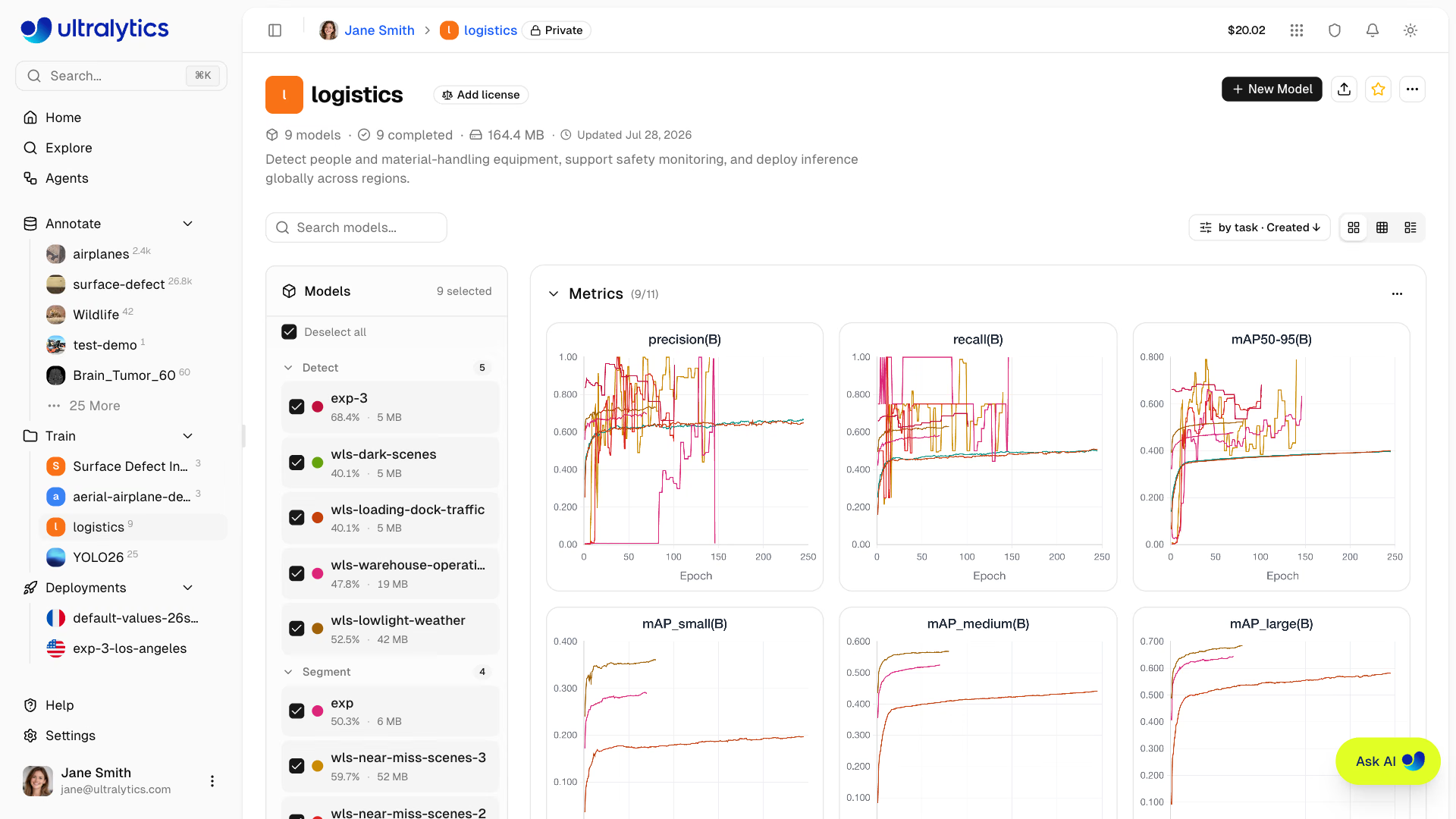
- Monitor real-time metrics during training
- Compare model performance across experiments
- Export to 22 deployment formats (see supported formats)
Workflow#
| Stage | Description |
|---|---|
| Project | Create a workspace to organize related models |
| Configure | Select dataset, base model, and training parameters |
| Train | Run on cloud GPUs or your local hardware |
| Monitor | View real-time loss curves and metrics |
| Export | Convert to 22 deployment formats (details) |
Training Options#
Ultralytics Platform supports multiple training approaches:
| Method | Description | Best For |
|---|---|---|
| Cloud Training | Train on Ultralytics Cloud GPUs | No local GPU, scalability |
| Local Training | Train locally, stream metrics to the platform | Existing hardware, privacy |
| Colab Training | Use Google Colab with platform integration | Free GPU access |
When you select a GPU cheaper than the RTX PRO 6000 and Ultralytics-managed capacity is free, the Platform runs your job on an RTX PRO 6000 while still billing your selected GPU's hourly rate. Runs can finish sooner and cost less than they would have on the selected GPU — the upgrade never adds time or cost.
GPU Options#
Available GPUs for cloud training on Ultralytics Cloud:
| GPU | Generation | VRAM | Cost/Hour | Best For |
|---|---|---|---|---|
| RTX 2000 Ada | Ada | 16 GB | $0.24 | Small datasets, testing |
| RTX A4500 | Ampere | 20 GB | $0.25 | Small-medium datasets |
| RTX 4000 Ada | Ada | 20 GB | $0.26 | Medium datasets |
| RTX A5000 | Ampere | 24 GB | $0.27 | Medium datasets |
| L4 | Ada | 24 GB | $0.39 | Inference optimized |
| A40 | Ampere | 48 GB | $0.44 | Larger batch sizes |
| RTX 3090 | Ampere | 24 GB | $0.46 | General training |
| RTX A6000 | Ampere | 48 GB | $0.49 | Large models |
| RTX PRO 4000 | Blackwell | 24 GB | $0.57 | Budget Blackwell |
| RTX PRO 4500 | Blackwell | 32 GB | $0.64 | Great price/performance |
| RTX 4090 | Ada | 24 GB | $0.69 | Best price/performance |
| RTX 6000 Ada | Ada | 48 GB | $0.77 | Large batch training |
| L40S | Ada | 48 GB | $0.86 | Large batch training |
| RTX PRO 5000 | Blackwell | 48 GB | $0.96 | Large batch training |
| RTX 5090 | Blackwell | 32 GB | $0.99 | Latest consumer generation |
| L40 | Ada | 48 GB | $0.99 | Large models |
| A100 PCIe | Ampere | 80 GB | $1.39 | Production training |
| A100 SXM | Ampere | 80 GB | $1.49 | Production training |
| RTX PRO 6000 | Blackwell | 96 GB | $2.09 | Recommended default |
| H100 PCIe | Hopper | 80 GB | $2.89 | High-performance training |
| H100 NVL | Hopper | 94 GB | $3.19 | Maximum performance |
| H100 SXM | Hopper | 80 GB | $3.29 | Fastest training |
| H200 NVL | Hopper | 143 GB | $3.39 | Maximum memory |
| H200 SXM | Hopper | 141 GB | $4.39 | Maximum performance |
| B200 | Blackwell | 180 GB | $5.89 | Large models (Pro+) |
| B300 | Blackwell | 288 GB | $7.39 | Largest models (Pro+) |
B200 and B300 GPUs require a Pro or Enterprise plan. All other GPUs are available on all plans including Free.
New accounts receive signup credits for training. Check Billing for details.
Real-Time Metrics#
During training, view live metrics across three subtabs:
| Subtab | Metrics |
|---|---|
| Charts | Task metrics (mAP50, mAP50-95, precision, recall for detection), train/val losses, learning rate |
| Console | Live training logs with ANSI color and automatic error detection |
| System | GPU utilization, GPU memory and temperature, CPU, RAM, network and disk I/O |
The best checkpoint (best.pt, the highest-fitness epoch) is uploaded to the Platform periodically while
training runs and again when the run ends, so download, export, and deployment always use the best epoch
produced so far. Cancelled runs keep the last checkpoint that finished uploading.
Quick Start#
Get started with cloud training in under a minute:
- Create a project in the sidebar
- Click New Model
- Select a model, dataset, and GPU
- Click Start Training
Quick Links#
- Projects: Organize your models and experiments
- Models: Manage trained checkpoints
- Cloud Training: Train on cloud GPUs
- AutoTrain: Use Ask AI to run experiments and compare models
FAQ#
Training time depends on:
- Dataset size (number of images)
- Model size (n, s, m, l, x)
- Number of epochs
- GPU type selected
The current estimator predicts about 6 minutes for 1000 images, YOLO26n, 100 epochs on RTX PRO 6000, and about 2 minutes for 500 images, YOLO26n, 50 epochs on RTX 4090. Actual duration varies; use the live estimate in the training dialog for the selected dataset and configuration. See cost examples.
Yes. Concurrent cloud training limits depend on your plan: Free allows 3, Pro allows 10, and Enterprise is unlimited. For additional parallel training, use remote training from multiple machines.
If training fails:
- The model is marked failed and the compute instance is terminated
- The model page shows an error banner with the captured error, a link to the console output, and a Retry Training action that reopens the training dialog with the same configuration
- A run that stops reporting activity for 4 hours is automatically marked failed and its compute released
- If cloud compute had started, elapsed GPU time is charged; failures before compute starts have no GPU usage charge
Scenario Recommended GPU Most training jobs RTX PRO 6000 Large datasets or batch sizes H100 SXM or H200 Budget-conscious RTX 4090