COCO12-Formats Dataset#


Introduction#
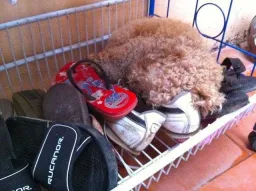
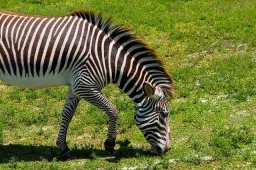
The Ultralytics COCO12-Formats dataset is a specialized test dataset designed to validate image loading across 12 supported image format extensions. It contains 12 images (6 for training, 6 for validation), each saved in a different format to ensure comprehensive testing of the image loading pipeline.
This dataset is invaluable for:
- Testing image format support: Verify that common image formats load correctly
- CI/CD pipelines: Automated testing of format compatibility
- Debugging: Isolate format-specific issues in training pipelines
- Development: Validate new format additions or changes
When you manage datasets on Ultralytics Platform, images in any of these formats are handled automatically—no manual conversion required.
Supported Formats#
The dataset includes one image for each of 12 of the 13 image format extensions in IMG_FORMATS (defined in ultralytics/data/utils.py); .heif is also supported but has no sample image:
| Format | Extension | Description | Train/Val |
|---|---|---|---|
| AVIF | .avif | AV1 Image File Format (modern) | Train |
| BMP | .bmp | Bitmap - uncompressed raster format | Train |
| DNG | .dng | Digital Negative - Adobe RAW format | Train |
| HEIC | .heic | High Efficiency Image Coding | Train |
| JPEG | .jpeg | JPEG with full extension | Train |
| JPG | .jpg | JPEG with short extension | Train |
| JP2 | .jp2 | JPEG 2000 - medical/geospatial | Val |
| MPO | .mpo | Multi-Picture Object (stereo images) | Val |
| PNG | .png | Portable Network Graphics | Val |
| TIF | .tif | TIFF with short extension | Val |
| TIFF | .tiff | Tagged Image File Format | Val |
| WebP | .webp | Modern web image format | Val |
Dataset Structure#
coco12-formats/
├── images/
│   ├── train/          # 6 images (avif, bmp, dng, heic, jpeg, jpg)
│   └── val/            # 6 images (jp2, mpo, png, tif, tiff, webp)
├── labels/
│   ├── train/          # Corresponding YOLO format labels
│   └── val/
└── coco12-formats.yaml # Dataset configuration
Dataset YAML#
The COCO12-Formats dataset is configured using a YAML file that defines dataset paths and class names. You can review the official coco12-formats.yaml file in the Ultralytics GitHub repository.
# Ultralytics 🚀 AGPL-3.0 License - https://ultralytics.com/license

# COCO12-Formats dataset (12 images testing all supported image formats) by Ultralytics
# Documentation: https://docs.ultralytics.com/datasets/detect/coco12-formats
# Example usage: yolo train data=coco12-formats.yaml
# parent
# ├── ultralytics
# └── datasets
#     └── coco12-formats ← downloads here (1 MB)

# Train/val/test sets as 1) dir: path/to/imgs, 2) file: path/to/imgs.txt, or 3) list: [path/to/imgs1, path/to/imgs2, ..]
path: coco12-formats # dataset root dir
train: images/train # train images (relative to 'path') 6 images
val: images/val # val images (relative to 'path') 6 images
test: # test images (optional)

# Classes
names:
  0: person
  1: bicycle
  2: car
  3: motorcycle
  4: airplane
  5: bus
  6: train
  7: truck
  8: boat
  9: traffic light
  10: fire hydrant
  11: stop sign
  12: parking meter
  13: bench
  14: bird
  15: cat
  16: dog
  17: horse
  18: sheep
  19: cow
  20: elephant
  21: bear
  22: zebra
  23: giraffe
  24: backpack
  25: umbrella
  26: handbag
  27: tie
  28: suitcase
  29: frisbee
  30: skis
  31: snowboard
  32: sports ball
  33: kite
  34: baseball bat
  35: baseball glove
  36: skateboard
  37: surfboard
  38: tennis racket
  39: bottle
  40: wine glass
  41: cup
  42: fork
  43: knife
  44: spoon
  45: bowl
  46: banana
  47: apple
  48: sandwich
  49: orange
  50: broccoli
  51: carrot
  52: hot dog
  53: pizza
  54: donut
  55: cake
  56: chair
  57: couch
  58: potted plant
  59: bed
  60: dining table
  61: toilet
  62: tv
  63: laptop
  64: mouse
  65: remote
  66: keyboard
  67: cell phone
  68: microwave
  69: oven
  70: toaster
  71: sink
  72: refrigerator
  73: book
  74: clock
  75: vase
  76: scissors
  77: teddy bear
  78: hair drier
  79: toothbrush

# Download script/URL (optional)
download: https://github.com/ultralytics/assets/releases/download/v0.0.0/coco12-formats.zipRequirements#
No manual setup is needed. OpenCV reads most formats directly, and Ultralytics falls back to Pillow for AVIF, HEIC, and HEIF. AVIF is decoded natively by Pillow 11.3 or newer, so upgrade Pillow if AVIF files fail to load, and HEIC/HEIF decoding installs the lightweight pi-heif package automatically on first use.
Usage#
The COCO12-Formats dataset (1 MB) downloads automatically the first time you start training. To train a YOLO model on the COCO12-Formats dataset, use the following examples:
from ultralytics import YOLO

# Load a pretrained YOLO model
model = YOLO("yolo26n.pt")

# Train on COCO12-Formats to test 12 supported image formats
results = model.train(data="coco12-formats.yaml", epochs=1, imgsz=640)
Format-Specific Notes#
AVIF (AV1 Image File Format)#
AVIF is a modern image format based on the AV1 video codec, offering excellent compression. Ultralytics decodes it through Pillow 11.3 or newer when OpenCV lacks AVIF support, with no extra packages required.
DNG (Digital Negative)#
DNG is Adobe's open RAW format based on TIFF. For testing purposes, the dataset uses TIFF-based files with the .dng extension.
JP2 (JPEG 2000)#
JPEG 2000 is a wavelet-based image compression standard offering better compression and quality than traditional JPEG. Commonly used in medical imaging (DICOM), geospatial applications, and digital cinema. Natively supported by both OpenCV and Pillow.
MPO (Multi-Picture Object)#
MPO files are used for stereoscopic (3D) images. The dataset stores standard JPEG data with the .mpo extension for format testing.
HEIC / HEIF (High Efficiency Image File Format)#
Both .heic and .heif extensions reference the same ISO/IEC 23008-12 container. By convention, .heic denotes HEVC-encoded HEIF files (the variant produced by Apple devices), while .heif is the broader umbrella extension.
Ultralytics decodes both via the OpenCV → Pillow fallback in ultralytics/utils/patches.py, which auto-installs pi-heif (lightweight, decode-only) on first use — no manual setup required for reading. To produce HEIC/HEIF files yourself (e.g., re-encoding sample images), install the full pillow-heif package, which includes encoders:
pip install pillow-heifUse Cases#
CI/CD Testing#
from ultralytics import YOLO

def test_image_formats():
    """Test that 12 supported image formats load correctly."""
    model = YOLO("yolo26n.pt")
    results = model.train(data="coco12-formats.yaml", epochs=1, imgsz=64)
    assert results is not None
Format Validation#
from pathlib import Path

from ultralytics.data.utils import IMG_FORMATS

# Verify all dataset formats are supported
dataset_dir = Path("datasets/coco12-formats/images")
found_formats = {f.suffix[1:].lower() for f in dataset_dir.rglob("*.*")}
assert found_formats <= IMG_FORMATS, f"Unsupported formats: {found_formats - IMG_FORMATS}"
Citations and Acknowledgments#
If you use the COCO dataset in your research, please cite:
@misc{lin2015microsoft,
      title={Microsoft COCO: Common Objects in Context},
      author={Tsung-Yi Lin and Michael Maire and Serge Belongie and Lubomir Bourdev and Ross Girshick and James Hays and Pietro Perona and Deva Ramanan and C. Lawrence Zitnick and Piotr Doll{\'a}r},
      year={2015},
      eprint={1405.0312},
      archivePrefix={arXiv},
      primaryClass={cs.CV}
}FAQ#
The COCO12-Formats dataset is designed for testing image format compatibility in Ultralytics YOLO training pipelines. It ensures 12 supported image formats (AVIF, BMP, DNG, HEIC, JP2, JPEG, JPG, MPO, PNG, TIF, TIFF, WebP) load and process correctly.
Different image formats have unique characteristics (compression, bit depth, color spaces). Testing all formats ensures:
- Robust image loading code
- Compatibility across diverse datasets
- Early detection of format-specific bugs
None need manual installation. AVIF is decoded natively by Pillow 11.3 or newer, and HEIC/HEIF decoding installs
pi-heifautomatically on first use. Install the fullpillow-heifpackage only if you need to write HEIC/HEIF files yourself.