COCO8-Grayscale-Datensatz
Einführung#
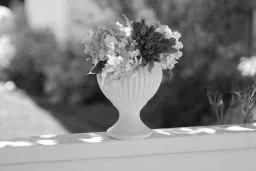
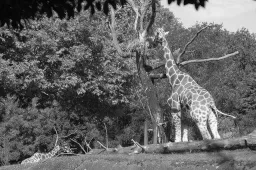
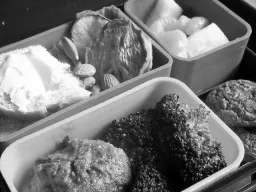
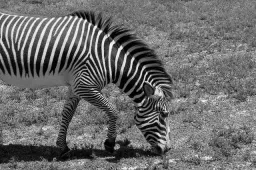
Der COCO8-Grayscale-Datensatz von Ultralytics ist ein kompakter Objekterkennungs-Datensatz. Er besteht aus den ersten 8 Bildern des COCO-Train-2017-Datensatzes, die in Graustufen umgewandelt wurden – 4 zum Training und 4 zur Validierung. Dieser Datensatz wurde speziell für schnelle Tests, Fehlersuche und Experimente mit YOLO-Graustufenmodellen und Trainingspipelines entwickelt. Dank seines geringen Umfangs lässt er sich leicht handhaben. Seine Vielfalt macht ihn zugleich zu einem wirksamen Plausibilitätstest, bevor du auf größere Datensätze umsteigst.
Ansehen: So trainierst du Ultralytics YOLO mit Graustufen- und multispektralen Datensätzen | Mehrkanalige VisionAI 🚀
Datensatzstruktur#
COCO8-Grayscale entspricht COCO8: Es enthält dieselben ersten 8 Bilder des COCO-Train-2017-Datensatzes, aufgeteilt in 4 Bilder zum Trainieren und 4 zur Validierung und mit den 80 COCO-Klassennamen annotiert. Jedes Bild wird jedoch als Graustufenbild mit einem Kanal (channels: 1) im YOLO-Beschriftungsformat gespeichert:
coco8-grayscale/
├── images/
│   ├── train/   # 4 images
│   └── val/     # 4 images
└── labels/
    ├── train/
    └── val/
Entdecke COCO8-Grayscale auf der Ultralytics Platform: Sieh dir jedes Bild mit eingeblendeten Annotationen an, prüfe die Klassenverteilung und die Heatmaps der Begrenzungsrahmen auf dem Tab Charts und klone den Datensatz, um dein eigenes Modell in der Cloud zu trainieren.
YAML-Datei des Datensatzes#
Die Konfiguration des COCO8-Grayscale-Datensatzes ist in einer YAML-Datei definiert, die Datensatzpfade, Klassennamen und weitere wichtige Metadaten angibt. Die offizielle Datei coco8-grayscale.yaml findest du im Ultralytics-GitHub-Repository.
Um RGB-Bilder in Graustufen zu trainieren, füge channels: 1 in die YAML-Datei deines Datensatzes ein. Dadurch werden während des Trainings alle Bilder in Graustufen umgewandelt. Du brauchst also keinen separaten Graustufendatensatz.
# Ultralytics 🚀 AGPL-3.0 License - https://ultralytics.com/license

# COCO8-Grayscale dataset (first 8 images from COCO train2017) by Ultralytics
# Documentation: https://docs.ultralytics.com/datasets/detect/coco8-grayscale
# Example usage: yolo train data=coco8-grayscale.yaml
# parent
# ├── ultralytics
# └── datasets
#     └── coco8-grayscale ← downloads here (1 MB)

# Train/val/test sets as 1) dir: path/to/imgs, 2) file: path/to/imgs.txt, or 3) list: [path/to/imgs1, path/to/imgs2, ..]
path: coco8-grayscale # dataset root dir
train: images/train # train images (relative to 'path') 4 images
val: images/val # val images (relative to 'path') 4 images
test: # test images (optional)

channels: 1

# Classes
names:
  0: person
  1: bicycle
  2: car
  3: motorcycle
  4: airplane
  5: bus
  6: train
  7: truck
  8: boat
  9: traffic light
  10: fire hydrant
  11: stop sign
  12: parking meter
  13: bench
  14: bird
  15: cat
  16: dog
  17: horse
  18: sheep
  19: cow
  20: elephant
  21: bear
  22: zebra
  23: giraffe
  24: backpack
  25: umbrella
  26: handbag
  27: tie
  28: suitcase
  29: frisbee
  30: skis
  31: snowboard
  32: sports ball
  33: kite
  34: baseball bat
  35: baseball glove
  36: skateboard
  37: surfboard
  38: tennis racket
  39: bottle
  40: wine glass
  41: cup
  42: fork
  43: knife
  44: spoon
  45: bowl
  46: banana
  47: apple
  48: sandwich
  49: orange
  50: broccoli
  51: carrot
  52: hot dog
  53: pizza
  54: donut
  55: cake
  56: chair
  57: couch
  58: potted plant
  59: bed
  60: dining table
  61: toilet
  62: tv
  63: laptop
  64: mouse
  65: remote
  66: keyboard
  67: cell phone
  68: microwave
  69: oven
  70: toaster
  71: sink
  72: refrigerator
  73: book
  74: clock
  75: vase
  76: scissors
  77: teddy bear
  78: hair drier
  79: toothbrush

# Download script/URL (optional)
download: https://github.com/ultralytics/assets/releases/download/v0.0.0/coco8-grayscale.zipVerwendung#
Der COCO8-Grayscale-Datensatz (1 MB) wird beim ersten Trainingsstart automatisch heruntergeladen. Um ein YOLO26n-Modell 100 Epochen lang mit Bildgröße 640 auf COCO8-Grayscale zu trainieren, verwende die folgenden Beispiele.
from ultralytics import YOLO

# Ein vortrainiertes YOLO26n-Modell laden
model = YOLO("yolo26n.pt")

# Das Modell mit COCO8-Grayscale trainieren
results = model.train(data="coco8-grayscale.yaml", epochs=100, imgsz=640)
Beispielbilder und Annotationen#
Unten siehst du ein Beispiel für einen mosaikartig zusammengestellten Trainingsbatch aus dem COCO8-Grayscale-Datensatz:
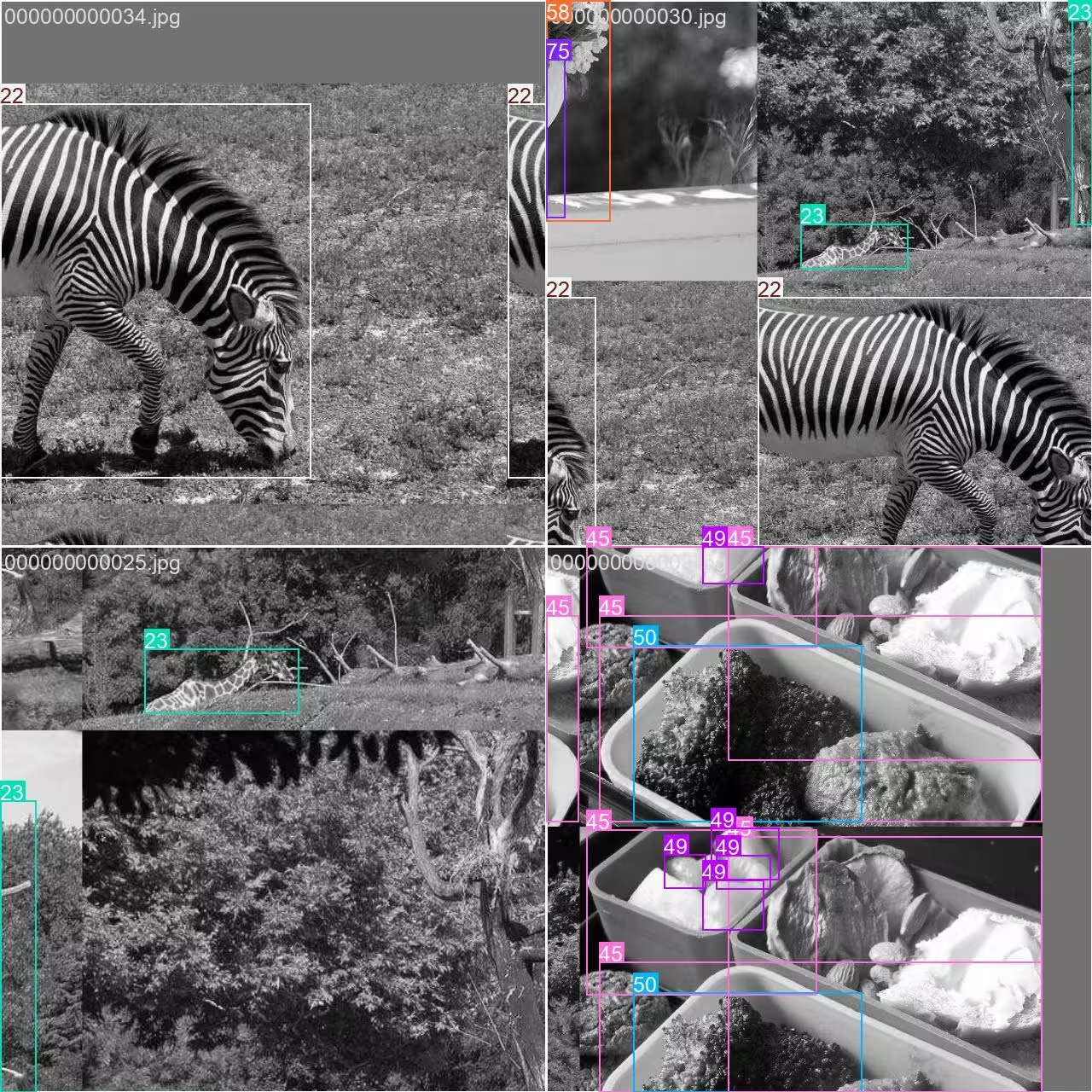
- Mosaikbild: Dieses Bild zeigt einen Trainingsbatch, in dem mehrere Datensatzbilder mithilfe der Mosaiktransformation kombiniert werden. Die Mosaiktransformation erhöht die Vielfalt der Objekte und Szenen in jedem Batch und hilft dem Modell, besser auf verschiedene Objektgrößen, Seitenverhältnisse und Hintergründe zu generalisieren.
Diese Technik eignet sich besonders für kleine Datensätze wie COCO8-Grayscale, da sie den Nutzen jedes Bildes während des Trainings maximiert.
Zitate und Danksagungen#
Wenn du den COCO-Datensatz für deine Forschung oder Entwicklung verwendest, zitiere bitte die folgende Arbeit:
@misc{lin2015microsoft,
      title={Microsoft COCO: Common Objects in Context},
      author={Tsung-Yi Lin and Michael Maire and Serge Belongie and Lubomir Bourdev and Ross Girshick and James Hays and Pietro Perona and Deva Ramanan and C. Lawrence Zitnick and Piotr Dollár},
      year={2015},
      eprint={1405.0312},
      archivePrefix={arXiv},
      primaryClass={cs.CV}
}
Besonderer Dank gilt dem COCO Consortium für seine kontinuierlichen Beiträge zur Computer-Vision-Community.
Häufig gestellte Fragen#
Der Ultralytics-COCO8-Grayscale-Datensatz ist für das schnelle Testen und Debuggen von Modellen zur Objekterkennung konzipiert. Mit nur 8 Bildern (4 für das Training, 4 für die Validierung) eignet er sich ideal, um deine YOLO-Trainingspipelines zu überprüfen und sicherzustellen, dass alles wie erwartet funktioniert, bevor du auf größere Datensätze umsteigst.
Du kannst ein YOLO26-Modell mit COCO8-Grayscale entweder mit Python oder über die CLI trainieren:
Trainingsbeispielfrom ultralytics import YOLO # Ein vortrainiertes YOLO26n-Modell laden model = YOLO("yolo26n.pt") # Das Modell mit COCO8-Grayscale trainieren results = model.train(data="coco8-grayscale.yaml", epochs=100, imgsz=640)Weitere Trainingsoptionen findest du in der YOLO-Trainingsdokumentation.
Bei der Mosaic-Datenerweiterung, wie sie beim COCO8-Grayscale-Training eingesetzt wird, werden mehrere Bilder während jedes Batches zu einem Bild kombiniert. Dadurch erhöht sich die Vielfalt an Objekten und Hintergründen, sodass dein YOLO-Modell besser auf neue Szenarien generalisieren kann. Mosaic-Datenerweiterung ist besonders bei kleinen Datensätzen wertvoll, da sie die in jedem Trainingsschritt verfügbaren Informationen optimal nutzt.
Um dein YOLO26-Modell nach dem Training mit COCO8-Grayscale zu validieren, verwende die Validierungsbefehle des Modells in Python oder über die CLI. Dabei wird die Leistung deines Modells anhand standardisierter Metriken bewertet. Eine Schritt-für-Schritt-Anleitung findest du in der YOLO-Validierungsdokumentation.


Kommentare7
Stell eine Frage, teile deine Ergebnisse oder hilf jemand anderem.
arfan1181
Finally
1shkim-lp
Dear Ultralytics, Hello. I am a learner and a user of Ultralytics-YOLO Software. I am writing this post to ask questions about tracking Livestream color videos in grayscale.
At the moment, I am using Ultralytics for Classification/Segmentation/Tracking of my Livestream video. My livestream video contains 4 different types of connectors, which are moved by robots.
I have used the software well so far to classify/segment/track the 4 connectors in Livestream color video I tracked the Livestream video with
results = model.track(source="0", show=Trune, save=True), which displayed live results with "0" window. I was happy with the result.Now, I want to test the performance for a real scenario, where the Livestream camera will aceept only B/W images (The equipment has not been installed yet and I am trying to emulate future situation). I learned how to train models in B/W images with simple addition of channels = 1 . However, I still don't know how to track a Livestream video (where images are imported in color) in B/W scales and output them in B/W in "0" window.
Would there be an easy method to invoke results = model.track(source="0", show=Ture, save=True) , but classify/segment/track in B/W scale and output them in B/W as well?Thank you for your assistance!
 Glenn JocherUltralytics
There’s no built-in switch in
model.track(source=0, ...)to force grayscale preprocessing for a webcam stream, so the simplest way to emulate a B/W camera is to read frames with OpenCV, convert to grayscale, then replicate back to 3 channels (GRAY2BGR) so it works with any YOLO model, and display/save the result (training-side grayscale is covered on the COCO8-Grayscale dataset page).import cv2 from ultralytics import YOLO model = YOLO("best.pt") # your det/seg model cap = cv2.VideoCapture(0) while True: ok, frame = cap.read() if not ok: break gray = cv2.cvtColor(frame, cv2.COLOR_BGR2GRAY) frame_bw3 = cv2.cvtColor(gray, cv2.COLOR_GRAY2BGR) # BW content, kept 3-channel results = model.track(source=frame_bw3, persist=True, verbose=False) annotated = results[0].plot() # BGR annotated_gray = cv2.cvtColor(annotated, cv2.COLOR_BGR2GRAY) cv2.imshow("0", annotated_gray) if cv2.waitKey(1) == 27: # ESC to quit break cap.release() cv2.destroyAllWindows()1Thank you for such a prompt and precise answer!
- Glenn JocherUltralytics
Glad it helped—if you end up training a
channels: 1model you can usually skipGRAY2BGRand feed the grayscale frame directly as(H, W)or(H, W, 1)(the loader will expand 2D grayscale to 1 channel), and feel free to drop any follow-up questions here so the Ultralytics team sees them (see the COCO8-Grayscale dataset docs).
zjjzeng
Hello, I did not notice this page before, so I trained my model on default rgb 3 channels and then predicted. Actually, all my native dataset images are gray images, I used a numpy operation to manually transfer it before training. I wonder that if I change channels to 1, will I be able to gain any improvements on my model. And do I need to modify both data.yaml and my customized yolo11n.yaml, right?
- Glenn JocherUltralytics
Great question—set channels: 1 in your dataset YAML and train; you don’t need to modify your custom yolo11n.yaml as the model’s first layer adapts automatically; if you previously replicated grayscale to 3 channels, accuracy differences are usually small while 1-channel can save memory, so a quick A/B run is the best way to confirm; for more on multi-channel handling, see the COCO8-Multispectral dataset page.