COCO8-Grayscaleデータセット
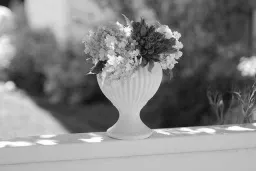
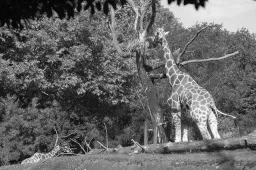
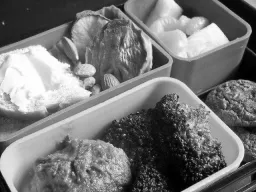
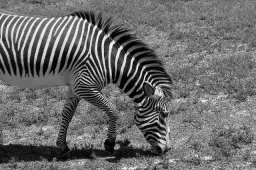
はじめに#
Ultralytics COCO8-Grayscaleデータセットは、コンパクトな物体検出データセットです。COCO train 2017セットの最初の8枚をグレースケール形式に変換したもので、トレーニング用4枚と検証用4枚で構成されています。このデータセットは、YOLOグレースケールモデルとトレーニングパイプラインの迅速なテスト、デバッグ、実験向けに特別に設計されています。サイズが小さく扱いやすい一方、多様性があるため、より大規模なデータセットに拡張する前の有効な動作確認として利用できます。
視聴: グレースケール・マルチスペクトルデータセットで Ultralytics YOLO をトレーニングする方法 | マルチチャンネル VisionAI 🚀
データセットの構成#
COCO8-GrayscaleはCOCO8と同じく、COCO train 2017セットの最初の8枚の画像(トレーニング用4枚、検証用4枚)で構成され、80個のCOCOクラス名を使ってラベル付けされています。ただし、各画像はYOLOラベル形式の単一チャンネルグレースケール画像channels: 1として保存されます。
coco8-grayscale/
├── images/
│   ├── train/   # 4 images
│   └── val/     # 4 images
└── labels/
    ├── train/
    └── val/
Ultralytics Platform上のCOCO8-Grayscaleでは、アノテーションを重ねたすべての画像を確認し、Chartsタブでクラス分布とバウンディングボックスのヒートマップを表示できます。また、データセットをクローンして、クラウド上で独自モデルのトレーニングに使用できます。
データセットYAML#
COCO8-Grayscaleデータセットの設定はYAMLファイルで定義されており、データセットのパス、クラス名、その他の重要なメタデータを指定します。Ultralytics GitHubリポジトリで公式のcoco8-grayscale.yamlファイルを確認できます。
RGB画像をグレースケールでトレーニングするには、データセットのYAMLファイルにchannels: 1を追加します。これにより、トレーニング中にすべての画像がグレースケールに変換されるため、グレースケール用のデータセットを別途用意する必要はありません。
# Ultralytics 🚀 AGPL-3.0 License - https://ultralytics.com/license

# COCO8-Grayscale dataset (first 8 images from COCO train2017) by Ultralytics
# Documentation: https://docs.ultralytics.com/datasets/detect/coco8-grayscale
# Example usage: yolo train data=coco8-grayscale.yaml
# parent
# ├── ultralytics
# └── datasets
#     └── coco8-grayscale ← downloads here (1 MB)

# Train/val/test sets as 1) dir: path/to/imgs, 2) file: path/to/imgs.txt, or 3) list: [path/to/imgs1, path/to/imgs2, ..]
path: coco8-grayscale # dataset root dir
train: images/train # train images (relative to 'path') 4 images
val: images/val # val images (relative to 'path') 4 images
test: # test images (optional)

channels: 1

# Classes
names:
  0: person
  1: bicycle
  2: car
  3: motorcycle
  4: airplane
  5: bus
  6: train
  7: truck
  8: boat
  9: traffic light
  10: fire hydrant
  11: stop sign
  12: parking meter
  13: bench
  14: bird
  15: cat
  16: dog
  17: horse
  18: sheep
  19: cow
  20: elephant
  21: bear
  22: zebra
  23: giraffe
  24: backpack
  25: umbrella
  26: handbag
  27: tie
  28: suitcase
  29: frisbee
  30: skis
  31: snowboard
  32: sports ball
  33: kite
  34: baseball bat
  35: baseball glove
  36: skateboard
  37: surfboard
  38: tennis racket
  39: bottle
  40: wine glass
  41: cup
  42: fork
  43: knife
  44: spoon
  45: bowl
  46: banana
  47: apple
  48: sandwich
  49: orange
  50: broccoli
  51: carrot
  52: hot dog
  53: pizza
  54: donut
  55: cake
  56: chair
  57: couch
  58: potted plant
  59: bed
  60: dining table
  61: toilet
  62: tv
  63: laptop
  64: mouse
  65: remote
  66: keyboard
  67: cell phone
  68: microwave
  69: oven
  70: toaster
  71: sink
  72: refrigerator
  73: book
  74: clock
  75: vase
  76: scissors
  77: teddy bear
  78: hair drier
  79: toothbrush

# Download script/URL (optional)
download: https://github.com/ultralytics/assets/releases/download/v0.0.0/coco8-grayscale.zip使用方法#
COCO8-Grayscaleデータセット(1 MB)は、トレーニングを初めて開始したときに自動でダウンロードされます。以下の例を使用すると、COCO8-Grayscaleで画像サイズ640、100エポックの条件でYOLO26nモデルをトレーニングできます。
from ultralytics import YOLO

# 事前学習済みYOLO26nモデルを読み込む
model = YOLO("yolo26n.pt")

# COCO8-Grayscaleでモデルをトレーニング
results = model.train(data="coco8-grayscale.yaml", epochs=100, imgsz=640)サンプル画像とアノテーション#
以下は、COCO8-Grayscaleデータセットのモザイクトレーニングバッチの例です。
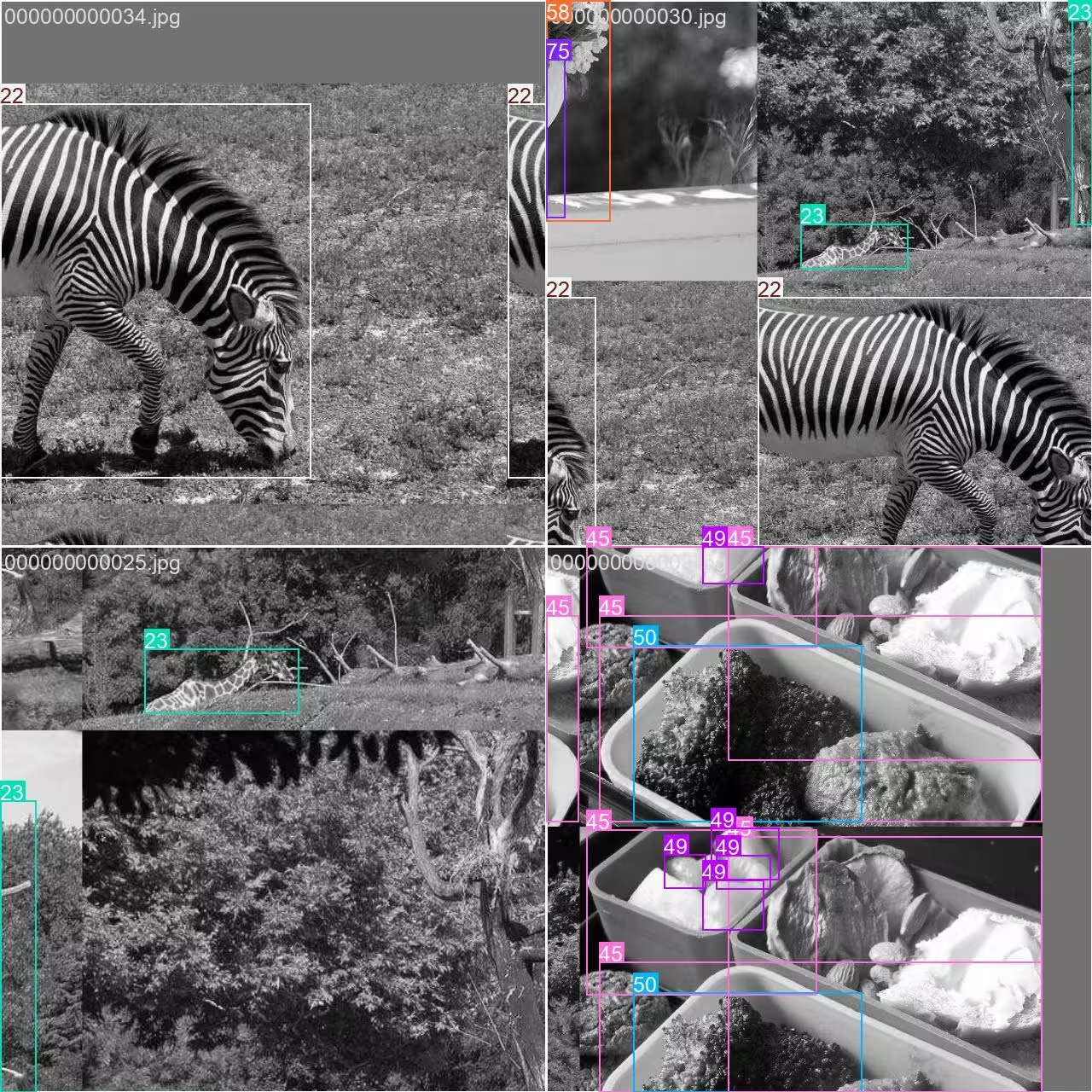
- モザイク画像:この画像は、モザイク拡張を使って複数のデータセット画像を組み合わせたトレーニングバッチを示しています。モザイク拡張は各バッチに含まれる物体やシーンの多様性を高め、さまざまな物体サイズ、アスペクト比、背景に対するモデルの汎化性能を向上させます。
この手法はCOCO8-Grayscaleのような小規模データセットで特に役立ち、トレーニング中に各画像を最大限に活用できます。
引用と謝辞#
研究または開発でCOCOデータセットを使用する場合は、以下の論文を引用してください。
@misc{lin2015microsoft,
      title={Microsoft COCO: Common Objects in Context},
      author={Tsung-Yi Lin and Michael Maire and Serge Belongie and Lubomir Bourdev and Ross Girshick and James Hays and Pietro Perona and Deva Ramanan and C. Lawrence Zitnick and Piotr Dollár},
      year={2015},
      eprint={1405.0312},
      archivePrefix={arXiv},
      primaryClass={cs.CV}
}コンピュータービジョンコミュニティへの継続的な貢献に対し、COCO Consortiumに心より感謝します。
よくある質問#
Ultralytics COCO8-Grayscaleデータセットは、物体検出モデルの迅速なテストとデバッグを目的に設計されています。画像はわずか8枚(トレーニング用4枚、検証用4枚)で、YOLOのトレーニングパイプラインを検証し、より大規模なデータセットに拡張する前にすべてが想定どおりに機能することを確認するのに最適です。
PythonまたはCLIを使って、COCO8-GrayscaleでYOLO26モデルをトレーニングできます。
トレーニング例from ultralytics import YOLO # 事前学習済みYOLO26nモデルを読み込む model = YOLO("yolo26n.pt") # COCO8-Grayscaleでモデルをトレーニング results = model.train(data="coco8-grayscale.yaml", epochs=100, imgsz=640)その他のトレーニングオプションについては、YOLOトレーニングのドキュメントをご覧ください。
COCO8-Grayscaleのトレーニングで使用されるモザイク拡張では、各バッチの複数の画像を1枚にまとめます。これにより物体や背景の多様性が増し、YOLOモデルが新しいシナリオにより適切に汎化できるようになります。モザイク拡張は小規模データセットで特に有効で、各トレーニングステップで利用可能な情報を最大限に活用できます。
COCO8-Grayscaleでのトレーニング後にYOLO26モデルを検証するには、PythonまたはCLIでモデルの検証コマンドを使用します。標準的な指標を使ってモデルの性能を評価できます。手順については、YOLO検証のドキュメントをご覧ください。


コメント7
質問したり、結果を共有したり、ほかの人をサポートしたりできます。
arfan1181
Finally
1shkim-lp
Dear Ultralytics, Hello. I am a learner and a user of Ultralytics-YOLO Software. I am writing this post to ask questions about tracking Livestream color videos in grayscale.
At the moment, I am using Ultralytics for Classification/Segmentation/Tracking of my Livestream video. My livestream video contains 4 different types of connectors, which are moved by robots.
I have used the software well so far to classify/segment/track the 4 connectors in Livestream color video I tracked the Livestream video with
results = model.track(source="0", show=Trune, save=True), which displayed live results with "0" window. I was happy with the result.Now, I want to test the performance for a real scenario, where the Livestream camera will aceept only B/W images (The equipment has not been installed yet and I am trying to emulate future situation). I learned how to train models in B/W images with simple addition of channels = 1 . However, I still don't know how to track a Livestream video (where images are imported in color) in B/W scales and output them in B/W in "0" window.
Would there be an easy method to invoke results = model.track(source="0", show=Ture, save=True) , but classify/segment/track in B/W scale and output them in B/W as well?Thank you for your assistance!
 Glenn JocherUltralytics
There’s no built-in switch in
model.track(source=0, ...)to force grayscale preprocessing for a webcam stream, so the simplest way to emulate a B/W camera is to read frames with OpenCV, convert to grayscale, then replicate back to 3 channels (GRAY2BGR) so it works with any YOLO model, and display/save the result (training-side grayscale is covered on the COCO8-Grayscale dataset page).import cv2 from ultralytics import YOLO model = YOLO("best.pt") # your det/seg model cap = cv2.VideoCapture(0) while True: ok, frame = cap.read() if not ok: break gray = cv2.cvtColor(frame, cv2.COLOR_BGR2GRAY) frame_bw3 = cv2.cvtColor(gray, cv2.COLOR_GRAY2BGR) # BW content, kept 3-channel results = model.track(source=frame_bw3, persist=True, verbose=False) annotated = results[0].plot() # BGR annotated_gray = cv2.cvtColor(annotated, cv2.COLOR_BGR2GRAY) cv2.imshow("0", annotated_gray) if cv2.waitKey(1) == 27: # ESC to quit break cap.release() cv2.destroyAllWindows()1Thank you for such a prompt and precise answer!
- Glenn JocherUltralytics
Glad it helped—if you end up training a
channels: 1model you can usually skipGRAY2BGRand feed the grayscale frame directly as(H, W)or(H, W, 1)(the loader will expand 2D grayscale to 1 channel), and feel free to drop any follow-up questions here so the Ultralytics team sees them (see the COCO8-Grayscale dataset docs).
zjjzeng
Hello, I did not notice this page before, so I trained my model on default rgb 3 channels and then predicted. Actually, all my native dataset images are gray images, I used a numpy operation to manually transfer it before training. I wonder that if I change channels to 1, will I be able to gain any improvements on my model. And do I need to modify both data.yaml and my customized yolo11n.yaml, right?
- Glenn JocherUltralytics
Great question—set channels: 1 in your dataset YAML and train; you don’t need to modify your custom yolo11n.yaml as the model’s first layer adapts automatically; if you previously replicated grayscale to 3 channels, accuracy differences are usually small while 1-channel can save memory, so a quick A/B run is the best way to confirm; for more on multi-channel handling, see the COCO8-Multispectral dataset page.