Классификация изображений с Ultralytics YOLO
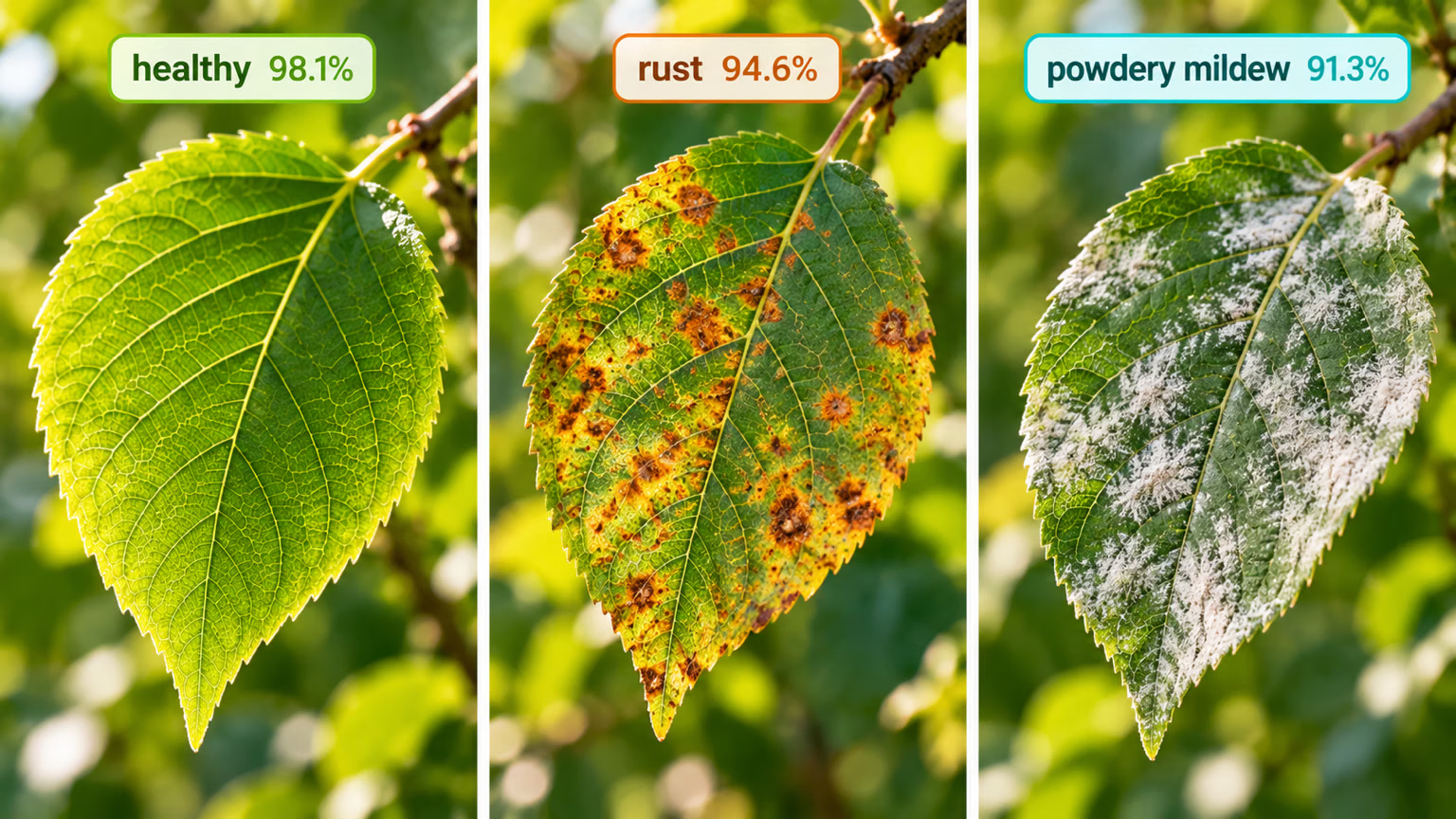
Классификация изображений — одна из самых простых поддерживаемых задач: она определяет, к какому из заданных классов относится изображение целиком.
На выходе классификатора изображений получается одна метка класса и оценка уверенности. Классификация изображений полезна, когда нужно знать только класс изображения и не требуется выяснять, где находятся объекты этого класса и какова их точная форма.
Смотри: Изучаем задачи Ultralytics YOLO: классификация изображений с помощью платформы Ultralytics
В названиях моделей YOLO26 Classify используется суффикс -cls, например yolo26n-cls.pt; модели предварительно обучены на ImageNet.
Модели#
Ниже представлены модели YOLO26 Classify, предварительно обученные на наборе данных ImageNet.
Модели автоматически загружаются из последнего релиза Ultralytics при первом использовании.
| Модель | размер (пиксели) | точ top1 | точ top5 | Скорость CPU ONNX (мс) | Скорость T4 TensorRT10 (мс) | параметры (M) | FLOPs (B) при 224 |
|---|---|---|---|---|---|---|---|
| YOLO26n-cls | 224 | 71.4 | 90.1 | 5.0 ± 0.3 | 1.1 ± 0.0 | 2.8 | 0.4 |
| YOLO26s-cls | 224 | 76.0 | 92.9 | 7.9 ± 0.2 | 1.3 ± 0.0 | 6.7 | 1.5 |
| YOLO26m-cls | 224 | 78.1 | 94.2 | 17.2 ± 0.4 | 2.0 ± 0.0 | 11.6 | 4.8 |
| YOLO26l-cls | 224 | 79.0 | 94.6 | 23.2 ± 0.3 | 2.8 ± 0.0 | 14.1 | 6.0 |
| YOLO26x-cls | 224 | 79.9 | 95.0 | 41.4 ± 0.9 | 3.8 ± 0.0 | 29.6 | 13.5 |
- Значения acc — это точность моделей на валидационной выборке ImageNet.
Воспроизведи результаты с помощьюyolo classify val data=path/to/ImageNet device=0 - Скорость усреднена по изображениям валидационной выборки ImageNet: измерения выполнены с ONNX на CPU и TensorRT10 на GPU NVIDIA T4.
Воспроизведи результаты с помощьюyolo classify val data=path/to/ImageNet batch=1 device=0|cpu - Значения Params и FLOPs указаны для объединенной модели после
model.fuse(), которая объединяет слои Conv и BatchNorm. Предварительно обученные контрольные точки сохраняют полную архитектуру обучения, поэтому их значения могут быть выше.
См. предварительную версию YOLO27, ещё не выпущенную, чтобы узнать предварительные показатели скорости классификации и размеры моделей.
Обучение#
Обучи модель YOLO26n-cls на датасете MNIST160 в течение 100 эпох с размером изображения 64.
from ultralytics import YOLO

# Загрузить модель
model = YOLO("yolo26n-cls.yaml")  # создать новую модель из YAML
model = YOLO("yolo26n-cls.pt")  # загрузить предварительно обученную модель (рекомендуется для обучения)
model = YOLO("yolo26n-cls.yaml").load("yolo26n-cls.pt")  # создать модель из YAML и перенести веса

# Обучить модель
results = model.train(data="mnist160", epochs=100, imgsz=64)
Полное описание режима train см. на странице Обучение. Модели классификации также можно обучать в облаке с помощью платформы Ultralytics.
Формат датасета#
Подробное описание формата наборов данных для классификации YOLO см. в руководстве по наборам данных. Наборами данных для классификации также можно управлять и размечать их с помощью инструментов аннотирования платформы Ultralytics.
Пользовательские преобразования#
Для обучения классификации Ultralytics YOLO использует torchvision.transforms.RandomResizedCrop, а для валидации и инференса — torchvision.transforms.CenterCrop. Эти преобразования на основе кадрирования предполагают, что входные изображения квадратные, и могут обрезать важные области изображений с очень вытянутыми пропорциями. Чтобы сохранить изображение целиком без растягивания, замени кадрирование существующим преобразованием ClassifyLetterBox: оно изменяет размер каждого изображения так, чтобы оно вписывалось в imgsz × imgsz, а оставшуюся область заполняет отступами, сохраняя пропорции. Используй его в конвейере torchvision на основе PIL через пользовательские ClassificationDataset, ClassificationTrainer и ClassificationValidator:
import numpy as np
import torch
import torchvision.transforms as T

from ultralytics import YOLO
from ultralytics.data.augment import ClassifyLetterBox
from ultralytics.data.dataset import ClassificationDataset
from ultralytics.models.yolo.classify import ClassificationTrainer, ClassificationValidator

class CustomizedDataset(ClassificationDataset):
    """A customized dataset class for image classification with enhanced data augmentation transforms."""

    def __init__(self, root: str, args, augment: bool = False, prefix: str = "", names=None):
        """Initialize a customized classification dataset with enhanced data augmentation transforms."""
        super().__init__(root, args, augment, prefix, names)
        letterbox = T.Compose([np.asarray, ClassifyLetterBox(args.imgsz), T.ToPILImage()])

        # Добавь сюда свои пользовательские преобразования для обучения
        train_transforms = T.Compose(
            [
                letterbox,
                T.RandomHorizontalFlip(p=args.fliplr),
                T.RandomVerticalFlip(p=args.flipud),
                T.RandAugment(interpolation=T.InterpolationMode.BILINEAR),
                T.ColorJitter(brightness=args.hsv_v, contrast=args.hsv_v, saturation=args.hsv_s, hue=args.hsv_h),
                T.ToTensor(),
                T.Normalize(mean=torch.tensor(0), std=torch.tensor(1)),
                T.RandomErasing(p=args.erasing, inplace=True),
            ]
        )

        # Добавь сюда свои пользовательские преобразования для валидации
        val_transforms = T.Compose(
            [
                letterbox,
                T.ToTensor(),
                T.Normalize(mean=torch.tensor(0), std=torch.tensor(1)),
            ]
        )
        self.torch_transforms = train_transforms if augment else val_transforms

class CustomizedTrainer(ClassificationTrainer):
    """A customized trainer class for YOLO classification models with enhanced dataset handling."""

    def build_dataset(self, img_path: str, mode: str = "train", batch=None):
        """Build a customized dataset for classification training and the validation during training."""
        return CustomizedDataset(
            root=img_path,
            args=self.args,
            augment=mode == "train",
            prefix="train" if mode == "train" else self.args.split,
            names=self.data["names"],
        )

class CustomizedValidator(ClassificationValidator):
    """A customized validator class for YOLO classification models with enhanced dataset handling."""

    def build_dataset(self, img_path: str):
        """Build a customized dataset for classification standalone validation (no augmentation)."""
        return CustomizedDataset(root=img_path, args=self.args, augment=False, prefix=self.args.split, names=self.names)

model = YOLO("yolo26n-cls.pt")
model.train(data="imagenet", trainer=CustomizedTrainer, epochs=10, imgsz=224, batch=64)
model.val(data="imagenet", validator=CustomizedValidator, imgsz=224, batch=64)Валидация#
Проверь точность обученной модели YOLO26n-cls. Аргументы не нужны: model сохраняет параметры data и аргументы обучения в качестве атрибутов модели; path/to/best.pt из примера обучения выполняет валидацию на MNIST160. В официальных весах записан путь к набору данных для обучения, которого нет на твоём компьютере, поэтому с предупреждением используется значение imagenet10 по умолчанию для этой задачи. Укажи data, чтобы выполнить валидацию на другом наборе данных.
from ultralytics import YOLO

# Загрузить модель
model = YOLO("yolo26n-cls.pt")  # загрузить официальную модель
model = YOLO("path/to/best.pt")  # загрузить пользовательскую модель

# Валидировать модель
metrics = model.val()  # аргументы не нужны, набор данных и настройки сохранены
metrics.top1  # top1 accuracy
metrics.top5 # top5 accuracyДля модели, обученной с пользовательскими преобразованиями, нужно передать соответствующий ClassificationValidator в val(); иначе при валидации будет выполняться обрезка вместо масштабирования, использованного при обучении.
Предсказание#
Используй обученную модель YOLO26n-cls для предсказаний на изображениях.
from ultralytics import YOLO

# Загрузить модель
model = YOLO("yolo26n-cls.pt")  # загрузить официальную модель
model = YOLO("path/to/best.pt")  # загрузить пользовательскую модель

# Получи предсказания с помощью модели
results = model("https://ultralytics.com/images/bus.jpg")  # получи предсказание для изображения

# Обратись к результатам
for result in results:
    top1 = result.probs.top1  # ID класса с наивысшей вероятностью
    top1_conf = result.probs.top1conf  # уверенность в предсказании с наивысшей вероятностью
    top1_name = result.names[top1]  # название класса с наивысшей вероятностью
Полное описание режима predict см. на странице Предсказание.
Результаты работы#
При классификации изображений возвращается один объект Results для каждого изображения. Основное поле предсказания — result.probs, которое содержит вектор вероятностей классов и вспомогательные функции для получения наиболее вероятных предсказаний.
| Атрибут | Тип | Форма | Описание |
|---|---|---|---|
result.probs | Probs | (C,) | Вероятности классов. |
result.probs.data | torch.float32 | (C,) | Вероятность для каждого класса. |
result.probs.top1 | int | () | ID класса с наибольшей вероятностью. |
result.probs.top1conf | torch.float32 | () | Наибольшая оценка уверенности. |
result.probs.top5 | list[int] | (<=5) | ID пяти классов с наибольшими оценками. |
Описание полей Results, специфичных для каждой задачи, см. в разделе Результаты предсказаний по задачам.
Экспорт#
Экспортируй модель YOLO26n-cls в другой формат, например ONNX, CoreML и т. д.
from ultralytics import YOLO

# Загрузить модель
model = YOLO("yolo26n-cls.pt")  # загрузить официальную модель
model = YOLO("path/to/best.pt")  # загрузить пользовательскую модель

# Экспортировать модель
model.export(format="onnx")
Доступные форматы экспорта YOLO26-cls перечислены в таблице ниже. Экспортировать модель в любой формат можно с помощью аргумента format, например format='onnx' или format='engine'. Ты можешь запускать предсказание или валидацию непосредственно на экспортированных моделях, например yolo predict model=yolo26n-cls.onnx. После завершения экспорта для твоей модели будут показаны примеры использования.
| Формат | Аргумент format | Модель | Метаданные | Аргументы |
|---|---|---|---|---|
| PyTorch | - | yolo26n-cls.pt | ✅ | - |
| TorchScript | torchscript | yolo26n-cls.torchscript | ✅ | imgsz, quantize, dynamic, nms, batch, device |
| ONNX | onnx | yolo26n-cls.onnx | ✅ | imgsz, quantize, dynamic, simplify, opset, nms, batch, data, fraction, device |
| OpenVINO | openvino | yolo26n-cls_openvino_model/ | ✅ | imgsz, quantize, dynamic, nms, batch, data, fraction, device |
| TensorRT | engine | yolo26n-cls.engine | ✅ | imgsz, quantize, dynamic, simplify, opset, workspace, nms, batch, data, fraction, device |
| CoreML | coreml | yolo26n-cls.mlpackage | ✅ | imgsz, dynamic, quantize, nms, batch, device |
| Apple Core AI | coreai | yolo26n-cls.aimodel | ✅ | imgsz, batch, quantize |
| TF SavedModel | saved_model | yolo26n-cls_saved_model/ | ✅ | imgsz, quantize, opset, nms, batch, data, fraction, device |
| TF GraphDef | pb | yolo26n-cls.pb | ❌ | imgsz, opset, batch, device |
| TF Edge TPU | edgetpu | yolo26n-cls_edgetpu.tflite | ✅ | imgsz, quantize, opset, data, fraction, device |
| LiteRT | litert | yolo26n-cls.tflite | ✅ | imgsz, quantize, batch, data, fraction, device |
| PaddlePaddle | paddle | yolo26n-cls_paddle_model/ | ✅ | imgsz, batch, device |
| MNN | mnn | yolo26n-cls.mnn | ✅ | imgsz, batch, dynamic, quantize, simplify, opset, nms, device |
| NCNN | ncnn | yolo26n-cls_ncnn_model/ | ✅ | imgsz, quantize, device |
| IMX500 | imx | yolo11n_imx_model/ | ✅ | imgsz, quantize, data, fraction, nms, device |
| RKNN | rknn | yolo26n-cls_rknn_model/ | ✅ | imgsz, batch, name, quantize, simplify, opset, data, fraction, device |
| ExecuTorch | executorch | yolo26n-cls_executorch_model/ | ✅ | imgsz, quantize, batch, data, fraction, device |
| Axelera | axelera | yolo26n-cls_axelera_model/ | ✅ | imgsz, batch, quantize, data, fraction, device |
| DEEPX | deepx | yolo26n-cls_deepx_model/ | ✅ | imgsz, quantize, simplify, opset, data, optimize, device |
| Qualcomm QNN | qnn | yolo26n-cls_qnn.onnx | ✅ | imgsz, batch, name, quantize, simplify, opset, data, fraction, device |
| Hailo | hailo | yolo26n-cls_hailo_model/ | ✅ | imgsz, name, quantize, data, fraction, simplify, conf, iou, device |
| Huawei Ascend | ascend | yolo26n-cls_ascend_model/ | ✅ | imgsz, batch, name, quantize, opset, simplify, nms, device |
| AMD Xilinx | xilinx | yolo26n-cls_xilinx_model/ | ✅ | imgsz, name, quantize, data, fraction, opset, simplify, device |
| NXP | nxp | yolo26n-cls_nxp.tflite | ✅ | imgsz, quantize, data, fraction, device |
| ST Edge AI | stedgeai | yolo26n-cls_stedgeai.onnx | ✅ | imgsz, quantize, data, fraction, opset, simplify, device |
nms=None по умолчанию выдаёт необработанные выходные данные для внешней NMS (YOLO26 сохраняет голову без NMS на Axelera). Укажи nms=False, чтобы выбрать доступную голову без NMS; неподдерживаемые форматы используют собственный путь вывода. Записи nms выше указывают форматы, в которые можно встроить NMS с помощью nms=True.
Полное описание export смотри на странице экспорта.
Часто задаваемые вопросы#
Модели YOLO26, например
yolo26n-cls.pt, предназначены для эффективной классификации изображений. Они присваивают всему изображению одну метку класса и оценку уверенности. Это полезно, когда достаточно знать класс изображения и не нужно определять местоположение или форму объектов на нем.Для обучения модели YOLO26 можно использовать Python или команды CLI. Например, чтобы обучить модель
yolo26n-clsна наборе данных MNIST160 в течение 100 эпох с размером изображений 64:Примерfrom ultralytics import YOLO # Загрузить модель model = YOLO("yolo26n-cls.pt") # загрузить предварительно обученную модель (рекомендуется для обучения) # Обучить модель results = model.train(data="mnist160", epochs=100, imgsz=64)Дополнительные параметры конфигурации см. на странице Конфигурация.
На платформе Ultralytics можно просматривать, тестировать и скачивать предварительно обученные модели классификации YOLO26. Модели, например
yolo26n-cls.pt,yolo26s-cls.ptиyolo26m-cls.pt, предварительно обучены на наборе данных ImageNet и автоматически скачиваются при первом использовании.Чтобы проверить точность обученной модели на таком наборе данных, как MNIST160, используй следующие команды Python или CLI:
Примерfrom ultralytics import YOLO # Загрузить модель model = YOLO("path/to/best.pt") # загрузи обученную модель # Валидировать модель metrics = model.val() # аргументы не нужны: используются набор данных и настройки обучения metrics.top1 # top1 accuracy metrics.top5 # top5 accuracyПодробнее см. в разделе Валидация.
Ты можешь экспортировать обученную модель YOLO26 в различные форматы с помощью команд Python или CLI. Например, чтобы экспортировать модель в формат ONNX:
Примерfrom ultralytics import YOLO # Загрузить модель model = YOLO("yolo26n-cls.pt") # загрузи обученную модель # Экспортируй модель в ONNX model.export(format="onnx")Подробные сведения о параметрах экспорта см. на странице Экспорт.


Комментарии207
Задай вопрос, поделись результатами или помоги кому-нибудь.
hellotenet
According to my observation, during the training of YOLO for classification tasks, it randomly selects a portion of data from the test set to evaluate the accuracy of this round. If I want to use all the data in the test set for testing in each epoch and provide top_acc1 and top_acc5, which parameter should I add in the yaml file?
1eladoni1(изменено)
Hi there! Quick briefing - the images are of size Width = 1216, Height = 292.
TL;DR - After debug into train.py & predict.py, realized the images are resized + cropped strangely from what I gathered in the docs/forums, even with specified imgsz and rect=True.
Full explanation -
Training was : model.train(data=..., imgsz=1216, rect=True)
Expectations : Was expecting the dataset images to be resized BY THE LARGER side, so 1216 will remain 1216, and so is the smaller side.
(Even when I tried to do imgsz as a tuple - (h,w) aka (292,1216), a warning showed up, telling me the imgsz will be automatically selected to 1216, as it should have been an integer.. not a tuple.)
What actually happened : What happened is the smaller side (height, 292) resized to 1216, then the original, bigger side (width, 1216), was resized to 5063 (same scalar the smaller side was multiplied).
Meaning, what previously was image of size 1216x292, turned into image of size 5063x1216 (This is due to Resize transformation of pytorch)
And its not over - the data taken was only the INNER 1216x1216 - less than 1/4 of the actual data.. (This is due to CenterCrop transformation of pytorch)
So, basically, I am asking - Is there a quote from the docs I have missed that said classify must be square sized? Or is there another way (except from padding to 1216x1216 - adding 924 black pixels to the height), to make classify work with rectangular images?
Thank you so much, and sorry if I wasnt clear.. hopefully it was.
1 Glenn JocherUltralytics
Hey there! 🙌 Thanks for the detailed message.
It seems like you've encountered an interesting scenario with image sizes and the
rect=Trueparameter. In YOLOv8, when using rectangular training (rect=True), the model does expect square input sizes for simplicity and efficiency. The behavior you've noticed, where the smaller dimension gets resized to match the specifiedimgsz, and then the image is center-cropped, is by design for handling non-square inputs.For your specific case with rectangular images (1216x292), instead of resizing or padding the images manually to make them square, a recommended approach is to work with the default behavior but ensure your
imgszis set to the dimension that avoids data loss. If further customization is necessary, it might involve custom modifications to the data preprocessing pipeline.Unfortunately, there isn't a built-in switch for direct handling of non-square images without cropping or resizing as you described. This is an area for potential improvement in future updates!
For now, perhaps consider either adjusting your pipeline to accommodate this behavior or implementing a custom preprocessing step that ensures your images maintain their aspect ratio without significant data loss. Padding might be an unavoidable step for cases like these.
If there's anything else we can help with or if you have suggestions, feel free to reach out. Thanks for diving deep into this, and we're here to support your projects! 🚀
lixjohn
If I can train Yolo-cls mode to identify the level of object moisture content? Such as coal? Thanks.
- Glenn JocherUltralytics
Yes, Ultralytics YOLO26 classification can work for coal moisture levels if you label them as discrete classes like
dry,medium, andwetand train with the standard classification dataset format; if you need an exact moisture percentage rather than bins, that’s a regression problem, and if the visual differences are subtle you may need NIR/thermal imaging instead of RGB alone. Thanks, I think classification is enough because we just need high level of coal moisture not exact percentage.
- Glenn JocherUltralytics
Yes, that should be a good fit for
classify; use a few clear bins likelow,medium, andhigh, keep lighting/camera distance as consistent as possible, and start from a pretrainedyolo26n-cls.ptmodel—if you’d like, share a sample class layout or training command here and we can sanity-check it. Thank you very much, that makes sense. I just start project and not go to training phase yet, but I am happy to share sample and training command once I have to get more help on this.
- Glenn JocherUltralytics
Sounds good—when you reach training, share your dataset folder structure and exact
yolo classify train ...command here, and we’ll help sanity-check it against the classification guide. Thank you! I got another question related to segment, hopefully I can get your suggestion as well, it is a little bit tricky :-). The coal is very small ( around 10mm one piece), but we have identify them in a truck (10m*3m) in order to ensure the truck carry right size of coal, one picture for one truck, it means there are huge member of small coal in one picture, I don't have image resolution yet, but I suppose it is clear enough to show details for each coal, my questions are
- how to label data before training, I can use SAM to label each coal but I have to say it is impossible to label all coal in picture because the coal member is huge, if I can just label some of them in pictures? I think we can use around 300 pictures to start training, but not all coal labeled in one picture. Does it will impact accuracy of model?
- Is it possible for Yolo26-segment to identify each coal in this situation from algorithm and performance point of view? In one picture, the truck is big but carry large member of similar small objects (10mm vs. 10m). Any solution we can take for this situation?
Apricate for any suggestions...
- Glenn JocherUltralytics
Yes, but you should not leave visible coals unlabeled in training images because the model will treat them as background and recall will drop; for this kind of dense small-object problem, the practical approach is to split each truck image into smaller overlapping tiles, fully annotate every visible coal inside the selected tiles, and train on those crops rather than the full frame. If each coal is still only a few pixels after tiling,
segmentwill struggle anddetector even patch-levelclassifymay be a better fit, and our data collection and annotation guide is a good reference—feel free to post one sample image here when you have it and we can suggest the best labeling strategy.
jiangshouye
如何指定分类标签的次序呢?训练完成后,如何获得模型里的标签顺序呢?
- Glenn JocherUltralytics
分类任务里类别索引顺序是从你的数据集目录结构推断出来的(通常按
train/下各类别子文件夹名称排序生成),如果你想“指定顺序”,最稳妥的方法是把类别文件夹命名成可排序的形式(例如00_cat/、01_dog/);训练完成后直接读取模型里的model.names就能看到标签到索引的对应关系,参考 图像分类文档。from ultralytics import YOLO model = YOLO("runs/classify/train/weights/best.pt") print(model.names) # {0: '00_cat', 1: '01_dog', ...}
serenamansur
hello, hope all is well. @glenn-jocher i would like to ask you few questions
1- in classification task , when finetuning YOLOv11m-cls, is it enough to set "autoaugment" for data augmentation or i can use it with other augmentation args such as scale, hsv_v, hsv_s ??
2- i will give you an example on this one, lets say i am training with epoch = 50 with patience = 8 and close_mosaic i set to = 5 and early stopping occured at epoch 20/50.
Is close_mosaic applied here or is it set from the start that it should be disabled at epoch 45? and if it was disabled before epoch 20, how does this affect the result and validation?
Thank you in advance!!
- Glenn JocherUltralytics
For
classify,auto_augmentcan be used together with other augmentation args likescaleandhsv_h/hsv_s/hsv_v(they target different parts of the classification transform pipeline), but since policies likerandaugmentare already quite strong you’ll usually want to keep extra color jitter mild and tune one knob at a time; see the Image Classification docs and the classification transforms/augmentations reference.Also note
close_mosaicis a mosaic-specific setting for detection-style tasks and isn’t used for*-clstraining, so it won’t affect YOLO classification; if you meant detection,close_mosaic=5disables mosaic only for the last 5 scheduled epochs (i.e., starting atepochs - close_mosaic), so if early stopping ends at epoch 20/50 that “close mosaic” switch never occurs. Hello @glenn-jocher, Thank you for your previous reply, it was very helpful. I have another question related to class imbalance in computer vision tasks. In many ML setups, when classes are imbalanced, we apply per-class loss weights so that rare classes contribute more to the overall training loss and are not ignored during optimization.
For example, if I have 3 detection classes with instance counts like:
class0 = 30 instances class1 = 500 instances class2 = 700 instances
By default, all classes contribute equally (weight = 1), but ideally I’d like to assign a higher weight to the rare class (class0).
My question: Is there a supported way in Ultralytics YOLO to apply per-class weights for the detection classification loss or bounding boxes loss (cls loss component)? If yes, where can I access and modify those weights?? Thank you in advance!
- Glenn JocherUltralytics
At the moment Ultralytics YOLO doesn’t have a supported “per-class loss weight” hook for detection via
data.yaml/CLI (forcls_lossor box losses); the only built-in knobs are the overall loss term weights likecls,box, anddflin the configuration settings. If you need true per-class weighting you’ll have to implement it in a custom trainer/loss (the core detection loss lives in the loss implementation and can be swapped via the advanced customization guide); otherwise the practical workaround is to rebalance the dataset by oversampling/adding/augmenting the rare-class examples. maxexplorer
Hi Ultralytics team, YOLO-classify always outputs class probabilities (probs) that sum to 1, even for completely unknown or out-of-distribution (OOD) inputs. As a result, unknown objects can be classified with high confidence (e.g., 0.8), and using a threshold does not always filter them. Are there any recommended strategies, best practices, or built-in options to reduce false high-confidence predictions on unknown data?
Would combining classify with detect help in such cases? Thanks!- Glenn JocherUltralytics
You’re right:
*-clsuses a softmax-style head, so the returnedprobsare normalized to sum to 1 by design, which means “unknown/OOD” will still get forced into a known class with some confidence; there isn’t a built-in OOD/reject option in Ultralytics YOLO classification today (beyond simple thresholding). A practical approach is to (a) add an explicitunknown(or “background”) class with diverse negative examples and train for rejection, and/or (b) run a detection model first and only classify detected crops—if nothing is detected you can safely treat the frame as unknown; see the Ultralytics YOLO image classification docs for the standard classify pipeline.If you want a lightweight post-process, you can gate predictions using max-softmax and an uncertainty score like entropy (often works better than max-prob alone):
from ultralytics import YOLO
import torch

model = YOLO("yolo26n-cls.pt")
results = model("path/to/img.jpg")

r = results[0]
p = r.probs.data  # class probabilities (tensor)
max_p = float(p.max())
entropy = float(-(p * (p + 1e-12).log()).sum())

is_unknown = (max_p < 0.6) or (entropy > 2.5)  # tune on a held-out OOD set
sagargwal
is thier a way to use grad cam or any interpretability? method on yolov11-cls model
theoderickday
Hi I have a simple bit of code based on your example above and using a model I created myself. It works fine at identifying birds and I get output of the form:-
0: 640x640 nut_hatch 0.30, house_sparrow 0.18, bluetit 0.17, cat 0.13, robin 0.12, 273.5ms Speed: 29.8ms preprocess, 273.5ms inference, 0.1ms postprocess per image at shape (1, 3, 640, 640) 2025-10-27.jpg
I use the following lines to pass data from the Raspberry PI camera to the model:-
frame = picam2.capture_array() results = model(frame)
what I want to do is extract the probabilities from the results structure so I can save specific images when the prediction is over say 80%
Any ideas?
wdcs-fenilpatel
I'm encountering a strange and seemingly unpredictable issue during inference with a YOLO classification model (using ultralytics package). The confidence score for every prediction is always exactly 0.5, regardless of the input image.
All inference results return confidence = 0.5.
The predicted class index might vary, but the confidence is always 0.5.
This issue starts unpredictably—everything works fine for a while, then suddenly this behavior appears.
Sometimes, simply rebooting the system resolves the issue temporarily, but it may reappear.
Ranjith3436
I am trying to train classification model. why you prefer you architecture. why don't you move transformer architecture? is it capable than ViT.
wowoso
What if we can't obtain metrics such as F1 score, mAP, recall, and precision in image classification tasks?