OBB'li DOTA Veri Kümesi
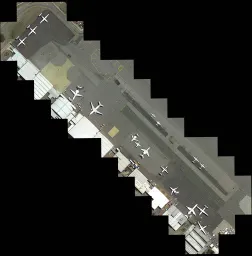
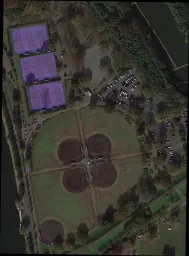
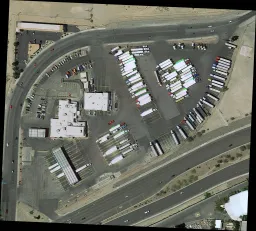
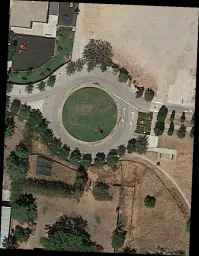
DOTA veri kümesi, havadan çekilmiş görüntülerde nesne algılama için kullanılan büyük ölçekli bir kıyaslama veri kümesidir. Üç sürüm (v1.0, v1.5, v2.0) hâlinde yayımlanmıştır ve çeşitli hava sensörleri ile platformlardan elde edilen, 18 kategoriye yayılan 1,7 milyona kadar Yönlendirilmiş Sınırlayıcı Kutu (OBB) açıklaması içerir.
Yönlendirilmiş açıklamalarını önizlemek, istatistikleri incelemek ve eğitim için klonlamak üzere Ultralytics Platform'da resmî olarak barındırılan DOTA v1.5 ve DOTA v1.0 veri kümelerini keşfet.
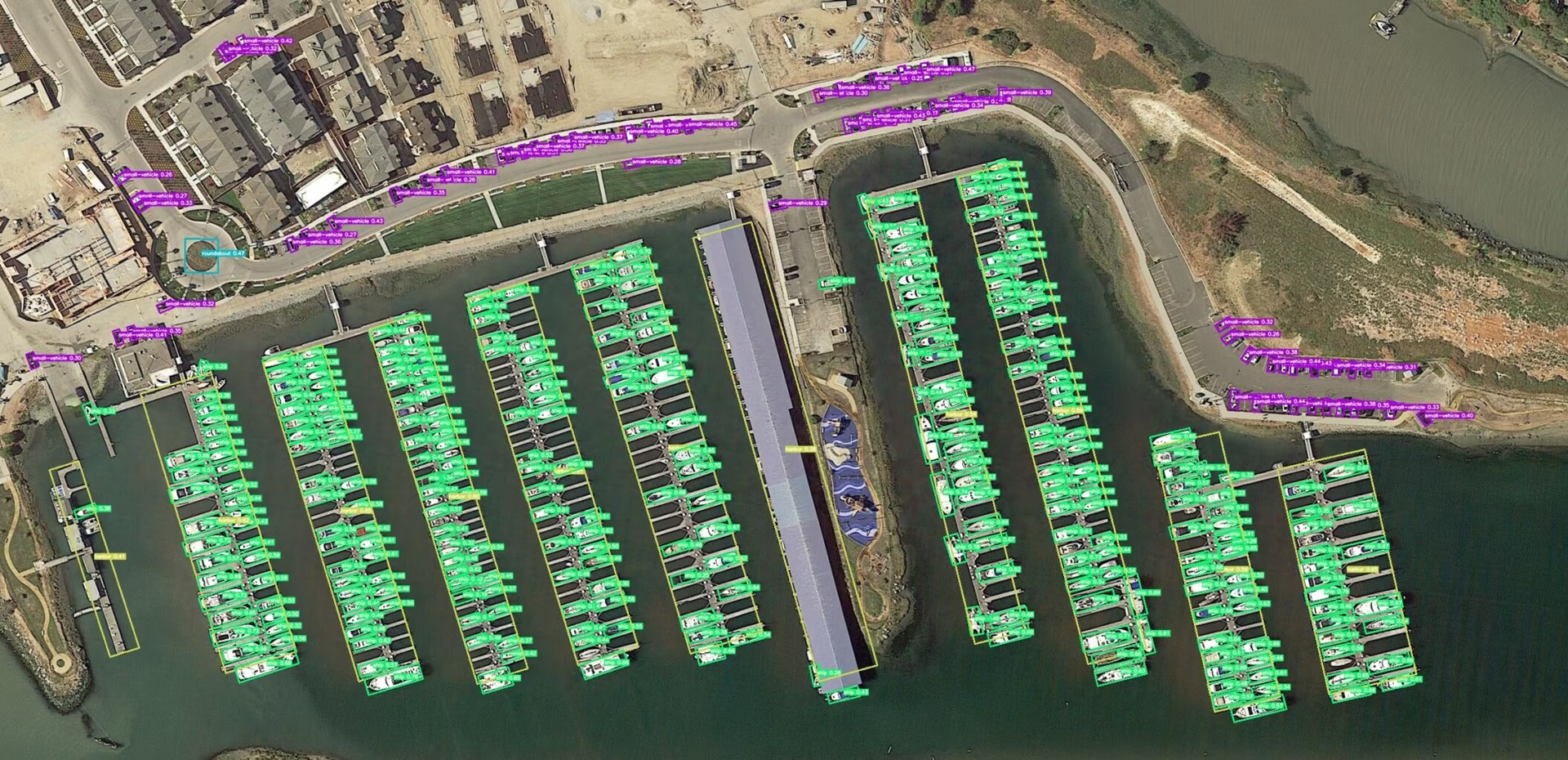
Temel Özellikler#
İzle: Google Colab'de Yönlendirilmiş Sınırlayıcı Kutular İçin Ultralytics YOLO DOTA Veri Kümesinde Nasıl Eğitilir
- 800 × 800 ile 20.000 × 20.000 piksel arasında değişen görüntü boyutlarıyla çeşitli sensörlerden ve platformlardan derlenmiştir.
- 18 kategori genelinde 1,7 milyondan fazla yönlendirilmiş sınırlayıcı kutu içerir.
- Görüntü başına nesne boyutlarının geniş aralığı sayesinde çok ölçekli nesne algılamayı kapsar.
- Örnekler, farklı ölçek, yönelim ve şekillerdeki nesneleri yakalamak için uzmanlar tarafından keyfî dörtgenlerle (8 serbestlik derecesi) etiketlenmiştir.
Veri Kümesi Sürümleri#
DOTA-v1.0#
- 15 yaygın kategori içerir.
- 188.282 örnek içeren 2.806 görüntüden oluşur.
- Bölünme oranları: 1/2 eğitim için (1.411 görüntü), 1/6 doğrulama için (458 görüntü) ve 1/3 test için (937 görüntü).
DOTA-v1.5#
- DOTA-v1.0 ile aynı görüntüleri içerir.
- Çok küçük örnekler (10 pikselden küçük) de etiketlenmiştir.
- Yeni bir kategori eklendi: "konteyner vinci".
- Toplam 403.318 örnek içerir.
- 2019 DOAI Havadan Görüntülerde Nesne Algılama Yarışması için yayımlanmıştır.
DOTA-v2.0#
- Google Earth, GF-2 Satellite ve diğer havadan çekilmiş görüntülerden derlenmiştir.
- 18 yaygın kategori içerir.
- 11.268 görüntü ve 1.793.658 örnekten oluşur.
- Yeni kategoriler eklendi: "havaalanı" ve "helikopter pisti".
- Görüntü bölünmeleri:
- Eğitim: 268.627 örnek içeren 1.830 görüntü.
- Doğrulama: 81.048 örnek içeren 593 görüntü.
- Test-dev: 353.346 örnek içeren 2.792 görüntü.
- Test-challenge: 1.090.637 örnek içeren 6.053 görüntü.
Veri Kümesi Yapısı#
DOTA, OBB nesne algılama görevleri için tasarlanmış yapılandırılmış bir düzene sahiptir:
- Görüntüler: Çeşitli arazi ve yapıları yakalayan, yüksek çözünürlüklü hava görüntülerinden oluşan geniş bir koleksiyon.
- Yönlendirilmiş Sınırlayıcı Kutular: Nesneleri yönelimlerinden bağımsız olarak çevreleyen, döndürülmüş dikdörtgenler biçimindeki açıklamalar; uçak, gemi ve bina gibi nesneleri yakalamak için idealdir.
Uygulamalar#
DOTA, hava görüntüsü analizi için tasarlanmış modellerin eğitimi ve değerlendirilmesinde bir kıyaslama veri kümesi görevi görür. Döndürülmüş sınırlayıcı kutu açıklamaları, nesne algılama modelleri için döndürülmüş ve yoğun biçimde kümelenmiş hava hedeflerinde zorlu bir sınama sunar. Veri kümesi uzaktan algılama, gözetim ve çevresel izleme alanlarında yaygın olarak kullanılır.
Veri Kümesi YAML Dosyası#
Bir veri kümesi YAML dosyası; görüntü/etiket kök dizinlerini, sınıf adlarını ve diğer önemli meta verileri belirtir. Ultralytics, en yaygın kullanılan iki sürüm için resmi YAML dosyalarını sunar:
İndirdiğin sürümle eşleşen YAML dosyasını kullan veya DOTA-v2 ya da başka bir türev üzerinde çalışıyorsan özel bir YAML dosyası oluştur. Her iki sürüm de ilk kez eğitim yaptığında Ultralytics GitHub varlıklarından otomatik olarak indirilir (2 GB).
# Ultralytics 🚀 AGPL-3.0 License - https://ultralytics.com/license

# DOTA 1.0 dataset https://captain-whu.github.io/DOTA/index.html for object detection in aerial images by Wuhan University
# Documentation: https://docs.ultralytics.com/datasets/obb/dota-v2
# Example usage: yolo train model=yolov8n-obb.pt data=DOTAv1.yaml
# parent
# ├── ultralytics
# └── datasets
#     └── DOTAv1 ← downloads here (2 GB)

# Train/val/test sets as 1) dir: path/to/imgs, 2) file: path/to/imgs.txt, or 3) list: [path/to/imgs1, path/to/imgs2, ..]
path: DOTAv1 # dataset root dir
train: images/train # train images (relative to 'path') 1411 images
val: images/val # val images (relative to 'path') 458 images
test: images/test # test images (optional) 937 images

# Classes for DOTA 1.0
names:
  0: plane
  1: ship
  2: storage tank
  3: baseball diamond
  4: tennis court
  5: basketball court
  6: ground track field
  7: harbor
  8: bridge
  9: large vehicle
  10: small vehicle
  11: helicopter
  12: roundabout
  13: soccer ball field
  14: swimming pool

# Download script/URL (optional)
download: https://github.com/ultralytics/assets/releases/download/v0.0.0/DOTAv1.zip
DOTA görüntülerini bölme#
Ham görüntüler genellikle bir kenarda 10.000 pikseli aşar; bu nedenle verileri YOLO'ya vermeden önce parçalara ayırman önerilir. Kaynak görüntüleri, açıklamaları eşzamanlı tutarak birden çok ölçekte, örtüşen 1024 × 1024 kırpımlara ayırmak için aşağıdaki yardımcı kodu kullan.
from ultralytics.data.split_dota import split_test, split_trainval

# Etiketlerle birlikte eğitim ve doğrulama kümelerini böl.
split_trainval(
    data_root="path/to/DOTAv1.0/",
    save_dir="path/to/DOTAv1.0-split/",
    rates=[0.5, 1.0, 1.5],  # multiscale
    gap=500,
)
# Etiketsiz test kümesini böl.
split_test(
    data_root="path/to/DOTAv1.0/",
    save_dir="path/to/DOTAv1.0-split/",
    rates=[0.5, 1.0, 1.5],  # multiscale
    gap=500,
)Çıktı dizinini standart YOLO düzeninde (images/train, labels/train vb.) tut; böylece dizine doğrudan veri kümesi YAML dosyasından başvurabilirsin.
Kullanım#
DOTA v1 veri kümesinde bir YOLO26n-obb modeli eğitmek için aşağıdaki kod parçacıklarını kullan. Kullanılabilir bağımsız değişkenlerin kapsamlı listesi için her zaman modelinin belgelerine başvur. Önce daha küçük bir alt kümeyle deneme yapmak istiyorsan, hızlı testler için yalnızca 8 görüntü içeren ve Ultralytics Platform üzerinden göz atılabilen DOTA8 veri kümesini kullanmayı düşünebilirsin.
DOTAv1 veri kümesindeki tüm görüntüler ve bunlarla ilişkili açıklamalar yalnızca akademik amaçlarla kullanılabilir; ticari kullanım yasaktır. Ultralytics, bu kısıtlamaların önceden eğitilmiş veya ince ayar yapılmış model ağırlıklarından ziyade kaynak veri kümesi için geçerli olduğunu yorumlar. Kullanım amacına uygunluğu değerlendirmek için DOTA koşullarını incele.
from ultralytics import YOLO

# Önceden eğitilmiş bir YOLO26n-OBB modeli yükle
model = YOLO("yolo26n-obb.pt")

# Modeli DOTAv1 veri kümesinde eğit
results = model.train(data="DOTAv1.yaml", epochs=100, imgsz=1024)
Örnek Veriler ve Açıklamalar#
Aşağıdaki örnekte tipik DOTA sahneleri ve açıklamaları gösterilmiştir:
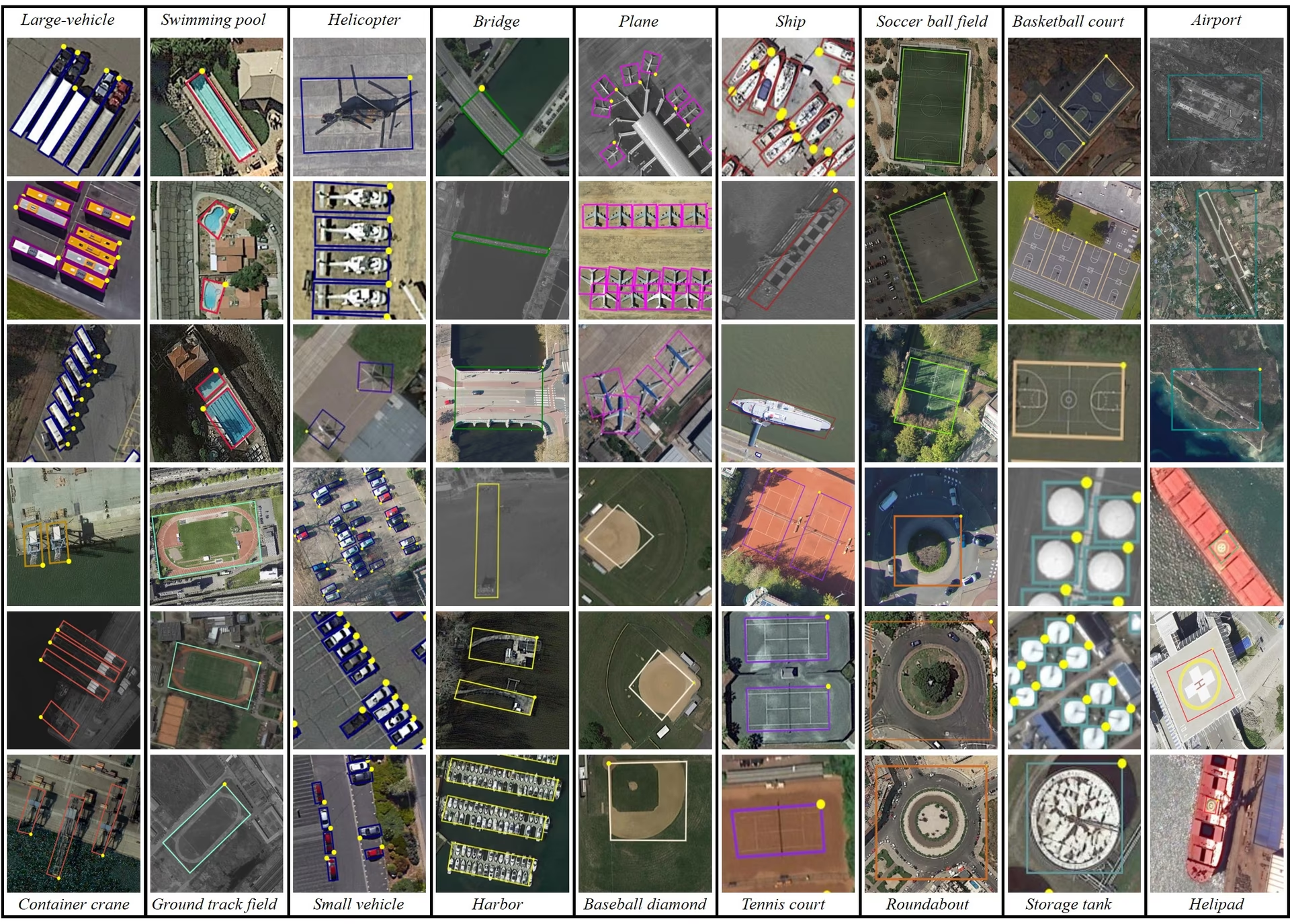
- DOTA örnekleri: Bu görüntü, hava sahnelerinin karmaşıklığını ve nesneleri doğal yönelimlerinde yakalayan yönlendirilmiş Sınırlayıcı Kutu açıklamalarının önemini vurgular.
Bu sahneler, hava görüntülerine özgü algılama zorluklarını vurgular. DOTA-v2.0, kapsamlı açıklamaları ve çeşitli nesne kategorileri sayesinde uzaktan algılama ve hava gözetimi projelerinde yaygın olarak kullanılır.
Atıflar ve Teşekkürler#
Çalışmanda DOTA'yı kullanıyorsan lütfen ilgili araştırma makalelerine atıfta bulun:
@article{9560031,
  author={Ding, Jian and Xue, Nan and Xia, Gui-Song and Bai, Xiang and Yang, Wen and Yang, Michael and Belongie, Serge and Luo, Jiebo and Datcu, Mihai and Pelillo, Marcello and Zhang, Liangpei},
  journal={IEEE Transactions on Pattern Analysis and Machine Intelligence},
  title={Object Detection in Aerial Images: A Large-Scale Benchmark and Challenges},
  year={2022},
  volume={44},
  number={11},
  pages={7778-7796},
  doi={10.1109/TPAMI.2021.3117983}
}
DOTA veri kümelerini derleyen ekibe teşekkür ederiz. Veri kümesiyle ilgili tüm ayrıntılar için resmî DOTA web sitesini ziyaret et.
Sık Sorulan Sorular#
DOTA veri kümesi, hava görüntülerinde nesne algılamaya odaklanan özel bir veri kümesidir. Çeşitli hava sahnelerinden alınan, açıklama eklenmiş görüntülerde Yönlendirilmiş Sınırlayıcı Kutular (OBB) bulunur. DOTA'nın 1,7 milyon açıklama ve 18 kategori genelindeki nesne yönelimi, ölçeği ve şekil çeşitliliği; gözetim, çevresel izleme ve afet yönetiminde kullanılanlar gibi hava görüntülerini analiz etmek üzere tasarlanmış modellerin geliştirilmesi ve değerlendirilmesi için veri kümesini ideal kılar.
DOTA, açıklama eklemek için Oriented Bounding Boxes (OBB) kullanır; bunlar, yönleri ne olursa olsun nesneleri çevreleyen döndürülmüş dikdörtgenlerle temsil edilir. Bu yöntem, küçük veya farklı açılardaki nesnelerin doğru biçimde yakalanmasını sağlar. Veri kümesinin 800 × 800 ile 20.000 × 20.000 piksel arasında değişen çok ölçekli görüntüleri, hem küçük hem de büyük nesnelerin etkili biçimde algılanmasına olanak tanır. Bu yaklaşım, nesnelerin çeşitli açılarda ve ölçeklerde göründüğü hava görüntüleri için özellikle değerlidir.
DOTA veri kümesinde model eğitmek için Ultralytics YOLO ile aşağıdaki örneği kullanabilirsin:
Eğitim Örneğifrom ultralytics import YOLO # Önceden eğitilmiş bir YOLO26n-OBB modeli yükle model = YOLO("yolo26n-obb.pt") # Modeli DOTAv1 veri kümesinde eğit results = model.train(data="DOTAv1.yaml", epochs=100, imgsz=1024)DOTA görüntülerini bölme ve ön işleme hakkında daha fazla bilgi için DOTA görüntülerini bölme bölümüne bak.
- DOTA-v1.0: 2.806 görüntüde 15 yaygın kategoriyi ve 188.282 örneği içerir. Veri kümesi eğitim, doğrulama ve test kümelerine ayrılmıştır.
- DOTA-v1.5: Çok küçük örneklere (10 pikselden küçük) açıklamalar ekleyerek ve "konteyner vinci" adlı yeni bir kategori ekleyerek DOTA-v1.0'ı genişletir; toplam örnek sayısı 403.318'dir.
- DOTA-v2.0: Google Earth ve GF-2 Satellite kaynaklarından alınan açıklamalarla kapsamı daha da genişletir; 11.268 görüntü ve 1.793.658 örnek içerir. "Havaalanı" ve "helikopter pisti" gibi yeni kategoriler de bulunur.
Ayrıntılı bir karşılaştırma ve ek bilgiler için veri kümesi sürümleri bölümüne bak.
Çok büyük olabilen DOTA görüntüleri, eğitim sürecini yönetilebilir kılmak için daha küçük boyutlara bölünür. Görüntüleri bölmek için kullanabileceğin bir Python kodu:
Örnekfrom ultralytics.data.split_dota import split_test, split_trainval # Etiketlerle birlikte eğitim ve doğrulama kümelerini böl. split_trainval( data_root="path/to/DOTAv1.0/", save_dir="path/to/DOTAv1.0-split/", rates=[0.5, 1.0, 1.5], # multiscale gap=500, ) # Etiketsiz test kümesini böl. split_test( data_root="path/to/DOTAv1.0/", save_dir="path/to/DOTAv1.0-split/", rates=[0.5, 1.0, 1.5], # multiscale gap=500, )Bu işlem, eğitim verimliliğini ve model performansını artırır. Ayrıntılı talimatlar için DOTA görüntülerini bölme bölümünü ziyaret et.


Yorumlar17
Bir soru sor, sonuçlarını paylaş veya başka birine yardım et.
XWP-PPP
May I ask how you converted the inference results from YOLOV8 OBB into inference results that can be uploaded to DOTA's Task 1 server? I saved the final inference results of the model in the form of xyxyxy and uploaded them via email. However, the mAP results provided on YOLO's official website differ significantly. I would like to know the reason for this. Can you provide me with a conversion code to convert the test image set into a result that can be uploaded to DOTA's Task 1 server? Thank you very much for your help!
1 Paula DerrengerUltralytics(düzenlendi)
@XWP-PPP hi there!
DOTA's Task 1 server expects a zip of one text file per class (
Task1_plane.txt,Task1_storage-tank.txt, ...), where each line isimgname score x1 y1 x2 y2 x3 y3 x4 y4, with the image name given without extension. OBB results are stored inresult.obb, notresult.boxes. Here is a snippet that builds those files:import shutil from collections import defaultdict from pathlib import Path from ultralytics import YOLO # Load your trained YOLO26-OBB model model = YOLO("path/to/your/yolo26n-obb.pt") # Collect one DOTA Task1 line per detection: imgname score x1 y1 x2 y2 x3 y3 x4 y4 (pixels) category_results = defaultdict(list) for r in model.predict(source="path/to/test/images", stream=True): img_name = Path(r.path).stem for cls, conf, pts in zip(r.obb.cls.int().tolist(), r.obb.conf.tolist(), r.obb.xyxyxyxy.flatten(1).tolist()): coords = " ".join(f"{p:.1f}" for p in pts) category_results[f"Task1_{model.names[cls].replace(' ', '-')}.txt"].append(f"{img_name} {conf:.6f} {coords}\n") # Save one file per category and zip the submission folder output_dir = Path("submission") output_dir.mkdir(exist_ok=True) for category_file, lines in category_results.items(): (output_dir / category_file).write_text("".join(lines)) shutil.make_archive("submission", "zip", output_dir)Upload
submission.zipto the DOTA Task 1 server. If your mAP differs from your local validation, check that image names match the test set and that the coordinates are in pixels of the original (unsplit) images. For more details, see the DOTA Dataset Documentation. Happy coding! 😊
Taufiq-Ahmed-pranto
Hi, I want to use the DOTA dataset only for YOLOv11 Nano. I don't want to use the model with oriented bounding boxes (OBB). What is the procedure?
 Jie Liu
I have download dotav1 form
https://github.com/ultralytics/assets/releases/download/v0.0.0/DOTAv1.zipand use script split dataset.from ultralytics.data.split_dota import split_test, split_trainval # split train and val set, with labels. split_trainval( data_root="/dataset/coco/DOTAv1", save_dir="/dataset/coco/DOTAv1.0-split/", rates=[0.5, 1.0, 1.5], # multiscale gap=500, ) # split test set, without labels. split_test( data_root="/dataset/coco/DOTAv1/", save_dir="/dataset/coco/DOTAv1.0-split/", rates=[0.5, 1.0, 1.5], # multiscale gap=500, )how to reproduce yolov11 obb result, please show me the command like
yolo train model=ultralytics-8.3.13/ultralytics/cfg/models/11/yolo11n-obb.yaml data=DOTAv1/DOTAv1.yaml epochs=500 batch=32*4 imgsz=640 device=4,5,6,7 cache=disk amp=True Glenn JocherUltralytics(düzenlendi)
@keeper-jie for training YOLO26-OBB on DOTAv1 after splitting, use this command with your 4 GPUs:
yolo obb train data=DOTAv1.yaml model=yolo26n-obb.pt epochs=500 imgsz=1024 batch=128 device=4,5,6,7Key parameters from our DOTA documentation:
imgsz=1024(matches dataset's multiscale split)- Use official model name
yolo26n-obb.ptrather than YAML path - Batch size 128 (32*4 GPUs) via
batch=128
Ensure your dataset YAML paths point to the split images directory.
huynhkhoa44
I have labeled data in YOLOv8 object detection format, our label data format is already rotated rectangles to the correct angle of the object, however since it is in YOLOv8 object detection format, the "angle" parameter is missing. I no longer keep the label folder on CVAT so I cannot export to a different label format. Is there a way to add the angle value from the 4 pre-existing <x_center> <y_center> values?
- Glenn JocherUltralytics
To add the angle value from your existing YOLOv8 labels, you'll need to calculate it based on the coordinates. Unfortunately, without the original CVAT labels, this requires manual computation or using a tool that supports angle annotations. For guidance on datasets with oriented bounding boxes, you can refer to the DOTA dataset documentation at https://docs.ultralytics.com/datasets/obb/dota-v2/.
jack-ready
Recently, I've been using YOLOv8 to train the DOTAv1 dataset and encountered some issues. I was wondering if I could seek advice. 1.To train the DOTA dataset, we split the original DOTA images with high-resolution into images with 1024x1024. I noticed that the provided segmentation code provides three sizes, rates=[0.5, 1.0, 1.5]. In order to obtain 1024×1024 images, it seems that we should choose rates=1, but I noticed that some images in the segmentation results of the validation set are smaller than 1024×1024, such as 1024×1023, 824*1024, etc. What is the reason for this?Will it affect the experiment? 2.Another issue arises during the training process. I noticed that the training process conducts validation after each epoch. I attempted to disable validation by setting val=False, but it seems to have no effect. What could be the reason for this? The training code snippet is as follows: results = model.train(data="DOTAv1.yaml", epochs=100, imgsz=640, batch=10, workers=0, val=False). Additionally, during validation, it seems that the images are not being resized to 640. Printing the results in the code yields torch.Size([10, 3, 672, 672]), whereas during the training process, images are correctly resized to 640. Could someone help me understand this?
- Glenn JocherUltralytics(düzenlendi)
@jack-ready hi there!
Thank you for reaching out with your questions regarding training the DOTA dataset with YOLOv8. Let's address each of your concerns:
-
Image Splitting and Sizes: When splitting high-resolution DOTA images into 1024x1024 segments using
rates=[0.5, 1.0, 1.5], you might notice some resulting images are slightly smaller than 1024x1024 (e.g., 1024x1023 or 824x1024). This occurs due to the way the splitting algorithm handles the edges of the original images. If the original image dimensions are not perfectly divisible by 1024, the last segment in each row or column might be smaller. This should not significantly affect your experiment as long as the majority of your data maintains the expected size. However, you can ensure consistency by padding these smaller images to 1024x1024 if necessary. -
Disabling Validation: The
val=Falseargument should indeed disable validation during training. If it doesn't seem to work, please ensure you are using the latest version of the Ultralytics package. You can update it using:pip install --upgrade ultralyticsIf the issue persists, providing a minimum reproducible example would be very helpful for us to diagnose the problem. You can find guidance on creating one here: Minimum Reproducible Example.
-
Image Resizing During Validation: The discrepancy in image sizes during validation (e.g.,
torch.Size([10, 3, 672, 672])instead of 640) might be due to the model's internal resizing logic. Ensure that theimgszparameter is correctly set for both training and validation. Validation uses the sameimgszas training, so set it explicitly in your training script:results = model.train(data="DOTAv1.yaml", epochs=100, imgsz=640, batch=10, workers=0, val=True)
I hope this helps! If you have any further questions or need additional assistance, feel free to ask. Happy training! 🚀
-
Thank you very much for your help. I have another question regarding the YOLOV8 training on the DOTA v1.0 dataset. I would like to know how to set the training parameters, such as learning rate, optimizer, and loss function. When I try to reproduce the results, my mAP50 is about 74%, but it does not reach 78%. I would greatly appreciate any assistance you can provide.Below is my training code. from ultralytics import YOLO model = YOLO("yolov8n-obb.yaml") model.load("yolov8n-obb.pt") model = YOLO("yolov8n-obb.yaml").load("yolov8n.pt") results = model.train(data="DOTAv1.yaml", epochs=100, imgsz=640, batch=48, workers=0,project="runs/DOTAV1.0",val=True,resume=True)
- Glenn JocherUltralytics(düzenlendi)
Hi there! Glad to help with your training setup. To fine-tune your training parameters for better mAP50 results, you can adjust the learning rate, optimizer, and loss function. For instance, you might try a lower learning rate or switch to a different optimizer like Adam. Here's a quick example:
from ultralytics import YOLO

model = YOLO("yolo26n-obb.yaml").load("yolo26n-obb.pt")
results = model.train(
    data="DOTAv1.yaml",
    epochs=100,
    imgsz=640,
    batch=48,
    workers=0,
    project="runs/DOTAV1.0",
    val=True,
    lr0=0.001,  # Adjust learning rate
    optimizer='Adam'  # Change optimizer
)
Ensure you're using the latest version of the Ultralytics package to avoid any bugs. If you still face issues, feel free to share more details. Happy training! 🚀
Tintin26100
How can I find the number of instances per class in DOTA v1.5 ? I've been searching for this information for a moment and I can't find any answers
- Paula DerrengerUltralytics
@Tintin26100 hello!
The number of instances per class in DOTA v1.5 isn't directly listed in the dataset's summary. However, you can obtain this information by analyzing the annotation files provided with the dataset. Each object instance in these files is labeled with a class, and you can count the number of times each class appears.
If you need further guidance on how to process these annotation files or any other assistance with the DOTA dataset, feel free to ask!
Happy coding! 😊
Hi, thanks for your quick answer, I will gladly accept your help because I don't really know what to do to extract those informations, where do you find the annotation files ? Is it on the github ? If it is what's it's path ? Thanks for the time you spend helping
- Paula DerrengerUltralytics
@Tintin26100 hello!
The annotation files for the DOTA dataset are typically included within the dataset download itself. These files contain the details for each instance, including class labels and oriented bounding box coordinates.
For the DOTA v1.5 dataset, you can find these files in the dataset directory after you download it from the official DOTA dataset page or the provided download link in the dataset's YAML configuration file. The path to the annotations will usually be structured under the
labelsorannotationsdirectory within the main dataset folder.If you've already downloaded the dataset, you should look for
.txtor.jsonfiles corresponding to each image in the dataset, which contain the annotations. If you need further assistance navigating these files or extracting specific data, feel free to ask!Thank you for reaching out, and happy analyzing! 😊
hencai
how to test DOTA datatests online using YOLOv8-obb? somebody help me ?
- Glenn JocherUltralytics(düzenlendi)
Hey there! 😊 Testing the DOTA dataset online using YOLO26-obb is quite straightforward. If you've already prepared your dataset according to the Ultralytics guidelines and split the images, here's a simple example to get you started with training:
# Train a YOLO26n-OBB model on the DOTA v1 dataset
yolo obb train data=DOTAv1.yaml model=yolo26n-obb.pt epochs=100 imgsz=640
This command uses DOTA v1 and the corresponding
.yamlfile (DOTAv1.yaml) describing your dataset paths and classes. Adjustepochsandimgszbased on your needs.Just make sure to check out the DOTA dataset page on Ultralytics docs for more info on dataset preparation and additional configurations! Happy detecting! 🚀