Bộ dữ liệu COCO8-Grayscale
Giới thiệu#
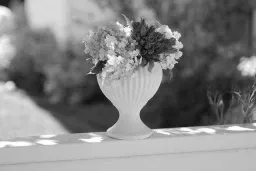
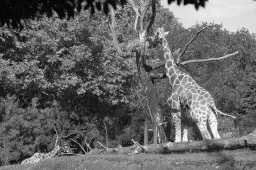
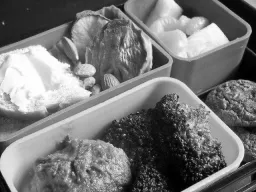
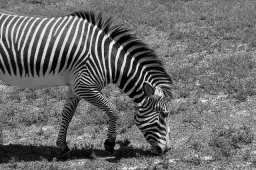
Bộ dữ liệu COCO8-Grayscale của Ultralytics là bộ dữ liệu phát hiện đối tượng nhỏ gọn, gồm 8 hình ảnh đầu tiên từ tập COCO train 2017 được chuyển sang định dạng ảnh xám — 4 hình ảnh huấn luyện và 4 hình ảnh đánh giá. Bộ dữ liệu này được thiết kế riêng để kiểm thử, gỡ lỗi và thử nghiệm nhanh các model YOLO ảnh xám cùng pipeline huấn luyện. Quy mô nhỏ giúp quản lý dễ dàng, trong khi tính đa dạng khiến bộ dữ liệu trở thành phép kiểm tra nhanh hiệu quả trước khi mở rộng lên các bộ dữ liệu lớn hơn.
Xem: Cách huấn luyện Ultralytics YOLO trên dataset ảnh xám và đa phổ | VisionAI đa kênh 🚀
Cấu trúc dataset#
COCO8-Grayscale có cấu trúc tương tự COCO8 — gồm 8 hình ảnh đầu tiên từ tập COCO train 2017, chia thành 4 hình ảnh dùng để huấn luyện và 4 hình ảnh để xác thực, được gán nhãn bằng 80 tên lớp COCO — nhưng mỗi hình ảnh được lưu dưới dạng ảnh grayscale một kênh (channels: 1) theo định dạng nhãn YOLO:
coco8-grayscale/
├── images/
│   ├── train/   # 4 images
│   └── val/     # 4 images
└── labels/
    ├── train/
    └── val/
Khám phá COCO8-Grayscale trên Ultralytics Platform để duyệt từng hình ảnh cùng lớp phủ chú thích, xem phân bố lớp và heatmap bounding box trong tab Charts, rồi sao chép bộ dữ liệu để huấn luyện model của riêng bạn trên cloud.
YAML của dataset#
Cấu hình bộ dữ liệu COCO8-Grayscale được xác định trong tệp YAML, trong đó chỉ định đường dẫn bộ dữ liệu, tên lớp và metadata thiết yếu khác. Bạn có thể xem tệp coco8-grayscale.yaml chính thức trong kho GitHub của Ultralytics.
Để huấn luyện trên hình ảnh RGB ở chế độ ảnh xám, hãy thêm channels: 1 vào tệp YAML của bộ dữ liệu. Thao tác này chuyển tất cả hình ảnh sang ảnh xám trong quá trình huấn luyện, vì vậy bạn không cần một bộ dữ liệu ảnh xám riêng.
# Ultralytics 🚀 AGPL-3.0 License - https://ultralytics.com/license

# COCO8-Grayscale dataset (first 8 images from COCO train2017) by Ultralytics
# Documentation: https://docs.ultralytics.com/datasets/detect/coco8-grayscale
# Example usage: yolo train data=coco8-grayscale.yaml
# parent
# ├── ultralytics
# └── datasets
#     └── coco8-grayscale ← downloads here (1 MB)

# Train/val/test sets as 1) dir: path/to/imgs, 2) file: path/to/imgs.txt, or 3) list: [path/to/imgs1, path/to/imgs2, ..]
path: coco8-grayscale # dataset root dir
train: images/train # train images (relative to 'path') 4 images
val: images/val # val images (relative to 'path') 4 images
test: # test images (optional)

channels: 1

# Classes
names:
  0: person
  1: bicycle
  2: car
  3: motorcycle
  4: airplane
  5: bus
  6: train
  7: truck
  8: boat
  9: traffic light
  10: fire hydrant
  11: stop sign
  12: parking meter
  13: bench
  14: bird
  15: cat
  16: dog
  17: horse
  18: sheep
  19: cow
  20: elephant
  21: bear
  22: zebra
  23: giraffe
  24: backpack
  25: umbrella
  26: handbag
  27: tie
  28: suitcase
  29: frisbee
  30: skis
  31: snowboard
  32: sports ball
  33: kite
  34: baseball bat
  35: baseball glove
  36: skateboard
  37: surfboard
  38: tennis racket
  39: bottle
  40: wine glass
  41: cup
  42: fork
  43: knife
  44: spoon
  45: bowl
  46: banana
  47: apple
  48: sandwich
  49: orange
  50: broccoli
  51: carrot
  52: hot dog
  53: pizza
  54: donut
  55: cake
  56: chair
  57: couch
  58: potted plant
  59: bed
  60: dining table
  61: toilet
  62: tv
  63: laptop
  64: mouse
  65: remote
  66: keyboard
  67: cell phone
  68: microwave
  69: oven
  70: toaster
  71: sink
  72: refrigerator
  73: book
  74: clock
  75: vase
  76: scissors
  77: teddy bear
  78: hair drier
  79: toothbrush

# Download script/URL (optional)
download: https://github.com/ultralytics/assets/releases/download/v0.0.0/coco8-grayscale.zip
Cách sử dụng#
Dataset COCO8-Grayscale (1 MB) sẽ tự động tải xuống khi bạn bắt đầu huấn luyện lần đầu. Để huấn luyện model YOLO26n trên COCO8-Grayscale trong 100 epoch với kích thước ảnh 640, hãy dùng các ví dụ sau.
from ultralytics import YOLO

# Tải model YOLO26n đã được huấn luyện trước
model = YOLO("yolo26n.pt")

# Huấn luyện model trên COCO8-Grayscale
results = model.train(data="coco8-grayscale.yaml", epochs=100, imgsz=640)
Hình ảnh mẫu và annotation#
Dưới đây là ví dụ về batch huấn luyện mosaic từ bộ dữ liệu COCO8-Grayscale:
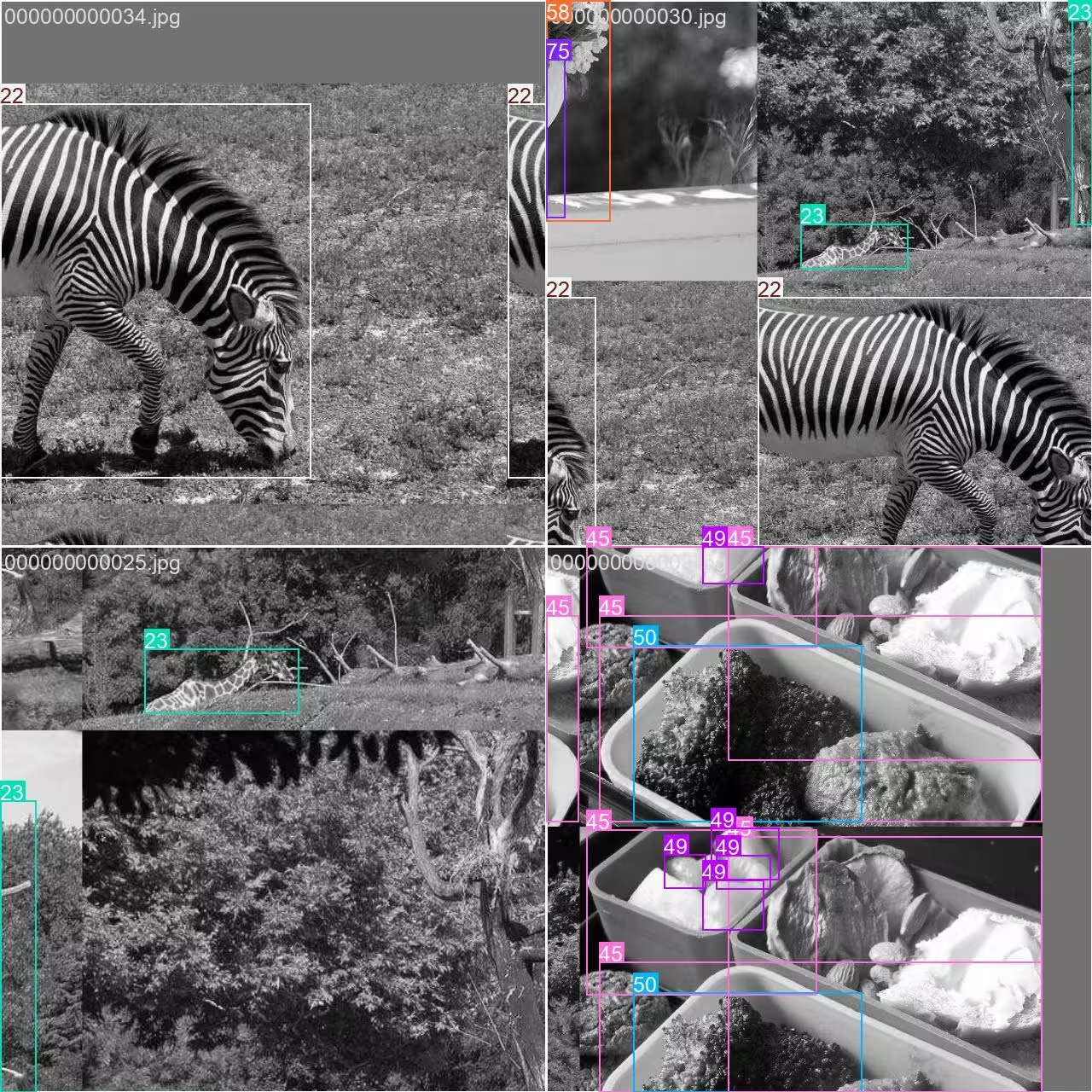
- Hình ảnh ghép mosaic: Hình ảnh này minh họa một batch huấn luyện, trong đó nhiều hình ảnh trong bộ dữ liệu được kết hợp bằng tăng cường mosaic. Tăng cường mosaic làm tăng độ đa dạng của đối tượng và cảnh trong mỗi batch, giúp model tổng quát hóa tốt hơn với nhiều kích thước đối tượng, tỷ lệ khung hình và nền khác nhau.
Kỹ thuật này đặc biệt hữu ích với các bộ dữ liệu nhỏ như COCO8-Grayscale, vì tối đa hóa giá trị của mỗi hình ảnh trong quá trình huấn luyện.
Trích dẫn và lời cảm ơn#
Nếu sử dụng bộ dữ liệu COCO trong nghiên cứu hoặc phát triển, vui lòng trích dẫn bài báo sau:
@misc{lin2015microsoft,
      title={Microsoft COCO: Common Objects in Context},
      author={Tsung-Yi Lin and Michael Maire and Serge Belongie and Lubomir Bourdev and Ross Girshick and James Hays and Pietro Perona and Deva Ramanan and C. Lawrence Zitnick and Piotr Dollár},
      year={2015},
      eprint={1405.0312},
      archivePrefix={arXiv},
      primaryClass={cs.CV}
}
Xin gửi lời cảm ơn đặc biệt đến COCO Consortium vì những đóng góp liên tục cho cộng đồng thị giác máy tính.
Câu hỏi thường gặp#
Dataset COCO8-Grayscale của Ultralytics được thiết kế để kiểm thử và gỡ lỗi nhanh các model phát hiện đối tượng. Với chỉ 8 ảnh (4 ảnh huấn luyện, 4 ảnh validation), dataset này lý tưởng để xác minh pipeline huấn luyện YOLO và đảm bảo mọi thứ hoạt động như mong đợi trước khi mở rộng sang các dataset lớn hơn.
Bạn có thể huấn luyện model YOLO26 trên COCO8-Grayscale bằng Python hoặc CLI:
Ví dụ huấn luyệnfrom ultralytics import YOLO # Tải model YOLO26n đã được huấn luyện trước model = YOLO("yolo26n.pt") # Huấn luyện model trên COCO8-Grayscale results = model.train(data="coco8-grayscale.yaml", epochs=100, imgsz=640)Để biết thêm các tùy chọn huấn luyện, hãy tham khảo tài liệu Huấn luyện YOLO.
Tăng cường Mosaic, được sử dụng trong huấn luyện COCO8-Grayscale, kết hợp nhiều ảnh thành một ảnh trong mỗi batch. Cách này làm tăng tính đa dạng của đối tượng và bối cảnh, giúp model YOLO khái quát hóa tốt hơn với các tình huống mới. Tăng cường Mosaic đặc biệt hữu ích với dataset nhỏ vì tối đa hóa lượng thông tin có sẵn trong mỗi bước huấn luyện.
Để xác thực model YOLO26 sau khi huấn luyện trên COCO8-Grayscale, hãy dùng các lệnh xác thực của model trong Python hoặc CLI. Thao tác này đánh giá hiệu năng model bằng các metric tiêu chuẩn. Để xem hướng dẫn từng bước, hãy truy cập tài liệu Xác thực YOLO.


Bình luận7
Đặt câu hỏi, chia sẻ kết quả hoặc giúp đỡ người khác.
arfan1181
Finally
1shkim-lp
Dear Ultralytics, Hello. I am a learner and a user of Ultralytics-YOLO Software. I am writing this post to ask questions about tracking Livestream color videos in grayscale.
At the moment, I am using Ultralytics for Classification/Segmentation/Tracking of my Livestream video. My livestream video contains 4 different types of connectors, which are moved by robots.
I have used the software well so far to classify/segment/track the 4 connectors in Livestream color video I tracked the Livestream video with
results = model.track(source="0", show=Trune, save=True), which displayed live results with "0" window. I was happy with the result.Now, I want to test the performance for a real scenario, where the Livestream camera will aceept only B/W images (The equipment has not been installed yet and I am trying to emulate future situation). I learned how to train models in B/W images with simple addition of channels = 1 . However, I still don't know how to track a Livestream video (where images are imported in color) in B/W scales and output them in B/W in "0" window.
Would there be an easy method to invoke results = model.track(source="0", show=Ture, save=True) , but classify/segment/track in B/W scale and output them in B/W as well?Thank you for your assistance!
 Glenn JocherUltralytics
There’s no built-in switch in
model.track(source=0, ...)to force grayscale preprocessing for a webcam stream, so the simplest way to emulate a B/W camera is to read frames with OpenCV, convert to grayscale, then replicate back to 3 channels (GRAY2BGR) so it works with any YOLO model, and display/save the result (training-side grayscale is covered on the COCO8-Grayscale dataset page).import cv2 from ultralytics import YOLO model = YOLO("best.pt") # your det/seg model cap = cv2.VideoCapture(0) while True: ok, frame = cap.read() if not ok: break gray = cv2.cvtColor(frame, cv2.COLOR_BGR2GRAY) frame_bw3 = cv2.cvtColor(gray, cv2.COLOR_GRAY2BGR) # BW content, kept 3-channel results = model.track(source=frame_bw3, persist=True, verbose=False) annotated = results[0].plot() # BGR annotated_gray = cv2.cvtColor(annotated, cv2.COLOR_BGR2GRAY) cv2.imshow("0", annotated_gray) if cv2.waitKey(1) == 27: # ESC to quit break cap.release() cv2.destroyAllWindows()1Thank you for such a prompt and precise answer!
- Glenn JocherUltralytics
Glad it helped—if you end up training a
channels: 1model you can usually skipGRAY2BGRand feed the grayscale frame directly as(H, W)or(H, W, 1)(the loader will expand 2D grayscale to 1 channel), and feel free to drop any follow-up questions here so the Ultralytics team sees them (see the COCO8-Grayscale dataset docs).
zjjzeng
Hello, I did not notice this page before, so I trained my model on default rgb 3 channels and then predicted. Actually, all my native dataset images are gray images, I used a numpy operation to manually transfer it before training. I wonder that if I change channels to 1, will I be able to gain any improvements on my model. And do I need to modify both data.yaml and my customized yolo11n.yaml, right?
- Glenn JocherUltralytics
Great question—set channels: 1 in your dataset YAML and train; you don’t need to modify your custom yolo11n.yaml as the model’s first layer adapts automatically; if you previously replicated grayscale to 3 channels, accuracy differences are usually small while 1-channel can save memory, so a quick A/B run is the best way to confirm; for more on multi-channel handling, see the COCO8-Multispectral dataset page.