COCO12-Formats 数据集#


简介#
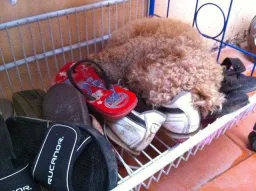
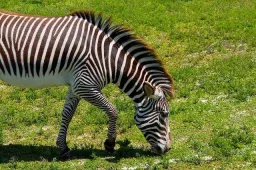
Ultralytics COCO12-Formats 数据集是一种专用测试数据集,旨在验证图像能否通过 12 种受支持的图像格式扩展名加载。该数据集包含 12 张图像(6 张用于训练,6 张用于验证),每张图像都以不同格式保存,以全面测试图像加载流水线。
该数据集对以下工作非常有用:
- 测试图像格式支持:验证常见图像格式能否正确加载
- CI/CD 流水线:自动测试格式兼容性
- 调试:定位训练流水线中特定格式的问题
- 开发:验证新增或更改的格式
在 Ultralytics Platform 上管理数据集时,这些格式的图像都会自动处理,无需手动转换。
支持的格式#
该数据集包含 IMG_FORMATS 中 13 种图像格式扩展名里的 12 种,每种格式各有一张图像(定义见 ultralytics/data/utils.py);同时也支持 .heif,但没有对应的示例图像:
| 格式 | 扩展名 | 说明 | 训练/验证 |
|---|---|---|---|
| AVIF | .avif | AV1 图像文件格式(现代) | 训练 |
| BMP | .bmp | 位图 - 未压缩的光栅格式 | 训练 |
| DNG | .dng | 数字负片 - Adobe RAW 格式 | 训练 |
| HEIC | .heic | 高效图像编码 | 训练 |
| JPEG | .jpeg | 完整扩展名的 JPEG | 训练 |
| JPG | .jpg | 短扩展名的 JPEG | 训练 |
| JP2 | .jp2 | JPEG 2000 - 医学/地理空间 | 验证 |
| MPO | .mpo | 多图对象(立体图像) | 验证 |
| PNG | .png | 可移植网络图形 | 验证 |
| TIF | .tif | 短扩展名的 TIFF | 验证 |
| TIFF | .tiff | 标记图像文件格式 | 验证 |
| WebP | .webp | 现代 Web 图像格式 | 验证 |
数据集结构#
coco12-formats/
├── images/
│   ├── train/          # 6 images (avif, bmp, dng, heic, jpeg, jpg)
│   └── val/            # 6 images (jp2, mpo, png, tif, tiff, webp)
├── labels/
│   ├── train/          # Corresponding YOLO format labels
│   └── val/
└── coco12-formats.yaml # Dataset configuration
数据集 YAML#
COCO12-Formats 数据集通过 YAML 文件配置,该文件定义数据集路径和类别名称。你可以在 Ultralytics GitHub 仓库中查看官方 coco12-formats.yaml 文件。
# Ultralytics 🚀 AGPL-3.0 License - https://ultralytics.com/license

# COCO12-Formats dataset (12 images testing all supported image formats) by Ultralytics
# Documentation: https://docs.ultralytics.com/datasets/detect/coco12-formats
# Example usage: yolo train data=coco12-formats.yaml
# parent
# ├── ultralytics
# └── datasets
#     └── coco12-formats ← downloads here (1 MB)

# Train/val/test sets as 1) dir: path/to/imgs, 2) file: path/to/imgs.txt, or 3) list: [path/to/imgs1, path/to/imgs2, ..]
path: coco12-formats # dataset root dir
train: images/train # train images (relative to 'path') 6 images
val: images/val # val images (relative to 'path') 6 images
test: # test images (optional)

# Classes
names:
  0: person
  1: bicycle
  2: car
  3: motorcycle
  4: airplane
  5: bus
  6: train
  7: truck
  8: boat
  9: traffic light
  10: fire hydrant
  11: stop sign
  12: parking meter
  13: bench
  14: bird
  15: cat
  16: dog
  17: horse
  18: sheep
  19: cow
  20: elephant
  21: bear
  22: zebra
  23: giraffe
  24: backpack
  25: umbrella
  26: handbag
  27: tie
  28: suitcase
  29: frisbee
  30: skis
  31: snowboard
  32: sports ball
  33: kite
  34: baseball bat
  35: baseball glove
  36: skateboard
  37: surfboard
  38: tennis racket
  39: bottle
  40: wine glass
  41: cup
  42: fork
  43: knife
  44: spoon
  45: bowl
  46: banana
  47: apple
  48: sandwich
  49: orange
  50: broccoli
  51: carrot
  52: hot dog
  53: pizza
  54: donut
  55: cake
  56: chair
  57: couch
  58: potted plant
  59: bed
  60: dining table
  61: toilet
  62: tv
  63: laptop
  64: mouse
  65: remote
  66: keyboard
  67: cell phone
  68: microwave
  69: oven
  70: toaster
  71: sink
  72: refrigerator
  73: book
  74: clock
  75: vase
  76: scissors
  77: teddy bear
  78: hair drier
  79: toothbrush

# Download script/URL (optional)
download: https://github.com/ultralytics/assets/releases/download/v0.0.0/coco12-formats.zip要求#
无需手动设置。OpenCV 可以直接读取大多数格式;对于 AVIF、HEIC 和 HEIF,Ultralytics 会回退到 Pillow。Pillow 11.3 或更高版本可原生解码 AVIF,因此如果 AVIF 文件无法加载,请升级 Pillow;首次使用时,系统会自动安装用于解码 HEIC/HEIF 的轻量级 pi-heif 包。
用法#
COCO12-Formats 数据集(1 MB)会在你首次开始训练时自动下载。要在 COCO12-Formats 数据集上训练 YOLO 模型,请使用以下示例:
from ultralytics import YOLO

# 加载预训练的 YOLO 模型
model = YOLO("yolo26n.pt")

# 在 COCO12-Formats 上训练,以测试 12 种受支持的图像格式
results = model.train(data="coco12-formats.yaml", epochs=1, imgsz=640)特定格式说明#
AVIF(AV1 图像文件格式)#
AVIF 是一种基于 AV1 视频编解码器的现代图像格式,压缩效果出色。当 OpenCV 不支持 AVIF 时,Ultralytics 会通过 Pillow 11.3 或更高版本解码 AVIF,无需安装额外软件包。
DNG(数字负片)#
DNG 是一种基于 TIFF 的 Adobe 开放 RAW 格式。为便于测试,该数据集使用带有 .dng 扩展名的 TIFF 文件。
JP2(JPEG 2000)#
JPEG 2000 是一种基于小波的图像压缩标准,相较于传统 JPEG 可提供更高的压缩率和更好的画质。它常用于医学成像(DICOM)、地理空间应用和数字电影。OpenCV 和 Pillow 均原生支持该格式。
MPO(多图对象)#
MPO 文件用于立体(3D)图像。该数据集使用带有 .mpo 扩展名的标准 JPEG 数据来测试格式。
HEIC / HEIF(高效图像文件格式)#
.heic 和 .heif 扩展名都指向同一个 ISO/IEC 23008-12 容器。按照惯例,.heic 表示采用 HEVC 编码的 HEIF 文件(Apple 设备生成的变体),而 .heif 是范围更广的通用扩展名。
Ultralytics 通过 ultralytics/utils/patches.py 中的 OpenCV → Pillow 回退机制解码这两种格式;首次使用时会自动安装 pi-heif(轻量级、仅用于解码),读取文件无需手动设置。若要自行生成 HEIC/HEIF 文件(例如重新编码示例图像),请安装包含编码器的完整 pillow-heif 包:
pip install pillow-heif使用场景#
CI/CD 测试#
from ultralytics import YOLO

def test_image_formats():
    """Test that 12 supported image formats load correctly."""
    model = YOLO("yolo26n.pt")
    results = model.train(data="coco12-formats.yaml", epochs=1, imgsz=64)
assert results is not None格式验证#
from pathlib import Path

from ultralytics.data.utils import IMG_FORMATS

# Verify all dataset formats are supported
dataset_dir = Path("datasets/coco12-formats/images")
found_formats = {f.suffix[1:].lower() for f in dataset_dir.rglob("*.*")}
assert found_formats <= IMG_FORMATS, f"Unsupported formats: {found_formats - IMG_FORMATS}"引用与致谢#
如果你在研究中使用 COCO 数据集,请引用:
@misc{lin2015microsoft,
      title={Microsoft COCO: Common Objects in Context},
      author={Tsung-Yi Lin and Michael Maire and Serge Belongie and Lubomir Bourdev and Ross Girshick and James Hays and Pietro Perona and Deva Ramanan and C. Lawrence Zitnick and Piotr Doll{\'a}r},
      year={2015},
      eprint={1405.0312},
      archivePrefix={arXiv},
      primaryClass={cs.CV}
}常见问题#
COCO12-Formats 数据集专为测试 Ultralytics YOLO 训练流水线中的图像格式兼容性而设计。它可确保 12 种受支持的图像格式(AVIF、BMP、DNG、HEIC、JP2、JPEG、JPG、MPO、PNG、TIF、TIFF、WebP)能够正确加载和处理。
不同图像格式各有特点(压缩方式、位深度、色彩空间)。测试所有格式可确保:
- 图像加载代码稳健可靠
- 兼容各种不同的数据集
- 及早发现特定格式的错误
无需手动安装任何依赖项。Pillow 11.3 或更高版本可原生解码 AVIF;首次使用时,系统会自动安装用于解码 HEIC/HEIF 的
pi-heif。只有在需要自行写入 HEIC/HEIF 文件时,才需安装完整的pillow-heif包。