模型 YAML 配置指南#
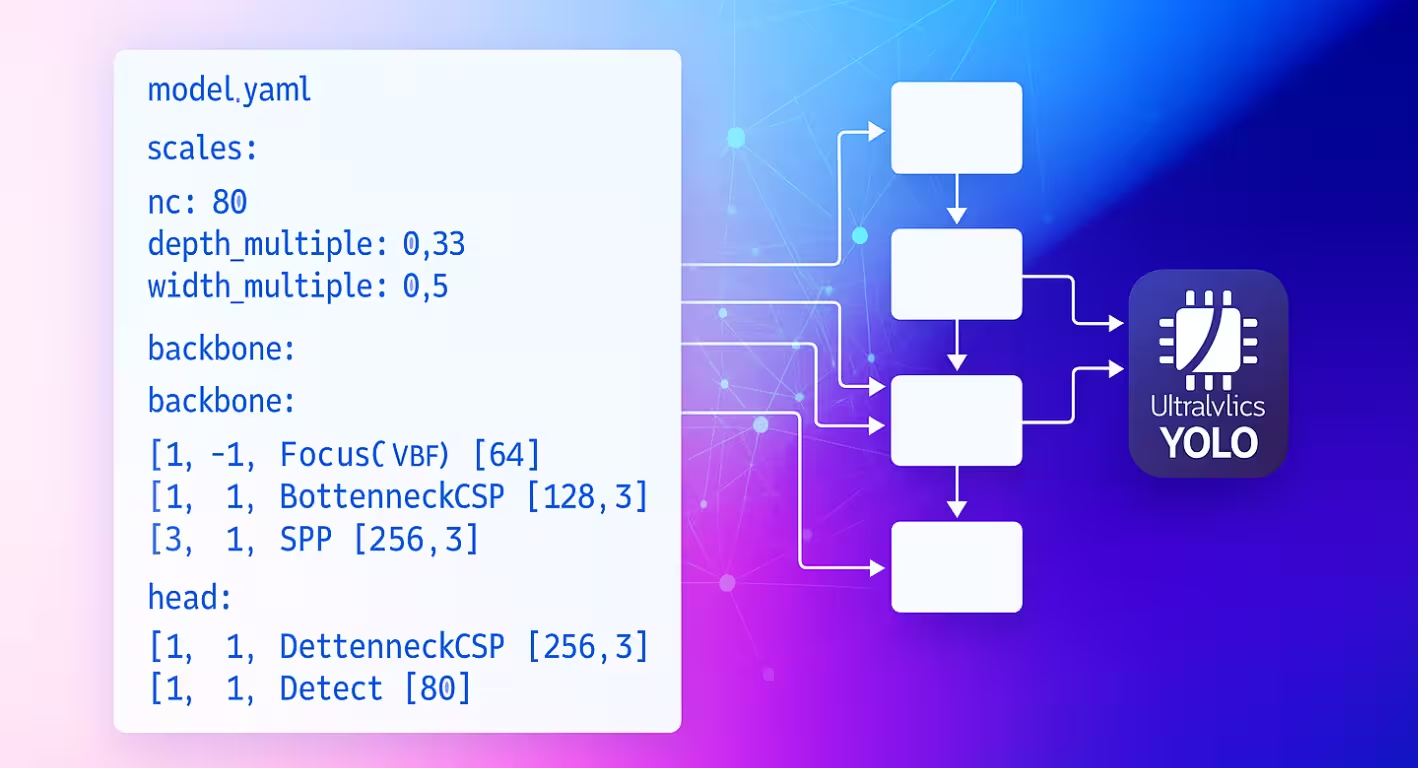
模型 YAML 配置文件是 Ultralytics 神经网络的架构蓝图。它定义了各层如何连接、每个模块使用哪些参数,以及整个网络如何适配不同的模型规模。
配置结构#
模型 YAML 文件分为三个主要部分,协同定义模型架构。
参数部分#
parameters 部分用于指定模型的全局特性和缩放行为:
# Parameters
nc: 80 # number of classes
scales: # compound scaling constants [depth, width, max_channels]
    n: [0.50, 0.25, 1024] # nano: shallow layers, narrow channels
    s: [0.50, 0.50, 1024] # small: shallow depth, standard width
    m: [0.50, 1.00, 512] # medium: moderate depth, full width
    l: [1.00, 1.00, 512] # large: full depth and width
    x: [1.00, 1.50, 512] # extra-large: maximum performance
kpt_shape: [17, 3] # pose models onlync设置模型预测的类别数。scales定义复合缩放因子,用于调整模型深度、宽度和最大通道数,从而生成不同尺寸的变体(从 nano 到 extra-large)。kpt_shape适用于姿态模型。对于(x, y)个关键点,可以设为[N, 2];对于(x, y, visibility),可以设为[N, 3]。
scales 参数允许你从单个基础 YAML 生成多个模型尺寸。例如,加载 yolo26n.yaml 时,Ultralytics 会读取基础 yolo26.yaml,并应用 n 缩放因子(depth=0.50、width=0.25)来构建 nano 变体。
如果你的数据集指定了不同的 nc 或 kpt_shape,Ultralytics 会在运行时自动覆盖模型配置,使其与数据集 YAML 匹配。
骨干网络和检测头架构#
模型架构由骨干网络(用于特征提取)和检测头(针对特定任务)两部分组成:
nc: 80

backbone:
    # [from, repeats, module, args]
    - [-1, 1, Conv, [64, 3, 2]] # 0: Initial convolution
    - [-1, 1, Conv, [128, 3, 2]] # 1: Downsample
    - [-1, 3, C2f, [128, True]] # 2: Feature processing

head:
    - [-1, 1, nn.Upsample, [None, 2, nearest]] # 3: Upsample
    - [[-1, 0], 1, Concat, [1]] # 4: Spatially compatible skip connection
    - [-1, 3, C2f, [256]] # 5: Process features
    - [[5], 1, Detect, [nc]] # 6: Detection layer
骨干网络和检测头中的层索引会连续编号,拼接的特征图必须具有相同的空间维度。
层规格格式#
每一层都遵循统一格式:[from, repeats, module, args]
| 组件 | 用途 | 示例 |
|---|---|---|
| from | 输入连接 | -1(前一层)、6(第 6 层)、[4, 6, 8](多输入) |
| repeats | 重复次数 | 1(单次)、3(重复 3 次) |
| module | 模块类型 | Conv, C2f, TorchVision, Detect |
| args | 模块参数 | [64, 3, 2](通道数、卷积核、步幅) |
连接模式#
from 字段可在整个网络中创建灵活的数据流模式:
- [-1, 1, Conv, [64, 3, 2]] # Takes input from previous layer层索引从 0 开始。负索引引用前面的层(-1 = 前一层),正索引则根据层的位置引用特定层。
模块重复#
repeats 参数可创建更深的网络部分:
- [-1, 3, C2f, [128, True]] # Creates 3 consecutive C2f blocks
- [-1, 1, Conv, [64, 3, 2]] # Single convolution layer
实际重复次数会乘以模型尺寸配置中的深度缩放因子。
可用模块#
模块按功能分类,并定义在 Ultralytics 模块目录中。下表按类别列出了常用模块;源代码中还有更多可用模块:
基本操作#
| 模块 | 用途 | 数据源 | 参数 |
|---|---|---|---|
Conv | 卷积 + 批归一化 + 激活 | conv.py | [out_ch, kernel, stride, pad, groups] |
nn.Upsample | 空间上采样 | PyTorch | [size, scale_factor, mode] |
nn.Identity | 直通操作 | PyTorch | [] |
复合模块#
| 模块 | 用途 | 数据源 | 参数 |
|---|---|---|---|
C2f | 包含 2 个卷积层的 CSP 瓶颈结构 | block.py | [out_ch, shortcut, groups, expansion] |
SPPF | 空间金字塔池化(快速) | block.py | [out_ch, kernel_size] |
Concat | 按通道拼接 | conv.py | [dimension] |
专用模块#
| 模块 | 用途 | 数据源 | 参数 |
|---|---|---|---|
TorchVision | 加载任意 torchvision 模型 | block.py | [out_ch, model_name, weights, unwrap, truncate, split] |
Index | 从列表中提取特定张量 | conv.py | [out_ch, index] |
Detect | YOLO 检测头 | head.py | [nc] |
此处仅列出了部分可用模块。要查看完整的模块列表及其参数,请浏览 模块目录。
高级功能#
TorchVision 集成#
TorchVision 模块可以将任意 TorchVision 模型无缝集成为骨干网络:
from ultralytics import YOLO

# 使用 ConvNeXt 作为骨干网络的模型
model = YOLO("convnext_backbone.yaml")
results = model.train(data="imagenet10", epochs=100)将最后一个参数设为 True,即可获取用于多尺度检测的中间特征图。
用于特征选择的 Index 模块#
使用输出多个特征图的模型时,Index 模块可选择特定输出:
nc: 80

backbone:
    - [-1, 1, TorchVision, [768, convnext_tiny, DEFAULT, True, 2, True]] # Multi-output
head:
    - [0, 1, Index, [192, 4]] # Select 4th feature map (192 channels)
    - [0, 1, Index, [384, 6]] # Select 6th feature map (384 channels)
    - [0, 1, Index, [768, 8]] # Select 8th feature map (768 channels)
- [[1, 2, 3], 1, Detect, [nc]] # Multi-scale detection模块解析系统#
了解 Ultralytics 如何查找和导入模块,对于自定义至关重要:
模块查找流程#
Ultralytics 在 parse_model 中使用三级系统:
# 核心解析逻辑
m = (
    getattr(torch.nn, m[3:])
    if m.startswith("nn.")
    else getattr(__import__("torchvision").ops, m[16:])
    if m.startswith("torchvision.ops.")
    else globals()[m]
) # 获取模块- PyTorch 模块:以
'nn.'开头的名称 →torch.nn命名空间 - TorchVision 操作:以
'torchvision.ops.'开头的名称 →torchvision.ops命名空间 - Ultralytics 模块:其他所有名称 → 通过导入使用全局命名空间
模块导入链#
标准模块通过 tasks.py 中的导入语句变为可用:
from ultralytics.nn.modules import (  # noqa: F401
    SPPF,
    C2f,
    Conv,
    Detect,
    # ……还有许多其他模块
    Index,
    TorchVision,
)自定义模块集成#
修改源代码#
修改源代码是集成自定义模块最灵活的方式,但也可能比较棘手。要定义并使用自定义模块,请按以下步骤操作:
-
使用 快速入门指南中的 Git 克隆方法,以开发模式安装 Ultralytics。
-
在
ultralytics/nn/modules/block.py中定义你的模块:class CustomBlock(nn.Module): """Custom block with Conv-BatchNorm-ReLU sequence.""" def __init__(self, c1, c2): """Initialize CustomBlock with input and output channels.""" super().__init__() self.layers = nn.Sequential(nn.Conv2d(c1, c2, 3, 1, 1), nn.BatchNorm2d(c2), nn.ReLU()) def forward(self, x): """Forward pass through the block.""" return self.layers(x) -
在
ultralytics/nn/modules/__init__.py中在包级别公开你的模块:from .block import CustomBlock # noqa makes CustomBlock available as ultralytics.nn.modules.CustomBlock -
在
ultralytics/nn/tasks.py中添加导入语句:from ultralytics.nn.modules import CustomBlock # noqa -
在
parse_model()中,将模块添加到base_modules。此集合中的模块会自动接收输入和输出通道:base_modules = frozenset( { # 现有模块…… CustomBlock, } ) -
在模型 YAML 中使用该模块:
# custom_model.yaml nc: 1 backbone: - [-1, 1, CustomBlock, [64]] head: - [-1, 1, Classify, [nc]] -
检查 FLOPs,确保前向传播正常运行:
from ultralytics import YOLO

model = YOLO("custom_model.yaml", task="classify")
model.info()  # 如果运行正常,应打印非零 FLOPs
配置示例#
基础检测模型#
# Simple YOLO detection model
nc: 80
scales:
    n: [0.33, 0.25, 1024]

backbone:
    - [-1, 1, Conv, [64, 3, 2]] # 0-P1/2
    - [-1, 1, Conv, [128, 3, 2]] # 1-P2/4
    - [-1, 3, C2f, [128, True]] # 2
    - [-1, 1, Conv, [256, 3, 2]] # 3-P3/8
    - [-1, 6, C2f, [256, True]] # 4
    - [-1, 1, SPPF, [256, 5]] # 5

head:
    - [-1, 1, Conv, [256, 3, 1]] # 6
    - [[6], 1, Detect, [nc]] # 7
TorchVision 主干网络模型#
# ConvNeXt backbone with YOLO head
nc: 80

backbone:
    - [-1, 1, TorchVision, [768, convnext_tiny, DEFAULT, True, 2, True]]

head:
    - [0, 1, Index, [192, 4]] # P3 features
    - [0, 1, Index, [384, 6]] # P4 features
    - [0, 1, Index, [768, 8]] # P5 features
- [[1, 2, 3], 1, Detect, [nc]] # Multi-scale detection分类模型#
# Simple classification model
nc: 1000

backbone:
    - [-1, 1, Conv, [64, 7, 2, 3]]
    - [-1, 1, nn.MaxPool2d, [3, 2, 1]]
    - [-1, 4, C2f, [64, True]]
    - [-1, 1, Conv, [128, 3, 2]]
    - [-1, 8, C2f, [128, True]]

head:
    - [-1, 1, Classify, [nc]]
Classify 已在内部执行自适应平均池化。
最佳实践#
架构设计技巧#
从简单开始:先从经过验证的架构入手,再进行自定义。以现有 YOLO 配置为模板,逐步修改,而不是从头构建。
逐步测试:逐步验证每项修改。每次只添加一个自定义模块,并在进行下一项更改之前确认它能正常工作。
监控通道:确保相连层之间的通道维度匹配。一个层的输出通道(c2)必须与序列中下一层的输入通道(c1)匹配。
使用跳跃连接:利用 [[-1, N], 1, Concat, [1]] 模式复用特征。这些连接有助于梯度流动,并让模型能够融合不同尺度的特征。
合理选择模型尺度:根据计算资源限制选择模型尺度。边缘设备使用 nano(n),均衡性能使用 small(s),追求最高精度则使用更大的尺度(m、l、x)。
性能注意事项#
深度与宽度:深层网络通过多个变换层提取复杂的层次化特征,而宽层网络则在每一层并行处理更多信息。应根据任务复杂度平衡二者。
跳跃连接:改善训练期间的梯度流动,并支持在整个网络中复用特征。它们对于较深的架构尤为重要,可以防止梯度消失。
瓶颈块:在保持模型表达能力的同时降低计算成本。C2f 等模块使用的参数比标准卷积更少,同时保留特征学习能力。
多尺度特征:对于检测同一图像中不同尺寸的物体至关重要。采用特征金字塔网络(FPN)模式,在不同尺度上使用多个检测头。
故障排除#
常见问题#
| 问题 | 原因 | 解决方案 |
|---|---|---|
KeyError: 'ModuleName' | 模块未导入 | 将其添加到 tasks.py 的导入语句中 |
| 通道维度不匹配 | args 规范不正确 | 验证输入/输出通道是否兼容 |
AttributeError: 'int' object has no attribute | 参数类型错误 | 查看模块文档,确认正确的参数类型 |
| 模型构建失败 | from 引用无效 | 确保引用的层存在 |
调试技巧#
开发自定义架构时,系统地进行调试有助于尽早发现问题:
使用恒等头进行测试
将复杂的头部替换为 nn.Identity,以隔离主干网络问题:
nc: 1
backbone:
    - [-1, 1, CustomBlock, [64]]
head:
    - [-1, 1, nn.Identity, []] # Pass-through for debugging
这样可以直接检查主干网络的输出:
import torch

from ultralytics import YOLO

model = YOLO("debug_model.yaml", task="detect")
output = model.model(torch.randn(1, 3, 640, 640))
print(f"Output shape: {output.shape}")  # Should match expected dimensions
检查模型架构
检查 FLOPs 计数并打印每一层的信息,也有助于调试自定义模型配置的问题。有效模型的 FLOPs 计数应非零。如果为零,则前向传播可能存在问题。运行一次简单的前向传播即可显示遇到的具体错误。
from ultralytics import YOLO

# Build model with verbose output to see layer details
model = YOLO("debug_model.yaml", task="detect", verbose=True)

# Check model FLOPs. Failed forward pass causes 0 FLOPs.
model.info()

# Inspect individual layers
for i, layer in enumerate(model.model.model):
    print(f"Layer {i}: {layer}")
逐步验证
- 从最简单的方案开始:先使用尽可能简单的架构进行测试
- 逐步添加:逐层增加复杂度
- 检查维度:验证通道和空间尺寸是否兼容
- 验证缩放:使用不同的模型尺度进行测试(
n、s、m)
常见问题#
在 YAML 文件顶部设置
nc参数,使其与数据集的类别数一致。nc: 5 # 5 classes可以。你可以使用任何受支持的模块,包括 TorchVision 主干网络,也可以定义自己的自定义模块,并按照自定义模块集成中的说明导入该模块。
在 YAML 中使用
scales部分定义深度、宽度和最大通道数的缩放因子。加载基础 YAML 文件时,只要在文件名后附加尺度标识(例如yolo26n.yaml),模型就会自动应用这些因子。此格式用于指定每一层的构建方式:
from:输入来源repeats:模块的重复次数module:层类型args:模块参数
检查一层的输出通道是否与下一层预期的输入通道匹配。使用
print(model.model.model)检查模型架构。查看
ultralytics/nn/modules目录中的源代码,了解所有可用模块及其参数。在源代码中定义你的模块,按照修改源代码中的说明导入该模块,然后在 YAML 文件中按名称引用它。
可以,你可以使用
model.load("path/to/weights")从预训练检查点加载权重。不过,只有与模型层匹配的权重才能成功加载。使用
model.info()检查 FLOPs 计数是否非零。有效模型的 FLOPs 计数应非零。如果为零,请按照调试技巧中的建议查找问题。