Bộ dữ liệu keypoint bàn tay
Giới thiệu#
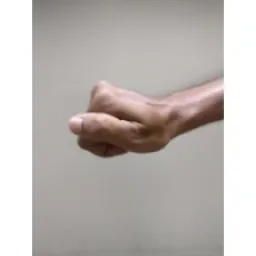
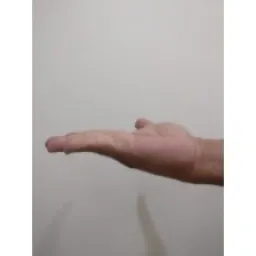
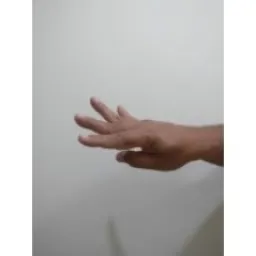
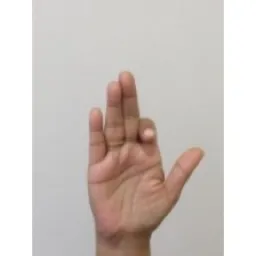
Bộ dữ liệu Hand Keypoints của Ultralytics gồm 26.768 hình ảnh bàn tay, mỗi hình ảnh được gán nhãn 21 keypoint, tạo bằng thư viện Google MediaPipe để đạt độ chính xác và tính nhất quán cao. Bộ dữ liệu tương thích với các định dạng Ultralytics YOLO26 để huấn luyện model ước tính tư thế.
Xem: Ước tính keypoint bàn tay bằng Ultralytics YOLO | Hướng dẫn ước tính tư thế bàn tay người
Keypoints#
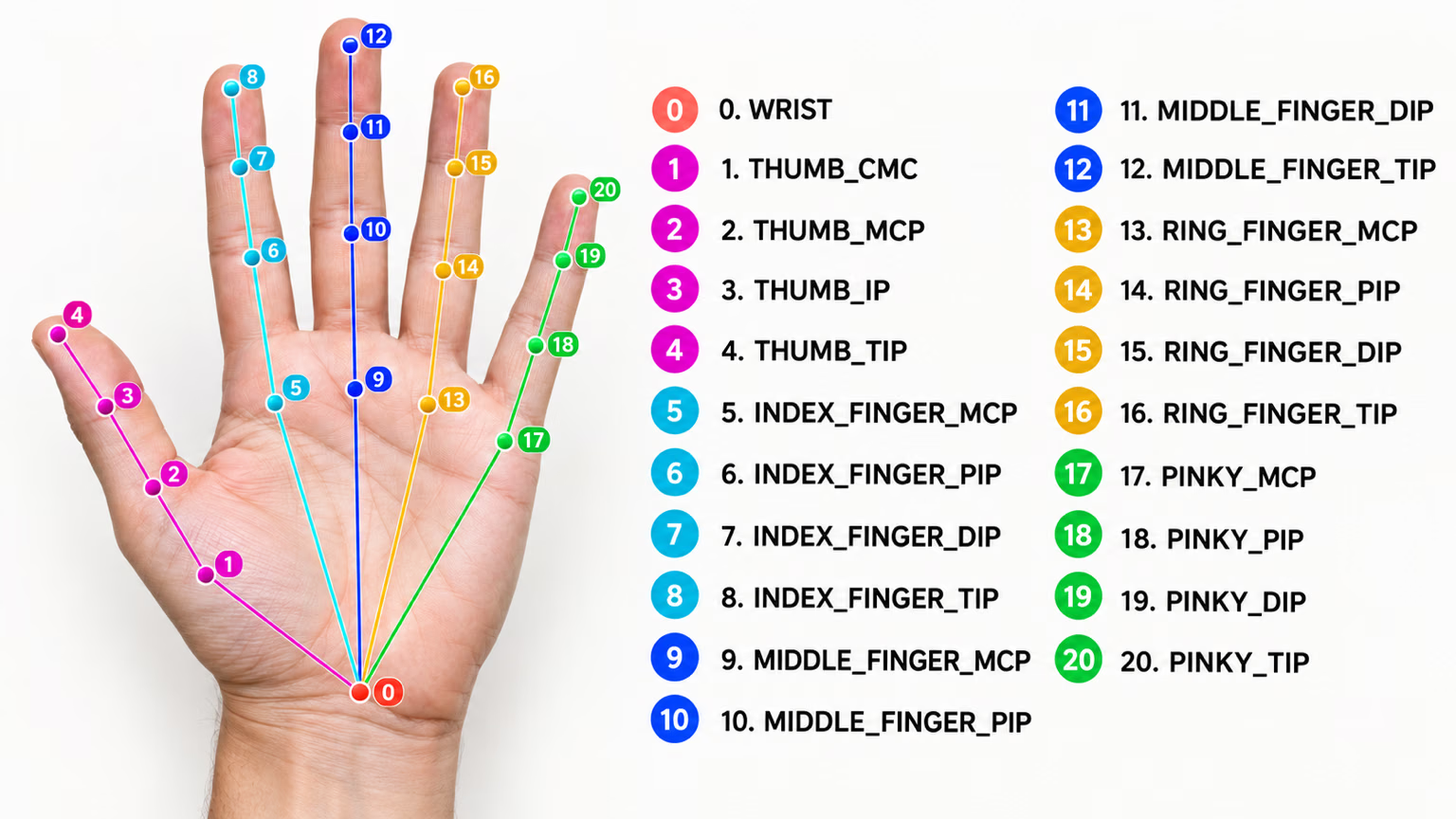
Mỗi bàn tay được gán nhãn 21 keypoint như sau:
- Cổ tay
- Ngón cái (4 điểm)
- Ngón trỏ (4 điểm)
- Ngón giữa (4 điểm)
- Ngón áp út (4 điểm)
- Ngón út (4 điểm)
Cấu trúc dataset#
- Tổng số hình ảnh: 26,768 (18,776 train / 7,992 val).
- Lớp: 1 (hand).
- Keypoint: 21 keypoint mỗi bàn tay, với các bộ ba
(x, y, visibility). - Dung lượng tải xuống: ~369 MB.
Nếu cần bộ từ vựng cử chỉ tùy chỉnh vượt ngoài các điểm mốc bàn tay thông thường, Ultralytics Platform hỗ trợ gán nhãn và huấn luyện bộ dữ liệu của riêng bạn ngay trên trình duyệt.
Ứng dụng#
Keypoint bàn tay hỗ trợ một số ứng dụng thực tế:
- Nhận dạng cử chỉ: tương tác người-máy và giao diện điều khiển không chạm.
- Điều khiển AR/VR: tương tác chính xác với các đối tượng ảo.
- Thao tác robot: điều khiển bàn tay robot với độ chính xác cao.
- Chăm sóc sức khỏe: phân tích chuyển động bàn tay để hỗ trợ chẩn đoán y khoa.
- Hoạt họa: ghi lại chuyển động để tạo chuyển động bàn tay chân thực.
- Xác thực sinh trắc học: hệ thống bảo mật dựa trên hình dạng bàn tay.
YAML của dataset#
Tệp YAML được dùng để xác định cấu hình bộ dữ liệu. Tệp này chứa thông tin về đường dẫn, lớp và các thông tin liên quan khác của bộ dữ liệu. Với bộ dữ liệu keypoint bàn tay, tệp hand-keypoints.yaml được duy trì tại https://github.com/ultralytics/ultralytics/blob/main/ultralytics/cfg/datasets/hand-keypoints.yaml.
# Ultralytics 🚀 AGPL-3.0 License - https://ultralytics.com/license

# Hand Keypoints dataset by Ultralytics
# Documentation: https://docs.ultralytics.com/datasets/pose/hand-keypoints
# Example usage: yolo train data=hand-keypoints.yaml
# parent
# ├── ultralytics
# └── datasets
#     └── hand-keypoints ← downloads here (369 MB)

# Train/val/test sets as 1) dir: path/to/imgs, 2) file: path/to/imgs.txt, or 3) list: [path/to/imgs1, path/to/imgs2, ..]
path: hand-keypoints # dataset root dir
train: images/train # train images (relative to 'path') 18776 images
val: images/val # val images (relative to 'path') 7992 images

# Keypoints
kpt_shape: [21, 3] # number of keypoints, number of dims (2 for x,y or 3 for x,y,visible)
flip_idx: [0, 1, 2, 3, 4, 5, 6, 7, 8, 9, 10, 11, 12, 13, 14, 15, 16, 17, 18, 19, 20]

# Classes
names:
  0: hand

# Keypoint names per class
kpt_names:
  0:
    - wrist
    - thumb_cmc
    - thumb_mcp
    - thumb_ip
    - thumb_tip
    - index_mcp
    - index_pip
    - index_dip
    - index_tip
    - middle_mcp
    - middle_pip
    - middle_dip
    - middle_tip
    - ring_mcp
    - ring_pip
    - ring_dip
    - ring_tip
    - pinky_mcp
    - pinky_pip
    - pinky_dip
    - pinky_tip

# Download script/URL (optional)
download: https://github.com/ultralytics/assets/releases/download/v0.0.0/hand-keypoints.zip
Cách sử dụng#
Để huấn luyện model YOLO26n-pose trên bộ dữ liệu Hand Keypoints trong 100 epoch với kích thước ảnh 640, bạn có thể dùng các đoạn mã sau.
from ultralytics import YOLO

# Tải model
model = YOLO("yolo26n-pose.pt")  # tải model đã huấn luyện trước (được khuyến nghị khi huấn luyện)

# Huấn luyện model
results = model.train(data="hand-keypoints.yaml", epochs=100, imgsz=640)
Hình ảnh mẫu và annotation#
Bộ dữ liệu keypoint bàn tay chứa nhiều hình ảnh đa dạng có bàn tay người được gán nhãn keypoint. Dưới đây là một số hình ảnh trong bộ dữ liệu cùng với các chú thích tương ứng:
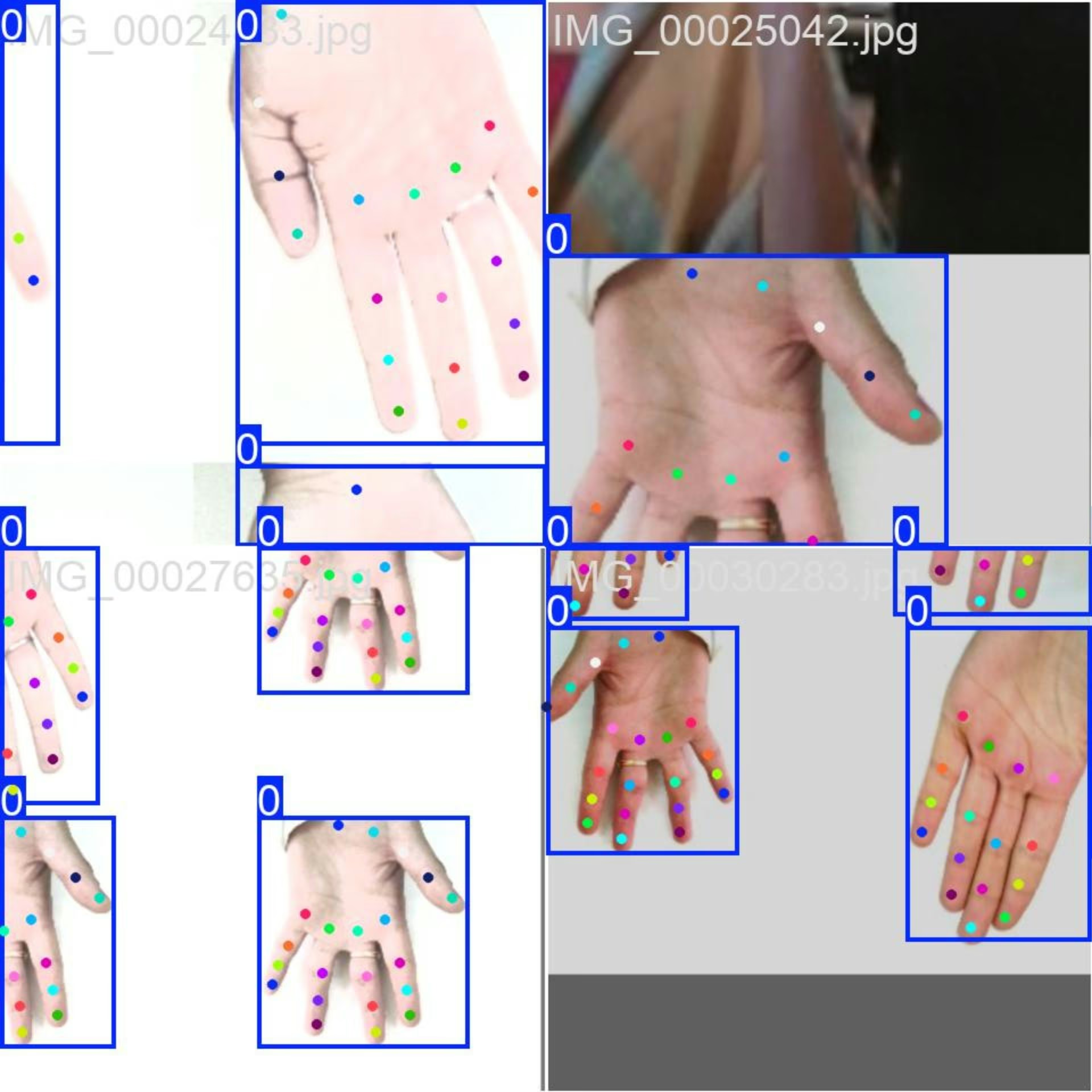
- Ảnh ghép Mosaic: Hình ảnh này minh họa một batch huấn luyện được tạo từ các ảnh mosaic của bộ dữ liệu. Mosaic là kỹ thuật được sử dụng trong quá trình huấn luyện, kết hợp nhiều hình ảnh thành một hình ảnh duy nhất để tăng sự đa dạng của đối tượng và bối cảnh trong mỗi batch huấn luyện. Kỹ thuật này giúp cải thiện khả năng tổng quát hóa của model đối với các kích thước đối tượng, tỷ lệ khung hình và ngữ cảnh khác nhau.
Ví dụ này cho thấy sự đa dạng và phức tạp của hình ảnh trong bộ dữ liệu keypoint bàn tay cũng như lợi ích của việc ghép ảnh mosaic trong quá trình huấn luyện.
Trích dẫn và lời cảm ơn#
Nếu sử dụng bộ dữ liệu keypoint bàn tay trong nghiên cứu hoặc phát triển, vui lòng ghi nhận các nguồn sau:
Chúng tôi xin cảm ơn các nguồn sau đã cung cấp hình ảnh được sử dụng trong bộ dữ liệu này:
Các hình ảnh được thu thập và sử dụng theo giấy phép tương ứng do từng nền tảng cung cấp, đồng thời được phân phối theo Giấy phép Creative Commons Ghi công-Phi thương mại-Chia sẻ tương tự 4.0 Quốc tế.
Chúng tôi cũng xin ghi nhận công sức của người tạo bộ dữ liệu này, Rion Dsilva, vì đã đóng góp bộ dữ liệu cho cộng đồng nghiên cứu Vision AI.
Câu hỏi thường gặp#
Tải
yolo26n-pose.ptvà gọimodel.train(data="hand-keypoints.yaml", epochs=100, imgsz=640)— xem Ví dụ huấn luyện ở trên để biết đầy đủ các đoạn mã Python và CLI, và xem trang Huấn luyện của model để biết danh sách tham số đầy đủ.Với 26,768 hình ảnh được gán nhãn và 21 keypoint trên mỗi bàn tay, được tạo bằng Google MediaPipe, bộ dữ liệu Hand Keypoints cung cấp cho các model ước lượng tư thế quy mô và độ chính xác nhãn cần thiết cho những tác vụ ước lượng tư thế nâng cao.
Hand Keypoints hỗ trợ nhận dạng cử chỉ, điều khiển AR/VR, thao tác robot, phân tích chuyển động trong y tế, hoạt hình và xác thực sinh trắc học — xem mục Ứng dụng để biết chi tiết về từng ứng dụng.
Bộ dữ liệu Hand Keypoints được chia thành hai tập con:
- Train: Gồm 18.776 hình ảnh để huấn luyện các model ước tính tư thế.
- Val: Gồm 7.992 hình ảnh dùng để xác thực trong quá trình huấn luyện model.
Cấu hình bộ dữ liệu được định nghĩa trong file YAML, bao gồm các đường dẫn, class và thông tin liên quan khác. File
hand-keypoints.yamlcó tại hand-keypoints.yaml.Để sử dụng file YAML này cho việc huấn luyện, hãy chỉ định file trong script huấn luyện hoặc lệnh CLI như minh họa trong ví dụ huấn luyện ở trên. Để biết thêm chi tiết, hãy tham khảo mục Dataset YAML.


Bình luận32
Đặt câu hỏi, chia sẻ kết quả hoặc giúp đỡ người khác.
vbalab
Ready-to-use YOLO26s-pose fine-tuned for hand keypoints!
The link: https://github.com/vbalab/YOLO26s-pose-hands
2 Glenn JocherUltralytics
Thanks for sharing your YOLO26s hand-keypoints weights repo — for anyone trying it, please include (in that repo) the exact
ultralyticsversion + training args and a validation result on the official Hand Keypoints dataset so others can reproduce/compare easily; quick sanity-check command:yolo pose val model=path/to/best.pt data=hand-keypoints.yaml imgsz=640
MengBo-GitHub
感谢如此详细的教学文档,可惜在个人学习使用阶段没有足够的 训练条件 ,我请求分享一些训练后的模型提供给学习者使用,感激不尽😄
1- Glenn JocherUltralytics(đã chỉnh sửa)
感谢支持!目前我们未提供基于 Hand Keypoints 的官方预训练权重;建议从 YOLO26n‑pose.pt 做迁移学习,或使用 Ultralytics Platform 进行一键云端训练获取可用模型,如有社区训练的 checkpoint 也欢迎在此贴共享链接。
chrismuntean
I trained a model using this tutorial so you don't have to!
Feel free to use it as you wish:
https://github.com/chrismuntean/YOLO11n-pose-hands
1zlj127
Wow! Thank you so much for your contribution, bro. It has saved me most of the time for pre-training. You're my god!
1
RedAbraham
what's the meaning of output(130069)? I wanna deploy the model by myself but I don't know how to analyze the output
- Glenn JocherUltralytics(đã chỉnh sửa)
That
(1, 300, 69)is the exported end-to-end pose head output shaped as(batch, num_predictions, num_channels); for Hand Keypointskpt_shape: [21, 3], so69 = 4 (box x1,y1,x2,y2) + 1 (confidence score) + 1 (class index,names: {0: hand}) + 21*3 (keypoints x,y,visibility). There is no separate objectness channel. See the Hand Keypoints dataset docs and the general pose dataset overview.# out: (1, 300, 69) pred = out[0] # (300, 69) boxes_xyxy = pred[:, 0:4] # x1,y1,x2,y2 score = pred[:, 4] # confidence score cls = pred[:, 5] # class index (1 class) kpts = pred[:, 6:].reshape(-1, 21, 3) # (300, 21, 3) -> x,y,visIf you tell me your export format (e.g. ONNX/TensorRT), you can drop the tensor names and a small snippet of the output here in this discussion so the team can see it.
samasadii(đã chỉnh sửa)
I've noticed in this dataset almost all of the points are labeled as visible, even the ones that are not visible in the image.
changshen123
Hi @glenn-jocher i want to konw that how much epochs are suitable for your dataset?
jugal-sheth
from ultralytics import YOLO

# Load a model
model = YOLO("yolo11n-pose.pt")  # load a pretrained model (recommended for training)

# Train the model
results = model.train(data="hand-keypoints.yaml", epochs=100, imgsz=640)
Error
train: WARNING ⚠️ D:\projects\hand-track\datasets\dataset\train\images\IMG_00035498.jpg: ignoring corrupt image/label: cannot reshape array of size 67 into shape (2) train: WARNING ⚠️ D:\projects\hand-track\datasets\dataset\train\images\IMG_00035499.jpg: ignoring corrupt image/label: cannot reshape array of size 67 into shape (2) train: WARNING ⚠️ D:\projects\hand-track\datasets\dataset\train\images\IMG_00035500.jpg: ignoring corrupt image/label: cannot reshape array of size 67 into shape (2) . . . . . . . train: WARNING ⚠️ D:\projects\hand-track\datasets\dataset\train\images\IMG_00035501.jpg: ignoring corrupt image/label: cannot reshape array of size 67 into shape (2) train: WARNING ⚠️ D:\projects\hand-track\datasets\dataset\train\images\IMG_00035503.jpg: ignoring corrupt image/label: cannot reshape array of size 67 into shape (2) train: WARNING ⚠️ D:\projects\hand-track\datasets\dataset\train\images\IMG_00035504.jpg: ignoring corrupt image/label: cannot reshape array of size 67 into shape (2) train: WARNING ⚠️ D:\projects\hand-track\datasets\dataset\train\images\IMG_00035505.jpg: ignoring corrupt image/label: cannot reshape array of size 67 into shape (2) train: WARNING ⚠️ D:\projects\hand-track\datasets\dataset\train\images\IMG_00035507.jpg: ignoring corrupt image/label: cannot reshape array of size 67 into shape (2) train: WARNING ⚠️ D:\projects\hand-track\datasets\dataset\train\images\IMG_00035509.jpg: ignoring corrupt image/label: cannot reshape array of size 67 into shape (2) WARNING ⚠️ No images found in D:\projects\hand-track\datasets\dataset\train\labels.cache, training may not work correctly. See https://docs.ultralytics.com/datasets for dataset formattingg guidance. Traceback (most recent call last): File "d:\projects\hand-track\test.py", line 36, in model.train(data="config.yaml", epochs=100, imgsz=896, device=0) File "C:\Users\jugal\miniconda3\envs\hand\Lib\site-packages\ultralytics\engine\model.py", line 808, in train self.trainer.train() File "C:\Users\jugal\miniconda3\envs\hand\Lib\site-packages\ultralytics\engine\trainer.py", line 207, in train self._do_train(world_size) File "C:\Users\jugal\miniconda3\envs\hand\Lib\site-packages\ultralytics\engine\trainer.py", line 322, in _do_train self._setup_train(world_size) File "C:\Users\jugal\miniconda3\envs\hand\Lib\site-packages\ultralytics\engine\trainer.py", line 286, in _setup_train self.train_loader = self.get_dataloader(self.trainset, batch_size=batch_size, rank=LOCAL_RANK, mode="train") ^^^^^^^^^^^^^^^^^^^^^^^^^^^^^^^^^^^^^^^^^^^^^^^^^^^^^^^^^^^^^^^^^^^^^^^^^^^^^^^^^^^^^^^^ File "C:\Users\jugal\miniconda3\envs\hand\Lib\site-packages\ultralytics\models\yolo\detect\train.py", line 49, in get_dataloader dataset = self.build_dataset(dataset_path, mode, batch_size) ^^^^^^^^^^^^^^^^^^^^^^^^^^^^^^^^^^^^^^^^^^^^^^^^^^ File "C:\Users\jugal\miniconda3\envs\hand\Lib\site-packages\ultralytics\models\yolo\detect\train.py", line 43, in build_dataset return build_yolo_dataset(self.args, img_path, batch, self.data, mode=mode, rect=mode == "val", stride=gs) ^^^^^^^^^^^^^^^^^^^^^^^^^^^^^^^^^^^^^^^^^^^^^^^^^^^^^^^^^^^^^^^^^^^^^^^^^^^^^^^^^^^^^^^^^^^^^^^^^^^ File "C:\Users\jugal\miniconda3\envs\hand\Lib\site-packages\ultralytics\data\build.py", line 99, in build_yolo_dataset return dataset( ^^^^^^^^ File "C:\Users\jugal\miniconda3\envs\hand\Lib\site-packages\ultralytics\data\dataset.py", line 64, in init super().init(*args, **kwargs) File "C:\Users\jugal\miniconda3\envs\hand\Lib\site-packages\ultralytics\data\base.py", line 74, in init self.labels = self.get_labels() ^^^^^^^^^^^^^^^^^ File "C:\Users\jugal\miniconda3\envs\hand\Lib\site-packages\ultralytics\data\dataset.py", line 161, in get_labels len_cls, len_boxes, len_segments = (sum(x) for x in zip(*lengths)) ^^^^^^^^^^^^^^^^^^^^^^^^^^^^^^^^ ValueError: not enough values to unpack (expected 3, got 0)
- Glenn JocherUltralytics(đã chỉnh sửa)
@jugal-sheth hi there! It looks like your labels are incorrectly formatted for hand keypoints estimation. Each hand-keypoints label row needs 68 values: class, x, y, width, height (5 values) plus 21 keypoints with 3 values each (x, y, visibility = 63), but your rows appear to have 67. Please verify your label files match the format shown in the hand-keypoints documentation. Let us know if you need any other assistance!
Hi @glenn-jocher Thank you for your reply I haven't changed anything in sample code given on this website https://docs.ultralytics.com/datasets/pose/hand-keypoints/#how-do-i-train-a-yolo11-model-on-the-hand-keypoints-dataset
- Glenn JocherUltralytics
@jugal-sheth hi there! It seems your custom labels may not include the required bounding box coordinates alongside keypoints. The YOLO pose format requires each label to start with class, x_center, y_center, width, height (5 values) followed by 21 keypoints (63 values), totaling 68 values per label. Your 67-value labels suggest missing one element. Please verify your label format matches our pose estimation requirements exactly. Let us know if you need further clarification! 🚀
berlintop
I used yolov11n and yolov11x to train many models based on this dataset. The log accuracy of small batch and large epoch training is very good, but it is very poor during actual inference, much worse than mediaPipa, especially when rotating, the key points are very inaccurate. I am very confused about this, is there any trick to the training parameters?
- Glenn JocherUltralytics
@737296 the issue you described could be due to overfitting or suboptimal augmentation and training practices. To address inaccuracies during inference, consider increasing data augmentation (e.g., rotation, scaling), fine-tuning learning rates or epochs, and ensuring sufficient diversity in the dataset. MediaPipe's robustness might stem from its architecture and preprocessing, so refining training parameters or exploring a different YOLO11 variant could help. Refer to the Hand Keypoints Dataset documentation for guidance on dataset setup and training. Let us know if further clarification is needed!
chengziNaomi
In yolov8-pose, what effect does the number of key points have on the detection results? Less key points, better results or more key points, better results? Now I want to identify the basket in the field, do I identify the four corner points on the top of the basket or the eight corner points on the basket?
- Glenn JocherUltralytics
@chengziNaomi the number of keypoints can affect detection results based on your specific application. For identifying a basket, consider the complexity and precision needed. Using more keypoints might provide better detail, but it depends on your use case. For further guidance, you can explore the hand keypoints documentation at Ultralytics Docs.
Thank you for your reply. I have one more question. Why is the ratio of train and valid about 2:1 in this hand keypoints datasets? but in seg, the ratio is 10:1:1?Is it a special requirements from yolov8-pose?
- Glenn JocherUltralytics
The dataset split ratios are often determined by the specific requirements of the task and dataset characteristics. For hand keypoints, a 2:1 ratio might balance training and validation needs effectively, while segmentation tasks might use a 10:1:1 ratio to ensure sufficient data for training, validation, and testing. These choices are not specific to YOLOv8-pose but are tailored to optimize model performance for each dataset type.
Thank you very much! I want to add negative samples to the datasets, what is the way for yolov8-pose to add negative samples?All I need to do is add the background image and blank txt text to train and val,right?
- Glenn JocherUltralytics
To add negative samples in YOLOv8-pose, you can include background images with corresponding blank
.txtfiles in your dataset. This approach helps the model learn to distinguish between relevant and irrelevant features.
redsuning
train: WARNING ⚠️ G:\datasets\hand\hand-keypoints\train\images\IMG_00001070.jpg: ignoring corrupt image/label: non-normalized or out of bounds coordinates [ 1.0379] train: WARNING ⚠️ G:\datasets\hand\hand-keypoints\train\images\IMG_00001796.jpg: ignoring corrupt image/label: non-normalized or out of bounds coordinates [ 1.0006] train: WARNING ⚠️ G:\datasets\hand\hand-keypoints\train\images\IMG_00001800.jpg: ignoring corrupt image/label: non-normalized or out of bounds coordinates [ 1.0027] train: WARNING ⚠️ G:\datasets\hand\hand-keypoints\train\images\IMG_00001801.jpg: ignoring corrupt image/label: non-normalized or out of bounds coordinates [ 1.0049] train: WARNING ⚠️ G:\datasets\hand\hand-keypoints\train\images\IMG_00001886.jpg: ignoring corrupt image/label: non-normalized or out of bounds coordinates [ 1.0051 1.0038 1.0088 1.0114] train: WARNING ⚠️ G:\datasets\hand\hand-keypoints\train\images\IMG_00001887.jpg: ignoring corrupt image/label: non-normalized or out of bounds coordinates [ 1.0048 1.0062 1.0099 1.0121] train: WARNING ⚠️ G:\datasets\hand\hand-keypoints\train\images\IMG_00001888.jpg: ignoring corrupt image/label: non-normalized or out of bounds coordinates [ 1 1.0017] train: WARNING ⚠️ G:\datasets\hand\hand-keypoints\train\images\IMG_00001994.jpg: ignoring corrupt image/label: non-normalized or out of bounds coordinates [ 1.0059] train: WARNING ⚠️ G:\datasets\hand\hand-keypoints\train\images\IMG_00001998.jpg: ignoring corrupt image/label: non-normalized or out of bounds coordinates [ 1.0044] train: WARNING ⚠️ G:\datasets\hand\hand-keypoints\train\images\IMG_00001999.jpg: ignoring corrupt image/label: non-normalized or out of bounds coordinates [ 1.007] train: WARNING ⚠️ G:\datasets\hand\hand-keypoints\train\images\IMG_00002000.jpg: ignoring corrupt image/label: non-normalized or out of bounds coordinates [ 1.0083] train: WARNING ⚠️ G:\datasets\hand\hand-keypoints\train\images\IMG_00002001.jpg: ignoring corrupt image/label: non-normalized or out of bounds coordinates [ 1.0146] train: WARNING ⚠️ G:\datasets\hand\hand-keypoints\train\images\IMG_00002002.jpg: ignoring corrupt image/label: non-normalized or out of bounds coordinates [ 1.0178] train: WARNING ⚠️ G:\datasets\hand\hand-keypoints\train\images\IMG_00002003.jpg: ignoring corrupt image/label: non-normalized or out of bounds coordinates [ 1.0178] train: WARNING ⚠️ G:\datasets\hand\hand-keypoints\train\images\IMG_00002143.jpg: ignoring corrupt image/label: non-normalized or out of bounds coordinates [ 1.0582 1.0216] train: WARNING ⚠️ G:\datasets\hand\hand-keypoints\train\images\IMG_00002144.jpg: ignoring corrupt image/label: non-normalized or out of bounds coordinates [ 1.0641 1.0333] train: WARNING ⚠️ G:\datasets\hand\hand-keypoints\train\images\IMG_00002202.jpg: ignoring corrupt image/label: non-normalized or out of bounds coordinates [ 1.0041 1.0052 1.008 1.0093 1.0108 1.0112 1.0116] train: WARNING ⚠️ G:\datasets\hand\hand-keypoints\train\images\IMG_00002451.jpg: ignoring corrupt image/label: non-normalized or out of bounds coordinates [ 1.0121] train: WARNING ⚠️ G:\datasets\hand\hand-keypoints\train\images\IMG_00002454.jpg: ignoring corrupt image/label: non-normalized or out of bounds coordinates [ 1.023 1.0012] Many of the callout coordinates are beyond 1
- Glenn JocherUltralytics
@redsuning the warnings indicate that some images have non-normalized or out-of-bounds coordinates. Please check your dataset annotations to ensure all keypoints are within the expected range. You might need to normalize the coordinates to fit within the [0, 1] range. For more details, you can refer to the dataset documentation.
I know the reason for this warning, but the dataset I'm using is the default Hand-keypoints dataset you uploaded, and I mean your Hand-keypoints dataset labeling data needs to be modified.
1- Glenn JocherUltralytics
Thank you for bringing this to our attention. We'll review the dataset annotations for any inconsistencies. If you have further questions, feel free to ask here.
AlgosDuCouteau
seem like the issue has not been fixed, i am still get the errors, will it affect training results?
1- Glenn JocherUltralytics
The warnings won't affect training results if the majority of your dataset is intact. We'll review the dataset annotations for any issues. For further details, please refer to the hand-keypoints documentation.
In fact, the official dataset has 5% incorrect labels.
- Glenn JocherUltralytics
Thank you for pointing this out. We will investigate and address any labeling issues in the Hand Keypoints dataset as soon as possible. Meanwhile, you may exclude problematic samples or adjust the annotations for your use case to ensure optimal training results.