مجموعة بيانات Cityscapes8#
مقدمة#
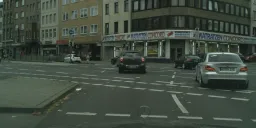
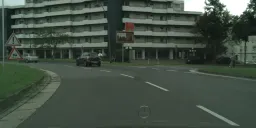
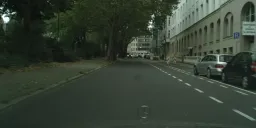
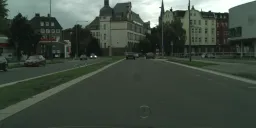
مجموعة بيانات Cityscapes8 من Ultralytics هي مجموعة مدمجة لـالتجزئة الدلالية، تضم 8 صور مختارة من مجموعة بيانات Cityscapes: 4 للتدريب و4 للتحقق. وقد صُممت للاختبار السريع وتصحيح الأخطاء وإجراء التجارب على نماذج YOLO للتجزئة الدلالية ومسارات التدريب. ويوفر محتواها من المشاهد الحضرية فحصًا مفيدًا لمسار المعالجة قبل التوسع إلى مجموعة بيانات Cityscapes الكاملة.
تستخدم Cityscapes8 فئات التقييم الـ19 نفسها وسلوك label_mapping نفسه الموجود في مجموعة بيانات Cityscapes الكاملة، وهي متوافقة بالكامل مع مسارات عمل التجزئة الدلالية لـYOLO26.
Cityscapes8 مخصصة لاختبار مسارات المعالجة فقط، وليست للمقارنة المعيارية — فصورها الثماني قليلة جدًا لإجراء مقارنة mIoU ذات دلالة. استخدم مجموعة تحقق Cityscapes الكاملة للحصول على نتائج تمثيلية.
بنية مجموعة البيانات#
تحاكي Cityscapes8 هيكل مجموعة البيانات الكاملة، من دون تقسيم test:
cityscapes8/
├── images/
│   ├── train/  # 4 images
│   └── val/    # 4 images
└── masks/
    ├── train/  # 4 single-channel PNG masks
    └── val/    # 4 single-channel PNG masks
تُقرن الأقنعة بالصور عبر الحقل masks_dir: masks، ويحوّل label_mapping معرّفات تسميات Cityscapes المصدرية إلى معرّفات التدريب الـ19 المتتالية الموضحة في هيكل مجموعة بيانات Cityscapes الكاملة.
ملف YAML لمجموعة البيانات#
يُعرّف إعداد مجموعة بيانات Cityscapes8 في ملف YAML لمجموعة البيانات، الذي يحدد مسارات مجموعة البيانات وأسماء الفئات والبيانات الوصفية الأساسية الأخرى. يمكنك مراجعة الملف الرسمي cityscapes8.yaml في مستودع Ultralytics على GitHub. يتضمن ملف YAML عنوان URL لتنزيل المجموعة الفرعية الصغيرة المجمّعة.
# Ultralytics 🚀 AGPL-3.0 License - https://ultralytics.com/license

# Cityscapes semantic segmentation dataset (19 classes)
# Documentation: https://docs.ultralytics.com/datasets/semantic/cityscapes8
# Example usage: yolo semantic train data=cityscapes8.yaml model=yolo26n-sem.pt
# parent
# ├── ultralytics
# └── datasets
#     └── cityscapes8 ← downloads here (small subset)
#         └── images
#         └── masks

# Dataset root directory
path: cityscapes8 # dataset root dir
train: images/train # train images (relative to 'path') 4 images
val: images/val # val images (relative to 'path') 4 images

masks_dir: masks # semantic mask directory

# Cityscapes 19-class labels
names:
  0: road
  1: sidewalk
  2: building
  3: wall
  4: fence
  5: pole
  6: traffic light
  7: traffic sign
  8: vegetation
  9: terrain
  10: sky
  11: person
  12: rider
  13: car
  14: truck
  15: bus
  16: train
  17: motorcycle
  18: bicycle

# Map source label IDs to train IDs; ignore_label is converted to 255.
label_mapping:
  -1: ignore_label
  0: ignore_label
  1: ignore_label
  2: ignore_label
  3: ignore_label
  4: ignore_label
  5: ignore_label
  6: ignore_label
  7: 0
  8: 1
  9: ignore_label
  10: ignore_label
  11: 2
  12: 3
  13: 4
  14: ignore_label
  15: ignore_label
  16: ignore_label
  17: 5
  18: ignore_label
  19: 6
  20: 7
  21: 8
  22: 9
  23: 10
  24: 11
  25: 12
  26: 13
  27: 14
  28: 15
  29: ignore_label
  30: ignore_label
  31: 16
  32: 17
  33: 18

# Download URL (optional)
download: https://github.com/ultralytics/assets/releases/download/v0.0.0/cityscapes8.zipالاستخدام#
لتدريب نموذج YOLO26n-sem على مجموعة بيانات Cityscapes8 مدة 100 حقبة وبحجم صورة 1024، استخدم الأمثلة التالية. للاطلاع على القائمة الكاملة لخيارات التدريب، راجع توثيق تدريب YOLO.
from ultralytics import YOLO
# تحميل نموذج YOLO26n-sem مُدرّب مسبقًا
model = YOLO("yolo26n-sem.pt")
# تدريب النموذج على Cityscapes8
results = model.train(data="cityscapes8.yaml", epochs=100, imgsz=1024)يمكنك أيضًا إدارة Cityscapes8 وتدريب نماذج التجزئة الدلالية سحابيًا باستخدام منصة Ultralytics.
الاستشهادات والترخيص والشكر#
أُخذت Cityscapes8 من Cityscapes، الصادرة بموجب ترخيص مخصص للاستخدام غير التجاري — راجع صفحة مجموعة بيانات Cityscapes الكاملة للاطلاع على التفاصيل.
إذا استخدمت مجموعة بيانات Cityscapes في أبحاثك أو أعمالك التطويرية، فيُرجى الاستشهاد بالورقة البحثية التالية:
@inproceedings{Cordts2016Cityscapes,
  title={The Cityscapes Dataset for Semantic Urban Scene Understanding},
  author={Cordts, Marius and Omran, Mohamed and Ramos, Sebastian and Rehfeld, Timo and Enzweiler, Markus and Benenson, Rodrigo and Franke, Uwe and Roth, Stefan and Schiele, Bernt},
  booktitle={Proc. of the IEEE Conference on Computer Vision and Pattern Recognition (CVPR)},
  year={2016}
}
شكر خاص إلى فريق Cityscapes على مساهماتهم المستمرة في مجتمعي القيادة الذاتية والرؤية الحاسوبية.
الأسئلة الشائعة#
صُممت مجموعة بيانات Cityscapes8 من Ultralytics للاختبار السريع وتصحيح أخطاء نماذج التجزئة الدلالية. وبفضل اقتصارها على 8 صور (4 للتدريب و4 للتحقق)، فهي مثالية للتحقق من مسارات التجزئة الدلالية في YOLO، بما يشمل تحميل الأقنعة والتحويلات والتحقق ومسارات التصدير، قبل التوسع إلى مجموعة بيانات Cityscapes الكاملة. استكشف إعداد YAML لـCityscapes8 لمزيد من التفاصيل.
تختار Cityscapes8 ثماني صور (4 للتدريب و4 للتحقق) من تقسيم Cityscapes المكوّن من 2,975 صورة تدريب و500 صورة تحقق، وتستخدم الفئات الـ19 نفسها و
label_mappingنفسه؛ لذلك يعمل أي مسار معالجة يعمل على Cityscapes8 على مجموعة البيانات الكاملة من دون تعديل — ما عليك سوى توجيهdata=إلىcityscapes.yamlبدلًا منcityscapes8.yaml. وعلى خلاف مجموعة البيانات الكاملة، لا تتطلب Cityscapes8 تنزيلًا يدويًا ولا تتضمن تقسيمtest.يمكنك تدريب نموذج YOLO26 للتجزئة الدلالية على Cityscapes8 باستخدام Python أو CLI:
مثال على التدريبfrom ultralytics import YOLO # تحميل نموذج YOLO26n-sem مُدرّب مسبقًا model = YOLO("yolo26n-sem.pt") # تدريب النموذج على Cityscapes8 results = model.train(data="cityscapes8.yaml", epochs=100, imgsz=1024)للاطلاع على خيارات التدريب الإضافية، راجع وثائق تدريب YOLO.
لا. مجموعة Cityscapes8 صغيرة جدًا لإجراء مقارنة ذات دلالة بين النماذج، وهي مخصصة لفحص مسارات التدريب والتقييم. استخدم مجموعة تحقق Cityscapes الكاملة عند الحاجة إلى نتائج مقارنة معيارية تمثيلية للتجزئة الدلالية.