Ultralytics 솔루션: YOLO26으로 실제 문제 해결
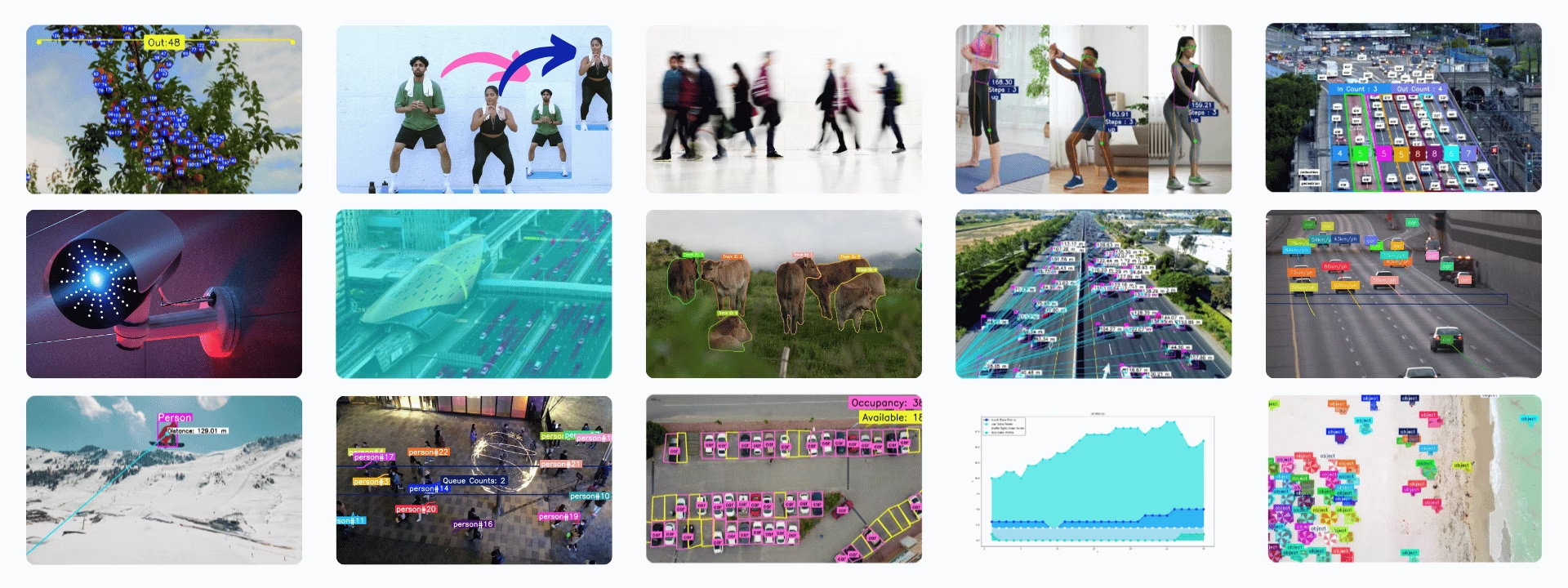
Ultralytics Solutions는 객체 계수, 히트맵, 속도 추정, 대기열 관리 및 객체 블러 처리와 같은 일반적인 컴퓨터 비전 문제에 Ultralytics YOLO 모델을 바로 사용할 수 있도록 만든 애플리케이션입니다. 대부분의 솔루션은 탐지, 추적 또는 포즈 추정을 구성 가능한 클래스로 제공하며, Python 또는 yolo solutions CLI에서 실행할 수 있습니다.
시청: 명령줄(CLI)에서 Ultralytics 솔루션을 실행하는 방법 | Ultralytics YOLO26 🚀
솔루션#
아래의 각 솔루션에는 전용 가이드가 있습니다:
- 분석: YOLO26 탐지 결과를 바탕으로 선형, 막대, 원형 및 영역 차트를 생성해 시간에 따른 추세를 분석합니다.
- 거리 계산: YOLO26에서 경계 상자 중심점을 사용해 객체 간 거리를 계산하여 공간을 분석합니다.
- 히트맵: YOLO26 탐지 결과를 히트맵 오버레이에 누적해 객체가 가장 자주 나타나거나 움직이는 위치를 보여 줍니다.
- 객체 추적을 활용한 인스턴스 분할: YOLO26으로 인스턴스 분할과 객체 추적을 결합해 비디오 프레임 전반에서 객체 윤곽을 따라갑니다.
- Streamlit을 사용한 실시간 추론: Streamlit 인터페이스를 통해 웹 브라우저에서 YOLO26으로 실시간 객체 탐지를 실행합니다.
- 객체 블러 처리: YOLO26을 사용해 객체를 블러 처리하여 이미지 및 비디오 처리 과정에서 개인정보를 보호합니다.
- 객체 계수: YOLO26으로 비디오와 라이브 스트림에서 선을 통과하거나 영역에 들어오는 객체를 셉니다.
- 영역별 객체 계수: YOLO26으로 사용자가 정의한 여러 영역 안의 객체를 셉니다.
- 객체 자르기: YOLO26으로 이미지와 비디오에서 탐지된 객체를 자르고 각각 별도의 이미지로 저장합니다.
- OCR: YOLO26-Text 감지기와 PP-OCRv6 인식을 사용해 회전 각도와 관계없이 장면 및 문서의 텍스트를 감지하고 인식한 뒤 순서를 정하거나, PP-OCRv5 언어 모델로 한국어, 키릴 문자, 아랍어 및 기타 문자를 읽습니다.
- 주차 관리: YOLO26으로 주차 공간의 점유 및 이용 가능 여부를 모니터링합니다.
- 대기열 관리: YOLO26으로 대기열 영역에서 기다리는 사람 수를 세어 대기열 길이를 모니터링합니다.
- 보안 경보 시스템: 탐지된 객체 수가 임계값에 도달하면 이메일 알림을 보내는 YOLO26 보안 경보 시스템을 구축합니다.
- 유사도 검색: OpenAI CLIP 임베딩과 코사인 유사도 검색을 결합해 "가방을 든 사람" 또는 "움직이는 차량"과 같은 자연어 쿼리로 이미지를 가져옵니다.
- 속도 추정: 교통 모니터링과 같은 애플리케이션을 위해 YOLO26 및 객체 추적으로 객체 속도를 추정합니다.
- 구역 내 객체 추적: YOLO26으로 비디오 프레임에서 정의된 구역 내부의 객체만 추적합니다.
- VisionEye 객체 매핑: 탐지된 객체를 고정된 관찰자 지점에 연결해 사람의 눈이 특정 객체에 초점을 맞추는 방식을 모방합니다.
- 운동 모니터링: YOLO26 포즈 추정으로 운동 반복 횟수를 세고 운동 단계를 실시간으로 추적합니다.
솔루션 인수#
| 인수 | 유형 | 기본값 | 설명 |
|---|---|---|---|
model | str | None | Ultralytics YOLO 모델 파일의 경로입니다. |
region | list 또는 dict | None | 관심 영역을 정의하는 점입니다. (x, y) 튜플 목록 또는 여러 영역에 대해 영역 이름을 점 목록에 매핑하는 사전(RegionCounter만 해당)으로 지정할 수 있습니다. None이면 영역이 필요한 Solutions는 사전 정의된 기본값을 사용합니다. |
show_in | bool | True | 비디오 스트림에 진입 수를 표시할지 제어하는 플래그입니다. |
show_out | bool | True | 비디오 스트림에 이탈 수를 표시할지 제어하는 플래그입니다. |
analytics_type | str | 'line' | 그래프 유형입니다. line, bar, area 또는 pie을 지정할 수 있습니다. |
colormap | int | cv2.COLORMAP_DEEPGREEN | 히트맵에 사용할 컬러맵입니다. |
line_width | int | 2 | Solution에서 그리는 상자, 키포인트 및 개수 표시의 선 두께입니다. |
verbose | bool | True | 프레임별 입력 형태, 클래스 개수 및 처리 속도 로그를 활성화합니다. 추적 호출 자체는 항상 로그를 출력하지 않습니다. |
json_file | str | None | 모든 주차 좌표 데이터가 포함된 JSON 파일의 경로입니다. |
up_angle | float | 145.0 | '위' 자세의 각도 임계값입니다. |
kpts | list[int] | [6, 8, 10] | 운동 모니터링에 사용할 키포인트 인덱스 3개의 목록입니다. 이 키포인트는 팔굽혀펴기, 턱걸이, 스쿼트 및 복근 운동과 같은 운동에 필요한 어깨, 팔꿈치, 손목 등의 신체 관절이나 부위에 해당합니다. |
down_angle | float | 90.0 | '아래' 자세의 각도 임계값입니다. |
blur_ratio | float | 0.5 | 블러 강도의 비율을 조정하며, 값의 범위는 0.1 - 1.0입니다. |
crop_dir | str | 'cropped-detections' | 잘라낸 감지 결과를 저장할 디렉터리 이름입니다. |
records | int | 5 | 보안 경보 시스템에서 이메일을 트리거하는 총 감지 횟수입니다. |
vision_point | tuple[int, int] | (20, 20) | VisionEye 솔루션을 사용하여 객체를 추적하고 경로를 그릴 기준점입니다. |
source | str | None | 입력 소스(비디오, RTSP 등)의 경로입니다. Solutions 명령줄 인터페이스(CLI)에서만 사용할 수 있습니다. |
figsize | tuple[float, float] | (12.8, 7.2) | Analytics 차트의 크기(인치)입니다. (12.8, 7.2)은 1280×720 프레임을 렌더링합니다. |
fps | float | 30.0 | 속도 계산에 사용하는 초당 프레임 수입니다. |
max_hist | int | 5 | 속도 및 방향 계산을 위해 객체별로 추적할 최대 과거 지점 수입니다. |
meter_per_pixel | float | 0.05 | 픽셀 거리를 실제 단위로 변환하는 데 사용하는 스케일링 계수입니다. |
max_speed | int | 120 | 최대 속도(km/h)입니다. 추정 속도가 이를 초과하면 이 값으로 제한됩니다. |
data | str | 'images' | 유사도 검색에 사용하는 이미지 디렉터리 경로입니다. |
imgsz | int | 640 | 모델 추론에 사용할 입력 이미지 크기입니다. |
recognizer | str 또는 Callable | 'paddleocr' | 텍스트 인식 백엔드: 'paddleocr'(ONNX Runtime에서 PP-OCRv6 실행), 'tensorrt'(NVIDIA GPU에서 FP16 TensorRT 엔진으로 PP-OCRv6 실행), 'korean_PP-OCRv5_mobile_rec'와 같은 PaddleOCR 언어 모델 이름 또는 BGR 크롭을 입력받아 (text, confidence)을 반환하는 호출 가능한 객체입니다. |
솔루션은 아래의 추론 및 추적 인수를 model.track()에 전달합니다.
| 인수 | 유형 | 기본값 | 설명 |
|---|---|---|---|
tracker | str | 'tracktrack.yaml' | 사용할 추적 알고리즘을 지정합니다. 기본 제공 옵션: botsort.yaml, bytetrack.yaml, ocsort.yaml, deepocsort.yaml, fasttrack.yaml, tracktrack.yaml. |
conf | float | 0.25 | 탐지에 대한 신뢰도 임계값을 설정합니다. 값을 낮추면 추적할 수 있는 객체가 늘어나지만 오탐이 포함될 수 있습니다. |
iou | float | 0.5 | 중복 탐지를 필터링하기 위한 교집합 대비 합집합 (IoU) 임계값을 설정합니다. |
classes | list | None | 클래스 인덱스로 결과를 필터링합니다. 예를 들어 classes=[0, 2, 3]은 지정된 클래스만 추적합니다. |
device | str | None | 추론에 사용할 장치를 지정합니다(예: cpu, cuda:0 또는 0). 사용자는 모델 실행에 사용할 CPU, 특정 GPU 또는 기타 연산 장치를 선택할 수 있습니다. |
imgsz | int or tuple | 640 | 추론 대상 이미지 크기입니다. 정사각형을 나타내는 정수 또는 (height, width) 쌍을 지정합니다. 모델 stride에 맞춰 형태가 조정됩니다. |
max_det | int | 300 | 추적 전에 프레임별로 유지할 최대 탐지 수를 지정하여 밀집된 장면에서 솔루션이 처리하는 객체 수를 제한합니다. |
quantize | int or str | None | 추론 정밀도: CPU 이외의 환경에서 PyTorch 및 TorchScript 모델은 16(FP16) 또는 32/unset(FP32)을 사용하며, 다른 형식은 아티팩트와 런타임이 선택하는 정밀도를 사용합니다. 더 이상 사용되지 않는 half 인수를 대체합니다. |
show_conf, show_labels 및 앞서 언급한 다른 인수를 사용해 시각화를 사용자 지정할 수 있습니다.
| 인수 | 유형 | 기본값 | 설명 |
|---|---|---|---|
show | bool | False | True이면 주석이 추가된 이미지나 비디오를 창에 표시합니다. 개발 또는 테스트 중 즉각적인 시각적 피드백을 얻는 데 유용합니다. |
show_conf | bool | True | 각 감지 결과의 레이블 옆에 신뢰도 점수를 표시합니다. 각 감지 결과에 대한 모델의 확신도를 파악할 수 있습니다. |
show_labels | bool | True | 시각화 출력에 각 감지 결과의 레이블을 표시합니다. 감지된 객체를 즉시 파악할 수 있습니다. |
SolutionAnnotator 사용#
모든 Ultralytics Solutions는 SolutionAnnotator 클래스를 사용합니다. 이 클래스는 기본 Annotator 클래스를 확장하며 다음 메서드를 제공합니다:
| 메서드 | 반환 유형 | 설명 |
|---|---|---|
draw_region() | None | 지정된 점, 색상 및 두께를 사용해 영역을 그립니다. |
queue_counts_display() | None | 지정된 영역의 대기열 개수를 표시합니다. |
display_analytics() | None | 주차장 관리에 대한 전반적인 통계를 표시합니다. |
estimate_pose_angle() | float | 객체 자세에서 세 점 사이의 각도를 계산합니다. |
draw_specific_kpts() | np.ndarray | 이미지에 지정된 키포인트를 그립니다. |
plot_workout_information() | int | 이미지에 레이블이 있는 텍스트 상자를 그립니다. |
plot_angle_and_count_and_stage() | None | 운동 모니터링을 위해 각도, 스텝 수 및 단계를 시각화합니다. |
plot_distance_and_line() | None | 중심점 사이의 거리를 표시하고 선으로 연결합니다. |
display_objects_labels() | None | 객체 클래스 레이블로 바운딩 박스에 주석을 표시합니다. |
sweep_annotator() | None | 수직 스윕 라인과 선택적 레이블을 시각화합니다. |
visioneye() | None | 객체 중심점을 시각적 "눈" 지점에 매핑하고 연결합니다. |
adaptive_label() | None | 바운딩 박스 중앙에 원형 또는 직사각형 배경 레이블을 그립니다. |
SolutionResults 사용#
유사도 검색을 제외한 모든 솔루션은 호출 시 SolutionResults 객체를 반환합니다.
- 객체 카운팅의 경우 결과에는
in_count,out_count및classwise_count가 포함됩니다.
import cv2

from ultralytics import solutions

im0 = cv2.imread("path/to/img")

region_points = [(20, 400), (1080, 400), (1080, 360), (20, 360)]

counter = solutions.ObjectCounter(
    show=True,  # 출력을 표시합니다.
    region=region_points,  # 영역 포인트를 전달합니다.
    model="yolo26n.pt",  # model="yolo26n-obb.pt" 객체 카운팅에 OBB 모델을 사용하는 경우입니다.
    # classes=[0, 2],  # COCO 사전 학습 모델에서 person 및 car와 같은 특정 클래스만 카운팅합니다.
    # tracker="botsort.yaml"  # 추적기를 선택합니다. 예: "bytetrack.yaml"
)
results = counter(im0)
print(results.in_count)  # display in_counts
print(results.out_count)  # display out_counts
print(results.classwise_count)  # display classwise_count
SolutionResults 객체에는 다음 속성이 있습니다:
| 속성 | 유형 | 설명 |
|---|---|---|
plot_im | np.ndarray | 카운트, 블러 효과 또는 솔루션별 개선 사항과 같은 시각적 오버레이가 적용된 이미지입니다. |
in_count | int | 비디오 스트림에서 정의된 구역으로 진입하는 것으로 탐지된 객체의 총수입니다. |
out_count | int | 비디오 스트림에서 정의된 구역을 나가는 것으로 탐지된 객체의 총수입니다. |
classwise_count | dict[str, dict[str, int] | int] | 클래스별 카운트: ObjectCounter 및 Heatmap의 경우 {"IN": int, "OUT": int}, Analytics의 경우 int입니다. |
queue_count | int | 미리 정의된 대기열 또는 대기 구역에 현재 있는 객체 수입니다(대기열 관리에 적합). |
workout_count | list[int] | AI Gym에서 트랙별 운동 반복 횟수입니다(현재 추적 중인 개인마다 하나의 항목). |
workout_angle | list[float] | AI Gym에서 트랙별 운동 각도입니다(현재 추적 중인 개인마다 하나의 항목). |
workout_stage | list[str] | AI Gym에서 트랙별 현재 운동 단계입니다(현재 추적 중인 개인마다 하나의 항목). |
pixels_distance | float | 경계 상자와 같은 두 객체 또는 지점 사이의 픽셀 기반 거리입니다(거리 계산에 적합). |
available_slots | int | 모니터링 구역에서 비어 있는 주차 공간의 수입니다(주차 관리에 적합). |
filled_slots | int | 모니터링 영역에서 점유된 주차 공간의 수입니다(주차 관리에 적합). |
email_sent | bool | 알림 또는 경보 이메일이 성공적으로 전송되었는지를 나타냅니다(보안 경보에 적합). |
total_tracks | int | 비디오 분석 중 관찰된 고유 객체 트랙의 총수입니다. |
region_counts | dict[str, int] | 사용자 정의 영역 또는 구역 내 객체 수입니다. |
speed_dict | dict[int, int] | 속도 분석에 유용한, SpeedEstimator가 추정한 객체 속도(km/h)의 트랙별 딕셔너리입니다. |
total_crop_objects | int | ObjectCropper 솔루션이 생성한 크롭 객체 이미지의 총개수입니다. |
speed | dict[str, float] | 트래킹 및 솔루션 처리 성능 지표가 포함된 딕셔너리입니다. |
자세한 내용은 SolutionResults 클래스 문서를 참조하세요.
CLI를 통한 Solutions 사용#
대부분의 솔루션은 명령줄 인터페이스에서 바로 실행할 수 있습니다.
구문
yolo SOLUTIONS SOLUTION_NAME ARGS
- SOLUTIONS는 필수 키워드입니다.
- SOLUTION_NAME은 다음 중 하나입니다:
['count', 'crop', 'blur', 'workout', 'heatmap', 'isegment', 'queue', 'speed', 'analytics', 'trackzone', 'inference', 'visioneye', 'region', 'security', 'parking']. - ARGS(선택 사항)는 기본 설정을 재정의하는
arg=value쌍으로, 예를 들어show_in=True이 있습니다.
yolo solutions count show=True # for object counting

yolo solutions count source="path/to/video.mp4" # specify video file path
Solutions에 기여하기#
커뮤니티의 기여를 환영합니다. 여기에서 다루지 않은 Ultralytics YOLO 솔루션을 개발했다면 다른 사용자에게 도움이 되도록 가이드로 공유해 보세요.
자주 묻는 질문#
Ultralytics YOLO26은 탐지와 추적을 결합해 실시간으로 객체를 계수하므로, 각 객체는 선을 통과하거나 영역에 들어올 때 한 번만 계산됩니다. 실시간 비디오 스트림 분석을 위해 YOLO26을 설정하려면
ultralytics을 설치하고 모델을 불러온 다음 비디오 프레임을solutions.ObjectCounter에 전달하세요.Ultralytics YOLO26은 카메라 기반 보안 시스템에 실시간 객체 탐지 및 알림 기능을 추가합니다. 보안 경보 시스템 솔루션을 사용하면 감시 영역에서 탐지된 객체 수가 임계값에 도달할 때 YOLO26이 이메일 알림을 보냅니다.
Ultralytics YOLO26은 대기열 영역 내 사람 수를 세고 추적하므로 실시간 대기열 길이를 파악할 수 있으며, 이를 통해 대기 시간을 줄이고 인력을 계획할 수 있습니다.
예. Ultralytics YOLO26 포즈 모델은 신체 키포인트를 실시간으로 추적하므로 운동 모니터링 솔루션으로 관절 각도를 측정하고 반복 횟수를 세며 현재 운동 단계를 보고할 수 있습니다.


댓글23
질문을 하거나 결과를 공유하거나 다른 사람을 도와주세요.
ZHIYUAN816(수정됨)
But acturally I don't konw how to set plots_max
 Glenn JocherUltralytics(수정됨)
@ZHIYUAN816 you don't need to set anything: the warning has no effect on training or metrics, only on how many items are drawn on the plotted validation images (optional, for visual review). In current versions that limit follows the
max_detargument (default 300).
WARNING ⚠️ Limiting validation plots to first 50 items per image for speed... WARNING ⚠️ Limiting validation plots to first 50 items per image for speed... how to solve this problem bro?
- Glenn JocherUltralytics(수정됨)
@ZHIYUAN816 this is not an error but a warning that the plotted prediction images are limited to a maximum number of items per image. It does not affect training. In current versions the limit follows
max_det(default 300).
smc0927
If I want a target to be detected only once, is it possible? If so, how can I do it?
RizwanMunawar
@smc0927 Hi! I’m not entirely sure I understand your question. Could you please clarify a bit?
Generally, the counting process is designed to occur only once for each track ID. Once an object is counted, it won't be counted again, even if it crosses the same
regionorlinemultiple times.ok,I want to print out the coordinates of the target, but that's not what I want because it's going to be printed multiple times over a period of time. I want it to be output only once, is there a way to achieve this?
@smc0927 Yes it's possible. You can simply iterate over the detection results. BTW, this discussion is more related to Ultralytics solutions, while your question is related to prediction :)
Sample Code
from ultralytics import YOLO
model = YOLO("yolo11n.pt")
results = model.predict("path/to/im0")

if results[0].boxes.id is not None:
      boxes = results[0].boxes.xyxy.cpu()
      track_ids = results[0].boxes.id.int().cpu().tolist()
      clss = results[0].boxes.cls.cpu().tolist()

      for box, cls in enumerate(boxes, clss):
          # Here you can add the logic to display single-time details of the object
Thanks :)
sorry
hodat2608
Hi everyone, hi @glenn-jocher, I want to install pycuda on my windows 10 using python 3.12, but I still can't do it. It's hard to find any documentation or tutorials like that, @glenn-jocher or anyone can send me a link or tutorial to install pycuda? Please help me. Thanks first
MuhammedEnesGurkan
hey how can ı find yolo v8 solutions source codes.
- Glenn JocherUltralytics
@MuhammedEnesGurkan you can find the source codes for YOLOv8 solutions on the Ultralytics GitHub repository. For more detailed guides and examples, please visit the Ultralytics Solutions page at https://docs.ultralytics.com/solutions/.
maxexplorer
Hi there,
After updating Ultralytics and using YOLO11, will the YOLOv8 models still work in this virtual environment?
Thank you in advance for your help and the great work you’re doing!
- Glenn JocherUltralytics
@maxexplorer yes, YOLOv8 models will continue to work in your virtual environment after updating to YOLO11. If you have further questions, feel free to ask!
yosifsaab
hi i have error during using the google colab for classification two classes images by yolov8n
results = model.train(data=DATA_DIR, epochs=1, imgsz=64)- Glenn JocherUltralytics
@yosifsaab it seems you're encountering an error with YOLOv8n in Google Colab. Please ensure your
DATA_DIRis correctly set and that your dataset is properly formatted. If the issue persists, check the Colab notebook for any specific error messages that might provide more details. For further assistance, you can refer to the Ultralytics documentation.
Nkosiyazimelani
Hi guys, how do i update the nc that my model can detect without having to train with old and new objects. i have updated my .YAML file but the model is still detecting the old number of objects(20 instead of 46). i have been told to look on the model itself and change the output number of class to the new updated on but there is nothing of that sort in the model file( best.pt). please help.
- Glenn JocherUltralytics(수정됨)
@Nkosiyazimelani the number of classes (
nc) is part of the trained model's detection head, so editing the.yamlfile after training doesn't change whatbest.ptpredicts. You need to train again with a dataset YAML that has all 46 classes. You don't have to start from scratch, you can fine-tune from your existing weights, and the layers whose shapes depend on the class count are reinitialized automatically:from ultralytics import YOLO model = YOLO("best.pt") model.train(data="your_46_class_dataset.yaml", epochs=100)Make sure your dataset contains labeled examples of both the old and the new classes, otherwise the model will forget the old ones.
nounotabe
How to specify the device to be used (e.g. cuda:1)?
- Glenn JocherUltralytics
@nounotabe to specify the device for running YOLOv8, you can use the
deviceargument. For example, to use the second GPU (cuda:1), you can setdevice='cuda:1'. This can be done in both the CLI and Python API. If you encounter any issues, please ensure you are using the latest version of the package. For more detailed guidance, you can refer to our documentation at https://docs.ultralytics.com. cobaltautomationdev
lasted version of ultralytics. solutions not works in Windows10, but works in Google Colab. What's wrong with it? How to settle it? from ultralytics import solutions,YOLO , Couldn't import solutions in my windows10.
- Glenn JocherUltralytics
It seems like there might be an issue with the
solutionsmodule on Windows 10. Please ensure you are using the latest version of the Ultralytics package. If the issue persists, try reinstalling the package or running the code in a different environment. For further assistance, you can refer to our documentation at https://docs.ultralytics.com/solutions/. Just updated to v8.2.78 today ,uninstall and reinstall the latest version. and now it works on Windows10 . it seems there something changed in solutions init.py . this file caused import error in previous version. I noticed that in version 8.2.0, file init.py is blank. now add some code in it.