Ultralytics YOLO를 사용한 이미지 분류#
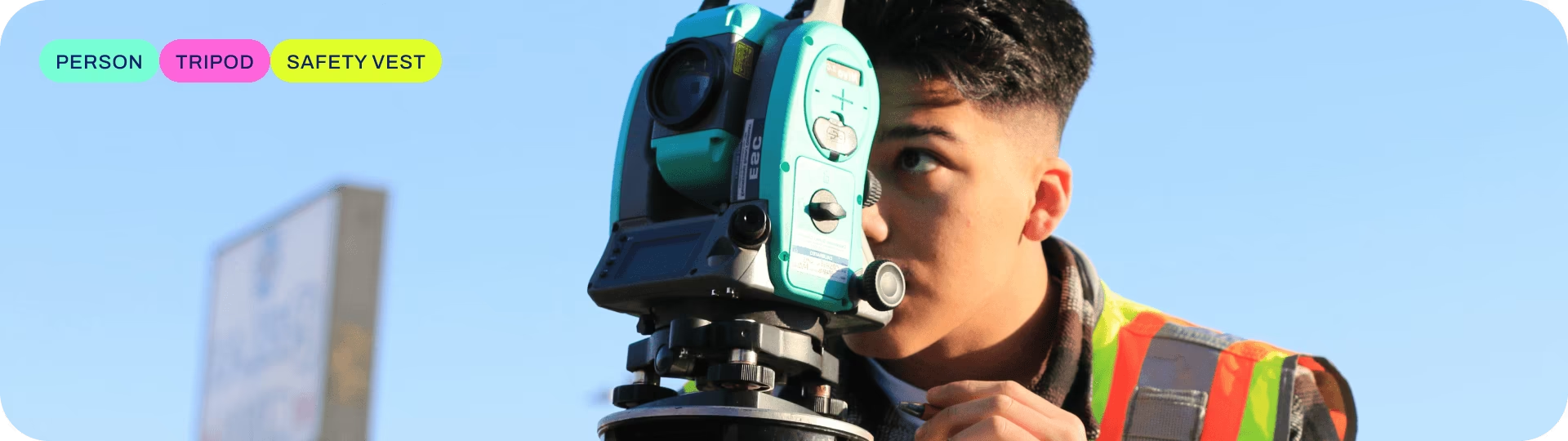
이미지 분류는 지원되는 작업 중 가장 단순하며, 전체 이미지를 사전 정의된 클래스 중 하나로 분류합니다.
이미지 분류기의 출력은 단일 클래스 레이블과 신뢰도 점수입니다. 이미지가 어떤 클래스에 속하는지만 알면 되고 해당 클래스 객체의 위치나 정확한 모양은 알 필요가 없는 경우 이미지 분류가 유용합니다.
시청: Ultralytics 작업 살펴보기: Ultralytics Platform을 사용한 이미지 분류
YOLO26 Classify 모델은 -cls 접미사를 사용합니다(예: yolo26n-cls.pt). 모델은 ImageNet으로 사전 학습됩니다.
모델#
ImageNet 데이터셋으로 사전 학습된 YOLO26 Classify 모델은 아래와 같습니다.
모델은 처음 사용할 때 최신 Ultralytics 릴리스에서 자동으로 다운로드됩니다.
| 모델 | 크기 (픽셀) | acc top1 | acc top5 | 속도 CPU ONNX (ms) | 속도 T4 TensorRT10 (ms) | 파라미터 (M) | FLOPs (B), 224 기준 |
|---|---|---|---|---|---|---|---|
| YOLO26n-cls | 224 | 71.4 | 90.1 | 5.0 ± 0.3 | 1.1 ± 0.0 | 2.8 | 0.4 |
| YOLO26s-cls | 224 | 76.0 | 92.9 | 7.9 ± 0.2 | 1.3 ± 0.0 | 6.7 | 1.5 |
| YOLO26m-cls | 224 | 78.1 | 94.2 | 17.2 ± 0.4 | 2.0 ± 0.0 | 11.6 | 4.8 |
| YOLO26l-cls | 224 | 79.0 | 94.6 | 23.2 ± 0.3 | 2.8 ± 0.0 | 14.1 | 6.0 |
| YOLO26x-cls | 224 | 79.9 | 95.0 | 41.4 ± 0.9 | 3.8 ± 0.0 | 29.6 | 13.5 |
- acc 값은 ImageNet 데이터셋 검증 세트에서 측정한 모델 정확도입니다.
yolo classify val data=path/to/ImageNet device=0로 재현할 수 있습니다. - 속도는 CPU에서 ONNX를 사용하고 NVIDIA T4 GPU에서 TensorRT10을 사용하여 ImageNet 검증 이미지 전체의 평균을 측정한 값입니다.
yolo classify val data=path/to/ImageNet batch=1 device=0|cpu로 재현할 수 있습니다. - Params 및 FLOPs 값은 Conv 및 BatchNorm 레이어를 병합하는
model.fuse()이후의 융합 모델 기준입니다. 사전 학습된 체크포인트에는 전체 학습 아키텍처가 유지되므로 더 높은 값이 표시될 수 있습니다.
예비 분류 속도 및 모델 크기는 미공개 YOLO27 프리뷰를 참조하세요.
학습#
MNIST160 데이터셋에서 이미지 크기 64, 에포크 100회로 YOLO26n-cls를 학습합니다. 사용 가능한 인수의 전체 목록은 구성 페이지를 참조하세요.
from ultralytics import YOLO

# 모델 로드
model = YOLO("yolo26n-cls.yaml")  # YAML에서 새 모델을 생성합니다.
model = YOLO("yolo26n-cls.pt")  # 사전 학습된 모델을 불러옵니다(학습에 권장).
model = YOLO("yolo26n-cls.yaml").load("yolo26n-cls.pt")  # YAML에서 모델을 생성하고 가중치를 전이합니다.

# 모델 학습
results = model.train(data="mnist160", epochs=100, imgsz=64)
Train 페이지에서 전체 train 모드 세부 정보를 확인하세요. 분류 모델은 Ultralytics Platform 클라우드 학습으로도 학습할 수 있습니다.
데이터셋 형식#
YOLO 분류 데이터셋 형식에 대한 자세한 내용은 데이터셋 가이드를 참조하세요. 분류 데이터셋은 Ultralytics Platform 주석 도구로 관리하고 라벨링할 수도 있습니다.
사용자 지정 변환#
Ultralytics YOLO 분류는 학습에 torchvision.transforms.RandomResizedCrop을, 검증 및 추론에 torchvision.transforms.CenterCrop을 사용합니다. 이러한 크롭 기반 변환은 정사각형 입력을 가정하므로 가로 세로 비율이 매우 다른 이미지의 중요한 영역을 잘라낼 수 있습니다. 이미지 전체를 보존하려면 크롭 대신 torchvision.transforms.Resize를 사용하세요. 이 변환은 크롭하지 않고 imgsz × imgsz 크기로 조정하며, 사용자 지정 ClassificationDataset, ClassificationTrainer, ClassificationValidator을 통해 적용할 수 있습니다.
import torch
import torchvision.transforms as T

from ultralytics import YOLO
from ultralytics.data.dataset import ClassificationDataset
from ultralytics.models.yolo.classify import ClassificationTrainer, ClassificationValidator

class CustomizedDataset(ClassificationDataset):
    """A customized dataset class for image classification with enhanced data augmentation transforms."""

    def __init__(self, root: str, args, augment: bool = False, prefix: str = "", names=None):
        """Initialize a customized classification dataset with enhanced data augmentation transforms."""
        super().__init__(root, args, augment, prefix, names)

        # 여기에 사용자 지정 학습 변환을 추가합니다
        train_transforms = T.Compose(
            [
                T.Resize((args.imgsz, args.imgsz)),
                T.RandomHorizontalFlip(p=args.fliplr),
                T.RandomVerticalFlip(p=args.flipud),
                T.RandAugment(interpolation=T.InterpolationMode.BILINEAR),
                T.ColorJitter(brightness=args.hsv_v, contrast=args.hsv_v, saturation=args.hsv_s, hue=args.hsv_h),
                T.ToTensor(),
                T.Normalize(mean=torch.tensor(0), std=torch.tensor(1)),
                T.RandomErasing(p=args.erasing, inplace=True),
            ]
        )

        # 여기에 사용자 지정 검증 변환을 추가합니다
        val_transforms = T.Compose(
            [
                T.Resize((args.imgsz, args.imgsz)),
                T.ToTensor(),
                T.Normalize(mean=torch.tensor(0), std=torch.tensor(1)),
            ]
        )
        self.torch_transforms = train_transforms if augment else val_transforms

class CustomizedTrainer(ClassificationTrainer):
    """A customized trainer class for YOLO classification models with enhanced dataset handling."""

    def build_dataset(self, img_path: str, mode: str = "train", batch=None):
        """Build a customized dataset for classification training and the validation during training."""
        return CustomizedDataset(
            root=img_path,
            args=self.args,
            augment=mode == "train",
            prefix="train" if mode == "train" else self.args.split,
            names=self.data["names"],
        )

class CustomizedValidator(ClassificationValidator):
    """A customized validator class for YOLO classification models with enhanced dataset handling."""

    def build_dataset(self, img_path: str):
        """Build a customized dataset for classification standalone validation (no augmentation)."""
        return CustomizedDataset(root=img_path, args=self.args, augment=False, prefix=self.args.split, names=self.names)

model = YOLO("yolo26n-cls.pt")
model.train(data="imagenet", trainer=CustomizedTrainer, epochs=10, imgsz=224, batch=64)
model.val(data="imagenet", validator=CustomizedValidator, imgsz=224, batch=64)검증#
학습된 YOLO26n-cls 모델의 정확도를 검증합니다. model에 학습 data와 인수가 모델 속성으로 유지되므로 별도의 인수가 필요하지 않습니다. Train 예제의 path/to/best.pt은 MNIST160에서 검증을 수행합니다. 공식 가중치에는 사용자의 컴퓨터에 존재하지 않는 학습 데이터셋 경로가 기록되어 있으므로, 경고와 함께 작업 기본값인 imagenet10로 대체됩니다. 다른 데이터셋으로 검증하려면 data을 전달하세요.
from ultralytics import YOLO

# 모델 로드
model = YOLO("yolo26n-cls.pt")  # 공식 모델을 불러옵니다
model = YOLO("path/to/best.pt")  # 사용자 지정 모델 로드

# 모델을 검증합니다
metrics = model.val()  # 데이터셋과 설정이 기억되므로 인수가 필요하지 않습니다
metrics.top1  # top1 accuracy
metrics.top5 # top5 accuracy사용자 지정 변환으로 학습된 모델은 해당하는 ClassificationValidator을 val()에 전달해야 합니다. 그렇지 않으면 학습 시 크기를 조정한 영역이 아니라 검증 중에 크롭됩니다.
예측#
학습된 YOLO26n-cls 모델을 사용해 이미지에 대한 예측을 수행합니다.
from ultralytics import YOLO

# 모델 로드
model = YOLO("yolo26n-cls.pt")  # 공식 모델을 불러옵니다
model = YOLO("path/to/best.pt")  # 사용자 지정 모델 로드

# 모델로 예측을 수행합니다
results = model("https://ultralytics.com/images/bus.jpg")  # 이미지에 대해 예측을 수행합니다

# 결과에 액세스합니다
for result in results:
    top1 = result.probs.top1  # 가장 높은 예측 클래스 ID
    top1_conf = result.probs.top1conf  # 가장 높은 예측 신뢰도
    top1_name = result.names[top1]  # 가장 높은 예측 클래스 이름
Predict 페이지에서 predict 모드의 전체 세부 정보를 확인하세요.
결과 출력#
이미지 분류는 이미지당 Results 객체 하나를 반환합니다. 기본 예측 필드는 result.probs이며, 클래스 확률 벡터와 상위 예측을 위한 헬퍼를 포함합니다.
| 속성 | 유형 | 형태 | 설명 |
|---|---|---|---|
result.probs | Probs | (C,) | 클래스 확률입니다. |
result.probs.data | torch.float32 | (C,) | 클래스별 확률입니다. |
result.probs.top1 | int | () | 최상위 클래스 ID입니다. |
result.probs.top1conf | torch.float32 | () | 최상위 신뢰도입니다. |
result.probs.top5 | list[int] | (<=5) | 상위 5개 클래스 ID입니다. |
모든 작업에서 작업별 Results 필드를 확인하려면 작업별 예측 결과 섹션을 참조하세요.
내보내기#
YOLO26n-cls 모델을 ONNX, CoreML 등 다른 형식으로 내보냅니다.
from ultralytics import YOLO

# 모델 로드
model = YOLO("yolo26n-cls.pt")  # 공식 모델을 불러옵니다
model = YOLO("path/to/best.pt")  # 사용자 지정 모델 로드

# 모델을 내보냅니다
model.export(format="onnx")
사용할 수 있는 YOLO26-cls 내보내기 형식은 아래 표에 나와 있습니다. format 인수를 사용해 원하는 형식으로 내보낼 수 있습니다(예: format='onnx' 또는 format='engine'). 내보낸 모델에서 직접 예측 또는 검증을 수행할 수 있습니다(예: yolo predict model=yolo26n-cls.onnx). 내보내기가 완료되면 해당 모델의 사용 예제가 표시됩니다.
| 형식 | format 인수 | 모델 | 메타데이터 | 인수 |
|---|---|---|---|---|
| PyTorch | - | yolo26n-cls.pt | ✅ | - |
| TorchScript | torchscript | yolo26n-cls.torchscript | ✅ | imgsz, quantize, dynamic, nms, batch, device |
| ONNX | onnx | yolo26n-cls.onnx | ✅ | imgsz, quantize, dynamic, simplify, opset, nms, batch, data, fraction, device |
| OpenVINO | openvino | yolo26n-cls_openvino_model/ | ✅ | imgsz, quantize, dynamic, nms, batch, data, fraction, device |
| TensorRT | engine | yolo26n-cls.engine | ✅ | imgsz, quantize, dynamic, simplify, opset, workspace, nms, batch, data, fraction, device |
| CoreML | coreml | yolo26n-cls.mlpackage | ✅ | imgsz, dynamic, quantize, nms, batch, device |
| Apple Core AI | coreai | yolo26n-cls.aimodel | ✅ | imgsz, batch, quantize |
| TF SavedModel | saved_model | yolo26n-cls_saved_model/ | ✅ | imgsz, quantize, opset, nms, batch, data, fraction, device |
| TF GraphDef | pb | yolo26n-cls.pb | ❌ | imgsz, opset, batch, device |
| TF Edge TPU | edgetpu | yolo26n-cls_edgetpu.tflite | ✅ | imgsz, quantize, opset, data, fraction, device |
| LiteRT | litert | yolo26n-cls.tflite | ✅ | imgsz, quantize, batch, data, fraction, device |
| PaddlePaddle | paddle | yolo26n-cls_paddle_model/ | ✅ | imgsz, batch, device |
| MNN | mnn | yolo26n-cls.mnn | ✅ | imgsz, batch, dynamic, quantize, simplify, opset, nms, device |
| NCNN | ncnn | yolo26n-cls_ncnn_model/ | ✅ | imgsz, quantize, batch, device |
| IMX500 | imx | yolo26n-cls_imx_model/ | ✅ | imgsz, quantize, data, fraction, nms, device |
| RKNN | rknn | yolo26n-cls_rknn_model/ | ✅ | imgsz, batch, name, quantize, simplify, opset, data, fraction, device |
| ExecuTorch | executorch | yolo26n-cls_executorch_model/ | ✅ | imgsz, batch, device |
| Axelera | axelera | yolo26n-cls_axelera_model/ | ✅ | imgsz, batch, quantize, data, fraction, device |
| DEEPX | deepx | yolo26n-cls_deepx_model/ | ✅ | imgsz, quantize, simplify, opset, data, optimize, device |
| Qualcomm QNN | qnn | yolo26n-cls_qnn.onnx | ✅ | imgsz, batch, name, quantize, simplify, opset, data, fraction, device |
| Hailo | hailo | yolo26n-cls_hailo_model/ | ✅ | imgsz, name, quantize, data, fraction, simplify, conf, iou, device |
| Huawei Ascend | ascend | yolo26n-cls_ascend_model/ | ✅ | imgsz, batch, name, quantize, opset, simplify, nms, device |
| AMD Xilinx | xilinx | yolo26n-cls_xilinx_model/ | ✅ | imgsz, name, quantize, data, fraction, opset, simplify, device |
nms=None은 외부 NMS를 위한 원시 출력을 기본값으로 사용합니다. 사용 가능한 NMS-free head를 선택하려면 nms=False을 설정합니다. 지원되지 않는 형식은 해당 형식의 기본 출력 경로로 대체됩니다. 위의 nms 항목은 nms=True을 사용해 NMS를 포함할 수 있는 형식을 나타냅니다.
자세한 export 내용은 내보내기 페이지를 참조하세요.
자주 묻는 질문#
yolo26n-cls.pt과 같은 YOLO26 모델은 효율적인 이미지 분류를 위해 설계되었습니다. 전체 이미지에 단일 클래스 레이블과 신뢰도 점수를 부여합니다. 이는 이미지 내 객체의 위치나 모양을 식별하는 대신 이미지의 구체적인 클래스만 알면 충분한 애플리케이션에 특히 유용합니다.Python 또는 CLI 명령을 사용해 YOLO26 모델을 학습할 수 있습니다. 예를 들어 MNIST160 데이터셋에서 이미지 크기 64, 에포크 100회로
yolo26n-cls모델을 학습하려면 다음과 같이 실행합니다.예제from ultralytics import YOLO # 모델 로드 model = YOLO("yolo26n-cls.pt") # 사전 학습된 모델을 불러옵니다(학습에 권장). # 모델 학습 results = model.train(data="mnist160", epochs=100, imgsz=64)구성 옵션을 더 알아보려면 구성 페이지를 방문하세요.
MNIST160과 같은 데이터셋에서 학습된 모델의 정확도를 검증하려면 다음 Python 또는 CLI 명령을 사용할 수 있습니다.
예제from ultralytics import YOLO # 모델 로드 model = YOLO("path/to/best.pt") # 학습된 모델 로드 # 모델을 검증합니다 metrics = model.val() # 인수는 필요하지 않으며, 학습에 사용한 데이터셋과 설정을 사용합니다. metrics.top1 # top1 accuracy metrics.top5 # top5 accuracy자세한 내용은 검증 섹션을 참조하세요.
Python 또는 CLI 명령을 사용하여 학습된 YOLO26 모델을 다양한 형식으로 내보낼 수 있습니다. 예를 들어 모델을 ONNX 형식으로 내보내려면 다음과 같이 실행합니다.
예제from ultralytics import YOLO # 모델 로드 model = YOLO("yolo26n-cls.pt") # 학습된 모델 로드 # 모델을 ONNX로 내보내기 model.export(format="onnx")자세한 내보내기 옵션은 내보내기 페이지를 참조하세요.