Intel OpenVINO 내보내기
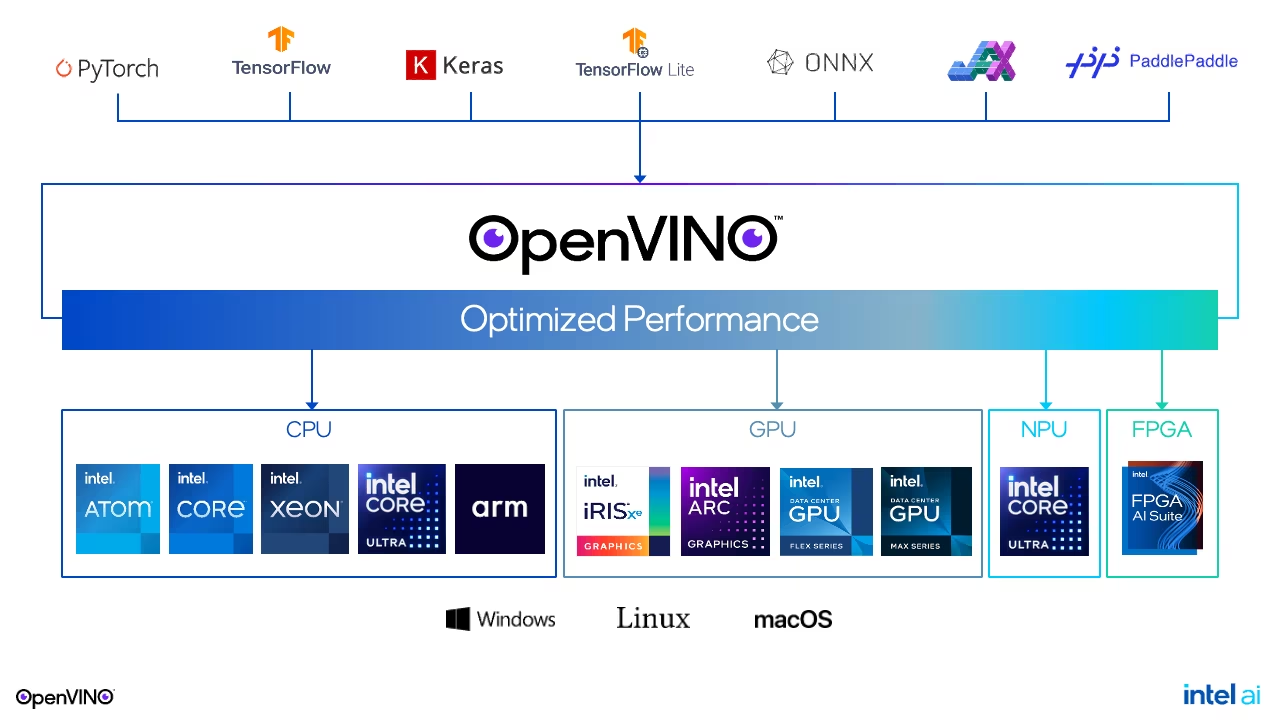
OpenVINO는 AI 추론을 최적화하고 실행하기 위한 Intel의 오픈 소스 툴킷입니다. Ultralytics YOLO26 모델을 format="openvino"로 내보내면 Intel CPU, Intel 내장 및 외장 GPU, Intel NPU에서 사용할 수 있는 OpenVINO IR 모델(.xml 및 .bin 파일)이 포함된 yolo26n_openvino_model/ 디렉터리가 생성되며, 정밀도는 FP32, FP16 또는 INT8입니다.
한눈에 보기#
| 속성 | 세부 정보 |
|---|---|
format 인수 | openvino |
| 출력 | yolo26n_openvino_model/: yolo26n.xml, yolo26n.bin, metadata.yaml이 포함된 디렉터리; quantize=8 내보내기에 사용하는 yolo26n_int8_openvino_model/ |
| 실행 환경 | Intel CPU, Intel 내장 및 외장 GPU, Intel NPU입니다. CPU 장치는 AMD 및 Apple silicon과 같은 다른 x86-64 및 ARM64 프로세서에서도 실행됩니다. |
| 런타임 | OpenVINO Runtime 2024.0.0 이상(openvino Python 패키지) |
| 정밀도 | FP32, FP16, INT8입니다. YOLO26n은 FP32에서 10.1MB, FP16에서 5.3MB, INT8에서 3.3MB입니다. |
| 내보내기 호스트 | Linux, macOS 또는 Windows입니다. 내보내기는 CPU에서 실행되며 GPU가 필요하지 않습니다. |
Ultralytics Platform에서 학습된 모델을 OpenVINO로 내보낼 수 있으므로 로컬 내보내기 환경이 필요하지 않습니다.
빠른 시작#
OpenVINO 내보내기 종속 항목을 포함해 Ultralytics 패키지를 설치합니다:
pip install "ultralytics[export-openvino]"이 명령은 openvino을 설치하며, Python 3.9 이상에서는 INT8 양자화를 위해 nncf도 설치합니다. 기본 pip install ultralytics를 사용하는 경우 첫 번째 내보내기 시 누락된 패키지가 설치됩니다. 내보내기에는 다음 버전 요구 사항이 있습니다:
| 패키지 | 필수 버전 |
|---|---|
torch | 2.1 이상 |
openvino | 2024.0.0 이상; macOS 15.4 이상에서는 2025.2.0 이상 |
nncf | quantize=8에만 2.14.0 이상 필요; PyTorch가 2.3 미만이면 3.0.0 미만 |
다른 설치 방법은 설치 가이드를 참조하세요. 그런 다음 모델을 내보내고 내보낸 디렉터리를 로드하여 추론을 실행하거나 정확도를 검증합니다. CPU에서 OpenVINO 사용하기 과정에서 동일한 단계를 안내합니다.
from ultralytics import YOLO

# YOLO26 모델 로드
model = YOLO("yolo26n.pt")

# 모델을 OpenVINO 형식으로 내보내기
model.export(format="openvino")  # creates 'yolo26n_openvino_model/'

# INT8 양자화 OpenVINO 모델을 보정 데이터로 내보냅니다
model.export(format="openvino", quantize=8, data="coco8.yaml") # creates 'yolo26n_int8_openvino_model/'from ultralytics import YOLO
# 내보낸 OpenVINO 모델 불러오기
model = YOLO("yolo26n_openvino_model/")
# 추론 실행
results = model("https://ultralytics.com/images/bus.jpg")
# Intel GPU에서 추론을 실행합니다. Intel NPU에는 "npu", CPU에는 "cpu"를 사용합니다
results = model("https://ultralytics.com/images/bus.jpg", device="xpu")from ultralytics import YOLO
# 내보낸 OpenVINO 모델 불러오기
model = YOLO("yolo26n_openvino_model/")
# COCO8 데이터셋에서 정확도 검증
metrics = model.val(data="coco8.yaml")지원 작업#
OpenVINO 내보내기는 YOLOv8, YOLO11, YOLO26 모델에서 Ultralytics의 7가지 작업인 객체 탐지, 인스턴스 분할, 시맨틱 분할, 깊이 추정, 분류, 자세 추정, OBB를 모두 지원합니다. 시맨틱 분할과 깊이 추정은 해당 헤드를 제공하는 유일한 제품군인 YOLO26에서만 사용할 수 있습니다.
내보내기 인수#
| 인수 | 유형 | 기본값 | 설명 |
|---|---|---|---|
format | str | 'openvino' | 내보낸 모델의 대상 형식으로, 다양한 배포 환경과의 호환성을 정의합니다. |
imgsz | int 또는 tuple | 640 | 모델 입력 이미지 크기입니다. 정사각형 이미지에는 정수를, 그 외의 크기에는 튜플 (height, width)을 지정합니다. 값을 전달하지 않으면 내보내기 시 체크포인트 학습에 사용된 크기를 사용합니다. 공식 YOLO26 체크포인트는 detect, segment, pose, ADE20K로 사전 학습된 semantic 모델에 640, OBB 및 Cityscapes로 사전 학습된 semantic 모델에 1024, depth에 768, classify에 224를 사용합니다. |
quantize | int 또는 str | None | 양자화 정밀도: 16(FP16: 가중치는 반정밀도로 저장하고 입력과 출력은 FP32 유지) 또는 8(data의 보정 이미지를 사용한 NNCF 기반 INT8 학습 후 양자화이며, 결과는 _int8_openvino_model/ 디렉터리에 저장); 32/설정되지 않은 값은 FP32입니다. quantize=8로 학습한 체크포인트는 OpenVINO로 내보낼 수 없습니다. 제한 사항 및 문제 해결을 참조하세요. 더 이상 사용되지 않는 half/int8 플래그를 대체합니다. |
data | str | None | INT8 보정에 사용하는 데이터셋 YAML입니다. 분류 작업에는 데이터셋 디렉터리 또는 기본 제공 데이터셋 이름을 사용합니다. 보정에는 split이 설정되지 않은 경우 val 분할을 사용합니다. quantize=8에서 생략하면 Ultralytics는 작업에 맞는 소규모 기본 데이터셋을 사용합니다. 예를 들어 객체 탐지에는 coco8.yaml을 사용합니다. |
fraction | float, int 또는 list | 1.0 | 비율, 이미지 수 또는 [train, val, test] 비율/개수로 지정하는 보정 하위 집합입니다. 항목이 두 개인 목록에서는 test이 전체로 설정되고, 0는 건너뜁니다. |
dynamic | bool | False | 입력의 배치, 높이, 너비를 동적으로 설정하여 하나의 모델이 서로 다른 배치 크기와 이미지 크기를 처리하도록 합니다. Intel NPU에서는 동적 모델도 내보내기 imgsz에서 실행됩니다. 배포를 참조하세요. |
nms | bool, 선택 사항 | None | 원시 출력(None, 기본값), 내장 NMS(True) 또는 NMS 없는 헤드(False)를 선택합니다. 출력 형식을 참조하세요. |
batch | int | 1 | 내보낸 모델의 배치 크기입니다. 정적 내보내기에서는 입력 형상의 배치 크기가 이 값으로 고정됩니다. INT8 보정에도 이 배치 크기를 사용합니다. |
device | str | None | 내보내기는 항상 CPU에서 실행됩니다. quantize=8을 사용하는 경우 device=npu은 YOLO 객체 탐지, 분할, 자세 추정 및 OBB 모델에 대칭 INT8 활성화 양자화를 적용합니다. 이 모델은 Intel NPU에서 최대 2배 빠르게 실행됩니다. |
모든 형식에 공통으로 적용되는 인수는 내보내기 모드 문서를 참조하세요.
INT8 양자화#
quantize=8은 학습 후 양자화를 NNCF와 함께 적용합니다. 내보내기 과정에서는 보정 이미지를 모델에 입력하고, 가능한 경우 가중치와 활성화를 8비트 정수로 저장합니다.
- 보정 데이터: 내보내기는
data의val분할 전체 배치마다 보정을 수행하거나,split로 지정한 분할을 사용합니다. 이미지 수를 제한하려면fraction을 사용합니다. 이미지가 300개 미만이면 내보내기에서 경고합니다. - 탐지 헤드: YOLO 탐지 헤드가 있는 모델(객체 탐지, 분할, 자세 추정, OBB)과 RT-DETR의 경우, 헤드 출력을 디코딩하는 작업(형상 변경, 연결, 박스 디코딩, DFL)과 모든 시그모이드 작업은 부동소수점으로 유지되고 헤드의 합성곱은 양자화됩니다. 분류, 시맨틱 분할, 깊이 모델에는 제외되는 작업이 없습니다.
- 입력과 출력: INT8 모델은 FP32 모델의
float32입력과 출력을 그대로 유지하므로 FP32 모델용으로 작성한 추론 코드를 수정 없이 사용할 수 있습니다. - Intel NPU: Intel NPU에서 실행할 INT8 내보내기에
device=npu을 추가합니다. 이 설정은 YOLO 객체 탐지, 분할, 자세 추정 및 OBB 모델의 활성화 양자화를 비대칭에서 대칭으로 전환합니다.
from ultralytics import YOLO

model = YOLO("yolo26n.pt")

# COCO 검증 이미지의 10%(이미지 500개)로 보정합니다. coco.yaml을 자체 데이터셋으로 바꾸세요.
model.export(format="openvino", quantize=8, data="coco.yaml", fraction=0.1)

# 내보낸 INT8 모델을 로드하고 추론을 실행합니다
model = YOLO("yolo26n_int8_openvino_model/")
results = model("https://ultralytics.com/images/bus.jpg")벤치마크에서 INT8 모델은 서버 CPU에서 FP32보다 1.02~1.33배 빠르게 실행되었고 COCO val2017에서 mAP가 0.5~0.9 낮았습니다. Intel Core Ultra CPU에서는 INT8이 FP32보다 1.2~3.8배 빠르게 실행되었습니다. 배포 전에 자체 데이터로 INT8 모델을 검증하세요.
출력 형식#
내보내기는 파일 3개가 포함된 디렉터리 하나를 생성합니다:
| 파일 | 내용 |
|---|---|
yolo26n.xml | OpenVINO IR 형식의 네트워크 그래프 |
yolo26n.bin | 가중치 |
metadata.yaml | 클래스 이름, 작업, 이미지 크기, 배치 크기, 스트라이드 및 내보내기 인수입니다. Ultralytics는 모델을 로드할 때 이 정보를 읽습니다. |
모델은 (batch, 3, height, width) 형상의 입력 하나를 받으며, 입력은 RGB이고 값이 0~1로 정규화되어야 합니다. 시맨틱 분할 출력을 제외하면 FP32, FP16, INT8 모델의 입력과 출력은 float32입니다. 시맨틱 분할 출력은 uint8 클래스 맵이며, 클래스가 256개보다 많은 모델에서는 int32입니다. 텐서에는 ONNX 내보내기의 images 및 output0 이름이 지정되지 않으므로 자체 코드에서는 인덱스로 입력과 출력을 참조하세요.
출력 형상은 ONNX 내보내기와 동일하며 작업과 nms 인수에 따라 달라집니다. imgsz=640로 내보낸 YOLO26n 탐지 모델은 기본 nms=None에서 (1, 84, 8400)를 반환하고, nms=False 또는 nms=True에서 (1, 300, 6)를 반환합니다. 각 작업의 형상과 내용은 ONNX 출력 형식을 참조하세요. nms=True을 사용하면 신뢰도 임계값 conf(기본값 0.25), IoU 임계값 iou, agnostic_nms, max_det이 내보내기 시 그래프에 고정됩니다. 예측 또는 검증 시 conf를 낮춰도 그래프에서 이미 제거된 탐지를 복원할 수 없으므로, 값을 변경하려면 다시 내보내세요.
배포#
YOLO("yolo26n_openvino_model/")은 OpenVINO Runtime으로 모델을 실행하고 device 인수를 OpenVINO 장치에 매핑합니다:
device | OpenVINO 장치 |
|---|---|
| 지정하지 않음 | AUTO은 OpenVINO가 CPU와 Intel GPU 중에서 선택하도록 합니다(기본 우선순위 목록에는 NPU가 포함되지 않습니다). OpenVINO가 CPU만 찾는 경우에는 CPU를 사용합니다. |
cpu | CPU |
xpu 또는 xpu:0 | Intel 내장 또는 외장 GPU인 GPU 또는 GPU.0입니다. Intel GPU가 두 개인 컴퓨터에서는 xpu:1가 GPU.1을 선택합니다. |
npu | Intel Core Ultra 프로세서의 신경망 처리 장치인 NPU입니다. |
0 또는 mps과 같은 다른 값은 device가 설정되지 않은 경우와 동일하게 처리됩니다. 이전 이름인 intel:cpu, intel:gpu, intel:npu도 계속 사용할 수 있으며 사용 중단 경고가 로그에 기록됩니다. 형식별 이름 비교는 추론 장치 표를 참조하세요. 로그 행 Using OpenVINO LATENCY mode for batch=1 inference on CPU...은 모델을 로드할 때 OpenVINO가 보고하는 장치를 나타냅니다. AUTO을 사용하면 Intel GPU가 여전히 모델을 컴파일하는 중에도 CPU로 표시될 수 있으므로, 확실하게 지정하려면 device를 설정하세요. .pt 모델의 경우 device="xpu"은 대신 PyTorch Intel GPU 백엔드를 선택합니다. 이 백엔드는 Intel GPU에서 학습할 때도 사용하는 장치입니다. device="npu"은 Intel NPU가 아닌 Huawei Ascend NPU를 선택합니다.
추론 동작은 모델을 내보낸 방식에 따라 달라집니다:
- 정적 내보내기(기본값): 모델은 항상 내보내기
imgsz및batch로 실행되며, Ultralytics는 이 값을metadata.yaml에서 읽습니다.predict에 전달된imgsz은 무시됩니다. 큰 배치는 내보내기 배치 크기의 청크로 분할되고 작은 배치는 패딩되므로 이미지 수에 제한이 없습니다. - 동적 내보내기(
dynamic=True):predict은 서로 다른 배치 크기와 모델 스트라이드의 배수인 모든imgsz를 처리합니다. Intel NPU와 Intel AMX CPU에서 실행되는 INT8 모델은 예외입니다. 제한 사항 및 문제 해결을 참조하세요. - 지연 시간 모드: Ultralytics는 OpenVINO
LATENCY성능 힌트를 사용해 모델을 컴파일하고 동기식으로 추론을 실행합니다.THROUGHPUT힌트로 여러 요청을 병렬 처리하려면 지연 시간 및 처리량 가이드에 설명된 OpenVINO Runtime API를 사용하세요. - Intel NPU: Ultralytics는 NPU에서 배치 크기 1로 모델을 컴파일하고 더 큰 배치는 단일 이미지로 분할합니다. NPU에서는 동적 내보내기도 내보내기
imgsz으로 고정됩니다.
OpenVINO Runtime API로 실행합니다#
Ultralytics 패키지 외부에서 모델을 실행하려면 openvino 패키지로 .xml 파일을 로드합니다. 모델은 사전 처리된 이미지를 입력으로 받고 출력 형식에 설명된 원시 출력을 반환합니다. 따라서 레터박싱과 기본 내보내기의 NMS는 자체 코드에서 처리해야 합니다:
# 먼저 내보냅니다: yolo export model=yolo26n.pt format=openvino nms=False
import numpy as np
import openvino as ov
import yaml

core = ov.Core()
model = core.read_model("yolo26n_openvino_model/yolo26n.xml")
compiled = core.compile_model(model, "AUTO")  # 또는 "CPU", "GPU", "NPU"

image = np.zeros((1, 3, 640, 640), dtype=np.float32)  # 사전 처리된 이미지: RGB, NCHW, 0-1
detections = compiled(image)[0][0]  # 첫 번째 출력, 첫 번째 이미지: shape (300, 6)
detections = detections[detections[:, 4] > 0.25]  # 신뢰도 임계값보다 높은 행 유지

with open("yolo26n_openvino_model/metadata.yaml") as f:
    names = yaml.safe_load(f)["names"]  # {0: 'person', 1: 'bicycle', ...}
배포 가이드#
- OpenVINO 지연 시간 및 처리량 모드: 단일 스트림의 지연 시간을 최소화할지, 여러 스트림의 처리량을 극대화할지 선택합니다.
- Intel DL Streamer: Intel Core Ultra CPU, GPU, NPU에서 GStreamer 비디오 분석 파이프라인으로 내보낸 모델을 실행합니다.
- OpenVINO 추론 장치: OpenVINO 문서에서 CPU, GPU, NPU 장치와
AUTO모드를 살펴보세요. - OpenVINO 노트북: YOLO26 최적화를 비롯한 Intel의 튜토리얼 노트북입니다.
제한 사항 및 문제 해결#
- PyTorch 버전: 이전 PyTorch 버전에서는
OpenVINO export requires torch>=2.1으로 내보내기가 실패합니다. - macOS 15.4 이상: 이 macOS 버전에서는 OpenVINO 2025.1.0 이하가 실패하므로 내보내기에는
openvino>=2025.2.0이 필요하며 이전 패키지를 업데이트합니다. quantize=8으로 학습한 체크포인트: 양자화 인식 학습으로 미세 조정한 체크포인트는format='openvino' cannot export a QAT model: its Q/DQ ranges are only read by the 'onnx' and 'engine' backends로 내보내면 실패합니다. 대신quantize=8을 사용해 미세 조정의 기반이 된 체크포인트를 내보내거나, 미세 조정한 체크포인트를 ONNX 또는 TensorRT로 내보내세요.data을 지정하지 않은 INT8 내보내기: 내보내기에서INT8 export requires a missing 'data' arg for calibration. Using default 'data=coco8.yaml'.을 기록하고 해당 작업의 소규모 기본 데이터셋으로 보정합니다. 배포 데이터를 대표하는 이미지가 포함된data를 전달하세요.- INT8 보정 크기: 보정 분할에 이미지가 300개 미만이면 내보내기에서
>300 images recommended for INT8 calibration, found 4 images.을 기록합니다.coco8.yaml에는 검증 이미지가 4개뿐입니다. 내보내기 테스트에는 충분하지만 배포용 모델 보정에는 부족합니다. - 출력 디렉터리: INT8이 아닌 체크포인트는 내보낼 때마다
yolo26n_openvino_model/디렉터리에 저장됩니다.quantize,imgsz,dynamic,nms,batch중 어떤 값을 사용하든 이후 내보내기가 이전 결과를 덮어씁니다.device=npu지정 여부와 관계없이 모든 INT8 내보내기는yolo26n_int8_openvino_model/을 공유합니다. - 장치를 사용할 수 없음: 요청된 장치가 없으면 Ultralytics는
OpenVINO device 'GPU' not available. Using 'AUTO' instead.(OpenVINO가 CPU만 찾는 컴퓨터에서는Using 'CPU' instead.)을 기록하고 해당 장치에서 계속 실행합니다. 프로세서가 OpenVINO에서 지원되는지 확인하고 Intel GPU 또는 NPU 드라이버를 설치하세요. - Intel NPU: Ultralytics는 고정 입력 형상을 사용해 NPU에서 배치 크기 1로 실행합니다. 배포를 참조하세요. NPU를 사용하려면
device=npu을 전달하세요.device를 설정하지 않으면 NPU가 선택되지 않습니다. - NMS를 사용하는 동적 형상:
dynamic=True및nms=True을 사용한 내보내기에서batch이1로 설정된 경우'dynamic=True' export requires a maximum batch size, e.g. 'batch=16'.가 기록됩니다. Ultralytics는 더 큰 배치를 내보내기batch의 청크로 나누어 실행합니다. - Intel AMX CPU에서의 동적 INT8 모델: Linux에서 AMX를 지원하는 CPU(Intel Sapphire Rapids 이상)를 사용하면 Ultralytics는 동적 INT8 모델을 정적 모델과 마찬가지로 내보내기
imgsz에서CPU또는AUTO장치로 실행합니다.predict또는val에 전달된imgsz은 무시되며,val은 내보내기batch을 사용합니다.predict은 계속 다른 배치 크기를 허용하고 배치 크기가 새로 바뀔 때마다 모델을 다시 컴파일하므로 새 배치 크기로 실행하는 첫 추론은 더 느립니다. - Windows: Windows에서 Ultralytics는 CPU 추론 정밀도 힌트를 FP32로 설정하여 OpenVINO가 저정밀도 부동소수점 커널을 사용하지 않도록 합니다(INT8 모델은 여전히 INT8로 실행됨). 또한 oneDNN이 AMX보다 낮은 명령어 집합만 사용하도록 제한합니다. 다른 제한을 적용하려면 모델을 로드하기 전에
ONEDNN_MAX_CPU_ISA환경 변수를 설정하세요. - ARM64 기반 Linux: Ultralytics는 OpenVINO 정확도 실행 모드와 FP32 추론 정밀도로
CPU장치를 실행합니다. - 내장 NMS: 분류 작업에서
nms=True은'nms=True' is not valid for classification models.을 발생시키며, 시맨틱 분할 및 깊이 추정 모델('nms=True' is not valid for semantic models. Forcing 'nms=None'.)과 RT-DETR 모델('nms=True' is not available for end2end models or non-YOLO heads. Forcing 'nms=None'.)에서는 경고를 표시한 뒤 무시됩니다. - NMS 없는 헤드:
nms=False에는 YOLO26 또는 YOLOv10과 같이 NMS 없는 헤드가 있는 모델이 필요합니다. 예를 들어 YOLO11과 같은 다른 모델에서는 내보내기 시This model has no one-to-one head; using one-to-many outputs.경고가 표시되고 원시(1, 84, 8400)출력을 저장합니다.
그 밖의 오류는 일반적인 문제 가이드를 참조하세요.
OpenVINO YOLO26 벤치마크#
아래 표에서는 모든 YOLO26 탐지 모델의 PyTorch와 FP32, FP16, INT8 OpenVINO 모델을 비교합니다. 첫 번째 표는 COCO val2017 정확도를 사용해 서버 CPU에서 측정했으며, 두 번째 표는 Intel Core Ultra 프로세서 3종의 CPU와 GPU, 그리고 그중 2종의 NPU에서 측정했습니다. YOLO26 모델 페이지에는 각 모델의 정확도, CPU ONNX 속도, T4 TensorRT 속도가 나와 있습니다.
서버 CPU에서의 FP32, FP16, INT8#
이 섹션의 모든 값은 Intel CPU가 아닌, AMD EPYC 9655 96코어 프로세서 2개를 탑재한 서버 한 대의 CPU에서 측정했습니다. PyTorch는 8개 스레드, OpenVINO는 96개 스레드로 실행했습니다. 이는 Ultralytics와 OpenVINO가 해당 서버에서 기본으로 선택한 값이므로 PyTorch와 OpenVINO 열은 런타임뿐 아니라 스레드 수도 다릅니다. PyTorch는 종횡비를 유지하도록 각 이미지를 직사각형으로 패딩하는 직사각형 추론으로도 검증했습니다(480x640 이미지의 경우 512x672). 반면 정적 OpenVINO 모델은 항상 640x640으로 실행되었습니다.
이미지당 밀리초이며, 낮을수록 좋습니다. 모델별 가장 빠른 형식은 굵게 표시했습니다.
| 모델 | imgsz | PyTorch | OpenVINO FP32 | OpenVINO FP16 | OpenVINO INT8 |
|---|---|---|---|---|---|
| YOLO26n | 640 | 13.31 | 3.41 | 3.33 | 3.35 |
| YOLO26s | 640 | 24.28 | 5.18 | 5.18 | 4.51 |
| YOLO26m | 640 | 49.94 | 8.39 | 8.34 | 6.60 |
| YOLO26l | 640 | 63.75 | 10.92 | 11.05 | 8.94 |
| YOLO26x | 640 | 115.11 | 17.12 | 17.16 | 12.83 |
동일한 CPU 8개에서 실행한 YOLO26n(PyTorch와 OpenVINO 모두 taskset을 사용해 해당 서버의 CPU 0~7에 고정):
| 지표 | PyTorch | OpenVINO FP32 | OpenVINO FP16 | OpenVINO INT8 |
|---|---|---|---|---|
| 지연 시간(ms/이미지) | 9.28 | 7.13 | 7.14 | 6.71 |
| mAPval 50-95 | 40.8 | 40.9 | 40.9 | 40.3 |
- OpenVINO FP32는 위의 기본 스레드 수를 사용했을 때 PyTorch보다 3.9~6.7배 빠르게 실행되었으며, 정확도 차이는 0.1 mAP 이내였습니다. 두 모델을 동일한 CPU 8개에 고정하면 기본 설정일 때보다 PyTorch 자체가 더 빠르게 실행되며, OpenVINO FP32는 YOLO26n에서 PyTorch보다 1.3배, INT8은 FP32보다 1.06배 빠르게 실행되었습니다.
- FP16은 FP32와 0.1 mAP 이내의 정확도를 유지하면서 모델 크기를 절반으로 줄였고, 지연 시간은 FP32와 같았습니다(차이 3% 이내).
- INT8은 FP32보다 1.02~1.33배 빠르게 실행되고 모델 크기는 3.1~3.9배 작아졌으며, mAP는 0.5~0.9 낮아졌습니다.
2026년 11월 14일에 ultralytics 8.4.212, OpenVINO 2026.4.1, NNCF 3.4.0, PyTorch 2.15.0을 사용하여 batch=1에서 측정했습니다. 지연 시간은 val가 보고하는 추론 단계이며 사전 처리 및 사후 처리는 포함하지 않습니다. PyTorch, FP32, FP16 값은 3회 실행의 평균이며, 실행 간 차이는 PyTorch에서 최대 26%, OpenVINO에서 최대 6%였습니다. INT8 모델은 COCO train2017 이미지 591개(split=train fraction=0.005)로 보정하고 세 번 빌드했으며, INT8 값은 세 번의 빌드 결과 평균입니다. CPU 8개 표에는 INT8 모델 하나를 빌드한 뒤 세 번 실행한 결과를 사용했습니다.
Intel Core Ultra CPU, GPU, NPU#
이 표는 Intel Core Ultra 프로세서 3종에서 벤치마크 모드의 openvino 2026.2.1을 사용해 측정했습니다. model.benchmark(data="coco128.yaml", format="openvino", device=...)이며 device을 cpu, xpu 또는 npu으로 설정했습니다. 정확도는 이미지 128개로 구성된 COCO128 데이터셋의 mAP50-95이므로 위의 COCO val2017 값과 직접 비교할 수 없습니다. PyTorch는 동일한 프로세서의 CPU에서 실행되었습니다. YOLO26 모델은 Intel Core Ultra 2xxV 시리즈, 3xx 시리즈 및 그 이후 프로세서의 NPU에서만 실행됩니다.
Intel Core Ultra X7 358H#
Intel Core Ultra X7 358H(Panther Lake)는 CPU 코어, Intel Arc 내장 GPU, Intel AI Boost NPU를 결합한 프로세서입니다.
이미지당 밀리초이며 값이 낮을수록 좋습니다. 모델별로 가장 빠른 열을 굵게 표시합니다.
| 모델 | PyTorch CPU | CPU FP32 | CPU FP16 | CPU INT8 | GPU FP32 | GPU FP16 | GPU INT8 | NPU FP32 | NPU FP16 | NPU INT8 |
|---|---|---|---|---|---|---|---|---|---|---|
| YOLO26n | 29.28 | 14.35 | 14.23 | 9.99 | 4.09 | 4.03 | 4.24 | 7.68 | 7.71 | 8.60 |
| YOLO26s | 59.32 | 35.03 | 33.55 | 16.68 | 5.08 | 5.14 | 4.47 | 9.89 | 9.94 | 10.69 |
| YOLO26m | 143.21 | 90.53 | 88.82 | 33.33 | 7.10 | 7.06 | 5.61 | 13.02 | 13.13 | 14.84 |
| YOLO26l | 181.16 | 112.83 | 111.31 | 43.27 | 8.45 | 8.49 | 6.25 | 14.53 | 14.55 | 15.64 |
| YOLO26x | 379.75 | 241.21 | 236.87 | 78.92 | 13.03 | 12.98 | 8.74 | 23.48 | 23.41 | 21.56 |
이전 Intel Core Ultra 프로세서#
Intel Core Ultra 7 258V(Lunar Lake)
이미지당 밀리초이며 값이 낮을수록 좋습니다. 모델별로 가장 빠른 열을 굵게 표시합니다.
| 모델 | PyTorch CPU | CPU FP32 | CPU FP16 | CPU INT8 | GPU FP32 | GPU FP16 | GPU INT8 | NPU FP32 | NPU FP16 | NPU INT8 |
|---|---|---|---|---|---|---|---|---|---|---|
| YOLO26n | 27.33 | 16.84 | 16.73 | 8.62 | 3.33 | 3.34 | 3.46 | 23.71 | 23.70 | 23.96 |
| YOLO26s | 60.20 | 54.71 | 54.45 | 20.19 | 4.66 | 4.65 | 3.99 | 26.62 | 26.62 | 25.89 |
| YOLO26m | 152.87 | 178.59 | 179.25 | 53.07 | 9.03 | 8.98 | 5.70 | 32.94 | 33.01 | 30.95 |
| YOLO26l | 201.57 | 238.15 | 233.70 | 67.73 | 11.32 | 11.36 | 7.45 | 36.02 | 35.77 | 32.64 |
| YOLO26x | 431.04 | 567.22 | 561.39 | 151.11 | 19.08 | 19.63 | 13.69 | 49.64 | 49.69 | 41.75 |
Intel Core Ultra 7 155H(Meteor Lake)
이미지당 밀리초이며 값이 낮을수록 좋습니다. 모델별로 가장 빠른 열을 굵게 표시합니다.
| 모델 | PyTorch CPU | CPU FP32 | CPU FP16 | CPU INT8 | GPU FP32 | GPU FP16 | GPU INT8 |
|---|---|---|---|---|---|---|---|
| YOLO26n | 33.19 | 13.43 | 13.20 | 11.40 | 9.13 | 9.07 | 5.79 |
| YOLO26s | 70.92 | 36.16 | 36.07 | 15.54 | 16.37 | 16.65 | 9.27 |
| YOLO26m | 192.45 | 102.52 | 101.88 | 35.72 | 34.47 | 35.71 | 15.46 |
| YOLO26l | 239.19 | 129.24 | 128.50 | 45.38 | 43.24 | 43.40 | 19.72 |
| YOLO26x | 511.89 | 293.40 | 296.48 | 85.24 | 79.49 | 79.45 | 34.66 |
세 프로세서 전반에서:
- CPU: INT8은 FP32보다 1.2~3.8배, PyTorch보다 2.9~6.0배 빠르게 실행되었습니다. X7 358H와 155H에서 FP32는 PyTorch보다 1.6~2.5배 빠르게 실행되었지만, 258V에서는 YOLO26m, YOLO26l, YOLO26x의 실행 속도가 PyTorch보다 느렸습니다.
- GPU: 통합 GPU는 FP32 모델을 CPU의 PyTorch보다 3.6~29.1배 빠르게 실행했습니다. X7 358H와 258V에서 YOLO26n을 제외한 모든 모델은 INT8이 FP32보다 최대 2.3배 빠르게 실행되었습니다.
- NPU(X7 358H 및 258V): FP32 모델은 CPU의 PyTorch보다 1.2~16.2배 빠르게 실행되었으며, INT8은 FP32 속도의 0.88~1.19배로 실행되었습니다. 이 INT8 모델은
device=npu에서 대칭 활성화를 선택하기 전에 내보낸 것이므로, 표에는 NPU에 최적화된 INT8 내보내기 결과가 표시되지 않습니다. - 모든 장치에서 FP16 지연 시간은 FP32 대비 5% 이내였으며, INT8은 mAP50-95가 0.1~2.7포인트 낮았습니다.
OpenVINO 소개#
OpenVINO는 Open Visual Inference and 신경망 최적화의 약자로, PyTorch와 같은 프레임워크의 모델을 자체 IR 형식으로 변환하고 하나의 API를 통해 Intel CPU, GPU, NPU에서 실행합니다. 전체 참조 내용은 OpenVINO 문서를 참조하세요.
시청: 더 빠른 추론을 위해 Ultralytics YOLO26을 Intel OpenVINO 형식으로 내보내는 방법 🚀
자주 묻는 질문#
예, CPU에서 실행할 수 있습니다. OpenVINO
CPU장치는 x86-64 및 ARM64 프로세서에서 실행됩니다. 이 페이지의 서버 CPU 벤치마크는 AMD EPYC 프로세서에서 측정했으며, 동일한 내보내기 모델은 Apple 실리콘에서도 실행됩니다.GPU및NPU장치에는 Intel 하드웨어가 필요하므로, 다른 시스템에서는device=xpu및device=npu가 경고와 함께 대체 장치로 전환됩니다. 다른 대상 장치는 모델 배포 옵션 가이드를 참조하세요.장치에 따라 다릅니다. FP16(
quantize=16)은 보정 데이터가 필요하지 않고 모델 크기를 절반으로 줄이며, 벤치마크에서 FP32 정확도와 지연 시간을 유지했으므로 모델 크기가 중요할 때 사용하세요. INT8(quantize=8)은 대부분의 모델에서 CPU 지연 시간을 가장 낮췄습니다. 서버 CPU에서는 이미지당 YOLO26s 지연 시간을 5.18ms에서 4.51ms로 줄였으며, FP32의 48.5와 비교해 47.6 mAPval 50-95를 기록했습니다. Intel Core Ultra CPU에서는 FP32보다 1.2~3.8배 빠르게 실행되었습니다. 통합 Intel GPU에서 INT8의 성능 향상은 최대 2.3배로 더 작았으며, 이번 실행에서device=npu없이 내보낸 NPU용 INT8 모델은 FP32와 거의 같은 속도로 실행되었습니다. INT8에는 대표성 있는 보정 데이터가 필요하므로, INT8 모델을 선택하기 전에 자체 데이터에서 검증하세요.dynamic=True을 사용해 내보낸 다음, 예측 시 필요한 배치와imgsz을 전달하세요. 이미지 크기는 모델 stride의 배수여야 합니다. 분류 모델을 제외한 공식 YOLO26 체크포인트의 stride는 32입니다. 예외 사항은 배포를 참조하세요.동적 내보내기from ultralytics import YOLO model = YOLO("yolo26n.pt") model.export(format="openvino", dynamic=True) model = YOLO("yolo26n_openvino_model/") results = model(["https://ultralytics.com/images/bus.jpg"] * 4, imgsz=320) # 320픽셀 이미지 4개로 구성된 배치배포 하드웨어가 Intel인 경우 OpenVINO를 사용하세요.
device=xpu및device=npu은 Intel GPU와 NPU를 선택하며, 벤치마크에서 INT8 OpenVINO 모델은 Intel Core Ultra CPU에서 FP32보다 1.2~3.8배 빠르게 실행되었습니다. 하나의 파일을 NVIDIA 또는 AMD GPU에서도 실행하거나 OpenVINO 이외의 런타임에서 실행해야 하는 경우 ONNX를 사용하세요. Windows에서는 Windows ML이 ONNX 모델에 사용할 Intel 하드웨어를 선택할 수 있습니다.


댓글23
질문을 하거나 결과를 공유하거나 다른 사람을 도와주세요.
Heyujie96
how can i export a trained cls or obb kind model to openvino kind
EduardoNew
I encountered some difficulties while trying to run the official video demo. Here is my code:
from ultralytics import YOLO
def main(): # Load a YOLOv8n PyTorch model model = YOLO("yolov8n.pt")
# Export the model
model.export(format="openvino")  # creates 'yolov8n_openvino_model/'

# Load the exported OpenVINO model with explicit task definition
ov_model = YOLO("yolov8n_openvino_model\\", task='detect')  # Explicitly define task as 'detect'

# Run inference
results_original = model("D:\\python_YOLO_test\\bus.jpg")

# Run ov inference
results_ov = ov_model("D:\\python_YOLO_test\\bus.jpg")
if name == "main": main() Additional notes: My environment is openvino==2024.0.0, and I executed pip install --upgrade torch ultralytics.
The issue I encountered is as follows:
Results saved to D:\python_YOLO_test Ultralytics YOLOv8.2.57 🚀 Python-3.11.9 torch-2.1.1+cu118 CPU (11th Gen Intel Core(TM) i7-11800H 2.30GHz) YOLOv8n summary (fused): 168 layers, 3,151,904 parameters, 0 gradients, 8.7 GFLOPs
PyTorch: starting from 'yolov8n.pt' with input shape (1, 3, 640, 640) BCHW and output shape(s) (1, 84, 8400) (6.2 MB)
OpenVINO: starting export with openvino 2024.0.0-14509-34caeefd078-releases/2024/0... OpenVINO: export success ✅ 2.8s, saved as 'yolov8n_openvino_model' (12.3 MB)
Export complete (5.2s) Results saved to D:\python_YOLO_test Predict: yolo predict task=detect model=yolov8n_openvino_model imgsz=640
Validate: yolo val task=detect model=yolov8n_openvino_model imgsz=640 data=coco.yaml
Visualize: https://netron.appimage 1/1 D:\python_YOLO_test\bus.jpg: 640x480 4 persons, 1 bus, 1 stop sign, 324.0ms Speed: 24.0ms preprocess, 324.0ms inference, 21.0ms postprocess per image at shape (1, 3, 640, 480) Loading yolov8n_openvino_model for OpenVINO inference... Using OpenVINO LATENCY mode for batch=1 inference...
Process finished with exit code -1073741819 (0xC0000005)
Process finished with exit code -1073740791 (0xC0000409) The model was successfully exported but did not perform inference, instead, it terminated directly. How should I resolve this issue?
 Glenn JocherUltralytics(수정됨)
@EduardoNew the exit code 0xC0000005 often indicates a memory access violation. Let's address this step-by-step:
-
Path Format: Try using forward slashes in your OpenVINO model path:
"yolov8n_openvino_model/"instead of backslashes. -
OpenVINO Version: Ultralytics requires
openvino>=2024.0.0. Try upgrading to a recent release:
pip install -U openvino- Hardware Compatibility: Ensure you have the latest Intel drivers installed from Intel's official site.
If issues persist, please create a Minimum Reproducible Example and open a GitHub Issue following our bug report guidelines. We'll be happy to investigate further!
-
Ranjith3436
You mentioned that the core CPU inference model takes 23.53 ms. I would like to know if the processing time decreases when we increase the number of CPU cores ? currently i am using 12 thread CPU.
- Glenn JocherUltralytics
@Ranjith3436 increasing the number of CPU cores can potentially reduce processing time, as it allows for parallel processing, but the actual speedup will depend on the model's ability to leverage multi-threading effectively.
how do i can know about model's ability?
- Glenn JocherUltralytics
To assess a model's ability to utilize multiple CPU cores, you can check its support for multi-threading or parallel processing in the documentation or by running benchmarks on your hardware configuration.
kimchi2020
hey i am working on object detection in videos and came across openvino that helps in increasing speed. how can i use openvino and yolov8 together to find objects in a video
- Glenn JocherUltralytics
@kimchi2020 hi there! It's great to hear that you're exploring OpenVINO to enhance the speed of your object detection tasks in videos. OpenVINO can indeed provide significant performance improvements, especially on Intel hardware.
To get started with using YOLOv8 and OpenVINO together, follow these steps:
Exporting YOLOv8 to OpenVINO Format
-
Export the Model: You can export your YOLOv8 model to the OpenVINO format using the following Python code:
from ultralytics import YOLO

# Load a YOLOv8n PyTorch model
model = YOLO("yolov8n.pt")

# Export the model to OpenVINO format
model.export(format="openvino")  # creates 'yolov8n_openvino_model/'
Alternatively, you can use the CLI:
yolo export model=yolov8n.pt format=openvino # creates 'yolov8n_openvino_model/' -
Run Inference with the Exported Model: After exporting, you can run inference using the exported OpenVINO model. Here’s how you can do it in Python:
from ultralytics import YOLO

# Load the exported OpenVINO model
ov_model = YOLO("yolov8n_openvino_model/")

# Run inference
results = ov_model("https://ultralytics.com/images/bus.jpg")
Or using the CLI:
yolo predict model=yolov8n_openvino_model source='https://ultralytics.com/images/bus.jpg'
Running Inference on Videos
To process videos, you can modify the inference code to read frames from a video file and run the model on each frame. Here’s an example in Python:
import cv2
from ultralytics import YOLO

# Load the exported OpenVINO model
model = YOLO("yolov8n_openvino_model/")

# Open the video file
video_path = "path/to/your/video.mp4"
cap = cv2.VideoCapture(video_path)

# Loop through the video frames
while cap.isOpened():
    ret, frame = cap.read()
    if not ret:
        break

    # Run inference on the frame
    results = model(frame)

    # Visualize the results on the frame
    annotated_frame = results[0].plot()

    # Display the annotated frame
    cv2.imshow("YOLOv8 OpenVINO Inference", annotated_frame)

    # Break the loop if 'q' is pressed
    if cv2.waitKey(1) & 0xFF == ord('q'):
        break

# Release the video capture object and close the display window
cap.release()
cv2.destroyAllWindows()
Additional Resources
For more detailed information and advanced usage, you can refer to the OpenVINO documentation. This guide covers everything from exporting models to running inference and optimizing performance.
Feel free to reach out if you have any more questions. Happy coding! 🚀
-
Traceback (most recent call last): File "/home/kimchi/Desktop/yolov8/onnx.py", line 18, in results = model(frame) ^^^^^^^^^^^^ File "/home/kimchi/Desktop/yolov8/myvenv/lib/python3.12/site-packages/ultralytics/engine/model.py", line 174, in call return self.predict(source, stream, **kwargs) ^^^^^^^^^^^^^^^^^^^^^^^^^^^^^^^^^^^^^^ File "/home/kimchi/Desktop/yolov8/myvenv/lib/python3.12/site-packages/ultralytics/engine/model.py", line 442, in predict return self.predictor.predict_cli(source=source) if is_cli else self.predictor(source=source, stream=stream) ^^^^^^^^^^^^^^^^^^^^^^^^^^^^^^^^^^^^^^^^^^^^ File "/home/kimchi/Desktop/yolov8/myvenv/lib/python3.12/site-packages/ultralytics/engine/predictor.py", line 168, in call return list(self.stream_inference(source, model, *args, **kwargs)) # merge list of Result into one ^^^^^^^^^^^^^^^^^^^^^^^^^^^^^^^^^^^^^^^^^^^^^^^^^^^^^^^^^^^ File "/home/kimchi/Desktop/yolov8/myvenv/lib/python3.12/site-packages/torch/utils/_contextlib.py", line 35, in generator_context response = gen.send(None) ^^^^^^^^^^^^^^ File "/home/kimchi/Desktop/yolov8/myvenv/lib/python3.12/site-packages/ultralytics/engine/predictor.py", line 234, in stream_inference self.model.warmup(imgsz=(1 if self.model.pt or self.model.triton else self.dataset.bs, 3, *self.imgsz)) File "/home/kimchi/Desktop/yolov8/myvenv/lib/python3.12/site-packages/ultralytics/nn/autobackend.py", line 626, in warmup import torchvision # noqa (import here so torchvision import time not recorded in postprocess time) ^^^^^^^^^^^^^^^^^^ File "/home/kimchi/Desktop/yolov8/myvenv/lib/python3.12/site-packages/torchvision/init.py", line 6, in from torchvision import _meta_registrations, datasets, io, models, ops, transforms, utils File "/home/kimchi/Desktop/yolov8/myvenv/lib/python3.12/site-packages/torchvision/models/init.py", line 2, in from .convnext import * File "/home/kimchi/Desktop/yolov8/myvenv/lib/python3.12/site-packages/torchvision/models/convnext.py", line 8, in from ..ops.misc import Conv2dNormActivation, Permute File "/home/kimchi/Desktop/yolov8/myvenv/lib/python3.12/site-packages/torchvision/ops/init.py", line 1, in from ._register_onnx_ops import _register_custom_op File "/home/kimchi/Desktop/yolov8/myvenv/lib/python3.12/site-packages/torchvision/ops/_register_onnx_ops.py", line 5, in from torch.onnx import symbolic_opset11 as opset11 File "/home/kimchi/Desktop/yolov8/myvenv/lib/python3.12/site-packages/torch/onnx/init.py", line 59, in from ._internal.onnxruntime import ( File "/home/kimchi/Desktop/yolov8/myvenv/lib/python3.12/site-packages/torch/onnx/_internal/onnxruntime.py", line 36, in import onnx File "/home/kimchi/Desktop/yolov8/onnx.py", line 18, in results = model(frame) ^^^^^^^^^^^^ File "/home/kimchi/Desktop/yolov8/myvenv/lib/python3.12/site-packages/ultralytics/engine/model.py", line 174, in call return self.predict(source, stream, **kwargs) ^^^^^^^^^^^^^^^^^^^^^^^^^^^^^^^^^^^^^^ File "/home/kimchi/Desktop/yolov8/myvenv/lib/python3.12/site-packages/ultralytics/engine/model.py", line 442, in predict return self.predictor.predict_cli(source=source) if is_cli else self.predictor(source=source, stream=stream) ^^^^^^^^^^^^^^^^^^^^^^^^^^^^^^^^^^^^^^^^^^^^ File "/home/kimchi/Desktop/yolov8/myvenv/lib/python3.12/site-packages/ultralytics/engine/predictor.py", line 168, in call return list(self.stream_inference(source, model, *args, **kwargs)) # merge list of Result into one ^^^^^^^^^^^^^^^^^^^^^^^^^^^^^^^^^^^^^^^^^^^^^^^^^^^^^^^^^^^ File "/home/kimchi/Desktop/yolov8/myvenv/lib/python3.12/site-packages/torch/utils/_contextlib.py", line 35, in generator_context response = gen.send(None) ^^^^^^^^^^^^^^ File "/home/kimchi/Desktop/yolov8/myvenv/lib/python3.12/site-packages/ultralytics/engine/predictor.py", line 261, in stream_inference self.results = self.postprocess(preds, im, im0s) ^^^^^^^^^^^^^^^^^^^^^^^^^^^^^^^^^ File "/home/kimchi/Desktop/yolov8/myvenv/lib/python3.12/site-packages/ultralytics/models/yolo/detect/predict.py", line 25, in postprocess preds = ops.non_max_suppression( ^^^^^^^^^^^^^^^^^^^^^^^^ File "/home/kimchi/Desktop/yolov8/myvenv/lib/python3.12/site-packages/ultralytics/utils/ops.py", line 291, in non_max_suppression i = torchvision.ops.nms(boxes, scores, iou_thres) # NMS ^^^^^^^^^^^^^^^ AttributeError: partially initialized module 'torchvision' has no attribute 'ops' (most likely due to a circular import). Did you mean: 'os'?
I am getting this error, how to get rid of it and what does it mean
- Glenn JocherUltralytics
Hi @kimchi2020,
Thank you for reaching out! The error you're encountering seems to be related to a circular import issue with the
torchvisionlibrary. This can happen if there's a naming conflict or an import loop in your code.Steps to Resolve the Issue:
-
Check for Naming Conflicts: Ensure that your script name (
onnx.py) is not conflicting with any library names. Rename your script to something unique, likerun_inference.py. -
Verify Installation: Make sure you have the latest versions of
torch,torchvision, andultralyticsinstalled. You can update them using:pip install --upgrade torch torchvision ultralytics -
Reproduce the Issue: If the issue persists, please provide a minimum reproducible example. This helps us diagnose the problem more effectively. You can refer to our guide on creating a reproducible example here: Minimum Reproducible Example.
Example Code for Inference with OpenVINO:
Here's a quick example of how to export your YOLOv8 model to OpenVINO and run inference on a video:
import cv2
from ultralytics import YOLO

# Load a YOLOv8n PyTorch model
model = YOLO("yolov8n.pt")

# Export the model to OpenVINO format
model.export(format="openvino")  # creates 'yolov8n_openvino_model/'

# Load the exported OpenVINO model
ov_model = YOLO("yolov8n_openvino_model/")

# Open the video file
video_path = "path/to/your/video.mp4"
cap = cv2.VideoCapture(video_path)

# Loop through the video frames
while cap.isOpened():
    ret, frame = cap.read()
    if not ret:
        break

    # Run inference on the frame
    results = ov_model(frame)

    # Visualize the results on the frame
    annotated_frame = results[0].plot()

    # Display the annotated frame
    cv2.imshow("YOLOv8 OpenVINO Inference", annotated_frame)

    # Break the loop if 'q' is pressed
    if cv2.waitKey(1) & 0xFF == ord('q'):
        break

# Release the video capture object and close the display window
cap.release()
cv2.destroyAllWindows()
For more detailed information on exporting and using OpenVINO, please refer to our OpenVINO Integration Guide.
Feel free to reach out if you have any more questions or need further assistance. Happy coding! 🚀
-
YA12SHYAM
Hi @glenn-jocher , what if i want to use intel GPU's for the inference, using device=GPU doesn't seems to works , it looks for cuda i.e nvidia gpu
- Glenn JocherUltralytics(수정됨)
To use Intel GPUs for inference, export your YOLOv8 model to OpenVINO format with
model.export(format="openvino"), then run inference with the exported model and select the GPU withdevice="intel:gpu", for exampleov_model("bus.jpg", device="intel:gpu"). For more details, please refer to the OpenVINO integration guide. ok, just to confirm i can't use ultralytics python api for inference with intel gpu like i usually do within the ultralytics ecosystem for example ?
from ultralytics import YOLO
model =  YOLO(path/to/model)
here the path/to/model works with onnx, engine, opnevino;s xml , but it use cpu in case of openvino , i want to use my intel GPU
- Glenn JocherUltralytics(수정됨)
@YA12SHYAM to use Intel GPUs with YOLOv8, export your model to OpenVINO format and select the GPU at inference with
device="intel:gpu", e.g.model("bus.jpg", device="intel:gpu"). For detailed steps, refer to the OpenVINO integration guide.
kanishkasw
Hi Im getting the following error when attempting to convert the model to openVino. Tried with both 2024.1.0 and 2024.0.0. Im on ubuntu 20.04 with python 3.8 $ yolo export model=runs/classify/train/weights/best.pt format=openvino Ultralytics YOLOv8.2.31 🚀 Python-3.8.10 torch-2.3.1+cu121 CPU (Intel Core(TM) i9-7900X 3.30GHz) YOLOv8n-cls summary (fused): 73 layers, 1438723 parameters, 0 gradients, 3.3 GFLOPs
PyTorch: starting from 'runs/classify/train/weights/best.pt' with input shape (1, 3, 320, 320) BCHW and output shape(s) (1, 3) (2.8 MB) OpenVINO: export failure ❌ 0.0s: module 'openvino' has no attribute 'version' Traceback (most recent call last): File "/home/Kanishka/v5.0/YOLOV8_classification/.venv/bin/yolo", line 8, in sys.exit(entrypoint()) File "/home/Kanishka/v5.0/YOLOV8_classification/.venv/lib/python3.8/site-packages/ultralytics/cfg/init.py", line 591, in entrypoint getattr(model, mode)(**overrides) # default args from model File "/home/Kanishka/v5.0/YOLOV8_classification/.venv/lib/python3.8/site-packages/ultralytics/engine/model.py", line 602, in export return Exporter(overrides=args, _callbacks=self.callbacks)(model=self.model) File "/home/Kanishka/v5.0/YOLOV8_classification/.venv/lib/python3.8/site-packages/torch/utils/_contextlib.py", line 115, in decorate_context return func(*args, **kwargs) File "/home/Kanishka/v5.0/YOLOV8_classification/.venv/lib/python3.8/site-packages/ultralytics/engine/exporter.py", line 308, in call f[3], _ = self.export_openvino() File "/home/Kanishka/v5.0/YOLOV8_classification/.venv/lib/python3.8/site-packages/ultralytics/engine/exporter.py", line 142, in outer_func raise e File "/home/Kanishka/v5.0/YOLOV8_classification/.venv/lib/python3.8/site-packages/ultralytics/engine/exporter.py", line 137, in outer_func f, model = inner_func(*args, **kwargs) File "/home/Kanishka/v5.0/YOLOV8_classification/.venv/lib/python3.8/site-packages/ultralytics/engine/exporter.py", line 454, in export_openvino LOGGER.info(f"\n{prefix} starting export with openvino {ov.version}...") AttributeError: module 'openvino' has no attribute 'version'
 Paula DerrengerUltralytics(수정됨)
@kanishkasw hi there,
Thank you for reaching out and providing detailed information about the issue you're encountering. It looks like you're experiencing an error when attempting to export your model to OpenVINO format. Let's work through this together.
First, let's ensure that you are using the latest versions of
torchandultralytics. Please run the following commands to update your packages:pip install --upgrade torch ultralyticsNext, it seems the error is related to the OpenVINO package. The error message
module 'openvino' has no attribute '__version__'suggests there might be an issue with the OpenVINO installation. Please make sure you have a recent version of OpenVINO installed (Ultralytics requiresopenvino>=2024.0.0). You can install it using the following command:pip install -U openvinoOnce you've updated the packages, try exporting the model again:
yolo export model=runs/classify/train/weights/best.pt format=openvinoIf the issue persists, could you please provide a minimum reproducible example? This will help us investigate the problem more effectively. You can find guidance on creating a minimum reproducible example here: Minimum Reproducible Example.
Additionally, here's a Python example to ensure everything is set up correctly:
from ultralytics import YOLO

# Load a YOLOv8n PyTorch model
model = YOLO("runs/classify/train/weights/best.pt")

# Export the model to OpenVINO format
model.export(format="openvino")  # creates 'best_openvino_model/'

# Load the exported OpenVINO model
ov_model = YOLO("best_openvino_model/")

# Run inference
results = ov_model("https://ultralytics.com/images/bus.jpg")
For more detailed instructions on using OpenVINO, please refer to our OpenVINO Integration Guide.
Feel free to reach out if you have any further questions or run into any other issues. We're here to help! 😊
renato-rodrig
hello everything is fine? I have a question about the results exposed in the article above. Is the time shown in the graphs in relation to the inference time that the model takes to return the detections or is it the time for image reading, image pre-processing and model inference? I ask this because on my computer (intel core i7 12 generation CPU) the yolov8n model ran with an inference time of 40ms and the gain from using OpenVINO was not that great.
- Paula DerrengerUltralytics
@renato-rodrig hello! 👋 Regarding your question about the times shown in the graphs, they typically refer to the total inference time, which includes the actual model inference as well as the time taken for pre-processing the input data (like image reading and resizing).
The difference you observed with OpenVINO on your Intel Core i7 may vary due to several factors such as the specific configuration of your system, the type of tasks being run, and the optimizations that the YOLOv8n model can leverage on that platform. Generally, OpenVINO tends to show more significant performance gains on integrated Intel GPUs and some specific CPU configurations.
If you haven't seen a major performance improvement, you might want to look into further tuning your OpenVINO deployment or explore using other optimization techniques provided by OpenVINO. Additionally, ensure all drivers and software components are up to date for optimal performance.
Here’s a quick example of ensuring you're using the model in the most optimized manner:
from ultralytics import YOLO

# Load YOLOv8n PyTorch model
model = YOLO('yolov8n.pt')

# Export the model to OpenVINO
model.export(format='openvino')  # Creates 'yolov8n_openvino_model/'

# Load the exported OpenVINO model
ov_model = YOLO('yolov8n_openvino_model/')

# Run inference to see if performance improves
results = ov_model('https://ultralytics.com/images/bus.jpg')
Feel free to experiment with different configurations and settings! 😊
1
YouROS12
I wanna do inferences with my exported pre-trained yolov8 model using Raspberry PI with a Neural Network Computing 2 (NCS2) plugged in.. but its doesn't support opset 11 or above.. only opset10.. I specified onnx opset to 10 and convert it to Openvino but it didn't work.
Anyway please to export openvino model directly in opset10 ? Does even yolov8 support this specified opset format ?
Thank you.
- Glenn JocherUltralytics(수정됨)
@YouROS12 the current OpenVINO export no longer goes through ONNX: Ultralytics converts the PyTorch model directly to OpenVINO IR with
openvino.convert_model, so the ONNXopsetargument does not apply and the oldmoModel Optimizer step isn't needed. Export with:from ultralytics import YOLO # Load a pretrained YOLOv8 model model = YOLO('yolov8n.pt') # Export the model to OpenVINO model.export(format='openvino') # creates 'yolov8n_openvino_model/'The export requires
openvino>=2024.0.0. If your target requires an older OpenVINO that cannot load these models, you can still trymodel.export(format='onnx', opset=10)and convert the ONNX file with that toolkit's own tools, but some YOLOv8 operations may not be supported in older opsets, which could lead to errors during export or inference. Where can I find documentation about YOLOv8's operations with opset 10 ? Updating OpenVINO toolkit is not an option because NCS2 works only at opset 10 and lower.
- Paula DerrengerUltralytics
@YouROS12 the documentation for ONNX opset versions and the operations they support can be found on the ONNX GitHub repository or the official ONNX documentation. However, there isn't specific documentation for YOLOv8's operations with opset 10, as this would be a combination of YOLOv8's implementation details and ONNX's opset specifications.
To check which operations are supported in opset 10, you can refer to the ONNX Operators documentation for that specific version. This documentation lists all the operators available in opset 10 and their details.
For YOLOv8, you would need to look at the model's architecture and identify which operations are used. Then, cross-reference these operations with the ONNX opset 10 documentation to see if they are supported. If certain operations are not supported in opset 10, you might need to modify the model or the export script to use alternative operations that are compatible with opset 10.
Since updating OpenVINO is not an option for you, if you find that YOLOv8 uses operations not supported in opset 10, you might need to consider using a different model architecture that is compatible with opset 10, or reach out to the community or Ultralytics for further assistance on how to proceed with your specific use case and hardware constraints.