Link to this sectionMulti-Object Tracking with Ultralytics YOLO#
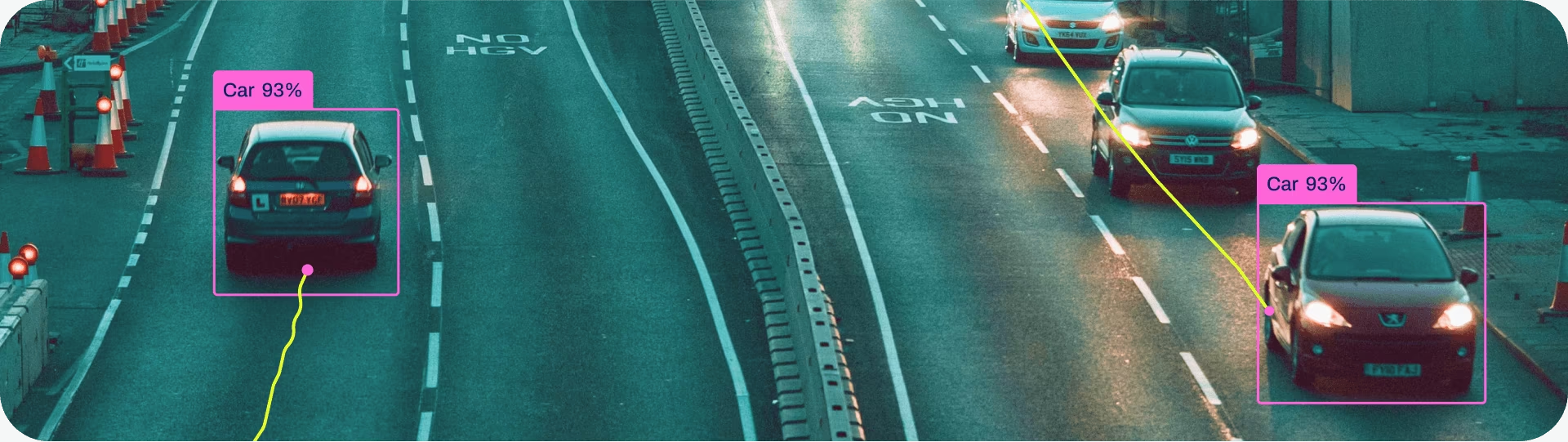
Object tracking in the realm of video analytics is a critical task that not only identifies the location and class of objects within the frame but also maintains a unique ID for each detected object as the video progresses. The applications are limitless—ranging from surveillance and security to real-time sports analytics.
Link to this sectionWhy Choose Ultralytics YOLO for Object Tracking?#
The output from Ultralytics trackers is consistent with standard object detection but has the added value of object IDs. This makes it easy to track objects in video streams and perform subsequent analytics. Here's why you should consider using Ultralytics YOLO for your object tracking needs:
- Efficiency: Process video streams in real-time without compromising accuracy.
- Flexibility: Supports multiple tracking algorithms and configurations.
- Ease of Use: Simple Python API and CLI options for quick integration and deployment.
- Customizability: Easy to use with custom-trained YOLO models, allowing integration into domain-specific applications.
Watch: How to Run Multi-Object Tracking with Ultralytics YOLO26 | BoT-SORT & ByteTrack | VisionAI 🚀
Link to this sectionReal-world Applications#
| Transportation | Retail | Aquaculture |
|---|---|---|
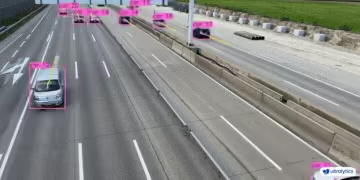 | 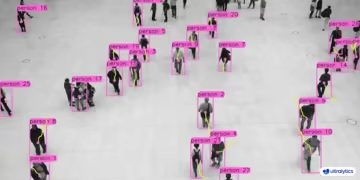 | 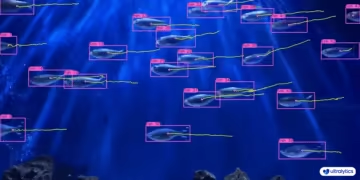 |
| Vehicle Tracking | People Tracking | Fish Tracking |
Link to this sectionQuick Start#
Run tracking on a video with the default BoT-SORT tracker. Swap to another tracker by changing the tracker argument.
from ultralytics import YOLO

model = YOLO("yolo26n.pt")

# Default tracker (BoT-SORT)
results = model.track(source="https://youtu.be/LNwODJXcvt4", show=True)

# Switch to ByteTrack
results = model.track(source="https://youtu.be/LNwODJXcvt4", show=True, tracker="bytetrack.yaml")
To run the tracker on video streams, use a trained Detect, Segment, Pose, or OBB model such as YOLO26n, YOLO26n-seg, YOLO26n-pose, or YOLO26n-obb. You can train custom models locally or on cloud GPUs through Ultralytics Platform.
from ultralytics import YOLO

# Load an official or custom model
model = YOLO("yolo26n.pt")  # Load an official Detect model
model = YOLO("yolo26n-seg.pt")  # Load an official Segment model
model = YOLO("yolo26n-pose.pt")  # Load an official Pose model
model = YOLO("path/to/best.pt")  # Load a custom-trained model

# Perform tracking with the model
results = model.track("https://youtu.be/LNwODJXcvt4", show=True)  # Tracking with default tracker
results = model.track("https://youtu.be/LNwODJXcvt4", show=True, tracker="bytetrack.yaml")  # with ByteTrack
As can be seen in the above usage, tracking is available for all Detect, Segment, and Pose models run on videos or streaming sources.
Link to this sectionSupported Trackers#
Ultralytics YOLO ships with six built-in trackers. Enable one by passing its YAML config file to the tracker argument.
| Tracker | Config file | Motion model | Appearance / ReID | Camera motion compensation | Occlusion handling |
|---|---|---|---|---|---|
| BoT-SORT | botsort.yaml | Linear Kalman | Optional (with_reid) | Yes (sparseOptFlow / ECC) | Track buffer + ReID rebinding |
| ByteTrack | bytetrack.yaml | Linear Kalman | None | No | Two-stage low-conf rescue |
| OC-SORT | ocsort.yaml | Observation-centric Kalman | None | No | ORU, OCM, OCR re-update from last observation |
| Deep OC-SORT | deepocsort.yaml | Observation-centric Kalman | Optional (with_reid) | Optional (gmc_method) | OC-SORT + adaptive appearance EMA |
| FastTracker | fasttrack.yaml | Linear Kalman + rollback | None | No | Kalman rollback + bbox enlargement on occlusion |
| TrackTrack | tracktrack.yaml | Linear Kalman (NSA) | Optional (HMIoU fallback) | Yes (sparseOptFlow / ECC) | Iterative multi-cue association + TAI |
Link to this sectionWhich Tracker Should I Use?#
Use this flow to pick a starting point:
- Need the fastest, simplest baseline? → ByteTrack (no ReID, no camera-motion compensation, minimum overhead).
- Handheld, drone, or moving-camera footage? → BoT-SORT (default; adds camera-motion compensation and optional ReID).
- Non-linear motion (sports, dancing, abrupt turns) and no ReID? → OC-SORT (observation-centric corrections without appearance cost).
- Crowded moving-camera scenes where ID swaps are the main problem? → Deep OC-SORT or TrackTrack (both add adaptive appearance fusion; TrackTrack also adds multi-cue association and duplicate-ID suppression).
- Frequent partial overlap in real-time, no ReID budget? → FastTracker (occlusion-aware ByteTrack variant with Kalman rollback).
Link to this sectionSwitching Trackers#
Pass the tracker config filename to tracker=. All other code stays the same.
from ultralytics import YOLO

model = YOLO("yolo26n.pt")

results = model.track(source="path/to/video.mp4", tracker="bytetrack.yaml")
results = model.track(source="path/to/video.mp4", tracker="ocsort.yaml")
results = model.track(source="path/to/video.mp4", tracker="tracktrack.yaml")
Link to this sectionConfiguration#
Link to this sectionTracking Arguments#
Tracking configuration shares properties with Predict mode, such as conf, iou, and show. For further configurations, refer to the Predict model page.
from ultralytics import YOLO

# Configure the tracking parameters and run the tracker
model = YOLO("yolo26n.pt")
results = model.track(source="https://youtu.be/LNwODJXcvt4", conf=0.1, iou=0.7, show=True)
Link to this sectionCustom Tracker Configuration#
Ultralytics also allows you to use a modified tracker configuration file. To do this, simply make a copy of a tracker config file (for example, custom_tracker.yaml) from ultralytics/cfg/trackers and modify any configurations (except the tracker_type) as per your needs.
from ultralytics import YOLO

# Load the model and run the tracker with a custom configuration file
model = YOLO("yolo26n.pt")
results = model.track(source="https://youtu.be/LNwODJXcvt4", tracker="custom_tracker.yaml")
Link to this sectionShared Tracker Arguments#
The following parameters are common to most tracker YAML files; not every parameter appears in every config:
If a detection's confidence score falls below track_high_thresh, the tracker will not update that object, resulting in no active tracks.
| Parameter | Valid Values or Ranges | Description |
|---|---|---|
tracker_type | botsort, bytetrack, ocsort, deepocsort, fasttrack, tracktrack | Specifies the tracker type. |
track_high_thresh | 0.0-1.0 | Threshold for the first association. Affects how confidently a detection is matched to an existing track. |
track_low_thresh | 0.0-1.0 | Threshold for the second association over low-confidence detections. For OC-SORT and Deep OC-SORT this applies only when use_byte: True. |
new_track_thresh | 0.0-1.0 | Threshold to initialize a new track if the detection does not match any existing tracks. |
track_buffer | >=0 | Frames lost tracks are kept alive before removal. Higher value means more tolerance for occlusion. |
match_thresh | 0.0-1.0 | Threshold for matching tracks. Higher values make matching more lenient. |
fuse_score | True, False | Whether to fuse confidence scores with IoU distances before matching. |
gmc_method | sparseOptFlow, orb, sift, ecc, none | Global motion compensation method. Helps account for camera movement. |
proximity_thresh | 0.0-1.0 | Minimum IoU required for a valid ReID match. Ensures spatial closeness before using appearance cues. |
appearance_thresh | 0.0-1.0 | Minimum appearance similarity required for ReID. |
with_reid | True, False | Enable appearance-based matching for better tracking across occlusions. Supported by BoT-SORT, Deep OC-SORT, and TrackTrack. |
model | auto or path to an exported file | ReID model. auto uses native YOLO backbone features when available; otherwise falls back to yolo26n-cls.pt. Pass a .torchscript, .onnx, .engine, .openvino, … file for a custom encoder. |
Link to this sectionTracker-specific Arguments#
Each algorithm exposes additional knobs on top of the shared parameters. See the per-tracker sections below for descriptions and tuning advice, or refer directly to the config files:
Link to this sectionEnabling Re-Identification (ReID)#
ReID is disabled by default to minimize overhead. Enable it by setting with_reid: True in a tracker config file.
ReID model options:
model: auto— Uses native YOLO detector features, adding minimal overhead. Ideal when you need some ReID without a large performance hit. Falls back toyolo26n-cls.ptif the detector does not expose compatible features.- Exported ReID model — Point
model:at an exported file (.torchscript,.onnx,.engine,.openvino, etc.) for more discriminative embeddings at the cost of an extra forward pass per crop. The encoder is loaded viaAutoBackend, so any export format Ultralytics supports works without code changes.
Ready-to-use ONNX encoders are published for every model size. Set model: to one of these names and the file is downloaded automatically the first time the tracker runs (the same way YOLO weights are fetched) — no manual export or download step required:
# In your tracker config (e.g. tracktrack.yaml)
with_reid: True
model: yolo26n-reid.onnx # downloaded on first use; swap n→s/m/l/x for a larger encoder| Model | size (pixels) | params (M) | FLOPs (B) |
|---|---|---|---|
| YOLO26n-reid.onnx | 448 | 2.8 | 2.0 |
| YOLO26s-reid.onnx | 448 | 7.5 | 6.6 |
| YOLO26m-reid.onnx | 448 | 12.4 | 20.1 |
| YOLO26l-reid.onnx | 448 | 15.3 | 25.2 |
| YOLO26x-reid.onnx | 448 | 32.7 | 55.9 |
Only ONNX ReID encoders for the tracker appearance branch are currently available. ReID train, val, and predict modes, as well as dedicated ReID export recipes, are still under development.
For better performance with a separate classification model, export it to a faster backend like TensorRT:
from torch import nn

from ultralytics import YOLO

# Load the classification model
model = YOLO("yolo26n-cls.pt")

# Add average pooling layer
head = model.model.model[-1]
pool = nn.Sequential(nn.AdaptiveAvgPool2d((1, 1)), nn.Flatten(start_dim=1))
pool.f, pool.i = head.f, head.i
model.model.model[-1] = pool

# Export to TensorRT
model.export(format="engine", half=True, dynamic=True, batch=32)
Once exported, point to the TensorRT model path in your tracker config.
Link to this sectionTracker Details#
Expand the sections below for each tracker's design, specific parameters, and tuning tips.
Link to this sectionBoT-SORT#
BoT-SORT (Aharon et al., 2022) is the default tracker. It extends ByteTrack with camera-motion compensation and optional ReID:
- Camera Motion Compensation (CMC): an affine warp estimated each frame (sparse optical flow by default; ORB / ECC also available) is applied to Kalman states before IoU matching.
- Optional ReID: appearance embeddings can be fused into the cost matrix. Disabled by default; enable with
with_reid: True.
Best for: general-purpose tracking, especially moving cameras. Add ReID only when look-alike crowds cause ID swaps.
BoT-SORT-specific arguments:
| Parameter | Valid Values or Ranges | Description |
|---|---|---|
gmc_method | sparseOptFlow, orb, sift, ecc, none | Camera-motion-compensation backend. sparseOptFlow is the default. none disables CMC. |
with_reid | True, False | Enable appearance-based matching. Off by default. |
model | auto or path to a ReID model | ReID model. auto uses native YOLO features when available; otherwise pass a .torchscript / .onnx / .engine path. |
proximity_thresh | 0.0-1.0 | Minimum IoU before appearance features are considered. |
appearance_thresh | 0.0-1.0 | Minimum cosine similarity required for a ReID match. Raise to reduce identity swaps. |
Tuning tips:
- Static camera: set
gmc_method: noneto save a few ms/frame. - Heavy camera motion: keep
sparseOptFlow;eccis more accurate but slower. - Look-alike crowds: turn on
with_reid: Trueand raiseappearance_thresh(e.g.0.85+).
Link to this sectionByteTrack#
ByteTrack (Zhang et al., ECCV 2022) is the lightweight baseline. It uses linear Kalman + IoU with a two-stage association:
- Stage 1: match high-score detections against active tracks.
- Stage 2: retry unmatched tracks against low-score detections to recover through brief partial occlusion.
There is no appearance model and no camera-motion compensation.
Best for: static or near-static cameras where detector cost dominates and you want minimum tracker overhead.
ByteTrack-specific arguments: None beyond the shared tracker arguments.
Tuning tips:
- Noisy detector: lower
track_low_threshso the second stage has more candidates. - High-recall detector: raise
track_high_threshto reduce fragmented IDs. - Frequent ID flicker: raise
track_bufferso briefly-missed tracks survive.
Link to this sectionOC-SORT#
OC-SORT (Cao et al., CVPR 2023) is an observation-centric extension of SORT. It keeps SORT's lightweight design (no appearance features) and adds three corrections:
- Observation-Centric Re-update (ORU): replays a virtual trajectory between the last observation and the current detection, re-running the Kalman update to repair drifted velocity.
- Observation-Centric Momentum (OCM): penalizes detections moving in the wrong direction via a velocity-consistency term.
- Observation-Centric Recovery (OCR): re-checks unmatched detections against recently lost tracks using their last observation rather than the predicted state.
Best for: non-linear motion without the cost of a ReID model.
OC-SORT-specific arguments:
| Parameter | Valid Values or Ranges | Description |
|---|---|---|
delta_t | >=1 | Temporal window (frames) for velocity-direction computation in OCM. Larger values smooth more. |
inertia | 0.0-1.0 | Weight of the velocity-consistency cost. Higher values penalize sudden direction changes. |
use_byte | True, False | Enable a ByteTrack-style second association pass over low-confidence detections. |
Tuning tips:
- Non-linear motion: raise
inertia(e.g.0.3-0.4). - Sparse detections: enable
use_byte: True. - Long occlusions: raise
track_bufferso OCR has more lost tracks to rebind.
Link to this sectionDeep OC-SORT#
Deep OC-SORT augments OC-SORT with appearance information and camera-motion compensation:
- Adaptive appearance fusion: detection embeddings are fused into the cost matrix with weight modulated by detection confidence and overlap.
- Dynamic appearance EMA: track embeddings update with an EMA whose smoothing factor adapts to detection confidence.
- Camera Motion Compensation: Kalman states are warped frame-to-frame via sparse optical flow, ORB, or ECC.
Best for: crowded or moving-camera scenes where ID swaps between visually different but spatially close objects are common.
Deep OC-SORT-specific arguments:
| Parameter | Valid Values or Ranges | Description |
|---|---|---|
with_reid | True, False | Enable appearance-based matching. Off by default. |
model | auto, exported ReID model file | ReID model. auto reuses native YOLO features; otherwise pass an exported file (.torchscript, .onnx, .engine, …). |
proximity_thresh | 0.0-1.0 | Minimum IoU before appearance features are considered. |
appearance_thresh | 0.0-1.0 | Minimum cosine similarity required for a ReID match. |
alpha_fixed_emb | 0.0-1.0 | Base EMA factor for track-embedding updates. Higher values preserve the older embedding longer. |
gmc_method | sparseOptFlow, orb, sift, ecc, none | Global motion compensation method. |
delta_t | >=1 | Temporal window (frames) for velocity-direction computation in OCM (inherited from OC-SORT). |
inertia | 0.0-1.0 | Weight of the velocity-consistency cost (inherited from OC-SORT). |
use_byte | True, False | Enable a ByteTrack-style second association over low-confidence detections (inherited from OC-SORT). |
Tuning tips:
- Identity swaps in crowds: raise
appearance_thresh(e.g.0.92-0.95) and loweralpha_fixed_embso embeddings adapt more slowly. - Moving camera: set
gmc_method: sparseOptFlow(Deep OC-SORT defaults tonone). - Lower latency: keep
with_reid: False(default) for motion + CMC only; enable ReID only when ID swaps dominate errors.
Link to this sectionFastTracker#
FastTracker is an occlusion-aware ByteTrack variant with no appearance model:
- Occlusion detection: flags tracks occluded when coverage by other active tracks exceeds
occ_cover_thresh. - Kalman rollback on occlusion: rolls the Kalman state back to a pre-occlusion frame using ring-buffered history.
- Motion dampening and search expansion: velocity is dampened and the predicted bbox is enlarged while occluded.
- Init-IoU suppression: prevents new tracks from spawning on top of active tracks.
Best for: real-time detection-only pipelines with frequent target-on-target overlap (crowds, queues, sports).
FastTracker-specific arguments:
| Parameter | Valid Values or Ranges | Description |
|---|---|---|
reset_velocity_offset_occ | >=0 | History frames back to restore Kalman velocity on occlusion onset. |
reset_pos_offset_occ | >=0 | History frames back to restore Kalman position on occlusion onset. |
enlarge_bbox_occ | >=1.0 | Height scaling applied to the predicted bbox while occluded (width scales via XYAH aspect ratio). |
dampen_motion_occ | 0.0-1.0 | Velocity multiplier while occluded. Lower values make the track "slow down" through occlusion. |
active_occ_to_lost_thresh | >=1 | Max consecutive occluded frames before an active track is moved to lost. |
occ_cover_thresh | 0.0-1.0 | Fraction of a track's area covered by another active track to declare occlusion. |
occ_reappear_window | >=0 | Frames a recently-occluded lost track stays preferentially re-findable. |
init_iou_suppress | 0.0-1.0 | Suppress new-track initialization if its IoU with any active track exceeds this. Set to 1.0 to disable. |
Tuning tips:
- Frequent partial occlusions: lower
occ_cover_thresh(e.g.0.5-0.6). - Duplicate IDs around overlap: lower
init_iou_suppress(e.g.0.5). - Long occlusions: raise
occ_reappear_windowandtrack_buffertogether. - Fast-moving targets: raise
dampen_motion_occ(closer to1.0) and lowerenlarge_bbox_occ.
Link to this sectionTrackTrack#
TrackTrack (Shim et al., CVPR 2025) reasons from each track's perspective with multi-cue iterative association:
- Track-Perspective-Based Association (TPA): combines HMIoU, cosine ReID distance, confidence-projection distance, and corner-angle distance. Assignment is solved iteratively with a relaxing threshold.
- Track-Aware Initialization (TAI): suppresses duplicate spawns before a new ID is created.
Best for: crowded scenes with frequent occlusion where duplicate IDs are a problem.
TrackTrack-specific arguments:
| Parameter | Valid Values or Ranges | Description |
|---|---|---|
iou_weight | 0.0-1.0 | Weight of HMIoU distance in the multi-cue cost matrix. |
reid_weight | 0.0-1.0 | Weight of cosine ReID distance. Falls back to HMIoU if ReID is disabled. |
conf_weight | 0.0-1.0 | Weight of confidence-projection distance. |
angle_weight | 0.0-1.0 | Weight of corner-angle distance. |
penalty_p | 0.0-1.0 | Cost penalty for low-confidence detections. |
penalty_q | 0.0-1.0 | Cost penalty for detections recovered by secondary NMS. |
reduce_step | 0.0-1.0 | Match-threshold relaxation per iteration. |
tai_thr | 0.0-1.0 | IoU threshold for Track-Aware Initialization NMS. |
min_track_len | >=0 | Minimum successful updates before a new track is confirmed. |
lost_match_thr | 0.0-1.0 | Looser cost gate for relaxed lost-rebind pass; 0 disables it. |
with_reid | True, False | Enable cosine-ReID appearance matching (uses native YOLO features). Off by default. |
model | auto, ReID file | ReID model; auto uses native YOLO features, otherwise an exported ReID file. |
gmc_method | sparseOptFlow, orb, sift, ecc, none | Global motion compensation method. |
Tuning tips:
- Crowded pedestrians: lower
tai_thr(e.g.0.45) to suppress more duplicate spawns; raisetrack_bufferfor longer occlusions. - Fast camera motion: keep
gmc_method: sparseOptFlowenabled. - Small/fast objects: raise
angle_weightslightly and lowermin_track_len. - Enable ReID only when needed: it adds inference cost; for short occlusions, the default multi-cue cost is usually sufficient.
Link to this sectionPython Examples#
Watch: How to Build Interactive Object Tracking with Ultralytics YOLO | Click to Crop & Display ⚡
Link to this sectionPersisting Tracks Loop#
Here is a Python script using OpenCV (cv2) and YOLO26 to run object tracking on video frames. This script assumes the necessary packages (opencv-python and ultralytics) are already installed. The persist=True argument tells the tracker that the current image or frame is the next in a sequence and to expect tracks from the previous image in the current image.
import cv2

from ultralytics import YOLO

# Load the YOLO26 model
model = YOLO("yolo26n.pt")

# Open the video file
video_path = "path/to/video.mp4"
cap = cv2.VideoCapture(video_path)

# Loop through the video frames
while cap.isOpened():
    # Read a frame from the video
    success, frame = cap.read()

    if success:
        # Run YOLO26 tracking on the frame, persisting tracks between frames
        results = model.track(frame, persist=True)

        # Visualize the results on the frame
        annotated_frame = results[0].plot()

        # Display the annotated frame
        cv2.imshow("YOLO26 Tracking", annotated_frame)

        # Break the loop if 'q' is pressed
        if cv2.waitKey(1) & 0xFF == ord("q"):
            break
    else:
        # Break the loop if the end of the video is reached
        break

# Release the video capture object and close the display window
cap.release()
cv2.destroyAllWindows()
Please note the change from model(frame) to model.track(frame), which enables object tracking instead of simple detection. This modified script will run the tracker on each frame of the video, visualize the results, and display them in a window. The loop can be exited by pressing 'q'.
Link to this sectionPlotting Tracks Over Time#
Visualizing object tracks over consecutive frames can provide valuable insights into the movement patterns and behavior of detected objects within a video. With Ultralytics YOLO26, plotting these tracks is a seamless and efficient process.
In the following example, we demonstrate how to utilize YOLO26's tracking capabilities to plot the movement of detected objects across multiple video frames. This script involves opening a video file, reading it frame by frame, and utilizing the YOLO model to identify and track various objects. By retaining the center points of the detected bounding boxes and connecting them, we can draw lines that represent the paths followed by the tracked objects.
from collections import defaultdict

import cv2
import numpy as np

from ultralytics import YOLO

# Load the YOLO26 model
model = YOLO("yolo26n.pt")

# Open the video file
video_path = "path/to/video.mp4"
cap = cv2.VideoCapture(video_path)

# Store the track history
track_history = defaultdict(lambda: [])

# Loop through the video frames
while cap.isOpened():
    # Read a frame from the video
    success, frame = cap.read()

    if success:
        # Run YOLO26 tracking on the frame, persisting tracks between frames
        result = model.track(frame, persist=True)[0]

        # Get the boxes and track IDs
        if result.boxes and result.boxes.is_track:
            boxes = result.boxes.xywh.cpu()
            track_ids = result.boxes.id.int().cpu().tolist()

            # Visualize the result on the frame
            frame = result.plot()

            # Plot the tracks
            for box, track_id in zip(boxes, track_ids):
                x, y, w, h = box
                track = track_history[track_id]
                track.append((float(x), float(y)))  # x, y center point
                if len(track) > 30:  # retain 30 tracks for 30 frames
                    track.pop(0)

                # Draw the tracking lines
                points = np.hstack(track).astype(np.int32).reshape((-1, 1, 2))
                cv2.polylines(frame, [points], isClosed=False, color=(230, 230, 230), thickness=10)

        # Display the annotated frame
        cv2.imshow("YOLO26 Tracking", frame)

        # Break the loop if 'q' is pressed
        if cv2.waitKey(1) & 0xFF == ord("q"):
            break
    else:
        # Break the loop if the end of the video is reached
        break

# Release the video capture object and close the display window
cap.release()
cv2.destroyAllWindows()
Link to this sectionMultithreaded Tracking#
Multithreaded tracking provides the capability to run object tracking on multiple video streams simultaneously. This is particularly useful when handling multiple video inputs, such as from multiple surveillance cameras, where concurrent processing can greatly enhance efficiency and performance.
In the provided Python script, we make use of Python's threading module to run multiple instances of the tracker concurrently. Each thread is responsible for running the tracker on one video file, and all the threads run simultaneously in the background.
To ensure that each thread receives the correct parameters (the video file, the model to use and the file index), we define a function run_tracker_in_thread that accepts these parameters and contains the main tracking loop. This function reads the video frame by frame, runs the tracker, and displays the results.
Two different models are used in this example: yolo26n.pt and yolo26n-seg.pt, each tracking objects in a different video file. The video files are specified in SOURCES.
The daemon=True parameter in threading.Thread means that these threads will be closed as soon as the main program finishes. We then start the threads with start() and use join() to make the main thread wait until both tracker threads have finished.
Finally, after all threads have completed their task, the windows displaying the results are closed using cv2.destroyAllWindows().
import threading

import cv2

from ultralytics import YOLO

# Define model names and video sources
MODEL_NAMES = ["yolo26n.pt", "yolo26n-seg.pt"]
SOURCES = ["path/to/video.mp4", "0"]  # local video, 0 for webcam

def run_tracker_in_thread(model_name, filename):
    """Run YOLO tracker in its own thread for concurrent processing.

    Args:
        model_name (str): The YOLO26 model object.
        filename (str): The path to the video file or the identifier for the webcam/external camera source.
    """
    model = YOLO(model_name)
    results = model.track(filename, save=True, stream=True)
    for r in results:
        pass

# Create and start tracker threads using a for loop
tracker_threads = []
for video_file, model_name in zip(SOURCES, MODEL_NAMES):
    thread = threading.Thread(target=run_tracker_in_thread, args=(model_name, video_file), daemon=True)
    tracker_threads.append(thread)
    thread.start()

# Wait for all tracker threads to finish
for thread in tracker_threads:
    thread.join()

# Clean up and close windows
cv2.destroyAllWindows()
This example can easily be extended to handle more video files and models by creating more threads and applying the same methodology.
Link to this sectionContribute New Trackers#
Are you proficient in multi-object tracking and have successfully implemented or adapted a tracking algorithm with Ultralytics YOLO? We invite you to contribute to our Trackers section in ultralytics/cfg/trackers! Your real-world applications and solutions could be invaluable for users working on tracking tasks.
By contributing to this section, you help expand the scope of tracking solutions available within the Ultralytics YOLO framework, adding another layer of functionality and utility for the community.
To initiate your contribution, please refer to our Contributing Guide for comprehensive instructions on submitting a Pull Request (PR) 🛠️. We are excited to see what you bring to the table!
Together, let's enhance the tracking capabilities of the Ultralytics YOLO ecosystem 🙏!
Link to this sectionFAQ#
Link to this sectionWhat is Multi-Object Tracking and how does Ultralytics YOLO support it?#
Multi-object tracking in video analytics involves both identifying objects and maintaining a unique ID for each detected object across video frames. Ultralytics YOLO supports this by providing real-time tracking along with object IDs, facilitating tasks such as security surveillance and sports analytics. The system uses trackers such as BoT-SORT, ByteTrack, OC-SORT, Deep OC-SORT, FastTracker, and TrackTrack, which can be configured via YAML files.
Link to this sectionHow do I configure a custom tracker for Ultralytics YOLO?#
You can configure a custom tracker by copying an existing tracker configuration file (e.g., custom_tracker.yaml) from the Ultralytics tracker configuration directory and modifying parameters as needed, except for the tracker_type. Use this file in your tracking model like so:
from ultralytics import YOLO

model = YOLO("yolo26n.pt")
results = model.track(source="https://youtu.be/LNwODJXcvt4", tracker="custom_tracker.yaml")
Link to this sectionHow can I run object tracking on multiple video streams simultaneously?#
To run object tracking on multiple video streams simultaneously, you can use Python's threading module. Each thread will handle a separate video stream. Here's an example of how you can set this up:
import threading

import cv2

from ultralytics import YOLO

# Define model names and video sources
MODEL_NAMES = ["yolo26n.pt", "yolo26n-seg.pt"]
SOURCES = ["path/to/video.mp4", "0"]  # local video, 0 for webcam

def run_tracker_in_thread(model_name, filename):
    """Run YOLO tracker in its own thread for concurrent processing.

    Args:
        model_name (str): The YOLO26 model object.
        filename (str): The path to the video file or the identifier for the webcam/external camera source.
    """
    model = YOLO(model_name)
    results = model.track(filename, save=True, stream=True)
    for r in results:
        pass

# Create and start tracker threads using a for loop
tracker_threads = []
for video_file, model_name in zip(SOURCES, MODEL_NAMES):
    thread = threading.Thread(target=run_tracker_in_thread, args=(model_name, video_file), daemon=True)
    tracker_threads.append(thread)
    thread.start()

# Wait for all tracker threads to finish
for thread in tracker_threads:
    thread.join()

# Clean up and close windows
cv2.destroyAllWindows()
Link to this sectionWhat are the real-world applications of multi-object tracking with Ultralytics YOLO?#
Multi-object tracking with Ultralytics YOLO has numerous applications, including:
- Transportation: Vehicle tracking for traffic management and autonomous driving.
- Retail: People tracking for in-store analytics and security.
- Aquaculture: Fish tracking for monitoring aquatic environments.
- Sports Analytics: Tracking players and equipment for performance analysis.
- Security Systems: Monitoring suspicious activities and creating security alarms.
These applications benefit from Ultralytics YOLO's ability to process high-frame-rate videos in real time with exceptional accuracy.
Link to this sectionHow can I visualize object tracks over multiple video frames with Ultralytics YOLO?#
To visualize object tracks over multiple video frames, you can use the YOLO model's tracking features along with OpenCV to draw the paths of detected objects. Here's an example script that demonstrates this:
from collections import defaultdict

import cv2
import numpy as np

from ultralytics import YOLO

model = YOLO("yolo26n.pt")
video_path = "path/to/video.mp4"
cap = cv2.VideoCapture(video_path)
track_history = defaultdict(lambda: [])

while cap.isOpened():
    success, frame = cap.read()
    if success:
        results = model.track(frame, persist=True)
        boxes = results[0].boxes.xywh.cpu()
        track_ids = results[0].boxes.id.int().cpu().tolist()
        annotated_frame = results[0].plot()
        for box, track_id in zip(boxes, track_ids):
            x, y, w, h = box
            track = track_history[track_id]
            track.append((float(x), float(y)))
            if len(track) > 30:
                track.pop(0)
            points = np.hstack(track).astype(np.int32).reshape((-1, 1, 2))
            cv2.polylines(annotated_frame, [points], isClosed=False, color=(230, 230, 230), thickness=10)
        cv2.imshow("YOLO26 Tracking", annotated_frame)
        if cv2.waitKey(1) & 0xFF == ord("q"):
            break
    else:
        break
cap.release()
cv2.destroyAllWindows()
This script will plot the tracking lines showing the movement paths of the tracked objects over time, providing valuable insights into object behavior and patterns.