Objects365 数据集#
Objects365 是一个大规模目标检测基准数据集,包含 1,742,289 张训练图像和 80,000 张验证图像,涵盖 365 个目标类别——从人物、汽车和椅子,到瓶子、狗和路灯。该数据集由 Megvii 研究人员创建,并在 ICCV 2019 上发布,重点覆盖野外场景中的多样化目标,广泛用于预训练计算机视觉模型,其泛化能力优于使用 ImageNet 预训练的模型。
观看: 如何在 Objects365 数据集上训练 Ultralytics YOLO
Objects365 预训练模型#
Ultralytics 发布了在 Objects365v1 上预训练的 YOLO26 检测和分割模型,因此无需下载数据集即可检测其中的 365 个类别。所有模型均以 640 的图像尺寸训练了 150 个周期。
| 模型 | 尺寸 (像素) | mAP验证集 50-95 | mAP验证 50 | 参数 (M) | FLOPs (B) |
|---|---|---|---|---|---|
| YOLO26n | 640 | 16.3 | 22.3 | 2.5 | 6.1 |
| YOLO26s | 640 | 24.3 | 31.7 | 9.6 | 21.5 |
| YOLO26m | 640 | 30.3 | 38.2 | 20.6 | 69.7 |
| YOLO26l | 640 | 32.2 | 40.1 | 25.0 | 88.0 |
| YOLO26x | 640 | 35.8 | 44.1 | 56.1 | 196.3 |
分割模型(yolo26n-objv1-seg.pt 到 yolo26x-objv1-seg.pt)使用为 Objects365v1 生成的掩码,并同时报告边界框和掩码精度:
| 模型 | 尺寸 (像素) | mAP边界框 50-95 | mAP掩码 50-95 | 参数 (M) | FLOPs (B) |
|---|---|---|---|---|---|
| YOLO26n-seg | 640 | 15.7 | 13.2 | 2.8 | 9.8 |
| YOLO26s-seg | 640 | 23.8 | 19.5 | 10.5 | 35.1 |
| YOLO26m-seg | 640 | 29.5 | 23.8 | 23.8 | 123.0 |
| YOLO26l-seg | 640 | 31.7 | 25.3 | 28.2 | 141.3 |
| YOLO26x-seg | 640 | 35.4 | 27.9 | 63.1 | 315.9 |
- mAPval 数值是在 Objects365v1 验证集上,使用单模型、单尺度设置得到的。
- Params 和 FLOPs 数值适用于
model.fuse()后的融合模型。
你可以运行预测,也可以从这些检查点开始微调,如下所示。
from ultralytics import YOLO

# 加载预训练的 Objects365 YOLO26n 模型
model = YOLO("yolo26n-objv1-150.pt")

# 运行预测
results = model.predict(source="image.jpg")

# 从预训练检查点开始训练
results = model.train(data="coco8.yaml", epochs=100, imgsz=640)主要功能#
- Objects365 定义了 365 个目标类别;上游版本报告的数据规模约为 200 万张图像和总计 3000 万个边界框。
- 该数据集涵盖各种真实场景中的多样化目标,为目标检测任务提供了丰富且具有挑战性的基准。
- 标注包含目标边界框,因此该数据集适用于训练和评估目标检测模型。
- 根据 ICCV 2019 论文,在 COCO 基准上,Objects365 预训练的效果比 ImageNet 预训练高 5.6 个点(mAP 为 42.0,相比 36.4)。
数据集结构#
Ultralytics 的 Objects365.yaml 配置定义了两个数据集划分:
| 划分 | 图像 | 说明 |
|---|---|---|
| 训练 | 1,742,289 | 用于模型训练的标注图像 |
| 验证 | 80,000 | 留出用于评估和基准测试的图像 |
下载内容包括训练集和验证集,总计 1,822,289 张图像;配置中的 test: 键为空。
应用场景#
Objects365 数据集支持目标检测领域的多种深度学习应用:
- 预训练检测主干网络:Objects365 包含 365 个类别和密集的边界框标注,使用 Objects365 预训练有助于提升在 COCO 和 VOC 等较小数据集上的下游微调效果。
- 零售与库存识别:数百种日常类别——包括瓶子、杯子、运动鞋和手提包——可用于货架监控和自动结账系统。
- 机器人与智能环境:广泛覆盖家居和街道物体,有助于机器人和智能摄像头识别非结构化场景中的目标。
- 检测器基准测试:丰富的类别列表和野外图像使该数据集成为一项高难度基准,可用于评估检测模型的泛化能力。
如需在浏览器中标注自己的图像、训练模型并管理大规模数据集,可以通过 Ultralytics Platform 完成整个工作流。
数据集 YAML#
Objects365.yaml 文件定义数据集配置,包括数据集路径、类别名称和其他元数据。该文件由 Ultralytics 仓库维护,位置为 https://github.com/ultralytics/ultralytics/blob/main/ultralytics/cfg/datasets/Objects365.yaml。
# Ultralytics 🚀 AGPL-3.0 License - https://ultralytics.com/license

# Objects365 dataset https://www.objects365.org/ by Megvii
# Documentation: https://docs.ultralytics.com/datasets/detect/objects365
# Example usage: yolo train data=Objects365.yaml
# parent
# ├── ultralytics
# └── datasets
#     └── Objects365 ← downloads here (712 GB = 367G data + 345G zips)

# Train/val/test sets as 1) dir: path/to/imgs, 2) file: path/to/imgs.txt, or 3) list: [path/to/imgs1, path/to/imgs2, ..]
path: Objects365 # dataset root dir
train: images/train # train images (relative to 'path') 1742289 images
val: images/val # val images (relative to 'path') 80000 images
test: # test images (optional)

# Classes
names:
  0: Person
  1: Sneakers
  2: Chair
  3: Other Shoes
  4: Hat
  5: Car
  6: Lamp
  7: Glasses
  8: Bottle
  9: Desk
  10: Cup
  11: Street Lights
  12: Cabinet/shelf
  13: Handbag/Satchel
  14: Bracelet
  15: Plate
  16: Picture/Frame
  17: Helmet
  18: Book
  19: Gloves
  20: Storage box
  21: Boat
  22: Leather Shoes
  23: Flower
  24: Bench
  25: Potted Plant
  26: Bowl/Basin
  27: Flag
  28: Pillow
  29: Boots
  30: Vase
  31: Microphone
  32: Necklace
  33: Ring
  34: SUV
  35: Wine Glass
  36: Belt
  37: Monitor/TV
  38: Backpack
  39: Umbrella
  40: Traffic Light
  41: Speaker
  42: Watch
  43: Tie
  44: Trash bin Can
  45: Slippers
  46: Bicycle
  47: Stool
  48: Barrel/bucket
  49: Van
  50: Couch
  51: Sandals
  52: Basket
  53: Drum
  54: Pen/Pencil
  55: Bus
  56: Wild Bird
  57: High Heels
  58: Motorcycle
  59: Guitar
  60: Carpet
  61: Cell Phone
  62: Bread
  63: Camera
  64: Canned
  65: Truck
  66: Traffic cone
  67: Cymbal
  68: Lifesaver
  69: Towel
  70: Stuffed Toy
  71: Candle
  72: Sailboat
  73: Laptop
  74: Awning
  75: Bed
  76: Faucet
  77: Tent
  78: Horse
  79: Mirror
  80: Power outlet
  81: Sink
  82: Apple
  83: Air Conditioner
  84: Knife
  85: Hockey Stick
  86: Paddle
  87: Pickup Truck
  88: Fork
  89: Traffic Sign
  90: Balloon
  91: Tripod
  92: Dog
  93: Spoon
  94: Clock
  95: Pot
  96: Cow
  97: Cake
  98: Dining Table
  99: Sheep
  100: Hanger
  101: Blackboard/Whiteboard
  102: Napkin
  103: Other Fish
  104: Orange/Tangerine
  105: Toiletry
  106: Keyboard
  107: Tomato
  108: Lantern
  109: Machinery Vehicle
  110: Fan
  111: Green Vegetables
  112: Banana
  113: Baseball Glove
  114: Airplane
  115: Mouse
  116: Train
  117: Pumpkin
  118: Soccer
  119: Skiboard
  120: Luggage
  121: Nightstand
  122: Tea pot
  123: Telephone
  124: Trolley
  125: Head Phone
  126: Sports Car
  127: Stop Sign
  128: Dessert
  129: Scooter
  130: Stroller
  131: Crane
  132: Remote
  133: Refrigerator
  134: Oven
  135: Lemon
  136: Duck
  137: Baseball Bat
  138: Surveillance Camera
  139: Cat
  140: Jug
  141: Broccoli
  142: Piano
  143: Pizza
  144: Elephant
  145: Skateboard
  146: Surfboard
  147: Gun
  148: Skating and Skiing shoes
  149: Gas stove
  150: Donut
  151: Bow Tie
  152: Carrot
  153: Toilet
  154: Kite
  155: Strawberry
  156: Other Balls
  157: Shovel
  158: Pepper
  159: Computer Box
  160: Toilet Paper
  161: Cleaning Products
  162: Chopsticks
  163: Microwave
  164: Pigeon
  165: Baseball
  166: Cutting/chopping Board
  167: Coffee Table
  168: Side Table
  169: Scissors
  170: Marker
  171: Pie
  172: Ladder
  173: Snowboard
  174: Cookies
  175: Radiator
  176: Fire Hydrant
  177: Basketball
  178: Zebra
  179: Grape
  180: Giraffe
  181: Potato
  182: Sausage
  183: Tricycle
  184: Violin
  185: Egg
  186: Fire Extinguisher
  187: Candy
  188: Fire Truck
  189: Billiards
  190: Converter
  191: Bathtub
  192: Wheelchair
  193: Golf Club
  194: Briefcase
  195: Cucumber
  196: Cigar/Cigarette
  197: Paint Brush
  198: Pear
  199: Heavy Truck
  200: Hamburger
  201: Extractor
  202: Extension Cord
  203: Tong
  204: Tennis Racket
  205: Folder
  206: American Football
  207: earphone
  208: Mask
  209: Kettle
  210: Tennis
  211: Ship
  212: Swing
  213: Coffee Machine
  214: Slide
  215: Carriage
  216: Onion
  217: Green beans
  218: Projector
  219: Frisbee
  220: Washing Machine/Drying Machine
  221: Chicken
  222: Printer
  223: Watermelon
  224: Saxophone
  225: Tissue
  226: Toothbrush
  227: Ice cream
  228: Hot-air balloon
  229: Cello
  230: French Fries
  231: Scale
  232: Trophy
  233: Cabbage
  234: Hot dog
  235: Blender
  236: Peach
  237: Rice
  238: Wallet/Purse
  239: Volleyball
  240: Deer
  241: Goose
  242: Tape
  243: Tablet
  244: Cosmetics
  245: Trumpet
  246: Pineapple
  247: Golf Ball
  248: Ambulance
  249: Parking meter
  250: Mango
  251: Key
  252: Hurdle
  253: Fishing Rod
  254: Medal
  255: Flute
  256: Brush
  257: Penguin
  258: Megaphone
  259: Corn
  260: Lettuce
  261: Garlic
  262: Swan
  263: Helicopter
  264: Green Onion
  265: Sandwich
  266: Nuts
  267: Speed Limit Sign
  268: Induction Cooker
  269: Broom
  270: Trombone
  271: Plum
  272: Rickshaw
  273: Goldfish
  274: Kiwi fruit
  275: Router/modem
  276: Poker Card
  277: Toaster
  278: Shrimp
  279: Sushi
  280: Cheese
  281: Notepaper
  282: Cherry
  283: Pliers
  284: CD
  285: Pasta
  286: Hammer
  287: Cue
  288: Avocado
  289: Hami melon
  290: Flask
  291: Mushroom
  292: Screwdriver
  293: Soap
  294: Recorder
  295: Bear
  296: Eggplant
  297: Board Eraser
  298: Coconut
  299: Tape Measure/Ruler
  300: Pig
  301: Showerhead
  302: Globe
  303: Chips
  304: Steak
  305: Crosswalk Sign
  306: Stapler
  307: Camel
  308: Formula 1
  309: Pomegranate
  310: Dishwasher
  311: Crab
  312: Hoverboard
  313: Meatball
  314: Rice Cooker
  315: Tuba
  316: Calculator
  317: Papaya
  318: Antelope
  319: Parrot
  320: Seal
  321: Butterfly
  322: Dumbbell
  323: Donkey
  324: Lion
  325: Urinal
  326: Dolphin
  327: Electric Drill
  328: Hair Dryer
  329: Egg tart
  330: Jellyfish
  331: Treadmill
  332: Lighter
  333: Grapefruit
  334: Game board
  335: Mop
  336: Radish
  337: Baozi
  338: Target
  339: French
  340: Spring Rolls
  341: Monkey
  342: Rabbit
  343: Pencil Case
  344: Yak
  345: Red Cabbage
  346: Binoculars
  347: Asparagus
  348: Barbell
  349: Scallop
  350: Noddles
  351: Comb
  352: Dumpling
  353: Oyster
  354: Table Tennis paddle
  355: Cosmetics Brush/Eyeliner Pencil
  356: Chainsaw
  357: Eraser
  358: Lobster
  359: Durian
  360: Okra
  361: Lipstick
  362: Cosmetics Mirror
  363: Curling
  364: Table Tennis

# Download script/URL (optional) ---------------------------------------------------------------------------------------
download: |
  from concurrent.futures import ThreadPoolExecutor
  from pathlib import Path

  import numpy as np

  from ultralytics.utils import TQDM
  from ultralytics.utils.checks import check_requirements
  from ultralytics.utils.downloads import download
  from ultralytics.utils.ops import xyxy2xywhn

  check_requirements("faster-coco-eval")
  from faster_coco_eval import COCO

  # Train, Val Splits
  dir = Path(yaml["path"])
  for split, patches in [("train", 50 + 1), ("val", 43 + 1)]:
      print(f"Processing {split} in {patches} patches ...")
      images, labels = dir / "images" / split, dir / "labels" / split
      images.mkdir(parents=True, exist_ok=True)
      labels.mkdir(parents=True, exist_ok=True)

      # Download
      url = f"https://dorc.ks3-cn-beijing.ksyun.com/data-set/2020Objects365%E6%95%B0%E6%8D%AE%E9%9B%86/{split}/"
      if split == "train":
          download([f"{url}zhiyuan_objv2_{split}.tar.gz"], dir=dir)  # annotations json
          download([f"{url}patch{i}.tar.gz" for i in range(patches)], dir=images, threads=17)  # 51 patches / 17 threads = 3
      elif split == "val":
          download([f"{url}zhiyuan_objv2_{split}.json"], dir=dir)  # annotations json
          download([f"{url}images/v1/patch{i}.tar.gz" for i in range(15 + 1)], dir=images, threads=16)
          download([f"{url}images/v2/patch{i}.tar.gz" for i in range(16, patches)], dir=images, threads=16)

      # Move
      files = list(images.rglob("*.jpg"))
      with ThreadPoolExecutor(max_workers=16) as executor:
          list(TQDM(executor.map(lambda f: f.rename(images / f.name), files), total=len(files), desc=f"Moving {split} images"))

      # Labels
      coco = COCO(dir / f"zhiyuan_objv2_{split}.json")
      names = [x["name"] for x in coco.loadCats(coco.getCatIds())]
      for cid, cat in enumerate(names):
          catIds = coco.getCatIds(catNms=[cat])
          imgIds = coco.getImgIds(catIds=catIds)

          def process_annotation(im):
              """Process and write annotations for a single image."""
              try:
                  width, height = im["width"], im["height"]
                  path = Path(im["file_name"])
                  with open(labels / path.with_suffix(".txt").name, "a", encoding="utf-8") as file:
                      annIds = coco.getAnnIds(imgIds=im["id"], catIds=catIds, iscrowd=None)
                      for a in coco.loadAnns(annIds):
                          x, y, w, h = a["bbox"]  # bounding box in xywh (xy top-left corner)
                          xyxy = np.array([x, y, x + w, y + h])[None]  # pixels(1,4)
                          x, y, w, h = xyxy2xywhn(xyxy, w=width, h=height, clip=True)[0]  # normalized and clipped
                          file.write(f"{cid} {x:.5f} {y:.5f} {w:.5f} {h:.5f}\n")
              except Exception as e:
                  print(e)

          images_list = coco.loadImgs(imgIds)
          with ThreadPoolExecutor(max_workers=16) as executor:
list(TQDM(executor.map(process_annotation, images_list), total=len(images_list), desc=f"Class {cid + 1}/{len(names)} {cat}"))用法#
Objects365 会在首次使用时自动下载,需要约 712 GB 的可用磁盘空间:345 GB 用于下载 zip 压缩包,另有 367 GB 用于解压后的数据集。下载脚本会安装 faster-coco-eval 包并将标注转换为 YOLO 格式;所需时间可能因网络连接和硬件配置而异。
如需使用 Objects365 数据集以 640 的图像尺寸训练 YOLO26n 模型 100 个周期,可以使用以下代码片段。可用参数的完整列表请参阅模型训练页面。
from ultralytics import YOLO

# 加载模型
model = YOLO("yolo26n.pt")  # 加载预训练模型(推荐用于训练)

# 训练模型
results = model.train(data="Objects365.yaml", epochs=100, imgsz=640)示例图像和标注#
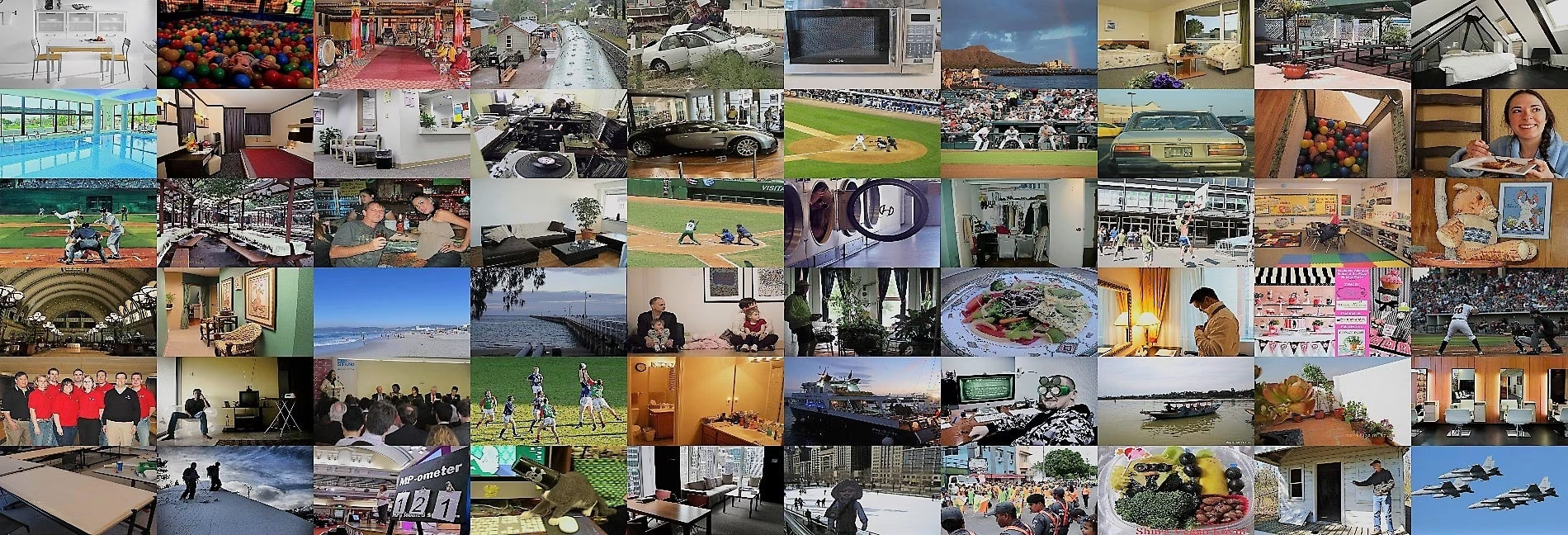
Objects365 数据集包含多样化的高分辨率图像,并在 365 个类别中提供密集的边界框标注。以下示例展示了该数据集中常见的野外场景和多目标标注:
引用与致谢#
如果你在研究或开发工作中使用 Objects365 数据集,请引用以下论文:
@InProceedings{Shao_2019_ICCV,
  author = {Shao, Shuai and Li, Zeming and Zhang, Tianyuan and Peng, Chao and Yu, Gang and Zhang, Xiangyu and Li, Jing and Sun, Jian},
  title = {Objects365: A Large-Scale, High-Quality Dataset for Object Detection},
  booktitle = {Proceedings of the IEEE/CVF International Conference on Computer Vision (ICCV)},
  month = {October},
  year = {2019}
}
我们感谢创建并维护 Objects365 数据集的研究团队为计算机视觉研究社区提供这一宝贵资源。有关 Objects365 数据集及其创建者的更多信息,请访问 Objects365 数据集网站。
常见问题#
Objects365 数据集用于训练和评估机器学习与计算机视觉领域的目标检测模型。该数据集包含 1,742,289 张训练图像和 80,000 张验证图像,涵盖 365 个目标类别,尤其适用于预训练检测器,再针对规模较小、任务特定的数据集进行微调。
Ultralytics 的
Objects365.yaml配置涵盖 365 个目标类别,分为 1,742,289 张训练图像和 80,000 张验证图像,总计 1,822,289 张,没有测试集。上游版本报告的数据规模约为 200 万张图像和总计 3000 万个边界框。Objects365 需要约 712 GB 的磁盘空间:使用
data="Objects365.yaml"首次训练时会自动下载约 345 GB 的 zip 压缩包,解压后的数据集还需要 367 GB。下载脚本会安装faster-coco-eval包,并将标注转换为 YOLO 格式。你可以在检测数据集概览中查看规模更小的替代数据集。按照以下说明,使用 Objects365 数据集以 640 的图像尺寸训练 YOLO26n 模型 100 个周期:
训练示例from ultralytics import YOLO # 加载模型 model = YOLO("yolo26n.pt") # 加载预训练模型(推荐用于训练) # 训练模型 results = model.train(data="Objects365.yaml", epochs=100, imgsz=640)可用参数的完整列表请参阅训练页面。
Objects365 的 365 类词汇表和密集标注,使其成为最出色的目标检测预训练数据集之一——ICCV 2019 论文报告,在 COCO 上使用 Objects365 预训练相比使用 ImageNet 预训练提升了 5.6 个点(mAP 为 42.0,相比 36.4)。该数据集涵盖多样化的真实场景图像,有助于模型在下游检测任务中实现良好的泛化。
Objects365 数据集的 YAML 配置文件位于 Objects365.yaml。该文件包含数据集路径和类别标签等重要信息,是配置训练环境的关键。