Argoverseデータセット#
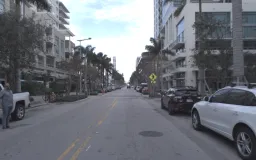
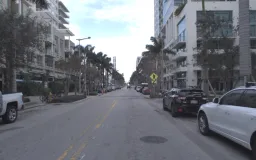
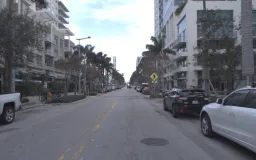
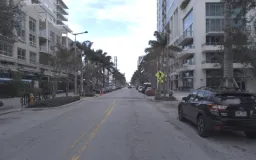
Ultralytics Argoverseデータセット(Argoverse-HD)は、8クラス(人、自転車、自動車、オートバイ、バス、トラック、信号機、一時停止標識)にわたる、自動運転画像54,446枚(トレーニング用39,384枚、検証用15,062枚)の2D物体検出データセットです。画像は車両のリングフロントセンターカメラで撮影され、アノテーションはCarnegie Mellon Universityのストリーミング認識プロジェクトによるもので、Argo AIのArgoverse 1.1走行データを基盤としています。自動運転シナリオで道路上の物体を検出するコンピュータービジョンモデルのトレーニングに適した、大規模な実世界ベンチマークです。
Ultralytics PlatformのArgoverse-HDでは、アノテーション付きサンプルのプレビュー、データセット統計の確認、トレーニング用のクローン作成ができます。
トレーニングに必要なArgoverse-HDの*.zipファイル(~31.5 GB)は、FordによるArgo AIの閉鎖後、Amazon S3から削除されました。Google Driveから手動でダウンロードできます。自動ダウンロードは機能しないため、トレーニング前にアーカイブをダウンロードして解凍し、データセットディレクトリ内のArgoverseフォルダーに配置してください。
主な機能#
- 物体検出クラス8種類:人、自転車、自動車、オートバイ、バス、トラック、信号機、一時停止標識。
- アノテーション付き画像54,446枚 — トレーニング用39,384枚、検証用15,062枚に加え、eval.aiチャレンジ用に確保されたラベルなしのテストセットがあります。
- ~31.5 GBの高解像度画像で、都市部の自動運転シーンをリングフロントセンターカメラで撮影しています。
- 初回使用時にアノテーションがYOLO形式へ自動変換されるため、データセットはUltralytics YOLO検出モデルでそのままトレーニングできます。
データセットの構成#
Argoverse-HDデータセットは、Argoverse.yaml設定で定義された3つの事前定義済みサブセットに分割されています。
| 分割 | 画像 | ラベル |
|---|---|---|
| 学習 | 39,384 | はい |
| 検証 | 15,062 | はい |
| テスト | — | ラベルなし(eval.aiチャレンジ) |
すべての画像で、8つのオブジェクトクラス(インデックス0~7)が共通して使用されています。person、bicycle、car、motorcycle、bus、truck、traffic light、stop signです。
手動でダウンロードした後、初回のトレーニング時にUltralyticsがArgoverse-HDの元のアノテーションをYOLOの検出ラベルに自動変換するため、手動での前処理は不要です。
用途#
Argoverse-HDデータセットは、自動運転におけるさまざまな物体検出アプリケーションに対応しています。
- 自動運転の認識 — 前方カメラから車両、歩行者、自転車利用者を検出し、自動運転車のナビゲーションを支援します。
- 先進運転支援システム(ADAS) — 交通信号や一時停止標識を認識し、ドライバーにリアルタイムで警告します。
- 交通モニタリング — 都市環境で道路利用者をカウントして追跡し、スマートシティ分析に活用します。
- 研究とプロトタイピング — 運転データを用いたモデルのトレーニングと推論を学習するための、大規模な実世界ベンチマークです。
データセットYAML#
YAMLファイルでは、パス、クラス、その他の関連情報を含むデータセット設定を定義します。Argoverseデータセットでは、Argoverse.yamlファイルがhttps://github.com/ultralytics/ultralytics/blob/main/ultralytics/cfg/datasets/Argoverse.yamlで管理されています。
# Ultralytics 🚀 AGPL-3.0 License - https://ultralytics.com/license

# Argoverse-HD dataset (ring-front-center camera) by Argo AI: https://www.cs.cmu.edu/~mengtial/proj/streaming/
# Documentation: https://docs.ultralytics.com/datasets/detect/argoverse
# Example usage: yolo train data=Argoverse.yaml
# parent
# ├── ultralytics
# └── datasets
#     └── Argoverse ← downloads here (31.5 GB)

# Train/val/test sets as 1) dir: path/to/imgs, 2) file: path/to/imgs.txt, or 3) list: [path/to/imgs1, path/to/imgs2, ..]
path: Argoverse # dataset root dir
train: Argoverse-1.1/images/train/ # train images (relative to 'path') 39384 images
val: Argoverse-1.1/images/val/ # val images (relative to 'path') 15062 images
test: Argoverse-1.1/images/test/ # test images (optional) https://eval.ai/web/challenges/challenge-page/800/overview

# Classes
names:
  0: person
  1: bicycle
  2: car
  3: motorcycle
  4: bus
  5: truck
  6: traffic_light
  7: stop_sign

# Download script/URL (optional) ---------------------------------------------------------------------------------------
download: |
  import json
  from pathlib import Path

  from ultralytics.utils import TQDM
  from ultralytics.utils.downloads import download

  def argoverse2yolo(annotation_file):
      """Convert Argoverse dataset annotations to YOLO format for object detection tasks."""
      labels = {}
      with open(annotation_file, encoding="utf-8") as f:
          a = json.load(f)
      for annot in TQDM(a["annotations"], desc=f"Converting {annotation_file} to YOLO format..."):
          img_id = annot["image_id"]
          img_name = a["images"][img_id]["name"]
          img_label_name = f"{Path(img_name).stem}.txt"

          cls = annot["category_id"]  # instance class id
          x_center, y_center, width, height = annot["bbox"]
          x_center = (x_center + width / 2) / 1920.0  # offset and scale
          y_center = (y_center + height / 2) / 1200.0  # offset and scale
          width /= 1920.0  # scale
          height /= 1200.0  # scale

          img_dir = annotation_file.parents[2] / "Argoverse-1.1" / "labels" / a["seq_dirs"][a["images"][annot["image_id"]]["sid"]]
          if not img_dir.exists():
              img_dir.mkdir(parents=True, exist_ok=True)

          k = str(img_dir / img_label_name)
          if k not in labels:
              labels[k] = []
          labels[k].append(f"{cls} {x_center} {y_center} {width} {height}\n")

      for k in labels:
          with open(k, "w", encoding="utf-8") as f:
              f.writelines(labels[k])

  # Download 'https://argoverse-hd.s3.amazonaws.com/Argoverse-HD-Full.zip' (deprecated S3 link)
  dir = Path(yaml["path"])  # dataset root dir
  urls = ["https://drive.google.com/file/d/1st9qW3BeIwQsnR0t8mRpvbsSWIo16ACi/view?usp=drive_link"]
  print("\n\nWARNING: Argoverse dataset MUST be downloaded manually, autodownload will NOT work.")
  print(f"WARNING: Manually download Argoverse dataset '{urls[0]}' to '{dir}' and re-run your command.\n\n")
  # download(urls, dir=dir)

  # Convert
  annotations_dir = "Argoverse-HD/annotations/"
  (dir / "Argoverse-1.1" / "tracking").rename(dir / "Argoverse-1.1" / "images")  # rename 'tracking' to 'images'
  for d in "train.json", "val.json":
argoverse2yolo(dir / annotations_dir / d) # convert Argoverse annotations to YOLO labels使用方法#
ArgoverseデータセットでYOLO26nモデルを、画像サイズ640、100エポックでトレーニングするには、以下のコード例を使用してください。使用可能な引数の一覧については、モデルのトレーニングページを参照してください。
from ultralytics import YOLO

# モデルを読み込む
model = YOLO("yolo26n.pt")  # 事前トレーニング済みモデルを読み込みます(トレーニングにはこちらを推奨します)

# モデルをトレーニングする
results = model.train(data="Argoverse.yaml", epochs=100, imgsz=640)トレーニング後、新しい運転画像または動画に対してファインチューニング済みモデルで推論を実行します。
from ultralytics import YOLO

# モデルを読み込む
model = YOLO("path/to/best.pt")  # Argoverseでファインチューニングしたモデルを読み込む

# モデルを使用した推論
results = model.predict("path/to/driving-scene.jpg")サンプルデータとアノテーション#
Argoverse-HDデータセットには、リング前方中央カメラで撮影された高解像度の運転画像が含まれており、8つのオブジェクトクラスに対する2Dバウンディングボックスが付与されています。以下は、対応するアノテーションを含むデータセット内の画像例です。
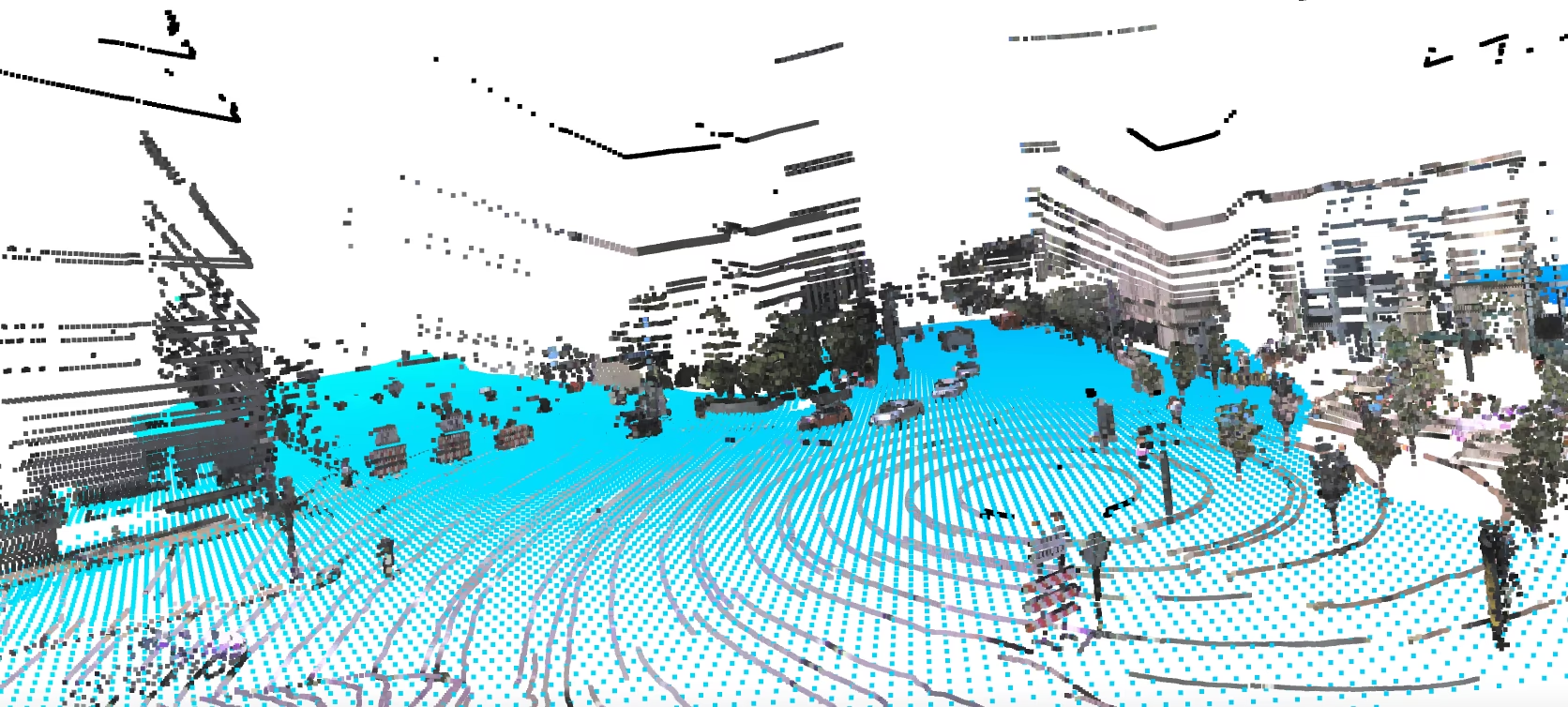
- アノテーション付き運転シーン:この画像では、車両や歩行者などの道路オブジェクトに2Dバウンディングボックスのラベルが付与されています。この形式をYOLOモデルはトレーニング中に予測するよう学習します。
引用と謝辞#
このデータセットで使用されているArgoverse-HDの2D検出アノテーションは、カーネギーメロン大学のストリーミング認識研究に由来します。研究または開発でこのデータセットを使用する場合は、以下を引用してください。
@inproceedings{li2020towards,
  title={Towards Streaming Perception},
  author={Li, Mengtian and Wang, Yu-Xiong and Ramanan, Deva},
  booktitle={Proceedings of the European Conference on Computer Vision (ECCV)},
  pages={473--488},
  year={2020}
}

@inproceedings{chang2019argoverse,
  title={Argoverse: 3D Tracking and Forecasting with Rich Maps},
  author={Chang, Ming-Fang and Lambert, John and Sangkloy, Patsorn and Singh, Jagjeet and Bak, Slawomir and Hartnett, Andrew and Wang, Dequan and Carr, Peter and Lucey, Simon and Ramanan, Deva and others},
  booktitle={Proceedings of the IEEE/CVF Conference on Computer Vision and Pattern Recognition},
  pages={8748--8757},
  year={2019}
}Argoverse-HDの検出アノテーションを提供したカーネギーメロン大学と、自動運転研究コミュニティにとって貴重なリソースとなる元のArgoverseデータセットを作成したArgo AIに感謝いたします。
よくある質問#
Ultralytics Argoverseデータセット(Argoverse-HD)は、8クラス(person、bicycle、car、motorcycle、bus、truck、traffic light、stop sign)にわたる自動運転画像54,446枚を含む2D物体検出データセットです。前方を向いた車載カメラから道路オブジェクトを検出するモデルのトレーニングと評価に使用され、自動運転の認識、ADAS、交通モニタリングの研究を支援します。
Argoverse-HDデータセットには、8クラス(person、bicycle、car、motorcycle、bus、truck、traffic light、stop sign)とラベル付き画像54,446枚が含まれています。内訳はトレーニング用39,384枚、検証用15,062枚で、eval.aiチャレンジ用に予約されたラベルなしのテスト分割もあります。
Ultralyticsでは、これは2Dバウンディングボックス付きのArgoverse-HDカメラフレームを含む2D物体検出データセットです。より広範なArgoverseプログラムに含まれる3D追跡、動作予測、LiDAR研究スイートではありません。
yolo26n.ptなどの標準的な検出モデルでトレーニングします。まずデータセットを手動でダウンロードし(下記参照)、次に
Argoverse.yaml設定ファイルを使ってトレーニングします。例from ultralytics import YOLO # モデルを読み込む model = YOLO("yolo26n.pt") # 事前トレーニング済みモデルを読み込みます(トレーニングにはこちらを推奨します) # モデルをトレーニングする results = model.train(data="Argoverse.yaml", epochs=100, imgsz=640)引数の詳細については、モデルのトレーニングページを参照してください。
以前はAmazon S3でホストされていたArgoverse-HDの
*.zipファイル(~31.5 GB)は、現在Google Driveから手動でダウンロードできます。自動ダウンロードは機能しないため、アーカイブを取得して展開し、トレーニングコマンドを実行する前にデータセットディレクトリ内のArgoverseフォルダーに配置してください。はい。Ultralytics Platformでは、Argoverse-HDなどの大規模なデータセットをアップロードしてバージョン管理し、ローカル環境を大がかりに設定することなく、クラウドで物体検出モデルをトレーニングしてデプロイできます。検出データセットの概要で関連するデータセットを確認することもできます。