Dog-Poseデータセット
はじめに#
Ultralytics Dog-Poseデータセットは、犬のキーポイント推定向けに整備された姿勢推定データセットで、トレーニング画像6,773枚と検証画像1,703枚を提供します。
視聴: Stanford Dog 姿勢推定データセットで Ultralytics YOLO モデルをトレーニングする方法 | ステップごとのチュートリアル
アノテーション付き画像にはそれぞれ、キーポイントごとに3次元(x、y、可視性)を持つ24個のキーポイントが含まれており、犬の姿勢推定に関する研究やアプリケーションを支援します。
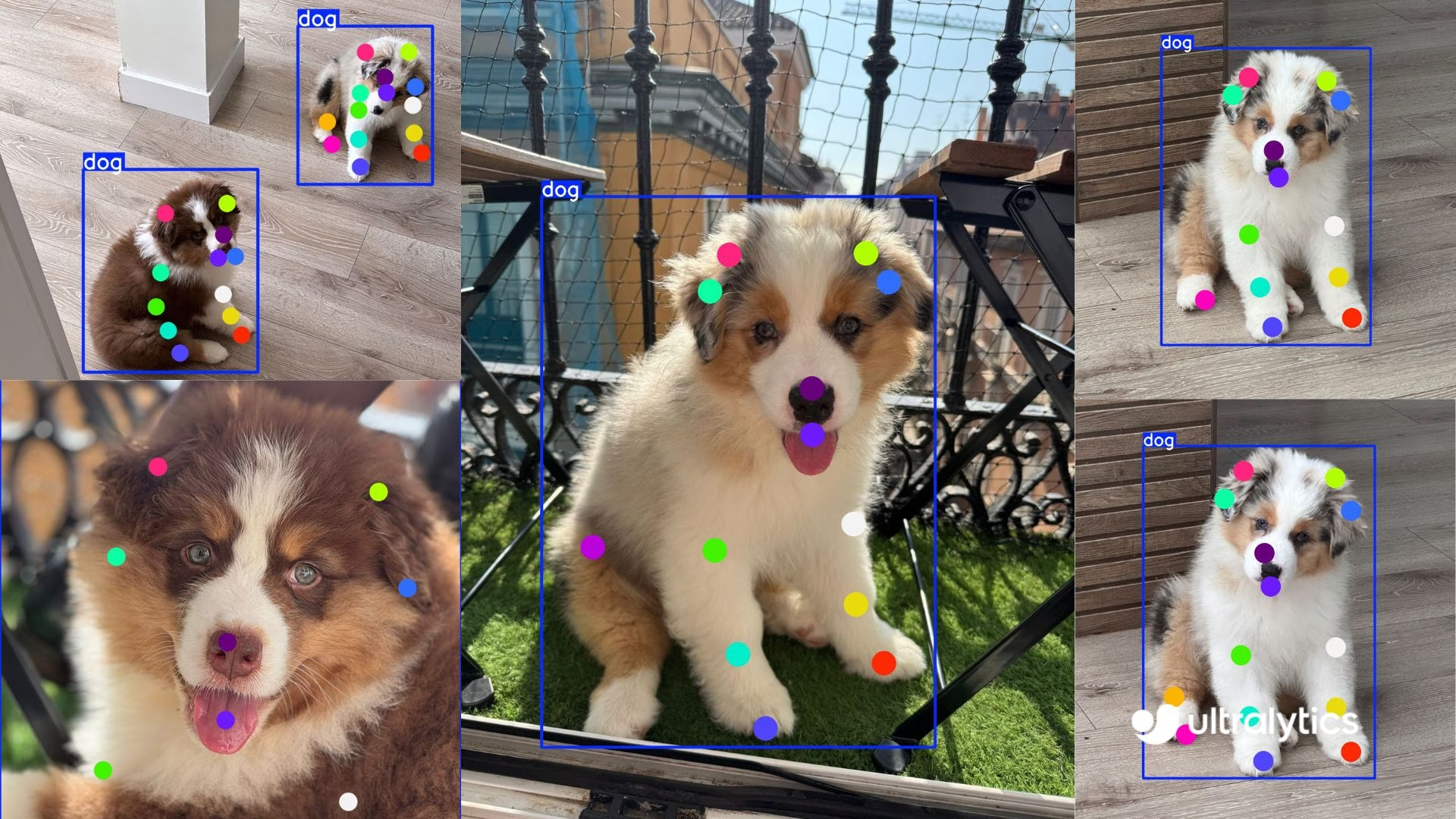
特定の犬種や別の動物を対象とする場合、Ultralytics Platformを使えば、インフラを管理することなく、独自データのアップロード、ラベリング、カスタムキーポイントモデルの学習を行えます。
データセットの構成#
-
画像総数: 8,476枚(学習6,773枚 / 検証1,703枚)。対応するYOLO形式のラベルファイルが含まれています。
-
キーポイント: 犬1頭あたり24個。
(x, y, visibility)のトリプレットで表します。 -
ダウンロードサイズ: ~337 MB。
-
ディレクトリ構成:
datasets/dog-pose/
├── images/{train,val}
└── labels/{train,val}
データセットYAML#
データセットの構成を定義するにはYAMLファイルを使用します。YAMLファイルには、パス、キーポイントの詳細、その他の関連情報が含まれます。Dog-Poseデータセットの場合、dog-pose.yamlファイルはhttps://github.com/ultralytics/ultralytics/blob/main/ultralytics/cfg/datasets/dog-pose.yamlで利用できます。
# Ultralytics 🚀 AGPL-3.0 License - https://ultralytics.com/license

# Dogs dataset http://vision.stanford.edu/aditya86/ImageNetDogs/ by Stanford
# Documentation: https://docs.ultralytics.com/datasets/pose/dog-pose
# Example usage: yolo train data=dog-pose.yaml
# parent
# ├── ultralytics
# └── datasets
#     └── dog-pose ← downloads here (337 MB)

# Train/val/test sets as 1) dir: path/to/imgs, 2) file: path/to/imgs.txt, or 3) list: [path/to/imgs1, path/to/imgs2, ..]
path: dog-pose # dataset root dir
train: images/train # train images (relative to 'path') 6773 images
val: images/val # val images (relative to 'path') 1703 images

# Keypoints
kpt_shape: [24, 3] # number of keypoints, number of dims (2 for x,y or 3 for x,y,visible)

# Classes
names:
  0: dog

# Keypoint names per class
kpt_names:
  0:
    - front_left_paw
    - front_left_knee
    - front_left_elbow
    - rear_left_paw
    - rear_left_knee
    - rear_left_elbow
    - front_right_paw
    - front_right_knee
    - front_right_elbow
    - rear_right_paw
    - rear_right_knee
    - rear_right_elbow
    - tail_start
    - tail_end
    - left_ear_base
    - right_ear_base
    - nose
    - chin
    - left_ear_tip
    - right_ear_tip
    - left_eye
    - right_eye
    - withers
    - throat

# Download script/URL (optional)
download: https://github.com/ultralytics/assets/releases/download/v0.0.0/dog-pose.zip使用方法#
画像サイズ640でDog-Poseデータセットを使用し、100エポックにわたってYOLO26n-poseモデルをトレーニングするには、次のコードスニペットを使用できます。
from ultralytics import YOLO

# モデルを読み込む
model = YOLO("yolo26n-pose.pt")  # 事前トレーニング済みモデルを読み込みます(トレーニングにはこちらを推奨します)

# モデルをトレーニングする
results = model.train(data="dog-pose.yaml", epochs=100, imgsz=640)サンプル画像とアノテーション#
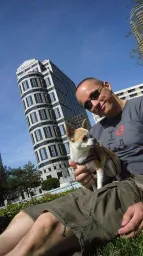
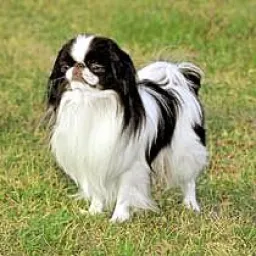
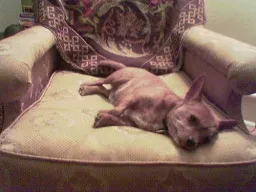
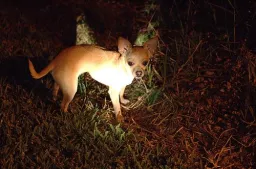
以下に、Dog-Poseデータセット内の画像と対応するアノテーションの例を示します。
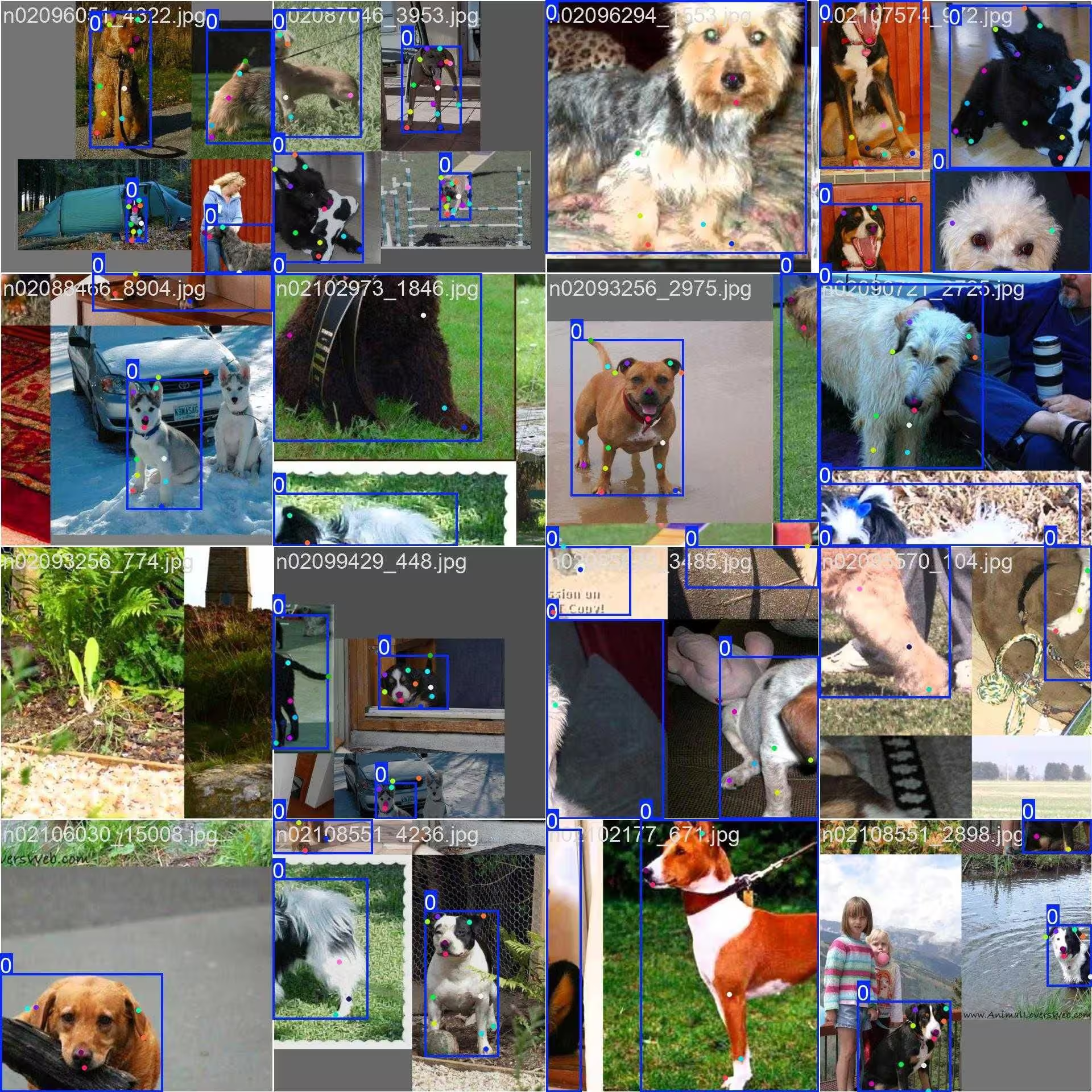
- モザイク画像: モザイク化したデータセット画像で構成されるトレーニングバッチを示しています。モザイク化はトレーニング中に使用される手法で、複数の画像を1枚にまとめ、各トレーニングバッチ内のオブジェクトやシーンの多様性を高めます。これにより、さまざまなオブジェクトサイズ、アスペクト比、コンテキストに対するモデルの汎化性能が向上します。
この例は、Dog-Poseデータセットの画像の多様性と複雑さ、および学習プロセスでモザイクを使用する利点を示しています。
引用と謝辞#
研究または開発でDog-Poseデータセットを使用する場合は、以下の論文を引用してください。
@inproceedings{khosla2011fgvc,
  title={Novel dataset for Fine-Grained Image Categorization},
  author={Aditya Khosla and Nityananda Jayadevaprakash and Bangpeng Yao and Li Fei-Fei},
  booktitle={First Workshop on Fine-Grained Visual Categorization (FGVC), IEEE Conference on Computer Vision and Pattern Recognition (CVPR)},
  year={2011}
}
@inproceedings{deng2009imagenet,
  title={ImageNet: A Large-Scale Hierarchical Image Database},
  author={Jia Deng and Wei Dong and Richard Socher and Li-Jia Li and Kai Li and Li Fei-Fei},
  booktitle={IEEE Computer Vision and Pattern Recognition (CVPR)},
  year={2009}
}コンピュータービジョンコミュニティにとって貴重なこのリソースを作成し、維持しているStanfordチームに感謝いたします。Dog-Poseデータセットとその作成者について詳しくは、Stanford Dogs Datasetのウェブサイトをご覧ください。
よくある質問#
Dog-Poseデータセットは、犬の姿勢推定用に24個のキーポイントがアノテーションされた、トレーニング画像6,773枚と検証画像1,703枚で構成されています。Ultralytics YOLO26を使ったモデルの学習と検証向けに設計されており、動物行動分析、ペットのモニタリング、獣医学研究などのアプリケーションを支援します。詳細なアノテーションにより、犬の高精度な姿勢推定モデルの開発に適しています。
幅広い犬種とポーズを網羅する合計8,476枚の画像(トレーニング用6,773枚/検証用1,703枚)と、各アノテーションあたり3次元(x、y、visibility)の24個のキーポイントを備えたDog-Poseデータセットは、ペットのモニタリングや行動分析などのアプリケーションに必要な、実環境を幅広くカバーするデータをモデルに提供します。
モザイクは複数のDog-Pose画像を1枚の学習画像にまとめ、1ステップごとにモデルが見る犬のポーズ、サイズ、背景の多様性を高めます。これにより、新しいコンテキストやスケールへの汎化性能が向上し、過学習も抑制されます。画像の例については、サンプル画像とアノテーションセクションを参照してください。
Dog-PoseデータセットのYAMLファイルはhttps://github.com/ultralytics/ultralytics/blob/main/ultralytics/cfg/datasets/dog-pose.yamlにあります。このファイルでは、パス、クラス、キーポイントの詳細、その他の関連情報を含むデータセット構成を定義します。YAMLでは、キーポイントごとに3つの次元を持つ24個のキーポイントを指定しており、詳細なポーズ推定タスクに適しています。
YOLO26の学習スクリプトでこのファイルを使用するには、使用方法セクションに示すように、学習コマンドでファイルを指定してください。初回使用時にデータセットが自動でダウンロードされるため、簡単にセットアップできます。
キーポイントモデルの詳細については、ポーズ推定タスクのドキュメントを参照してください。


コメント12
質問したり、結果を共有したり、ほかの人をサポートしたりできます。
legend-zhen
Hello, although YOLOv11-pose can perform both object detection and pose estimation tasks simultaneously, there seems to be little correlation between the performance of pose estimation and object detection. What could be the reason for this? As I understand, YOLOv11-pose was specifically designed for human pose estimation, so can it also be perfectly adapted for animal pose estimation, as it is for humans? Are any special settings required when performing animal pose estimation?
 Glenn JocherUltralytics(編集済み)
@legend-zhen YOLO26 and YOLO11 pose models are indeed versatile and can be adapted for animal pose estimation, such as with the Dog-Pose dataset. While the architecture is optimized for human pose estimation, adapting it to animals typically requires a dataset with accurate annotations (e.g., 24 keypoints for dogs in Dog-Pose). No special settings are mandatory beyond ensuring the dataset YAML file is properly configured. For details on Dog-Pose, check here.
Peakednesss
I can just find 20 points, 4 for ears, 1 for nose, 1 for mouth, 2 for tail, and 12 for legs, where are the other four points?
- Glenn JocherUltralytics(編集済み)
@Peakednesss the Dog-Pose dataset has 24 keypoints. Beyond the 20 you found (ears, nose, chin, tail and legs), the other four are the left eye, right eye, withers and throat. The full list is in
kpt_namesin the dataset YAML: https://github.com/ultralytics/ultralytics/blob/main/ultralytics/cfg/datasets/dog-pose.yaml. thank you very much
goodbetterbest1
do you know where are the other 4 points’ definitions? I can’t find any useful information in the yaml document. thx
chengziNaomi
When we annotate the key point data set in a picture, if the two boxes have overlapping parts, how to annotate the key points in the overlapping boxes?
- Glenn JocherUltralytics
@chengziNaomi when annotating overlapping bounding boxes in a keypoint dataset, ensure that each object's keypoints are labeled independently, even if they share overlapping regions. Annotate each keypoint based on its respective object, maintaining clear separation to avoid ambiguity during model training. For guidelines on keypoint annotation, refer to Dog-Pose Dataset Documentation.
If I have multiple objects in a picture, should I frame all the objects at once and then label the key points together, or should I frame an object, label the key points of that object, then frame an object, and then label the key points of that object?
- Glenn JocherUltralytics
@chengziNaomi when annotating a single image with multiple objects, you should annotate each object separately. Frame one object, label its keypoints completely, then move to the next object. This ensures clarity and avoids confusion during model training. Refer to Dog-Pose Dataset Documentation for more annotation insights.
Thank you very much! and how can I draw heatmap for key point detection?
- Glenn JocherUltralytics
You're welcome! To draw a heatmap for keypoint detection, you can preprocess the keypoints into Gaussian blobs on a blank image using libraries like OpenCV or NumPy, then overlay them on the original image. For detailed implementation, check external heatmap solutions or visualization tools as it currently falls outside YOLO's built-in features. Let me know if you have further questions!