Oriented Bounding Box(OBB)データセットの概要
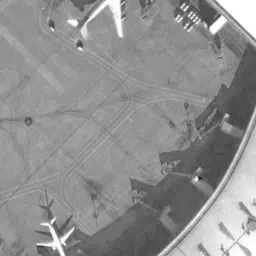
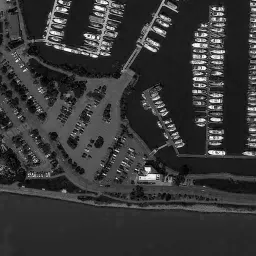
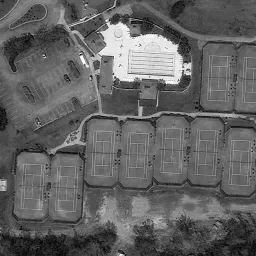
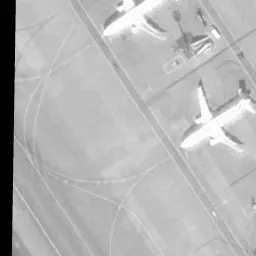
物体検出モデルを回転バウンディングボックス (OBB)で高精度にトレーニングするには、十分なデータセットが必要です。このガイドでは、Ultralytics YOLOモデルに対応するさまざまなOBBデータセット形式について、その構造や用途、形式変換の方法を解説します。
サポートされているOBBデータセット形式#
YOLO OBB形式#
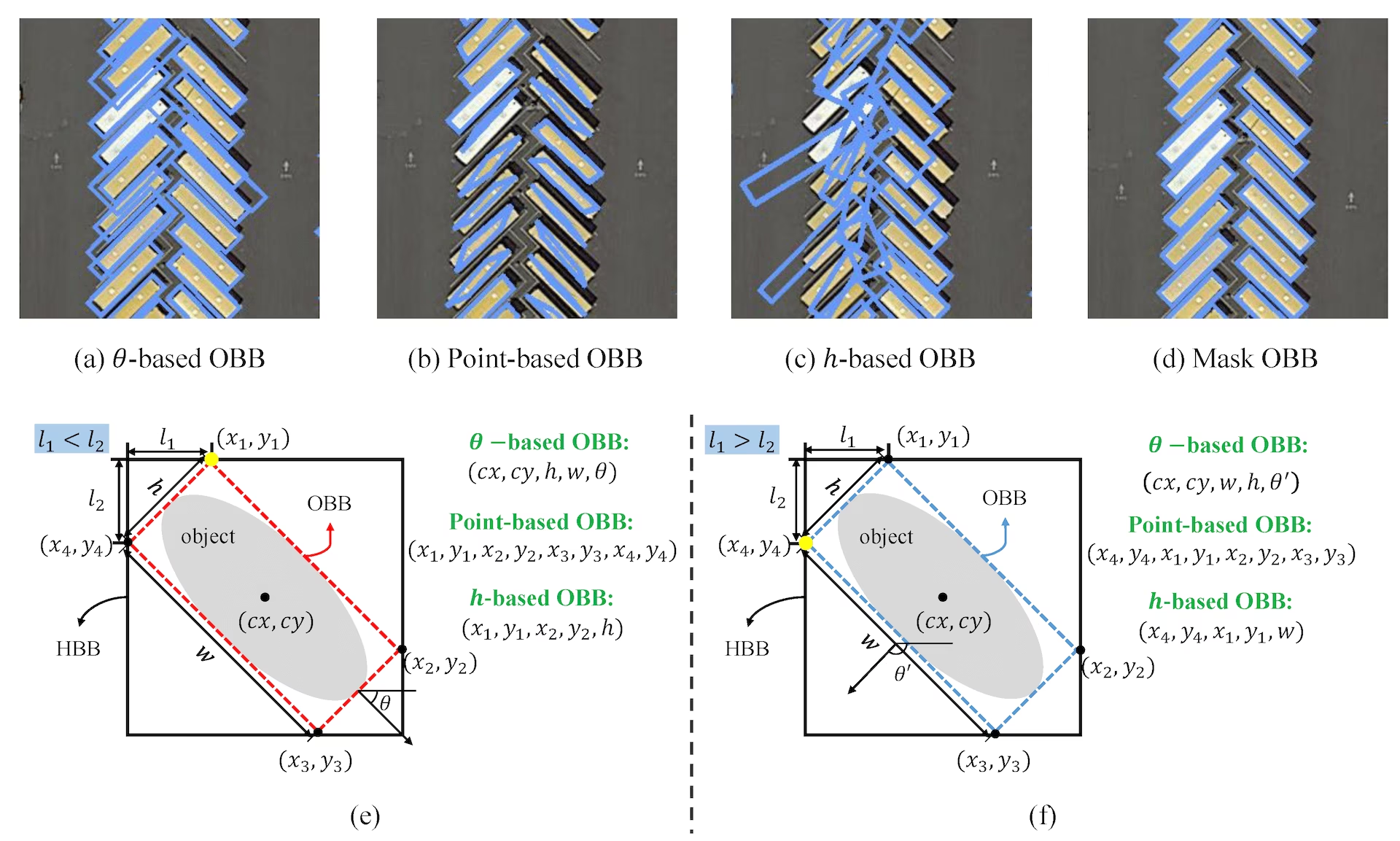
YOLO OBB形式では、各バウンディングボックスを4つのコーナーポイントで指定し、座標は0から1の範囲に正規化されます。形式は次のとおりです。
class_index x1 y1 x2 y2 x3 y3 x4 y4内部では、YOLOは損失と出力をxywhr形式で処理します。この形式は、バウンディングボックスの中心点(xy)、幅、高さ、回転を表します。
上記の画像に対応する*.txtラベルファイルの例です。この画像には、OBB形式でクラス0のオブジェクトが含まれており、次のようになります。
0 0.780811 0.743961 0.782371 0.74686 0.777691 0.752174 0.776131 0.749758データセットのYAML形式#
Ultralyticsフレームワークでは、OBBモデルのトレーニングに使用するデータセットとモデルの設定をYAMLファイル形式で定義します。OBBデータセットを定義するYAML形式の例を示します。
# Ultralytics 🚀 AGPL-3.0 License - https://ultralytics.com/license

# DOTA8 dataset (8 images from the DOTAv1 split) by Ultralytics
# Documentation: https://docs.ultralytics.com/datasets/obb/dota8
# Example usage: yolo train model=yolov8n-obb.pt data=dota8.yaml
# parent
# ├── ultralytics
# └── datasets
#     └── dota8 ← downloads here (1 MB)

# Train/val/test sets as 1) dir: path/to/imgs, 2) file: path/to/imgs.txt, or 3) list: [path/to/imgs1, path/to/imgs2, ..]
path: dota8 # dataset root dir
train: images/train # train images (relative to 'path') 4 images
val: images/val # val images (relative to 'path') 4 images

# Classes for DOTA 1.0
names:
  0: plane
  1: ship
  2: storage tank
  3: baseball diamond
  4: tennis court
  5: basketball court
  6: ground track field
  7: harbor
  8: bridge
  9: large vehicle
  10: small vehicle
  11: helicopter
  12: roundabout
  13: soccer ball field
  14: swimming pool

# Download script/URL (optional)
download: https://github.com/ultralytics/assets/releases/download/v0.0.0/dota8.ziptrain、val、testはそれぞれ、ディレクトリ、画像ファイル、ディレクトリまたは画像ファイルのリスト、あるいは1行につき1つの画像パスを記載したUTF-8の*.txtファイルを受け付けます(./で始まるパスは、*.txtファイルを基準に解決されます)。*.txtファイルは、ディレクトリ内の一部のデータのみで学習する場合、ラベルのない画像をスキップする場合、または複数のソースの画像を1つの分割にまとめる場合に便利です。
path: datasets/dota8 # dataset root
train: train.txt # a directory, an image, a list e.g. [images/a, images/b], or a *.txt file
val: val.txt
names:
0: plane使用方法#
これらのOBB形式を使ってモデルをトレーニングするには、次のようにします。
from ultralytics import YOLO

# 事前学習済みのYOLO26n-OBBモデルを読み込む
model = YOLO("yolo26n-obb.pt")

# DOTAv1データセットでモデルをトレーニングする
results = model.train(data="DOTAv1.yaml", epochs=100, imgsz=1024)サポート対象のデータセット#
現在、回転バウンディングボックスに対応する以下のデータセットがサポートされています。これらのデータセットの大半はUltralytics Platformでもホストされており、画像やアノテーションの閲覧、データセット統計の確認、クラウドトレーニング用のクローン作成ができます。
- DOTA-v1: DOTAデータセットの最初のバージョンで、物体検出用の回転バウンディングボックスが付いた航空画像を幅広く提供します。
- DOTA-v1.5: DOTAデータセットの中間バージョンで、物体検出タスクの強化に向けて、DOTA-v1より多くのアノテーションと改善を提供します。
- DOTA-v2: DOTA(航空画像における物体検出のための大規模データセット)のバージョン2です。航空視点からの検出に重点を置き、1,1268枚の画像に170万のインスタンスを含む回転バウンディングボックスを提供します。
- DOTA8: DOTAデータセット全体から抽出した8枚の小規模なサブセットです。ワークフローのテストや、
ultralyticsリポジトリでのOBBトレーニングに関する継続的インテグレーション(CI)チェックに適しています。 - DOTA8 Multispectral: 8枚の画像からなる10チャンネルのTIFFサブセットで、Ultralytics Platform上でのマルチスペクトルOBBトレーニングのテストに使用できます。
- DOTA128: DOTAデータセットの128枚の画像サブセットです。すべての画像がtrainフォルダーにあり(trainとvalの両方に使用)、サイズと多様性のバランスに優れているため、OBBモデルのテストに適しています。
- シーンテキスト:COCO-TextとHierTextを組み合わせた65,325枚の画像からなるデータセットで、シーンテキストOBBのトレーニング用に、判読可能な単語ポリゴンを129万個含みます。
独自のOBBデータセットを追加する#
独自の回転バウンディングボックス付きデータセットを追加する場合は、上記の「YOLO OBB形式」と互換性があることを確認してください。アノテーションを必要な形式に変換し、対応するYAML設定ファイルにパス、クラス、クラス名を記述してください。
ラベル形式の変換#
DOTAデータセット形式からYOLO OBB形式への変換#
次のスクリプトを使って、DOTAデータセット形式からYOLO OBB形式にラベルを変換できます。
from ultralytics.data.converter import convert_dota_to_yolo_obb

convert_dota_to_yolo_obb("path/to/DOTA")この変換により、DOTA形式のデータセットがUltralytics YOLOのOBB形式に対応します。
トレーニングの前に、変換後のデータセットがYOLO OBB形式の規則に準拠していることを確認してください。適切に構造化されたデータセットは、回転バウンディングボックスを使用して高精度な物体検出モデルをトレーニングするうえで不可欠です。
よくある質問#
回転バウンディングボックス (OBB)は、軸に沿ったボックスに限定されず、検出対象により正確に合わせるために回転できるバウンディングボックスアノテーションです。物体が画像の軸に沿っていない場合がある航空画像や衛星画像で特に有用です。Ultralytics YOLOモデルでは、OBBはYOLO OBB形式の4つの頂点で表されます。これにより、バウンディングボックスを物体に合わせて回転させることができ、より正確な物体検出が可能になります。
Ultralyticsの
convert_dota_to_yolo_obb関数を使用すると、DOTAデータセットのラベルをYOLO OBB形式に変換できます。この変換により、ラベルがUltralytics YOLO OBBモデルに対応します。簡単な例を以下に示します。from ultralytics.data.converter import convert_dota_to_yolo_obb convert_dota_to_yolo_obb("path/to/DOTA")このスクリプトは、DOTAのアノテーションをYOLO互換形式に再フォーマットします。
OBB対応のYOLO26モデルをトレーニングするには、データセットがYOLO OBB形式であることを確認してから、Ultralytics APIを使用してモデルをトレーニングします。PythonとCLIの両方の例を示します。
例from ultralytics import YOLO # スクラッチから新しいYOLO26n-OBBモデルを作成 model = YOLO("yolo26n-obb.yaml") # カスタムデータセットでモデルをトレーニング results = model.train(data="your_dataset.yaml", epochs=100, imgsz=640)OBBアノテーションを使用してトレーニングすると、モデルが回転した物体により密接にフィットできるため、検出精度が向上します。
現在、UltralyticsはOBBトレーニング用に次のデータセットをサポートしています。
- DOTA-v1: DOTAデータセットの最初のバージョンで、物体検出用の回転バウンディングボックスが付いた航空画像を幅広く提供します。
- DOTA-v1.5: DOTAデータセットの中間バージョンで、物体検出タスクの強化に向けて、DOTA-v1より多くのアノテーションと改善を提供します。
- DOTA-v2:このデータセットには、回転バウンディングボックス付きの170万インスタンスと11,268枚の画像が含まれており、主に航空画像の物体検出に重点を置いています。
- DOTA8:テストと継続的インテグレーション(CI)チェックに使用される、DOTAデータセットの8枚の画像からなる小規模なサブセットです。
- DOTA128:trainフォルダー内の全画像を使用する128枚の画像からなるサブセットで、trainとvalの両方に使用されます。DOTA8より多様性がありながら、初期のOBBモデル開発や実験に適した扱いやすい規模です。
- シーンテキスト:COCO-TextとHierTextを統合した単一クラスのシーンテキストデータセットで、回転した単語や複数点で表現された単語のアノテーションを含みます。
これらのデータセットは、OBBが大きな利点をもたらす航空画像や衛星画像解析などの用途に合わせて設計されています。
はい、回転バウンディングボックス付きの独自データセットをYOLO26のトレーニングに使用できます。バウンディングボックスを4つの頂点で定義するYOLO OBB形式に、データセットのアノテーションを変換してください。その後、データセットのパス、クラス、その他の必要な詳細を指定するYAML設定ファイルを作成できます。データセットの作成と設定の詳細については、サポート対象のデータセットセクションを参照してください。


コメント129
質問したり、結果を共有したり、ほかの人をサポートしたりできます。
hodat2608
Hi everyone! i have a question. As we know, when i use labelimg obb to labeling images, it will export xywhr coordinates, example : 0 88.000000 101.000000 141.785406 14.314282 89.065522 0 477.548407 102.450004 140.874897 13.174511 -89.889658 0 218.000000 102.500000 140.785539 14.297973 89.065522
but if i use this format for training it gives error, can not train, i think i need to convert this xywhr format to xyxyxyxy format. So I need to consult everyone, how to convert this format. thanks *note: we need to pay attention to the angle during labeling, because when we use label img obb, the angle will be output as negative and positive, which means if it is less than 90 degrees it is negative, if it is greater than 90 degrees it is positive. However, in YOLOv8 it will not be shown like that, it will output the result always positive, **for example : label img obb : -89 degrees < 90 degrees < 89 degrees yolov8 : 89 degrees < 90 degrees < 91 degrees i use this source : https://github.com/heshameraqi/labelImg_OBB
1Chen-chang-yu
Hi, I used roLabelImg-master to label and the output is xml file. Here is my convert code( from xml (xywhr fotmat) -> txt (xyxyxyxy format) ). For your reference.
import math import xml.etree.ElementTree as ET import os
def rotate_point(x, y, angle): """ Rotate point (x, y) by angle around origin (0, 0). """ x_rot = x * math.cos(angle) - y * math.sin(angle) y_rot = x * math.sin(angle) + y * math.cos(angle) return x_rot, y_rot
def convert_to_xyxyxyxy(cx, cy, w, h, angle): """ Convert rotated bounding box to xyxyxyxy format. """ # Half width and height half_w = w / 2 half_h = h / 2
# Corner points relative to center
corners = [
    (-half_w, -half_h),
    (half_w, -half_h),
    (half_w, half_h),
    (-half_w, half_h)
]

# Rotate corners and translate
rotated_corners = []
for corner in corners:
    x_rot, y_rot = rotate_point(corner[0], corner[1], angle)
    rotated_corners.append((cx + x_rot, cy + y_rot))

# Format as xyxyxyxy
xyxyxyxy = " ".join([f"{int(round(x))},{int(round(y))}" for x, y in rotated_corners])
return xyxyxyxy
def convert_annotation(xml_file_path, output_dir): tree = ET.parse(xml_file_path) root = tree.getroot()
# Get image dimensions
size = root.find('size')
if size is None:
    raise ValueError("Size element not found in XML")

width = int(size.find('width').text)
height = int(size.find('height').text)

class_id = int(root.find('segmented').text)

# Create output file path
base_name = os.path.splitext(os.path.basename(xml_file_path))[0]
txt_file_path = os.path.join(output_dir, f"{base_name}.txt")

with open(txt_file_path, 'w') as txt_file:
    for obj in root.findall('object'):
        robndbox = obj.find('robndbox')

        if robndbox is not None:
            cx = float(robndbox.find('cx').text)
            cy = float(robndbox.find('cy').text)
            w = float(robndbox.find('w').text)
            h = float(robndbox.find('h').text)
            angle = float(robndbox.find('angle').text)

            # Convert to OBB format
            result = convert_to_xyxyxyxy(cx, cy, w, h, angle)

            result = result.replace(",", " ")
            # print(len(result))

            # 分割字符串,去掉逗号并转换为浮点数,除以1024
            normalized_results = [float(x) / 1024 for x in result.split()]
            print(normalized_results)

            # 将列表转换为字符串,元素用逗号和空格分隔
            result_str = ' '.join(map(str, normalized_results))

            # Write to file
            txt_file.write(f"{class_id} {result_str}\n")

# print(f"Converted {xml_file_path} to {txt_file_path}")
Example usage
xml_dir = r'C:\Users\datasets_HTC\xmllabels' output_dir = r'C:\Users\datasets_HTC\labels_OBB_format'
Ensure the output directory exists
os.makedirs(output_dir, exist_ok=True)
Convert all XML files in the directory
for xml_file in os.listdir(xml_dir): if xml_file.endswith('.xml'): convert_annotation( xml_file_path=os.path.join(xml_dir, xml_file), output_dir=output_dir, )
1luo-ross
No matter what annotation software you use for annotation, in the end, you only need to focus on xywhr. If it's detect, focus on xywh. If it's obb, then focus on xywhr. With this data, you can directly use the encapsulated methods provided in ultralytics. utilities
from ultralytics.utils import ops
For example, ops. xywhr 2xyxyxy (xywhr)
You don't need to repeatedly make wheels and do so much work.
Thank you so such. I will try your way and get back to you soon.
For appropriation, here is ready-made code, hoping it will be helpful to you
from ultralytics import YOLO import time import torch import math import cv2 import numpy as np import ultralytics
from ultralytics.utils import ops
img=cv2.imread(r"yourfilename.png")
#4 points x1y1=[550.0,400.0] x2y2=[450.0,400.0] x3y3=[450.0,600.0] x4y4=[550.0,600.0]
Example bbox with rotation at 45 degrees (converted to radians if needed)
r1=0 * np.pi / 180 r2=-45 * np.pi / 180 bbox = [500, 500, 200, 100, r1] # Convert degrees to radians xyxyxyxy =ops. xywhr2xyxyxyxy(torch.tensor(bbox)) xywhr=ops.xyxyxyxy2xywhr(xyxyxyxy.reshape(1,-1,2))
rotate=xywhr[:,4]*180/np.pi #clockwise xywhr1=ops.xyxyxyxy2xywhr(torch.tensor([[x1y1,x2y2,x3y3,x4y4]])) xywhr2=ops.xyxyxyxy2xywhr(torch.tensor([[x2y2,x3y3,x4y4,x1y1]])) xywhr3=ops.xyxyxyxy2xywhr(torch.tensor([[x3y3,x4y4,x1y1,x2y2]])) xywhr4=ops.xyxyxyxy2xywhr(torch.tensor([[x4y4,x1y1,x2y2,x3y3]]))
#anticlockwise xywhr5=ops.xyxyxyxy2xywhr(torch.tensor([[x1y1,x4y4,x3y3,x2y2]])) xywhr6=ops.xyxyxyxy2xywhr(torch.tensor([[x4y4,x3y3,x2y2,x1y1]])) xywhr7=ops.xyxyxyxy2xywhr(torch.tensor([[x3y3,x2y2,x1y1,x4y4]])) xywhr8=ops.xyxyxyxy2xywhr(torch.tensor([[x2y2,x1y1,x4y4,x3y3]]))
r=[xywhr1[:,4],xywhr2[:,4],xywhr3[:,4],xywhr4[:,4],xywhr5[:,4],xywhr6[:,4],xywhr7[:,4],xywhr8[:,4]]
#xyxyxyxy=ops.xywhr2xyxyxyxy(torch.tensor([161,152,100,170,math.radians(0)]))
data_array=xyxyxyxy.to(torch.int32).cpu().numpy() cv2.drawContours(img, [data_array], -1, (255, 0, 0), 2)
x=data_array[0][0] y=data_array[0][1] x1y1=[data_array[0][0], data_array[0][1]] x2y2=[data_array[1][0], data_array[1][1]] x3y3=[data_array[2][0], data_array[2][1]] x4y4=[data_array[3][0], data_array[3][1]]
xywhr=ops.xyxyxyxy2xywhr(torch.tensor([[x1y1, x2y2,x3y3, x4y4]]).to(torch.float32))
cv2.line(img, (x - 10, y), (x + 10, y), (0, 255, 0), 2) cv2.line(img, (x, y - 10), (x, y + 10), (0, 255, 0), 2)
cv2.putText(img, "1", (data_array[0][0],data_array[0][1]), cv2.FONT_HERSHEY_SIMPLEX, 1, (0, 0, 255), 1, lineType=cv2.LINE_AA) cv2.putText(img, "2", (data_array[1][0],data_array[1][1]), cv2.FONT_HERSHEY_SIMPLEX, 1, (0, 0, 255), 1, lineType=cv2.LINE_AA) cv2.putText(img, "3", (data_array[2][0],data_array[2][1]), cv2.FONT_HERSHEY_SIMPLEX, 1, (0, 0, 255), 1, lineType=cv2.LINE_AA) cv2.putText(img, "4", (data_array[3][0],data_array[3][1]), cv2.FONT_HERSHEY_SIMPLEX, 1, (0, 0, 255), 1, lineType=cv2.LINE_AA) cv2.imshow('Rectangle', img) cv2.waitKey(0)
#[tensor([1.5708]), tensor([1.5708]), tensor([1.5708]), tensor([1.5708]), tensor([1.5708]), tensor([1.5708]), tensor([1.5708]), tensor([1.5708])]
sd2=ops.xywhr2xyxyxyxy(torch.tensor([500,500,200,100,math.radians(-90)]))
sd3=ops.xywhr2xyxyxyxy(torch.tensor([500,500,200,100,math.radians(180)])) sd4=ops.xywhr2xyxyxyxy(torch.tensor([500,500,200,100,math.radians(270)])) sd5=ops.xywhr2xyxyxyxy(torch.tensor([500,500,200,100,math.radians(360)]))
sd6=ops.xywhr2xyxyxyxy(torch.tensor([500,500,200,100,math.radians(45)]))
radians=math.radians(-90)
test1=ops.xyxyxyxy2xywhr(torch.tensor([[100, 100, 100, 461.999104, 911.0016, 272.999424, 1066.99776, 527.0016]])) test2=ops.xyxyxyxy2xywhr(torch.tensor([[ 640.999424, 461.999104, 911.0016, 272.999424, 1066.99776, 527.0016,797.999104, 706.999296]])) test3=ops.xyxyxyxy2xywhr(torch.tensor([[ 461.999104, 911.0016, 272.999424, 1066.99776, 527.0016,797.999104, 706.999296, 640.999424]])) test4=ops.xyxyxyxy2xywhr(torch.tensor([[706.999296, 640.999424,461.999104, 911.0016, 272.999424, 1066.99776, 527.0016,797.999104 ]]))
I have another question? I want to train with higher imgsz, so what size is best for practice? 832 or 1280 ?
@hodat2608 Unless your application scenario is microscopic, such as those captured under a microscope, requiring recognition of cells or bacteria, and requires precision at the pixel level. So when you train, you need to ensure the size of the image. For example, if a 2448 * 2048 size image is scaled to 640 * 640, it may not be able to recognize the target well. So you can use larger training sizes, such as twice, three times, or four times 640, or ensure that the size is a multiple of 2 for better results. Of course, the larger the size, the lower the efficiency. You need to use GPU for training and prediction.
 Glenn JocherUltralytics
The best image size depends on your specific use case and hardware capabilities. Generally, larger sizes like 1280 can improve accuracy but require more computational resources. If you're limited by hardware, 832 might be a more practical choice.
DeekshithaDPrakash
Hi everyone! i have a question. As we know, when i use labelimg obb to labeling images, it will export xywhr coordinates, example : 0 88.000000 101.000000 141.785406 14.314282 89.065522 0 477.548407 102.450004 140.874897 13.174511 -89.889658 0 218.000000 102.500000 140.785539 14.297973 89.065522
but if i use this format for training it gives error, can not train, i think i need to convert this xywhr format to xyxyxyxy format. So I need to consult everyone, how to convert this format. thanks *note: we need to pay attention to the angle during labeling, because when we use label img obb, the angle will be output as negative and positive, which means if it is less than 90 degrees it is negative, if it is greater than 90 degrees it is positive. However, in YOLOv8 it will not be shown like that, it will output the result always positive, **for example : label img obb : -89 degrees < 90 degrees < 89 degrees yolov8 : 89 degrees < 90 degrees < 91 degrees i use this source : https://github.com/heshameraqi/labelImg_OBB
@hodat2608 Did you solve this issue and train yolo model for OBB ? It would be of great help if you could share relevant materials
luckg6
Hello Ultralytics team,
I have a question regarding YOLO OBB (Oriented Bounding Box) object detection. I noticed that for predicted bounding boxes, the angle can be obtained via obb.xywhr. However, it seems that there is no direct way to get the angle of the ground-truth boxes in the dataset.
Does this mean that if I want to calculate the angle error, I must manually compute it by converting the 8-point coordinates of the ground-truth boxes into an angle?
Thank you for your clarification!
- Glenn JocherUltralytics
GT labels in YOLO OBB are stored as 8 normalized corner coords (
class x1 y1 ... x4 y4), so there’s no explicit angle field in the*.txt; if you want an angle/error metric, convert the GT corners toxywhrusing the same helper Ultralytics uses internally viaxyxyxyxy2xywhr(angle returned in radians), which matches howresults[0].obb.xywhris defined in theOBBresults API and follows the OBB conventions noted in the OBB task docs.import cv2 import math import torch from ultralytics.utils.ops import xyxyxyxy2xywhr img = cv2.imread("path/to/image.png") h, w = img.shape[:2] # label line: cls x1 y1 x2 y2 x3 y3 x4 y4 (all coords normalized 0-1) parts = open("path/to/label.txt").read().strip().split() pts = torch.tensor([float(x) for x in parts[1:]], dtype=torch.float32).view(1, 4, 2) pts[..., 0] *= w pts[..., 1] *= h gt_xywhr = xyxyxyxy2xywhr(pts.view(1, 8)) gt_theta = gt_xywhr[0, 4].item() # radians def angle_diff_rad(pred_theta, gt_theta): # smallest signed diff considering 90-degree periodicity used by OBB return (pred_theta - gt_theta + math.pi / 2) % math.pi - math.pi / 2If you have follow-ups on the exact angle convention for your evaluation, drop them here in this discussion so the team can see the context.
ahrendsen
Is it true that the YOLO implementation of OBB would report an identical result for objects that are rotated 180 degrees from each other? For example, if I wanted to detect planes flying through the air and wanted to determine the direction they were flying with the angle of the OBB, YOLO OBB would not be able to distinguish between the front and the back of the plane?
msocode
I work with coffee bean classification. Until now, I was using yolov8-seg. However, I wanted some way to combine yolov11-obb + seg. Is there any way to run both processes together? Or would I have to do obb and then train the seg based on the previous result?
- Glenn JocherUltralytics(編集済み)
Great question—YOLO26 doesn’t currently provide a single multitask head that outputs OBB and masks together; OBB and Seg are separate tasks. The simplest way to get both is to run a YOLO26 segmentation model and derive an OBB per instance mask with OpenCV’s
minAreaRect(one model, both outputs):from ultralytics import YOLO import numpy as np, cv2 seg = YOLO("yolo26s-seg.pt") results = seg("image.jpg")[0] for poly in results.masks.xy: # list of Nx2 polygons rect = cv2.minAreaRect(np.array(poly, dtype=np.float32)) # (cx,cy),(w,h),angle box = cv2.boxPoints(rect) # 4x2 OBB corners # use box or rect as your OBBIf you must use OBB first, a two-stage pipeline is fine: run
yolo26*-obb.pt, crop/rotate ROIs, then run ayolo26*-seg.ptmodel on each ROI. See the Segmentation task guide and YOLO26 model variants in the docs: Segmentation docs and YOLO26 models.1
eorroot
Hello, have you considered adding a new UAV Bounding Box (OBB) Datasets, CODrone (https://github.com/AHideoKuzeA/CODrone-A-Comprehensive-Oriented-Object-Detection-benchmark-for-UAV)?
UltralyticsAssistantUltralytics
👋 Olá, obrigado pelo seu interesse nos modelos Ultralytics 🚀! Recomendamos uma visita à Documentação para novos utilizadores, onde pode encontrar vários exemplos de uso em Python e na CLI, além de respostas para as perguntas mais frequentes.
Se este for um 🐛 Relatório de Bug, por favor forneça um exemplo mínimo reproduzível para nos ajudar a depurá-lo.
Se for uma dúvida sobre treinamento personalizado ❓, forneça o máximo de informações possível, incluindo exemplos do conjunto de dados e logs de treinamento, e verifique se está seguindo as nossas Dicas para Melhores Resultados de Treinamento.
Junte-se à comunidade Ultralytics onde preferir. Para conversas em tempo real, visite o Discord 🎧. Para discussões mais detalhadas, consulte o Discourse. Ou participe de discussões na nossa Subreddit para compartilhar conhecimento com outros membros.
Atualização
Atualize para a versão mais recente do pacote
ultralytics, incluindo todos os requisitos, em um ambiente Python>=3.8 com PyTorch>=1.8, para verificar se o problema já não foi resolvido:pip install -U ultralyticsAmbientes
O YOLO pode ser executado em qualquer um dos seguintes ambientes atualizados e verificados (com todas as dependências, incluindo CUDA/CUDNN, Python e PyTorch pré-instalados):
- Notebooks com GPU gratuita:


- Google Cloud Deep Learning VM. Veja o Guia de Início Rápido no GCP
- Amazon Deep Learning AMI. Veja o Guia de Início Rápido na AWS
- Imagem Docker. Veja o Guia de Início Rápido no Docker
Status

Se este badge estiver verde, todos os testes do Ultralytics CI estão a passar. Os testes CI verificam a operação correta de todos os Modos e Tarefas do YOLO em macOS, Windows e Ubuntu a cada 24 horas e a cada commit.
Este é um comentário automatizado 🤖, mas um engenheiro da Ultralytics irá responder em breve para ajudar mais!
- Notebooks com GPU gratuita:
jorgemarquesferreirajunior
Thank you so much! This article was very helpful for me. The OBB code works very well. Last year, I was trying to detect objects of my custom dataset and draw each oriented bounding box using OpenCV. It worked, but there were some issues with overlapping items. Using OBB perfomed by YOLO, my problems were solved.
r-isr
Hi, I'm working on reproducing MAP scores for YOLO OBB on DOTA 1.0 dataset. Despite experimenting with various batch sizes and nominal batch sizes on my 11GB GPU, the model's performance plateaus around MAP 60 on validation. The model:
Training Configuration:
- Used convert_dota_to_yolo_obb script for data preparation
- Model: yolov8n-obb.yaml
- Parameters:
- Initial training: 20 epochs
- Multiple additional 10-epoch iterations
- image size: 1024
- confidence threshold: 0.25
- fraction: 0.5
Despite trying different batch configurations and extending training through multiple iterations, the validation MAP consistently stalls at 60, well below the expected test score of 80.
Questions:
- Are these results expected for validation performance?
- Would class balancing improve the results?
- Are my hardware limitations (11GB GPU) affecting performance?
- What's a reasonable MAP score to expect on the validation set?
- Glenn JocherUltralytics(編集済み)
@r-isr thank you for your detailed question. Here's a concise response:
- Validation vs Test Scores: DOTA validation scores often trail test scores due to different splits and evaluation protocols. Ensure you're using the official DOTA evaluation tools for comparable metrics (DOTA Dataset Guide).
- Epochs: Extend training to 100 epochs as shown in our DOTA training example - shorter runs may underfit.
- Hardware: While 11GB GPUs work, larger batch sizes (via
batch=-1for auto-scaling) often help stabilize training. - Class Balance: DOTA's inherent class imbalance can impact results. Consider oversampling rare classes.
For precise benchmarking, compare against the DOTAv1 results listed on the OBB task page using identical settings (those are test-set scores, reproduced with
yolo obb val data=DOTAv1.yaml split=test nms=False save_json=Trueand the DOTA evaluation server). Let us know if you still observe discrepancies! 🚀
fcndata
With so much tools like SAM that allow us to better label, is it possible to train our model with polygons without transforming it into Bounding Boxes?
- Glenn JocherUltralytics
@fcndata currently, YOLO models require annotations to follow specific formats like the YOLO OBB format for training. While SAM and similar tools can assist in creating precise polygon-based labels, these would need to be converted to bounding box formats (e.g., OBB) for YOLO compatibility. For details on conversion, please refer to the OBB Dataset Guide.
I trust your expertise, but I came across a tutorial where they used polygon-based labels to train the model and the perform a comparison within different annotations formats on YOLOv8:
On this analysis, they also present the overall coding here:
In the tutorial, they use the following code snippet:
!yolo task=detect mode=train model=yolov8n.yaml data={polygon_dataset.location}/data.yaml epochs=80 imgsz=640
I reviewed the training dataset, and it follows the format of a dataset typically used for segmentation, where each annotation is structured as:
...
Having said that, how do the they train the model with polygons.
Thanks!
- Glenn JocherUltralytics
Thank you for sharing the references. The tutorial you mentioned likely uses a segmentation dataset with polygon annotations converted to bounding boxes or masks during preprocessing. YOLO models, including YOLOv8 and YOLO11, require annotations in specific formats (e.g., standard bounding boxes or YOLO OBB format) for training. For polygon data, you would need to preprocess and transform the annotations into an appropriate format like bounding boxes or masks. If you'd like to explore polygon-based tasks further, tools like SAM can assist with segmentation tasks, but adaptation for YOLO training is still necessary. Let me know if you need more guidance!
rihablahouar
Issue with Incorrect Predictions from Quantized YOLOv8m-obb Model (TFLite) in TensorFlow Framework
I have exported my YOLOv8m-obb model to TFLite format with INT8 quantization enabled, using an image size of 640x640 and a data.yaml for my dataset. When I use the quantized model for inference with the Ultralytics framework (Oriented Bounding Boxes), the predictions are correct. However, when I use the same model in the TensorFlow framework, I encounter several issues with the output:
Confidence scores are greater than 1, which is incorrect.
The class_id is either -1 or 0, but it should be 0 or 1 since I have only two classes.
The x and y coordinates have values of -1, which is wrong.
I suspect there might be an issue with how the quantization parameters (scale and zero-point) are being applied in TensorFlow, or possibly with the way I'm handling the model's output or the way I exported the model. I would appreciate guidance on how to correctly handle the quantized model in TensorFlow and resolve the issues with incorrect predictions.
- Glenn JocherUltralytics
@rihablahouar the issue likely arises due to differences in how TensorFlow interprets or handles the quantized TFLite model's outputs. Ensure that the post-processing operations (like decoding bounding boxes, confidence scores, and class indices) align with the model's export format and scale/zero-point quantization parameters. Additionally, verify the TensorFlow inference pipeline against the Ultralytics implementation for any discrepancies. For further debugging, you may find it useful to test the unquantized TFLite model in TensorFlow to isolate the quantization's impact.
