Modal Quickstart Guide for Ultralytics
This guide provides a comprehensive introduction to running Ultralytics YOLO26 on Modal, covering serverless GPU inference and model training.
What is Modal?
Modal is a serverless cloud computing platform for AI and machine learning workloads. It handles provisioning, scaling, and execution automatically — you write Python code locally and Modal runs it in the cloud with GPU access. This makes it ideal for running deep learning models like YOLO26 without managing infrastructure.
What You Will Learn
- Setting up Modal and authenticating
- Running YOLO26 inference on Modal
- Using GPUs for faster inference
- Training YOLO26 models on Modal
Prerequisites
- A Modal account (sign up for free at modal.com)
- Python 3.9 or later installed on your local machine
Installation
Install the Modal Python package and authenticate:
pip install modal
modal token new
Authentication
The modal token new command will open a browser window to authenticate your Modal account. After authentication, you can run Modal commands from the terminal.
Running YOLO26 Inference
Create a new Python file called modal_yolo.py with the following code:
"""
Modal + Ultralytics YOLO26 Quickstart
Run: modal run modal_yolo.py.
"""

import modal

app = modal.App("ultralytics-yolo")

image = modal.Image.debian_slim(python_version="3.11").apt_install("libgl1", "libglib2.0-0").pip_install("ultralytics")


@app.function(image=image)
def predict(image_url: str):
    """Run YOLO26 inference on an image URL."""
    from ultralytics import YOLO

    model = YOLO("yolo26n.pt")
    results = model(image_url)

    for r in results:
        print(f"Detected {len(r.boxes)} objects:")
        for box in r.boxes:
            print(f"  - {model.names[int(box.cls)]}: {float(box.conf):.2f}")


@app.local_entrypoint()
def main():
    """Test inference with sample image."""
    predict.remote("https://ultralytics.com/images/bus.jpg")
Run the inference:
modal run modal_yolo.py
Expected output:
✓ Initialized. View run at https://modal.com/apps/your-username/main/ap-xxxxxxxx
✓ Created objects.
├── 🔨 Created mount modal_yolo.py
└── 🔨 Created function predict.
Downloading https://github.com/ultralytics/assets/releases/download/v8.4.0/yolo26n.pt to 'yolo26n.pt'...
Downloading https://ultralytics.com/images/bus.jpg to 'bus.jpg'...
image 1/1 /root/bus.jpg: 640x480 4 persons, 1 bus, 377.8ms
Speed: 5.8ms preprocess, 377.8ms inference, 0.3ms postprocess per image at shape (1, 3, 640, 480)

Detected 5 objects:
  - bus: 0.92
  - person: 0.91
  - person: 0.91
  - person: 0.87
  - person: 0.53
✓ App completed.
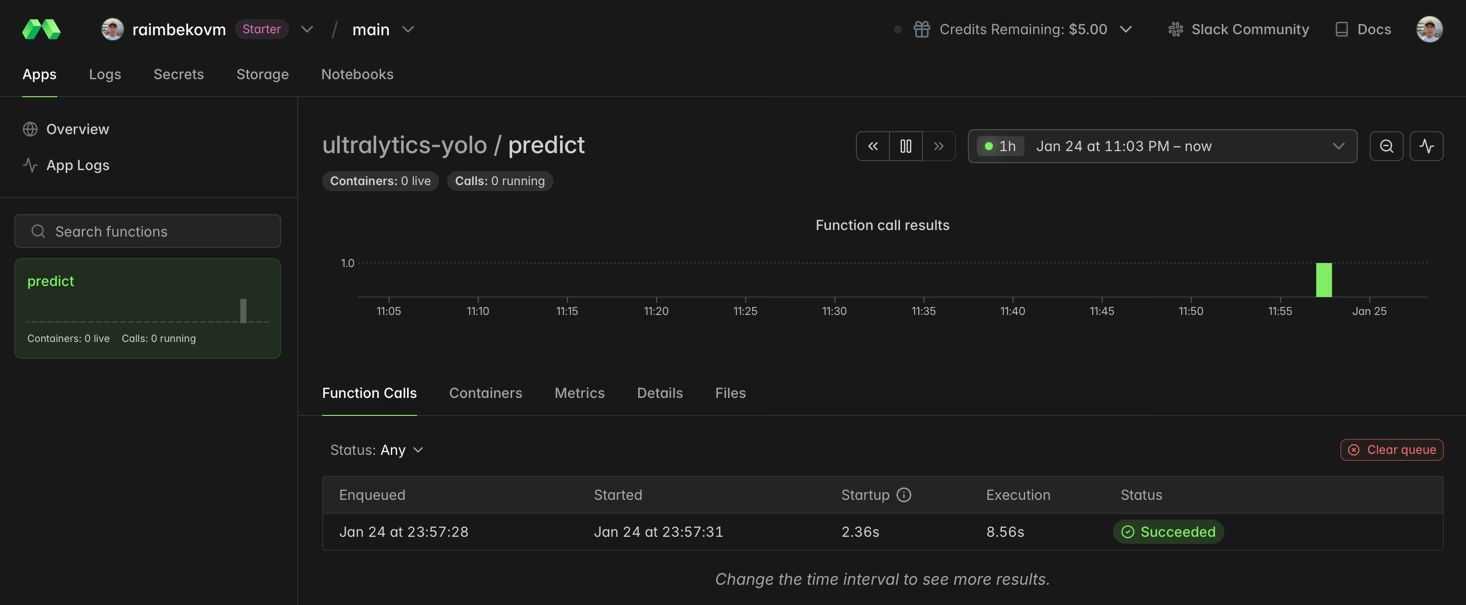
You can monitor your function execution in the Modal dashboard:
Using GPU for Faster Inference
Add a GPU to your function by specifying the gpu parameter:
@app.function(image=image, gpu="T4")  # Options: "T4", "A10G", "A100", "H100"
def predict_gpu(image_url: str):
    """Run YOLO26 inference on GPU."""
    from ultralytics import YOLO

    model = YOLO("yolo26n.pt")
    results = model(image_url)
    print(results[0].boxes)
| GPU | Memory | Best For |
|---|---|---|
| T4 | 16 GB | Inference, small model training |
| A10G | 24 GB | Medium training jobs |
| A100 | 40 GB | Large-scale training |
| H100 | 80 GB | Maximum performance |
Training YOLO26 on Modal
For training, use a GPU and Modal Volumes for persistent storage. Create a new Python file called train_yolo.py:
import modal

app = modal.App("ultralytics-training")

volume = modal.Volume.from_name("yolo-training-vol", create_if_missing=True)

image = modal.Image.debian_slim(python_version="3.11").apt_install("libgl1", "libglib2.0-0").pip_install("ultralytics")


@app.function(image=image, gpu="T4", timeout=3600, volumes={"/data": volume})
def train():
    """Train YOLO26 model on Modal."""
    from ultralytics import YOLO

    model = YOLO("yolo26n.pt")
    model.train(data="coco8.yaml", epochs=3, imgsz=640, project="/data/runs")


@app.local_entrypoint()
def main():
    train.remote()
Run training:
modal run train_yolo.py
Volume Persistence
Modal Volumes persist data between function runs. Trained weights are saved to /data/runs/detect/train/weights/.
Congratulations! You have successfully set up Ultralytics YOLO26 on Modal. For further learning:
- Explore the Ultralytics YOLO26 documentation for advanced features
- Learn about training custom models with your own datasets
- Visit the Modal documentation for advanced platform features
FAQ
How do I choose the right GPU for my YOLO26 workload?
For inference, an NVIDIA T4 (16 GB) is typically sufficient and cost-effective. For training or larger models like YOLO26x, consider A10G or A100 GPUs.
How much does it cost to run YOLO26 on Modal?
Modal uses pay-per-second pricing. Approximate rates: CPU ~$0.05/hr, T4 ~$0.59/hr, A10G ~$1.10/hr, A100 ~$2.10/hr. Check Modal pricing for current rates.
Can I use my own custom-trained YOLO model?
Yes! Load custom models from a Modal Volume:
model = YOLO("/data/my_custom_model.pt")
For more information on training custom models, see the training guide.
