Roboflow 100 Dataset
Roboflow 100 (RF100), sponsored by Intel, is an object detection benchmark made up of 100 diverse datasets. It is designed to test how well computer vision models, like Ultralytics YOLO models, adapt to various domains, including healthcare, aerial imagery, and video games.
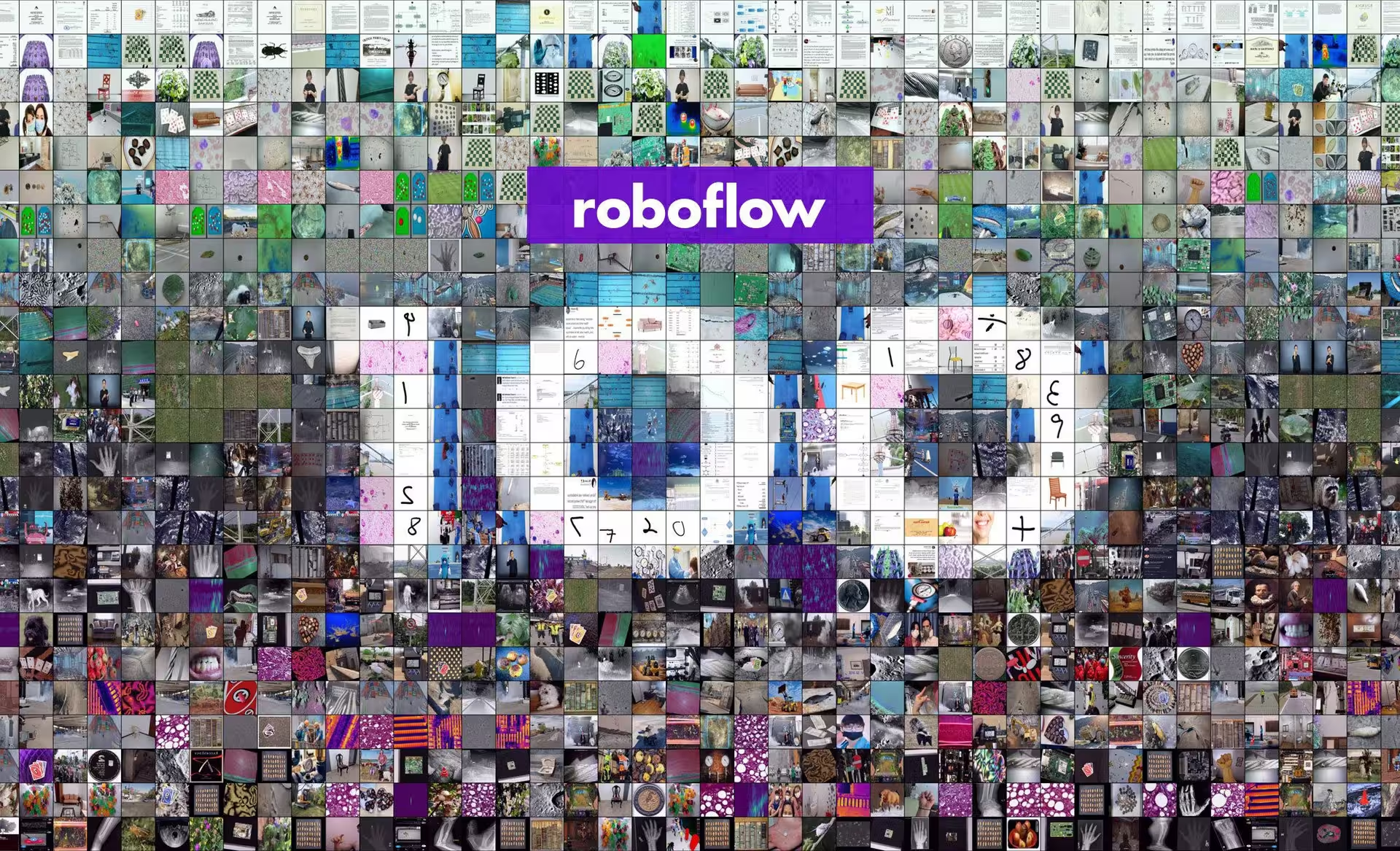
Key Features#
- Diverse Domains: Includes 100 datasets across seven distinct domains: Aerial, Video games, Microscopic, Underwater, Documents, Electromagnetic, and Real World.
- Scale: The benchmark comprises 224,714 images across 805 classes, representing over 11,170 hours of data labeling effort.
- Standardization: All images are preprocessed and resized to 640x640 pixels for consistent evaluation.
- Clean Evaluation: Focuses on eliminating class ambiguity and filters out underrepresented classes to ensure cleaner model evaluation.
- Annotations: Includes bounding boxes for objects, suitable for training and evaluating object detection models using metrics like mAP.
Dataset Structure#
The Roboflow 100 dataset is organized into seven categories, each containing a unique collection of datasets, images, and classes:
- Aerial: 7 datasets, 9,683 images, 24 classes.
- Video Games: 7 datasets, 11,579 images, 88 classes.
- Microscopic: 11 datasets, 13,378 images, 28 classes.
- Underwater: 5 datasets, 18,003 images, 39 classes.
- Documents: 8 datasets, 24,813 images, 90 classes.
- Electromagnetic: 12 datasets, 36,381 images, 41 classes.
- Real World: 50 datasets, 110,615 images, 495 classes.
This structure provides a diverse and extensive testing ground for object detection models, reflecting a wide array of real-world application scenarios found in various Ultralytics Solutions.
Benchmarking#
Dataset benchmarking involves evaluating the performance of machine learning models on specific datasets using standardized metrics. Common metrics include accuracy, mean Average Precision (mAP), and F1-score. You can learn more about these in our YOLO Performance Metrics guide.
Every output is grouped under a single runs/<task>/multitrain/ directory: each dataset is fine-tuned in its own subdirectory (with its own results.png), and the per-dataset and mean metrics are written to multitrain_results.json alongside a multitrain_results.png bar chart. The model.train() call also returns a {dataset: metrics} dictionary for programmatic access.
The script below downloads the Roboflow 100 datasets listed in datasets_links.txt from Roboflow, then fine-tunes a single base model (e.g., YOLO26n) across the whole collection in one model.train() call. Passing a list of datasets fine-tunes the base model on each one in series and automatically visualizes the cross-dataset results.
import re
from pathlib import Path

from roboflow import Roboflow

from ultralytics import YOLO
from ultralytics.utils import ASSETS_URL, LOGGER, YAML
from ultralytics.utils.downloads import safe_download

# Download the RF100 datasets (requires a Roboflow API key)
rf = Roboflow(api_key="YOUR_ROBOFLOW_API_KEY")
safe_download(f"{ASSETS_URL}/datasets_links.txt")  # list of RF100 dataset links

datasets = []
for line in Path("datasets_links.txt").read_text().splitlines():
    try:
        _, _url, workspace, project, version = re.split("/+", line.strip())
        location = f"rf-100/{project}-{version}"
        rf.workspace(workspace).project(project).version(version).download("yolov8", location=location)
        yaml = Path(location) / "data.yaml"
        cfg = YAML.load(yaml)  # point train/val at the downloaded image folders
        cfg["train"], cfg["val"] = "train/images", "valid/images"
        YAML.save(yaml, cfg)
        datasets.append(str(yaml))
    except Exception as e:
        LOGGER.warning(f"Failed to prepare dataset from {line!r}: {e}")

# Fine-tune one base model across all RF100 datasets and visualize the cross-dataset results
model = YOLO("yolo26n.pt")
results = model.train(data=datasets, epochs=100, imgsz=640)  # {dataset: metrics}

# Per-dataset runs, multitrain_results.json (per-dataset + mean), and multitrain_results.png are saved
# together under runs/detect/multitrain. Read results in-memory or from the JSON for custom post-processing.
for dataset, metrics in results.items():
    if metrics:  # None if that dataset failed to train
print(f"{dataset}: mAP50-95 = {metrics['metrics/mAP50-95(B)']:.4f}")Applications#
Roboflow 100 is useful for a wide range of computer vision and deep learning work. Researchers and engineers can use this benchmark to:
- Evaluate the performance of object detection models in a multi-domain context.
- Test the adaptability and robustness of models to real-world scenarios beyond common benchmark datasets like COCO or PASCAL VOC.
- Benchmark the capabilities of object detection models across diverse datasets, including specialized areas like healthcare, aerial imagery, and video games.
- Compare model performance across different neural network architectures and optimization techniques.
- Identify domain-specific challenges that may require specialized model training tips or fine-tuning approaches like transfer learning.
Usage#
The Roboflow 100 dataset, including metadata and download links, is available on the official Roboflow 100 GitHub repository. Once the datasets are downloaded and prepared as shown above, Ultralytics models can be fine-tuned across the entire collection in a single model.train() call by passing the list of dataset YAMLs.
Sample Data and Annotations#
Roboflow 100 consists of datasets with diverse images captured from various angles and domains. Below are examples of annotated images included in the RF100 benchmark, showcasing the variety of objects and scenes. Techniques like data augmentation can further enhance the diversity during training.
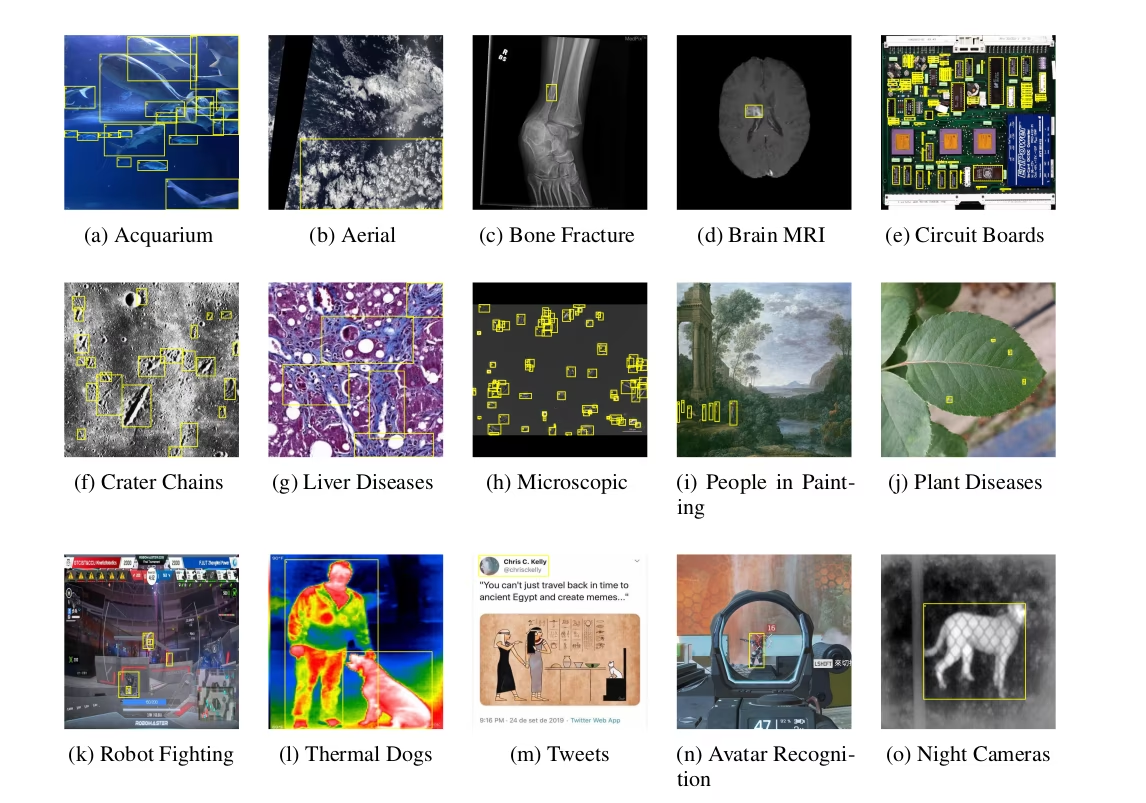
Unlike traditional benchmarks, which often focus on optimizing a single metric within a limited domain, Roboflow 100 spans many domains. This breadth helps in developing more robust computer vision models that perform well across many different scenarios.
Citations and Acknowledgments#
If you use the Roboflow 100 dataset in your research or development work, please cite the original paper:
@misc{rf100benchmark,
    Author = {Floriana Ciaglia and Francesco Saverio Zuppichini and Paul Guerrie and Mark McQuade and Jacob Solawetz},
    Title = {Roboflow 100: A Rich, Multi-Domain Object Detection Benchmark},
    Year = {2022},
    Eprint = {arXiv:2211.13523},
    url = {https://arxiv.org/abs/2211.13523}
}
We extend our gratitude to the Roboflow team and all contributors for their significant efforts in creating and maintaining the Roboflow 100 dataset as a valuable resource for the computer vision community.
FAQ#
The Roboflow 100 dataset is a benchmark for object detection models. It comprises 100 diverse datasets covering domains like healthcare, aerial imagery, and video games. Its significance lies in providing a standardized way to test model adaptability and robustness across a wide range of real-world scenarios, moving beyond traditional, often domain-limited, benchmarks.
The Roboflow 100 dataset spans seven diverse domains, offering unique challenges for object detection models:
- Aerial: 7 datasets (e.g., satellite imagery, drone views).
- Video Games: 7 datasets (e.g., objects from various game environments).
- Microscopic: 11 datasets (e.g., cells, particles).
- Underwater: 5 datasets (e.g., marine life, submerged objects).
- Documents: 8 datasets (e.g., text regions, form elements).
- Electromagnetic: 12 datasets (e.g., radar signatures, spectral data visualizations).
- Real World: 50 datasets (a broad category including everyday objects, scenes, retail, etc.).
This variety makes RF100 an excellent resource for assessing the generalizability of computer vision models.
When using the Roboflow 100 dataset, please cite the original paper to give credit to the creators. Here is the recommended BibTeX citation:
Citation@misc{rf100benchmark, Author = {Floriana Ciaglia and Francesco Saverio Zuppichini and Paul Guerrie and Mark McQuade and Jacob Solawetz}, Title = {Roboflow 100: A Rich, Multi-Domain Object Detection Benchmark}, Year = {2022}, Eprint = {arXiv:2211.13523}, url = {https://arxiv.org/abs/2211.13523} }


Comments2
Ask a question, share your results, or help someone else.
mariem158
les étapes pour télécharger ce dataset roboflow100 pour détection aerienne ?
 Glenn JocherUltralytics(edited)
@mariem158 bonjour!
Pour télécharger et utiliser le dataset Roboflow 100 pour la détection aérienne, suivez ces étapes :
-
Accédez à Roboflow Universe:
- Visitez Roboflow Universe.
- Recherchez les datasets dans la catégorie "Aerial".
-
Téléchargez le Dataset:
- Cliquez sur le dataset aérien de votre choix.
- Utilisez le bouton "Export" pour télécharger les annotations et les images dans le format souhaité (par exemple, COCO, YOLO).
-
Utilisez le Dataset avec Ultralytics YOLO:
- Assurez-vous d'avoir les dernières versions de
torchetultralyticsinstallées. - Voici un exemple de code pour entraîner un modèle YOLO26 avec un dataset aérien téléchargé :
from ultralytics import YOLO # Charger le modèle YOLO26 model = YOLO('yolo26n.pt') # Entraîner le modèle avec le dataset aérien model.train(data='path/to/aerial_dataset.yaml', epochs=100, imgsz=640) - Assurez-vous d'avoir les dernières versions de
-
Benchmarking:
- Vous pouvez également utiliser le script de benchmarking fourni dans la documentation pour évaluer les performances de votre modèle sur différents datasets du Roboflow 100.
Pour plus de détails, consultez la documentation complète sur le dataset Roboflow 100 ici.
N'hésitez pas à revenir si vous avez d'autres questions ! 😊
Cordialement, L'équipe Ultralytics
-