손 키포인트 데이터셋
소개#
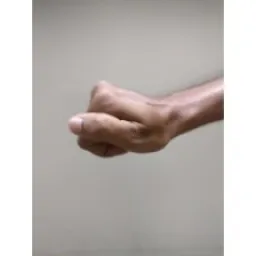
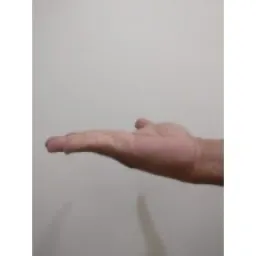
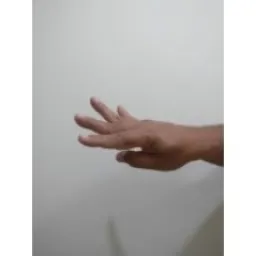
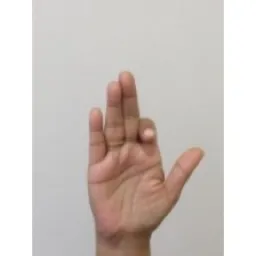
Ultralytics Hand Keypoints 데이터셋에는 각각 21개의 키포인트가 주석 처리된 손 이미지 26,768개가 포함되어 있으며, 높은 정확도와 일관성을 위해 Google MediaPipe 라이브러리를 사용해 생성되었습니다. 이 데이터셋은 포즈 추정 모델을 학습하기 위한 Ultralytics YOLO26 형식과 호환됩니다(포즈 추정).
시청: Ultralytics YOLO를 사용한 손 키포인트 추정 | 사람 손 포즈 추정 튜토리얼
키포인트#
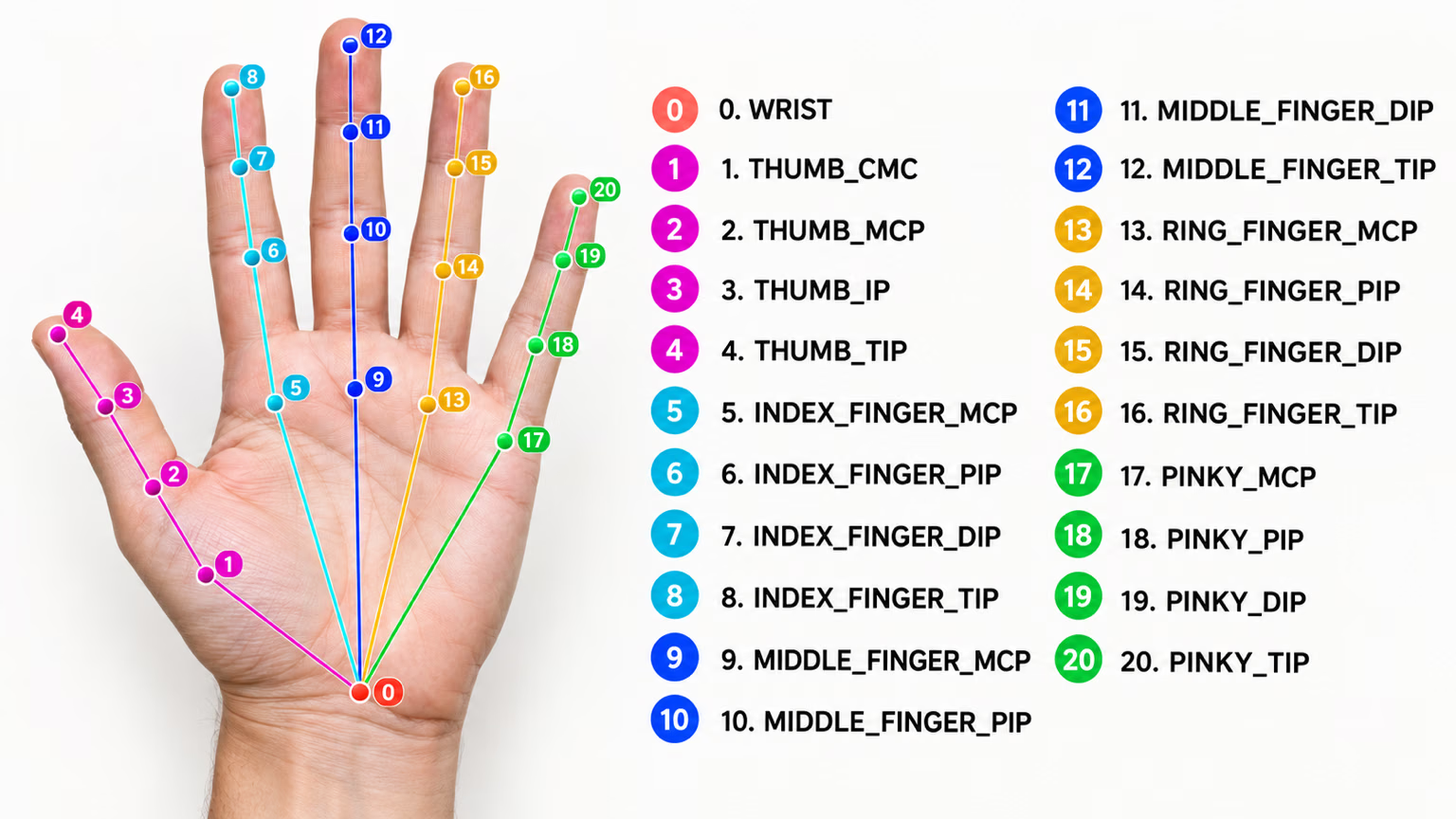
각 손에는 다음과 같이 키포인트 21개가 주석으로 표시됩니다:
- 손목
- 엄지(4개 포인트)
- 검지(4개 포인트)
- 중지(4개 포인트)
- 약지(4개 포인트)
- 새끼손가락(4개 포인트)
데이터셋 구조#
- 총 이미지 수: 26,768개(학습 18,776개 / 검증 7,992개).
- 클래스: 1개(hand).
- 키포인트: 손 하나당 21개이며,
(x, y, visibility)튜플로 구성됩니다. - 다운로드 크기: ~369 MB.
일반적인 손 랜드마크를 넘어서는 커스텀 제스처 어휘를 구축하려는 경우, Ultralytics Platform에서 브라우저를 통해 자체 데이터셋의 레이블 지정과 학습을 처리할 수 있습니다.
응용 분야#
손 키포인트는 여러 실제 응용 분야에서 활용됩니다:
- 제스처 인식: 인간-컴퓨터 상호작용 및 비접촉식 제어 인터페이스.
- AR/VR 제어: 가상 객체와 정밀하게 상호작용합니다.
- 로봇 조작: 로봇 손을 세밀하게 제어.
- 의료: 의료 진단을 위한 손 움직임 분석.
- 애니메이션: 사실적인 손 움직임을 위한 모션 캡처.
- 생체 인증: 손의 기하학적 형태를 기반으로 하는 보안 시스템.
데이터셋 YAML#
데이터셋 구성을 정의하는 데 YAML 파일을 사용합니다. YAML 파일에는 데이터셋의 경로, 클래스 및 기타 관련 정보가 포함됩니다. Hand Keypoints 데이터셋의 경우 hand-keypoints.yaml 파일이 https://github.com/ultralytics/ultralytics/blob/main/ultralytics/cfg/datasets/hand-keypoints.yaml에 유지 관리됩니다.
# Ultralytics 🚀 AGPL-3.0 License - https://ultralytics.com/license

# Hand Keypoints dataset by Ultralytics
# Documentation: https://docs.ultralytics.com/datasets/pose/hand-keypoints
# Example usage: yolo train data=hand-keypoints.yaml
# parent
# ├── ultralytics
# └── datasets
#     └── hand-keypoints ← downloads here (369 MB)

# Train/val/test sets as 1) dir: path/to/imgs, 2) file: path/to/imgs.txt, or 3) list: [path/to/imgs1, path/to/imgs2, ..]
path: hand-keypoints # dataset root dir
train: images/train # train images (relative to 'path') 18776 images
val: images/val # val images (relative to 'path') 7992 images

# Keypoints
kpt_shape: [21, 3] # number of keypoints, number of dims (2 for x,y or 3 for x,y,visible)
flip_idx: [0, 1, 2, 3, 4, 5, 6, 7, 8, 9, 10, 11, 12, 13, 14, 15, 16, 17, 18, 19, 20]

# Classes
names:
  0: hand

# Keypoint names per class
kpt_names:
  0:
    - wrist
    - thumb_cmc
    - thumb_mcp
    - thumb_ip
    - thumb_tip
    - index_mcp
    - index_pip
    - index_dip
    - index_tip
    - middle_mcp
    - middle_pip
    - middle_dip
    - middle_tip
    - ring_mcp
    - ring_pip
    - ring_dip
    - ring_tip
    - pinky_mcp
    - pinky_pip
    - pinky_dip
    - pinky_tip

# Download script/URL (optional)
download: https://github.com/ultralytics/assets/releases/download/v0.0.0/hand-keypoints.zip사용법#
이미지 크기를 640으로 설정하고 Hand Keypoints 데이터셋에서 YOLO26n-pose 모델을 100 에폭 동안 학습하려면 다음 코드 스니펫을 사용할 수 있습니다.
from ultralytics import YOLO

# 모델 로드
model = YOLO("yolo26n-pose.pt")  # 사전 학습된 모델을 불러옵니다(학습에 권장).

# 모델 학습
results = model.train(data="hand-keypoints.yaml", epochs=100, imgsz=640)
샘플 이미지 및 어노테이션#
Hand Keypoints 데이터셋에는 키포인트가 주석으로 표시된 사람 손 이미지가 다양하게 포함되어 있습니다. 다음은 데이터셋 이미지와 해당 주석의 몇 가지 예입니다:
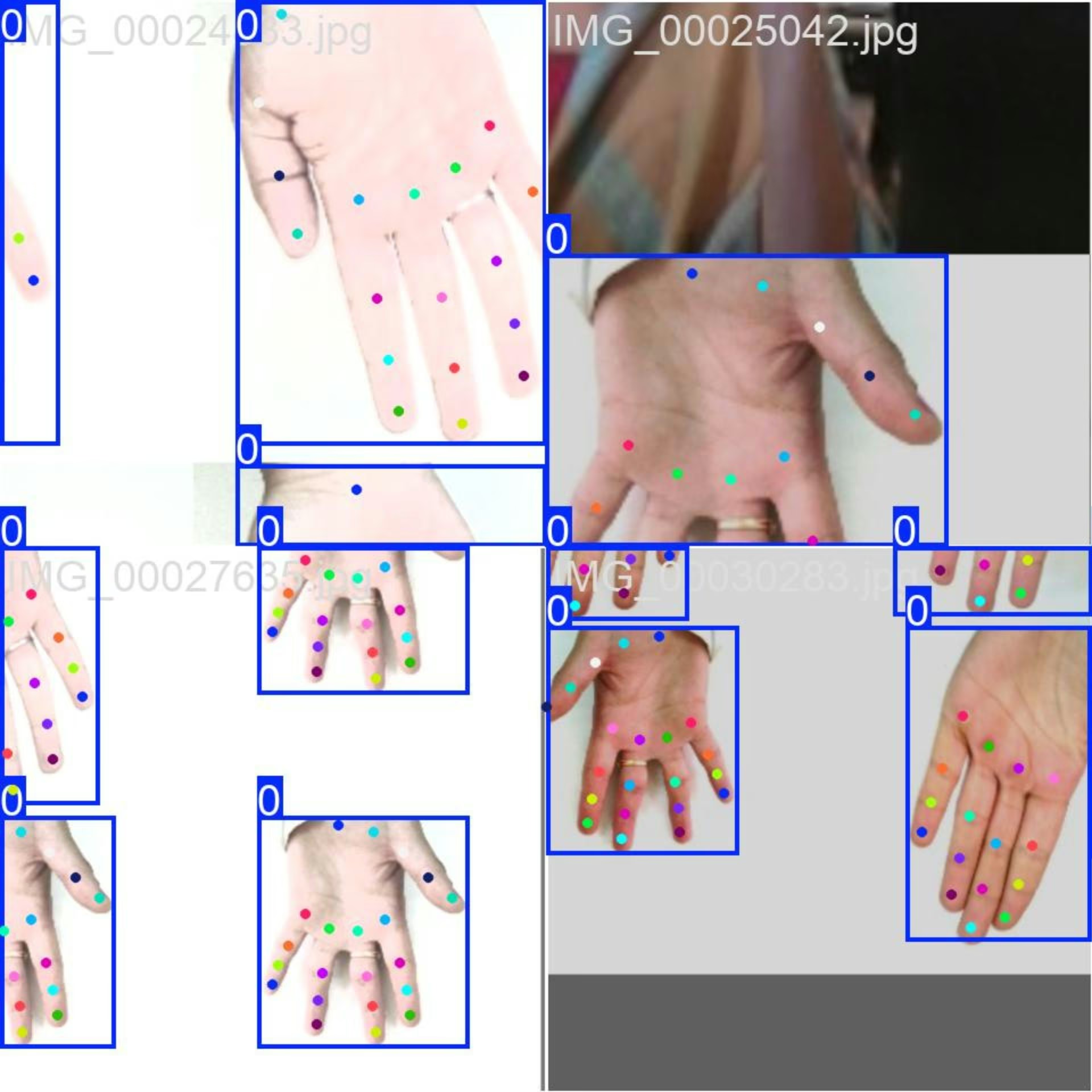
- 모자이크 이미지: 이 이미지는 모자이크 처리된 데이터셋 이미지로 구성된 학습 배치를 보여줍니다. 모자이크 처리는 학습 중 여러 이미지를 하나의 이미지로 결합해 각 학습 배치에 포함되는 객체와 장면의 다양성을 높이는 기법입니다. 이 기법은 모델이 다양한 객체 크기, 종횡비 및 맥락에 일반화하는 능력을 향상하는 데 도움이 됩니다.
이 예시는 Hand Keypoints 데이터셋 이미지의 다양성과 복잡성, 그리고 학습 과정에서 모자이크를 사용하는 이점을 보여줍니다.
인용 및 감사의 글#
연구 또는 개발 작업에 Hand Keypoints 데이터셋을 사용하는 경우, 다음 출처를 밝혀 주세요:
이 데이터셋에 사용된 이미지를 제공해 주신 다음 출처에 감사드립니다:
이미지는 각 플랫폼에서 제공하는 해당 라이선스에 따라 수집 및 사용되었으며, 크리에이티브 커먼즈 저작자표시-비영리-동일조건변경허락 4.0 국제 라이선스에 따라 배포됩니다.
이 데이터셋을 Vision AI 연구 커뮤니티에 기여해 주신 제작자 Rion Dsilva 님께도 감사드립니다.
자주 묻는 질문#
Google MediaPipe를 통해 생성된 주석 이미지 26,768개와 손마다 21개의 키포인트를 포함하는 Hand Keypoints 데이터셋은 고급 포즈 추정 작업에 필요한 규모와 주석 정확도를 포즈 추정 모델에 제공합니다.
Hand Keypoints는 제스처 인식, AR/VR 제어, 로봇 조작, 의료 분야의 동작 분석, 애니메이션, 생체 인증을 지원합니다. 각 항목에 관한 자세한 내용은 애플리케이션 섹션을 참조하세요.
Hand Keypoints 데이터셋은 두 개의 하위 집합으로 나뉩니다.
- Train: 포즈 추정 모델 학습용 이미지 18,776개가 포함되어 있습니다.
- Val: 모델 학습 중 검증을 위한 이미지 7,992개가 포함되어 있습니다.
데이터셋 구성은 경로, 클래스 및 기타 관련 정보가 포함된 YAML 파일에 정의되어 있습니다.
hand-keypoints.yaml파일은 hand-keypoints.yaml에서 찾을 수 있습니다.이 YAML 파일을 학습에 사용하려면 위 학습 예시에 나온 것처럼 학습 스크립트나 CLI 명령에 해당 파일을 지정하세요. 자세한 내용은 데이터셋 YAML 섹션을 참조하세요.


댓글32
질문을 하거나 결과를 공유하거나 다른 사람을 도와주세요.
vbalab
Ready-to-use YOLO26s-pose fine-tuned for hand keypoints!
The link: https://github.com/vbalab/YOLO26s-pose-hands
2 Glenn JocherUltralytics
Thanks for sharing your YOLO26s hand-keypoints weights repo — for anyone trying it, please include (in that repo) the exact
ultralyticsversion + training args and a validation result on the official Hand Keypoints dataset so others can reproduce/compare easily; quick sanity-check command:yolo pose val model=path/to/best.pt data=hand-keypoints.yaml imgsz=640
MengBo-GitHub
感谢如此详细的教学文档,可惜在个人学习使用阶段没有足够的 训练条件 ,我请求分享一些训练后的模型提供给学习者使用,感激不尽😄
1- Glenn JocherUltralytics(수정됨)
感谢支持!目前我们未提供基于 Hand Keypoints 的官方预训练权重;建议从 YOLO26n‑pose.pt 做迁移学习,或使用 Ultralytics Platform 进行一键云端训练获取可用模型,如有社区训练的 checkpoint 也欢迎在此贴共享链接。
chrismuntean
I trained a model using this tutorial so you don't have to!
Feel free to use it as you wish:
https://github.com/chrismuntean/YOLO11n-pose-hands
1zlj127
Wow! Thank you so much for your contribution, bro. It has saved me most of the time for pre-training. You're my god!
1
RedAbraham
what's the meaning of output(130069)? I wanna deploy the model by myself but I don't know how to analyze the output
- Glenn JocherUltralytics(수정됨)
That
(1, 300, 69)is the exported end-to-end pose head output shaped as(batch, num_predictions, num_channels); for Hand Keypointskpt_shape: [21, 3], so69 = 4 (box x1,y1,x2,y2) + 1 (confidence score) + 1 (class index,names: {0: hand}) + 21*3 (keypoints x,y,visibility). There is no separate objectness channel. See the Hand Keypoints dataset docs and the general pose dataset overview.# out: (1, 300, 69) pred = out[0] # (300, 69) boxes_xyxy = pred[:, 0:4] # x1,y1,x2,y2 score = pred[:, 4] # confidence score cls = pred[:, 5] # class index (1 class) kpts = pred[:, 6:].reshape(-1, 21, 3) # (300, 21, 3) -> x,y,visIf you tell me your export format (e.g. ONNX/TensorRT), you can drop the tensor names and a small snippet of the output here in this discussion so the team can see it.
samasadii(수정됨)
I've noticed in this dataset almost all of the points are labeled as visible, even the ones that are not visible in the image.
changshen123
Hi @glenn-jocher i want to konw that how much epochs are suitable for your dataset?
jugal-sheth
from ultralytics import YOLO

# Load a model
model = YOLO("yolo11n-pose.pt")  # load a pretrained model (recommended for training)

# Train the model
results = model.train(data="hand-keypoints.yaml", epochs=100, imgsz=640)
Error
train: WARNING ⚠️ D:\projects\hand-track\datasets\dataset\train\images\IMG_00035498.jpg: ignoring corrupt image/label: cannot reshape array of size 67 into shape (2) train: WARNING ⚠️ D:\projects\hand-track\datasets\dataset\train\images\IMG_00035499.jpg: ignoring corrupt image/label: cannot reshape array of size 67 into shape (2) train: WARNING ⚠️ D:\projects\hand-track\datasets\dataset\train\images\IMG_00035500.jpg: ignoring corrupt image/label: cannot reshape array of size 67 into shape (2) . . . . . . . train: WARNING ⚠️ D:\projects\hand-track\datasets\dataset\train\images\IMG_00035501.jpg: ignoring corrupt image/label: cannot reshape array of size 67 into shape (2) train: WARNING ⚠️ D:\projects\hand-track\datasets\dataset\train\images\IMG_00035503.jpg: ignoring corrupt image/label: cannot reshape array of size 67 into shape (2) train: WARNING ⚠️ D:\projects\hand-track\datasets\dataset\train\images\IMG_00035504.jpg: ignoring corrupt image/label: cannot reshape array of size 67 into shape (2) train: WARNING ⚠️ D:\projects\hand-track\datasets\dataset\train\images\IMG_00035505.jpg: ignoring corrupt image/label: cannot reshape array of size 67 into shape (2) train: WARNING ⚠️ D:\projects\hand-track\datasets\dataset\train\images\IMG_00035507.jpg: ignoring corrupt image/label: cannot reshape array of size 67 into shape (2) train: WARNING ⚠️ D:\projects\hand-track\datasets\dataset\train\images\IMG_00035509.jpg: ignoring corrupt image/label: cannot reshape array of size 67 into shape (2) WARNING ⚠️ No images found in D:\projects\hand-track\datasets\dataset\train\labels.cache, training may not work correctly. See https://docs.ultralytics.com/datasets for dataset formattingg guidance. Traceback (most recent call last): File "d:\projects\hand-track\test.py", line 36, in model.train(data="config.yaml", epochs=100, imgsz=896, device=0) File "C:\Users\jugal\miniconda3\envs\hand\Lib\site-packages\ultralytics\engine\model.py", line 808, in train self.trainer.train() File "C:\Users\jugal\miniconda3\envs\hand\Lib\site-packages\ultralytics\engine\trainer.py", line 207, in train self._do_train(world_size) File "C:\Users\jugal\miniconda3\envs\hand\Lib\site-packages\ultralytics\engine\trainer.py", line 322, in _do_train self._setup_train(world_size) File "C:\Users\jugal\miniconda3\envs\hand\Lib\site-packages\ultralytics\engine\trainer.py", line 286, in _setup_train self.train_loader = self.get_dataloader(self.trainset, batch_size=batch_size, rank=LOCAL_RANK, mode="train") ^^^^^^^^^^^^^^^^^^^^^^^^^^^^^^^^^^^^^^^^^^^^^^^^^^^^^^^^^^^^^^^^^^^^^^^^^^^^^^^^^^^^^^^^ File "C:\Users\jugal\miniconda3\envs\hand\Lib\site-packages\ultralytics\models\yolo\detect\train.py", line 49, in get_dataloader dataset = self.build_dataset(dataset_path, mode, batch_size) ^^^^^^^^^^^^^^^^^^^^^^^^^^^^^^^^^^^^^^^^^^^^^^^^^^ File "C:\Users\jugal\miniconda3\envs\hand\Lib\site-packages\ultralytics\models\yolo\detect\train.py", line 43, in build_dataset return build_yolo_dataset(self.args, img_path, batch, self.data, mode=mode, rect=mode == "val", stride=gs) ^^^^^^^^^^^^^^^^^^^^^^^^^^^^^^^^^^^^^^^^^^^^^^^^^^^^^^^^^^^^^^^^^^^^^^^^^^^^^^^^^^^^^^^^^^^^^^^^^^^ File "C:\Users\jugal\miniconda3\envs\hand\Lib\site-packages\ultralytics\data\build.py", line 99, in build_yolo_dataset return dataset( ^^^^^^^^ File "C:\Users\jugal\miniconda3\envs\hand\Lib\site-packages\ultralytics\data\dataset.py", line 64, in init super().init(*args, **kwargs) File "C:\Users\jugal\miniconda3\envs\hand\Lib\site-packages\ultralytics\data\base.py", line 74, in init self.labels = self.get_labels() ^^^^^^^^^^^^^^^^^ File "C:\Users\jugal\miniconda3\envs\hand\Lib\site-packages\ultralytics\data\dataset.py", line 161, in get_labels len_cls, len_boxes, len_segments = (sum(x) for x in zip(*lengths)) ^^^^^^^^^^^^^^^^^^^^^^^^^^^^^^^^ ValueError: not enough values to unpack (expected 3, got 0)
- Glenn JocherUltralytics(수정됨)
@jugal-sheth hi there! It looks like your labels are incorrectly formatted for hand keypoints estimation. Each hand-keypoints label row needs 68 values: class, x, y, width, height (5 values) plus 21 keypoints with 3 values each (x, y, visibility = 63), but your rows appear to have 67. Please verify your label files match the format shown in the hand-keypoints documentation. Let us know if you need any other assistance!
Hi @glenn-jocher Thank you for your reply I haven't changed anything in sample code given on this website https://docs.ultralytics.com/datasets/pose/hand-keypoints/#how-do-i-train-a-yolo11-model-on-the-hand-keypoints-dataset
- Glenn JocherUltralytics
@jugal-sheth hi there! It seems your custom labels may not include the required bounding box coordinates alongside keypoints. The YOLO pose format requires each label to start with class, x_center, y_center, width, height (5 values) followed by 21 keypoints (63 values), totaling 68 values per label. Your 67-value labels suggest missing one element. Please verify your label format matches our pose estimation requirements exactly. Let us know if you need further clarification! 🚀
berlintop
I used yolov11n and yolov11x to train many models based on this dataset. The log accuracy of small batch and large epoch training is very good, but it is very poor during actual inference, much worse than mediaPipa, especially when rotating, the key points are very inaccurate. I am very confused about this, is there any trick to the training parameters?
- Glenn JocherUltralytics
@737296 the issue you described could be due to overfitting or suboptimal augmentation and training practices. To address inaccuracies during inference, consider increasing data augmentation (e.g., rotation, scaling), fine-tuning learning rates or epochs, and ensuring sufficient diversity in the dataset. MediaPipe's robustness might stem from its architecture and preprocessing, so refining training parameters or exploring a different YOLO11 variant could help. Refer to the Hand Keypoints Dataset documentation for guidance on dataset setup and training. Let us know if further clarification is needed!
chengziNaomi
In yolov8-pose, what effect does the number of key points have on the detection results? Less key points, better results or more key points, better results? Now I want to identify the basket in the field, do I identify the four corner points on the top of the basket or the eight corner points on the basket?
- Glenn JocherUltralytics
@chengziNaomi the number of keypoints can affect detection results based on your specific application. For identifying a basket, consider the complexity and precision needed. Using more keypoints might provide better detail, but it depends on your use case. For further guidance, you can explore the hand keypoints documentation at Ultralytics Docs.
Thank you for your reply. I have one more question. Why is the ratio of train and valid about 2:1 in this hand keypoints datasets? but in seg, the ratio is 10:1:1?Is it a special requirements from yolov8-pose?
- Glenn JocherUltralytics
The dataset split ratios are often determined by the specific requirements of the task and dataset characteristics. For hand keypoints, a 2:1 ratio might balance training and validation needs effectively, while segmentation tasks might use a 10:1:1 ratio to ensure sufficient data for training, validation, and testing. These choices are not specific to YOLOv8-pose but are tailored to optimize model performance for each dataset type.
Thank you very much! I want to add negative samples to the datasets, what is the way for yolov8-pose to add negative samples?All I need to do is add the background image and blank txt text to train and val,right?
- Glenn JocherUltralytics
To add negative samples in YOLOv8-pose, you can include background images with corresponding blank
.txtfiles in your dataset. This approach helps the model learn to distinguish between relevant and irrelevant features.
redsuning
train: WARNING ⚠️ G:\datasets\hand\hand-keypoints\train\images\IMG_00001070.jpg: ignoring corrupt image/label: non-normalized or out of bounds coordinates [ 1.0379] train: WARNING ⚠️ G:\datasets\hand\hand-keypoints\train\images\IMG_00001796.jpg: ignoring corrupt image/label: non-normalized or out of bounds coordinates [ 1.0006] train: WARNING ⚠️ G:\datasets\hand\hand-keypoints\train\images\IMG_00001800.jpg: ignoring corrupt image/label: non-normalized or out of bounds coordinates [ 1.0027] train: WARNING ⚠️ G:\datasets\hand\hand-keypoints\train\images\IMG_00001801.jpg: ignoring corrupt image/label: non-normalized or out of bounds coordinates [ 1.0049] train: WARNING ⚠️ G:\datasets\hand\hand-keypoints\train\images\IMG_00001886.jpg: ignoring corrupt image/label: non-normalized or out of bounds coordinates [ 1.0051 1.0038 1.0088 1.0114] train: WARNING ⚠️ G:\datasets\hand\hand-keypoints\train\images\IMG_00001887.jpg: ignoring corrupt image/label: non-normalized or out of bounds coordinates [ 1.0048 1.0062 1.0099 1.0121] train: WARNING ⚠️ G:\datasets\hand\hand-keypoints\train\images\IMG_00001888.jpg: ignoring corrupt image/label: non-normalized or out of bounds coordinates [ 1 1.0017] train: WARNING ⚠️ G:\datasets\hand\hand-keypoints\train\images\IMG_00001994.jpg: ignoring corrupt image/label: non-normalized or out of bounds coordinates [ 1.0059] train: WARNING ⚠️ G:\datasets\hand\hand-keypoints\train\images\IMG_00001998.jpg: ignoring corrupt image/label: non-normalized or out of bounds coordinates [ 1.0044] train: WARNING ⚠️ G:\datasets\hand\hand-keypoints\train\images\IMG_00001999.jpg: ignoring corrupt image/label: non-normalized or out of bounds coordinates [ 1.007] train: WARNING ⚠️ G:\datasets\hand\hand-keypoints\train\images\IMG_00002000.jpg: ignoring corrupt image/label: non-normalized or out of bounds coordinates [ 1.0083] train: WARNING ⚠️ G:\datasets\hand\hand-keypoints\train\images\IMG_00002001.jpg: ignoring corrupt image/label: non-normalized or out of bounds coordinates [ 1.0146] train: WARNING ⚠️ G:\datasets\hand\hand-keypoints\train\images\IMG_00002002.jpg: ignoring corrupt image/label: non-normalized or out of bounds coordinates [ 1.0178] train: WARNING ⚠️ G:\datasets\hand\hand-keypoints\train\images\IMG_00002003.jpg: ignoring corrupt image/label: non-normalized or out of bounds coordinates [ 1.0178] train: WARNING ⚠️ G:\datasets\hand\hand-keypoints\train\images\IMG_00002143.jpg: ignoring corrupt image/label: non-normalized or out of bounds coordinates [ 1.0582 1.0216] train: WARNING ⚠️ G:\datasets\hand\hand-keypoints\train\images\IMG_00002144.jpg: ignoring corrupt image/label: non-normalized or out of bounds coordinates [ 1.0641 1.0333] train: WARNING ⚠️ G:\datasets\hand\hand-keypoints\train\images\IMG_00002202.jpg: ignoring corrupt image/label: non-normalized or out of bounds coordinates [ 1.0041 1.0052 1.008 1.0093 1.0108 1.0112 1.0116] train: WARNING ⚠️ G:\datasets\hand\hand-keypoints\train\images\IMG_00002451.jpg: ignoring corrupt image/label: non-normalized or out of bounds coordinates [ 1.0121] train: WARNING ⚠️ G:\datasets\hand\hand-keypoints\train\images\IMG_00002454.jpg: ignoring corrupt image/label: non-normalized or out of bounds coordinates [ 1.023 1.0012] Many of the callout coordinates are beyond 1
- Glenn JocherUltralytics
@redsuning the warnings indicate that some images have non-normalized or out-of-bounds coordinates. Please check your dataset annotations to ensure all keypoints are within the expected range. You might need to normalize the coordinates to fit within the [0, 1] range. For more details, you can refer to the dataset documentation.
I know the reason for this warning, but the dataset I'm using is the default Hand-keypoints dataset you uploaded, and I mean your Hand-keypoints dataset labeling data needs to be modified.
1- Glenn JocherUltralytics
Thank you for bringing this to our attention. We'll review the dataset annotations for any inconsistencies. If you have further questions, feel free to ask here.
AlgosDuCouteau
seem like the issue has not been fixed, i am still get the errors, will it affect training results?
1- Glenn JocherUltralytics
The warnings won't affect training results if the majority of your dataset is intact. We'll review the dataset annotations for any issues. For further details, please refer to the hand-keypoints documentation.
In fact, the official dataset has 5% incorrect labels.
- Glenn JocherUltralytics
Thank you for pointing this out. We will investigate and address any labeling issues in the Hand Keypoints dataset as soon as possible. Meanwhile, you may exclude problematic samples or adjust the annotations for your use case to ensure optimal training results.