Import LabelMe Annotations to Ultralytics Platform#
LabelMe is an offline image annotation tool with an open-source Python application. There is no live LabelMe connection or API key to configure in Ultralytics Platform, and no conversion step: Platform reads the LabelMe JSON files directly. Annotate in LabelMe, zip the folder, and upload it as a Platform dataset.
1. Annotate the Images in LabelMe#
Install LabelMe using the desktop app or the open-source Python package, then open the directory containing your images. The LabelMe starter guide covers opening images, drawing shapes, and saving annotations.
Draw rectangles for a detection dataset, or polygons for a segmentation dataset. LabelMe saves each image's annotations in a JSON file beside it:
your_dataset/
├── image_001.jpg
├── image_001.json
├── image_002.jpg
└── image_002.json
2. Create the ZIP Archive#
Compress the folder with its images and JSON files. On macOS or Linux:
zip -r your_dataset.zip your_datasetOn Windows PowerShell:
Compress-Archive -Path .\your_dataset -DestinationPath .\your_dataset.zipAn outer folder, nested subfolders, and separate image and annotation folders all work, as long as each JSON file's
imagePath points at an image inside the ZIP. Platform reads that image file, not the copy LabelMe can embed in the
JSON as imageData, so keep the image files in the archive. Images inside folders whose names start with train,
val, or test keep that split. LabelMe JSON is read only when the archive has no data.yaml or COCO JSON file, so
leave those out of a LabelMe ZIP.
3. Upload to Ultralytics Platform#
- Open Settings > Integrations > LabelMe.
- Click Upload export.
- Upload
your_dataset.zipand finish creating the dataset. - Wait for processing to complete, then review the images, classes, and annotations.
- Edit the annotations, train a model, and deploy it from the same workspace.
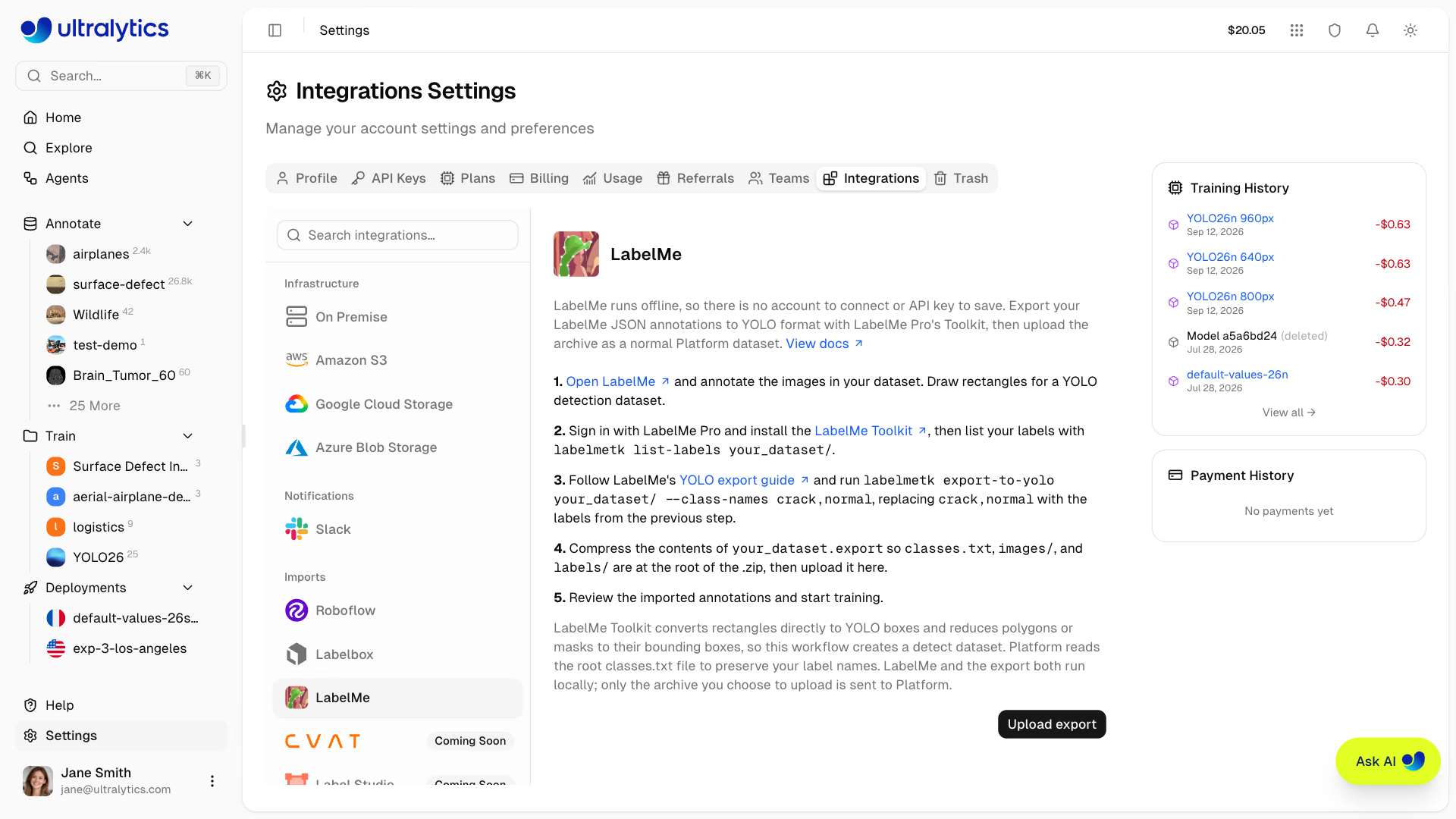
LabelMe runs entirely offline. Only the ZIP file you select in the upload dialog is sent to Platform.
How LabelMe Shapes Import#
| LabelMe shape | Imported as |
|---|---|
rectangle | Bounding box, or a 4-point polygon in a segmentation dataset |
polygon | Polygon |
oriented_rectangle | 4-point polygon |
circle | 32-point polygon |
mask | Polygon traced from the mask's outer outline, filling holes |
line, linestrip, point, points | Skipped, since these shapes have no area to train on |
- Task: a dataset annotated only with rectangles imports as a detection dataset. Any polygon, oriented rectangle, circle, or mask makes it a segmentation dataset, and its rectangles become 4-point polygons so no annotation is lost.
- Classes: LabelMe label names become the class names, in alphabetical order. Importing into an existing dataset matches labels to its classes by name and adds the rest.
- Grouped shapes: shapes that share a label and group ID are one object. Their parts merge into a single polygon, or a single box in a detection dataset.
- Skipped: shapes with no label, shapes labeled
__ignore__, and image-level flags are not imported. Shapes that extend past the image edge are clipped to it.
Troubleshooting#
- Images imported without annotations: confirm the JSON files are in the ZIP and that each file's
imagePathnames an image in the archive. Platform also matches by file name, so a stale absolute path still works when the image file name is unchanged. - Polygons became 4-point boxes: rectangles are converted to 4-point polygons in segmentation datasets. Draw polygons for objects that need a precise outline.
- Lines or points are missing: these shapes have no area, so they can't be used for detection or segmentation and are skipped.
- The dataset has no images: LabelMe can embed images in the JSON files, but Platform reads the image files. Add the images to the ZIP.
FAQ#
No. LabelMe runs locally, Platform reads its JSON files directly, and only the ZIP you upload is sent to Platform. No LabelMe Pro membership or Toolkit export is required.
Yes. Polygons, oriented rectangles, circles, and masks import as segmentation polygons, and the dataset becomes a segmentation dataset.
Class names come from the LabelMe labels, sorted alphabetically, so the same labels always map to the same class IDs. When you add to an existing dataset, labels are matched to its classes by name.
Yes. A
labelmetk export-to-yoloexport uploads as an ordinary YOLO dataset. Keep the export'sclasses.txtin the ZIP (Platform reads the shallowest one) so your class names carry over.