Label Studio Integration
Direct Label Studio imports are coming to Ultralytics Platform, so that a raw image detection or segmentation export uploads as-is with no format to choose.
Until then there is a short path that works today, because Label Studio's YOLO with Images export is a layout Platform reads, class list included.
Import from Label Studio Today#
- Export from Label Studio. Open your project and click Export.
- Pick a format that includes the images. Choose YOLO with Images, or YOLOv8 OBB with Images for rotated boxes, and click Export.
- Upload to Platform. Create a new dataset from the ZIP.
- Train. Edit the annotations, train, and deploy without leaving the workspace.
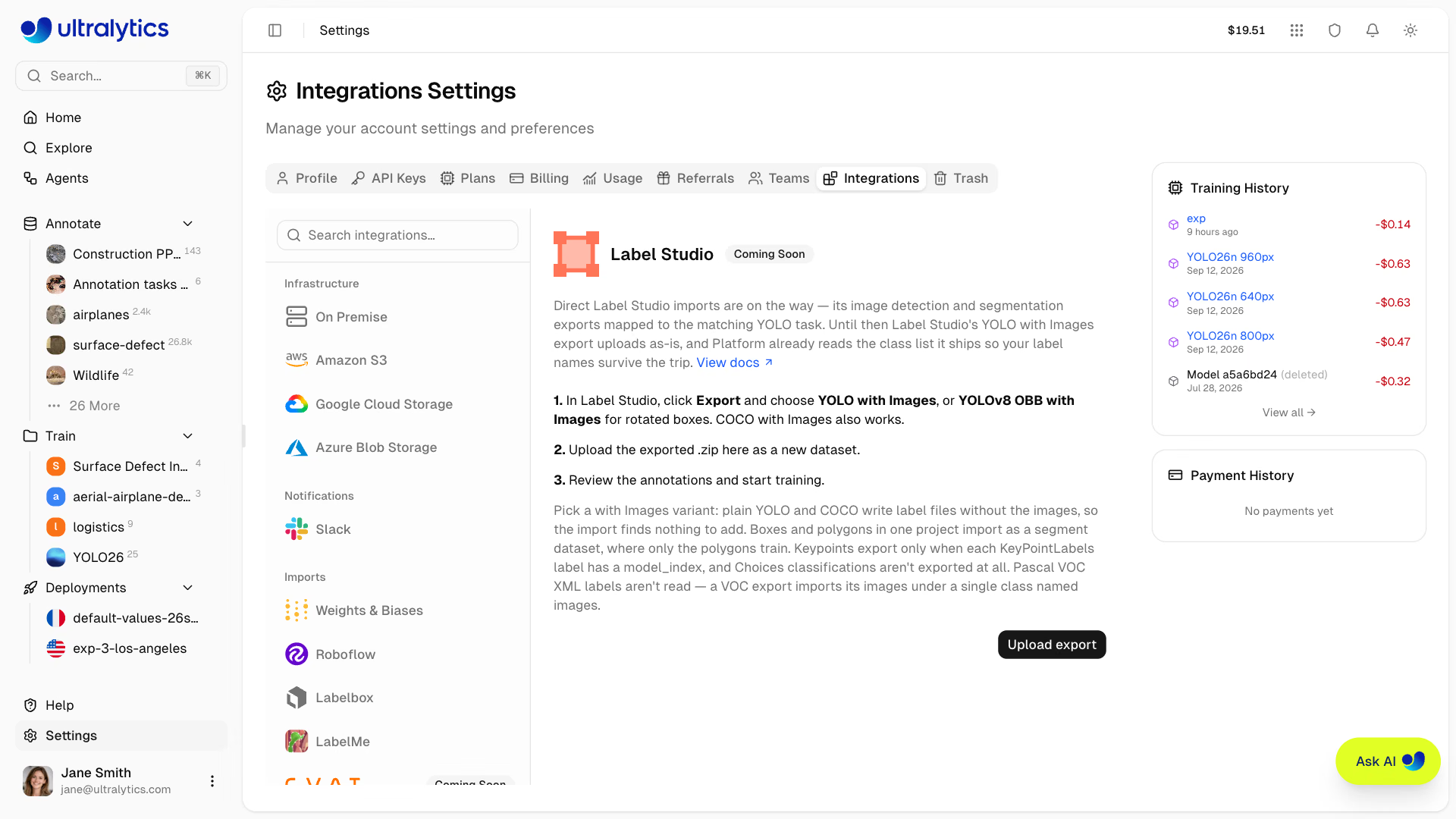
Label Studio's YOLO and COCO options write label files without the images, because your images normally live behind the URLs Label Studio was pointed at. Uploading one of those archives to Platform fails with no images found. Pick the with Images variant instead.
Export with the API#
Label Studio's export API returns the same archive, with the format name in exportType:
curl -X GET "https://<your-label-studio>/api/projects/<project-id>/export?exportType=YOLO_WITH_IMAGES&download_all_tasks=true" \
  -H "Authorization: Token <your-legacy-token>" \
  -o dataset.zip
COCO_WITH_IMAGES and YOLO_OBB_WITH_IMAGES work the same way. Newer personal access tokens are exchanged for a short-lived bearer token before use, so check which token type your instance issues. Large projects should use the snapshot endpoints instead, which create the export as a background job and download it by ID; the SDK's export_yolo_with_images.py example does exactly that.
A Label Studio YOLO export carries its class list alongside the labels, and Platform reads it:
archive.zip/
├── classes.txt        # class names Platform reads first
├── notes.json         # fallback, used only when classes.txt is missing or empty
├── images/
└── labels/
Platform reads the shallowest classes.txt (or notes.json) in the archive, so an export you unzipped and re-zipped inside a folder keeps its label names too.
Choosing an Export Format#
Label Studio offers several export formats. For image detection and segmentation:
| Label Studio Format | Works | Notes |
|---|---|---|
| YOLO with Images | Best | Ships classes.txt and the images, so a single upload is enough |
| YOLOv8 OBB with Images | Yes | Keeps box rotation and imports as an OBB dataset |
| COCO with Images | Yes | Read too; the better choice if each annotation is a four-point polygon |
| YOLO / COCO | No | Annotation files only — the upload fails with no images found |
| Pascal VOC XML | No | XML label files cannot be read |
In a COCO export, every annotation must carry a bbox to be read, crowd regions ("iscrowd": 1) are skipped, and the
category names become your class names — so a COCO archive does not need classes.txt to keep its labels.
Platform does not read Pascal VOC XML labels, and a VOC export fails quietly rather than loudly: the images import, the boxes do not, and an export of five or more images also picks up a single class named images. Choose YOLO with Images or COCO with Images instead.
What Carries Over#
Platform picks the YOLO task from the labels in the export:
| Label Studio labels | Platform dataset |
|---|---|
RectangleLabels | Detect, or OBB from a YOLOv8 OBB export |
PolygonLabels | Segment, or OBB from a YOLO export when every polygon has four points |
RectangleLabels + PolygonLabels | Segment — the boxes stay editable, but only the polygons are used for training |
KeyPointLabels inside a rectangle | Pose |
Choices | Not exported by Label Studio's YOLO or COCO formats, so the images import unlabeled |
- Rotated boxes — the YOLO and COCO exports drop the rotation; use YOLOv8 OBB with Images to keep it.
- Keypoints — Label Studio's YOLO export includes a keypoint only when its
<Label>inKeyPointLabelshas amodel_indexattribute and the point was drawn inside a rectangle; otherwise the export holds the boxes alone and the dataset imports as detect. - Four-point polygons — in YOLO files a polygon with exactly four points looks the same as an oriented box, so a YOLO export in which every label is a four-point polygon imports as OBB. Use COCO with Images for those projects.
What the Integration Will Add#
Picking the right export format is the step the integration removes. Once it ships, you will export any of Label Studio's image detection and segmentation formats, upload it, and Platform will map the annotations to the matching YOLO task itself.
- No format to choose — Label Studio's image detection and segmentation exports map to a YOLO dataset with label names preserved
- One workspace — labeling, training, and deployment stop spanning separate tools and a conversion script
- Keep annotating — imported datasets open in Platform's annotation editor, including SAM-powered smart annotation
- Train immediately — datasets are ready for cloud training as soon as they finish processing
FAQ#
Choose YOLO with Images so the archive contains
classes.txtand the images. COCO with Images also imports. The plain YOLO and COCO options write label files only, and Pascal VOC XML is not read.The plain
YOLOorCOCOexport was used. Those archives omit the images because Label Studio normally serves them from URLs. Re-export with the with Images variant.The archive has no
classes.txtornotes.json, usually because it was rebuilt from theimages/andlabels/folders alone. Upload the ZIP Label Studio exported, which ships both files.Yes. Call the export endpoint with
exportType=YOLO_WITH_IMAGES, orCOCO_WITH_IMAGESandYOLO_OBB_WITH_IMAGES. Large projects should use the snapshot endpoints, which build the export as a background job.


Comments
Ask a question, share your results, or help someone else.