Explore#
Ultralytics Platform Explore page showcases public content from the community. Discover datasets and projects for inspiration and learning. The Explore page is accessible to everyone — even without signing in.
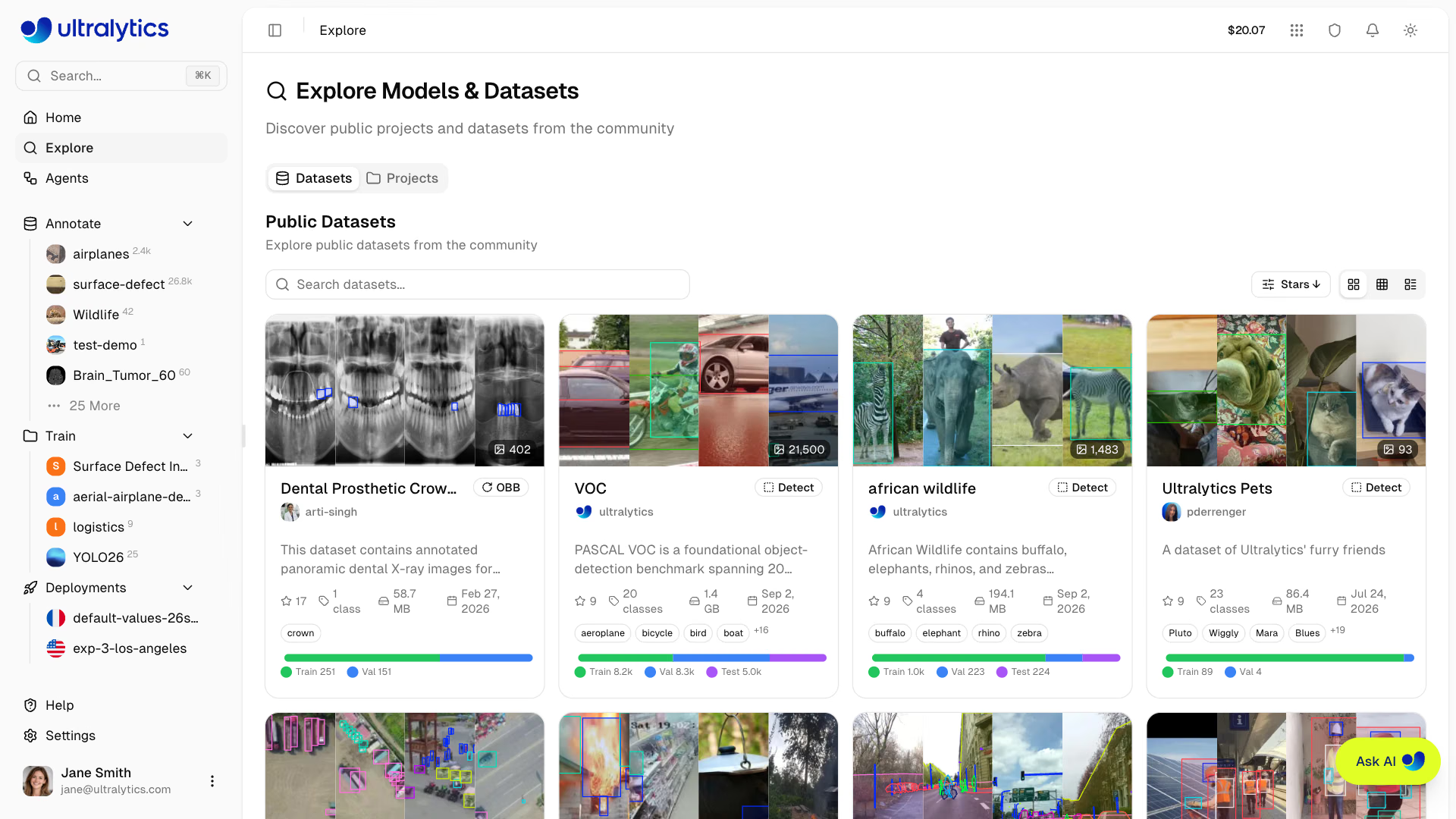
The Explore page works without signing in. Signed-out visitors get Datasets and Models sections in the sidebar listing official @ultralytics content, in place of the Annotate, Train, and Deployments sections that hold your own work. Public models can even be tested in the browser from their Predict tab. To clone content or create your own, you'll need to sign up.
Overview#
The Explore page features three tabs:
- Public Datasets: Community training data with image previews
- Search Images: Images from public datasets, and from your own and team datasets when signed in, found by what they show
- Public Projects: Complete experiments containing trained models
Official @ultralytics projects are pinned to the top of the Projects tab.
Only datasets that contain at least one image and projects that contain at least one model appear on Explore, so empty placeholders never surface in results.
Browse Content#
Tabs#
The Explore page uses a tabbed interface with Datasets, Images, and Projects tabs. Each tab has its own search; the Datasets and Projects tabs also have sort and view mode controls.
| Tab | Description |
|---|---|
| Datasets | Labeled image collections for training (default) |
| Images | Images found by what they show |
| Projects | Organized model collections with training results |
Search#
Each tab has its own search bar. Results update as you type and the query is kept in the URL as ?q=, so a search is
easy to bookmark or share.
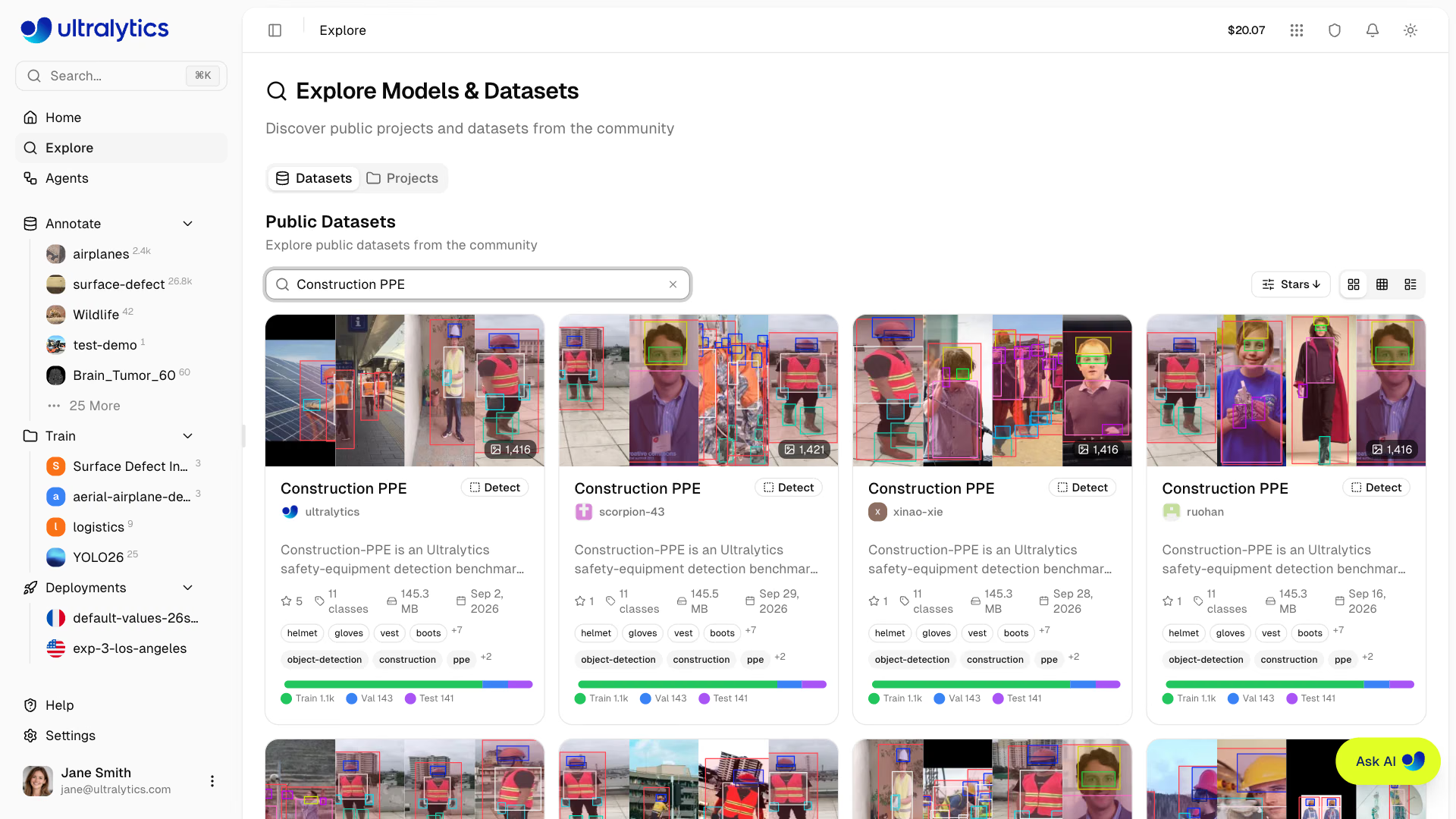
| Tab | Matched Fields |
|---|---|
| Datasets | Name, description, owner username, tags, and class names |
| Images | What the image shows |
| Projects | Name, description, owner username, and tags |
On the Datasets tab, datasets that match the fields above come first, followed by datasets whose images match the
search, and their cards show the matching images. On the Images tab, describe a scene such as cats on a sofa, then
click an image to view it full size with its source dataset and license.
Sort and Filter#
The dropdown in the toolbar holds sort options on the Datasets and Projects tabs and filters on all three tabs:
| Sort Option | Description |
|---|---|
| Stars | Community star count (descending) |
| Created | Creation date, newest (default) or oldest first |
| Name | Alphabetical, ascending or descending |
| Images / Models | Image count (datasets) or model count (projects), most or fewest first |
| Filter | Tabs | Availability | Description |
|---|---|---|---|
| Task type | Datasets, Images | Everyone | Show only content for the selected tasks (detect, segment, semantic, depth, classify, pose, obb) |
| My starred | Datasets, Images | Signed in only | Show only datasets you have starred, or images from them |
| License | Datasets, Images, Projects | Everyone | Show only datasets (or images from them) or projects published under the selected licenses |
Sorting and filtering are also stored in the URL (dsort, psort, task, starred, license, and plicense), so
the browser back button restores the previous result list.
The Stars sort shows only datasets with at least one star, so unrated datasets are hidden while it is active.
View Modes#
On the Datasets and Projects tabs, toggle between three view modes for browsing:
| Mode | Description |
|---|---|
| Cards | Grid of preview cards with thumbnails |
| Compact | Smaller cards in a responsive grid (2-3 columns) |
| Table | Paginated table with sortable columns |
Cards and compact views load more results by infinite scroll. Table view moves sorting from the dropdown to sortable column headers, keeps the filters in the dropdown, and adds its own pagination controls.
Content Cards#
Each item displays:
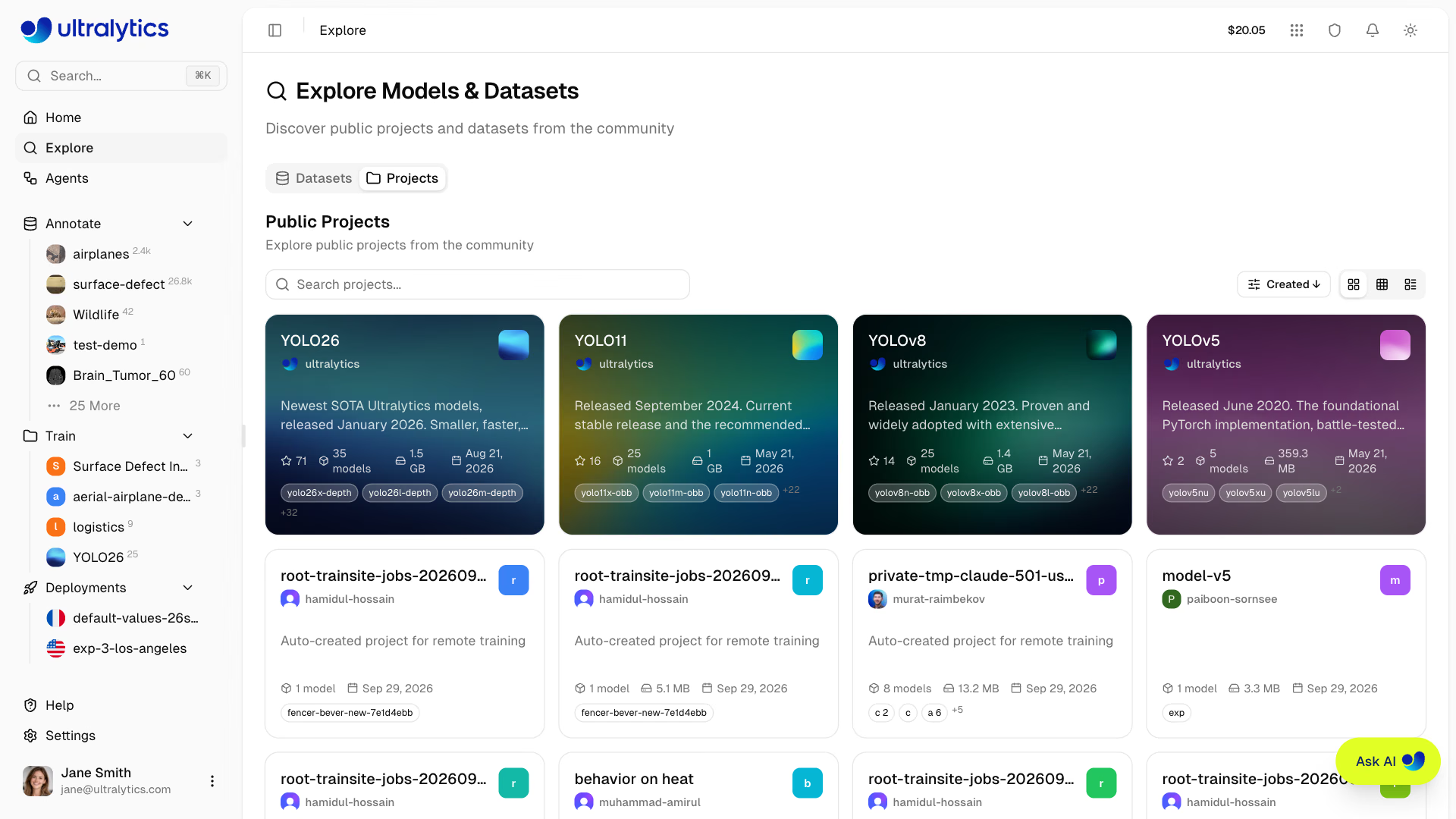
| Element | Description |
|---|---|
| Icon | Project icon with custom color, letter, or cover image |
| Name | Project title |
| Creator | Author avatar and username |
| Description | Short project description |
| Star Count | Number of community stars (shown when above zero) |
| Model Count | Number of models in the project |
| Size | Total storage used by the project's model files |
| Updated | Date the project last changed |
| Model Tags | Names of the first few models in the project |
| Tags | Project tags |
Use Public Content#
Clone Dataset#
Use a public dataset for your training:
- Click on the dataset to open its detail page
- Click
Clone Dataset - Review the destination workspace, name, visibility, and license
- Click
Clone Datasetto confirm
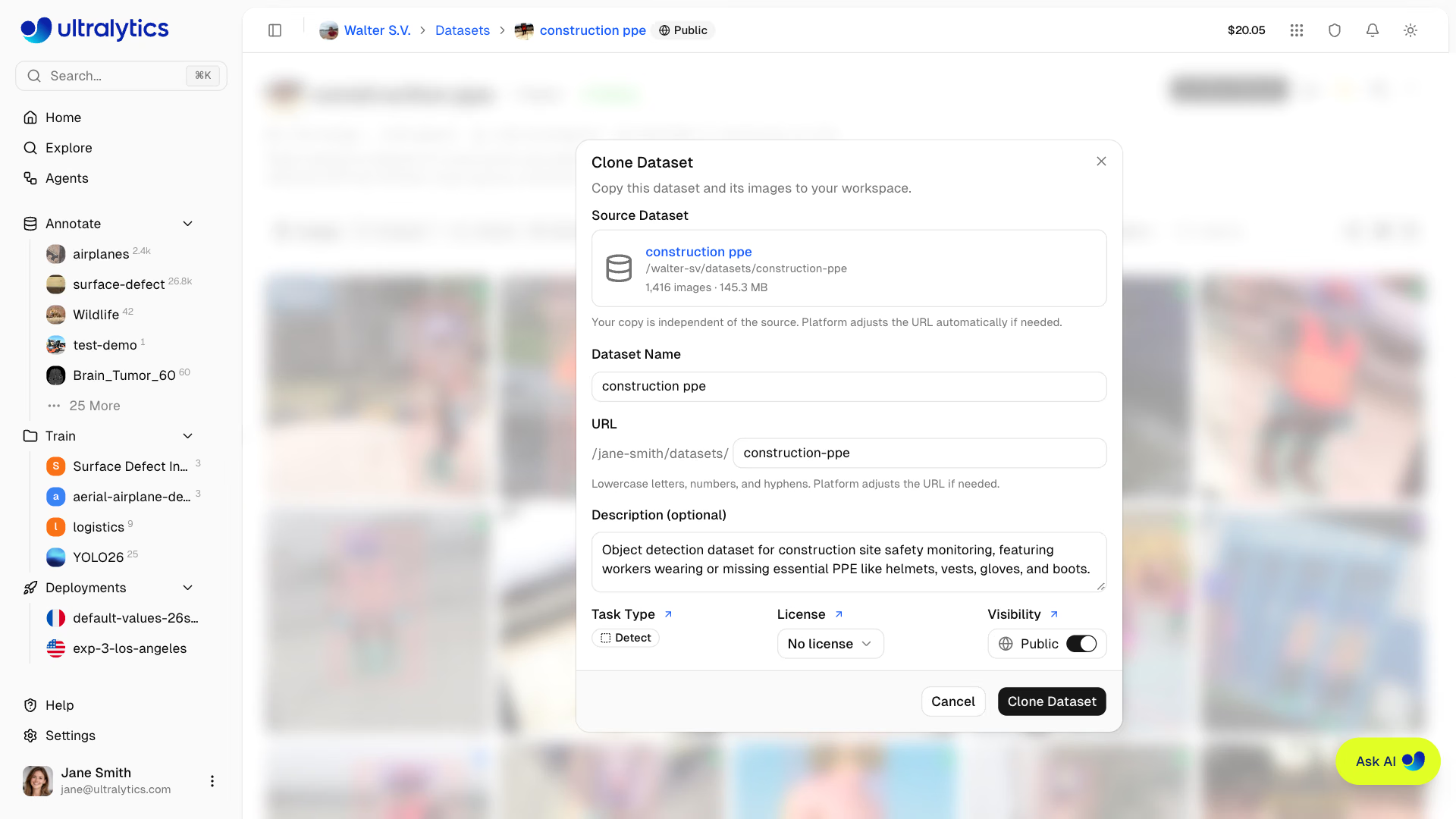
- The clone dialog lets you review the destination, name, visibility, and license
- Public datasets stay public by default in workspaces whose default visibility is public; Enterprise workspace clones default to private
- A copyleft source license is carried over and locked, so the clone keeps the terms it was published under
- The clone dialog blocks a URL already used in the target workspace until you choose another
- You can modify classes, annotations, and splits
- Changes don't affect the original dataset
- Image files are reused rather than copied, but the clone still counts toward the destination workspace's storage quota
See Datasets for managing and annotating your cloned dataset.
Download Model#
Download a public model:
- Click on the model within a project
- Click the download icon to download its PyTorch
.ptweights - Open the Export tab to download any completed exports that are available
You can also use the model for inference or as a starting point for fine-tuning:
# Use a downloaded model for inference
yolo predict model=path/to/downloaded-model.pt source=image.jpg

# Fine-tune on your own dataset
yolo train model=path/to/downloaded-model.pt data=my-dataset.yaml epochs=50
Clone Model#
Clone a public model to one of your projects:
- Click on the model within a project
- Click
Clone Model - Select a Project, or choose New Project to create one
- Optionally, rename the model
- Review the source model summary, then click
Clone Modelto confirm
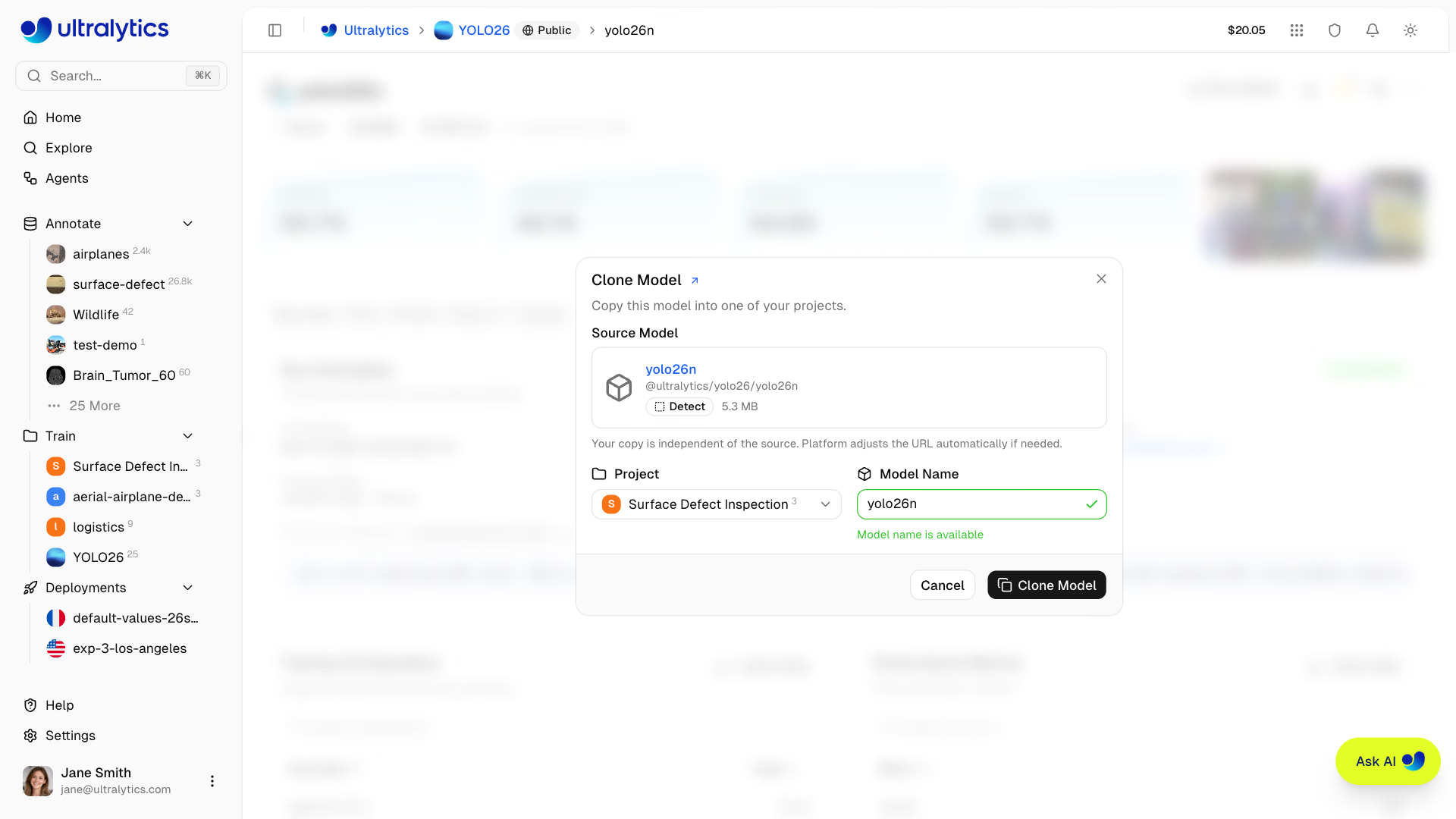
Clone copies the model to a project on the Platform for further training or deployment. Download saves the model file to your local machine.
Clone Project#
Copy a public project to your workspace:
- Click on the project to open its detail page
- Click
Clone Project - Review the destination, name, visibility, and license, then click
Clone Project
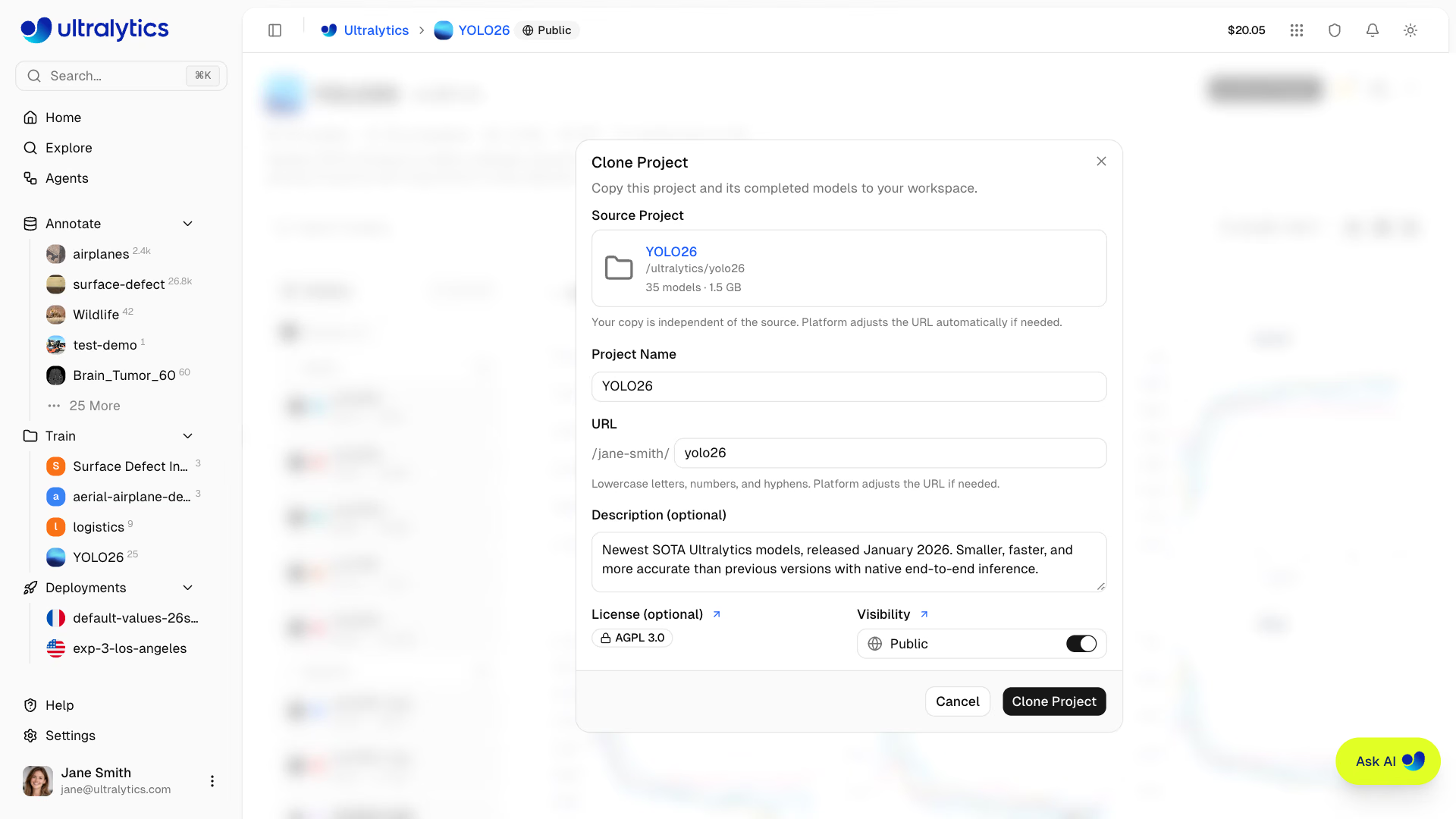
The cloned project includes completed models that have model files. Deployments and exports are not copied. Its default visibility follows the same workspace rules as dataset cloning.
See Projects for organizing models in your project.
Official Ultralytics Content#
Official @ultralytics projects are pinned to the top of the Explore Projects tab: YOLO26, YOLO11, YOLOv8, and YOLOv5. Open a project to see its current models and supported tasks.
Official datasets include benchmark datasets like coco8 (8-image COCO subset), VOC, african-wildlife, dota8, and other commonly used computer vision datasets.
The fastest way to get started is to fine-tune an official pretrained model on your own dataset — no cloning required:
- Upload your dataset in supported formats
- Click New Model on the dataset page
- Choose a YOLO26 model from the Official tab of the base model selector and start training
User Profiles#
Click on a creator's username to view their public profile at platform.ultralytics.com/{username}. Public profiles show:
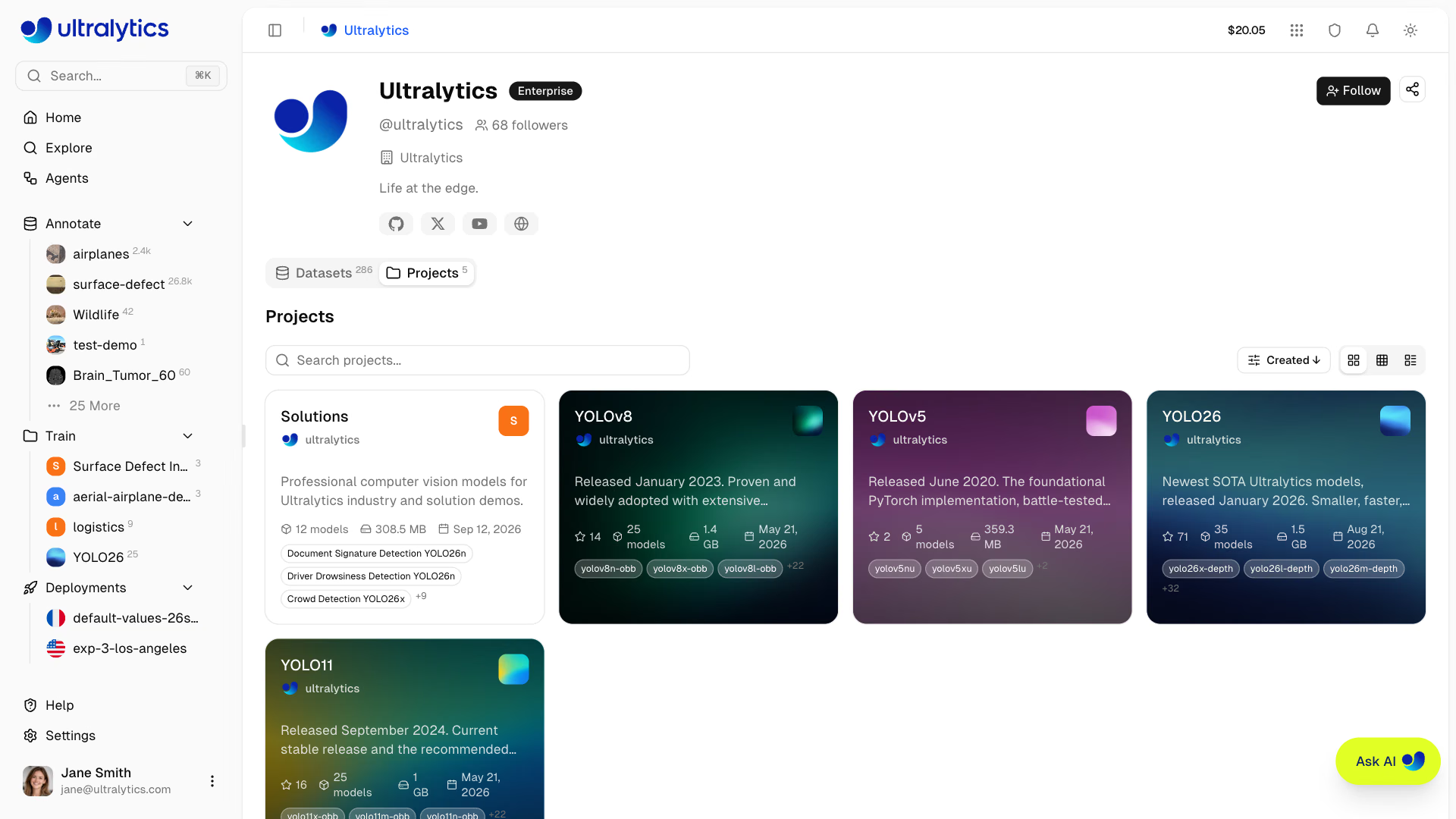
| Section | Content |
|---|---|
| Identity | Avatar, display name, @username, and plan badge |
| Bio | User description and company |
| Links | Social profiles |
| Followers | Follower count |
| Datasets | Public datasets (default tab) |
| Projects | Public projects with models |
The Datasets and Projects tabs use the same search, sort, and view controls as the Explore page.
Follow Users#
Click the Follow button on any user's profile to follow or unfollow them. Follower counts are displayed on public profiles. The Share button next to it copies a link or opens a pre-filled social post.
Make Your Content Public#
Make your work available to the community. Public content is visible to everyone, including users who aren't signed in. Explore lists public datasets that contain at least one image and public projects that contain at least one model, so an empty dataset or a project with no models stays off the Explore page until you add content to it. Models follow the visibility of the project that holds them and have no separate badge.
Make Dataset Public#
- Go to your dataset
- Click the Private visibility badge in the top navigation bar
- Review the warning and click Make public
Make Project Public#
- Go to your project
- Click the Private visibility badge in the top navigation bar
- Review the warning and click Make public
Before making content public:
- Add a clear, descriptive name and description
- Define class names in the dataset settings
- Verify data quality and annotation accuracy
- Test model performance and include training metrics
Public content is visible to everyone on the internet, including anonymous users. Make sure your dataset doesn't contain sensitive, private, or copyrighted data before making it public. You can change visibility back to private at any time.
Guidelines#
When contributing public content:
Do#
- Provide useful, high-quality content
- Write clear descriptions
- Include relevant metadata
- Respond to questions
- Credit data sources
Don't#
- Upload sensitive/private data
- Violate copyrights
- Upload inappropriate content
- Spam low-quality content
- Misrepresent performance
Share Content#
Click the Share button on any public profile, project, model, or dataset. On desktop it opens a menu with Share on X, Share on LinkedIn, Copy link, and — for embeddable resources — Copy embed code. The social options open a pre-filled post. On mobile it hands off to your device's native share sheet.
Embed Widgets#
Public content can be embedded in external websites using embed URLs:
| Content | Embed URL Pattern |
|---|---|
| Project | platform.ultralytics.com/embed/{username}/{project} |
| Model | platform.ultralytics.com/embed/{username}/{project}/{model} |
| Dataset | platform.ultralytics.com/embed/{username}/datasets/{slug} |
Use these URLs in an <iframe> to embed public preview cards for projects, models, or datasets. Each card links to the full resource on Platform. Copy embed code in the Share menu produces the <iframe> snippet for you.
Public Content URLs#
Public content on the platform uses clean, shareable URLs:
| Content | URL Pattern | Example |
|---|---|---|
| Profile | platform.ultralytics.com/{username} | platform.ultralytics.com/ultralytics |
| Datasets | platform.ultralytics.com/{username}/datasets | platform.ultralytics.com/ultralytics/datasets |
| Dataset | platform.ultralytics.com/{username}/datasets/{slug} | platform.ultralytics.com/ultralytics/datasets/coco |
| Project | platform.ultralytics.com/{username}/{project} | platform.ultralytics.com/ultralytics/yolo26 |
| Model | platform.ultralytics.com/{username}/{project}/{model} | platform.ultralytics.com/ultralytics/yolo26/yolo26n |
You can share any public content URL directly. Recipients can view the content without signing in. To clone or download, they'll need an account.
FAQ#
Check the license shown on the individual project, model, or dataset. Usage rights depend on that resource's license; contact the creator when the license does not grant the rights you need.
To report inappropriate content:
- Navigate to the public page containing the content (project or dataset), if accessible
- Open the Help page from the sidebar
- Select General as the feedback type
- Describe the content and the issue, including a link to the page
- Submit the report
If the content is no longer accessible, use the Help page from any page and include as much detail as possible (URL, username, or description).
Yes, you can change visibility anytime:
- Open the project or dataset
- Click the Public visibility badge in the top navigation bar
- The resource changes to private immediately
Existing clones are not affected.