مجموعة بيانات COCO8-Grayscale
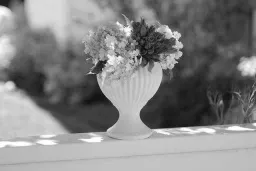
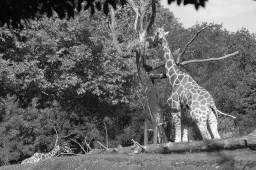
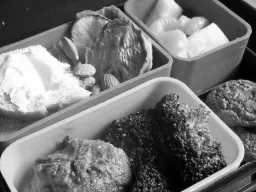
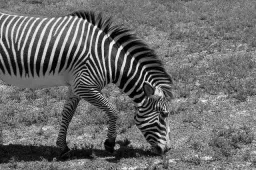
مقدمة#
مجموعة بيانات COCO8-Grayscale من Ultralytics مجموعة مدمجة لـكشف الكائنات، تتألف من أول 8 صور من مجموعة تدريب COCO لعام 2017 بعد تحويلها إلى تدرجات الرمادي — 4 للتدريب و4 للتحقق. صُممت هذه المجموعة خصيصًا للاختبار وتصحيح الأخطاء والتجريب بسرعة باستخدام نماذج YOLO ذات تدرجات الرمادي ومسارات التدريب. ويسهّل حجمها الصغير التعامل معها، بينما يضمن تنوعها فاعليتها في التحقق الأولي قبل التوسع إلى مجموعات بيانات أكبر.
شاهد: كيفية تدريب Ultralytics YOLO على مجموعات بيانات بتدرج الرمادي ومتعددة الأطياف | رؤية متعددة القنوات 🚀
بنية مجموعة البيانات#
تحاكي COCO8-Grayscale مجموعة COCO8—أول 8 صور من مجموعة تدريب COCO لعام 2017، مقسمة إلى 4 صور للتدريب و4 للتحقق وموسومة بأسماء فئات COCO الثمانين—لكن كل صورة مخزنة كصورة ذات قناة واحدة بتدرجات الرمادي (channels: 1)، وبتنسيق تسميات YOLO:
coco8-grayscale/
├── images/
│   ├── train/   # 4 images
│   └── val/     # 4 images
└── labels/
    ├── train/
    └── val/
استكشف COCO8-Grayscale على منصة Ultralytics لتصفح كل صورة مع تراكبات التعليقات التوضيحية، والاطلاع على توزيع الفئات والخرائط الحرارية لمربعات الإحاطة في علامة التبويب Charts، واستنساخ المجموعة لتدريب نموذجك الخاص سحابياً.
ملف YAML لمجموعة البيانات#
يُحدَّد إعداد مجموعة بيانات COCO8-Grayscale في ملف YAML، الذي يبيّن مسارات مجموعة البيانات وأسماء الفئات والبيانات الوصفية الأساسية الأخرى. يمكنك مراجعة الملف الرسمي coco8-grayscale.yaml في مستودع Ultralytics على GitHub.
للتدريب على صور RGB بتدرجات الرمادي، أضف channels: 1 إلى ملف YAML الخاص بمجموعة البيانات. يحوّل هذا جميع الصور إلى تدرجات الرمادي أثناء التدريب، فلا تحتاج إلى مجموعة بيانات منفصلة للتدرج الرمادي.
# Ultralytics 🚀 AGPL-3.0 License - https://ultralytics.com/license

# COCO8-Grayscale dataset (first 8 images from COCO train2017) by Ultralytics
# Documentation: https://docs.ultralytics.com/datasets/detect/coco8-grayscale
# Example usage: yolo train data=coco8-grayscale.yaml
# parent
# ├── ultralytics
# └── datasets
#     └── coco8-grayscale ← downloads here (1 MB)

# Train/val/test sets as 1) dir: path/to/imgs, 2) file: path/to/imgs.txt, or 3) list: [path/to/imgs1, path/to/imgs2, ..]
path: coco8-grayscale # dataset root dir
train: images/train # train images (relative to 'path') 4 images
val: images/val # val images (relative to 'path') 4 images
test: # test images (optional)

channels: 1

# Classes
names:
  0: person
  1: bicycle
  2: car
  3: motorcycle
  4: airplane
  5: bus
  6: train
  7: truck
  8: boat
  9: traffic light
  10: fire hydrant
  11: stop sign
  12: parking meter
  13: bench
  14: bird
  15: cat
  16: dog
  17: horse
  18: sheep
  19: cow
  20: elephant
  21: bear
  22: zebra
  23: giraffe
  24: backpack
  25: umbrella
  26: handbag
  27: tie
  28: suitcase
  29: frisbee
  30: skis
  31: snowboard
  32: sports ball
  33: kite
  34: baseball bat
  35: baseball glove
  36: skateboard
  37: surfboard
  38: tennis racket
  39: bottle
  40: wine glass
  41: cup
  42: fork
  43: knife
  44: spoon
  45: bowl
  46: banana
  47: apple
  48: sandwich
  49: orange
  50: broccoli
  51: carrot
  52: hot dog
  53: pizza
  54: donut
  55: cake
  56: chair
  57: couch
  58: potted plant
  59: bed
  60: dining table
  61: toilet
  62: tv
  63: laptop
  64: mouse
  65: remote
  66: keyboard
  67: cell phone
  68: microwave
  69: oven
  70: toaster
  71: sink
  72: refrigerator
  73: book
  74: clock
  75: vase
  76: scissors
  77: teddy bear
  78: hair drier
  79: toothbrush

# Download script/URL (optional)
download: https://github.com/ultralytics/assets/releases/download/v0.0.0/coco8-grayscale.zipالاستخدام#
تُنزَّل مجموعة بيانات COCO8-Grayscale (1 MB) تلقائيًا عند بدء التدريب للمرة الأولى. لتدريب نموذج YOLO26n على COCO8-Grayscale لمدة 100 حقبة وبحجم صورة 640، استخدم الأمثلة التالية.
from ultralytics import YOLO
# تحميل نموذج YOLO26n مُدرّب مسبقًا
model = YOLO("yolo26n.pt")
# درّب النموذج على COCO8-Grayscale
results = model.train(data="coco8-grayscale.yaml", epochs=100, imgsz=640)صور وتعليقات توضيحية نموذجية#
فيما يلي مثال على دفعة تدريب فسيفسائية من مجموعة بيانات COCO8-Grayscale:
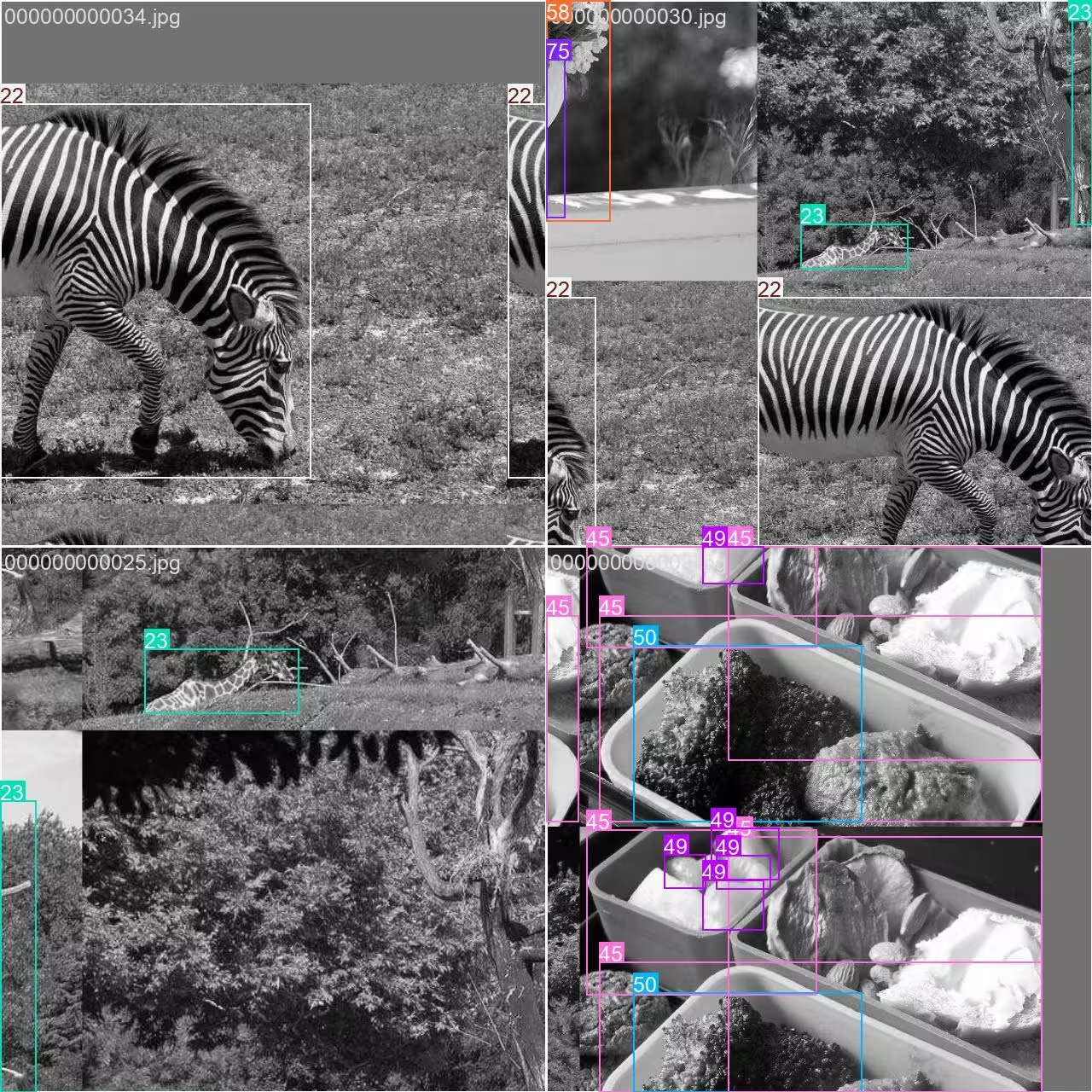
- صورة مركّبة بالفسيفساء: توضح هذه الصورة دفعة تدريب جُمعت فيها صور متعددة من مجموعة البيانات باستخدام زيادة البيانات بالفسيفساء. تعزز زيادة البيانات بالفسيفساء تنوع الكائنات والمشاهد في كل دفعة، مما يساعد النموذج على التعميم بصورة أفضل على أحجام الكائنات ونسب أبعادها والخلفيات المختلفة.
تفيد هذه التقنية بشكل خاص مجموعات البيانات الصغيرة مثل COCO8-Grayscale، إذ تزيد إلى أقصى حد من قيمة كل صورة أثناء التدريب.
الاستشهادات والشكر والتقدير#
إذا استخدمت مجموعة بيانات COCO في أبحاثك أو أعمال التطوير، فيُرجى الاستشهاد بالورقة البحثية التالية:
@misc{lin2015microsoft,
      title={Microsoft COCO: Common Objects in Context},
      author={Tsung-Yi Lin and Michael Maire and Serge Belongie and Lubomir Bourdev and Ross Girshick and James Hays and Pietro Perona and Deva Ramanan and C. Lawrence Zitnick and Piotr Dollár},
      year={2015},
      eprint={1405.0312},
      archivePrefix={arXiv},
      primaryClass={cs.CV}
}
جزيل الشكر لـاتحاد COCO على إسهاماته المتواصلة في مجتمع الرؤية الحاسوبية.
الأسئلة الشائعة#
صُممت مجموعة بيانات Ultralytics COCO8-Grayscale للاختبار السريع وتصحيح أخطاء نماذج اكتشاف الكائنات. وهي مثالية، إذ تضم 8 صور فقط (4 للتدريب و4 للتحقق)، للتحقق من مسارات تدريب YOLO والتأكد من أن كل شيء يعمل كما هو متوقع قبل التوسع إلى مجموعات بيانات أكبر.
يمكنك تدريب نموذج YOLO26 على COCO8-Grayscale باستخدام Python أو CLI:
مثال على التدريبfrom ultralytics import YOLO # تحميل نموذج YOLO26n مُدرّب مسبقًا model = YOLO("yolo26n.pt") # درّب النموذج على COCO8-Grayscale results = model.train(data="coco8-grayscale.yaml", epochs=100, imgsz=640)للاطلاع على خيارات التدريب الإضافية، راجع وثائق تدريب YOLO.
يجمع تعزيز الفسيفساء، المستخدم في التدريب على COCO8-Grayscale، صورًا متعددة في صورة واحدة أثناء كل دفعة. ويزيد ذلك تنوع الكائنات والخلفيات، ما يساعد نموذج YOLO على التعميم بصورة أفضل على سيناريوهات جديدة. ويكتسب تعزيز الفسيفساء أهمية خاصة مع مجموعات البيانات الصغيرة، لأنه يزيد إلى أقصى حد المعلومات المتاحة في كل خطوة تدريب.
للتحقق من صحة نموذج YOLO26 بعد تدريبه على COCO8-Grayscale، استخدم أوامر التحقق الخاصة بالنموذج في Python أو CLI. ويقيّم ذلك أداء النموذج باستخدام مقاييس معيارية. للاطلاع على التعليمات خطوة بخطوة، تفضل بزيارة وثائق التحقق من YOLO.


التعليقات7
اطرح سؤالًا، وشارك نتائجك، أو ساعد شخصًا آخر.
arfan1181
Finally
1shkim-lp
Dear Ultralytics, Hello. I am a learner and a user of Ultralytics-YOLO Software. I am writing this post to ask questions about tracking Livestream color videos in grayscale.
At the moment, I am using Ultralytics for Classification/Segmentation/Tracking of my Livestream video. My livestream video contains 4 different types of connectors, which are moved by robots.
I have used the software well so far to classify/segment/track the 4 connectors in Livestream color video I tracked the Livestream video with
results = model.track(source="0", show=Trune, save=True), which displayed live results with "0" window. I was happy with the result.Now, I want to test the performance for a real scenario, where the Livestream camera will aceept only B/W images (The equipment has not been installed yet and I am trying to emulate future situation). I learned how to train models in B/W images with simple addition of channels = 1 . However, I still don't know how to track a Livestream video (where images are imported in color) in B/W scales and output them in B/W in "0" window.
Would there be an easy method to invoke results = model.track(source="0", show=Ture, save=True) , but classify/segment/track in B/W scale and output them in B/W as well?Thank you for your assistance!
 Glenn JocherUltralytics
There’s no built-in switch in
model.track(source=0, ...)to force grayscale preprocessing for a webcam stream, so the simplest way to emulate a B/W camera is to read frames with OpenCV, convert to grayscale, then replicate back to 3 channels (GRAY2BGR) so it works with any YOLO model, and display/save the result (training-side grayscale is covered on the COCO8-Grayscale dataset page).import cv2 from ultralytics import YOLO model = YOLO("best.pt") # your det/seg model cap = cv2.VideoCapture(0) while True: ok, frame = cap.read() if not ok: break gray = cv2.cvtColor(frame, cv2.COLOR_BGR2GRAY) frame_bw3 = cv2.cvtColor(gray, cv2.COLOR_GRAY2BGR) # BW content, kept 3-channel results = model.track(source=frame_bw3, persist=True, verbose=False) annotated = results[0].plot() # BGR annotated_gray = cv2.cvtColor(annotated, cv2.COLOR_BGR2GRAY) cv2.imshow("0", annotated_gray) if cv2.waitKey(1) == 27: # ESC to quit break cap.release() cv2.destroyAllWindows()1Thank you for such a prompt and precise answer!
- Glenn JocherUltralytics
Glad it helped—if you end up training a
channels: 1model you can usually skipGRAY2BGRand feed the grayscale frame directly as(H, W)or(H, W, 1)(the loader will expand 2D grayscale to 1 channel), and feel free to drop any follow-up questions here so the Ultralytics team sees them (see the COCO8-Grayscale dataset docs).
zjjzeng
Hello, I did not notice this page before, so I trained my model on default rgb 3 channels and then predicted. Actually, all my native dataset images are gray images, I used a numpy operation to manually transfer it before training. I wonder that if I change channels to 1, will I be able to gain any improvements on my model. And do I need to modify both data.yaml and my customized yolo11n.yaml, right?
- Glenn JocherUltralytics
Great question—set channels: 1 in your dataset YAML and train; you don’t need to modify your custom yolo11n.yaml as the model’s first layer adapts automatically; if you previously replicated grayscale to 3 channels, accuracy differences are usually small while 1-channel can save memory, so a quick A/B run is the best way to confirm; for more on multi-channel handling, see the COCO8-Multispectral dataset page.