Dataset COCO8-Grayscale

Introduzione#
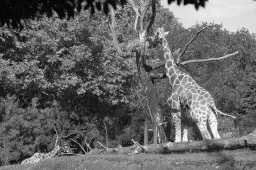
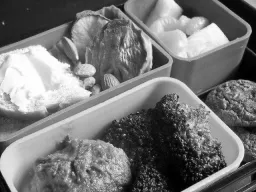
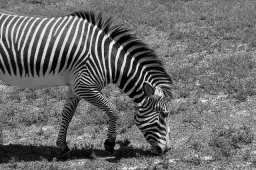
Il dataset COCO8-Grayscale di Ultralytics è un dataset compatto per il rilevamento degli oggetti, composto dalle prime 8 immagini del set COCO train 2017 convertite in scala di grigi: 4 per l'addestramento e 4 per la validazione. È progettato appositamente per test rapidi, debug e sperimentazione con i modelli YOLO in scala di grigi e le pipeline di addestramento. Le dimensioni ridotte lo rendono facile da gestire, mentre la sua diversità lo rende un efficace controllo preliminare prima di passare a dataset più grandi.
Guarda: Come addestrare Ultralytics YOLO su dataset in scala di grigi e multispettrali | VisionAI multicanale 🚀
Struttura del dataset#
COCO8-Grayscale rispecchia COCO8: le prime 8 immagini del set COCO train 2017, suddivise in 4 per l'addestramento e 4 per la convalida e contrassegnate con i nomi delle 80 classi COCO; tuttavia, ogni immagine è archiviata come immagine in scala di grigi a canale singolo (channels: 1) in formato di etichettatura YOLO:
coco8-grayscale/
├── images/
│   ├── train/   # 4 images
│   └── val/     # 4 images
└── labels/
    ├── train/
    └── val/
Esplora COCO8-Grayscale su Ultralytics Platform per sfogliare tutte le immagini con le sovrapposizioni delle annotazioni, visualizzare la distribuzione delle classi e le mappe di calore dei riquadri di delimitazione nella scheda Charts e clonare il dataset per addestrare il tuo modello nel cloud.
YAML del dataset#
La configurazione del dataset COCO8-Grayscale è definita in un file YAML, che specifica i percorsi del dataset, i nomi delle classi e altri metadati essenziali. Puoi consultare il file ufficiale coco8-grayscale.yaml nel repository GitHub di Ultralytics.
Per addestrare su immagini RGB convertite in scala di grigi, aggiungi channels: 1 al file YAML del dataset. In questo modo tutte le immagini vengono convertite in scala di grigi durante l'addestramento, quindi non serve un dataset separato in scala di grigi.
# Ultralytics 🚀 AGPL-3.0 License - https://ultralytics.com/license

# COCO8-Grayscale dataset (first 8 images from COCO train2017) by Ultralytics
# Documentation: https://docs.ultralytics.com/datasets/detect/coco8-grayscale
# Example usage: yolo train data=coco8-grayscale.yaml
# parent
# ├── ultralytics
# └── datasets
#     └── coco8-grayscale ← downloads here (1 MB)

# Train/val/test sets as 1) dir: path/to/imgs, 2) file: path/to/imgs.txt, or 3) list: [path/to/imgs1, path/to/imgs2, ..]
path: coco8-grayscale # dataset root dir
train: images/train # train images (relative to 'path') 4 images
val: images/val # val images (relative to 'path') 4 images
test: # test images (optional)

channels: 1

# Classes
names:
  0: person
  1: bicycle
  2: car
  3: motorcycle
  4: airplane
  5: bus
  6: train
  7: truck
  8: boat
  9: traffic light
  10: fire hydrant
  11: stop sign
  12: parking meter
  13: bench
  14: bird
  15: cat
  16: dog
  17: horse
  18: sheep
  19: cow
  20: elephant
  21: bear
  22: zebra
  23: giraffe
  24: backpack
  25: umbrella
  26: handbag
  27: tie
  28: suitcase
  29: frisbee
  30: skis
  31: snowboard
  32: sports ball
  33: kite
  34: baseball bat
  35: baseball glove
  36: skateboard
  37: surfboard
  38: tennis racket
  39: bottle
  40: wine glass
  41: cup
  42: fork
  43: knife
  44: spoon
  45: bowl
  46: banana
  47: apple
  48: sandwich
  49: orange
  50: broccoli
  51: carrot
  52: hot dog
  53: pizza
  54: donut
  55: cake
  56: chair
  57: couch
  58: potted plant
  59: bed
  60: dining table
  61: toilet
  62: tv
  63: laptop
  64: mouse
  65: remote
  66: keyboard
  67: cell phone
  68: microwave
  69: oven
  70: toaster
  71: sink
  72: refrigerator
  73: book
  74: clock
  75: vase
  76: scissors
  77: teddy bear
  78: hair drier
  79: toothbrush

# Download script/URL (optional)
download: https://github.com/ultralytics/assets/releases/download/v0.0.0/coco8-grayscale.zipUtilizzo#
Il dataset COCO8-Grayscale (1 MB) viene scaricato automaticamente al primo avvio dell'addestramento. Per addestrare un modello YOLO26n su COCO8-Grayscale per 100 epoche con una dimensione delle immagini di 640, usa gli esempi seguenti.
from ultralytics import YOLO

# Carica un modello YOLO26n preaddestrato
model = YOLO("yolo26n.pt")

# Addestra il modello su COCO8-Grayscale
results = model.train(data="coco8-grayscale.yaml", epochs=100, imgsz=640)
Immagini di esempio e annotazioni#
Di seguito è riportato un esempio di batch di addestramento a mosaico del dataset COCO8-Grayscale:
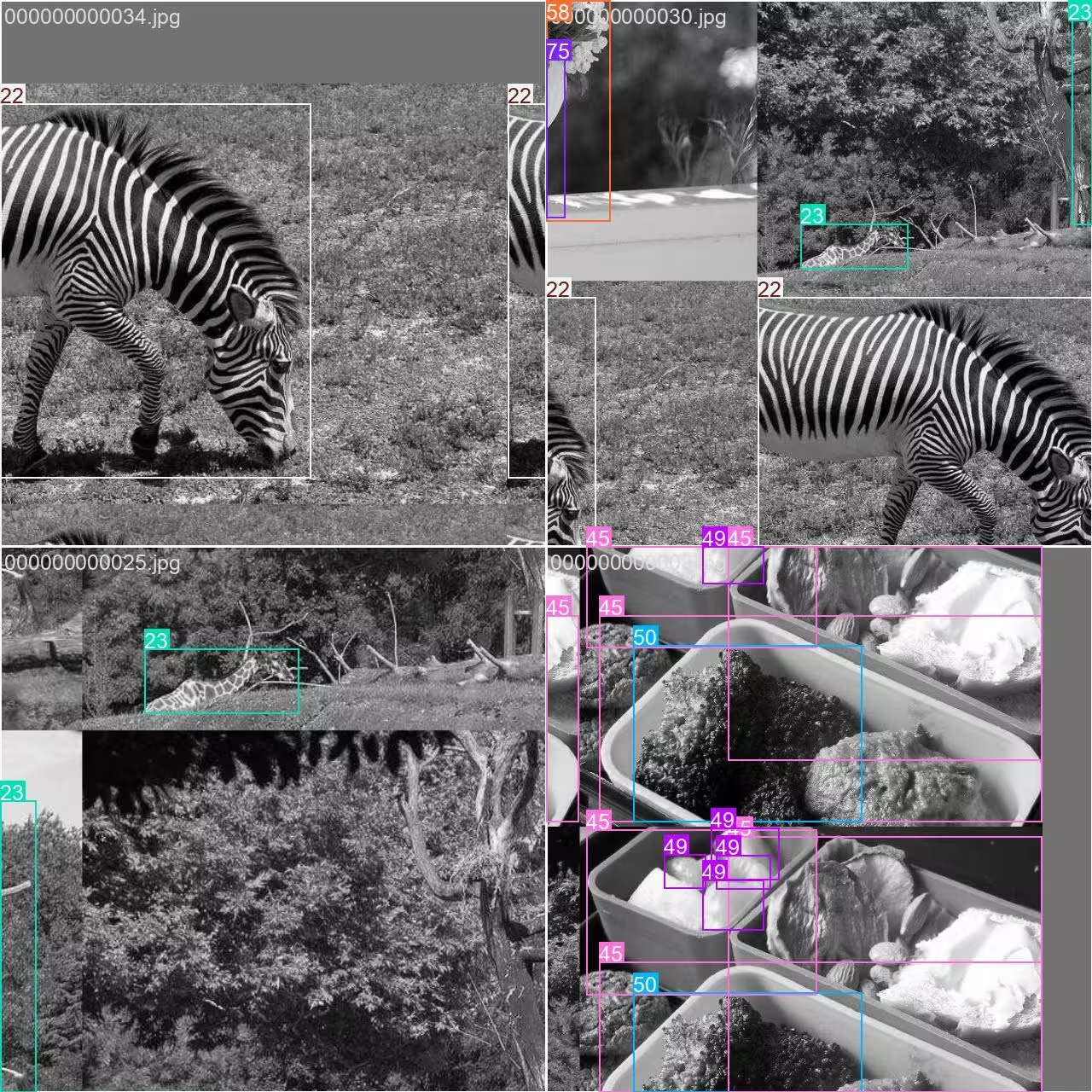
- Immagine a mosaico: questa immagine mostra un batch di addestramento in cui più immagini del dataset vengono combinate tramite l'aumento dati a mosaico. L'aumento dati a mosaico aumenta la varietà di oggetti e scene in ogni batch, aiutando il modello a generalizzare meglio a dimensioni degli oggetti, proporzioni e sfondi diversi.
Questa tecnica è particolarmente utile per dataset piccoli come COCO8-Grayscale, perché massimizza il valore di ogni immagine durante l'addestramento.
Citazioni e ringraziamenti#
Se utilizzi il dataset COCO nelle tue attività di ricerca o sviluppo, cita il seguente articolo:
@misc{lin2015microsoft,
      title={Microsoft COCO: Common Objects in Context},
      author={Tsung-Yi Lin and Michael Maire and Serge Belongie and Lubomir Bourdev and Ross Girshick and James Hays and Pietro Perona and Deva Ramanan and C. Lawrence Zitnick and Piotr Dollár},
      year={2015},
      eprint={1405.0312},
      archivePrefix={arXiv},
      primaryClass={cs.CV}
}
Un ringraziamento speciale al COCO Consortium per il suo contributo costante alla comunità della visione artificiale.
Domande frequenti#
Il dataset COCO8-Grayscale di Ultralytics è progettato per testare e correggere rapidamente i modelli di rilevamento degli oggetti. Con sole 8 immagini (4 per l'addestramento e 4 per la convalida), è ideale per verificare le pipeline di addestramento YOLO e assicurarti che tutto funzioni come previsto prima di passare a dataset più grandi.
Puoi addestrare un modello YOLO26 su COCO8-Grayscale utilizzando Python o la CLI:
Esempio di addestramentofrom ultralytics import YOLO # Carica un modello YOLO26n preaddestrato model = YOLO("yolo26n.pt") # Addestra il modello su COCO8-Grayscale results = model.train(data="coco8-grayscale.yaml", epochs=100, imgsz=640)Per altre opzioni di addestramento, consulta la documentazione sull'addestramento di YOLO.
L'aumento dei dati Mosaic, utilizzato nell'addestramento su COCO8-Grayscale, combina più immagini in una durante ogni batch. Questo aumenta la varietà di oggetti e sfondi, aiutando il tuo modello YOLO a generalizzare meglio a nuovi scenari. L'aumento dei dati Mosaic è particolarmente utile per i dataset piccoli, perché massimizza le informazioni disponibili in ogni passaggio di addestramento.
Per convalidare il tuo modello YOLO26 dopo averlo addestrato su COCO8-Grayscale, usa i comandi di convalida del modello in Python o tramite CLI. In questo modo valuti le prestazioni del modello utilizzando metriche standard. Per le istruzioni dettagliate, consulta la documentazione sulla convalida di YOLO.


Commenti7
Fai una domanda, condividi i tuoi risultati o aiuta qualcun altro.
arfan1181
Finally
1shkim-lp
Dear Ultralytics, Hello. I am a learner and a user of Ultralytics-YOLO Software. I am writing this post to ask questions about tracking Livestream color videos in grayscale.
At the moment, I am using Ultralytics for Classification/Segmentation/Tracking of my Livestream video. My livestream video contains 4 different types of connectors, which are moved by robots.
I have used the software well so far to classify/segment/track the 4 connectors in Livestream color video I tracked the Livestream video with
results = model.track(source="0", show=Trune, save=True), which displayed live results with "0" window. I was happy with the result.Now, I want to test the performance for a real scenario, where the Livestream camera will aceept only B/W images (The equipment has not been installed yet and I am trying to emulate future situation). I learned how to train models in B/W images with simple addition of channels = 1 . However, I still don't know how to track a Livestream video (where images are imported in color) in B/W scales and output them in B/W in "0" window.
Would there be an easy method to invoke results = model.track(source="0", show=Ture, save=True) , but classify/segment/track in B/W scale and output them in B/W as well?Thank you for your assistance!
 Glenn JocherUltralytics
There’s no built-in switch in
model.track(source=0, ...)to force grayscale preprocessing for a webcam stream, so the simplest way to emulate a B/W camera is to read frames with OpenCV, convert to grayscale, then replicate back to 3 channels (GRAY2BGR) so it works with any YOLO model, and display/save the result (training-side grayscale is covered on the COCO8-Grayscale dataset page).import cv2 from ultralytics import YOLO model = YOLO("best.pt") # your det/seg model cap = cv2.VideoCapture(0) while True: ok, frame = cap.read() if not ok: break gray = cv2.cvtColor(frame, cv2.COLOR_BGR2GRAY) frame_bw3 = cv2.cvtColor(gray, cv2.COLOR_GRAY2BGR) # BW content, kept 3-channel results = model.track(source=frame_bw3, persist=True, verbose=False) annotated = results[0].plot() # BGR annotated_gray = cv2.cvtColor(annotated, cv2.COLOR_BGR2GRAY) cv2.imshow("0", annotated_gray) if cv2.waitKey(1) == 27: # ESC to quit break cap.release() cv2.destroyAllWindows()1Thank you for such a prompt and precise answer!
- Glenn JocherUltralytics
Glad it helped—if you end up training a
channels: 1model you can usually skipGRAY2BGRand feed the grayscale frame directly as(H, W)or(H, W, 1)(the loader will expand 2D grayscale to 1 channel), and feel free to drop any follow-up questions here so the Ultralytics team sees them (see the COCO8-Grayscale dataset docs).
zjjzeng
Hello, I did not notice this page before, so I trained my model on default rgb 3 channels and then predicted. Actually, all my native dataset images are gray images, I used a numpy operation to manually transfer it before training. I wonder that if I change channels to 1, will I be able to gain any improvements on my model. And do I need to modify both data.yaml and my customized yolo11n.yaml, right?
- Glenn JocherUltralytics
Great question—set channels: 1 in your dataset YAML and train; you don’t need to modify your custom yolo11n.yaml as the model’s first layer adapts automatically; if you previously replicated grayscale to 3 channels, accuracy differences are usually small while 1-channel can save memory, so a quick A/B run is the best way to confirm; for more on multi-channel handling, see the COCO8-Multispectral dataset page.