Argoverse 데이터셋#
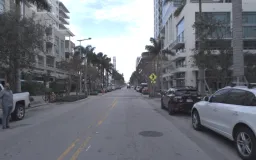
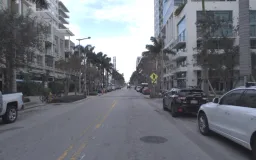
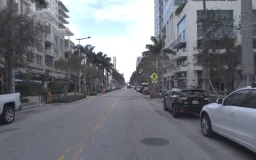
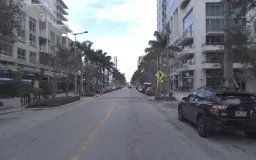
Ultralytics Argoverse 데이터셋(Argoverse-HD)은 8개 클래스(사람, 자전거, 자동차, 오토바이, 버스, 트럭, 신호등, 정지 표지판)에 걸친 라벨링된 자율주행 이미지 54,446개(학습용 39,384개, 검증용 15,062개)로 구성된 2D 객체 탐지 데이터셋입니다. 이미지는 차량의 링 프런트 센터 카메라로 촬영되었으며, 어노테이션은 Argo AI의 Argoverse 1.1 주행 데이터를 기반으로 구축된 카네기 멜런 대학교의 스트리밍 퍼셉션 프로젝트에서 제공됩니다. 자율주행 시나리오에서 도로 객체를 탐지하는 컴퓨터 비전 모델 학습에 적합한 대규모 실세계 벤치마크입니다.
Ultralytics Platform의 Argoverse-HD를 살펴보고 어노테이션이 포함된 샘플을 미리 확인하고, 데이터셋 통계를 살펴본 뒤, 학습을 위해 데이터셋을 복제해 보세요.
학습에 필요한 Argoverse-HD *.zip 파일(~31.5 GB)은 Ford의 Argo AI 폐쇄 이후 Amazon S3에서 삭제되었습니다. Google Drive에서 수동으로 다운로드할 수 있습니다. 자동 다운로드는 작동하지 않으므로 학습 전에 아카이브를 다운로드하고 데이터셋 디렉터리의 Argoverse 폴더에 압축을 풀어야 합니다.
주요 기능#
- 객체 탐지 클래스 8개: 사람, 자전거, 자동차, 오토바이, 버스, 트럭, 신호등, 정지 표지판입니다.
- 라벨링된 이미지 54,446개(학습용 39,384개, 검증용 15,062개)와 eval.ai 챌린지용으로 확보된 라벨 없는 테스트 분할 데이터가 포함됩니다.
- ~31.5 GB 규모의 고해상도 링 프런트 센터 카메라 프레임으로, 도심 자율주행 장면을 촬영했습니다.
- 최초 사용 시 어노테이션이 YOLO 형식으로 자동 변환되므로, Ultralytics YOLO 탐지 모델로 데이터셋을 바로 학습할 수 있습니다.
데이터셋 구조#
Argoverse-HD 데이터셋은 Argoverse.yaml 구성으로 정의된 세 가지 사전 정의된 하위 집합으로 나뉩니다:
| 분할 | 이미지 | 레이블 |
|---|---|---|
| 학습 | 39,384 | 예 |
| 검증 | 15,062 | 예 |
| 테스트 | — | 레이블 없음 (eval.ai 챌린지) |
모든 이미지에는 동일한 8개 객체 클래스(인덱스 0–7)가 있습니다: 사람, 자전거, 자동차, 오토바이, 버스, 트럭, 신호등, 정지 표지판.
수동으로 다운로드한 후 Ultralytics는 처음 학습할 때 원본 Argoverse-HD 어노테이션을 YOLO 탐지 레이블로 자동 변환하므로 수동 전처리가 필요하지 않습니다.
응용 분야#
Argoverse-HD 데이터셋은 자율 주행 분야의 다양한 객체 탐지 애플리케이션을 지원합니다:
- 자율 주행 인지 — 전방 카메라 영상에서 차량, 보행자, 자전거 이용자를 탐지하여 자율주행 차량 내비게이션을 지원합니다.
- 첨단 운전자 보조 시스템 (ADAS) — 실시간 운전자 알림을 위해 신호등과 정지 표지판을 인식합니다.
- 교통 모니터링 — 스마트 시티 분석을 위해 도심 장면에서 도로 이용자를 계수하고 추적합니다.
- 연구 및 프로토타이핑 — 주행 데이터에 대한 모델 학습과 예측을 학습하는 데 활용할 수 있는 대규모 실세계 벤치마크입니다.
데이터셋 YAML#
YAML 파일은 경로, 클래스 및 기타 관련 세부 정보를 포함한 데이터셋 구성을 정의합니다. Argoverse 데이터셋의 경우 Argoverse.yaml 파일은 https://github.com/ultralytics/ultralytics/blob/main/ultralytics/cfg/datasets/Argoverse.yaml에 유지 관리됩니다.
# Ultralytics 🚀 AGPL-3.0 License - https://ultralytics.com/license

# Argoverse-HD dataset (ring-front-center camera) by Argo AI: https://www.cs.cmu.edu/~mengtial/proj/streaming/
# Documentation: https://docs.ultralytics.com/datasets/detect/argoverse
# Example usage: yolo train data=Argoverse.yaml
# parent
# ├── ultralytics
# └── datasets
#     └── Argoverse ← downloads here (31.5 GB)

# Train/val/test sets as 1) dir: path/to/imgs, 2) file: path/to/imgs.txt, or 3) list: [path/to/imgs1, path/to/imgs2, ..]
path: Argoverse # dataset root dir
train: Argoverse-1.1/images/train/ # train images (relative to 'path') 39384 images
val: Argoverse-1.1/images/val/ # val images (relative to 'path') 15062 images
test: Argoverse-1.1/images/test/ # test images (optional) https://eval.ai/web/challenges/challenge-page/800/overview

# Classes
names:
  0: person
  1: bicycle
  2: car
  3: motorcycle
  4: bus
  5: truck
  6: traffic_light
  7: stop_sign

# Download script/URL (optional) ---------------------------------------------------------------------------------------
download: |
  import json
  from pathlib import Path

  from ultralytics.utils import TQDM
  from ultralytics.utils.downloads import download

  def argoverse2yolo(annotation_file):
      """Convert Argoverse dataset annotations to YOLO format for object detection tasks."""
      labels = {}
      with open(annotation_file, encoding="utf-8") as f:
          a = json.load(f)
      for annot in TQDM(a["annotations"], desc=f"Converting {annotation_file} to YOLO format..."):
          img_id = annot["image_id"]
          img_name = a["images"][img_id]["name"]
          img_label_name = f"{Path(img_name).stem}.txt"

          cls = annot["category_id"]  # instance class id
          x_center, y_center, width, height = annot["bbox"]
          x_center = (x_center + width / 2) / 1920.0  # offset and scale
          y_center = (y_center + height / 2) / 1200.0  # offset and scale
          width /= 1920.0  # scale
          height /= 1200.0  # scale

          img_dir = annotation_file.parents[2] / "Argoverse-1.1" / "labels" / a["seq_dirs"][a["images"][annot["image_id"]]["sid"]]
          if not img_dir.exists():
              img_dir.mkdir(parents=True, exist_ok=True)

          k = str(img_dir / img_label_name)
          if k not in labels:
              labels[k] = []
          labels[k].append(f"{cls} {x_center} {y_center} {width} {height}\n")

      for k in labels:
          with open(k, "w", encoding="utf-8") as f:
              f.writelines(labels[k])

  # Download 'https://argoverse-hd.s3.amazonaws.com/Argoverse-HD-Full.zip' (deprecated S3 link)
  dir = Path(yaml["path"])  # dataset root dir
  urls = ["https://drive.google.com/file/d/1st9qW3BeIwQsnR0t8mRpvbsSWIo16ACi/view?usp=drive_link"]
  print("\n\nWARNING: Argoverse dataset MUST be downloaded manually, autodownload will NOT work.")
  print(f"WARNING: Manually download Argoverse dataset '{urls[0]}' to '{dir}' and re-run your command.\n\n")
  # download(urls, dir=dir)

  # Convert
  annotations_dir = "Argoverse-HD/annotations/"
  (dir / "Argoverse-1.1" / "tracking").rename(dir / "Argoverse-1.1" / "images")  # rename 'tracking' to 'images'
  for d in "train.json", "val.json":
argoverse2yolo(dir / annotations_dir / d) # convert Argoverse annotations to YOLO labels사용법#
Argoverse 데이터셋으로 YOLO26n 모델을 100 에포크 동안 이미지 크기 640으로 학습하려면 다음 코드 예제를 사용하세요. 사용 가능한 인수의 전체 목록은 모델 학습 페이지를 참조하세요.
from ultralytics import YOLO

# 모델 로드
model = YOLO("yolo26n.pt")  # 사전 학습된 모델을 불러옵니다(학습에 권장).

# 모델 학습
results = model.train(data="Argoverse.yaml", epochs=100, imgsz=640)
학습이 완료되면 미세 조정된 모델로 새로운 주행 이미지 또는 동영상에 대해 추론을 실행하세요:
from ultralytics import YOLO

# 모델 로드
model = YOLO("path/to/best.pt")  # Argoverse 데이터셋으로 미세 조정된 모델 로드

# 모델을 사용한 추론
results = model.predict("path/to/driving-scene.jpg")
샘플 데이터 및 어노테이션#
Argoverse-HD 데이터셋에는 링 프런트 센터 카메라로 촬영한 고해상도 주행 이미지가 포함되어 있으며, 8개 객체 클래스에 대한 2D 바운딩 박스가 어노테이션되어 있습니다. 아래는 해당 어노테이션이 포함된 데이터셋 이미지 예시입니다:
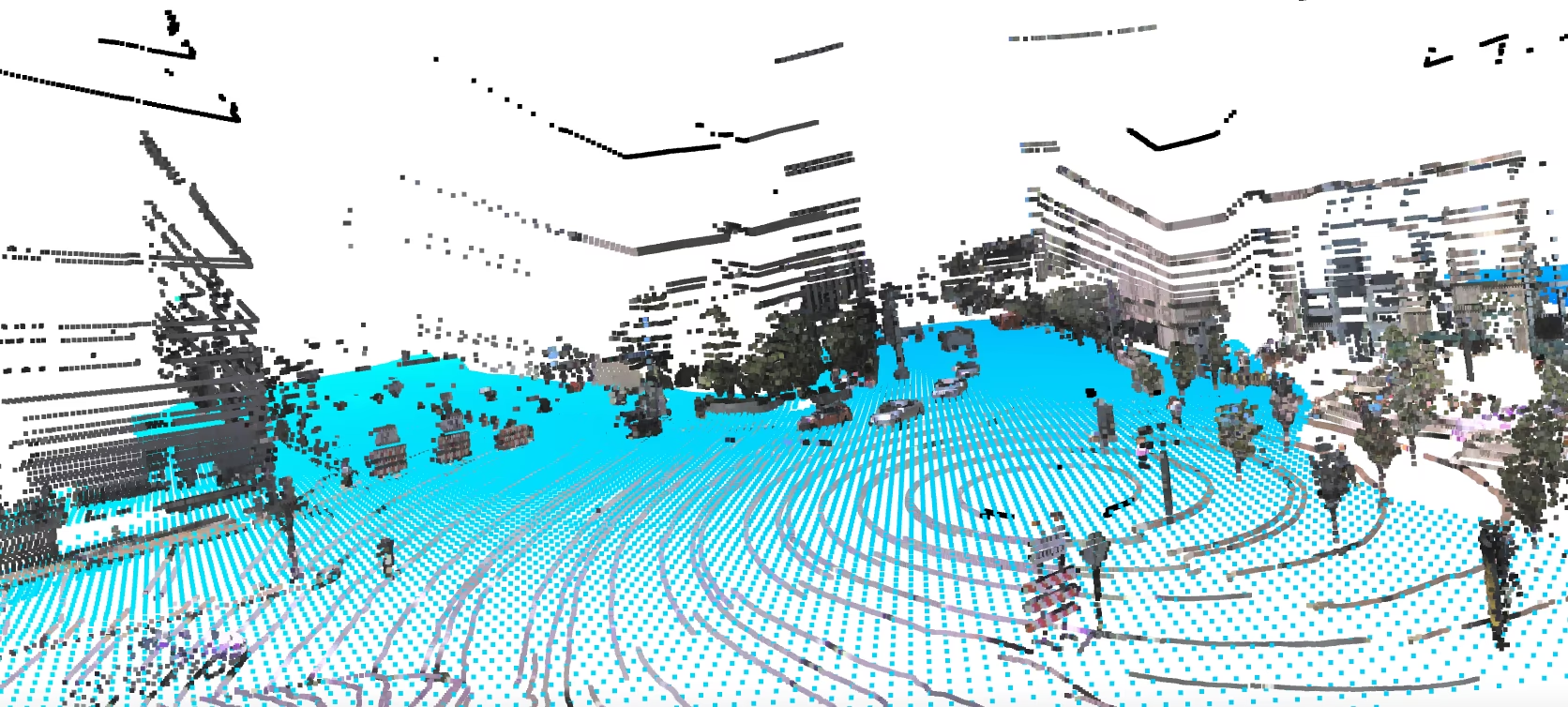
- 어노테이션된 주행 장면: 이 이미지에는 차량과 보행자 등 도로 객체가 2D 바운딩 박스로 레이블링되어 있습니다. YOLO 모델은 학습 중 이러한 형식의 바운딩 박스를 예측하도록 학습됩니다.
인용 및 감사의 글#
이 데이터셋에 사용된 Argoverse-HD 2D 탐지 어노테이션은 Carnegie Mellon University의 스트리밍 인지 연구에서 가져왔습니다. 연구 또는 개발에 이 데이터셋을 사용하는 경우 다음을 인용해 주세요:
@inproceedings{li2020towards,
  title={Towards Streaming Perception},
  author={Li, Mengtian and Wang, Yu-Xiong and Ramanan, Deva},
  booktitle={Proceedings of the European Conference on Computer Vision (ECCV)},
  pages={473--488},
  year={2020}
}

@inproceedings{chang2019argoverse,
  title={Argoverse: 3D Tracking and Forecasting with Rich Maps},
  author={Chang, Ming-Fang and Lambert, John and Sangkloy, Patsorn and Singh, Jagjeet and Bak, Slawomir and Hartnett, Andrew and Wang, Dequan and Carr, Peter and Lucey, Simon and Ramanan, Deva and others},
  booktitle={Proceedings of the IEEE/CVF Conference on Computer Vision and Pattern Recognition},
  pages={8748--8757},
  year={2019}
}
Argoverse-HD 탐지 어노테이션을 제공한 Carnegie Mellon University와 자율 주행 연구 커뮤니티를 위한 귀중한 리소스로 원본 Argoverse 데이터셋을 제작한 Argo AI에 감사드립니다.
자주 묻는 질문#
Ultralytics Argoverse 데이터셋(Argoverse-HD)은 8개 클래스(사람, 자전거, 자동차, 오토바이, 버스, 트럭, 신호등, 정지 표지판)에 걸친 자율 주행 이미지 54,446개로 구성된 2D 객체 탐지 데이터셋입니다. 전방 차량 카메라에서 도로 객체를 탐지하는 모델을 학습하고 평가하는 데 사용되며, 자율 주행 인지, ADAS, 교통 모니터링 연구를 지원합니다.
Argoverse-HD 데이터셋에는 8개 클래스(사람, 자전거, 자동차, 오토바이, 버스, 트럭, 신호등, 정지 표지판)와 레이블이 있는 이미지 54,446개(학습용 39,384개, 검증용 15,062개)가 있으며, eval.ai 챌린지용으로 예약된 레이블 없는 테스트 분할도 포함됩니다.
Ultralytics에서 이 데이터셋은 3D 추적, 모션 예측 또는 더 광범위한 Argoverse 프로그램의 LiDAR 연구 모음이 아니라 2D 객체 탐지 데이터셋입니다(Argoverse-HD 카메라 프레임에 2D 바운딩 박스가 포함됨).
yolo26n.pt과 같은 일반 탐지 모델로 학습할 수 있습니다.먼저 데이터셋을 수동으로 다운로드한 다음(아래 참조),
Argoverse.yaml구성 파일을 사용해 학습하세요:예제from ultralytics import YOLO # 모델 로드 model = YOLO("yolo26n.pt") # 사전 학습된 모델을 불러옵니다(학습에 권장). # 모델 학습 results = model.train(data="Argoverse.yaml", epochs=100, imgsz=640)인수에 대한 자세한 설명은 모델 학습 페이지를 참조하세요.
이전에 Amazon S3에서 호스팅된 Argoverse-HD
*.zip파일(~31.5 GB)은 이제 Google Drive에서 수동으로 다운로드할 수 있습니다. 자동 다운로드는 작동하지 않으므로 학습 명령을 실행하기 전에 아카이브를 다운로드하고 데이터셋 디렉터리의Argoverse폴더에 압축을 푸세요.예. Ultralytics Platform을 사용하면 Argoverse-HD와 같은 대규모 데이터셋을 업로드하고 버전을 관리한 다음, 복잡한 로컬 환경 설정 없이 클라우드에서 객체 탐지 모델을 학습하고 배포할 수 있습니다. 탐지 데이터셋 개요에서 관련 데이터셋도 둘러볼 수 있습니다.