Link to this sectionModel Export with Ultralytics YOLO#
Link to this sectionIntroduction#
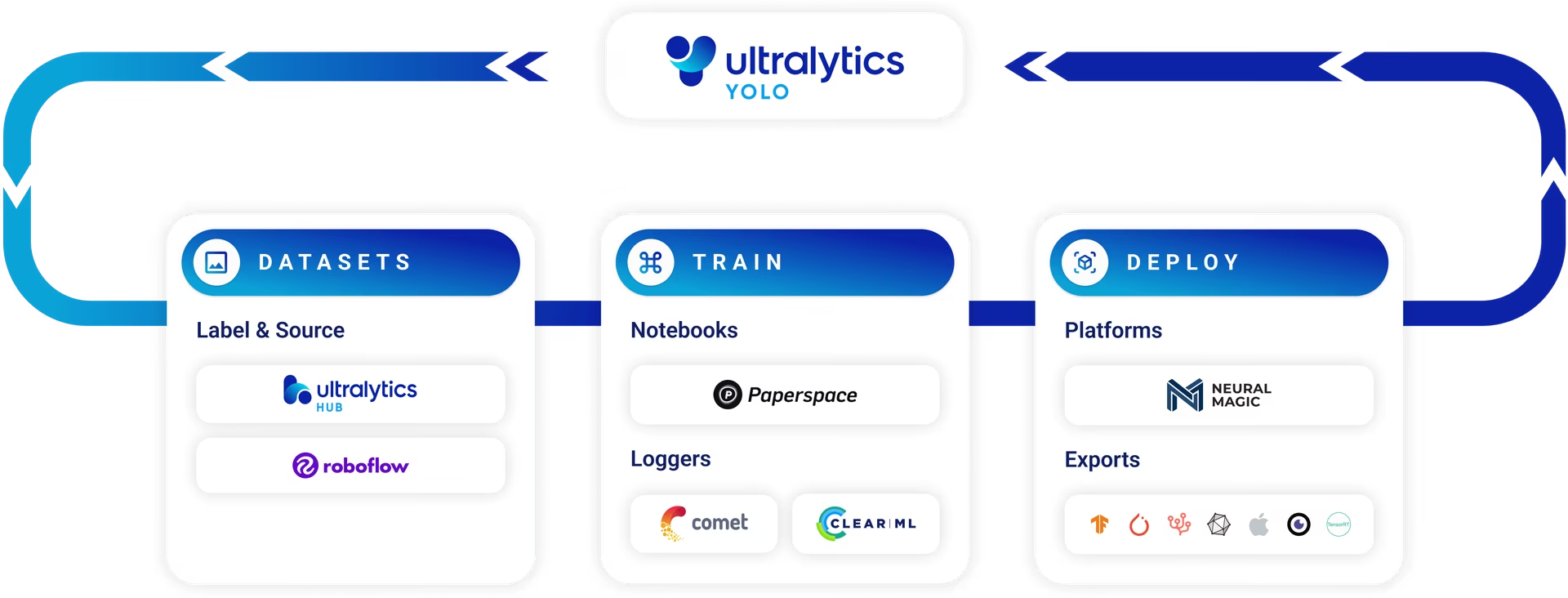
The ultimate goal of training a model is to deploy it for real-world applications. Export mode in Ultralytics YOLO26 offers a versatile range of options for exporting your trained model to different formats, making it deployable across various platforms and devices. This comprehensive guide aims to walk you through the nuances of model exporting, showcasing how to achieve maximum compatibility and performance.
Watch: How to Export Ultralytics YOLO26 in different formats for Deployment | ONNX, TensorRT, CoreML 🚀
Link to this sectionWhy Choose YOLO26's Export Mode?#
- Versatility: Export to multiple formats including ONNX, TensorRT, CoreML, and more.
- Performance: Gain up to 5x GPU speedup with TensorRT and 3x CPU speedup with ONNX or OpenVINO.
- Compatibility: Make your model universally deployable across numerous hardware and software environments.
- Ease of Use: Simple CLI and Python API for quick and straightforward model exporting.
Link to this sectionKey Features of Export Mode#
Here are some of the standout functionalities:
- One-Click Export: Simple commands for exporting to different formats.
- Batch Export: Export batched-inference capable models.
- Optimized Inference: Exported models are optimized for quicker inference times.
- Tutorial Videos: In-depth guides and tutorials for a smooth exporting experience.
Link to this sectionUsage Examples#
Export a YOLO26n model to a different format like ONNX or TensorRT. See the Arguments section below for a full list of export arguments.
from ultralytics import YOLO

# Load a model
model = YOLO("yolo26n.pt")  # load an official model
model = YOLO("path/to/best.pt")  # load a custom-trained model

# Export the model
model.export(format="onnx")
Link to this sectionArguments#
This table details the configurations and options available for exporting YOLO models to different formats. These settings are critical for optimizing the exported model's performance, size, and compatibility across various platforms and environments. Proper configuration ensures that the model is ready for deployment in the intended application with optimal efficiency.
| Argument | Type | Default | Description |
|---|---|---|---|
format | str | 'torchscript' | Target format for the exported model, such as 'onnx', 'torchscript', 'engine' (TensorRT), or others. Each format enables compatibility with different deployment environments. |
imgsz | int or tuple | 640 | Desired image size for the model input. Can be an integer for square images (e.g., 640 for 640×640) or a tuple (height, width) for specific dimensions. |
keras | bool | False | Enables export to Keras format for TensorFlow SavedModel, providing compatibility with TensorFlow serving and APIs. |
optimize | bool | False | Applies optimization for mobile devices when exporting to TorchScript, potentially reducing model size and improving inference performance. Not compatible with NCNN format or CUDA devices. For DEEPX, enables a higher compiler optimization which reduces inference latency and increases compilation time. |
quantize | int or str | None | Quantization precision: 16 (FP16, reduces model size and can speed up inference on supported hardware) or 8 (INT8/PTQ, further compresses the model with minimal accuracy loss, primarily for edge devices; needs calibration data/fraction); 32/unset is FP32. Export formats that support mixed weight/activation precision also accept the 'w8a8'/'w16a16'/'w8a16' notation. Replaces the deprecated half/int8 flags (half=True → 16, int8=True → 8, still accepted with a deprecation warning). Only precisions supported by the target format are allowed (see below). |
dynamic | bool | False | Allows dynamic input sizes for TorchScript, ONNX, OpenVINO, TensorRT, and CoreML exports, enhancing flexibility in handling varying image dimensions. |
simplify | bool | True | Simplifies the model graph for ONNX exports with onnxslim, potentially improving performance and compatibility with inference engines. |
opset | int | None | Specifies the ONNX opset version for compatibility with different ONNX parsers and runtimes. If not set, uses the latest supported version. |
workspace | float or None | None | Sets the maximum workspace size in GiB for TensorRT optimizations, balancing memory usage and performance. Use None for auto-allocation by TensorRT up to device maximum. |
nms | bool | False | Adds Non-Maximum Suppression (NMS) to the exported model when supported (see Export Formats), improving detection post-processing efficiency. Not available for end2end models. |
batch | int | 1 | Specifies export model batch inference size or the maximum number of images the exported model will process concurrently in predict mode. For Edge TPU exports, this is automatically set to 1. |
device | str | None | Specifies the device for exporting: GPU (device=0), CPU (device=cpu), MPS for Apple silicon (device=mps), Huawei Ascend NPU (device=npu or device=npu:0), or DLA for NVIDIA Jetson (device=dla:0 or device=dla:1). TensorRT exports automatically use GPU, but TensorRT 11.0 does not support DLA. |
data | str | None | Path to the dataset configuration file, essential for INT8 quantization calibration. If not specified with INT8 enabled, Ultralytics selects a task-specific calibration dataset where required, or falls back to the default dataset for the model task. |
fraction | float | 1.0 | Specifies the fraction of the dataset to use for INT8 quantization calibration. Allows for calibrating on a subset of the full dataset, useful for experiments or when resources are limited. If not specified with INT8 enabled, the full dataset will be used. |
end2end | bool | None | Overrides the end-to-end mode in YOLO models that support NMS-free inference (YOLO26, YOLOv10). Setting it to False lets you export these models to be compatible with the traditional NMS-based postprocessing pipeline. See the End-to-End Detection guide for details. |
Adjusting these parameters allows for customization of the export process to fit specific requirements, such as deployment environment, hardware constraints, and performance targets. Selecting the appropriate format and settings is essential for achieving the best balance between model size, speed, and accuracy.
Link to this sectionExport Formats#
Available YOLO26 export formats are in the table below. You can export to any format using the format argument, i.e., format='onnx' or format='engine'. You can predict or validate directly on exported models, i.e., yolo predict model=yolo26n.onnx. Usage examples are shown for your model after export completes. Models can also be exported directly from the browser on Ultralytics Platform without any local setup.
| Format | format Argument | Model | Metadata | Arguments |
|---|---|---|---|---|
| PyTorch | - | yolo26n.pt | ✅ | - |
| TorchScript | torchscript | yolo26n.torchscript | ✅ | imgsz, quantize, dynamic, optimize, nms, batch, device |
| ONNX | onnx | yolo26n.onnx | ✅ | imgsz, quantize, dynamic, simplify, opset, nms, batch, data, fraction, device |
| OpenVINO | openvino | yolo26n_openvino_model/ | ✅ | imgsz, quantize, dynamic, nms, batch, data, fraction, device |
| TensorRT | engine | yolo26n.engine | ✅ | imgsz, quantize, dynamic, simplify, workspace, nms, batch, data, fraction, device |
| CoreML | coreml | yolo26n.mlpackage | ✅ | imgsz, dynamic, quantize, nms, batch, device |
| TF SavedModel | saved_model | yolo26n_saved_model/ | ✅ | imgsz, keras, quantize, nms, batch, data, fraction, device |
| TF GraphDef | pb | yolo26n.pb | ❌ | imgsz, batch, device |
| TF Lite | tflite | yolo26n.tflite | ✅ | imgsz, quantize, nms, batch, data, fraction, device |
| TF Edge TPU | edgetpu | yolo26n_edgetpu.tflite | ✅ | imgsz, quantize, data, fraction, device |
| TF.js | tfjs | yolo26n_web_model/ | ✅ | imgsz, quantize, nms, batch, data, fraction, device |
| PaddlePaddle | paddle | yolo26n_paddle_model/ | ✅ | imgsz, batch, device |
| MNN | mnn | yolo26n.mnn | ✅ | imgsz, batch, quantize, device |
| NCNN | ncnn | yolo26n_ncnn_model/ | ✅ | imgsz, quantize, batch, device |
| IMX500 | imx | yolo26n_imx_model/ | ✅ | imgsz, quantize, data, fraction, nms, device |
| RKNN | rknn | yolo26n_rknn_model/ | ✅ | imgsz, batch, name, quantize, data, fraction, device |
| ExecuTorch | executorch | yolo26n_executorch_model/ | ✅ | imgsz, batch, device |
| Axelera | axelera | yolo26n_axelera_model/ | ✅ | imgsz, batch, quantize, data, fraction, device |
| DEEPX | deepx | yolo26n_deepx_model/ | ✅ | imgsz, quantize, data, optimize, device |
| Qualcomm QNN | qnn | yolo26n_qnn.onnx | ✅ | imgsz, batch, name, quantize, data, fraction, device |
Link to this sectionQuantization Options#
Use the quantize argument to request the export precision. String values are case-insensitive, and Ultralytics canonicalizes accepted aliases before export:
| Request values | Canonical value | Meaning |
|---|---|---|
8, "8", "int8", "w8a8" | 8 | INT8 weights and activations |
16, "16", "fp16", "w16a16" | 16 | FP16 weights and activations |
32, "32", "fp32", "w32a32" | 32 | FP32 export; same precision as leaving quantize unset |
"w8a16" | "w8a16" | INT8 weights with FP16 activations |
The legacy half=True and int8=True flags are still accepted with deprecation warnings and forward to quantize=16 and quantize=8.
Not every export format supports every precision. Explicit quantize requests either produce that precision or fail before export:
| Format | FP32 (32/unset) | FP16 (16) | INT8 (8) | W8A16 ("w8a16") | Notes |
|---|---|---|---|---|---|
| PyTorch | ✅ | N/A | N/A | N/A | Native training/checkpoint format. |
| TorchScript | ✅ | ✅ GPU only | ❌ | ❌ | FP16 TorchScript export requires device=0; CPU export is FP32. |
| ONNX | ✅ | ✅ | ✅ | ❌ | INT8 uses ONNX Runtime static quantization and calibration data. |
| OpenVINO | ✅ | ✅ | ✅ | ❌ | INT8 uses NNCF post-training quantization. |
| TensorRT | ✅ | ✅ | ✅ | ❌ | INT8 needs representative calibration data. |
| CoreML | ✅ | ✅ | ✅ | ✅ | CoreML INT8 is weight quantization; W8A16 uses INT8 weights with FP16 activations. |
| TF SavedModel | ✅ | ❌ | ✅ | ❌ | INT8 export uses TensorFlow calibration. |
| TF GraphDef | ✅ | ❌ | ❌ | ❌ | No export-time precision conversion. |
| TFLite | ✅ | ✅ | ✅ | ❌ | INT8 export uses TensorFlow calibration. |
| Edge TPU | ❌ | ❌ | ✅ auto | ❌ | Edge TPU requires INT8; it is auto-enabled when unset. |
| TF.js | ✅ | ✅ | ✅ | ❌ | INT8/FP16 are applied during TensorFlow.js conversion. |
| PaddlePaddle | ✅ | ❌ | ❌ | ❌ | No export-time precision conversion. |
| MNN | ✅ | ✅ | ✅ | ❌ | INT8 is weight quantization through MNN conversion. |
| NCNN | ✅ | ✅ | ❌ | ❌ | Mobile/embedded runtime format. |
| IMX500 | ❌ | ❌ | ✅ auto | ✅ | IMX500 requires quantization; INT8 is auto-enabled when unset. |
| RKNN | ❌ | ✅ chip-dependent | ✅ | ❌ | RK3588/RK3576/RK3566/RK3568/RK3562/RK2118/RV1126B support FP16 or INT8; RV1103/RV1106 variants are INT8-only. |
| ExecuTorch | ✅ | ❌ | ❌ | ❌ | No export-time precision conversion. |
| Axelera | ❌ | ❌ | ✅ auto | ❌ | Axelera export requires INT8; it is auto-enabled when unset. |
| DEEPX | ❌ | ❌ | ✅ auto | ❌ | DEEPX export requires INT8; it is auto-enabled when unset. |
| Qualcomm QNN | ❌ | ❌ | ❌ | ✅ auto | QNN HTP export is fixed to INT8 weights with 16-bit activations. |
For INT8 and W8A16 exports, provide representative calibration data with data, such as data="coco8.yaml", unless the target integration documents a default or auto-enabled behavior.
Link to this sectionFAQ#
Link to this sectionHow do I export a YOLO26 model to ONNX format?#
Exporting a YOLO26 model to ONNX format is straightforward with Ultralytics. It provides both Python and CLI methods for exporting models.
from ultralytics import YOLO

# Load a model
model = YOLO("yolo26n.pt")  # load an official model
model = YOLO("path/to/best.pt")  # load a custom-trained model

# Export the model
model.export(format="onnx")
For more details on the process, including advanced options like handling different input sizes, refer to the ONNX integration guide.
Link to this sectionWhat are the benefits of using TensorRT for model export?#
Using TensorRT for model export offers significant performance improvements. YOLO26 models exported to TensorRT can achieve up to a 5x GPU speedup, making it ideal for real-time inference applications.
- Versatility: Optimize models for a specific hardware setup.
- Speed: Achieve faster inference through advanced optimizations.
- Compatibility: Integrate smoothly with NVIDIA hardware.
To learn more about integrating TensorRT, see the TensorRT integration guide.
Link to this sectionHow do I enable INT8 quantization when exporting my YOLO26 model?#
INT8 quantization is an excellent way to compress the model and speed up inference, especially on edge devices. Here's how you can enable INT8 quantization:
from ultralytics import YOLO

model = YOLO("yolo26n.pt")  # Load a model
model.export(format="onnx", quantize=8, data="coco8.yaml")
INT8 quantization can be applied to formats such as ONNX, TensorRT, OpenVINO, CoreML, and Rockchip RKNN. For optimal quantization results, provide a representative dataset using the data parameter. See Quantization Options for accepted quantize values and supported formats.
Link to this sectionWhy is dynamic input size important when exporting models?#
Dynamic input size allows the exported model to handle varying image dimensions, providing flexibility and optimizing processing efficiency for different use cases. When exporting to formats like ONNX or TensorRT, enabling dynamic input size ensures that the model can adapt to different input shapes seamlessly.
To enable this feature, use the dynamic=True flag during export:
from ultralytics import YOLO

model = YOLO("yolo26n.pt")
model.export(format="onnx", dynamic=True)
Dynamic input sizing is particularly useful for applications where input dimensions may vary, such as video processing or when handling images from different sources.
Link to this sectionWhat are the key export arguments to consider for optimizing model performance?#
Understanding and configuring export arguments is crucial for optimizing model performance:
format:The target format for the exported model (e.g.,onnx,torchscript,tensorflow).imgsz:Desired image size for the model input (e.g.,640or(height, width)).quantize:Quantization precision, such as8/"int8",16/"fp16",32/"fp32", or"w8a16"for supported mixed weight/activation precision exports. See Quantization Options.optimize:Applies specific optimizations for mobile or constrained environments.
For deployment on specific hardware platforms, consider using specialized export formats like TensorRT for NVIDIA GPUs, CoreML for Apple devices, or Edge TPU for Google Coral devices.
Link to this sectionWhat do the output tensors represent in exported YOLO models?#
When you export a YOLO model to formats like ONNX or TensorRT, the output tensor structure depends on the model task. Understanding these outputs is important for custom inference implementations.
For YOLO26 detection models (e.g., yolo26n.pt), end-to-end export is enabled by default in formats that support it, so the output is shaped like (batch_size, max_detections, 6) with [x1, y1, x2, y2, confidence, class_id] values. With the default max_det=300, this is commonly (batch_size, 300, 6). Some constrained formats automatically fall back to the traditional output layout when end-to-end operators are unsupported.
For non-end-to-end detection models, or YOLO26 models exported with end2end=False, the output is typically a single tensor shaped like (batch_size, 4 + num_classes, num_predictions) where the channels represent box coordinates plus per-class scores, and num_predictions depends on the export input resolution (and can be dynamic).
For segmentation models (e.g., yolo26n-seg.pt), you'll typically get two outputs: the first tensor shaped like (batch_size, 4 + num_classes + mask_dim, num_predictions) (boxes, class scores, and mask coefficients), and the second tensor shaped like (batch_size, mask_dim, proto_h, proto_w) containing mask prototypes used with the coefficients to generate instance masks. Sizes depend on the export input resolution (and can be dynamic).
For pose models (e.g., yolo26n-pose.pt), the output tensor is typically shaped like (batch_size, 4 + num_classes + keypoint_dims, num_predictions), where keypoint_dims depends on the pose specification (e.g., number of keypoints and whether confidence is included), and num_predictions depends on the export input resolution (and can be dynamic).
The examples in the ONNX inference examples demonstrate how to process these outputs for each model type.
Link to this sectionWhy is output0 FP32 when exporting quantized models with end2end=True?#
When exporting with quantize=16 (FP16) or quantize=8 (INT8), most tensors are converted to lower precision to reduce model size and improve performance. However, when end2end=True is enabled, post-processing (including class indices) is embedded directly in the exported graph.
The output0 tensor contains class indices, which are internally represented as floating-point values. FP16 cannot reliably represent integer values above 2048 due to its limited mantissa precision. To avoid potential precision loss or incorrect class IDs, output0 is intentionally kept in FP32.
This behavior is expected and also applies to lower-precision or quantized exports where class index fidelity must be preserved.
If full FP16 outputs are required, export with end2end=False and perform post-processing externally.