Link to this sectionUltralytics HUB Integration#
The Ultralytics HUB integration transfers everything from your Ultralytics HUB account into Ultralytics Platform in one step — your datasets, projects, models, and account balance.
Link to this sectionImport from Ultralytics HUB#
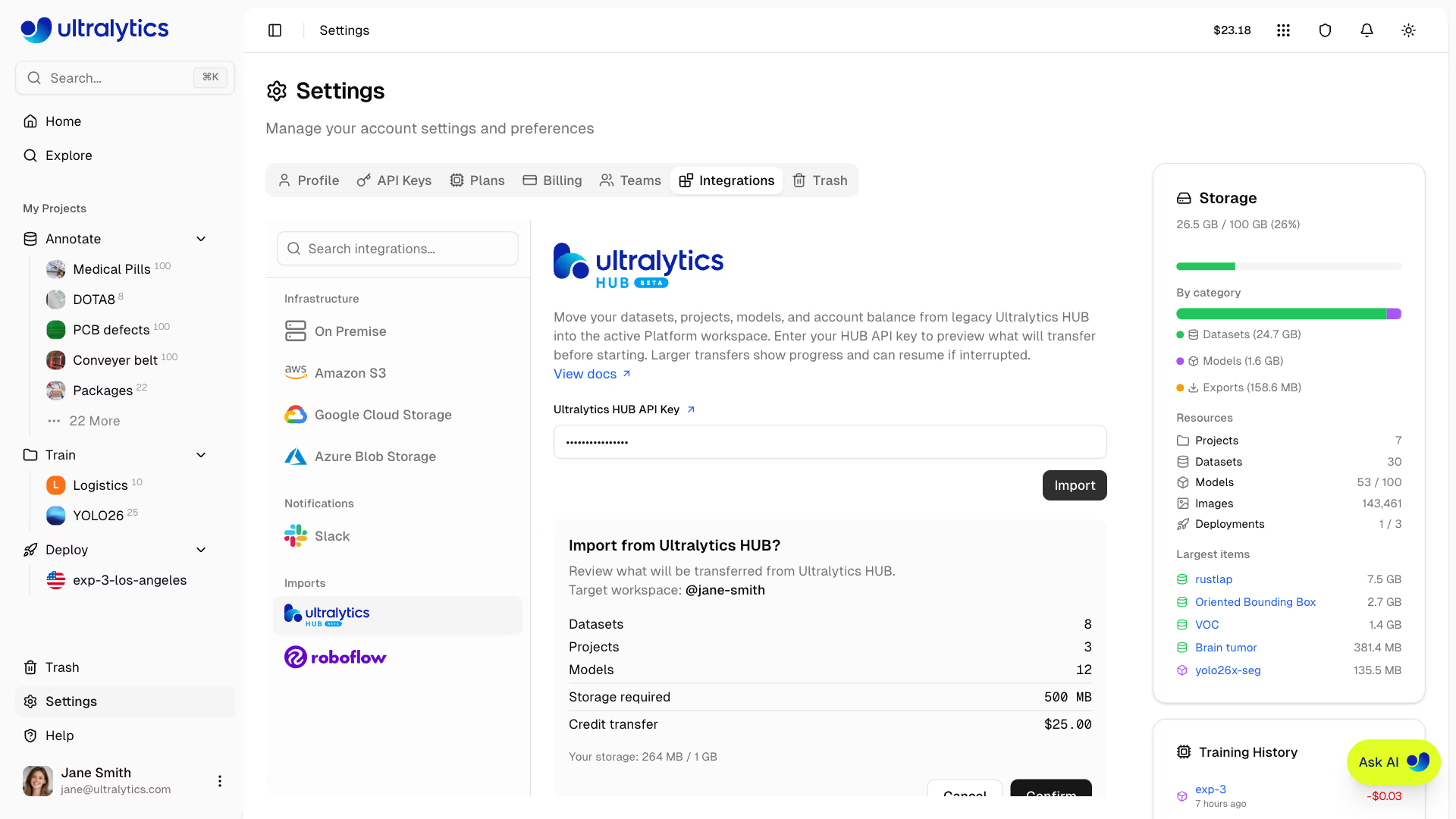
- Go to Settings > Integrations and select Ultralytics HUB from the integration list.
- Paste your Ultralytics HUB API Key and click Import.
- Review the Import from Ultralytics HUB? preview dialog, which summarizes what will be transferred:
- Number of datasets, projects, and models
- Credits to be transferred, if any
- Storage required, checked against your remaining storage
- Click Confirm to start the import.
 A progress bar tracks the import while it runs. When it finishes, the card shows a summary of everything that was imported.
If an import does not finish (for example a network issue or a model that failed to transfer), the card shows the error and a Resume import button. Re-enter your Ultralytics HUB API Key and click Resume import — already-imported items are skipped and only the remaining items are transferred.
Link to this sectionWhat Gets Imported#
| Item | Imported |
|---|---|
| Datasets | Images, classes, and annotations |
| Projects | Projects |
| Models | Trained models |
| Credits | Credits |
Where to find your HUB API key
Your Ultralytics HUB API key is available in your HUB account settings at hub.ultralytics.com. The key is used only to run the import — it is not stored.