Ultralytics Modal 快速入门指南#
本指南全面介绍如何在 Modal 上运行 Ultralytics YOLO26,涵盖无服务器 GPU 推理和模型训练。
什么是 Modal?#
Modal 是一个面向 AI 和机器学习工作负载的无服务器云计算平台。它会自动处理资源配置、扩缩容和执行——你只需在本地编写 Python 代码,Modal 就会在云端通过 GPU 运行代码。因此,你无需管理基础设施,即可运行 YOLO26 等深度学习模型。
你将学到什么#
- 设置 Modal 并进行身份验证
- 在 Modal 上运行 YOLO26 推理
- 使用 GPU 加速推理
- 在 Modal 上训练 YOLO26 模型
前置条件#
- 一个 Modal 账户(在 modal.com 免费注册)
- 本地计算机上已安装 Python 3.9 或更高版本
安装#
安装 Modal Python 软件包:
pip install modal然后使用你的 Modal 账户对 CLI 进行身份验证:
modal token new身份验证
modal token new 命令会打开浏览器窗口,以验证你的 Modal 账户。完成身份验证后,你就可以在终端中运行 Modal 命令。
运行 YOLO26 推理#
创建一个名为 modal_yolo.py 的新 Python 文件,并使用以下代码运行推理:
"""
Modal + Ultralytics YOLO26 Quickstart
Run: modal run modal_yolo.py.
"""

import modal

app = modal.App("ultralytics-yolo")

image = modal.Image.debian_slim(python_version="3.11").apt_install("libgl1", "libglib2.0-0").pip_install("ultralytics")

@app.function(image=image)
def predict(image_url: str):
    """Run YOLO26 inference on an image URL."""
    from ultralytics import YOLO

    model = YOLO("yolo26n.pt")
    results = model(image_url)

    for r in results:
        print(f"Detected {len(r.boxes)} objects:")
        for box in r.boxes:
            print(f"  - {model.names[int(box.cls)]}: {float(box.conf):.2f}")

@app.local_entrypoint()
def main():
    """Test inference with sample image."""
    predict.remote("https://ultralytics.com/images/bus.jpg")
运行推理:
modal run modal_yolo.py预期输出:
✓ Initialized. View run at https://modal.com/apps/your-username/main/ap-xxxxxxxx
✓ Created objects.
├── 🔨 Created mount modal_yolo.py
└── 🔨 Created function predict.
Downloading https://github.com/ultralytics/assets/releases/download/v8.4.0/yolo26n.pt to 'yolo26n.pt'...
Downloading https://ultralytics.com/images/bus.jpg to 'bus.jpg'...
image 1/1 /root/bus.jpg: 640x480 4 persons, 1 bus, 377.8ms
Speed: 5.8ms preprocess, 377.8ms inference, 0.3ms postprocess per image at shape (1, 3, 640, 480)

Detected 5 objects:
  - bus: 0.92
  - person: 0.91
  - person: 0.91
  - person: 0.87
  - person: 0.53
✓ App completed.
你可以在 Modal 控制面板中监控函数的执行情况:
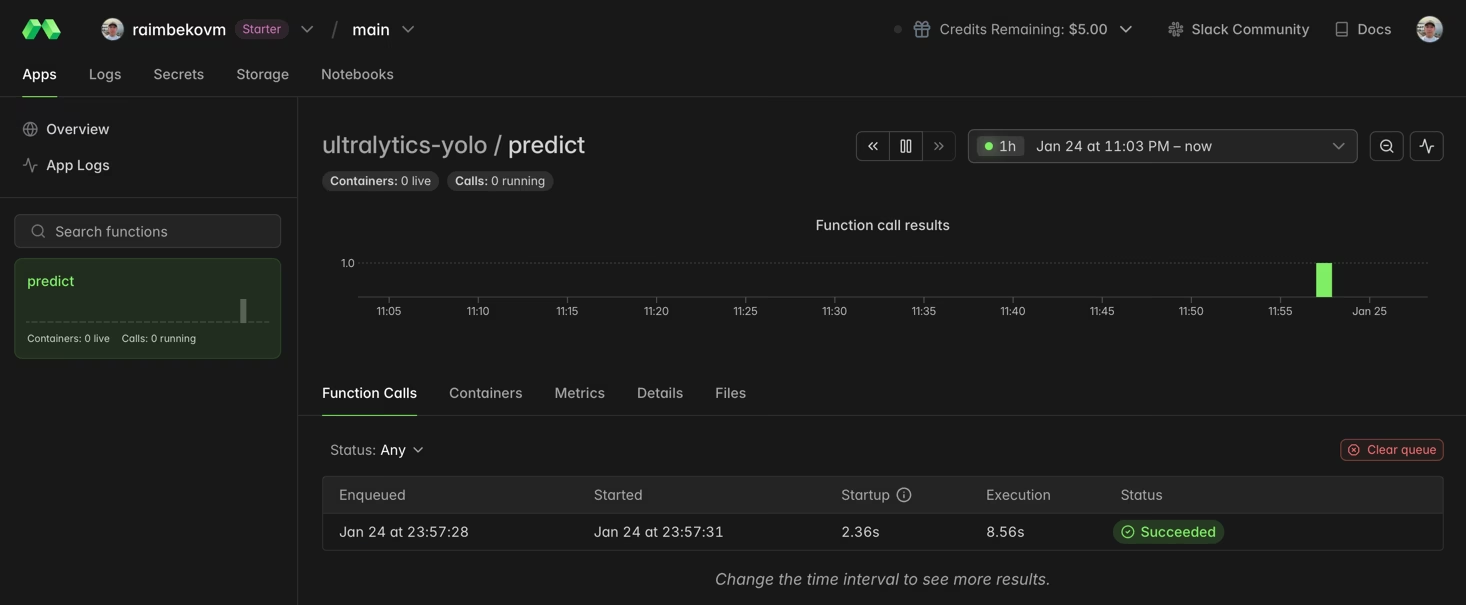
使用 GPU 加速推理#
通过指定 gpu 参数,为函数添加 GPU:
@app.function(image=image, gpu="T4")  # Options: "T4", "A10G", "A100", "H100"
def predict_gpu(image_url: str):
    """Run YOLO26 inference on GPU."""
    from ultralytics import YOLO

    model = YOLO("yolo26n.pt")
    results = model(image_url)
print(results[0].boxes)| GPU | 内存 | 适用场景 |
|---|---|---|
| T4 | 16 GB | 推理、小型模型训练 |
| A10G | 24 GB | 中型训练任务 |
| A100 | 40 GB | 大规模训练 |
| H100 | 80 GB | 最高性能 |
在 Modal 上训练 YOLO26#
训练时,请使用 GPU 和 Modal Volumes进行持久化存储。创建一个名为 train_yolo.py 的新 Python 文件:
import modal

app = modal.App("ultralytics-training")

volume = modal.Volume.from_name("yolo-training-vol", create_if_missing=True)

image = modal.Image.debian_slim(python_version="3.11").apt_install("libgl1", "libglib2.0-0").pip_install("ultralytics")

@app.function(image=image, gpu="T4", timeout=3600, volumes={"/data": volume})
def train():
    """Train YOLO26 model on Modal."""
    from ultralytics import YOLO

    model = YOLO("yolo26n.pt")
    model.train(data="coco8.yaml", epochs=3, imgsz=640, project="/data/runs")

@app.local_entrypoint()
def main():
    train.remote()
运行训练:
modal run train_yolo.pyVolume 持久化
Modal Volumes 会在函数运行之间保留数据。训练好的权重会保存到 /data/runs/train/weights/。
恭喜!你已成功在 Modal 上设置 Ultralytics YOLO26。想要进一步学习:
- 探索 Ultralytics YOLO26 文档,了解高级功能
- 了解如何使用自己的数据集训练自定义模型
- 试试 Docker 快速入门,了解容器化部署
- 访问 Modal 文档,了解平台的高级功能